

rclone-manager
Docker app from pires' Repository
RClone Manager is a web interface for rclone: set up remotes (Google Drive, OneDrive, S3, Backblaze B2, SFTP and many more), browse them, and run or schedule sync, copy, move and…
Overview
Readme
View on GitHub
RClone Manager
🇺🇸 English • 🇹🇷 Türkçe • 🇨🇳 简体中文 • 🇹🇼 繁體中文 • 🇫🇷 Français • 🇪🇸 Español • 🇧🇷 Português-Brasil • 🇷🇺 Русский • 🇯🇵 日本語 • 🇸🇰 Slovenčina • Help to translate • Crowdin
A powerful, cross-platform GUI for managing Rclone remotes with style and ease.
Built with Angular 22 + Tauri · Linux • Windows • macOS • Android (Beta) • ARM Support
Documentation Latest Release Downloads License Stars Crowdin Status
Overview
RClone Manager simplifies remote file management and synchronization. Using Rclone as its backbone, it offers a desktop environment with a built-in file manager (Nautilus) to transfer, mount, and serve remote files effortlessly.
- 📂 Nautilus File Manager: Browse, edit, move, copy, rename, and delete remote files.
- 👁️ File Viewer: Inline previews for videos, images, PDFs, audio, and text.
- ⚡ Visual Workflows: Design and automate multi-step cloud pipelines with an interactive node-based canvas, cron triggers, folder watchers, and instant alert notifications.
- 🚀 Quick Runs: Trigger one-click cloud operations and custom CLI flag presets directly from a status-aware card grid.
- ⚙️ Mount & Serve: Easy mount controls and serve management (WebDAV, SFTP, HTTP, FTP).
- 🔄 Job Watcher: Real-time transfer monitoring and bandwidth control.
- 📱 Android SAF & DocumentsProvider: Access cloud remotes natively in system file pickers via Storage Access Framework and in-process VFS mount bridge without root.
- 🌐 Headless Mode: Run on a VPS/NAS with RClone Manager Server. Server documentation and the Linux service template live in
backend/server/.
Screenshots
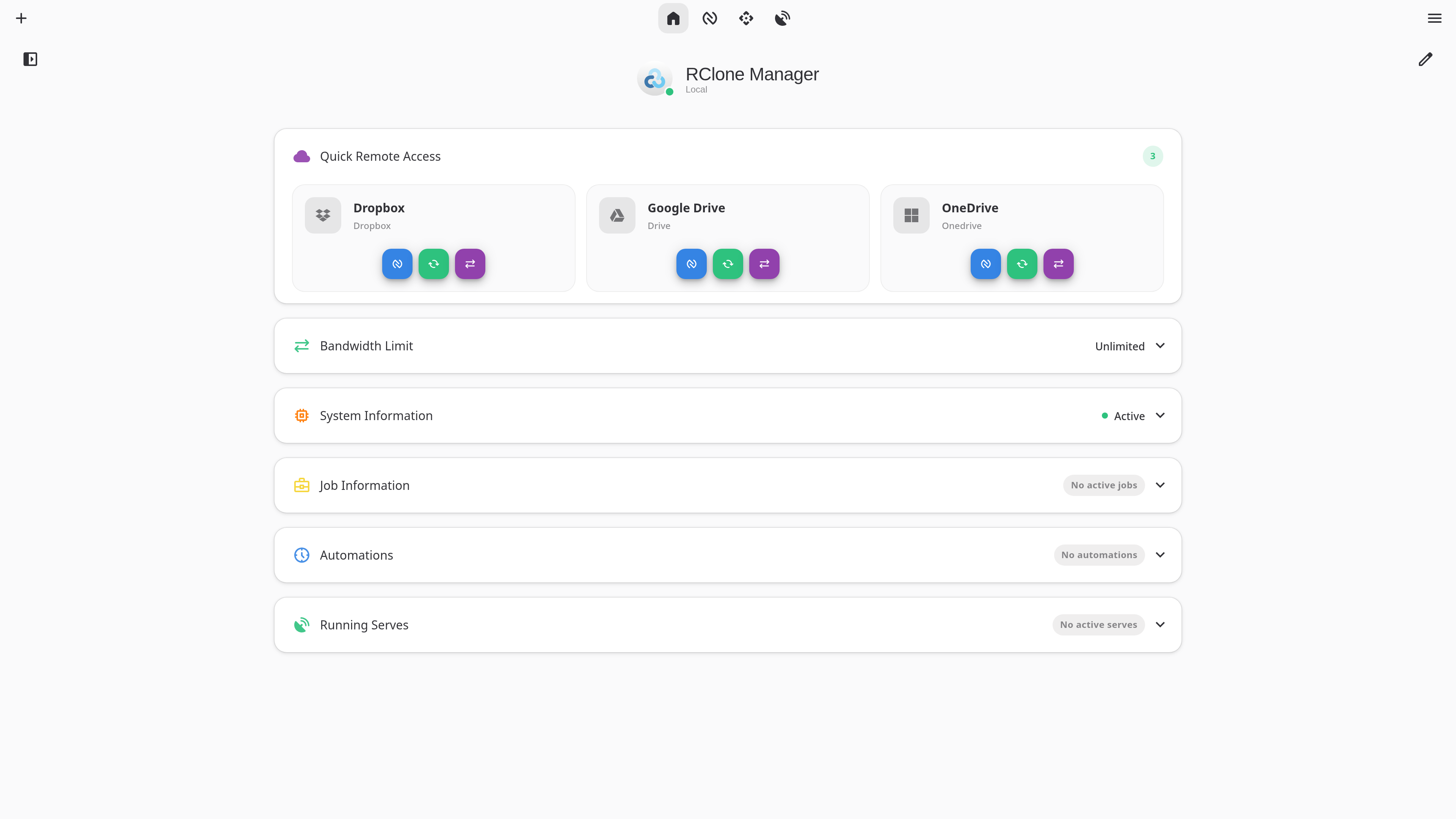
Dashboard - Quick Runs, Mounts & remote overview at a glance
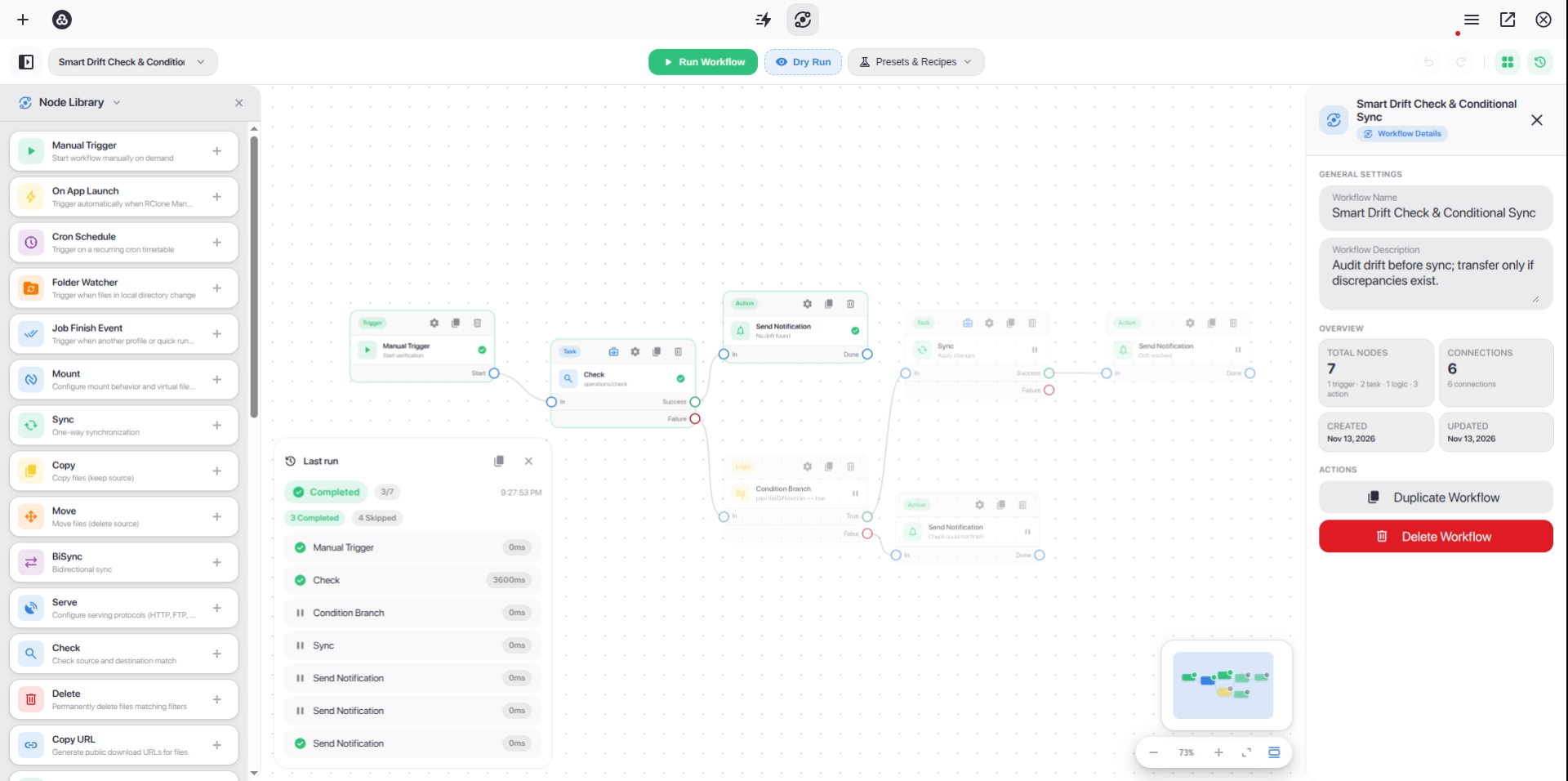
Workflow Builder - Design and automate multi-step cloud pipelines on an interactive node canvas
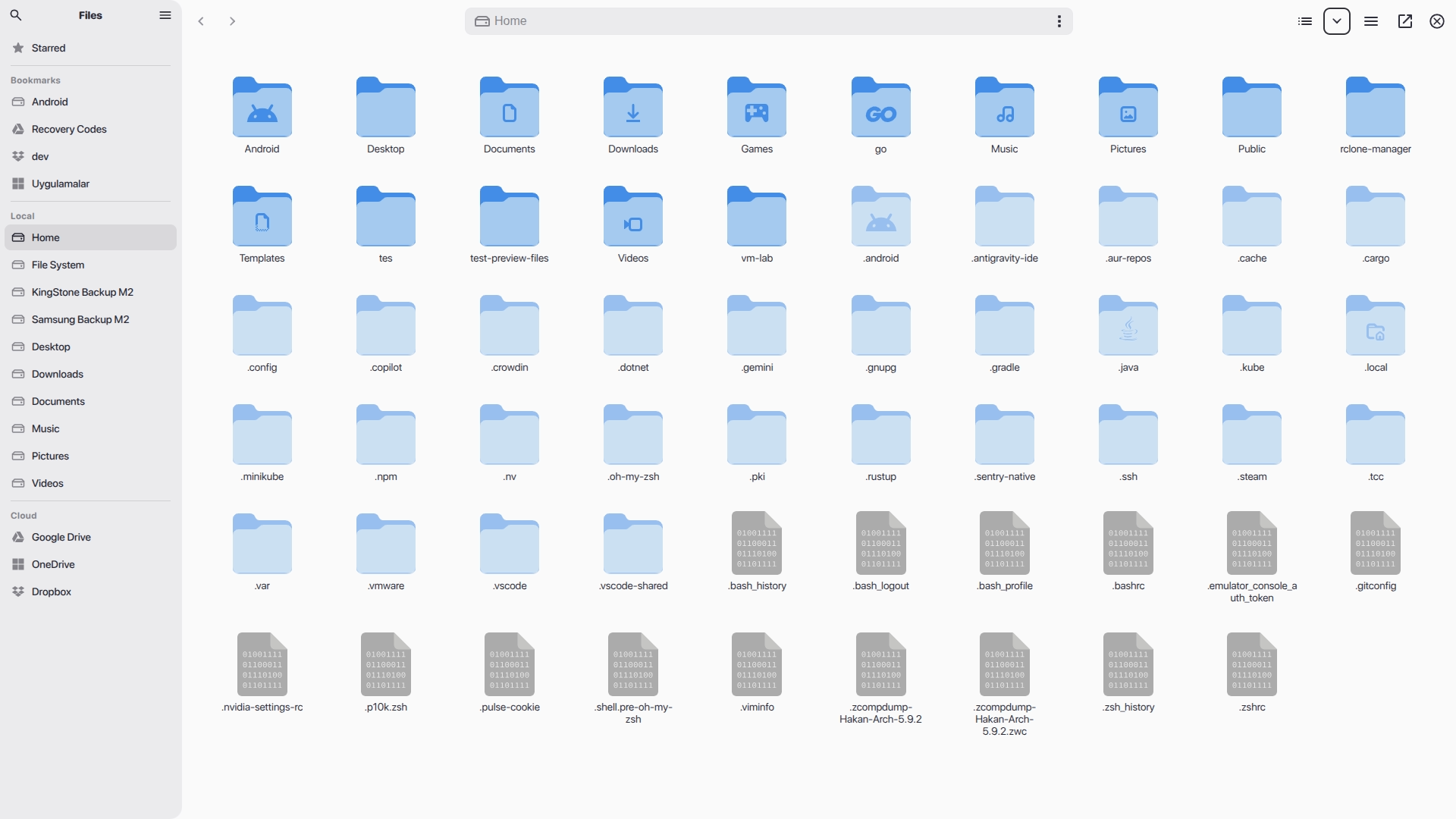
Nautilus - Browse, transfer, and manage files across all your remotes
📖 Want to see more? Check out the Wiki Gallery for all features.
Installation & Downloads
Install RClone Manager using your preferred package manager, or download standalone binaries directly from the Releases page.
Linux
| Source | Version | Install Command / Download |
|---|---|---|
| AUR | AUR Version | yay -S rclone-manager |
| AUR (Git) | AUR Version | yay -S rclone-manager-git |
| Flathub | Flathub | flatpak install io.github.zarestia_dev.rclone-manager |
| Direct Download | GitHub Release | Latest Releases (.deb, .rpm, .AppImage, Portable tar.gz) |
📚 Guide: Wiki: Installation - Linux (troubleshooting Flatpak, snapshots, etc.)
macOS
| Source | Version | Install Command / Download |
|---|---|---|
| Homebrew | Homebrew Version | brew tap Zarestia-Dev/zarestia && brew trust zarestia-dev/zarestia && brew install --cask rclone-manager |
| Direct Download | GitHub Release | DMG Installer |
📚 Guide: Wiki: Installation - macOS (macFUSE & Gatekeeper fixes)
Windows
| Source | Version | Install Command / Download |
|---|---|---|
| Winget | Winget Version | winget install RClone-Manager.rclone-manager |
| Chocolatey | Chocolatey Version | choco install rclone-manager |
| Scoop | Scoop Version | scoop bucket add extras && scoop install rclone-manager |
| Direct Download | GitHub Release | Installer / Portable EXE |
📚 Guide: Wiki: Installation - Windows (WinFsp mounting requirements & SmartScreen)
Android (Beta)
| Source | Version | Install Command / Download |
|---|---|---|
| Direct Download | GitHub Release | APK Downloads (arm64-v8a, armeabi-v7a, x86_64, x86) |
📱 Storage Access Framework (SAF): Features native
DocumentsProvider(RcloneDocumentsProvider) integration and an in-process VFS mount bridge, exposing mounted cloud remotes directly to Android system file pickers and external apps without requiring root or/dev/fuse.📚 Guide: Wiki: Android Support (Beta) (Go engine / librclone details, SAF provider & setup)
🛠️ System Requirements: Mounting drives requires WinFsp (Windows), macFUSE (macOS), or FUSE3 (Linux). Rclone itself is downloaded automatically if missing. See Wiki: System Requirements.
Development & Support
- Building from Source: Refer to the Building Guide.
- Code Quality: Check out LINTING.md for style guidelines.
- Troubleshooting: Visit our Troubleshooting Wiki or read ISSUES.md for platform-specific notes.
Contributing
We welcome contributions of all forms!
- 🌍 Translations: Join the Crowdin Project or read the Translation Guide.
- 🐛 Bugs & Features: Open an issue or check the Project Board.
- 🔧 Code changes: Please read CONTRIBUTING.md before submitting a Pull Request.
- 👥 Contributors: Check out CONTRIBUTORS.md to see everyone who has helped build RClone Manager.
License & Support
- License: Licensed under the GNU GPLv3 – free to use, modify, and distribute.
- Support: If you like this project, please consider leaving a ⭐ on GitHub!
Made with ❤️ by the Zarestia Dev Team
Powered by Rclone | Built with Angular & Tauri
Categories
Related apps
Explore more like this
Explore allLinks
Details
ghcr.io/zarestia-dev/rclone-manager:latestRuntime arguments
- Web UI
http://[IP]:[PORT:8080]/- Network
bridge- Shell
bash- Privileged
- false
- Extra Params
--restart=unless-stopped
Template configuration
Host port for the web UI. Unraid's own web UI may already use 8080; pick another port in that case.
- Target
- 8080
- Default
- 8080
- Value
- 8080
rclone.conf with your remotes.
- Target
- /config
- Default
- /mnt/user/appdata/rclone-manager/config
- Value
- /mnt/user/appdata/rclone-manager/config
App settings, jobs, logs, cache and the downloaded rclone binary.
- Target
- /data
- Default
- /mnt/user/appdata/rclone-manager/data
- Value
- /mnt/user/appdata/rclone-manager/data
Local storage for jobs. Keep it mounted outside /home/rclone-manager: the image changes ownership of everything under that folder (and /data, /config) at every start.
- Target
- /mnt/user
- Default
- /mnt/user
- Value
- /mnt/user
User ID the app runs as. 99 (nobody) matches Unraid shares.
- Default
- 99
- Value
- 99
Group ID the app runs as. 100 (users) matches Unraid shares.
- Default
- 100
- Value
- 100
Optional but recommended. Encrypts saved remote passwords and tokens; without it they are kept in memory only and must be re-entered after every restart.
- Target
- RCLONE_MANAGER_SECRET
Optional basic-auth username for the web UI. Leave empty when a reverse proxy handles login.
- Target
- RCLONE_MANAGER_USER
Optional basic-auth password for the web UI.
- Target
- RCLONE_MANAGER_PASS