
All apps · 0 apps

qui
Docker app from Selfhosters
Overview
Readme
View on GitHubqui
A fast, modern web interface for qBittorrent. Supports managing multiple qBittorrent instances from a single, lightweight application.
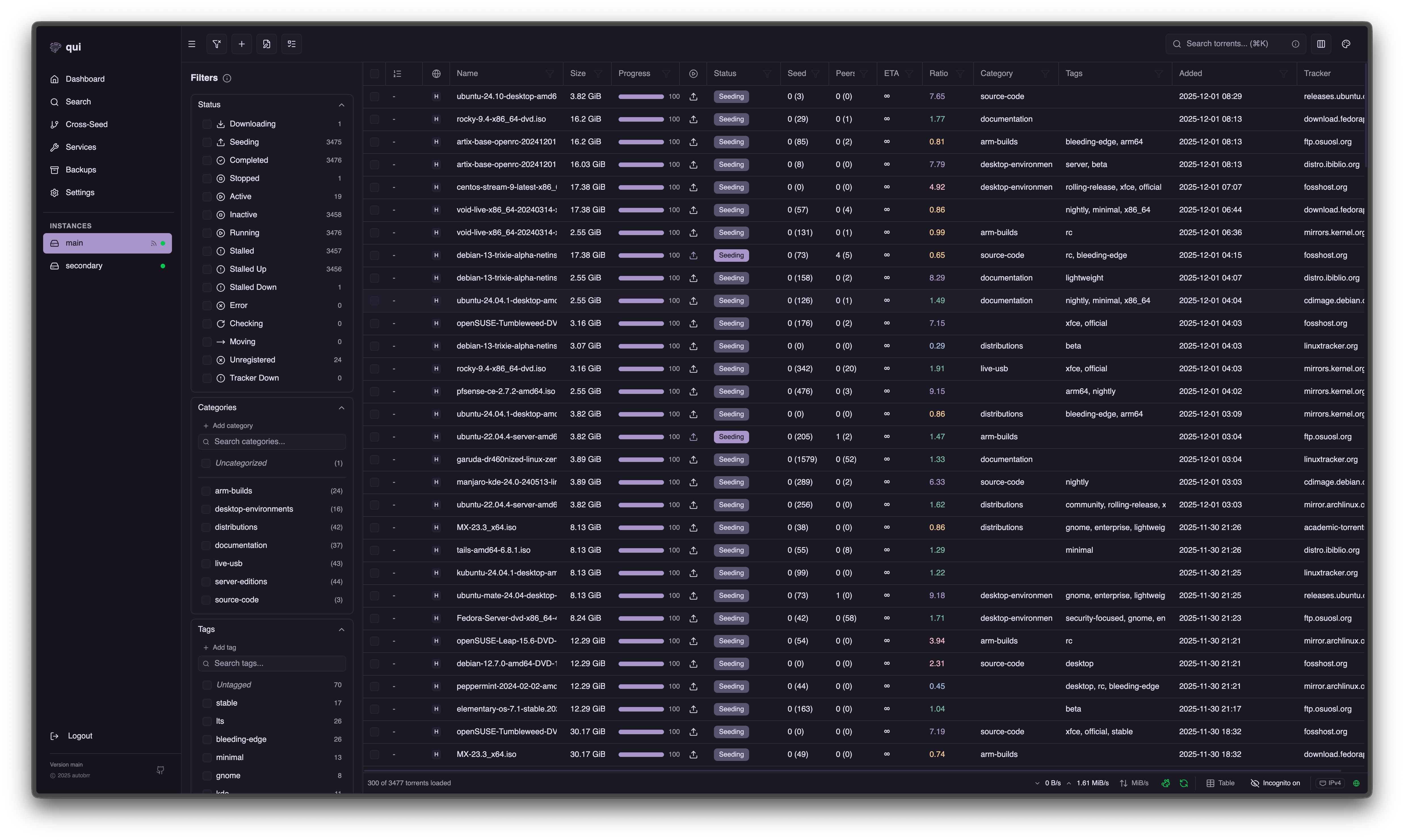
Documentation
Full documentation available at getqui.com
Quick Start
Linux x86_64
# Download and extract the latest release
wget $(curl -s https://api.github.com/repos/autobrr/qui/releases/latest | grep browser_download_url | grep linux_x86_64 | cut -d\" -f4)
sudo tar -C /usr/local/bin -xzf qui*.tar.gz qui

# Run
qui serve
The web interface will be available at http://localhost:7476
Docker
docker run -d \
  -p 7476:7476 \
  -v $(pwd)/config:/config \
  ghcr.io/autobrr/qui:latest
Features
- Single Binary: No dependencies, just download and run
- Multi-Instance Support: Manage all your qBittorrent instances from one place
- Fast & Responsive: Optimized for performance with large torrent collections
- Cross-Seed: Automatically find and add matching torrents across trackers
- Automations: Rule-based torrent management with conditions and actions
- Backups & Restore: Scheduled snapshots with multiple restore modes
- Reverse Proxy: Transparent qBittorrent proxy for external apps
- Multi-Language: Available in English, German, French, Italian, Czech, Ukrainian, Korean, Brazilian Portuguese, Simplified Chinese, Traditional Chinese, and Catalan, with automatic browser-language detection
Community
Join our community on Discord!
Support
- GitHub Discussions - Feature requests and bug reports
- GitHub Issues - Work in progress
Support Development
qui is developed and maintained by volunteers. Your support helps us continue improving the project.
Premium Themes
Purchase premium themes from Settings → Premium Themes in your qui instance. The checkout page shows your license key. If you donate with crypto, verify your transaction at crypto.getqui.com to receive a 100% discount code for premium themes. A license also unlocks custom themes, which you can write yourself or take from qui-community-themes.
Donations
If you'd like to support development beyond theme purchases, donations are always appreciated.
Cryptocurrency
Verify your crypto donation at crypto.getqui.com to receive a 100% discount code for premium themes.
Bitcoin (BTC)
- soup:
bc1qfe093kmhvsa436v4ksz0udfcggg3vtnm2tjgem - zze0s:
bc1q2nvdd83hrzelqn4vyjm8tvjwmsuuxsdlg4ws7x
Ethereum (ETH)
- soup:
0xD8f517c395a68FEa8d19832398d4dA7b45cbc38F - zze0s:
0xBF7d749574aabF17fC35b27232892d3F0ff4D423
Litecoin (LTC)
- soup:
ltc1q86nx64mu2j22psj378amm58ghvy4c9dw80z88h - zze0s:
ltc1qza9ffjr5y43uk8nj9ndjx9hkj0ph3rhur6wudn
Monero (XMR)
- XMR discount codes are handled manually. Reach out on Discord or email
s0up4200@pm.me. - soup:
8AMPTPgjmLG9armLBvRA8NMZqPWuNT4US3kQoZrxDDVSU21kpYpFr1UCWmmtcBKGsvDCFA3KTphGXExWb3aHEu67JkcjAvC - zze0s:
44AvbWXzFN3bnv2oj92AmEaR26PQf5Ys4W155zw3frvEJf2s4g325bk4tRBgH7umSVMhk88vkU3gw9cDvuCSHgpRPsuWVJp
For other currencies or donation methods, reach out on Discord.
Contributing
Contributions are welcome.
See CONTRIBUTING.md for the development and test workflow.
Alternatives
If qui does not fit your setup, these projects offer different approaches:
- VueTorrent is a modern, responsive alternative WebUI.
- iQbit is a mobile-focused WebUI and PWA.
- Flood supports qBittorrent and other torrent clients.
- qBitController is a native app for Android, iOS, Linux, macOS, and Windows.
The qBittorrent wiki includes a longer list of community WebUIs.
License
GPL-2.0-or-later
Categories
Related apps
Explore more like this
Explore allDetails
ghcr.io/autobrr/qui:latestRuntime arguments
- Web UI
http://[IP]:[PORT:7476]- Network
bridge- Shell
bash- Privileged
- false
- Extra Params
--user 99:100
Template configuration
- Target
- 7476
- Default
- 7476
Persistent config files
- Target
- /config