
All apps · 0 apps
questly
Docker app from mahansford's Repository
Overview
Readme
View on GitHub
Questly
A family points-and-rewards app.
Grown-ups award points for quests and good behaviour.
Kids spend those points in a shop of rewards you control.




[!NOTE]
Built with AI
Every line of this project — the application code, the stylesheet, the icons and this README — was written by Claude (Anthropic's Claude Opus 5) running in Claude Code, to a human's direction. Every commit carries a
Co-Authored-By: Claudetrailer, so the history is honest about it.It is not untested.
tests/smoke_test.pywalks every flow end to end against a real MongoDB — awarding, spending, approving, refunding, PIN login, account changes — and every screen was driven in a browser during development.It has not had a third-party security audit, and it hasn't run anywhere long enough to call it battle-tested. It is a family app intended for a trusted home network. Read the code before running it on anything you care about, as you would with any code you find on the internet.
Self-hosted, no accounts with anyone else, no ads, no subscriptions. It runs on a spare machine or a NAS and is used from any phone, tablet or laptop on the same network. The layout is mobile-first and installs to a home screen as a web app.
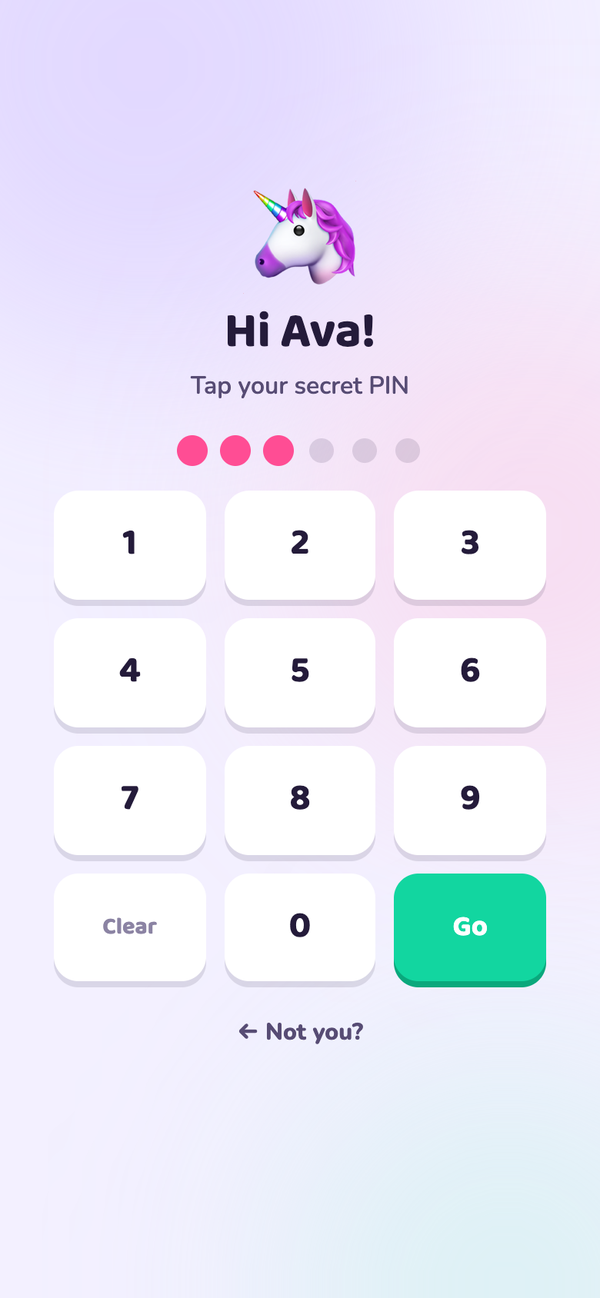
- Two sides. Grown-ups log in with an email and password. Kids tap their avatar and type a 4–6 digit PIN — or no PIN at all for the youngest.
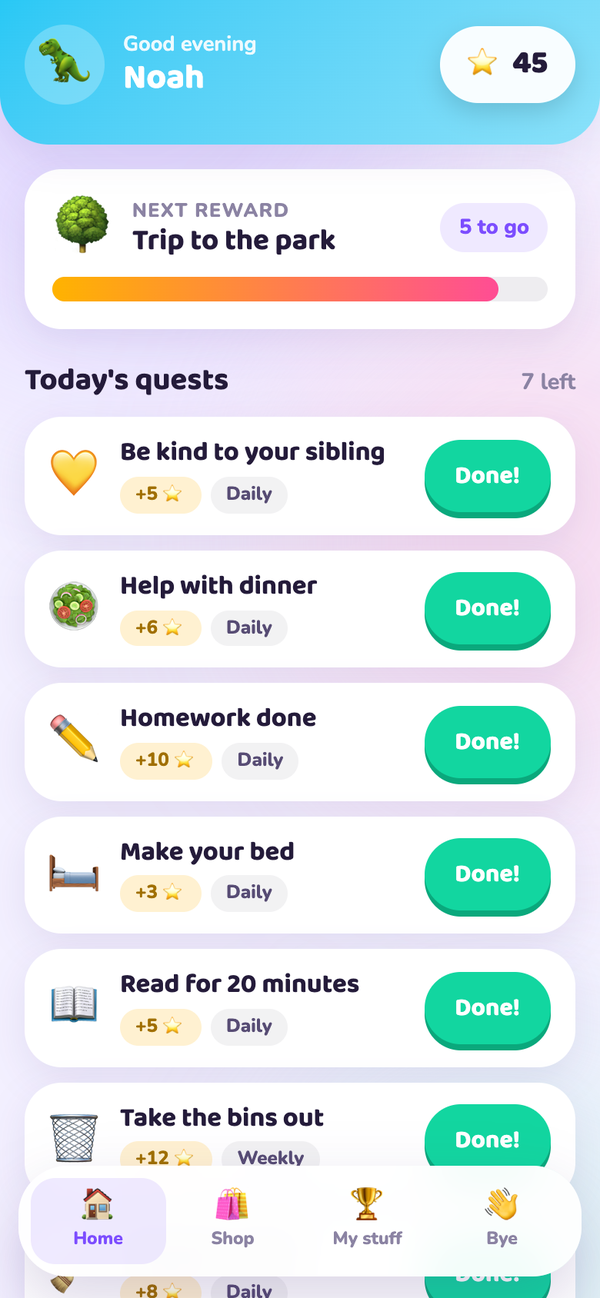
- Quests — recurring jobs worth points. A kid taps Done!, a grown-up approves, the points land.
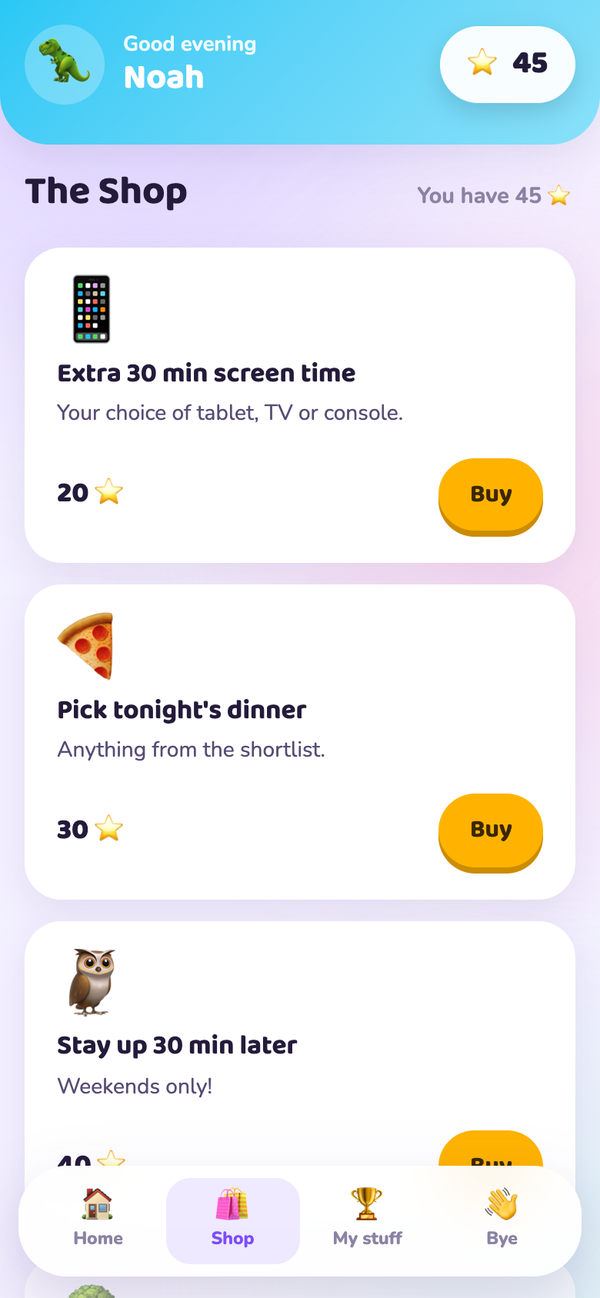
- A shop you stock yourself, with prices, icons and optional limited stock.
- A full ledger. Every point in or out is recorded with a running balance.
What it looks like
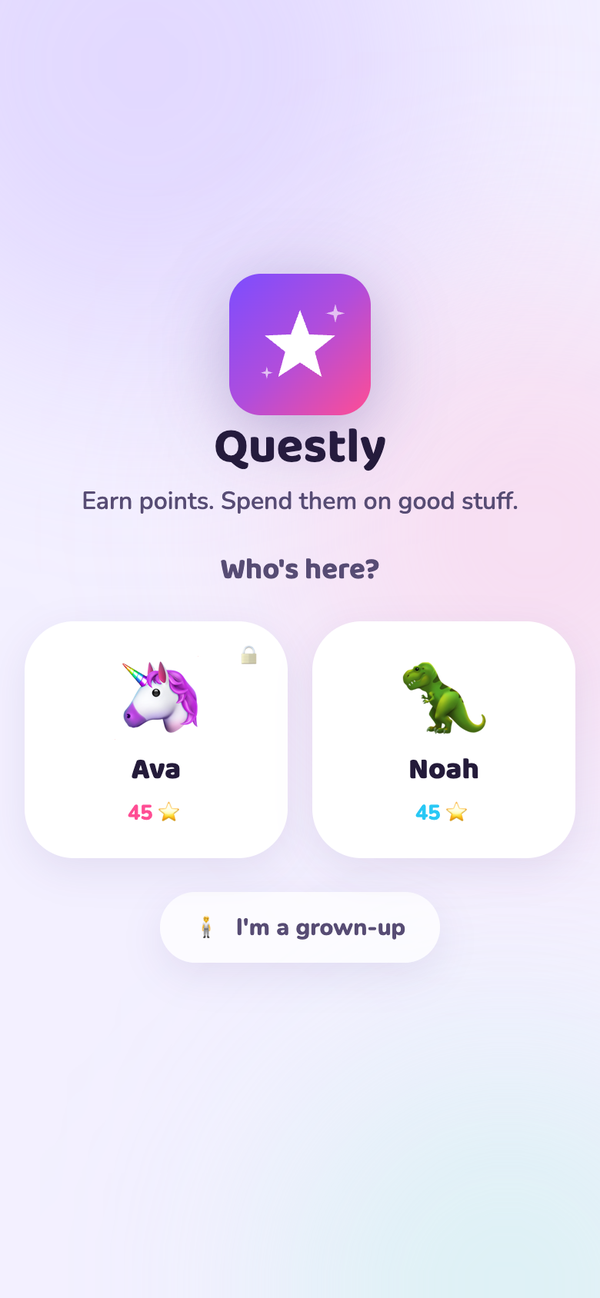
For kids
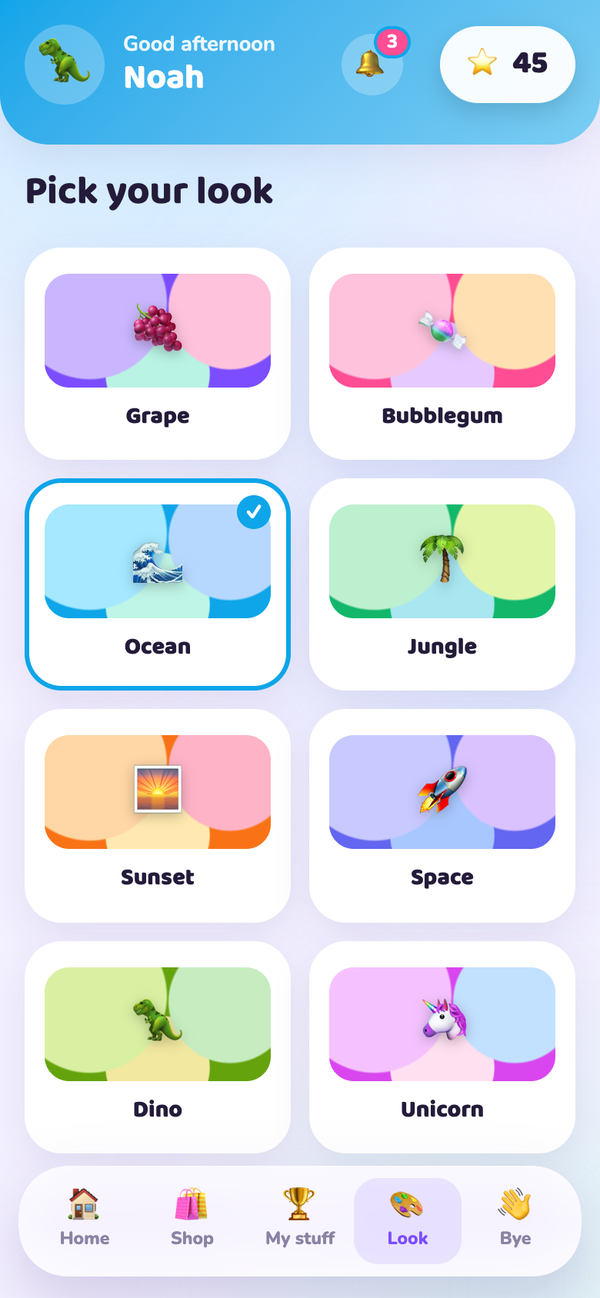
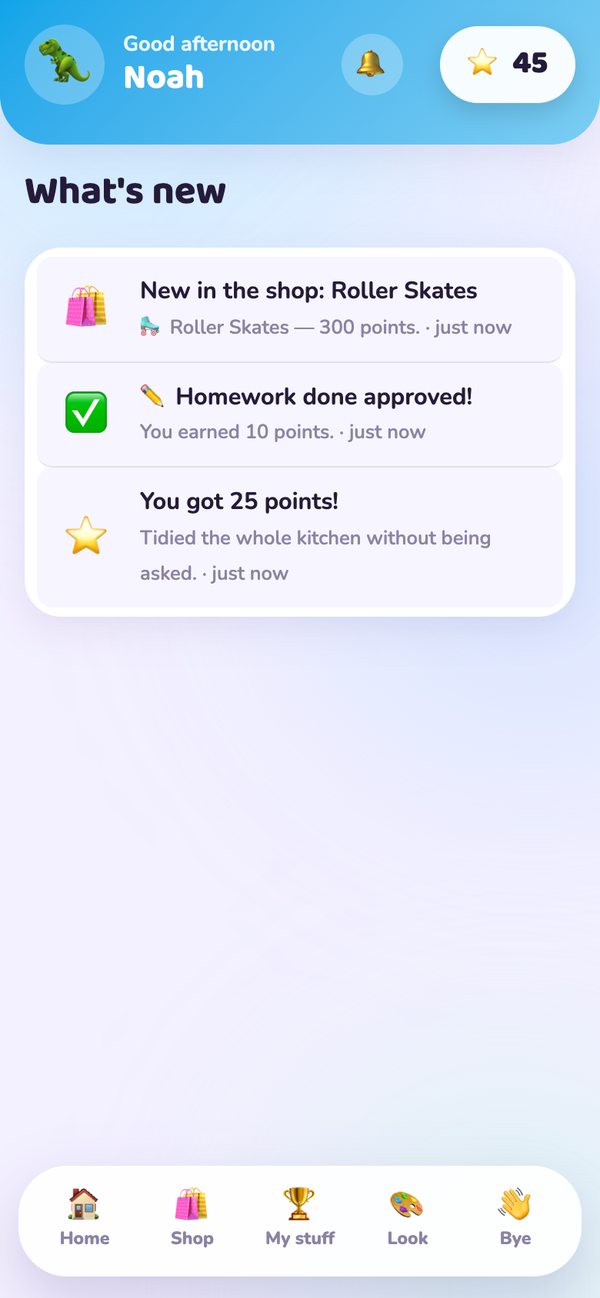
| Pick your face | Type your PIN | Save up for something | Spend your points | Choose your look | See what's new |
|---|---|---|---|---|---|
 |
 |
 |
 |
 |
 |
For grown-ups
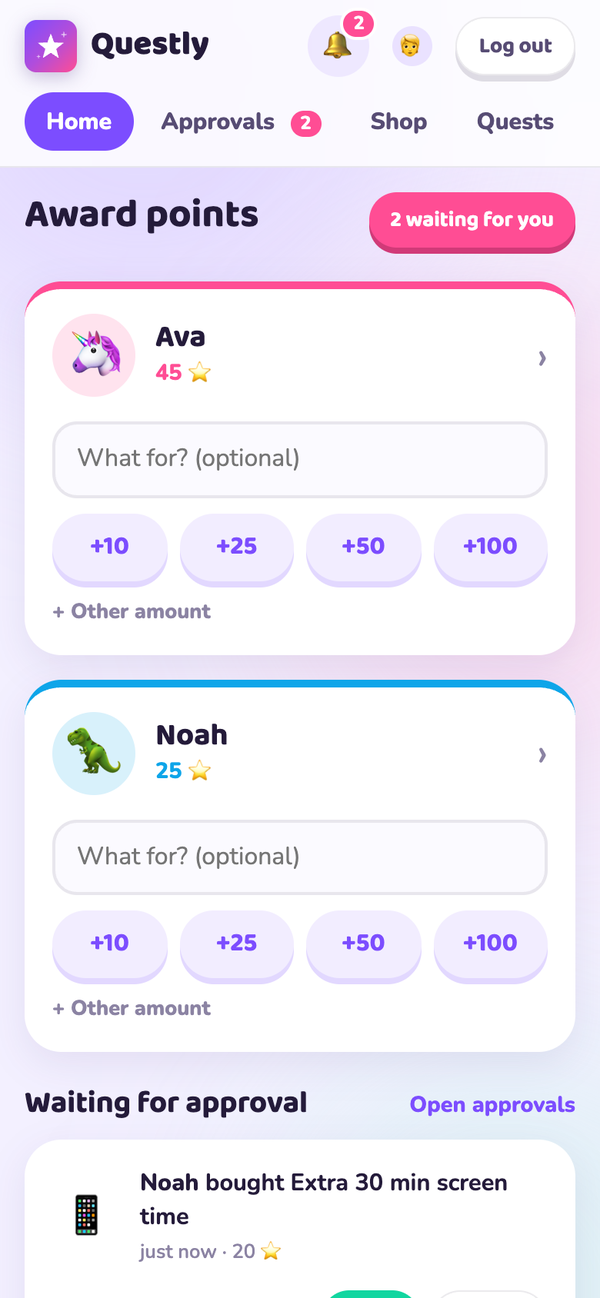
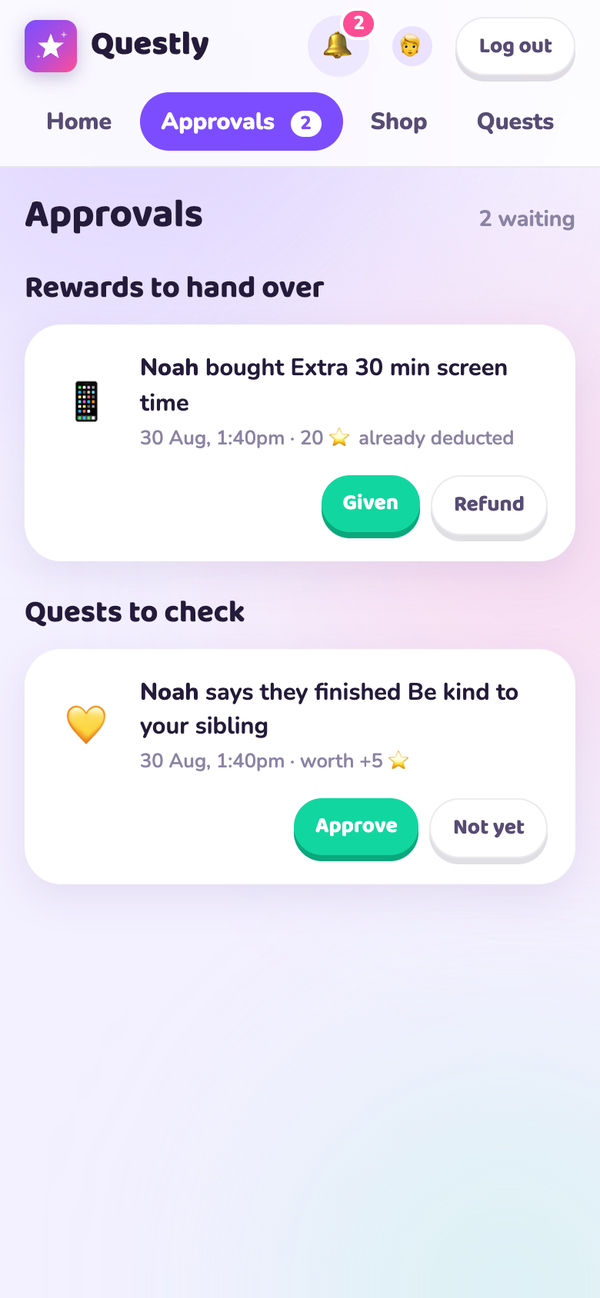
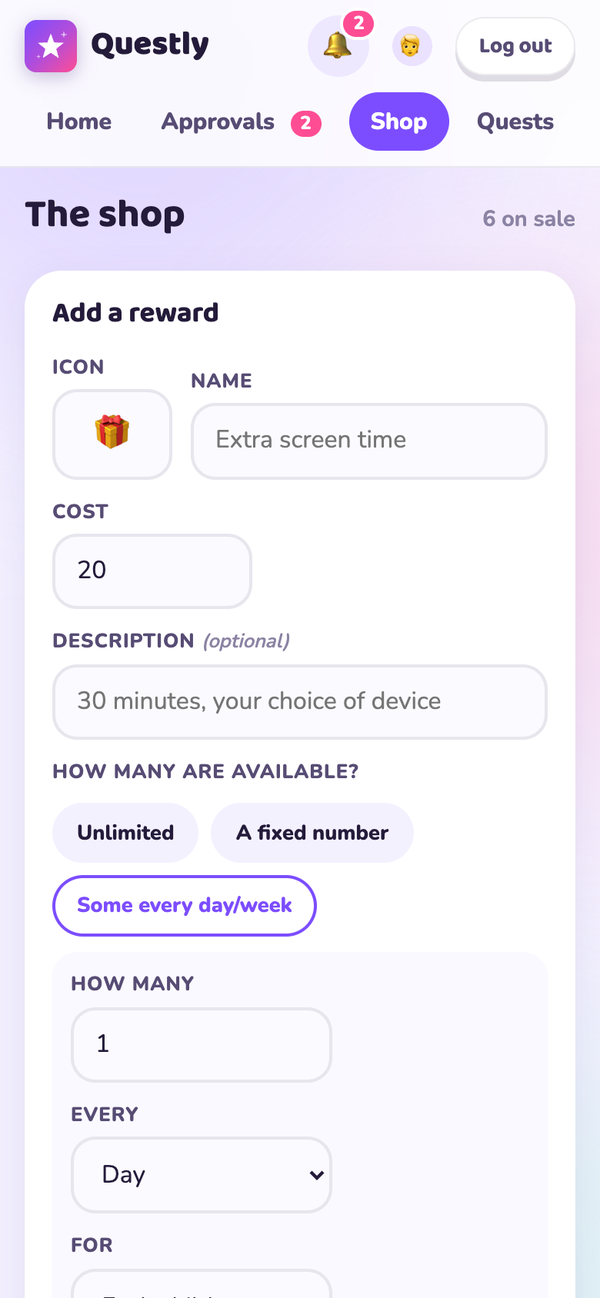
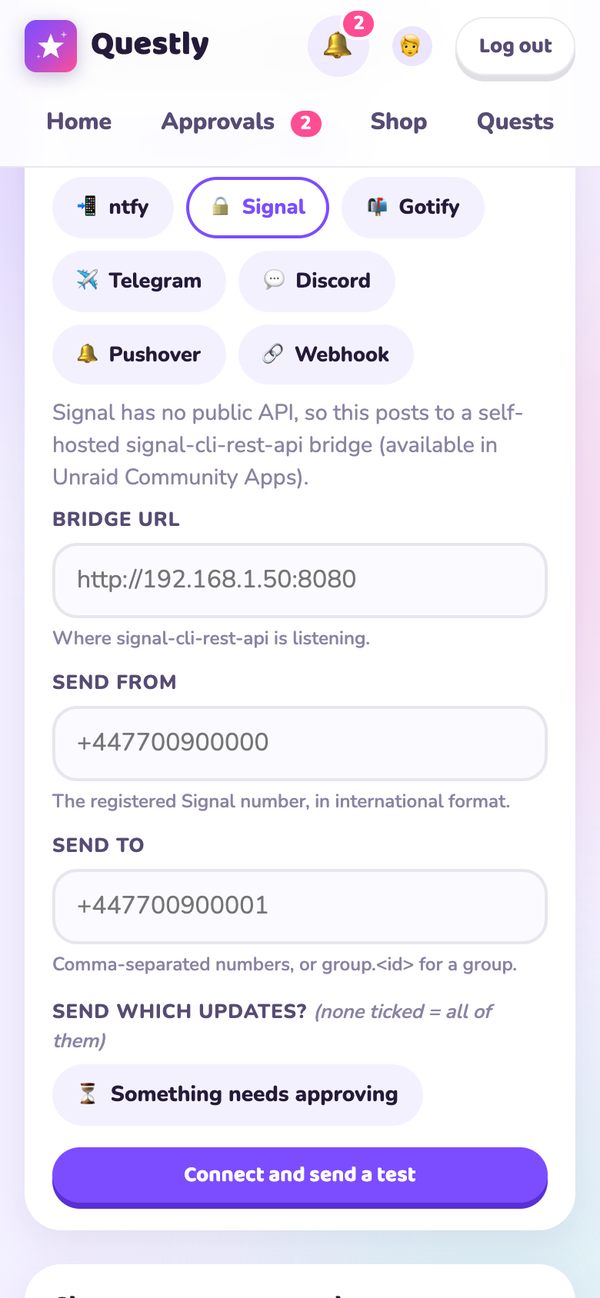
| Award points | Approve what's waiting | Stock the shop | Route notifications |
|---|---|---|---|
 |
 |
 |
 |
Install on Unraid
Questly is in Community Applications — search for Questly in the Apps tab.
It needs a MongoDB server, which isn't bundled: install one from Community
Applications first, then point Questly's MONGO_URI at it. Questly keeps no
local state, so there's no appdata share to configure and nothing to back up
but the database.
Requirements
Docker Engine with the Compose plugin (docker compose). Nothing else — Python
and MongoDB both run inside containers. Works on x86-64 and ARM64.
Quick start
Pre-built multi-architecture images (amd64 and arm64) are published on every release:
docker pull ghcr.io/mahansford/questly:latest # or hansford909/questly:latest
To run the whole stack, database included:
git clone https://github.com/mahansford/questly.git && cd questly
cp .env.example .env
Set a real SECRET_KEY in .env:
sed -i.bak "s|^SECRET_KEY=.*|SECRET_KEY=$(openssl rand -hex 32)|" .env && rm -f .env.bak
docker compose up --build -d
Open http://localhost:37000. The first visit asks you to create a grown-up account, then walks you to the Family page to add your kids.
Optional: start with example content
Fills the shop and quest board with sensible starter items (and, if the app is completely empty, two demo kids):
docker compose exec web flask --app wsgi:app seed-demo
How it works
| Thing | What happens |
|---|---|
| Award points | Quick +10 / +25 / +50 / +100 buttons on each kid's card, or any custom amount, with an optional reason. Points can be taken away too. |
| Quests | Recurring jobs (daily, weekly or one-off) worth a set number of points, assignable to specific kids or everyone. Add a description and a list of steps that must all be ticked before it can be finished. Set Times each above 1 for something worth doing repeatedly — a tidy-up round three times a day. A kid taps Done!, you approve, the points land. |
| Shop | Rewards you create, each with a point cost, an icon and a description. Stock can be unlimited, a fixed number that runs out, or an allowance that refills — "2 a day each" or "1 a month for the family to share". |
| Saving up | A child can pick any reward to save for, and their home screen tracks progress toward it. Left alone, it shows whichever reward is closest. |
| Themes | Eight colour themes children pick for themselves, changing their accent colour and background. |
| Notifications | Everyone gets an in-app feed with an unread badge. On top of that, each person can have their own delivery channels — so a young child sees notifications only in the app, an older one gets ntfy on their tablet, and you get Signal on your phone. |
| Buying | Points are deducted the moment a kid buys, and the reward queues up for you to hand over. Turning a request down refunds the points automatically. |
| Approvals | One page listing every quest and purchase waiting on you, with a count badge in the nav. |
| Accounts | Each grown-up can change their own name, login email, icon and password, and stay signed in on a trusted device. |
| Locked out? | Either grown-up can set a new password for the other, confirmed with their own password. There is no email recovery, so this is the way back in. |
The rules it enforces
- A kid can never go below zero points, and can't overspend by double-tapping Buy — the deduction is a conditional atomic update.
- Two kids racing for the last limited-stock item can't both win it, for the same reason.
- A daily quest can be claimed once per calendar day and a weekly one once per
ISO week, both in the timezone set by
TZ. - Rejecting a quest claim lets the kid try again in the same period.
- A refilling allowance resets on its own — nothing to top up — and rejecting a purchase frees its slot again.
- Every mutation is CSRF-protected, and kids can't reach grown-up pages.
Notifications
Every notification is recorded in the app first, with an unread badge — that needs no setup, no permissions and nothing installed. Children are told when something new appears in the shop, when a quest or purchase is decided, when they're awarded points, and when they can finally afford what they're saving for. Grown-ups are told when something needs approving.
Each person can then add their own delivery channels on top, set up by a grown-up under Family (for a child) or My account (for themselves):
| Channel | Notes |
|---|---|
| ntfy | Free push to a phone or tablet. Best fit for children — they subscribe to a topic, no account needed. Use the public ntfy.sh or your own server. |
| Signal | Signal has no public API, so this posts to a self-hosted signal-cli-rest-api bridge, which is itself in Unraid Community Apps. Sends to individuals or a group chat — hit Find my groups and pick one rather than hunting for its id. Groups only appear once the bridge has synced: in its default normal mode call /v1/receive/<number> once, or run it with MODE=json-rpc so it stays synced. Messages use Signal's own formatting, so titles arrive in bold. |
| Gotify | Self-hosted push server with Android and web clients. |
| Telegram | Via a bot you create with @BotFather. |
| Discord | Posts into a channel through a webhook. |
| Pushover | Paid one-off app for iOS and Android. |
| Webhook | Posts {"title", "body"} as JSON to anything — Home Assistant, Node-RED, your own script. |
Each channel can be limited to particular kinds of update, paused without being deleted, and edited later — a grown-up manages their own channels and every child's. There's a Test button that sends a message immediately so you know it works.
Messages carry the detail you need to act without opening the app. A purchase tells you which child bought what, the cost, what they have left, the item's description and what to do next; a finished quest tells you which child, which quest, how often it repeats and what it pays.
Sends happen on a background thread, so a slow or unreachable endpoint never holds up the app, and a failure is logged rather than shown to a child.
Why not lock-screen push from the app itself? Web Push needs a service worker, which browsers only run over HTTPS, and on iOS it additionally requires the app to be installed to the home screen. Questly serves plain HTTP on a home network, so it can't. Channels like ntfy sidestep that entirely: the server makes an outbound call, so no certificate is needed. If you put HTTPS in front of Questly, Web Push becomes possible.
Configuration
Everything is set in .env, which Docker Compose reads:
| Variable | Default | Meaning |
|---|---|---|
PORT |
37000 |
Host port the app is served on |
SECRET_KEY |
— | Set this. Signs session cookies |
MONGO_DB |
questly |
Database name |
MONGO_URI |
bundled container | Only needed for an external MongoDB — see below |
TZ |
Europe/London |
Drives dates and daily/weekly quest resets |
.env is gitignored, so secrets stay out of version control.
Using a MongoDB you already run
The compose file ships a MongoDB container for convenience, but the app is
happy talking to any MongoDB 5+ instance. Set MONGO_URI in .env and start
only the web service:
docker compose up -d --no-deps web
--no-deps is what stops Compose from also starting the bundled mongo
service. Without it you get two databases running and only one in use.
MongoDB has to be reachable from inside the web container, which means one of:
- Same docker network — put both containers on the same user-defined
network and address it by container name (
mongodb://my-mongodb:27017/). Docker's defaultbridgenetwork does not resolve container names, so a custom network is required. - Via the host — publish MongoDB's port and point at the host's LAN IP
(
mongodb://192.168.1.50:27017/).
With authentication enabled, include the credentials and the auth database:
mongodb://user:pass@host:27017/?authSource=admin.
The app creates its own collections and indexes on first use, so an empty
database is all it needs. It only ever touches the database named by
MONGO_DB, so sharing an instance with other apps is fine.
Running on a NAS? Docker named volumes often live inside a fixed-size virtual disk that your normal share backups don't cover. Either bind-mount the database to real storage or point
MONGO_URIat a MongoDB container you manage yourself.
On your home network
Once it's running, the app is reachable from other devices at
http://<server-ip>:37000 — handy for kids on tablets and phones. Find the
address with hostname -I (Linux) or ipconfig getifaddr en0 (macOS). A DHCP
reservation in your router keeps it from changing.
Install it to a home screen
Open that address on the device and choose Add to Home Screen (Share menu on iOS, browser menu on Android). It launches full-screen with its own icon and no browser chrome, which is how it's meant to be used.
Questly speaks plain HTTP and assumes a trusted home network. Don't expose it to the internet without putting HTTPS and, ideally, a VPN in front of it.
Everyday commands
docker compose up -d          # start
docker compose down           # stop (data is kept)
docker compose logs -f web    # tail the app logs
docker compose up --build -d  # rebuild after changing the code
Add a grown-up from the command line — useful if everyone is locked out:
docker compose exec web flask --app wsgi:app create-parent
Backing up
All data lives in the mongo-data Docker volume.
docker compose exec -T mongo mongodump --db questly --archive --gzip > questly-backup.gz
Restore:
docker compose exec -T mongo mongorestore --archive --gzip --drop < questly-backup.gz
Starting completely over
docker compose down -v # -v also deletes the database volume
Development
python3 -m venv .venv && source .venv/bin/activate
pip install -r requirements.txt
export SECRET_KEY=dev MONGO_URI=mongodb://localhost:27017/
flask --app wsgi:app run --debug --port 8000
You'll need MongoDB listening on localhost:27017.
Tests
An end-to-end smoke test walks every flow — awarding, spending, approving, refunding, PIN login, account changes, the lot — against a throwaway database:
docker compose exec -e MONGO_DB=questly_test web python tests/smoke_test.py
It refuses to run unless the database name ends in _test, so it can't touch
real data.
Regenerating the icons
Every icon comes from one geometric spec, so the SVG and the PNGs can't drift
apart. Edit tools/make_icons.py and run:
pip install pillow && python tools/make_icons.py
Changelog
Notable changes are recorded in CHANGELOG.md, and each release is tagged on the releases page.
Licence
GNU Affero General Public License v3.0 — free and open source.
Use it, run it, modify it, fork it, and use it commercially. One condition: if you distribute a modified version, or run one as a network service other people use, you have to make your source available under the same licence.
That network clause is what AGPL adds over the ordinary GPL, and it's why it suits a self-hosted app — improvements come back to everyone instead of disappearing into a closed hosted product.
Copyright © 2026 Matt Hansford.
[!TIP] Running a modified copy for other people? Section 13 asks you to offer those users its source. A "Source" link in the page footer pointing at your fork is the usual way to satisfy it.
Project layout
app/
  __init__.py      app factory, CSRF, template filters
  db.py            Mongo connection + indexes
  models.py        all domain logic (points ledger, shop, quests, accounts)
  cli.py           flask CLI commands (seed-demo, create-parent)
  views/
    public.py      landing, who's-here, health check
    auth.py        first-run setup, grown-up login, kid PIN login
    kid.py         kid home, shop, history
    parent.py      dashboard, awards, approvals, shop & quests, family, account
  templates/       Jinja templates
  static/
    css/           one stylesheet
    js/            a little vanilla JS — no build step, no dependencies
    icons/         app icons, generated
    manifest.webmanifest
tools/
  make_icons.py    regenerates every icon from one spec
tests/
  smoke_test.py    end-to-end walk through every flow
Collections
| Collection | Holds |
|---|---|
users |
grown-ups and kids (kids carry their cached balance) |
transactions |
the point ledger — every change, with balance after |
rewards |
shop items |
redemptions |
purchases and their approval state |
quests |
the quest board |
quest_claims |
a kid's claim on a quest for one period |
The app has no JavaScript build step and no frontend dependencies — it's Jinja templates, one stylesheet and one small script.
Media gallery
1 / 5Requirements
Categories
Download Statistics
Related apps
Explore more like this
Explore allDetails
hansford909/questly:latestRuntime arguments
- Web UI
http://[IP]:[PORT:8000]- Network
bridge- Shell
sh- Privileged
- false
Template configuration
Port for the Questly web interface.
- Target
- 8000
- Default
- 37000
- Value
- 37000
Where your MongoDB server is. Use the LAN IP unless both containers share a custom network. Add credentials if authentication is on: mongodb://user:pass@host:27017/?authSource=admin
- Target
- MONGO_URI
- Default
- mongodb://192.168.1.50:27017/
Signs login cookies. Set a long random value - generate one with: openssl rand -hex 32
- Target
- SECRET_KEY
Drives dates and the daily and weekly quest resets, e.g. Europe/London or America/New_York.
- Target
- TZ
- Default
- UTC
- Value
- UTC
Name of the database inside MongoDB. Only change this if you run more than one Questly.
- Target
- MONGO_DB
- Default
- questly
- Value
- questly