
All apps · 0 apps

Pulsarr
Docker app from sp00ks' Repository
Overview
Readme
View on GitHub
Pulsarr
Real-time Plex watchlist monitoring, routing, and notification center







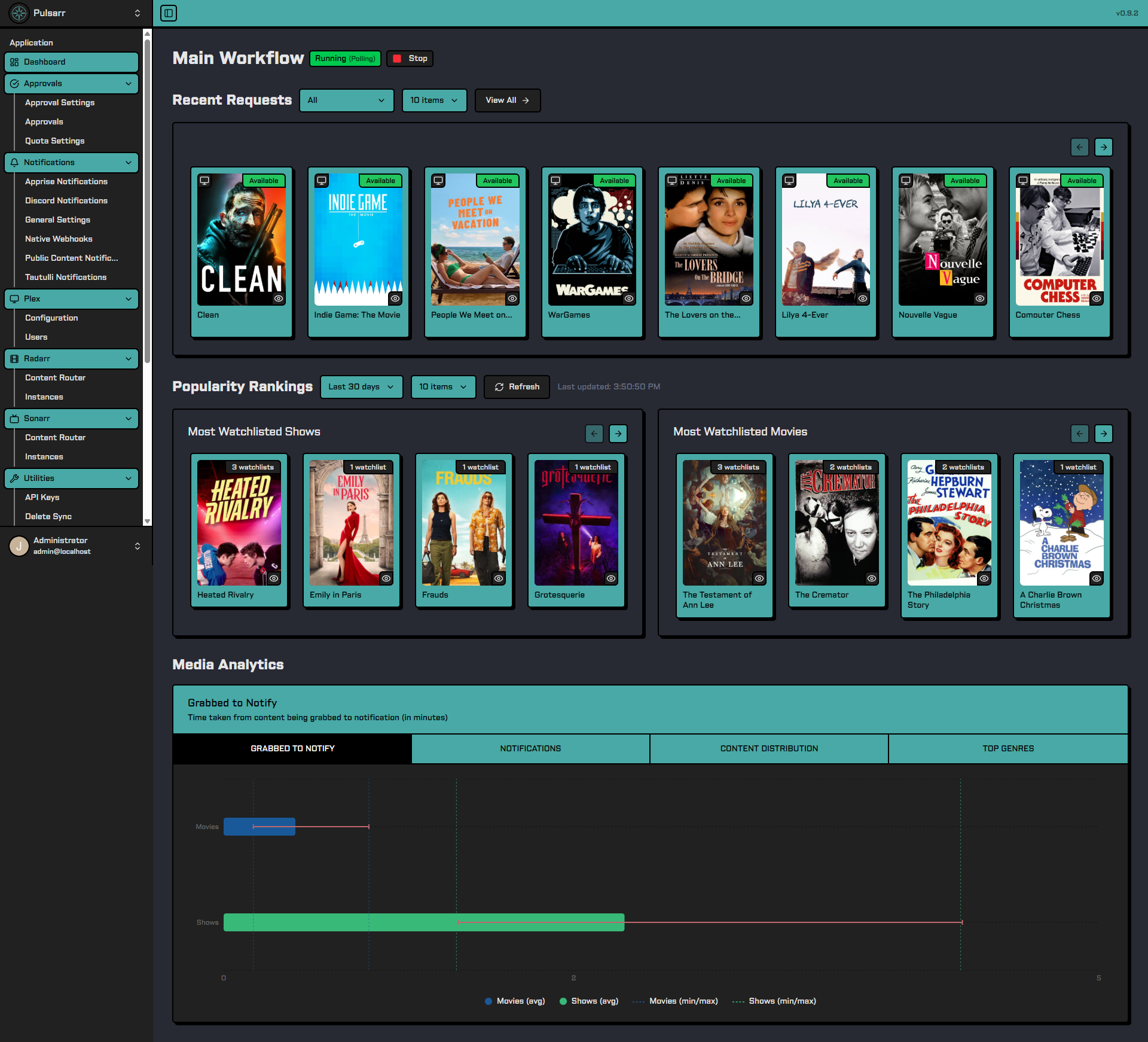
Pulsarr bridges Plex watchlists with Sonarr and Radarr for real-time media monitoring and automated content acquisition, all from within the Plex app, no extra logins required.
Features include multi-user watchlist sync, intelligent content routing, approval workflows with quotas, and notifications via Discord, Plex mobile push, and Apprise.
📚 Documentation
Full documentation is available at: https://jamcalli.github.io/Pulsarr/
- Quick Start Guide
- Native Installation
- Configuration
- Discord Setup & Commands
- Features & Guides
- API Documentation
API Documentation
Our REST API is fully documented and accessible in two ways:
- Public Documentation: https://jamcalli.github.io/Pulsarr/docs/api-documentation
- Interactive Docs: Every Pulsarr instance includes built-in Scalar API documentation at
http://localhost:3003/api/docs
🚀 Quick Start
Docker Installation (Recommended)
- Create a
.envfile:
# Your timezone
TZ=America/Los_Angeles
- Create
docker-compose.yml:
services:
  pulsarr:
    image: lakker/pulsarr:latest
    container_name: pulsarr
    ports:
      - "3003:3003"
    volumes:
      - ./data:/app/data
    environment:
      - PUID=1000
      - PGID=1000
    restart: unless-stopped
    env_file:
      - .env
- Pull and start the service:
docker compose pull && docker compose up -d
- Access the web UI at
http://your-server:3003to complete setup.
Synology NAS / Legacy Systems: If you're running on a Synology NAS or a system with Linux kernel < 4.11, use
lakker/pulsarr:nodeinstead. This alternative image uses Node.js runtime instead of Bun, avoiding kernel compatibility issues. Both images are functionally identical.
Native Installation
Standalone builds with easy installers are available for Linux, macOS, and Windows. No Docker or runtime install required.
| Platform | Install Method |
|---|---|
| Linux | curl -fsSL https://raw.githubusercontent.com/jamcalli/Pulsarr/master/scripts/installers/linux/install.sh | sudo bash |
| Windows | Download and run pulsarr-vX.X.X-windows-x64-setup.exe from the latest release |
| macOS | Download pulsarr-vX.X.X-macos-{arch}.dmg from the latest release |
See the Native Installation Guide for detailed instructions, service management, and manual options.
Database Options
Pulsarr uses SQLite by default but can also be configured to use PostgreSQL.
See the configuration documentation for PostgreSQL setup details.
Hosted Deployment Options
ElfHosted offers managed Pulsarr hosting with pre-configured media server bundles. 33% of every Pulsarr subscription supports the project.
✨ Key Features
- Real-time Monitoring: Instant watchlist updates for Plex Pass users (5-minute staggered polling for non-Pass users)
- Smart Content Routing: Build rules with AND/OR logic using genre, user, language, year, certification, season, IMDb/RT/TMDB ratings, or streaming service. Rules can require approval or bypass quotas
- Approval & Quota System: Administrative approval workflows with configurable user quotas (daily/weekly/monthly limits)
- Plex Label Sync: Automatically sync user watchlists and Radarr/Sonarr tags as Plex labels with real-time webhook updates
- Multi-Instance Support: Distribute content across multiple Sonarr/Radarr instances with intelligent synchronization
- Multi-User Support: Monitor watchlists for friends and family with granular permissions
- Discord Bot Integration: Complete approval management directly from Discord with interactive commands
- Flexible Notifications: Discord bot, Plex mobile push, webhooks, and 80+ services via Apprise
- Advanced Lifecycle Management: Watchlist-based or tag-based deletion with playlist protection
- Watchlist Exclusions: Prevent specific watchlist items from being routed to Sonarr/Radarr
- Plex Session Monitoring: Auto-search for next seasons when users near season finales
- User Tagging: Track who requested what content in Sonarr/Radarr
- Comprehensive Analytics: Detailed dashboards with usage stats, genre analysis, and content distribution
- Automatic Plex Updates: Configures webhooks for instant library refreshes
- Developer-Friendly API: Full REST API with interactive documentation
Community Integrations
- Home Assistant Integration - Community-maintained integration to manage Pulsarr requests from Home Assistant
- Pulsarr Card - Community-maintained companion card for the HA integration
Transparency
Pulsarr began as a TypeScript rewrite of Watchlistarr. It's developed with AI assistance, but every decision about architecture, features, and direction is human-made, and everything is reviewed before it ships. It has since grown with contributions from others in the community.
Security is a priority: Renovate keeps dependencies current, auth follows Fastify best practices, and all endpoints are protected by default. If you notice a problem or have a security concern, please reach out.
Contributing
We welcome contributions! Please see our Contributing Guidelines for details on:
- Fork and branch naming conventions
- Development workflow
- Pull request guidelines
💬 Support
- Discord - Help, discussions, and updates
- GitHub Issues - Bug reports and feature requests
Acknowledgements
- Plex • Sonarr • Radarr • Fastify • Discord.js • Watchlistarr
License
Pulsarr is licensed under the GPL. See the LICENSE file for details.
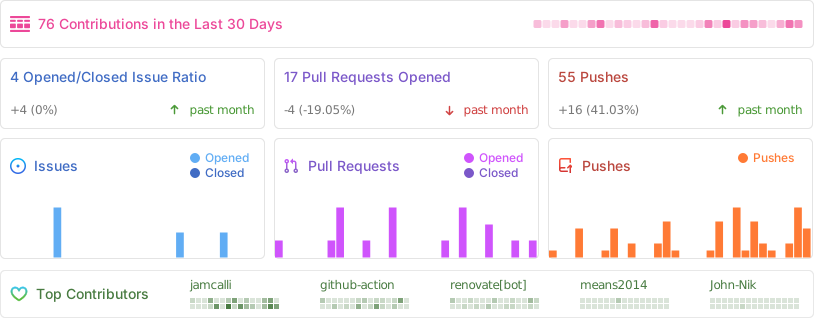
Repository Activity
Star History
Contributors
Requirements
Categories
Download Statistics
Total Downloads Over Time
Related apps
Explore more like this
Explore allDetails
lakker/pulsarr:latestRuntime arguments
- Web UI
http://[IP]:[PORT:3003]/- Network
bridge- Shell
sh- Privileged
- false
Template configuration
User ID the container runs as
- Default
- 99
- Value
- 99
Group ID the container runs as
- Default
- 100
- Value
- 100
Port to access the web UI
- Target
- 3003
- Default
- 3003
- Value
- 3003
Path for configuration files, database, and logs
- Target
- /app/data
- Default
- /mnt/user/appdata/pulsarr
- Value
- /mnt/user/appdata/pulsarr
Timezone in TZ format (e.g., America/New_York, Europe/London)
- Target
- TZ
- Default
- America/Los_Angeles
- Value
- America/Los_Angeles
Set to true if accessing Pulsarr through HTTPS (reverse proxy)
- Target
- cookieSecured
- Default
- false
- Value
- false
URL subpath when behind a reverse proxy (e.g., /pulsarr)
- Target
- basePath
- Default
- /
- Value
- /
Authentication mode: required, requiredExceptLocal, or disabled
- Target
- authenticationMethod
- Default
- required
- Value
- required
Allow embedding in Organizr, Homarr, Homepage, etc.
- Target
- allowIframes
- Default
- false
- Value
- false
Apprise API server URL (e.g., http://apprise:8000). Enables Apprise notifications when set.
- Target
- appriseUrl
Log all HTTP requests - useful for debugging reverse proxy issues
- Target
- enableRequestLogging
- Default
- false
- Value
- false
Database type: sqlite or postgres
- Target
- dbType
- Default
- sqlite
- Value
- sqlite
Full connection string (e.g., postgres://user:pass@host:5432/pulsarr). Supersedes host, port, database, user, and password options if set.
- Target
- dbConnectionString
PostgreSQL server hostname (only if dbType=postgres)
- Target
- dbHost
- Default
- localhost
- Value
- localhost
PostgreSQL server port (only if dbType=postgres)
- Target
- dbPort
- Default
- 5432
- Value
- 5432
PostgreSQL database name (only if dbType=postgres)
- Target
- dbName
- Default
- pulsarr
- Value
- pulsarr
PostgreSQL username (only if dbType=postgres)
- Target
- dbUser
- Default
- postgres
- Value
- postgres
PostgreSQL password (only if dbType=postgres)
- Target
- dbPassword