
All apps · 0 apps

prometheus-immich-exporter
Docker app from FriendlyFriend's Repository
Overview
A simple prometheus exporter for immich to display its metrics in grafana
Readme
View on GitHubActive development of this project has been retired in favor of ImmichStat
Prometheus Immich exporter
More info A prometheus exporter for Immich. Get metrics from a server and offers them in a prometheus format.
How to use it
Here is an example docker run command
docker run -e IMMICH_PORT=8080 -e IMMICH_HOST=192.168.178.1 -e IMMICH_API_TOKEN=YOUR_TOKEN_HERE -p 8000:8000 friendlyfriend/prometheus-immich-exporter
Or you can add the following to your immich docker-compose.yaml
  immich-exporter:
    image: friendlyfriend/prometheus-immich-exporter
    container_name: immich_exporter
    environment:
      - IMMICH_PORT=2283
      - IMMICH_HOST=immich-server
      - IMMICH_API_TOKEN=<TOKEN>
    ports:
      - 8000:8000
    restart: unless-stopped
Add this to your prometheus.yml
  - job_name: "immich_exporter"
    static_configs:
        - targets: ['yourimmichexporter:port']
In case if you run prometheus from the same docker-compose you can use this job
  - job_name: immich_exporter
    static_configs:
        - targets: ['immich-exporter:8000']
The application reads configuration using environment variables:
| Environment variable | Default | Description |
|---|---|---|
IMMICH_HOST |
Immich proxy url | |
IMMICH_PORT |
8080 |
Immich proxy port |
IMMICH_API_TOKEN |
Immich API token, created from Immich dashboard | |
EXPORTER_PORT |
8000 |
Exporter listening port |
EXPORTER_LOG_LEVEL |
INFO |
Log level. One of: DEBUG, INFO, WARNING, ERROR, CRITICAL |
METRICS_PREFIX |
immich |
Prefix to add to all the metrics |
Metrics
These are the metrics this program exports, assuming the METRICS_PREFIX is immich:
metric name |
description |
|---|---|
immich_server_info_version_number |
pings server and passes version number with the use of labels={version} |
immich_server_info_diskAvailable |
available space on disk |
immich_server_info_totalDiskSize |
total disk size |
immich_server_info_diskUse |
disk space used by your system |
immich_server_info_diskUsagePercentage |
same as above but in percentage |
metric name |
description |
|---|---|
immich_server_stats_user_count |
number of users signed up |
immich_server_stats_photos_by_users |
array of users and their amount of photos |
immich_server_stats_photos_growth |
sum of photos of all users |
immich_server_stats_videos_by_users |
array of users and their amount of videos |
immich_server_stats_videos_growth |
sum of all videos of all users |
immich_server_stats_usage_by_users |
the disk space each user uses |
immich_server_stats_usage_growth |
sum of disk space taken up by all users |
metric name |
description |
|---|---|
immich_system_info_loadAverage |
array of load average (1m, 5m 15m) |
immich_system_info_memory |
array of memory states (Total, Available, Percent, Used, Free) |
immich_system_cpu_usage |
Representing the current system-wide CPU utilization as a percentage |
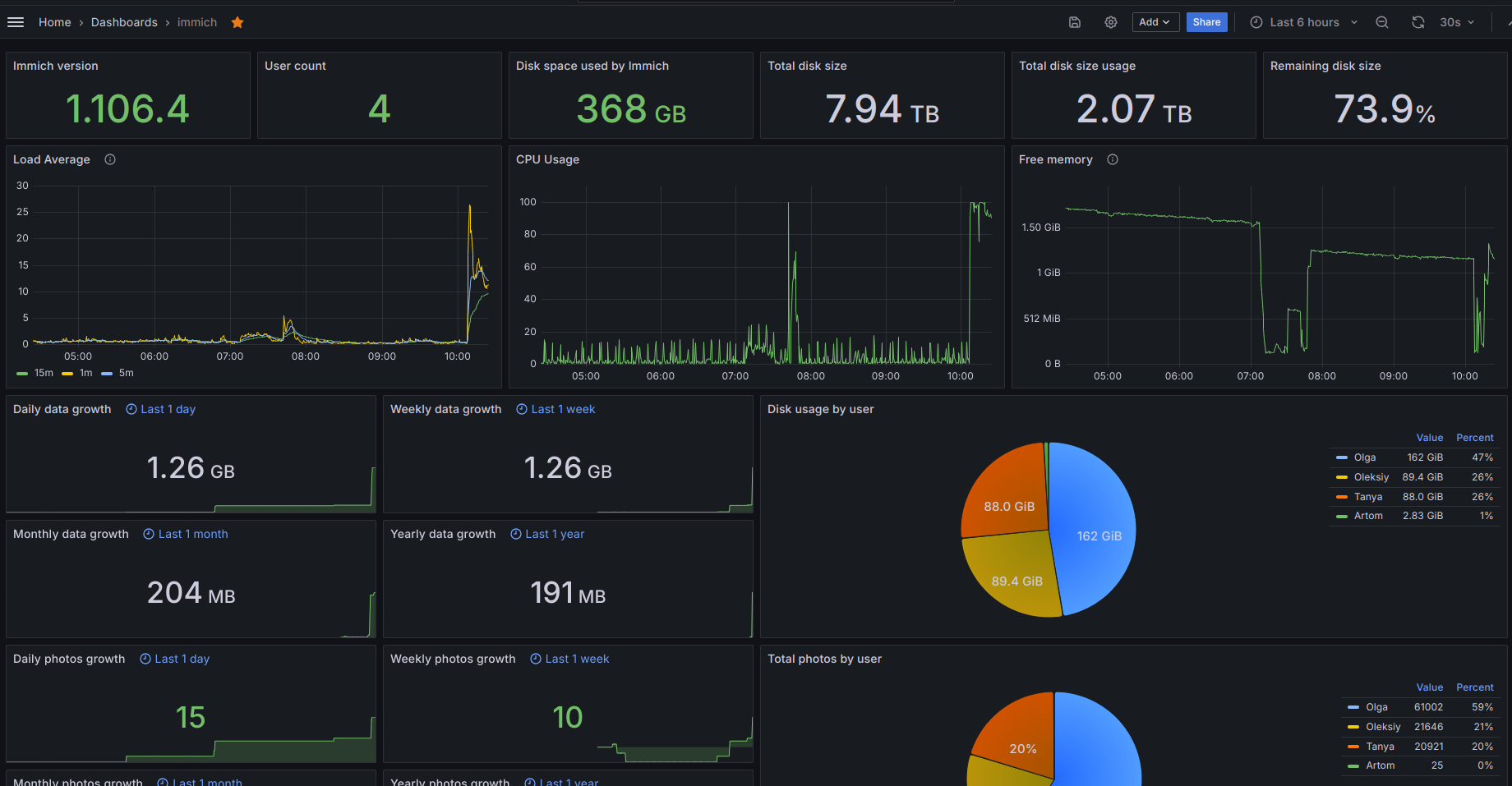
Screenshot
License
This software is released under the GPLv3 license.
Categories
Download Statistics
131,801
Total Downloads
22,698
This Month
10,978
Avg / Month
Total Downloads Over Time
Loading chart...
Related apps
Explore more like this
Explore allLinks
Details
Repository
friendlyfriend/prometheus-immich-exporterLast Updated2024-10-17
First Seen2023-11-27
Runtime arguments
- Web UI
http://[IP]:[PORT:8000]- Network
bridge- Shell
bash- Privileged
- false
Template configuration
Host Port 1Porttcp
- Target
- 8000
- Default
- 8028
- Value
- 8028
immich api tokenVariable
You need to log into to your immich admin account and create an api token in your settings
- Target
- IMMICH_API_TOKEN
immich_hostVariable
example: 192.168.178.2
- Target
- IMMICH_HOST
immich portVariable
- Target
- IMMICH_PORT