

posterizarr
Docker app from grtgbln's Repository
Automated poster maker for Plex/Jellyfin/Emby with a full Web UI.
Overview
Readme
View on GitHub
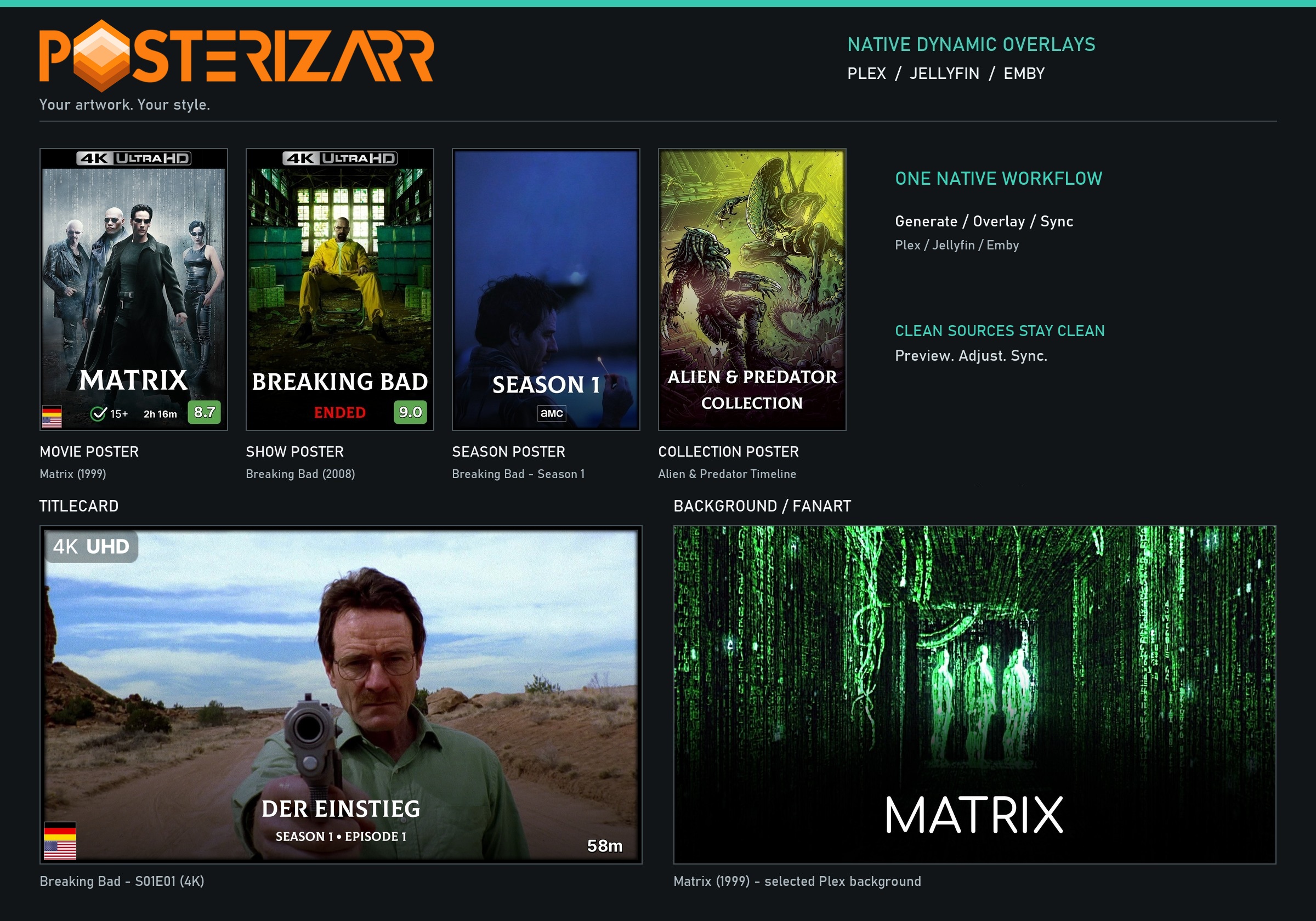
Automated Artwork & Native Dynamic Overlays for Plex, Jellyfin & Emby
Generate consistent posters, seasons, backgrounds, title cards, and collections — while keeping your clean source artwork untouched on disk.
Latest Release GitHub Stars License Discord Support on Ko-fi
Documentation » · Installation · Dynamic Overlays · Artwork Showcase
|
🎨 Automated Artwork Generate matching posters, seasons, title cards, backgrounds, collections, and clearlogos via TMDb, TheTVDB, Fanart.tv, and Plex. |
✨ Native Dynamic Overlays Import Kometa-style YAML, preview badges live, share portable bundles, and composite in memory — no extra container, clean sources untouched. |
|
📺 Plex, Jellyfin & Emby Direct sync, real-time WebSocket plugins with optional Plex Direct Sync, AniMetaFill, Asset Title Review, local IMDb ratings, and Plex Image Cleanup. (Silo: experimental) |
⚡ Web UI & Automation All-in-one Web UI with guided setup, built-in Scheduler, native Tautulli, Sonarr, and Radarr webhooks, Testing Mode, and safe Dry Run. |
🚀 Get Started
Docker Compose, Unraid, PowerShell guides, Web UI walkthroughs, and API references live on the dedicated docs site.
Docker Unraid Linux Windows macOS ARM64
First-Time Setup · Web UI Guide · Jellyfin & Emby Plugins · Plex Cleanup · API Docs · FAQs
💖 Sponsors
Posterizarr is free, open source, and solo-developed, thank you to everyone supporting the project!
Optional anonymous telemetry, disable anytime with
"telemetry": false (details · source)The project maintainer reviews and tests AI-assisted UI and web changes before they are committed.
Built by fscorrupt · Contributing · Discord · Ko-fi
Categories
Related apps
Explore more like this
Explore allLinks
Details
ghcr.io/fscorrupt/posterizarr:latestRuntime arguments
- Web UI
http://[IP]:[PORT:8000]/- Network
bridge- Shell
bash- Privileged
- false
- Extra Params
--user 099:100
Template configuration
Port for the Web UI. Container Port: 8000
- Target
- 8000
- Default
- 8000
- Value
- 8000
[Advanced] Set the run time (e.g., 00:00) or set to 'disabled' to use the Web UI scheduler (recommended).
- Target
- RUN_TIME
- Default
- disabled
- Value
- disabled
- Default
- 002
- Value
- 002
- Default
- xterm
- Value
- xterm
Wait time for Arr services (optional).
Storage for config files
- Target
- /config
- Default
- /mnt/user/appdata/posterizarr
- Value
- /mnt/user/appdata/posterizarr
Storage for assets
- Target
- /assets
- Default
- /mnt/user/appdata/posterizarr/assets
- Value
- /mnt/user/appdata/posterizarr/assets
Storage for manual assets
- Target
- /manualassets
- Default
- /mnt/user/appdata/posterizarr/manualassets
- Value
- /mnt/user/appdata/posterizarr/manualassets
Storage for asset backups
- Target
- /assetsbackup
- Default
- /mnt/user/appdata/posterizarr/assetsbackup
- Value
- /mnt/user/appdata/posterizarr/assetsbackup
The internal port the Web UI listens on. Default is 8000. Change this to a different port (e.g. 9000) if you are routing this container through a VPN like Gluetun, as Gluetun already uses port 8000 internally.
- Target
- APP_PORT
- Default
- 8000
- Value
- 8000