
All apps · 0 apps

popcorn-vote
Docker app from Stadicus' Repository
Overview
Readme
View on GitHubPopcorn Vote






No more arguing about who gets to pick the film.
Website · Live demo · Documentation · Latest release
Project status: a family project, shared publicly so that others can build it themselves. No support and no pull requests for now; feature requests are welcome . details at the bottom.
Popcorn Vote is a free, open-source, self-hosted web app for fair family movie night voting. Families can suggest films, save and cast votes, settle ties with a wheel of fortune, and keep a shared film diary on their own server.
Mobile-first and installable as a PWA on Android and iOS. It works like a native app.
Everyone suggests films, everyone gets one vote a week and puts it on the film they want. Whoever saves up can later place several votes on the same film, so eventually even the one film only a single person is longing for gets its turn. Before movie night somebody presses Evaluate: the most votes win, a wheel of fortune settles a tie, and the winner is announced with a burst of popcorn. Then you watch it, rate it with stars and it goes into the archive, your family's film diary.
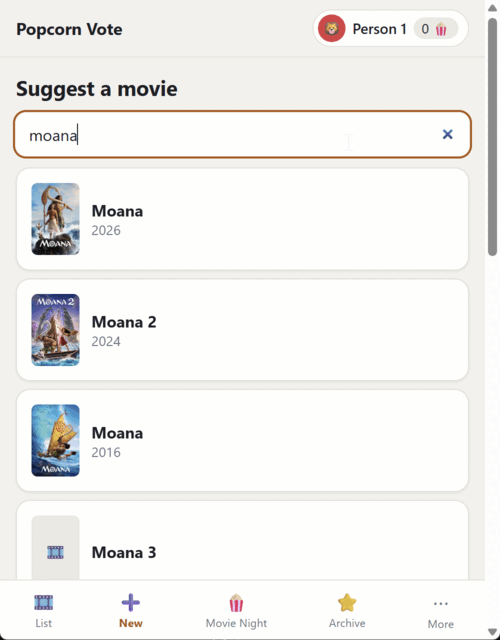
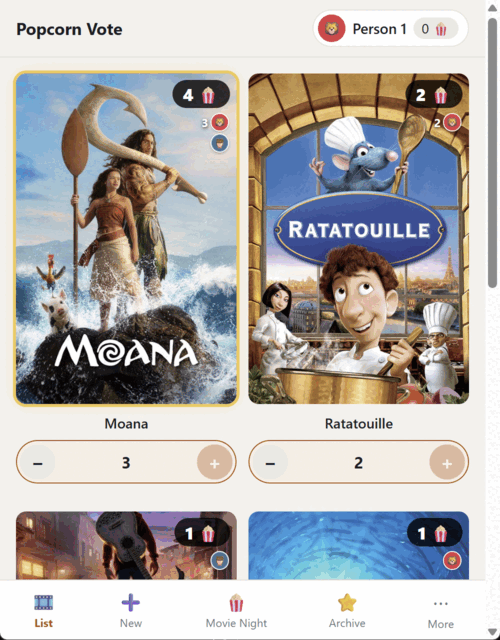
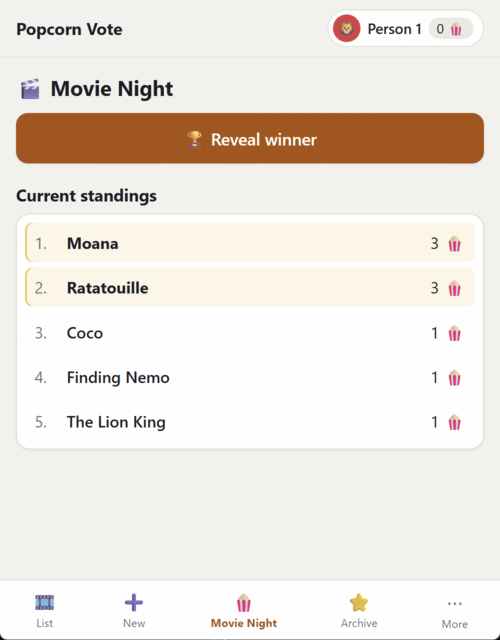
| Suggest a film | The film list | Movie night |
|---|---|---|
 |
 |
 |
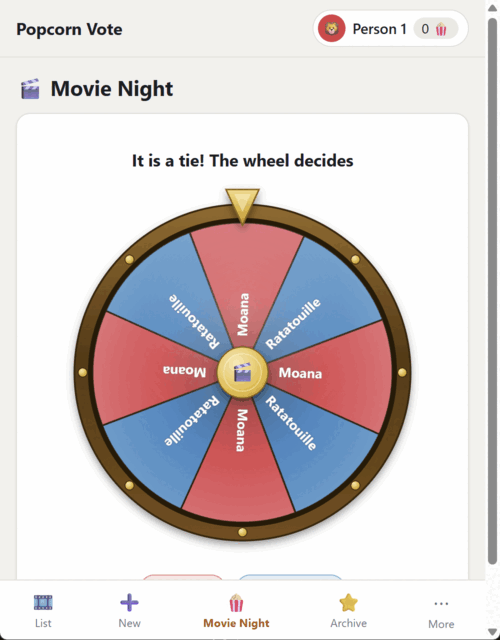
| The tie wheel | The winner | Settings |
|---|---|---|
 |
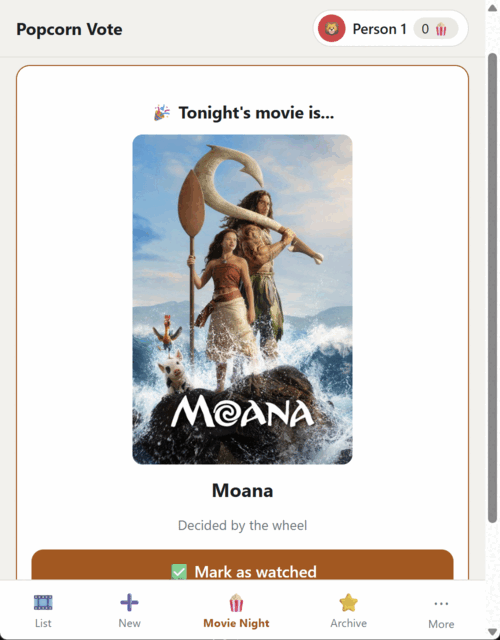 |
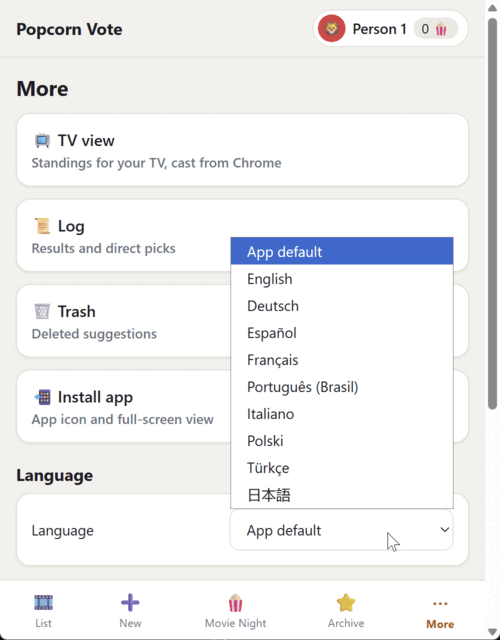 |
▶ Video demo (MP4, 4 MB), click the preview to play.
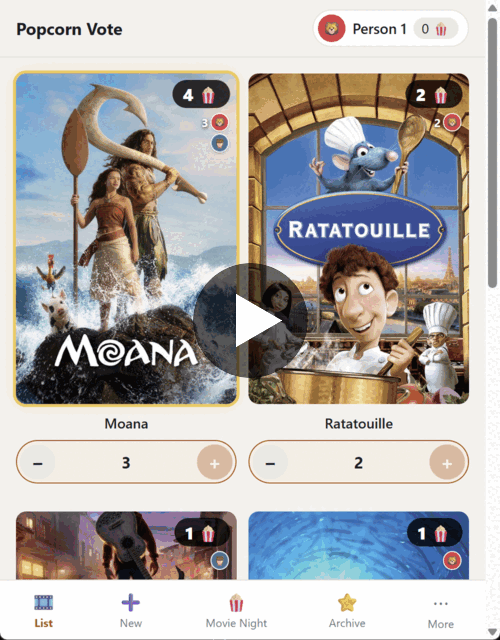
What the app does
Suggest films, data included: Type a title, check the match in the preview, then add it with one button. The app fetches the poster, description, runtime, genre, IMDb rating and trailer from TMDB and OMDb.
Vote fairly: Everyone starts with three votes, gets one more each week and can save up to five. Votes can be moved at any time and are visible to everyone.
Reveal the winner: The most votes win; a wheel of fortune resolves a tie. The result is recorded in the log, so nobody can doubt the wheel.
Choose for tonight: A movie on the list can be chosen directly, without a vote. Its votes expire, with a clear warning before the choice is made.
Hold a movie night without everyone: Say who is missing before the reveal, and only the votes of the people present count. Movies carrying a vote of somebody absent wait for them instead of being watched without them.
Keep a rated archive: Rate watched movies from 1 to 5 stars in half steps, change a rating at any time, or use Suggest again to put a film back on the list.
Use one PIN for the whole family: Every device enters a four-digit family PIN once and stays signed in afterwards. Whoever guesses wrong has to wait longer and longer (a brute-force brake). This is a house key, not a safe: everyone shares the same four digits, and whoever knows them can spend other people's votes too. Inside one family that is exactly the point, whoever puts the app on the internet should know it beforehand (SECURITY.md says what the app protects and what it does not).
Choose from nine interface languages: English, German, Spanish, French, Brazilian Portuguese, Italian, Polish, Turkish and Japanese, switchable per device. Without configuration the interface speaks English.
Install it like a real app: Install it on a phone with its own icon; it automatically follows light and dark mode and is built to be used with a thumb.
Keep everything at home: All persistent state lives in one folder on your own machine: the SQLite database, configuration, covers and backups. No third-party provider, no account, no advertising. A nightly automatic backup keeps the last 14 states by default.
Adjust it to your family: The amount, weekday and hour of the weekly credit, the cap, the language of the film data, the timezone and the backup are all configurable, without a line of code.
The documentation
| Document | Who is it for? |
|---|---|
| DOCUMENTATION.md | The full manual for everyone: how to use it, the rules of the game, the technology explained without jargon, setup step by step, maintenance and troubleshooting. Start here! |
| SPECIFICATION.md | The complete functional specification, every rule, every edge case, every technical decision. |
| docs/installation-example.md | An example walkthrough: step by step from an empty folder to the app on a phone (Docker Compose, reverse proxy, HTTPS, auto-updates). |
| SECURITY.md | What the app protects, what it explicitly does not, and how to report a vulnerability. |
| This README | The quick overview and the short path to a running instance. |
Quick start (the details are in the manual)
Create two free access keys: TMDB (film data and trailers) and OMDb (IMDb rating).
Copy
config.example.yamlinto the data directory asconfig.yamland adjust it: family members and the hour of the weekly credit if you like. The first administrator and PIN are created in the browser.Start the container, most easily with the ready-made image through
docker-compose.yml, or directly:docker run -d --name popcorn-vote \ -p 3000:3000 \ -v popcorn-vote-data:/data \ -e PV_MEMBERS=Anna,Ben,Carla,David \ -e TMDB_API_KEY=your-tmdb-key \ -e OMDB_API_KEY=your-omdb-key \ --restart unless-stopped \ ghcr.io/stadicus/popcorn-vote:latestBuilding it yourself works too, of course:
docker build -t popcorn-vote .

docker run -d --name popcorn-vote \
  -p 3000:3000 \
  -v popcorn-vote-data:/data \
  -e TMDB_API_KEY=your-tmdb-key \
  -e OMDB_API_KEY=your-omdb-key \
  --restart unless-stopped \
  popcorn-vote
Both examples run the app on its own, which is the ordinary case on a home network. Only add
-e ADDRESS_HEADER=x-forwarded-for -e XFF_DEPTH=1once a reverse proxy stands in front: they make the app read the sender address out of that header, which is what the per-IP PIN brake needs there, and exactly what must not happen on a direct path, where the caller writes the header and could pick the address the brake counts against. The app logs at startup which of the two it is doing.PROTOCOL_HEADERbelongs to the proxy too: it names the header the proxy uses to say a visitor came over HTTPS; the sign-in cookie is then markedSecurefor those visitors and left unmarked for anyone reaching the app directly over plain HTTP, so both ways in keep working. Without a proxy in front, leave it out, see "Over plain HTTP on the local network" below.)-p 3000:3000publishes the port on every interface, which is what you want on a home network and what you do not want on a machine with a public address. There, write-p 127.0.0.1:3000:3000: the proxy in step 4 still reaches the app, nobody else does, and step 4 is then really the only way in. Docker writes its own firewall rule when it publishes a port, so a host firewall set up the usual way will not close it for you, and on that direct pathADDRESS_HEADERis believed as it stands, so a visitor can pick the address the PIN brake counts against.For a quick try without a
config.yaml, everything also works through environment variables:PV_MEMBERS=Anna,Ben,Carla,David,PV_START_TOKENS=3,PV_SOURCES=Netflix,Google,Server(see.env.exampleandconfig.example.yamlfor all settings).Put a reverse proxy in front of it (HTTPS is mandatory if the app is reachable from the internet). The app speaks plain HTTP on port 3000 and brings no certificate of its own; whatever terminates TLS on your server does that job, Caddy, nginx, Traefik, or the proxy your server's administration interface already offers. With Caddy the whole thing is two lines:
popcornvote.your-domain.com { reverse_proxy localhost:3000 }localhostbecause the proxy runs on the same machine as the container . which is also what makes the127.0.0.1binding above work. A proxy on a different machine wants that machine's address instead, and then the port cannot be bound to the loopback.Open the address, create the first administrator, then pick a person and suggest the first film. On a phone, do not forget "Add to Home Screen".
Worth knowing: an installation without accounts or the legacy PV_PIN opens
only its first-run setup and health endpoint. The setup writes a salted PIN hash
to /data/config.yaml; it never stores the PIN itself.
Over plain HTTP on the local network
Running it without HTTPS is supported and needs no configuration, on a home
network reached by IP address or mDNS name there is no certificate to be had, and
that is the case the default setting is written for. Leave PROTOCOL_HEADER and
ORIGIN unset and the app marks no cookie Secure, which is what a browser
needs in order to keep you signed in over plain HTTP.
What it costs, stated plainly: the PIN travels the local network in clear
text, as does everything else. That is acceptable on a network the family
controls. It is not acceptable on one reachable from the internet, put HTTPS in
front of it there, and set PROTOCOL_HEADER with it.
Two things worth knowing when both ways in exist at once:
- Reach the app over HTTP by IP or mDNS name, not by the HTTPS hostname. A
browser will not let a plain-HTTP page overwrite a cookie it already holds as
Securefor that same hostname. A device that signed in throughhttps://popcornvote.example.comand later openshttp://popcornvote.example.com:3000can therefore not sign in there .http://192.168.1.50:3000orhttp://popcorn.local:3000has no existing secure cookie and works. ORIGIN=https://…is the wrong tool for a mixed installation. It counts every request as HTTPS, including the ones arriving on the container's port over plain HTTP, and locks that path out. Use it only where the container cannot be reached except through the proxy.- The rising wait after a wrong PIN cannot tell direct visitors apart. With
ADDRESS_HEADERset, the sender address comes from the proxy, and a request that reaches the container directly carries no such header, so every direct device shares one wait. Worse, that way in is not sealed off from the other: the installation-wide brake counts failures from anywhere, so hammering the direct port eventually makes the whole family wait, and a direct request that brings the address header along is believed as it stands. Keep the container's port on a network you control; the waits are only as trustworthy as that network is.
Updating
Every configuration key and every environment variable is documented in
config.example.yaml and .env.example;
The changelog describes the current release. A key the app does not know is not read, and the
setting keeps its default.
The technology in one sentence
SvelteKit (Svelte 5, TypeScript) with the Node adapter, SQLite as the single data file, shipped as one Docker container for linux/amd64 and linux/arm64, no separate database, named PIN accounts with administrator roles, timezone Europe/Berlin by default for the credit and the backup.
For developers
npm install
DATA_DIR=./data PV_PIN=1234 npm run dev   # development server
npm test                                   # unit tests (Vitest)
npm run test:coverage                      # unit tests with HTML/LCOV coverage
npm run test:e2e                           # end-to-end tests (Playwright)
npm run check                              # type checking
npm run build                              # production build
All the game-rule logic lives in src/lib/server/game.ts and the PIN protection
in src/lib/server/auth.ts; both are fully covered by tests (the *.test.ts
files beside them). On a first start without a config.yaml the app runs with
two demo people (a PIN still has to be set).
The code, its comments and the commit messages are English. The translated
interface lives in the catalogues in messages/; adding a language is a JSON
file plus an entry in src/lib/i18n/locales.ts and src/lib/i18n/catalogues.ts.
Project status
This app plans one family's movie night. It is public because it might be useful to others too, not because it is meant to become a product. What that means for outsiders:
- No support. Whoever self-hosts it, self-hosts it. The DOCUMENTATION.md answers almost everything; beyond that there is no assurance that anyone will answer.
- Feature requests are welcome. Please open an issue with the problem you are trying to solve and your proposed approach. What gets built is still decided by what is needed at one kitchen table, so a request is not a promise that it will be implemented.
- No pull requests for now. Contributions are not currently expected, not even well-meant ones, submitted PRs will probably sit there. Save yourself the work until this says something else.
- Security reports, on the other hand, very much yes. How to report and the threat model are in SECURITY.md.
- Forks are welcome. MIT licence: take the code, rebuild it, rename it, run it. That is exactly why it is here.
Film data
Posters, descriptions, runtimes, genres and trailers come from TMDB, the IMDb ratings through the OMDb API. Both services are free for private use and each needs its own access key.

This product uses TMDB and the TMDB APIs but is not endorsed, certified, or otherwise approved by TMDB.
The screenshots and video in this repository include TMDB film posters solely to demonstrate the app; they are third-party content, not MIT-licensed. See THIRD_PARTY_NOTICES.md.
Licence
MIT – © 2026 Stadicus
Install popcorn-vote on Unraid in a few clicks.
Find popcorn-vote in Community Apps on your Unraid server, review the template, and click Install. Unraid handles the Docker app or plugin setup from the published template.
Categories
Related apps
Explore more like this
Explore allDetails
ghcr.io/stadicus/popcorn-vote:latestRuntime arguments
- Web UI
http://[IP]:[PORT:3000]- Network
bridge- Shell
sh- Privileged
- false
- Extra Params
--user 99:100
Template configuration
Port the web interface listens on.
- Target
- 3000
- Default
- 3000
- Value
- 3000
Database, downloaded posters and the nightly backups. This is the only thing worth backing up.
- Target
- /data
- Default
- /mnt/user/appdata/popcorn-vote
- Value
- /mnt/user/appdata/popcorn-vote
Free key from themoviedb.org, used for search, posters, descriptions and trailers. May be left empty here and entered in the browser during first-run setup instead.
- Target
- TMDB_API_KEY
Free key from omdbapi.com, used for the IMDb rating only. Optional. May also be entered during first-run setup.
- Target
- OMDB_API_KEY
Decides when the weekly vote credit is handed out. Use your own zone, for example America/New_York.
- Target
- PV_TIMEZONE
- Default
- Europe/Berlin
- Value
- Europe/Berlin
Four digits, shared by the whole family. Leave empty to set it in the browser on first start, which is the recommended way: a PIN entered here is stored in the container template in plain text.
- Target
- PV_PIN
Seconds without activity before a device has to enter the PIN again. Default is one year, matching the trusted family tablet.
- Target
- PV_SESSION_TIMEOUT
error, warn, info or debug. Default is info.
- Target
- LOG_LEVEL