

podly-pure-podcasts
OfficialDocker app from UnraidUser-2043743457's Repository
Overview
Readme
View on GitHub
Ad-block for podcasts. Create an ad-free RSS feed.
Overview
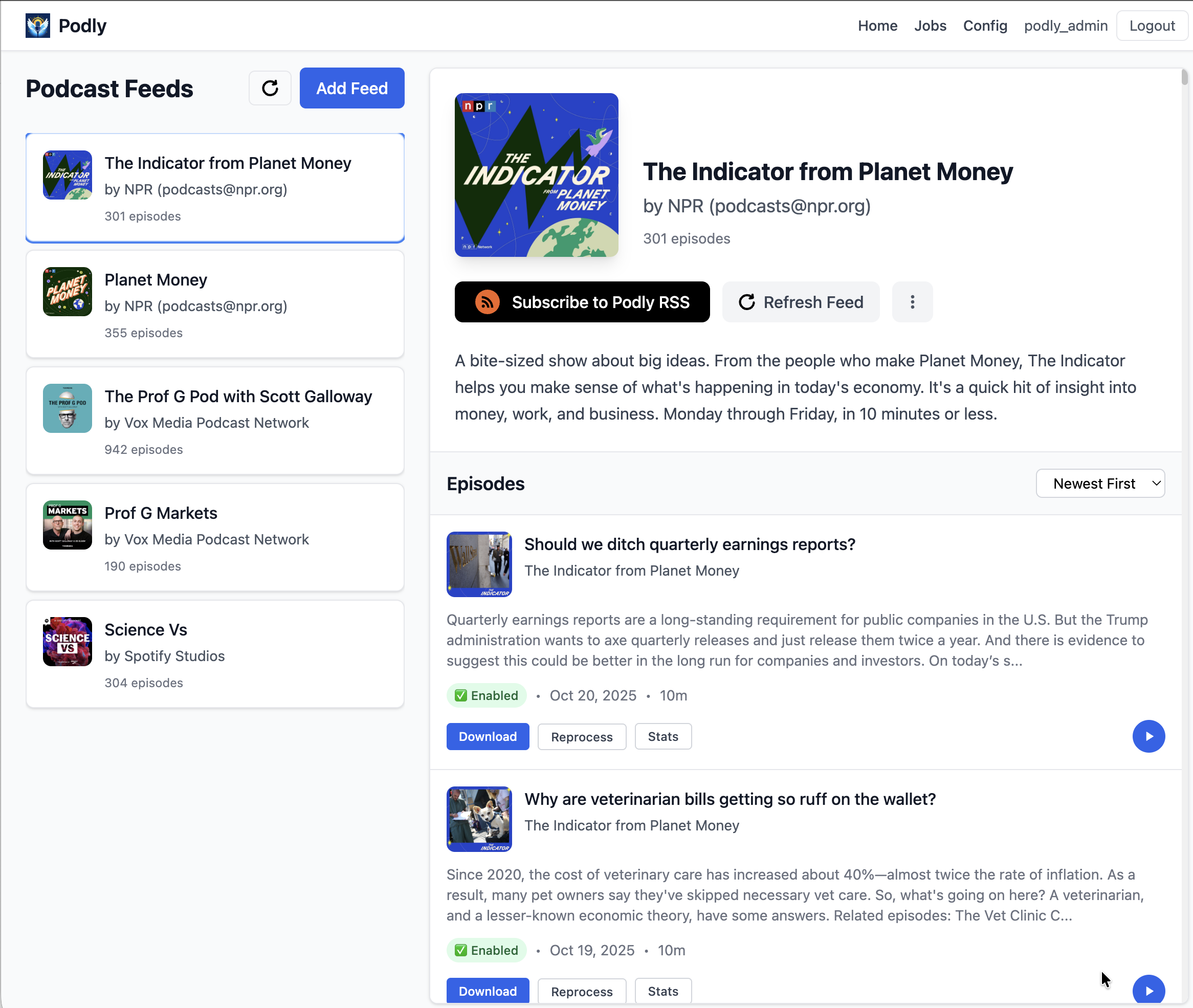
Podly uses Whisper and Chat GPT to remove ads from podcasts.
How To Run
You have a few options to get started:
- Deploy on Railway
- quick and easy setup in the cloud, follow our Railway deployment guide.
- Use this if you want to share your Podly server with others.
- Run Locally:
- For local development and customization,
- see our beginner's guide for running locally.
- Use this for the most cost-optimal & private setup.
- Join The Preview Server:
- pay what you want (limited sign ups available)
How it works:
- You request an episode
- Podly downloads the requested episode
- Whisper transcribes the episode
- LLM labels ad segments
- Podly removes the ad segments
- Podly delivers the ad-free version of the podcast to you
Cost Breakdown
Monthly cost breakdown for 5 podcasts
| Cost | Hosting | Transcription | LLM |
|---|---|---|---|
| free | local | local | local |
| $2 | local | local | remote |
| $5 | local | remote | remote |
| $10 | public (railway) | remote | remote |
| Pay What You Want | preview server | n/a | n/a |
| $5.99/mo | https://zeroads.ai/ | production fork of podly |
Contributing
See contributing guide for local setup & contribution instructions.
Media gallery
Requirements
Related apps
Explore more like this
Explore allDetails
ghcr.io/podly-pure-podcasts/podly-pure-podcasts:latestRuntime arguments
- Web UI
http://[IP]:[PORT:5001]/- Network
bridge- Shell
bash- Privileged
- false
Template configuration
Web UI and RSS feeds.
- Target
- 5001
- Default
- 5001
- Value
- 5001
Database, settings, custom prompts, logs and processed audio.
- Target
- /app/src/instance
- Default
- /mnt/user/appdata/podly-pure-podcasts
- Value
- /mnt/user/appdata/podly-pure-podcasts
Require a login for the web UI. Podcast apps then use the tokenised link from each feed's Subscribe to Podly RSS button.
- Default
- true|false
- Value
- true
Admin account created on first start when REQUIRE_AUTH is true.
- Default
- podly_admin
- Value
- podly_admin
Password for that admin. Required when REQUIRE_AUTH is true: the container will not start without it. It is only used to create the admin on an empty database; change it later in the web UI.
Session signing key. Set a long random string (for example from: openssl rand -hex 32). Left empty, a new key is generated at every start and everyone is logged out.
User ID the app runs as.
- Default
- 99
- Value
- 99
Group ID the app runs as.
- Default
- 100
- Value
- 100
Web server worker threads.
- Default
- 1
- Value
- 1
Behind an HTTPS reverse proxy: the proxy's exact IPv4 address as Podly sees it, so feed links use https. Leave empty otherwise. Never use a Docker bridge gateway address that clients of a published port also appear as.