
All apps · 0 apps

pocketwatch
Docker app from winnicodes' Repository
Overview
Readme
View on GitHub
pocketwatch
Time tracking for freelancers and the self-employed. Start the timer with one click. Send the PDF to the client. All data stays on your machine.





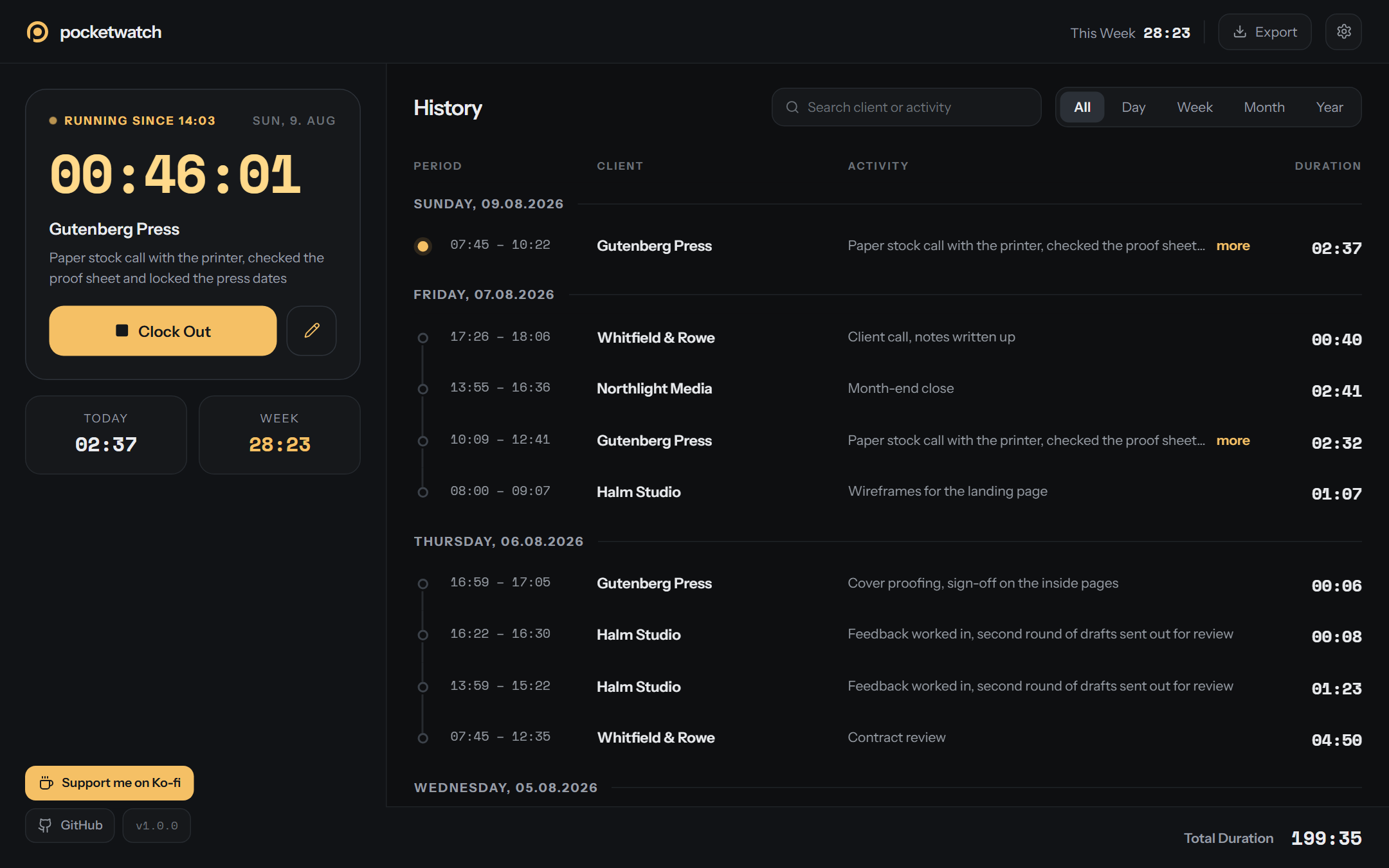
🚀 Try it yourself
The demo is one HTML file. It contains the full app and demo data. You do not need a server, Docker or an internet connection. You can start, stop, search, filter, edit and export. The demo does not save data. If you reload the page, the demo starts again.
💡 Why pocketwatch?
| 🔒 Your data stays yours | The app writes two JSON files to your disk. There is no account, no subscription and no tracking. No data leaves the machine. The container also contains the fonts. |
| ⚡ Fast | There is no database and no loading spinner. Start and stop are one click. The timer counts each second and continues after a reload. |
| 🧾 Ready to invoice | Make a PDF report with your name on it, or a CSV file for your spreadsheet. Export the filtered view or a date range. |
| 📱 Desktop and phone | The layout has two columns on a large screen. On a phone it shows one view at a time. |
| 🐳 One container | Use docker compose up -d --build. The container runs on a NAS, a Raspberry Pi or a laptop. |
🎬 Functions
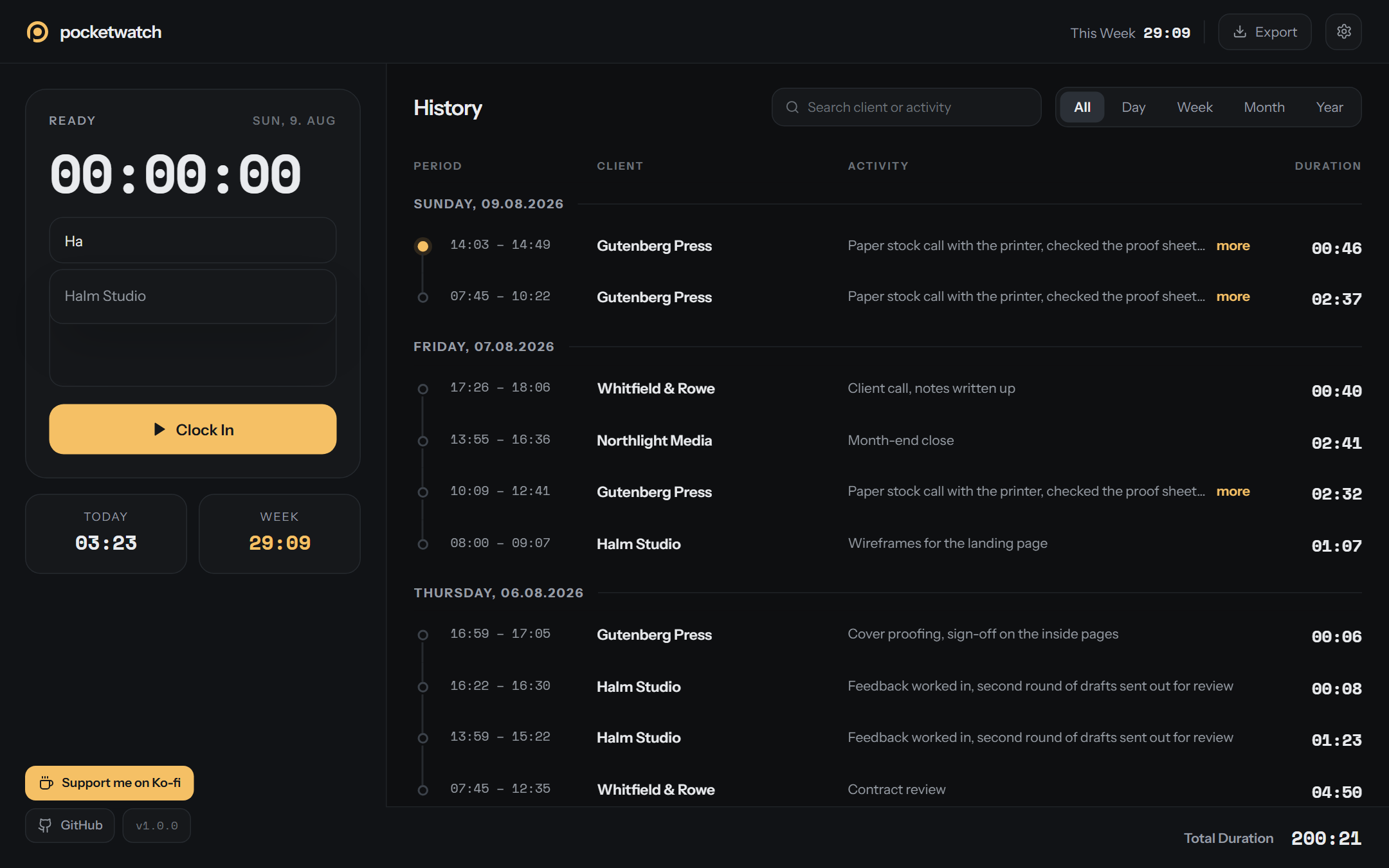
⏱️ Track
- 📇 Client list, most recent first
- ⏱️ Timer to the second
- ✍️ Change the activity while the timer runs
- 📊 Totals for today and this week
- ⚠️ Notice after 8 hours
📜 History
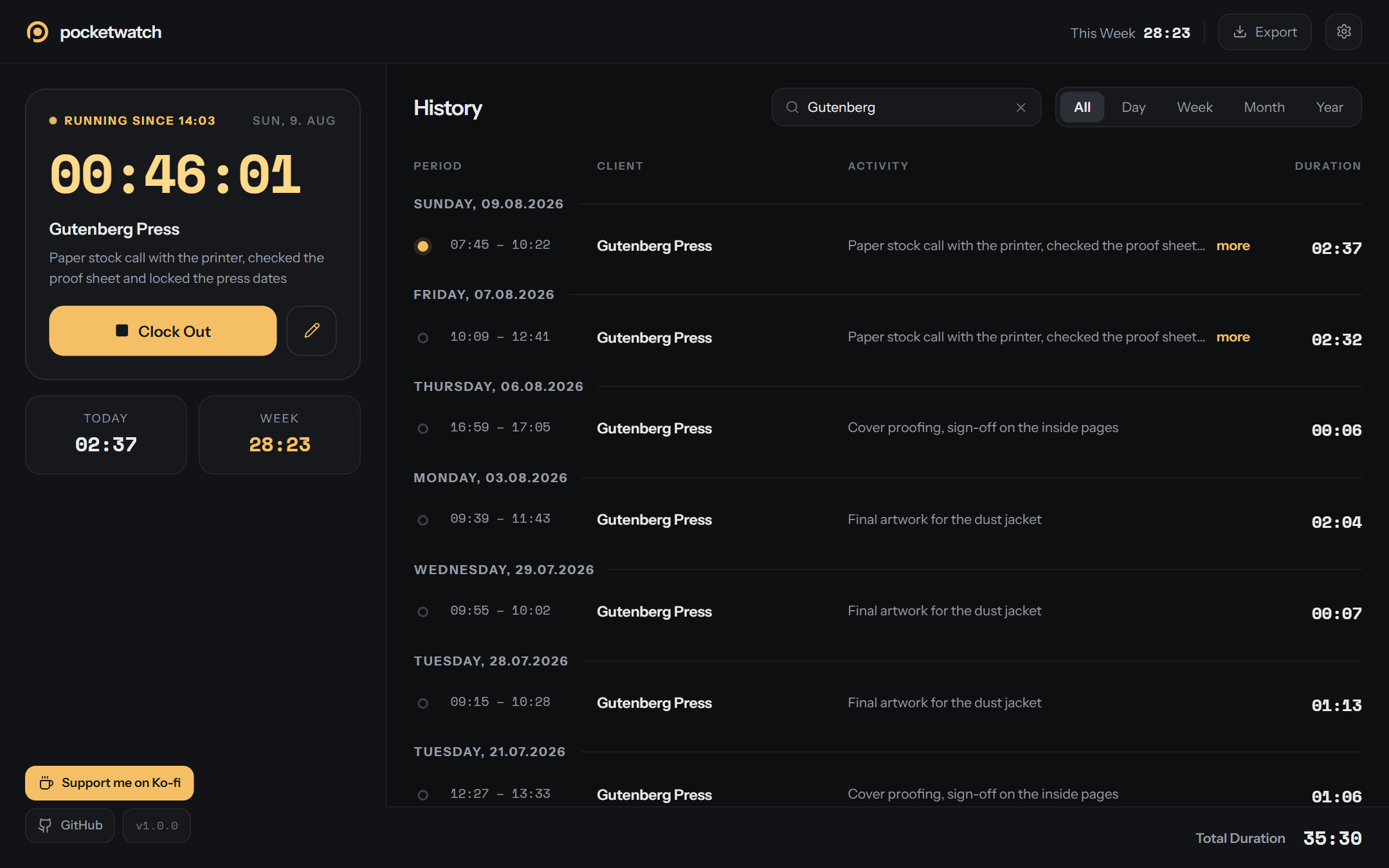
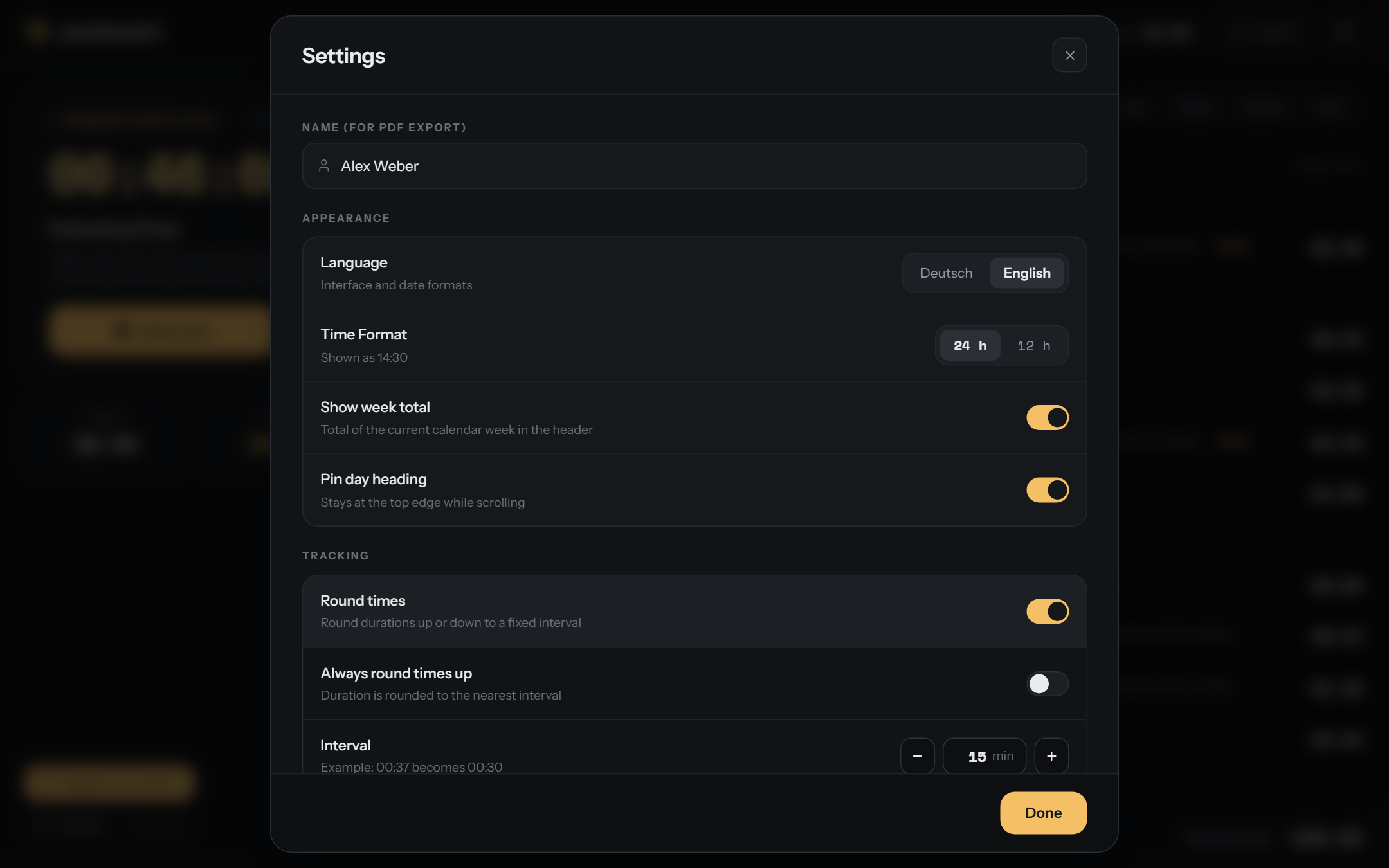
- 🔍 Search in the client and the activity
- 📅 Grouped by day
- 📌 The day heading stays at the top
- ➕ Long text expands with more
- Σ Total of the selection in the footer
🗓️ Period
Select Day, Week, Month or Year. Use the arrows to go to an earlier or a later period. The total changes with the period. Select All to show the full history.
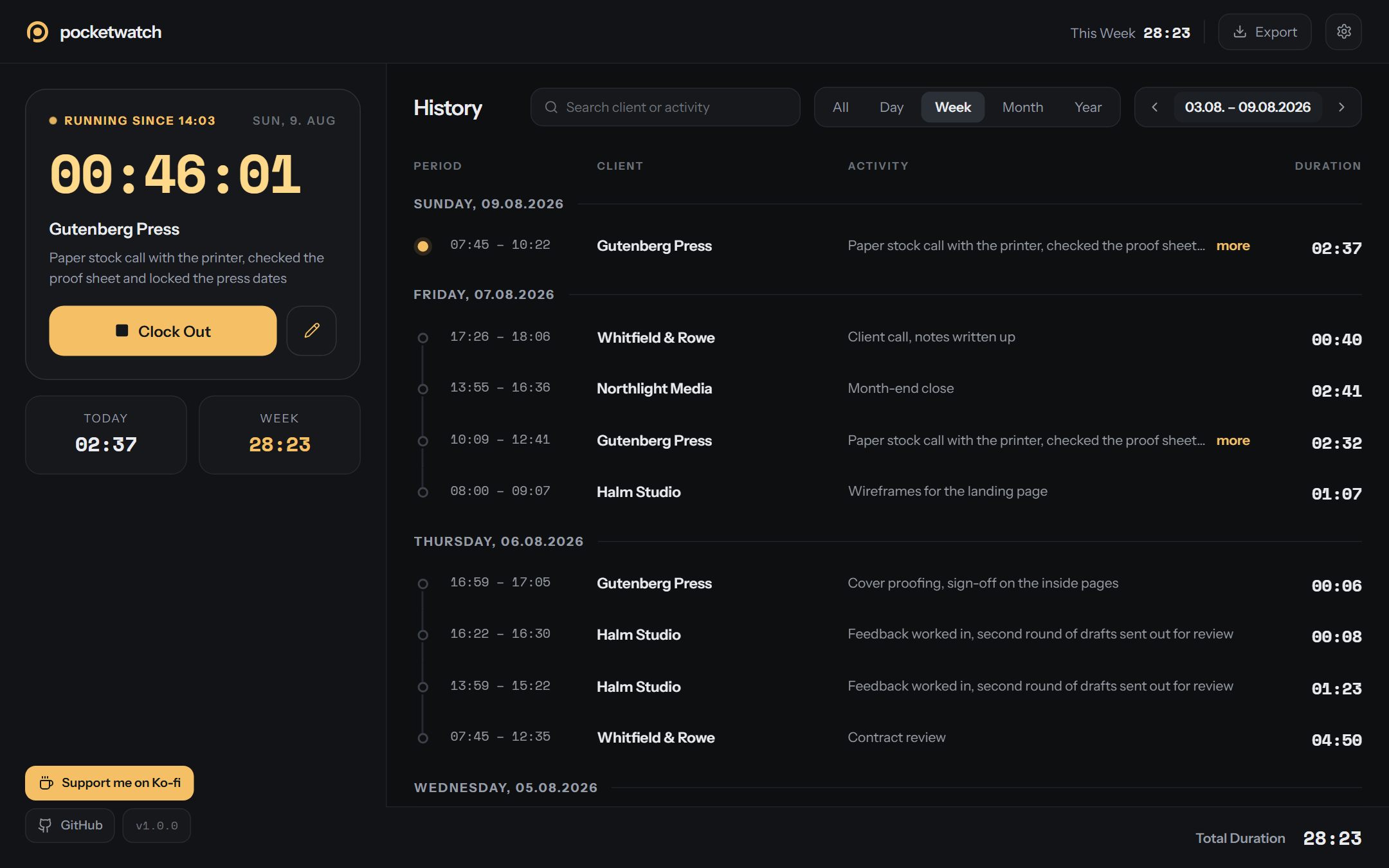
✏️ Edit
- 📆 Start and end with date and time
- ⏳ The duration updates immediately
- ⌨️ Pickers that you can operate with the keyboard
- 🚫 The app rejects an end before the start
- ❓ Delete asks first
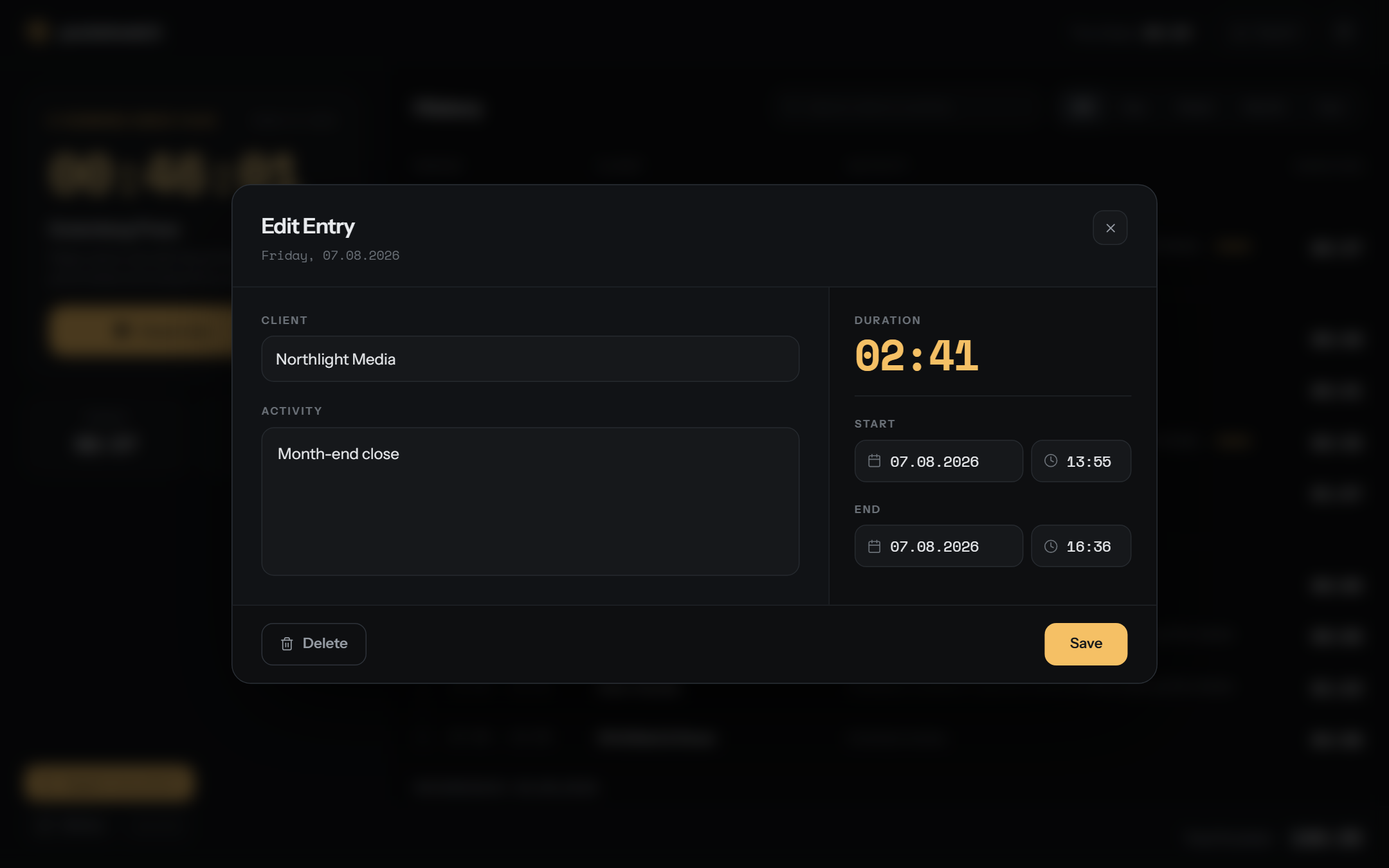
📤 Export
- 📄 PDF report with your name and page numbers
- 📊 CSV with semicolons and a BOM for Excel
- 🎯 Current view, a standard period or a date range
- 🔀 Newest first
- ✂️ Times only, without activities
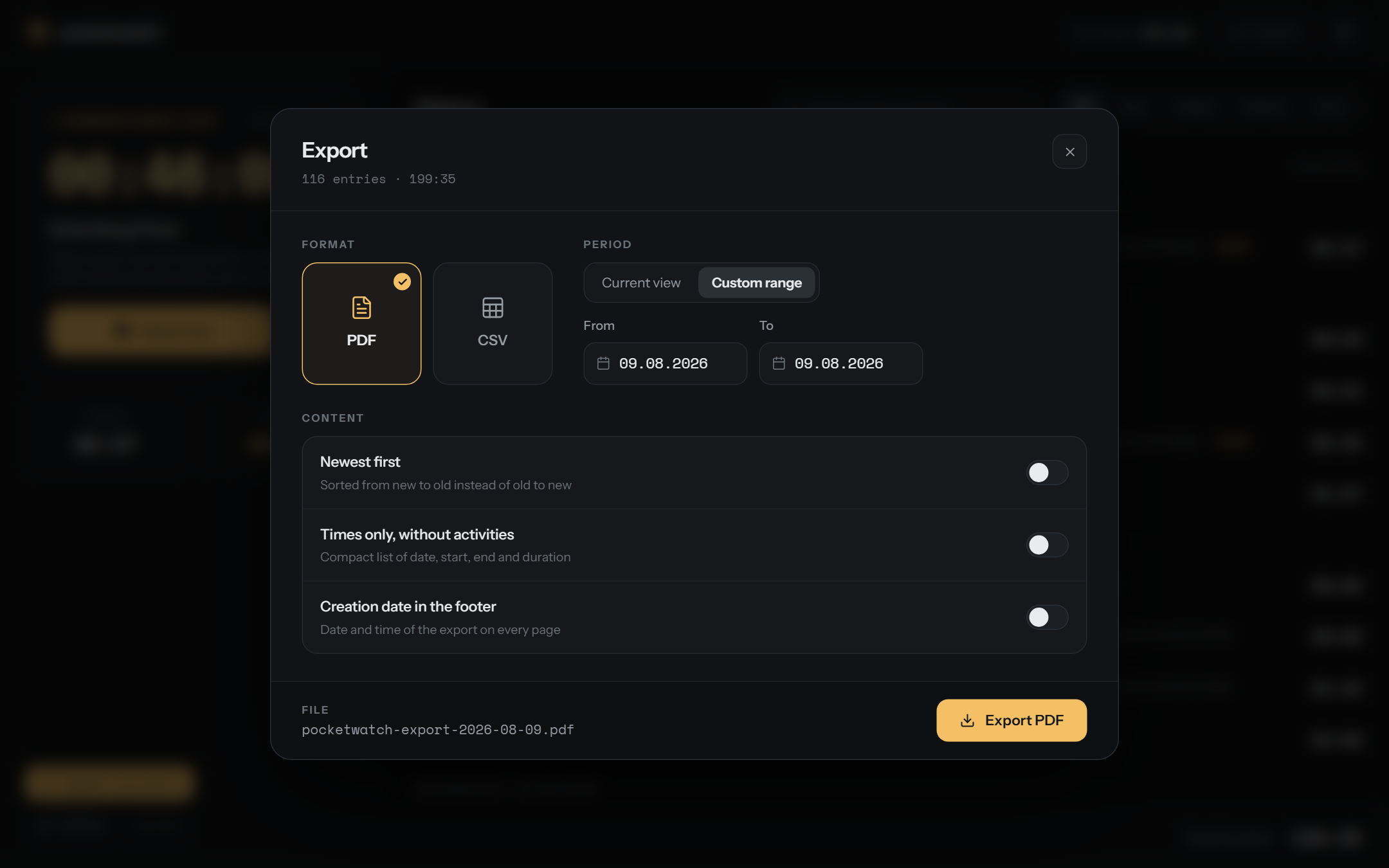
⚙️ Settings
- 👤 Name for the PDF
- 🌐 German or English
- 🕐 12-hour or 24-hour
- 📌 Pin the day heading
- ⚠️ Reminder for a long timer
- 🔢 Round times to an interval from 1 to 60 minutes, up or to the nearest interval
📱 Responsive
Below 1024 px the app shows one view at a time. Use the drawer to change the view. Search, filter and export move into the header. Table rows become cards. Dialogs fill the screen.
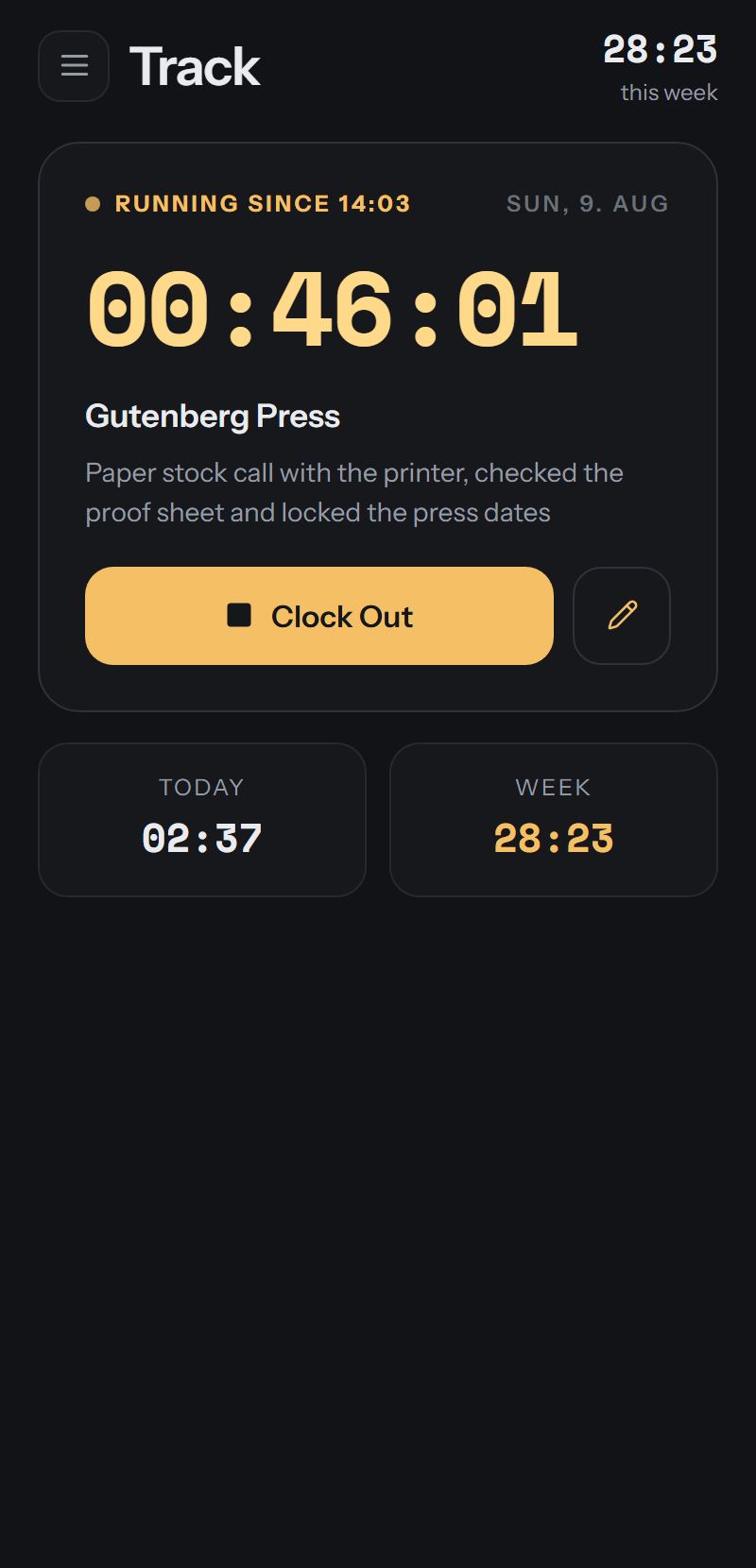 ⏱️ Track |
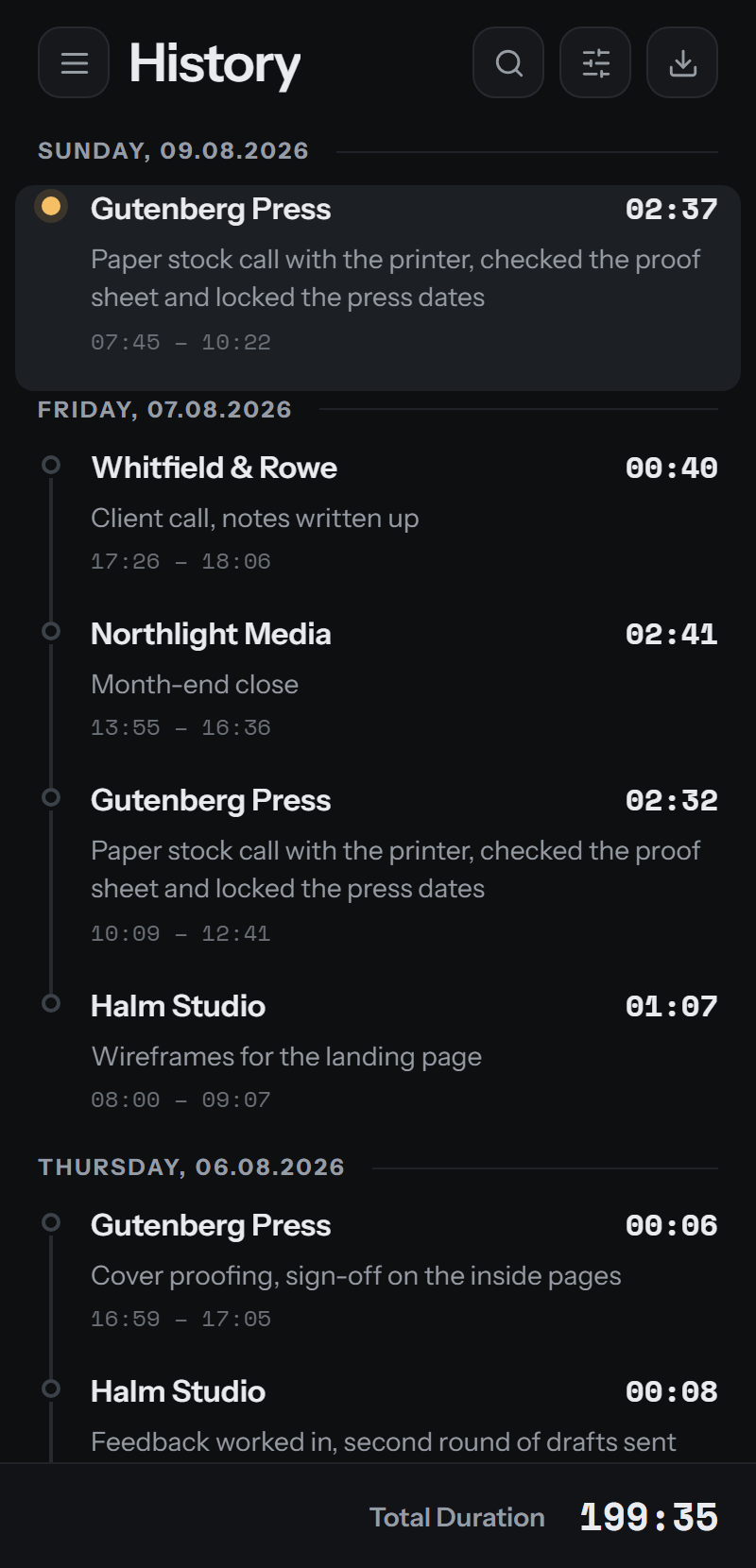 📜 History |
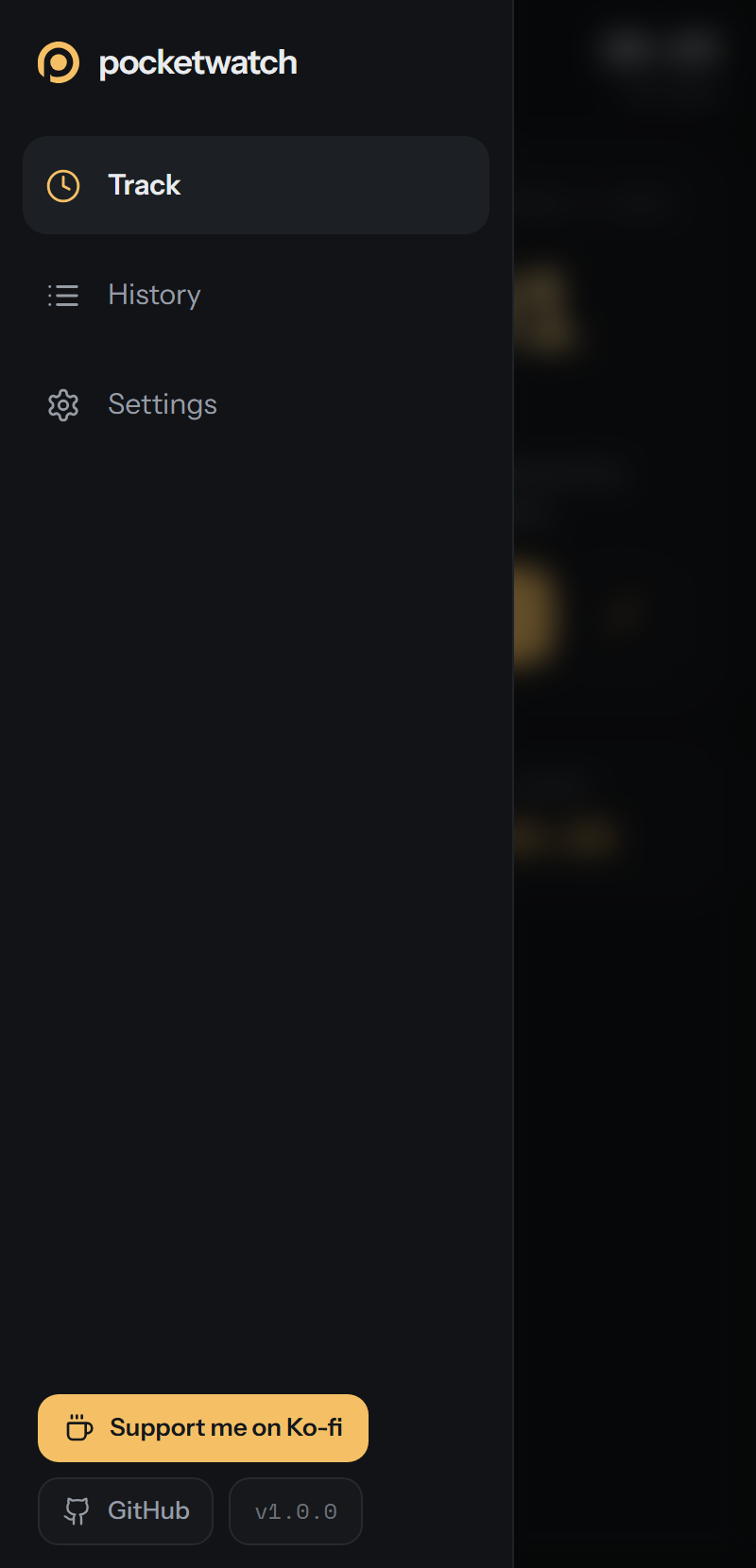 ☰ Drawer |
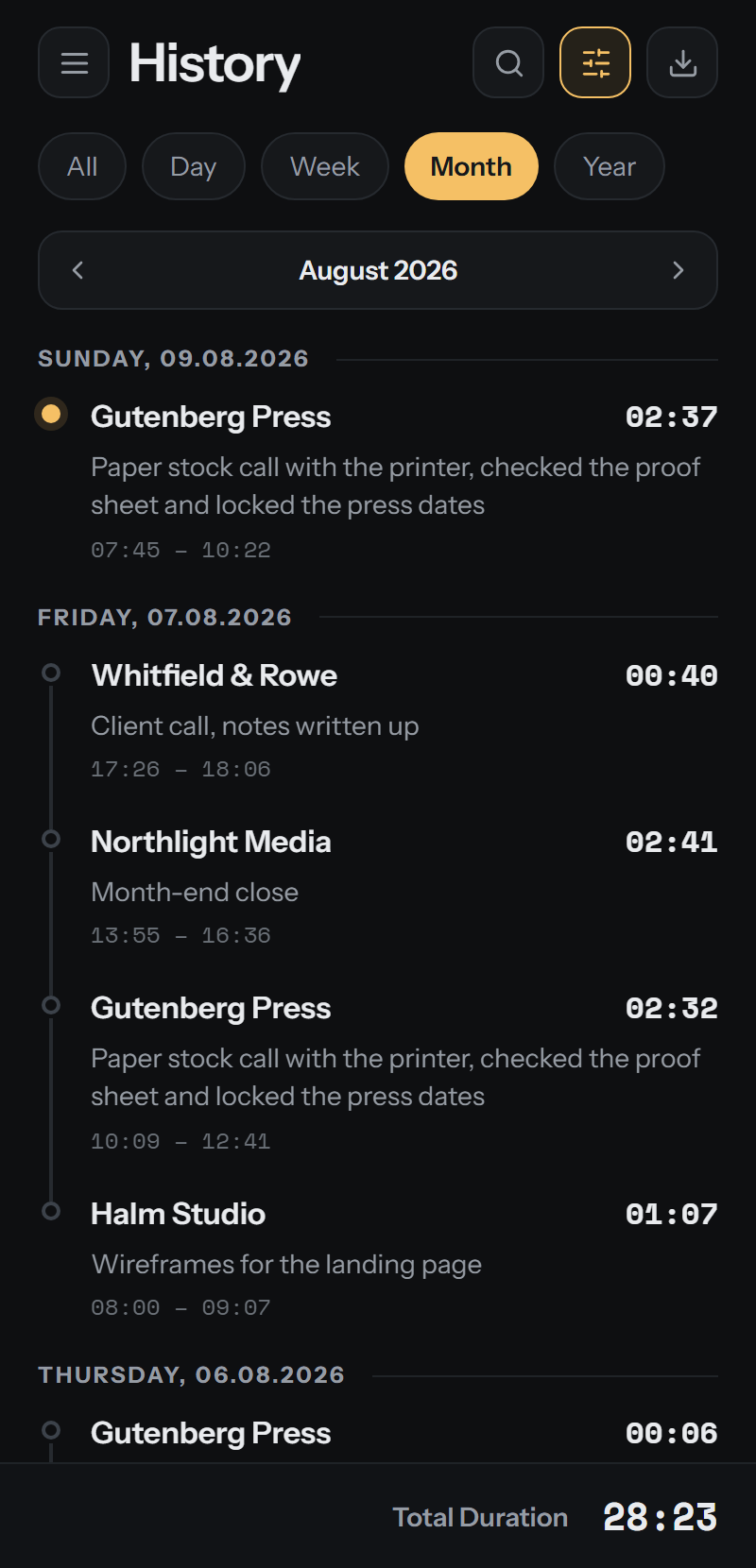 🗓️ Period |
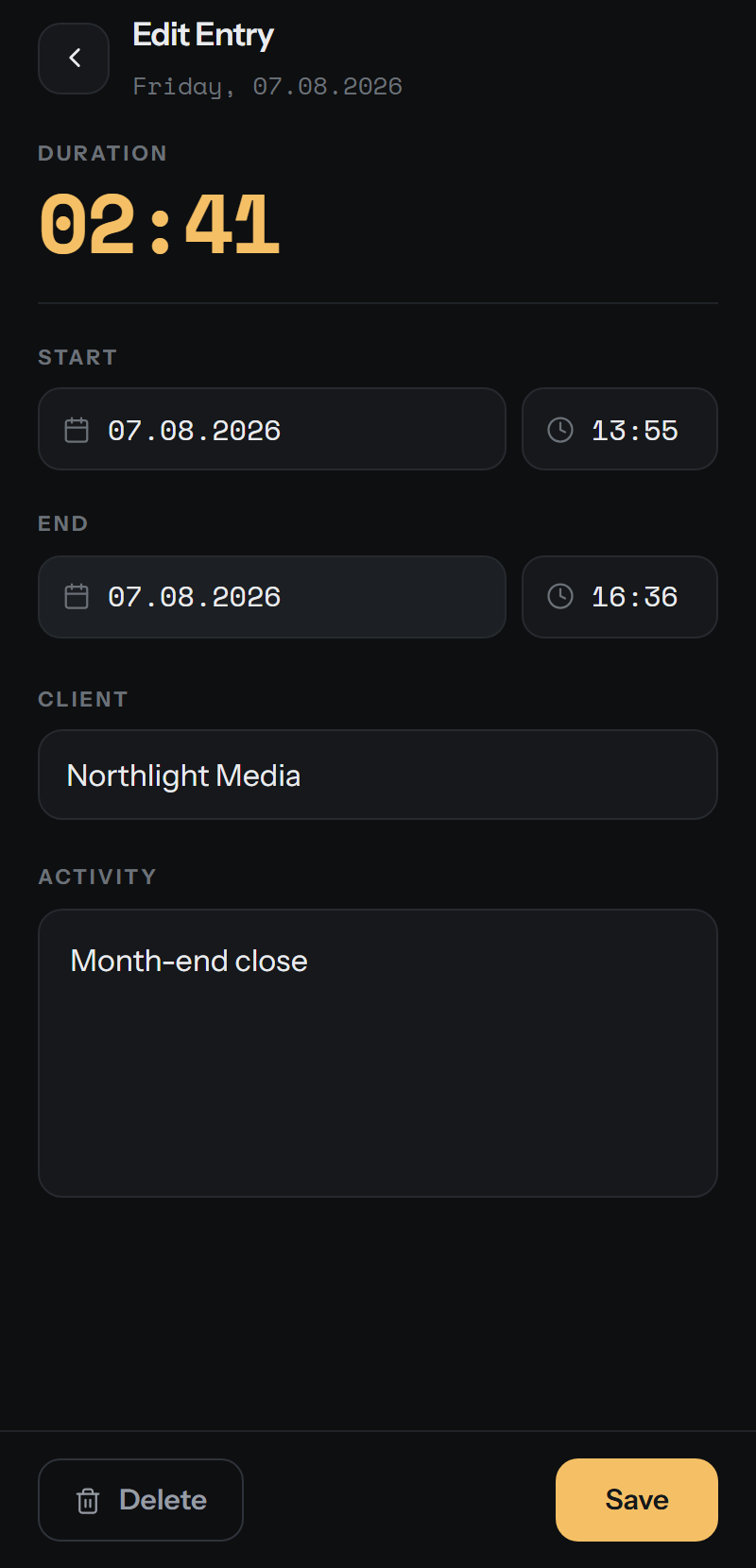 ✏️ Edit |
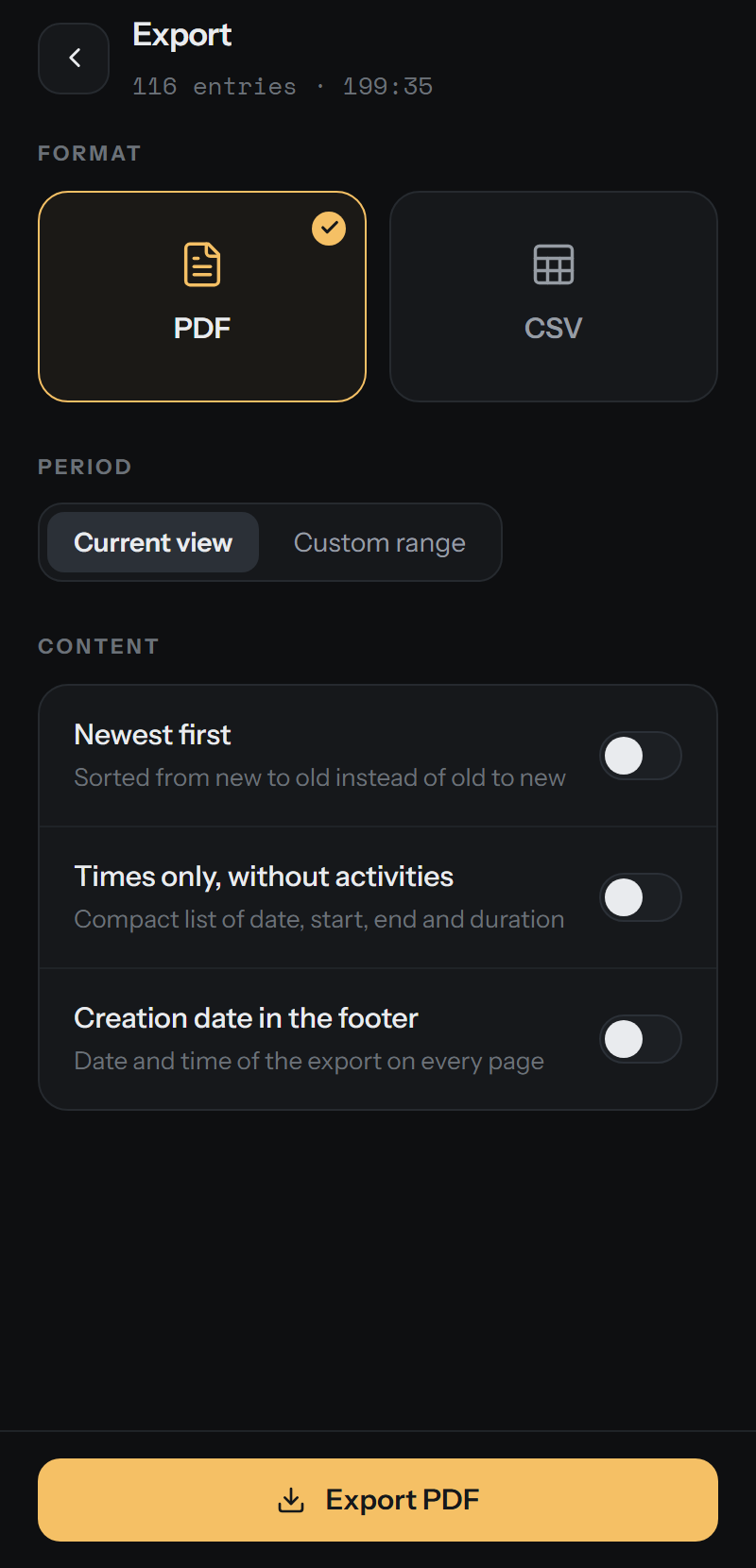 📤 Export |
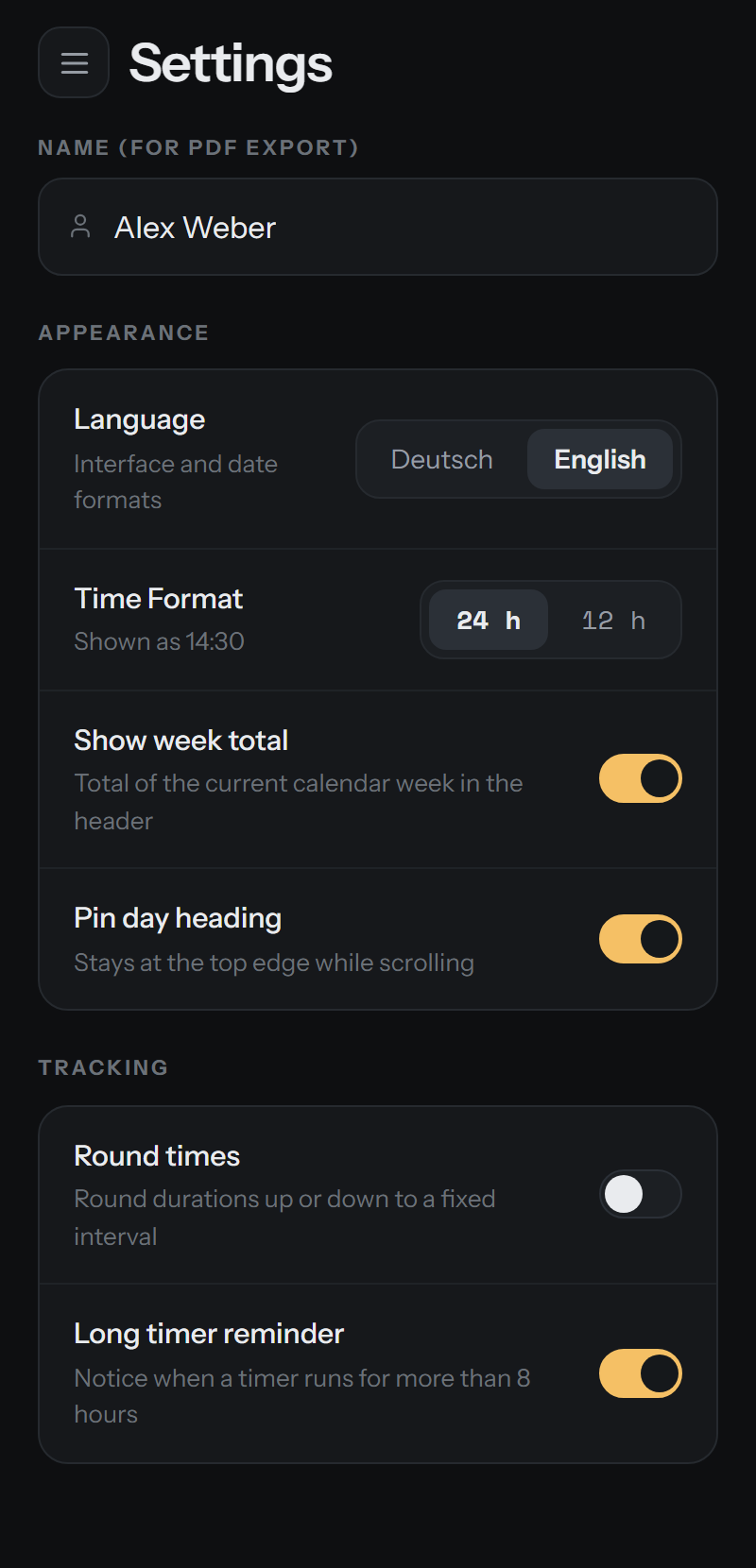 ⚙️ Settings |
The app has a manifest, icons and a theme colour. Use “Add to Home Screen” to open pocketwatch without a browser bar. |
🔧 Under the hood
- The app stores the data in
data/times.jsonanddata/config.json. - Each write goes to a temporary file first. The app then renames the file.
- Writes are debounced. No data is lost when you close the tab.
- A running entry continues after a reload or on a different device.
- The history loads in parts. The totals count all matches, not only the visible rows.
- The container has Nginx and PHP-FPM on Alpine Linux.
- The fonts are in the container. There is no CDN and no telemetry.
- You can operate the app with the keyboard. Switches, lists and dialogs have ARIA roles.
🐳 Installation with Docker
The image is on the GitHub Container Registry. You do not have to compile it, and you do not need Node.js on the host:
docker run -d --name pocketwatch -p 8080:80 \
  -v "$(pwd)/data:/var/www/html/data" \
  ghcr.io/winnicodes/pocketwatch:latest
Open http://localhost:8080. The app writes the time entries to the mounted data/ folder.
Each release also has a version tag, for example ghcr.io/winnicodes/pocketwatch:1.1.0. Use
a version tag if you want to control when you update.
Unraid
pocketwatch is in Community Applications. Open the Apps tab, search for pocketwatch
and select Install. The template contains the WebUI link, the port and the appdata path.
The default values are correct:
| Setting | Default |
|---|---|
| WebUI | 8080 (host) → 80 (container) |
| Data | /mnt/user/appdata/pocketwatch → /var/www/html/data |
To update, use Docker → Check for Updates → Apply. You do not have to set PUID or PGID. The container corrects the owner of the appdata folder at start.
Add the container manually
Do this only if you do not use Community Applications. Select Docker → Add Container, then:
| Field | Value |
|---|---|
| Repository | ghcr.io/winnicodes/pocketwatch:latest |
| Port | 8080 (host) → 80 (container) |
| Path | /mnt/user/appdata/pocketwatch (host) → /var/www/html/data (container) |
The image is linux/amd64. Unraid uses this architecture.
Build the image yourself
The container compiles the frontend. You do not need Node.js on the host.
git clone https://github.com/winnicodes/pocketwatch.git
cd pocketwatch
docker compose up -d --build
The app writes the time entries to the data/ folder next to docker-compose.yaml.
Without docker-compose
Linux and macOS:
docker build -t pocketwatch-app .
docker run -d -p 8080:80 -v "$(pwd)/data:/var/www/html/data" --name pocketwatch pocketwatch-app
Windows (PowerShell):
docker build -t pocketwatch-app .
docker run -d -p 8080:80 -v "${PWD}/data:/var/www/html/data" --name pocketwatch pocketwatch-app
Docker does not accept a relative path such as
./datafor-v. Use$(pwd)or${PWD}.
The container corrects the permissions of data/ at start. A folder that root made is not
a problem.
PowerShell helpers
The repository contains small wrappers for Windows: _docker-build.ps1, _docker-run.ps1,
_docker-stop.ps1, _docker-restart.ps1, _docker-logs.ps1 and _docker-cleanup.ps1.
🛡️ Security and privacy
pocketwatch does not collect data, does not send data and does not load external files. There is no analytics, there are no fonts from Google and there is no external API.
Warning: the API has no authentication. Use pocketwatch in your own LAN only. Do not connect the container to the internet. A person who opens the URL can read and change all time entries. For access from outside, put a reverse proxy with authentication or a VPN in front of the container.
💾 Data
All data is in the mounted data/ folder:
data/times.json- the time entriesdata/config.json- the settings (name, language, time format, rounding)
The app writes to a temporary file and then renames it. An interrupted write cannot damage
a good file. If the folder is mounted on the host, the data stays after an update and after
a rebuild of the container. _docker-cleanup.ps1 does not delete data/.
To make a backup, copy the data/ folder.
📁 Project layout
pocketwatch/
├── webapp/                 # React frontend (Vite)
│   ├── src/
│   ├── public/
│   │   ├── api/            # PHP API (read.php / write.php)
│   │   ├── fonts/          # Instrument Sans / Space Mono (in the repository)
│   │   └── locales/        # de.json / en.json
│   ├── scripts/            # demo-data.mjs, standalone.mjs
│   ├── dist/               # build output (not in Git)
│   └── package.json
│
├── data/                   # persistent data (not in Git)
│   ├── times.json          # time entries
│   └── config.json         # settings
│
├── docs/                   # published with GitHub Pages
│   ├── index.html          # single-file demo (npm run standalone)
│   └── *.png               # screenshots for this README
│
├── Dockerfile              # production container (Nginx + PHP + dist)
├── nginx.conf              # Nginx configuration
├── docker-compose.yaml     # the recommended way to start
└── README.md
🛠️ Local development
You need Node.js 20 or later.
cd webapp
npm ci
npm run dev
Vite serves http://localhost:5173 with hot reload. You do not need a container. Vite
cannot run PHP, but vite.config.ts supplies api/read.php and api/write.php for
development. It uses the same data/ folder as the container. In production, PHP is
authoritative.
More scripts:
npm test         # tests for the time validation (node:test, no extra dependencies)
npm run build    # typecheck (tsc) and production build into webapp/dist
npm run demo-data -- --running   # demo data in data/ (--force overwrites, --en for English)
npm run standalone               # single-file demo (see above)
🔁 Updates
git pull
docker compose up -d --build
🚀 Tech stack
React 19 · TypeScript · Tailwind CSS 4 · Vite 7 · date-fns · react-day-picker · jsPDF + jsPDF-AutoTable · PHP 8.4 (FPM) · Nginx · Alpine Linux
❤️ Support
Please report problems and feature requests with GitHub Issues.
If pocketwatch saves you time, you can buy me a coffee: ko-fi.com/winnicodes. The same link is at the bottom left in the app.
📜 License
MIT - see LICENSE. You can use it and change it.
Media gallery
1 / 3Install Pocketwatch on Unraid in a few clicks.
Find Pocketwatch in Community Apps on your Unraid server, review the template, and click Install. Unraid handles the Docker app or plugin setup from the published template.
Categories
Related apps
Explore more like this
Explore allDetails
ghcr.io/winnicodes/pocketwatch:latestRuntime arguments
- Web UI
http://[IP]:[PORT:80]- Network
bridge- Shell
sh- Privileged
- false
Template configuration
HTTP port for the WebUI.
- Target
- 80
- Default
- 8080
times.json and config.json live here. Back this folder up.
- Target
- /var/www/html/data
- Default
- /mnt/user/appdata/pocketwatch