
All apps · 0 apps

PlexWatch
Docker app from grtgbln's Repository
Overview
Readme
View on GitHub
MediaWatch
A Discord-first monitoring bot for self-hosted media servers.
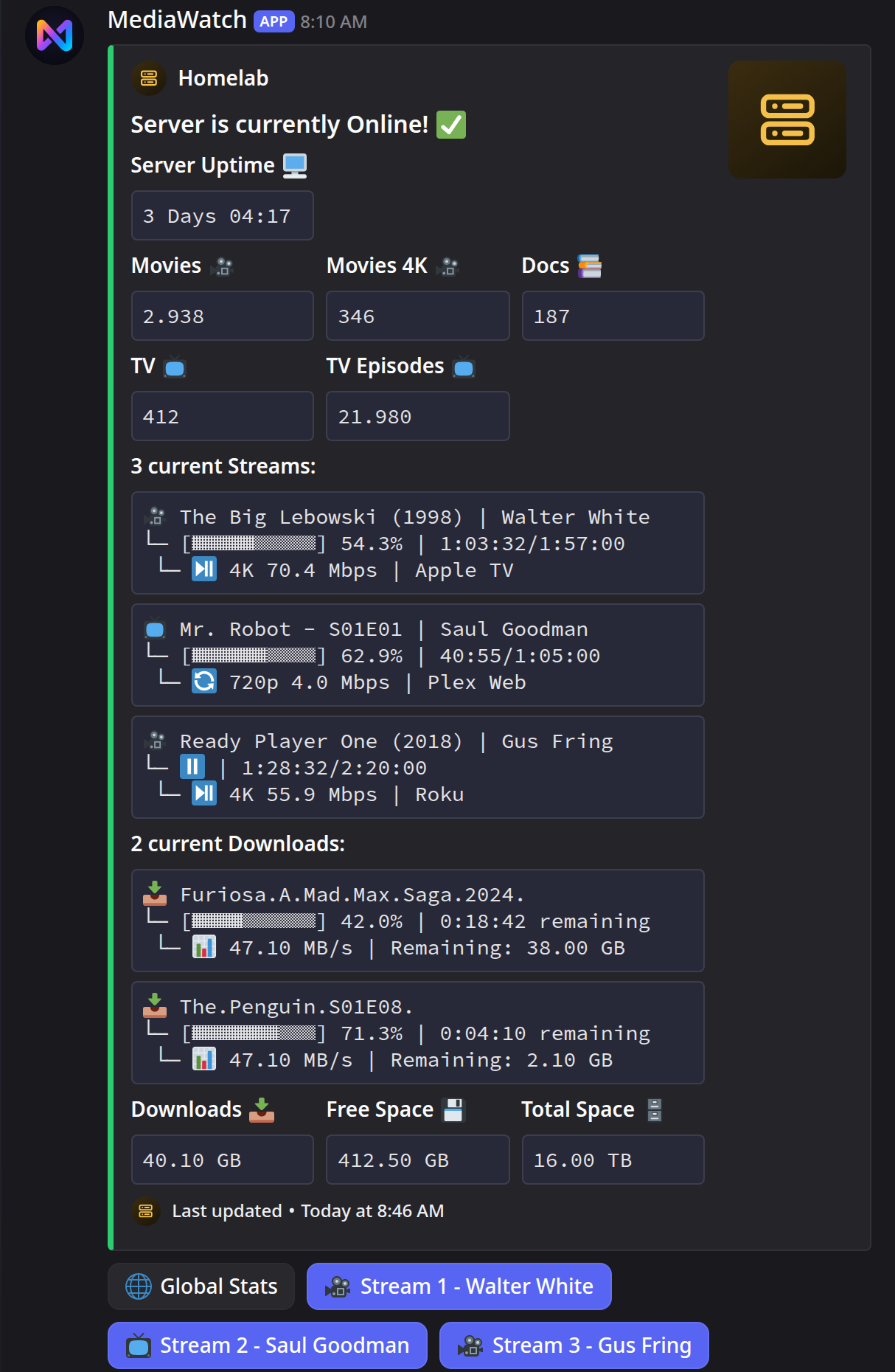
One live dashboard inside Discord for Plex or Jellyfin: active streams, library totals, server state, with optional SABnzbd and Uptime Kuma data.






Website • Documentation • Quick Start • Platform Scope • Roadmap
What It Does
- Publishes a persistent Discord dashboard and updates it in place
- Tracks active Plex or Jellyfin sessions in near real time
- Shows library totals and server state in the same embed
- Adds optional download and uptime sections via SABnzbd and Uptime Kuma
- Offers interactive stream details and stream termination
- Keeps runtime state in local files instead of Postgres or Redis
This is not a web app and not a multi-user control panel. It is an operational bot for people who already live in Discord and want their media server status there.
Platform Scope
MediaWatch loads exactly one platform at runtime, selected by media_server.type.
| Capability | Plex | Jellyfin |
|---|---|---|
| Live dashboard and library totals | ✅ | ✅ |
| Stream details | With Tautulli | ✅ |
| Kill Stream | ✅ | ✅ |
| SABnzbd and Uptime Kuma | ✅ | ✅ |
| User and global statistics | With Tautulli | ❌ |
| Open in the media server | With Tautulli | ❌ |
Plex has the richer surface because MediaWatch can layer Tautulli on top. Jellyfin support is intentionally narrower but uses the same dashboard model and runtime architecture.
Screenshots
Dashboard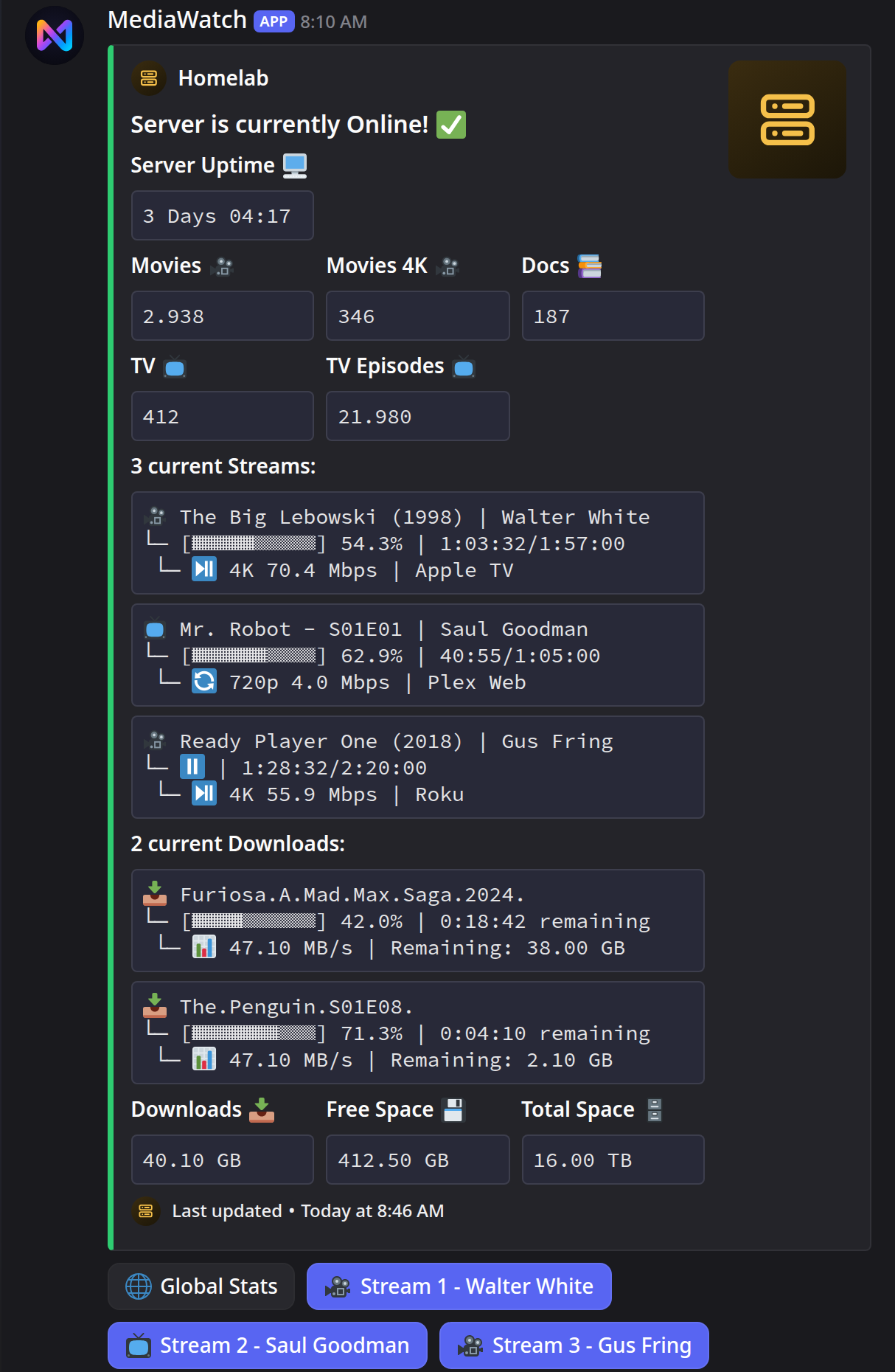
|
Offline State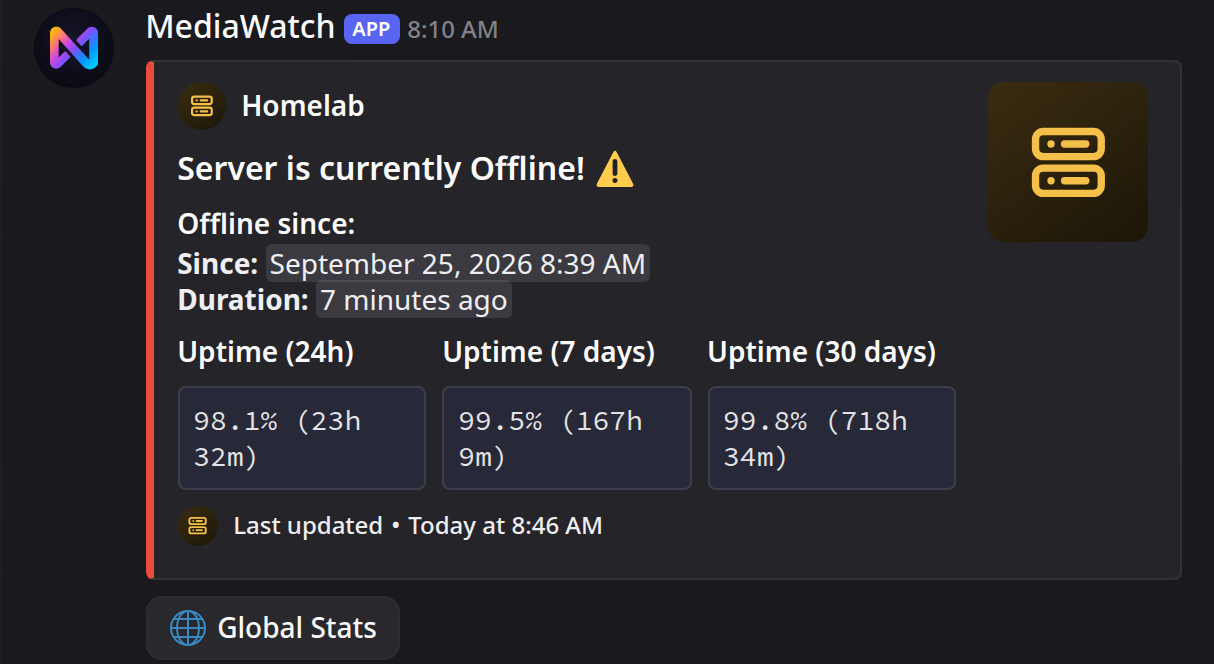
|
Stream Details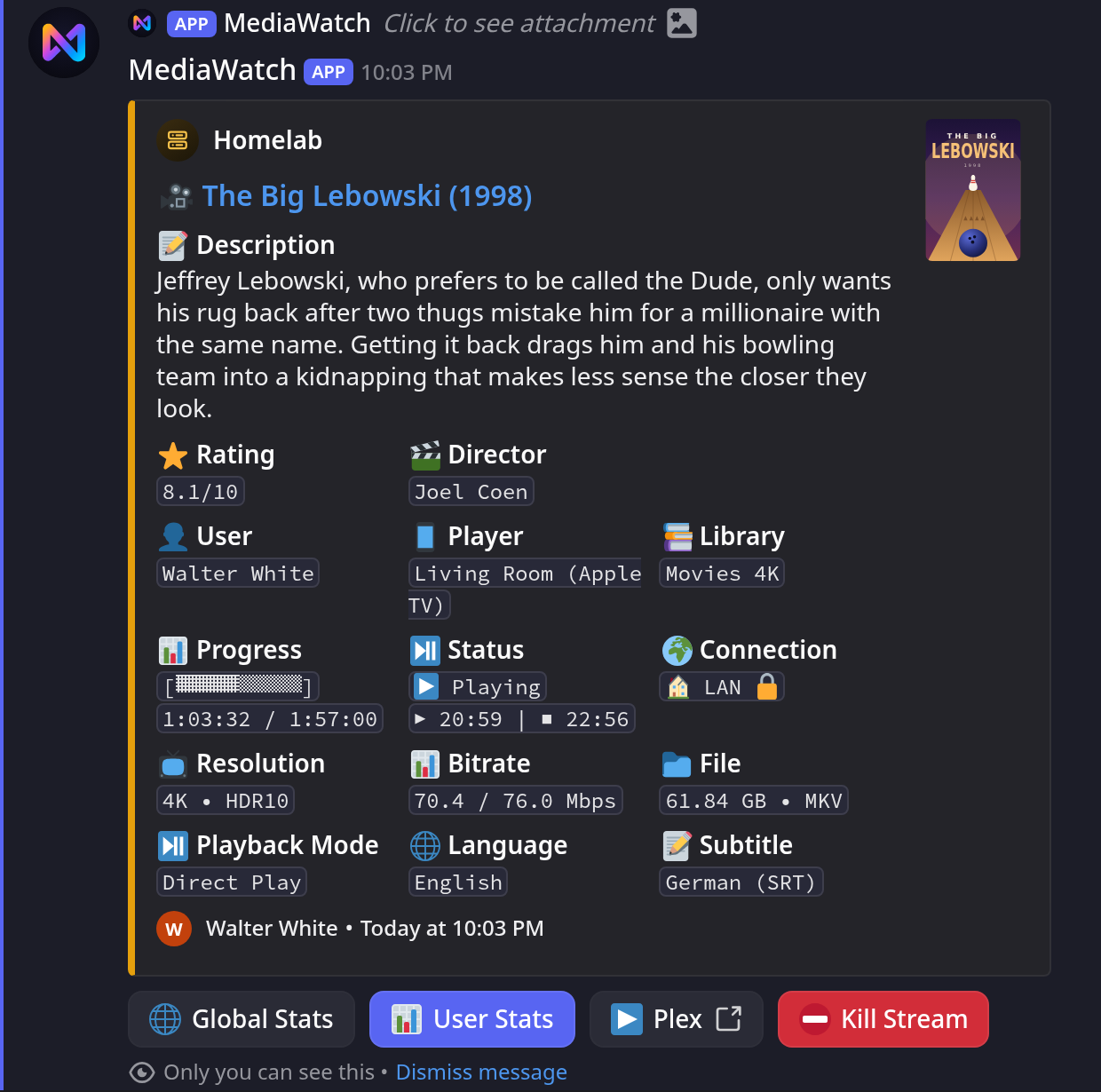
|
Kill Stream Modal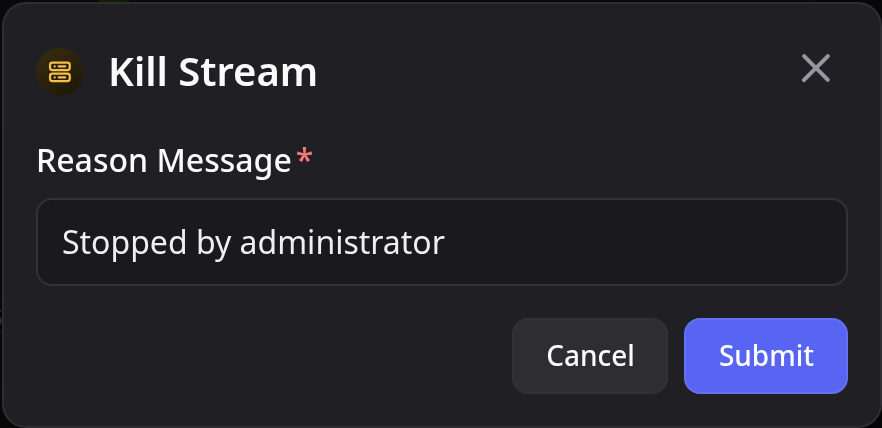
|
Tautulli User Stats
Page 1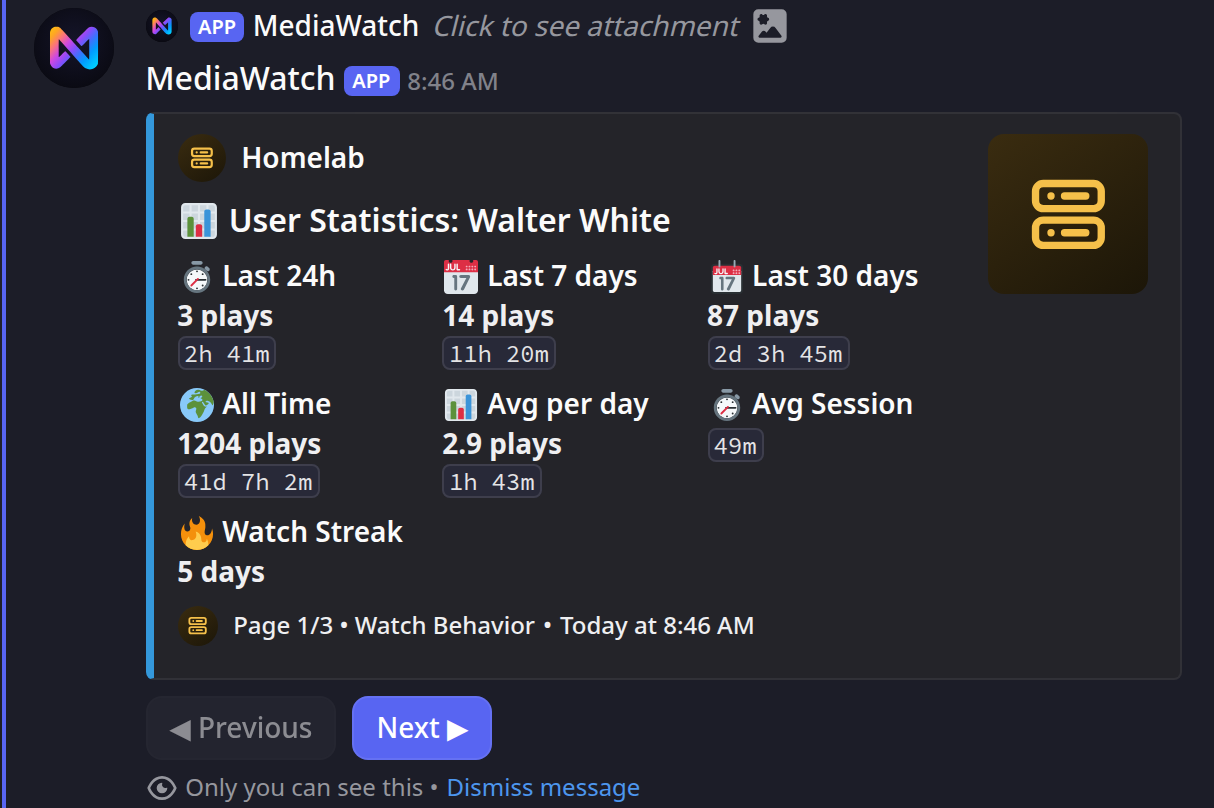
|
Page 2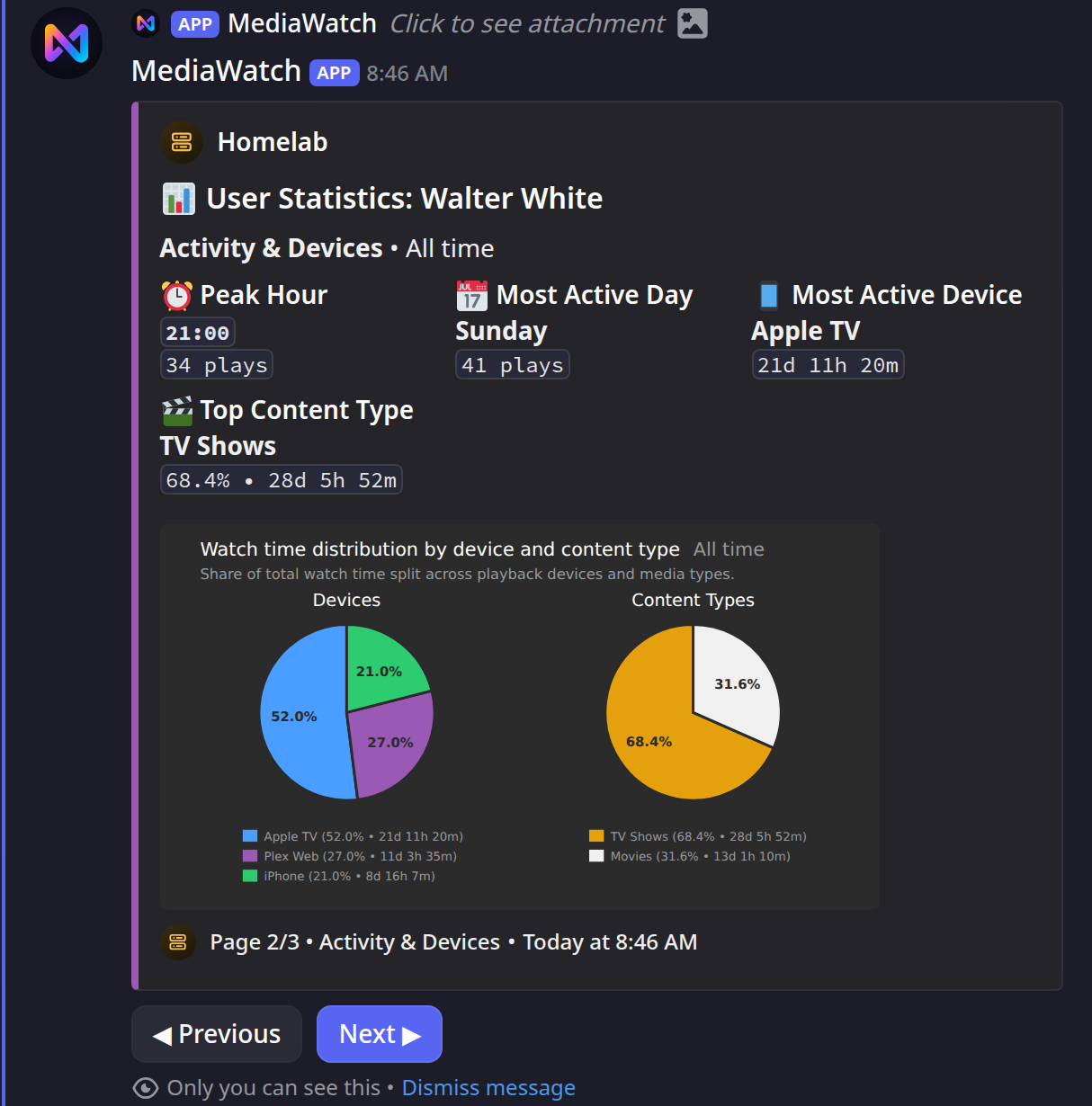
|
Page 3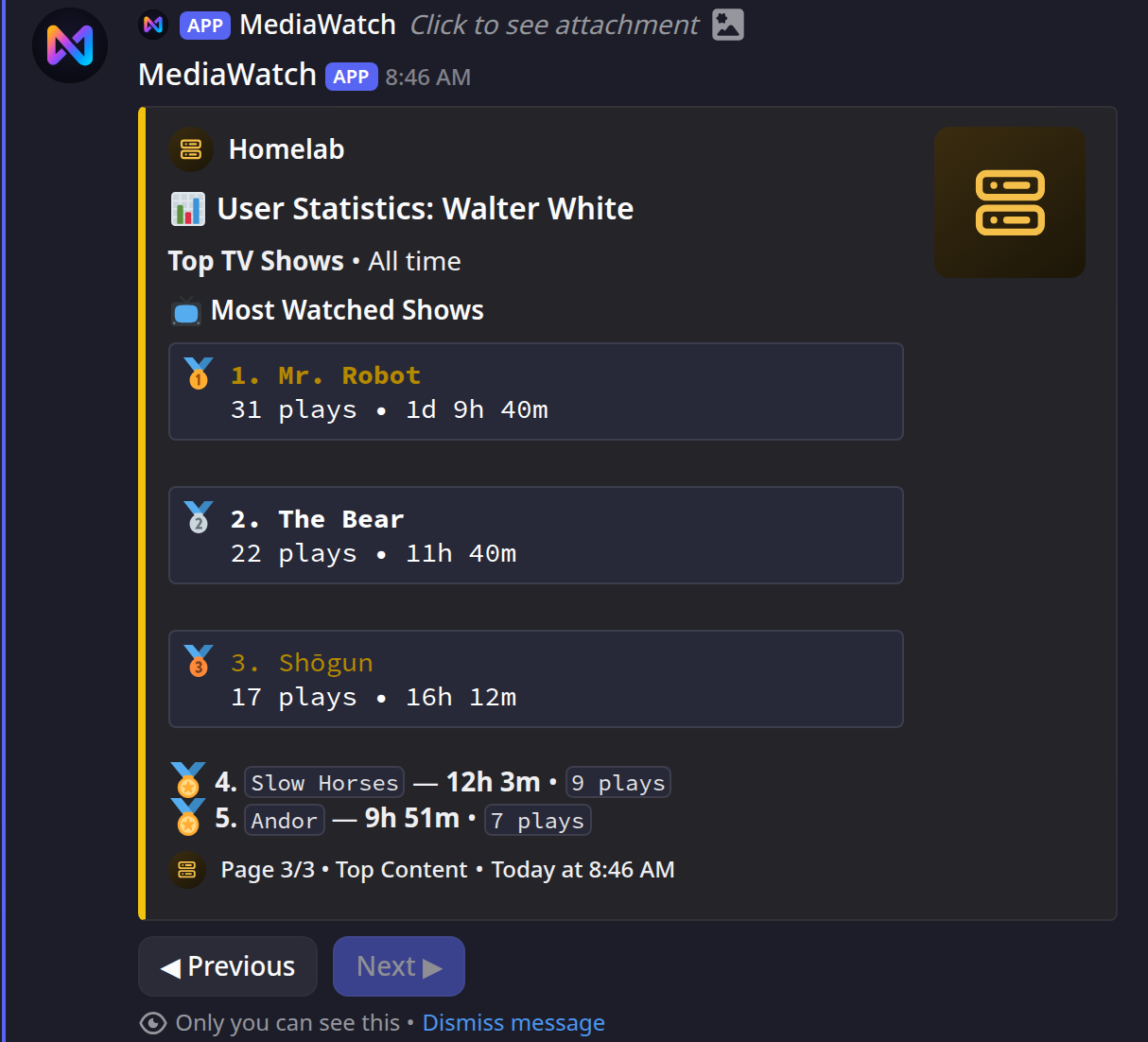
|
Tautulli Global Stats
Page 1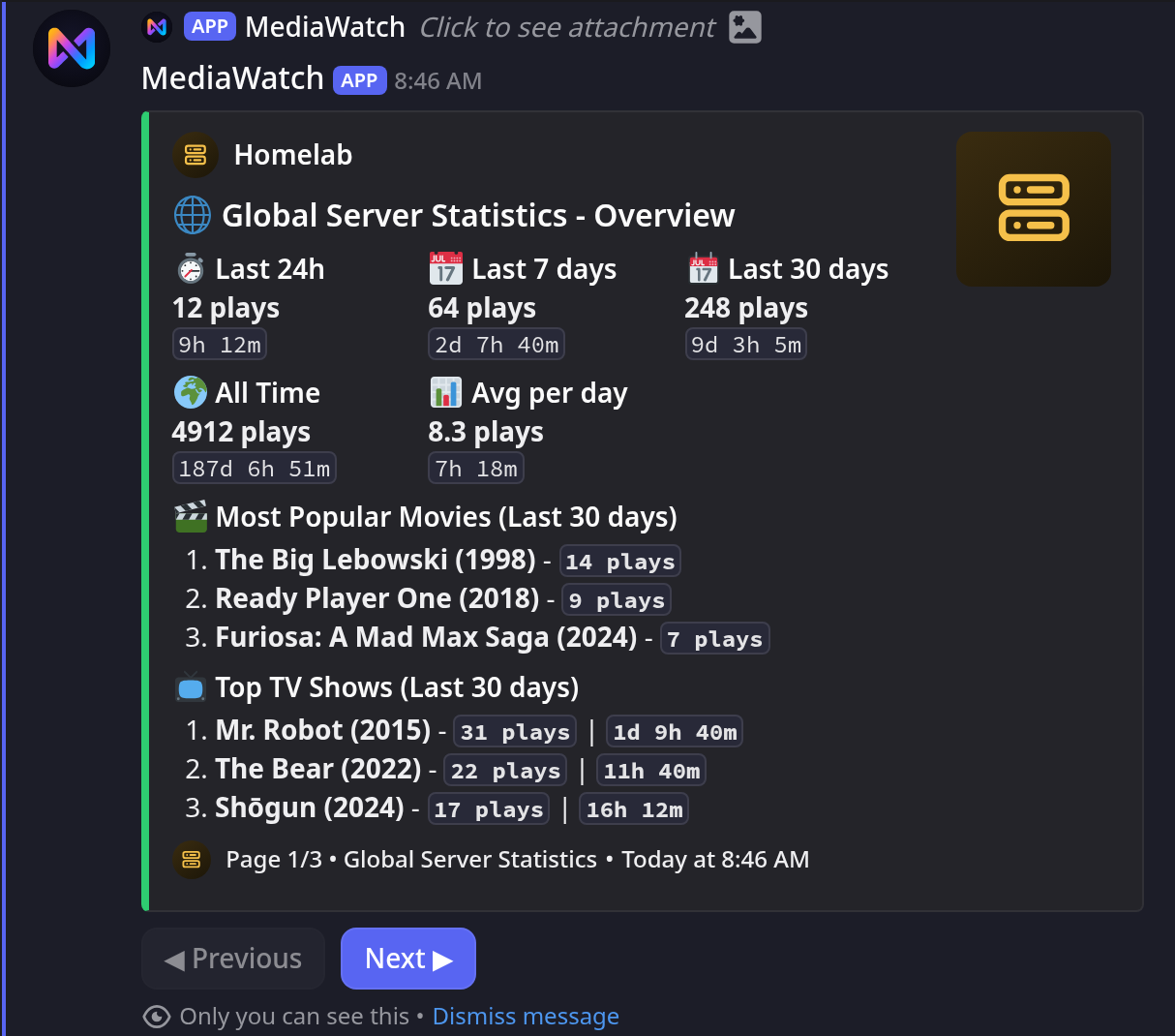
|
Page 2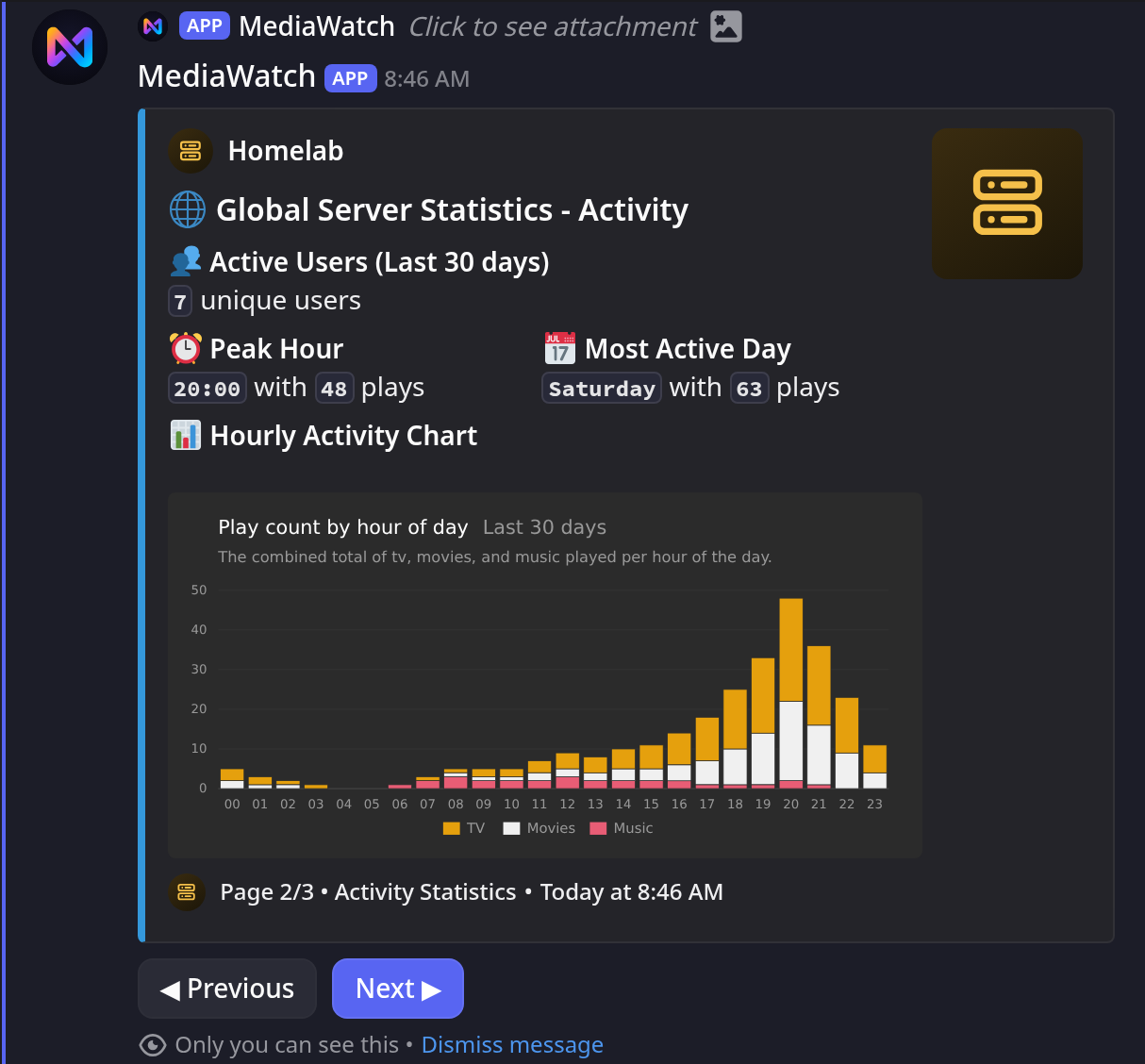
|
Page 3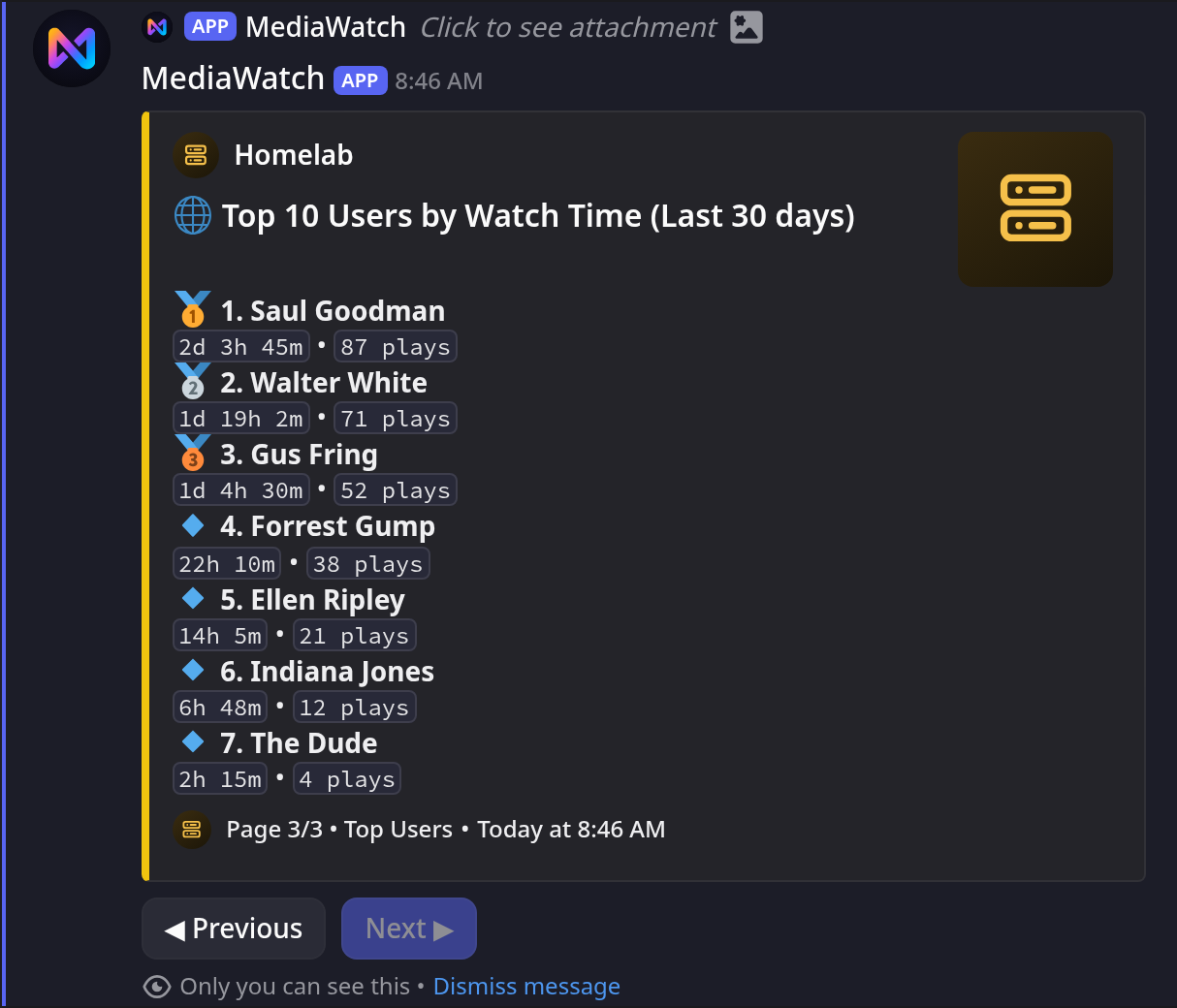
|
Jellyfin
Dashboard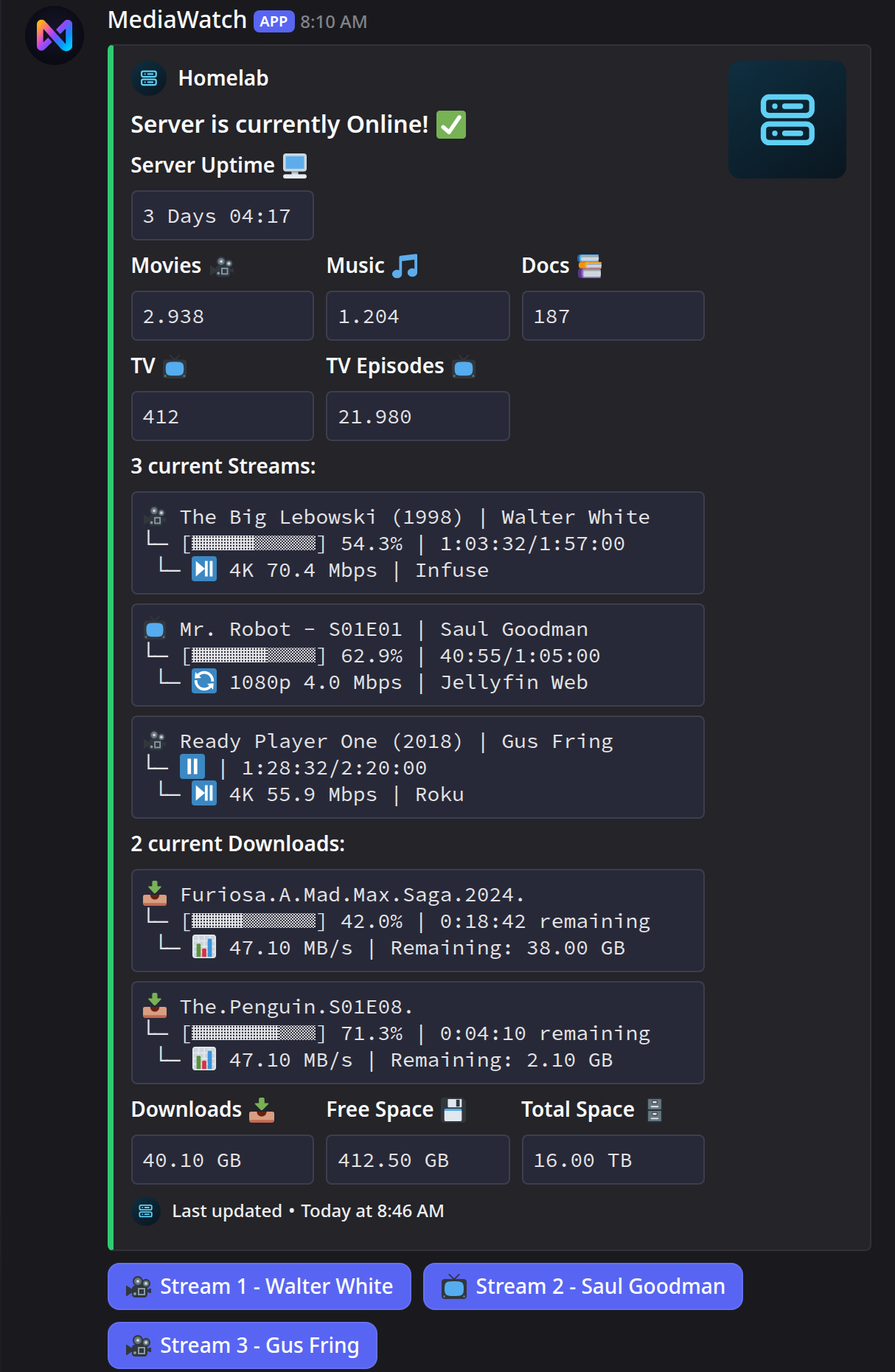
|
Stream Details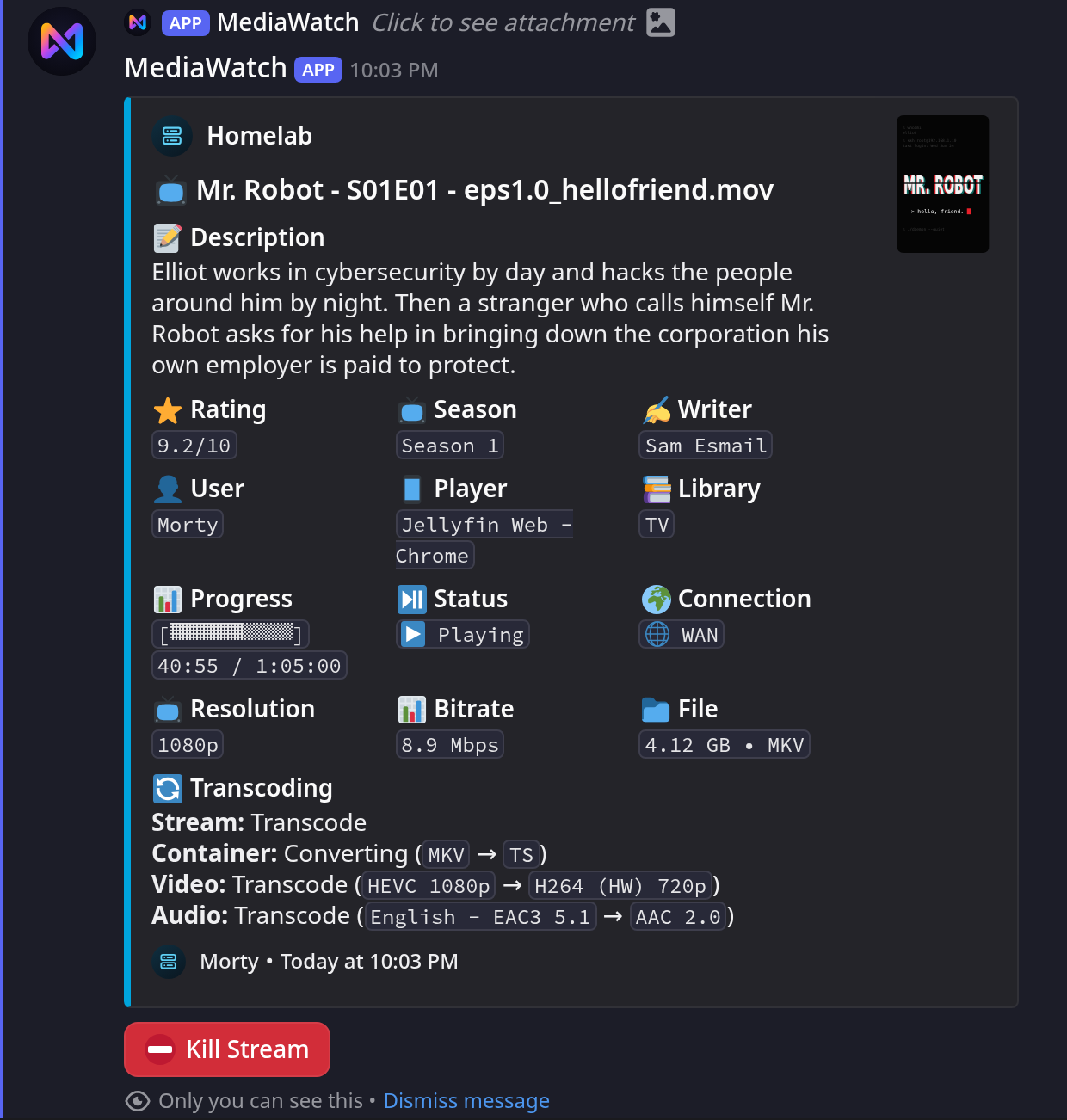
|
Quick Start
Docker is the recommended way to run MediaWatch.
services:
  mediawatch:
    image: ghcr.io/nichtlegacy/mediawatch:latest
    container_name: mediawatch
    restart: unless-stopped
    env_file:
      - .env
    environment:
      RUNNING_IN_DOCKER: "true"
    volumes:
      - ./data:/app/data
curl -fsSL -o .env https://raw.githubusercontent.com/nichtlegacy/MediaWatch/main/.env.example
mkdir -p data
curl -fsSL -o data/config.yaml https://raw.githubusercontent.com/nichtlegacy/MediaWatch/main/data/config.yaml.example
# fill in .env, then set media_server.type and your libraries in data/config.yaml
docker compose up -d
docker compose logs -f
Keeping secrets in .env leaves docker-compose.yml safe to share. Setting them under
environment: or in an Unraid template works just as well. See
Docker Deployment.
You need a Discord bot token, a channel ID, your guild ID, at least one authorized user ID, and credentials for either Plex or Jellyfin. The Setup Guide walks through obtaining each one.
Documentation
The full documentation lives at mediawatch.nichtlegacy.com/docs.
| Page | What it covers |
|---|---|
| Setup Guide | From a fresh Discord application to a running dashboard |
| Docker Deployment | Compose, volumes, PUID/PGID, logs, updates |
| Configuration | Every option in config.yaml with its default |
| Privacy and Visibility | Who in the channel can see what, and how to restrict it |
| Troubleshooting | The common failure modes and their exact messages |
| Migration from 1.x | Upgrading a PlexWatch install |
Running Locally
git clone https://github.com/nichtlegacy/MediaWatch.git
cd MediaWatch
python -m venv .venv && source .venv/bin/activate
pip install -r requirements.txt
cp .env.example .env
cp data/config.yaml.example data/config.yaml
python main.py
A local run reads .env through python-dotenv and writes rotating logs to
logs/mediawatch_debug.log. Apart from a startup failure (missing credentials or an
unreadable config.yaml), nothing is printed to the console, so check the log file.
Slash Commands
All commands are restricted to the IDs in DISCORD_AUTHORIZED_USERS and published into
DISCORD_GUILD_ID on every start.
| Command | Purpose |
|---|---|
/cogs |
List all cogs and their load state |
/load, /unload, /reload |
Manage a single cog |
/reload_config |
Re-read config.yaml without restarting |
/mapping add·edit·remove·list |
Map media server usernames to display names |
/maintenance start·end·status |
Announce planned work on the dashboard instead of showing the server offline |
!sync [guild|global|copy|clear|clearglobal] |
Publish the command tree after local changes |
!sync is the only reason the bot requests the Message Content intent.
Privacy
By default everyone who can read the dashboard channel can open stream details, and on Plex with Tautulli also the per-user statistics behind them and the global statistics, including a server-wide top-users leaderboard. Three options close that down:
stream_details:
  restrict_to_authorized: true
user_stats:
  restrict_to_authorized: true
global_stats:
  restrict_to_authorized: true
Client IP addresses are stricter still: they need a config flag and membership in
DISCORD_AUTHORIZED_USERS. Details in Privacy and Visibility.
Architecture
main.py                     boots the bot, syncs commands, loads cogs
cogs/media_core/
  shared/                   models, config, formatters, dashboard embed
  plex/                     Plex runtime, services, views, Tautulli
  jellyfin/                 Jellyfin runtime, client, views, embeds
cogs/sabnzbd.py             optional modules outside the platform core
cogs/uptime.py
cogs/user_mapping.py
cogs/maintenance.py
data/                       config and bot-managed state
Exactly one of plex or jellyfin is loaded at runtime. Both go through the same
MediaService protocol and the same dashboard embed, so the Discord-facing behaviour is
identical where the platforms allow it. Runtime state is file-backed.
Roadmap
Planned, not promised. This is a spare-time project and the order can change. Nothing here is required for what 2.0 already does.
What is planned
Self-hosted uptime tracking
The bot already polls the media server every minute and already decides online from offline. Recording that history removes the need for Uptime Kuma, which is currently the only way to get uptime percentages into the dashboard.
Uptime Kuma stays supported and remains the more accurate source, for one reason worth stating plainly: it runs independently of the bot, so it also sees outages that happen while the bot itself is down. Self-tracking cannot. The plan therefore reports those periods as unknown rather than counting them as uptime. A slightly smaller number that can be trusted beats a flattering one that cannot.
Statistics for Jellyfin
Jellyfin currently has no user or global statistics, because those are built on Tautulli and Tautulli is Plex-only. Jellyfin's official Playback Reporting plugin exposes comparable data, which would let both platforms offer the same pages.
Notifications
The dashboard overwrites its own state, so nothing tells you that something happened while you were not looking. The bot already sees most of these every minute and simply discards them; the rest would need new polling:
- Server went offline, and came back after how long
- Rejected credentials, disk running out of space
- Stream started, finished, or fell back to transcoding
- New media added, failed library scan (not polled yet)
Most of it would default to off. A notification you learn to ignore is worse than none.
Have a different idea, or need one of these sooner? Open an issue. Knowing that someone actually wants a feature is what moves it up the list.
Upgrading from PlexWatch 1.x
MediaWatch grew out of PlexWatch. Three things are not automatic: the image path
changed to ghcr.io/nichtlegacy/mediawatch, DISCORD_GUILD_ID is now required, and you
should check the result of the automatic config.json conversion. The full path is in the
migration guide.
Development
pip install -r requirements-dev.txt
pytest
ruff check . && ruff format --check .
ruff is the only lint and format tool; its config lives in pyproject.toml. See
CONTRIBUTING.md before opening a pull request, and
SECURITY.md for reporting a vulnerability.
How this project is built
MediaWatch is written with extensive help from AI coding assistants. PlexWatch 1.x started the same way: it worked better than I expected, but its internals were not built to last, which is what the 2.0 rewrite addresses.
I have run MediaWatch in production on my own server since early 2026, and the features and fixes since then come from using it every day. CI runs the full test suite on every push and pull request.
MIT License © 2025 nichtlegacy
Media gallery
1 / 2Requirements
Bot is configured via `config.json` file in App Data path. See documentation: https://github.com/nichtlegacy/PlexWatch?tab=readme-ov-file#configuration
Categories
Related apps
Explore more like this
Explore allDetails
ghcr.io/nichtlegacy/plexwatch:latestRuntime arguments
- Network
bridge- Privileged
- false
Template configuration
Discord bot token
- Target
- DISCORD_TOKEN
Comma-separated list of Discord user IDs authorized to admin the bot
- Target
- DISCORD_AUTHORIZED_USERS
Discord channel ID to send messages to
- Target
- CHANNEL_ID
URL of your Plex server (e.g., http://plex-server:32400)
- Target
- PLEX_URL
Plex server token for authentication
- Target
- PLEX_TOKEN
Optional, SABnzbd URL (e.g., http://sabnzbd:8080) for integration
- Target
- SABNZBD_URL
Optional, SABnzbd API key for integration
- Target
- SABNZBD_API_KEY
Optional, Uptime Kuma URL (e.g., http://uptime-kuma:3001) for integration
- Target
- UPTIME_URL
Optional, Uptime Kuma username for authentication
- Target
- UPTIME_USERNAME
Optional, Uptime Kuma password for authentication
- Target
- UPTIME_PASSWORD
Optional, Uptime Kuma monitor ID for integration
- Target
- UPTIME_MONITOR_ID
Path to app data
- Target
- /app/data
- Default
- /mnt/user/appdata/plex_watch/data
- Value
- /mnt/user/appdata/plex_watch/data
Path to logs directory
- Target
- /app/logs
- Default
- /mnt/user/appdata/plex_watch/logs
- Value
- /mnt/user/appdata/plex_watch/logs
Required for Docker running, do not change.
- Target
- RUNNING_IN_DOCKER
- Default
- true
- Value
- true