
All apps · 0 apps

pictshare
Docker app from Kilrah's Repository
Overview
Readme
View on GitHub

PictShare v3
Caution: Pictshare v3 may not be fully compatible with previous Pictshare versions!
https://pictshare.net




Host your own images gifs mp4s text bins and stay in control
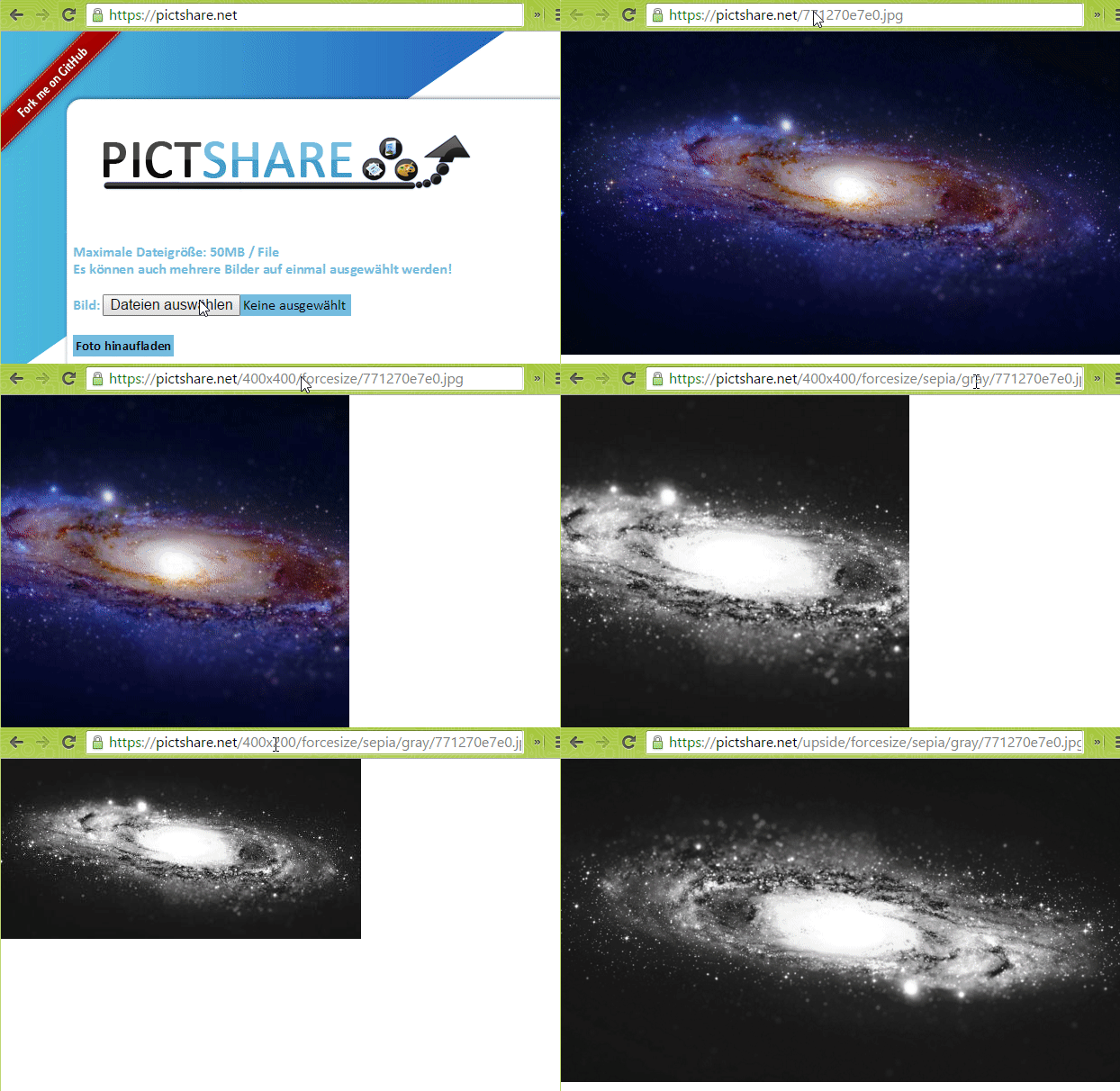
Table of contents
- Quick Start
- Breaking changes in v3
- Features
- Installation
- Configuration
- Docker
- API
- Addons and integration
- Development roadmap
Quickstart
docker run -d -p 8080:80 --name=pictshare ghcr.io/hascheksolutions/pictshare
Then open http://localhost:8080 in your browser
Breaking changes in v3
Dropped configuration options
- TITLE
- UPLOAD_FORM_LOCATION
- ALLOW_BLOATING
File name in URL
In Picthsare v3 we have changed the requirement for the image to be the last part of the URL. While with older PictShare Versions you could put the file name at any place of the URL, we now require the last part of the URL to be the file name.
- before: https://pictshare.net/roate-left/1234.png/800x600/
- now: https://pictshare.net/roate-left/600x600/1234.png
API changes
The API has been moved to a more consistant and RESTful design. The API documentation has been updated to reflect these changes.
New Features
- Generate identicons based on strings in the URL example1 example2
- Generate placeholder images by specifying the size in the URL. example
- Added support for external storage
- Encryption of files in external storage
- Added text hosting (like pastebin)
- Added Markdown rendering (converts .md files to HTML)
- Added Audio support (mp3, wav, ogg, flac, m4a with player)
- Added URL shortening
- Added Albums: combine multiple uploads into a single immutable gallery URL
- Added "My Uploads" browser tab: localStorage-tracked list of files you uploaded from this browser, with per-item delete, copy URL, and bulk album creation
- Added WebP to images (and automatic conversion from jpg, png to webp if the requesting browser supports it)
- Massive code rework. Actually we designed it from the ground up to be more modular and easier to debug
Features
- Selfhostable
- Simple upload API
- 100% file based - no database needed
- Scalable hosting
- Many Filters for images
- GIF to MP4 conversion
- JPG, PNG to WEBP conversion
- MP4 resizing
- PictShare removes all exif data so you can upload photos from your phone and all GPS tags and camera model info get wiped
- Change and resize your images and videos just by editing the URL
- Duplicates don't take up space. If the exact same file is uploaded twice, the second upload will link to the first
- Many configuration options
- Full control over your data. Delete images with individual and global delete codes
- Group files into immutable albums — share a single gallery URL instead of N individual links
- Browser-side "My Uploads" tab tracks what you uploaded (localStorage) so you can re-find, delete, or bundle into an album later
- Built-in MCP server so LLM agents can upload and manage files
MCP server
PictShare has a built-in Model Context Protocol endpoint at POST /mcp (Streamable HTTP), so LLM agents can upload and manage files directly.
Register in Claude Code:
claude mcp add --transport http pictshare https://your.pictshare.host/mcp
If your instance sets UPLOAD_CODE, clients must send it as a bearer token: Authorization: Bearer <upload code>.
Available tools:
| Tool | Purpose |
|---|---|
upload_from_url |
Download a remote URL and store it |
upload_base64 |
Upload base64-encoded content |
get_file_info |
File metadata (mime, size, sha1, upload time) |
delete_file |
Delete a file using its delete code |
create_album |
Combine hashes into an album |
transform_image |
Build a resized/filtered/rotated image URL |
Full client setup and tool reference: rtfm/MCP.md
Development roadmap
- Duplicate detection
- Write permission detection
- Delete codes for every uploaded file
- Upload via link/url
- Upload via base64
- Autodestruct for every uploaded file
Config options
Read here what those options do
- ALT_FOLDER
- URL (instead of FORCE_DOMAIN but mandatory)
- LOG_UPLOADER
- FFMPEG_BINARY
- PNG_COMPRESSION
- JPEG_COMPRESSION
- WEBP_COMPRESSION
- MASTER_DELETE_CODE
- MASTER_DELETE_IP
- UPLOAD_FORM_LOCATION
- S3 Backend
- UPLOAD_CODE
- UPLOAD_QUOTA
- LOW_PROFILE
- IMAGE_CHANGE_CODE
- MAX_RESIZED_IMAGES
- ALLOW_BLOATING
Image hosting
- Resizing
- Filters
- Gif to mp4 conversion
- Upload of images
Text file hosting
- Upload of text files
- Render template for text files
- Raw data view
- Downloadable
URL shortening
- Upload of links to shorten
MP4 hosting
- Resizing
- Preview image generation
- Upload of videos
- Automatic conversion if not mobile friendly or wrong encoder used
- Render template for videos
This is a HASCHEK SOLUTIONS project

Categories
Download Statistics
Total Downloads Over Time
Related apps
Explore more like this
Explore allLinks
Details
hascheksolutions/pictshareRuntime arguments
- Web UI
http://[IP]:[PORT:80]- Network
bridge- Shell
bash- Privileged
- false
Template configuration
Web UI Port
- Target
- 80
- Default
- 80
Storage for uploaded files
- Target
- /var/www/data
- Default
- /mnt/user/appdata/pictshare
Size in MB that will be used for nginx
- Default
- 50