
All apps · 0 apps
PhotoPrism
OfficialDocker app from Findthelorax's Repository
Overview
Readme
View on GitHubPhotoPrism: Browse Your Life in Pictures





PhotoPrism® is an AI-powered, privacy-first app for browsing, organizing, and sharing photos and videos. It helps tag, search, and rediscover media without getting in your way, whether self-hosted or in the cloud.
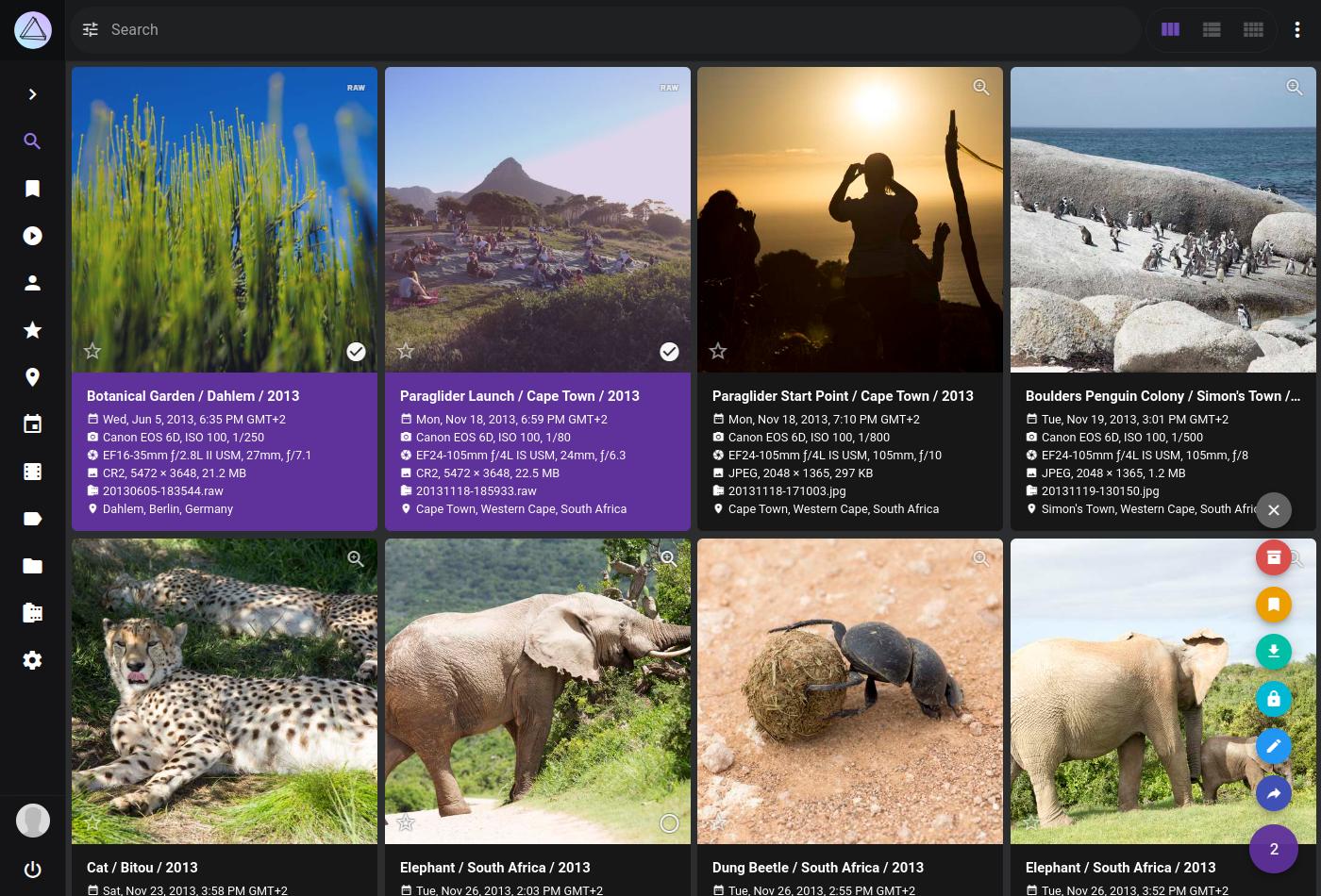
To get a first impression, you are welcome to play with our public demo. Please be careful not to upload any private, unlawful or offensive pictures.
Feature Overview
Our mission is to provide the most user- and privacy-friendly solution to keep your pictures organized and accessible. That's why PhotoPrism was built from the ground up to run wherever you need it, without compromising freedom, privacy, or functionality:
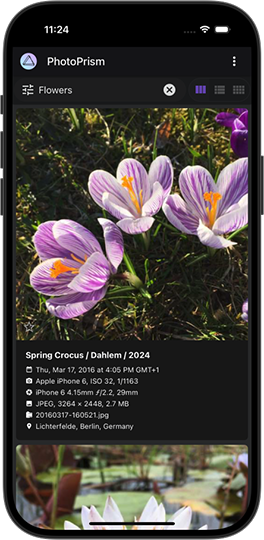
- Browse all your pictures without worrying about RAW images or video formats
- Whether you're using a phone, tablet, or desktop computer, our intuitive PWA provides a native app-like experience and can be easily installed on your home screen
- Quickly find specific photos and videos with powerful search filters that can be combined and are available for many different properties, including labels, location, resolution, color, chroma, and quality
- Automatically labels your pictures based on content and location, and recognizes the faces of your family and friends
- Live Photos start playing when you hover over them and when viewing a slideshow
- Six high-resolution World Maps and our privacy-preserving geocoding service help bring back memories of your favorite trips and let you explore the world
- Metadata can be extracted and merged from Exif, XMP, and other sources like Google Photos
- Use compatible apps like PhotoSync to back up iOS and Android phones in the background
- WebDAV clients such as Microsoft's Windows Explorer and Apple's Finder can connect directly to PhotoPrism, allowing you to open, edit, and delete files from your computer as if they were local
Being completely self-funded and independent, we can promise you that we will never sell your data and that we will always be transparent about our software and services. Your data will never be shared with Google, Amazon, Microsoft or Apple unless you intentionally upload files to one of their services. 🔒
Getting Started
Step-by-step installation instructions for our self-hosted community edition can be found on docs.photoprism.app - all you need is a Web browser and Docker to run the server. It is available for Mac, Linux, and Windows.
The stable releases and development preview are available as a multi-arch image for 64-bit AMD, Intel, and ARM processors. That means, Raspberry Pi and Apple Silicon users enjoy the exact same functionality and can follow the same installation steps.
See our Getting Started FAQ for alternative installation methods, for example using the tar.gz packages we provide.
Support Our Mission 💎
PhotoPrism is 100% self-funded and independent. Your continued support helps us provide more features to the public, release regular updates, and remain independent!
Our members enjoy additional features, including access to interactive world maps, and can join our private chat room to connect with our team. We currently have the following membership options:
- You can sign up directly on our website and pay with credit card or SEPA through Stripe, so you don't need to link an external account and can easily upgrade or downgrade at any time
- Alternatively, Patreon also supports PayPal, additional currencies, and lets you choose between monthly and annual billing for all tiers
If you currently support us through GitHub Sponsors, you can also register on our website and use the Activate GitHub Sponsors Membership button to link your account. For details on this and how to link your Patreon account, see our Activation Guide.
You are welcome to contact us for change requests, membership questions, and business partnerships.
View Membership FAQ › Sign Up ›
Why Your Support Matters
- Your continued support helps us provide regular updates and remain independent, so we can fulfill our mission and protect your privacy
- Sustained funding is key to quickly releasing new features requested by you and other community members
- Being self-funded and independent, we can personally promise you that we will never sell your data and that we will always be transparent about our software and services
Please also leave a star on GitHub if you like this project. It provides additional motivation to keep going.
A big thank you to all current and past sponsors, whose generous support has been and continues to be essential to the success of the project!
View Sponsors › View Credits ›
Getting Support
Visit docs.photoprism.app/user-guide to learn how to sync, organize, and share your pictures. If you need help installing our software at home, you are welcome to post your question in GitHub Discussions or ask in our Community Chat. Common problems can be quickly diagnosed and solved using our Troubleshooting Checklists. Eligible members are also welcome to email us for technical support and advice.
Upcoming Features and Enhancements
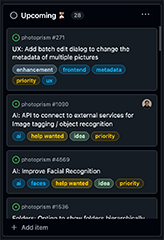
Our Project Roadmap shows what tasks are in progress and what features will be implemented next. You are invited to give ideas you like a thumbs-up, so we know what's most popular.
Be aware that we have a zero-bug policy and do our best to help users when they need support or have other questions. This comes at a price though, as we can't give exact release dates for new features. Our team receives many more requests than can be implemented, so we want to emphasize that we are in no way obligated to implement the features, enhancements, or other changes you request. We do, however, appreciate your feedback and carefully consider all requests.
Because sustained funding is key to quickly releasing new features, we encourage you to support our mission by signing up for a personal membership or purchasing a commercial license.
GitHub Issues ⚠️
We kindly ask you not to report bugs via GitHub Issues unless you are certain to have found a fully reproducible and previously unreported issue that must be fixed directly in the app. Thank you for your careful consideration!
- When browsing issues, please note that our team and all issue subscribers receive an email notification from GitHub whenever a new comment is added, so these should only be used for sharing important information and not for discussions, questions, or expressing personal opinions
- In order for us to investigate new bug reports, they must include a complete list of steps to reproduce the problem, the software versions used and information about the environment in which the problem occurred, such as browser type, browser version, browser plug-ins, operating system, storage type, processor type, and memory size
- Contact us or a community member if you need help, it could be a local configuration problem, or a misunderstanding in how the software works
- This gives us the opportunity to improve our documentation and provide best-in-class support instead of dealing with unclear/duplicate bug reports or triggering a flood of notifications by replying to comments
Connect with the Community

Follow us on Mastodon, Bluesky, or join the Community Chat to get regular updates, connect with other users, and discuss your ideas. Our Code of Conduct explains the "dos and don’ts" when interacting with other community members.
As a contributor, you are also welcome to contact us directly if you have something on your mind that you don't want to discuss publicly. Please note, however, that due to the high volume of emails we receive, our team may be unable to get back to you immediately. We do our best to respond within five business days or less.
Every Contribution Makes a Difference
We welcome contributions of any kind, including blog posts, tutorials, translations, testing, writing documentation, and pull requests. Our Developer Guide contains all the information necessary for you to get started.
PhotoPrism® is a registered trademark. By using the software and services we provide, you agree to our Terms of Service, Privacy Policy, and Code of Conduct. Docs are available under the CC BY-NC-SA 4.0 License; additional terms may apply.
Categories
Download Statistics
Total Downloads Over Time
Related apps
Explore more like this
Explore allLinks
Details
photoprism/photoprismRuntime arguments
- Web UI
http://[IP]:[PORT:2342]/- Network
bridge- Shell
sh- Privileged
- false
Template configuration
Storage PATH for generated files like cache and index (Keep cache, settings and database)
- Target
- /photoprism/storage
- Value
- /mnt/user/appdata/photoprism
Path to your images and storage folder
- Target
- /photoprism/originals
Only if you want to use the Import function of PhotoPrism (ATTENTION: Don't put the import folder in a subdirectory of the storage folder for your images!)
- Target
- /photoprism/import
Allow uploads that MAY be offensive (Valid options: 'true' or 'false')
- Target
- PHOTOPRISM_UPLOAD_NSFW
- Value
- true
Flag photos as private that MAY be offensive (Valid options: 'true' or 'false')
- Target
- PHOTOPRISM_DETECT_NSFW
- Value
- false
Website Title
- Target
- PHOTOPRISM_SITE_TITLE
Website Caption
- Target
- PHOTOPRISM_SITE_CAPTION
Website Description
- Target
- PHOTOPRISM_SITE_DESCRIPTION
Website Author
- Target
- PHOTOPRISM_SITE_AUTHOR
Initial Admin Password - you can change the password on the settings page (If you don't want to use a password delete this entry and create another variable with the Key: 'PHOTOPRISM_PUBLIC' and the Value: 'true')
- Target
- PHOTOPRISM_ADMIN_PASSWORD
WebGUI Port
- Target
- 2342
- Value
- 2342
Choose if you want to use the builtin 'sqlite' database or a 'mysql' based database (If you got problems where the database lockes up you should switch to mysql but you have to also setup a dedicated database for that for example 'MariaDB' from Linuxserver.io)
- Target
- PHOTOPRISM_DATABASE_DRIVER
- Value
- sqlite
Needs to be filled out if you are using a 'mysql' based databyse type (it has to be filled in exact this format: 'DBUSER:DBPASSWORD@tcp(DBIP:DBPORT)/photoprism?parseTime=true' all values in CAPS have to be replaced with your credentials and without quotes)
- Target
- PHOTOPRISM_DATABASE_DSN
Set the safety delay for the Webdav Autoindexing in seconds (set to '-1' to disable set to '0' to enable the default value of 15 minutes or your preferred value in seconds)
- Target
- PHOTOPRISM_AUTO_INDEX
- Value
- 0
Set the safety delay for the Webdav Autoimport in seconds (set to '-1' to disable set to '0' to enable the default value of 15 minutes or your preferred value in seconds)
- Target
- PHOTOPRISM_AUTO_IMPORT
- Value
- 0
Users can not view or change settings (Valid options: 'true' or 'false')
- Target
- PHOTOPRISM_SETTINGS_HIDDEN
- Value
- false
Enable on-demand thumbnail rendering (high memory and cpu usage - Valid options: 'true' or 'false')
- Target
- PHOTOPRISM_THUMB_UNCACHED
- Value
- false
Pre-rendered thumbnail size limit (default 2048, min 720, max 7680)
- Target
- PHOTOPRISM_THUMB_SIZE
- Value
- 2048
On-demand rendering size limit (default 7680, min 720, max 7680)
- Target
- PHOTOPRISM_THUMB_SIZE_UNCACHED
- Value
- 7680
Size limit for converted image files in pixels (720-30000)
- Target
- PHOTOPRISM_JPEG_SIZE
- Value
- 7680
Set to 95 for high-quality thumbnails (requires more storage)
- Target
- PHOTOPRISM_JPEG_QUALITY
- Value
- 90
Use darktable presets (disables concurrent raw to jpeg conversion - Valid options: 'true' or 'false')
- Target
- PHOTOPRISM_DARKTABLE_PRESETS
- Value
- false
Resample filter, best to worst: blackman, lanczos, cubic, linear
- Target
- PHOTOPRISM_THUMB_FILTER
- Value
- lanczos
Enable experimental features (Valid options: 'true' or 'false')
- Target
- PHOTOPRISM_EXPERIMENTAL
- Value
- false
- Target
- PHOTOPRISM_UID
- Value
- 99
- Target
- PHOTOPRISM_GID
- Value
- 100
Change only if you know what you are doing! (delete this value if you want to store your database and generated thumnails in the main directory)
- Target
- PHOTOPRISM_STORAGE_PATH
- Value
- /photoprism/storage