
All apps · 0 apps

Open-Archiver
Docker app from janmer's Repository
Overview
Readme
View on GitHubOpen Archiver






A secure, sovereign, and open-source platform for email archiving.
Open Archiver provides a robust, self-hosted solution for archiving, storing, indexing, and searching emails from major platforms, including Google Workspace (Gmail), Microsoft 365, PST files, as well as generic IMAP-enabled email inboxes. Use Open Archiver to keep a permanent, tamper-proof record of your communication history, free from vendor lock-in.
Screenshots
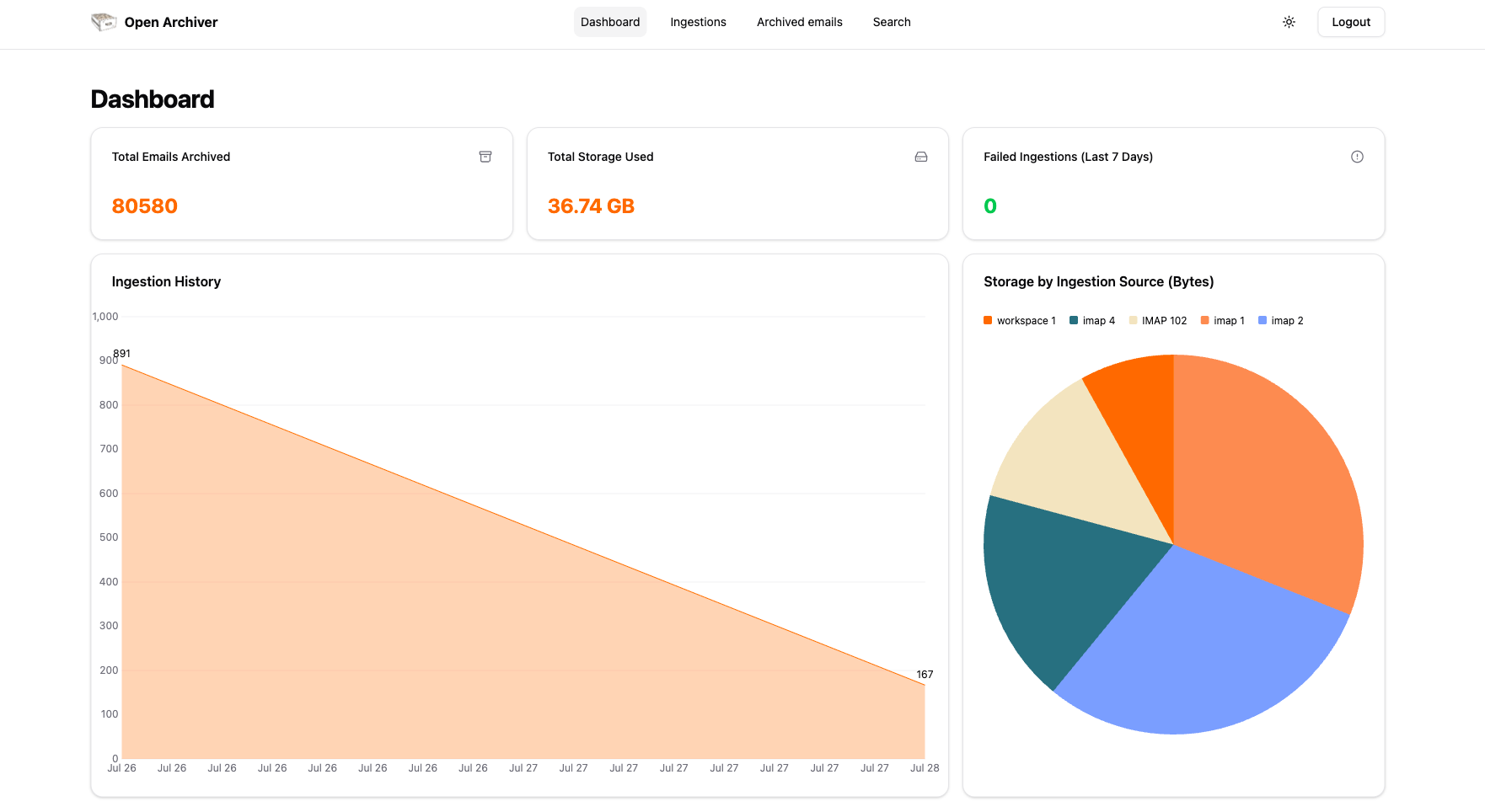 Dashboard
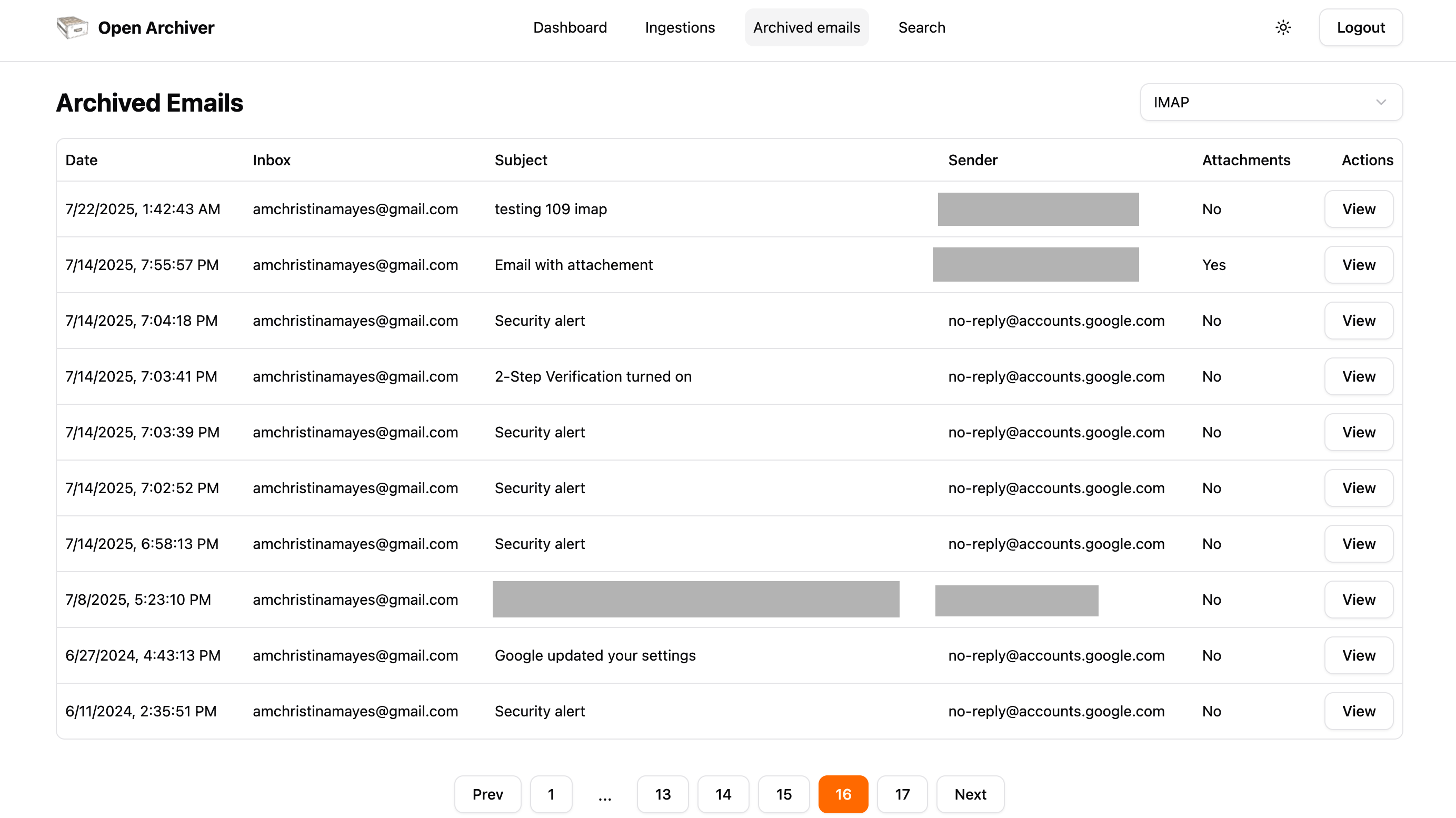 Archived emails
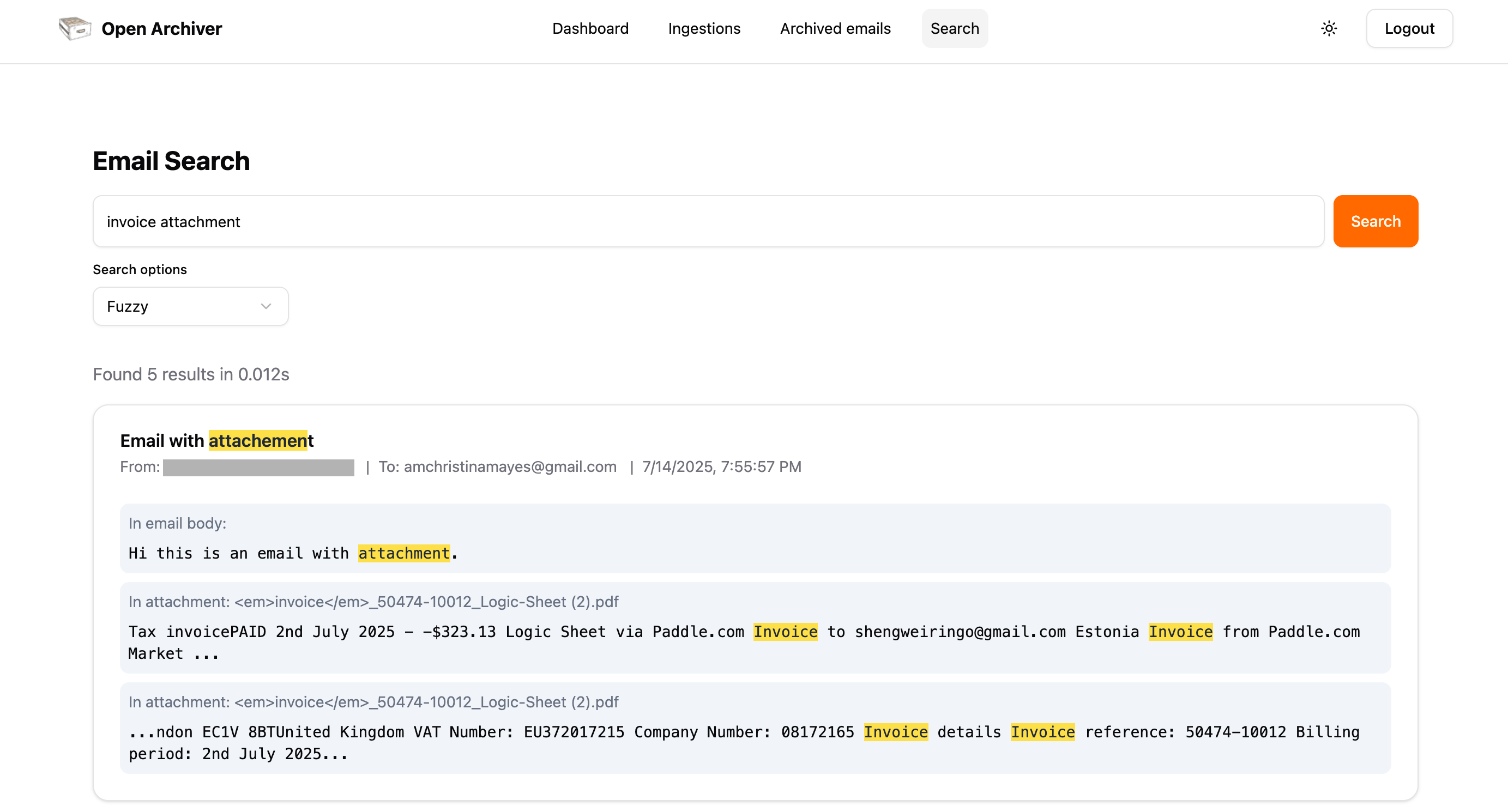 Full-text search across all your emails and attachments with advanced filters
Join our community!
We are committed to building an engaging community around Open Archiver, and we are inviting all of you to join our community on Discord to get real-time support and connect with the team.


🚀 Live demo
Check out the live demo here: https://demo.openarchiver.com
Username: demo@openarchiver.com
Password: openarchiver_demo
Key Features
Universal Ingestion: Connect to any email provider to perform initial bulk imports and maintain continuous, real-time synchronization. Ingestion sources include:
- IMAP connection
- Google Workspace
- Microsoft 365
- PST files
- Zipped .eml files
- Mbox files
Secure & Efficient Storage: Emails are stored in the standard
.emlformat. The system uses deduplication and compression to minimize storage costs. All files are encrypted at rest.Pluggable Storage Backends: Support both local filesystem storage and S3-compatible object storage (like AWS S3 or MinIO).
Powerful Search & eDiscovery: A high-performance search engine indexes the full text of emails and attachments (PDF, DOCX, etc.).
Thread discovery: The ability to discover if an email belongs to a thread/conversation and present the context.
Compliance & Retention: Define granular retention policies to automatically manage the lifecycle of your data. Place legal holds on communications to prevent deletion during litigation (TBD).
File Hash and Encryption: Email and attachment file hash values are stored in the meta database upon ingestion, meaning any attempt to alter the file content will be identified, ensuring legal and regulatory compliance.
- Each archived email comes with an "Integrity Report" feature that indicates if the files are original.
Comprehensive Auditing: An immutable audit trail logs all system activities, ensuring you have a clear record of who accessed what and when.
Tech Stack
Open Archiver is built on a modern, scalable, and maintainable technology stack:
- Frontend: SvelteKit with Svelte 5
- Backend: Node.js with Express.js & TypeScript
- Job Queue: BullMQ on Redis for robust, asynchronous processing. (We use Valkey as the Redis service in the Docker Compose deployment mode, but you can use Redis as well.)
- Search Engine: Meilisearch for blazingly fast and resource-efficient search
- Database: PostgreSQL for metadata, user management, and audit logs
- Deployment: Docker Compose deployment
Deployment
Prerequisites
- Docker and Docker Compose
- A server or local machine with at least 4GB of RAM (2GB of RAM if you use external Postgres, Redis (Valkey) and Meilisearch instances).
Installation
Clone the repository:
git clone https://github.com/LogicLabs-OU/OpenArchiver.git
cd OpenArchiver
Configure your environment: Copy the example environment file and customize it with your settings.
cp .env.example .envYou will need to edit the
.envfile to set your admin passwords, secret keys, and other essential configuration. Read the .env.example for how to set up.Run the application:
docker compose up -dThis command will pull the pre-built Docker images and start all the services (frontend, backend, database, etc.) in the background.
Access the application: Once the services are running, you can access the Open Archiver web interface by navigating to
http://localhost:3000in your web browser.
Data Source Configuration
After deploying the application, you will need to configure one or more ingestion sources to begin archiving emails. Follow our detailed guides to connect to your email provider:
Contributing
We welcome contributions from the community!
- Reporting Bugs: If you find a bug, please open an issue on our GitHub repository.
- Suggesting Enhancements: Have an idea for a new feature? We'd love to hear it. Open an issue to start the discussion.
- Code Contributions: If you'd like to contribute code, please fork the repository and submit a pull request.
Please read our CONTRIBUTING.md file for more details on our code of conduct and the process for submitting pull requests.
Requirements
Categories
Download Statistics
Total Downloads Over Time
Related apps
Explore more like this
Explore allDetails
logiclabshq/open-archiver:latestRuntime arguments
- Web UI
http://[IP]:[PORT:3000]- Network
bridge- Shell
sh- Privileged
- false
Template configuration
- Target
- /var/data/open-archiver
- Value
- /mnt/user/appdata/openarchiver/data
- Value
- production
WebUI-Port, set this the same as PORT_FRONTEND
- Target
- 3000
- Value
- 3000
- Value
- 3000
- Value
- 4000
The frequency of continuous email syncing. Default is every minutes, but you can change it to another value based on your needs.
- Value
- * * * * *
- Value
- postgresql://POSTGRES_USER:POSTGRES_PASSWORD@postgres:5432/POSTGRES_DB
- Value
- aSampleMasterKey
- Value
- http://YOUR_MEILI_INSTANCE:7700
Redis or Valkey host
- Value
- valkey
- Value
- 6379
- Value
- defaultvalkeypassword
- Default
- true|false
- Value
- false
Choose your storage backend. Valid options are 'local' or 's3'.
- Default
- local|s3
- Value
- local
- Value
- 100M
The path inside the container where files will be stored. This is mapped to a Docker volume for persistence. This is only used if STORAGE_TYPE is 'local'.
- Value
- /var/data/open-archiver
These are only used if STORAGE_TYPE is 's3'.
These are only used if STORAGE_TYPE is 's3'.
These are only used if STORAGE_TYPE is 's3'.
These are only used if STORAGE_TYPE is 's3'.
These are only used if STORAGE_TYPE is 's3'.
Set to 'true' for MinIO and other non-AWS S3 services
- Default
- true|false
- Value
- false
The window in milliseconds for which API requests are checked. Defaults to 60000 (1 minute).
- Value
- 60000
The maximum number of API requests allowed from an IP within the window. Defaults to 100.
- Value
- 100
IMPORTANT: Change this to a long, random, and secret string.
- Value
- a-very-secret-key-that-you-should-change
- Value
- 7d
IMPORTANT: Generate a secure, random 32-byte hex string for this. You can use `openssl rand -hex 32` to generate a key.