
All apps · 0 apps

obs-ndi
Docker app from patrickstigler's Repository
Overview
Readme
View on GitHub
Docker Open Broadcaster Software (OBS)
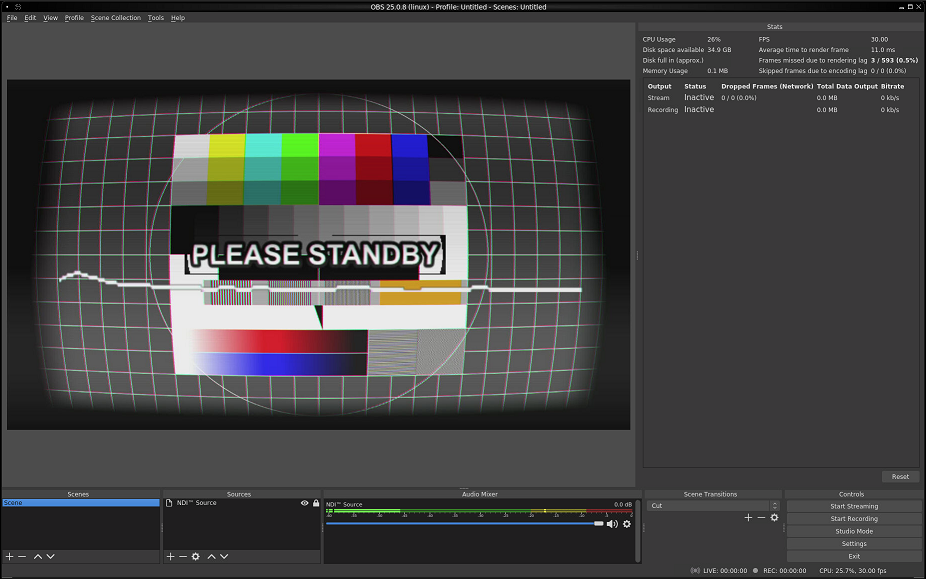
This container is based on bb12489/docker-obs. The OBS with NDI is incorporated into the container and can be used to stream your desktop.
I rebuiled the container on the base of accetto/ubuntu-vnc-xfce-g3 to have a regualar updated base image.
Here is a screenshot:
To run
You can start the container with:
docker run --shm-size=256m -it -p 5901:5901 -p 6901:6901 -p 4455:4455 patrickstigler/docker-obs-ndi:latest
The shm-size argument is to make sure that the webclient does not run out of shared memory and crash.
The VNC password is "headless"
You can connect with your own VNC client via 5901 or use the webclient at 6901
To enable GPU Support also add -e NVIDIA_VISIBLE_DEVICES= -e NVIDIA_DRIVER_CAPABILITIES=all and also add --runtime=nvidia as extra parameter.
Download Statistics
Total Downloads Over Time
Related apps
Explore more like this
Explore allLinks
Details
patrickstigler/obs-ndiRuntime arguments
- Web UI
http://[IP]:[PORT:6901]/- Network
br0- Shell
sh- Privileged
- false
- Extra Params
--runtime=nvidia
Template configuration
- Target
- /config/obs-studio
- Value
- /mnt/user/appdata/obs
Required for Nvidia GPU support. In case you use something else - delete this entry.
- Value
- all
- Target
- 4455
- Default
- 4455
- Value
- 4455
- Target
- 6901
- Value
- 6901
- Target
- 5901
- Value
- 5901
Set your VNC password
- Target
- VNC_PW
- Value
- headless
- Value
- 99
- Value
- 100