
All apps · 0 apps

Nutify
Docker app from ZappyZap's Repository
Overview
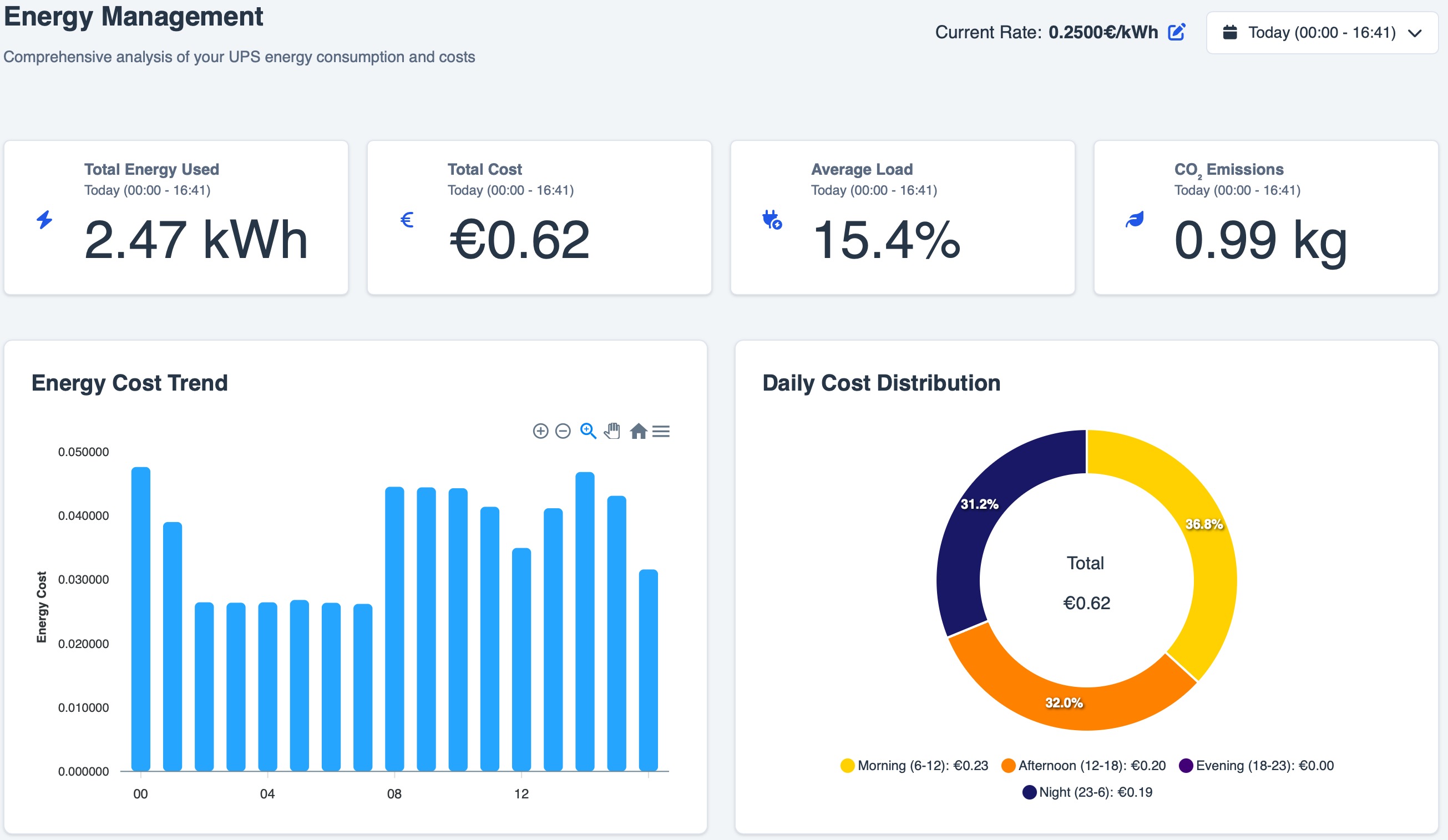
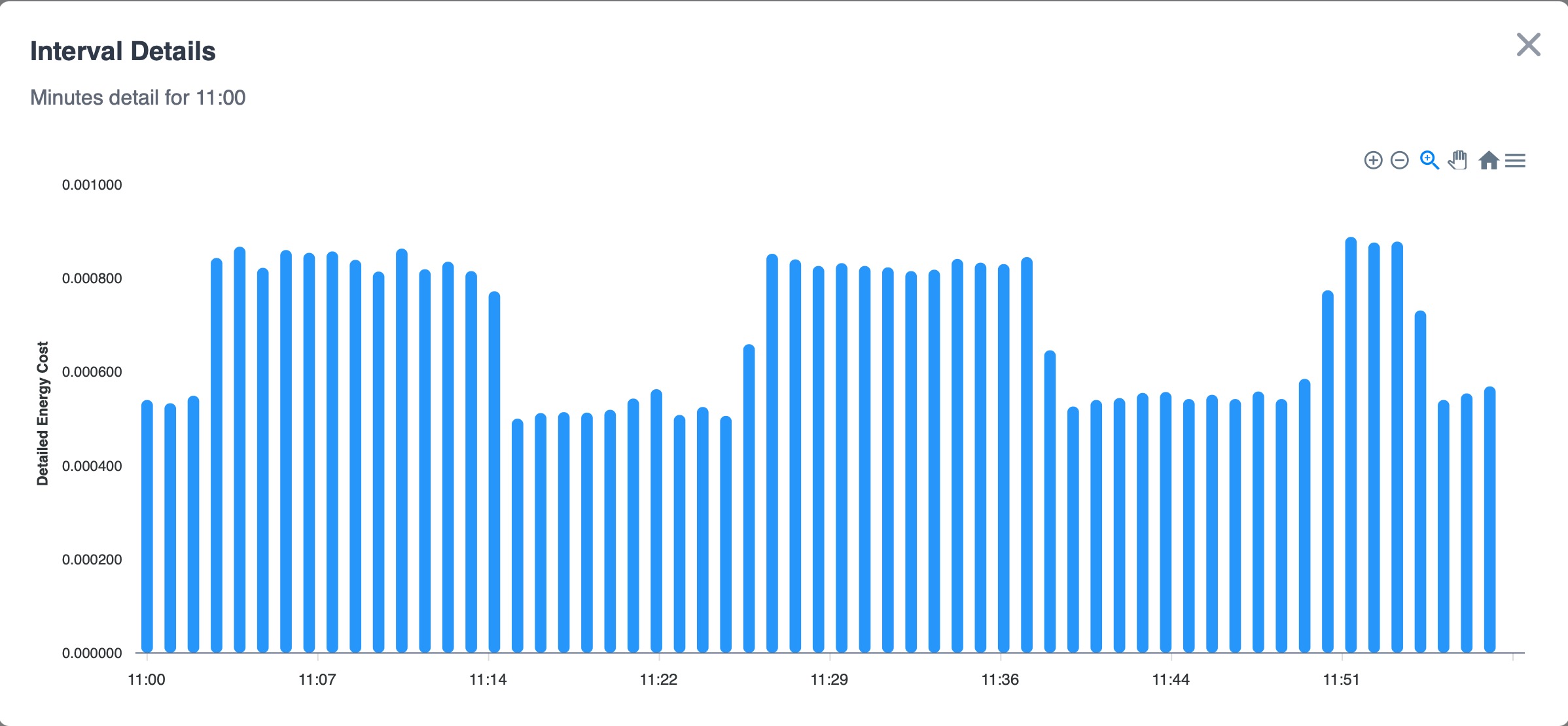
Nutify is a comprehensive monitoring system designed to track the health and performance of your Uninterruptible Power Supply (UPS) devices. It provides real-time insights into critical UPS metrics, allowing you to ensure the continuous operation and protection of your valuable equipment. Nutify collects data, generates detailed reports, and visualizes key parameters through interactive charts, all accessible via a user-friendly web interface.
**** WARNING ****
this is a priviledge container
to grants extended privileges to the container for hardware access
if you dont need to use the usb , you can run it unpriledge
Readme
View on GitHub







Nutify - UPS Monitoring System
Nutify is an open-source UPS monitoring and management platform built on top of Network UPS Tools (NUT). It provides real-time status, historical telemetry, alerts, scheduled reports, and interactive charts through a modern web interface. From single-UPS setups to mixed local/remote multi-UPS fleets, Nutify helps you configure, monitor, and operate your power infrastructure from one place. Join our Discord community for support, testing, and feature discussions. If Nutify helps you, please consider starring the project on GitHub.
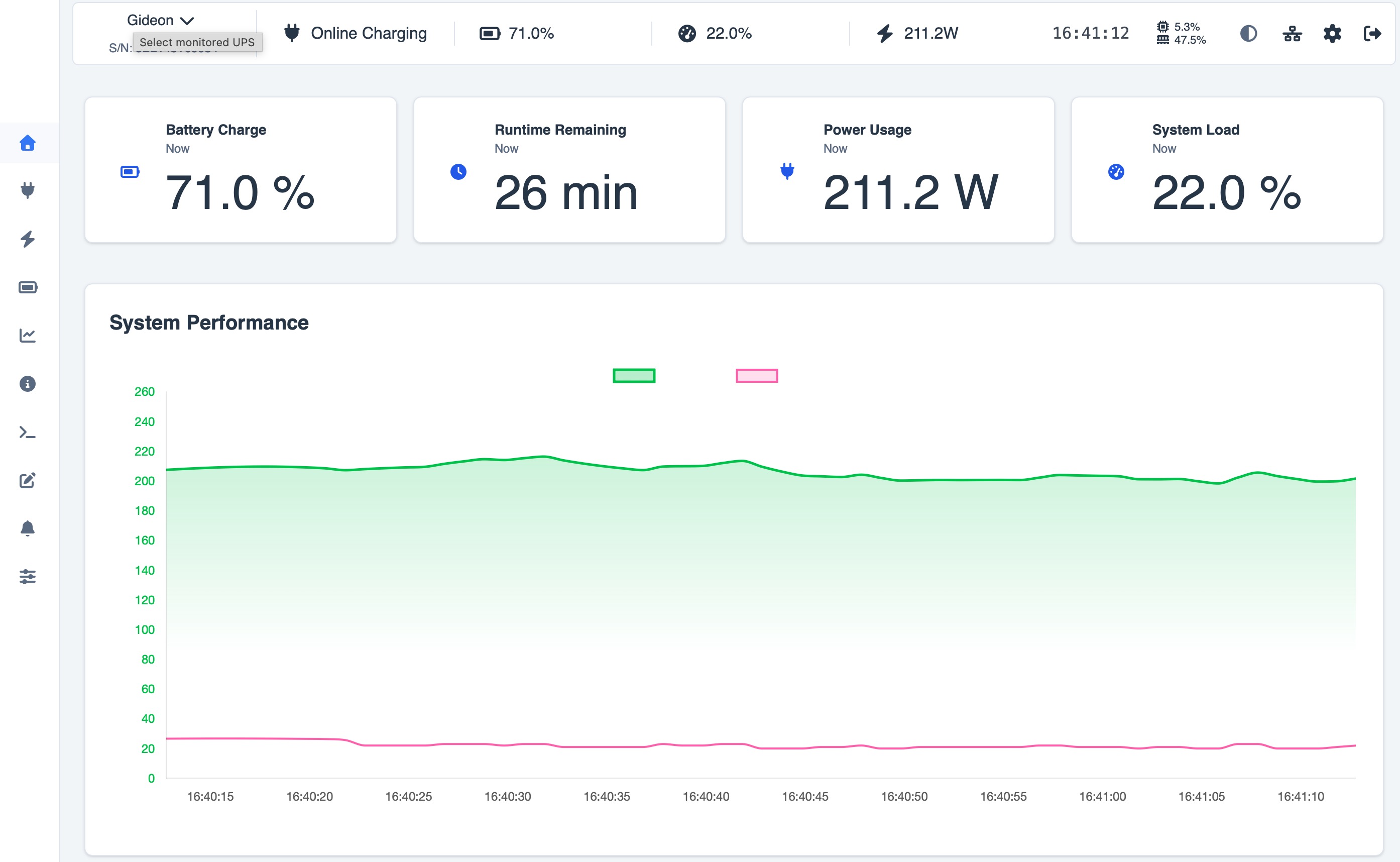
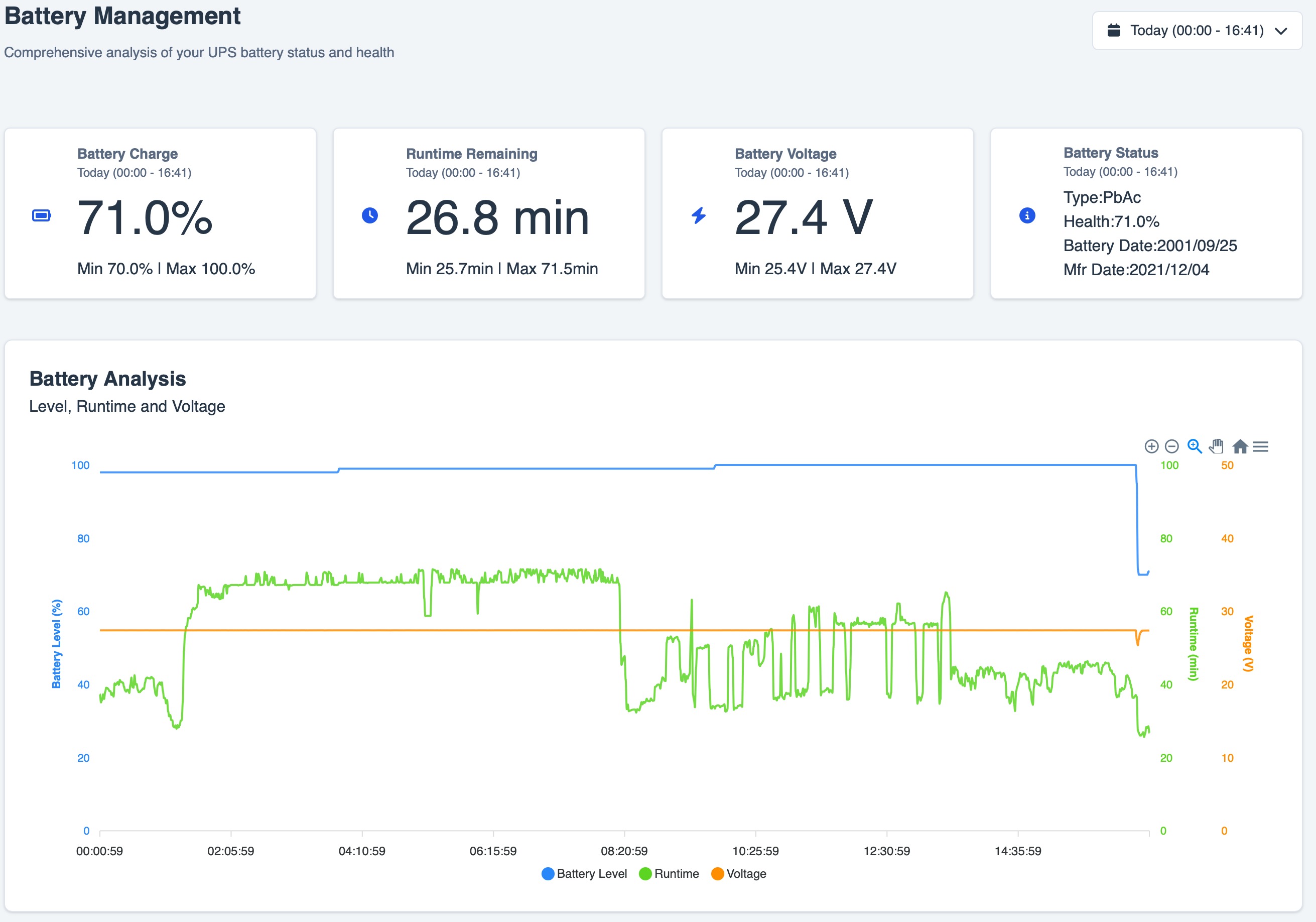
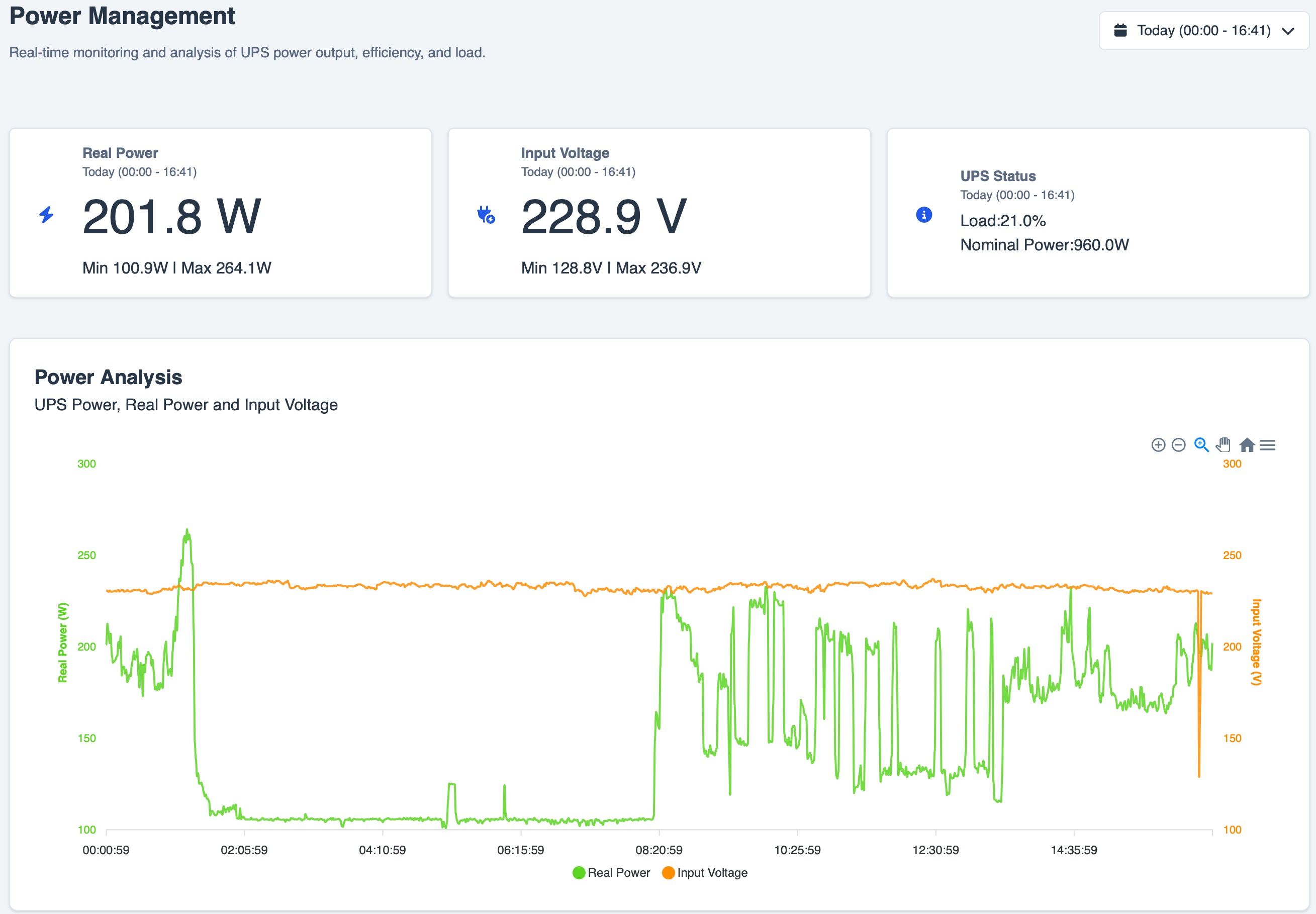
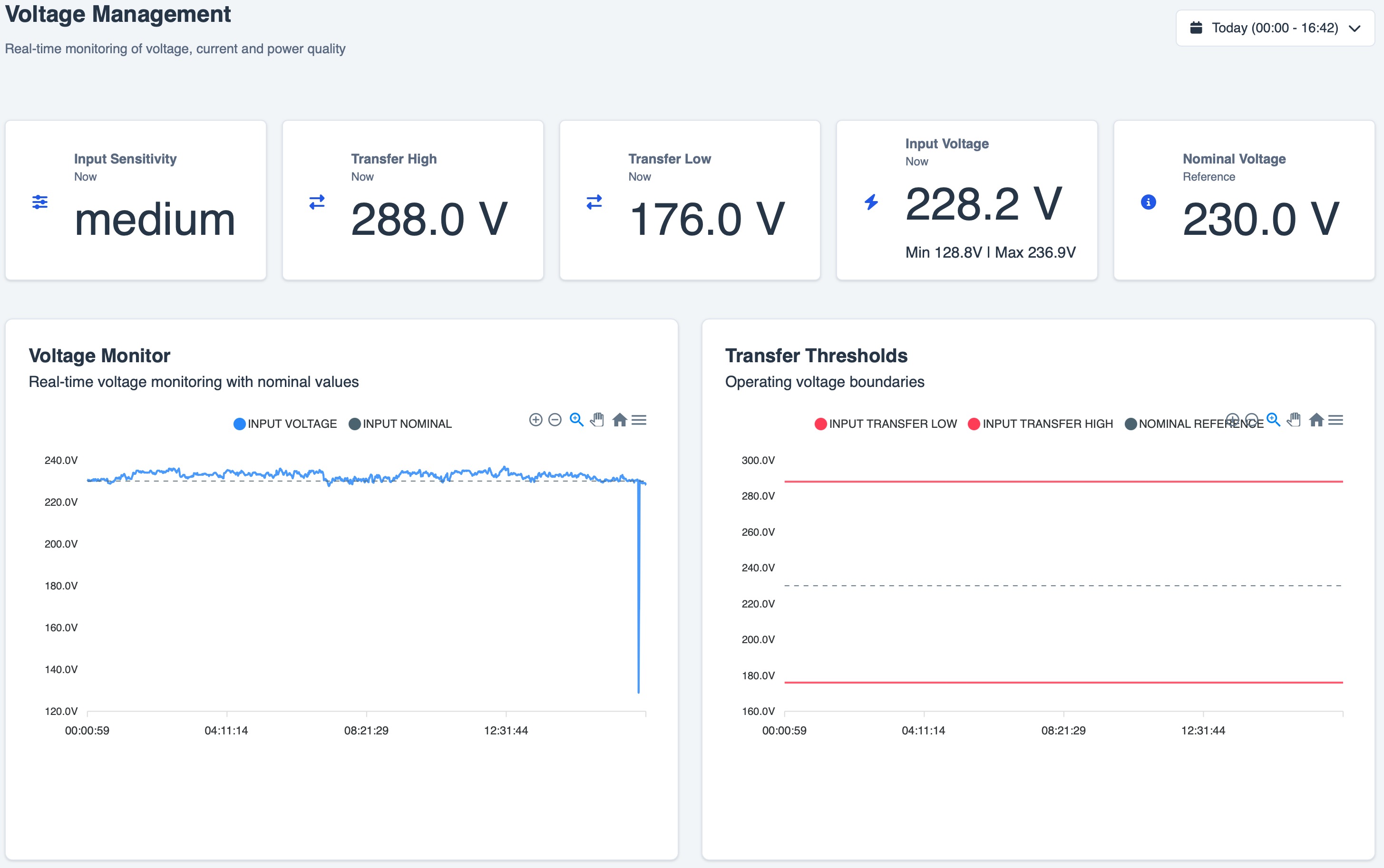
Current Version
- Version:
0.3.0(Public Testing)
[!WARNING] This release is not backward compatible with previous releases.
The database must be recreated from scratch.
To avoid incompatible or dirty data, it is strongly recommended to start from a completely clean environment using a new empty folder. Do not reuse files or data from older versions.
For full details, see GitHub Releases and changelog.md. Each GitHub Release includes deployment files, checksums, Docker image metadata, and GitHub-generated source ZIP/TAR.GZ archives.
Supported Architectures
Nutify is available for multiple hardware platforms:
| Architecture | Docker Image Tag | Devices |
|---|---|---|
| 🖥️ AMD64/x86_64 | dartsteven/nutify:latest-amd64 | Standard PCs, servers, most cloud VMs |
| 🍎 Apple Silicon (ARM64) | dartsteven/nutify:latest-mac-arm64 | Apple M1/M2/M3+ Macs running Docker |
| 🍓 Raspberry Pi 3 – 32-bit OS required | dartsteven/nutify:latest-raspberrypi3-armv7 | For Raspberry Pi 3 running a 32-bit OS |
| 🍓 Raspberry Pi 4 – 32-bit OS required | dartsteven/nutify:latest-raspberrypi4-armv7 | For Raspberry Pi 4 running a 32-bit OS |
| 🍓 Raspberry Pi 4 / 5 – 64-bit OS required | dartsteven/nutify:latest-raspberrypi5-arm64 | For Raspberry Pi 4 or 5 running a 64-bit OS |
Quick Start (Docker)
The supplied Compose profile avoids privileged mode, the complete host /dev
tree, SYS_ADMIN, SYS_RAWIO, and MKNOD. It exposes only Linux USB device
nodes (major 189) plus read-only udev metadata so the Wizard can discover and
open directly attached USB HID UPS devices. Nutify starts with local
authentication; SSO remains optional.
Create a private .env with one persistent runtime secret:
printf 'SECRET_KEY=%s\n' "$(openssl rand -hex 32)" > .env
Standard Setup
Best for most users. Start with a Nutify username/password. If required later, configure SSO from System -> Authentication without editing Compose.
services:
  nut:
    image: dartsteven/nutify:latest-amd64
    container_name: Nutify
    cap_drop:
      - ALL
    cap_add:
      - CHOWN
      - DAC_OVERRIDE
      - FOWNER
      - KILL
      - SETGID
      - SETUID
    security_opt:
      - no-new-privileges:true
    device_cgroup_rules:
      - "c 189:* rwm"
    volumes:
      - ./Nutify/logs:/app/nutify/logs
      - ./Nutify/instance:/app/nutify/instance
      - ./Nutify/ssl:/app/ssl
      - ./Nutify/etc/nut:/etc/nut
      - /dev/bus/usb:/dev/bus/usb:rw
      - /run/udev:/run/udev:ro
    environment:
      SECRET_KEY: ${SECRET_KEY:?Set SECRET_KEY in .env}
      NUTIFY_WEB_USER: nut
      NUT_SERVICE_USER: nut
      UDEV: "1"
      SKIP_PERMCHECK: "true"
      NUTIFY_USB_GID: ${NUTIFY_USB_GID:-}
      SSL_ENABLED: "false"
    ports:
      - "3493:3493"
      - "5050:5050"
      - "443:443"
    restart: always
Repository file: docker-compose.yaml
docker compose up -d
For automated deployments that require environment-managed OIDC, follow the OIDC Environment Configuration guide.
Then open:
http://localhost:5050
Serial and non-USB devices may require an explicit Docker mapping. Follow the Optional Direct Hardware Access guide.
When a reverse proxy cannot preserve X-Forwarded-Proto and
X-Forwarded-Host, set SOCKETIO_ALLOWED_ORIGINS to its exact public
origin. Multiple origins must be comma-separated, for example
https://nutify.example.com,https://nutify.example.net. Wildcards are
rejected. Proxies should still forward WebSocket upgrades for realtime data;
the dashboard falls back to authenticated HTTP snapshots while Socket.IO is
unavailable.
The guided SSO flow encrypts the client secret, validates discovery/signing
keys, and requires a real browser login test before activation. The advanced
profile requires HTTPS plus an explicit administrator group and intentionally
keeps OIDC_ALLOW_ALL_USERS=false. See the
OpenID Connect SSO Guide
and guided setup.
Web-Based Configuration
The setup wizard allows you to configure:
- Monitoring profile (
Single MonitororMulti Monitor) - Fleet topology based on the selected profile:
- Single:
Standalone,Network Server, orNetwork Client - Multi:
Remote NUT Only,Local Targets Only, orMixed Local + Remote
- Single:
- Connection method:
Manual ConfigurationorAuto-detect with nut-scanner - Driver selection from the supported NUT driver catalog
- Local and remote connection parameters (
host,port,username,password,ups identifier) - Per-target metadata:
Target Display Name (UI label)Target TimezoneTarget CurrencyPolling Interval
- Validation flow with test actions before save (
Test Target,Test & Save Primary Target) - Final configuration preview and controlled restart to apply generated NUT files
Tested UPS Models
Nutify aims for broad compatibility with UPS devices supported by Network UPS Tools (NUT).
Is your UPS model working with Nutify but not listed here? Please help us expand this list by sharing your experience in the
UPS Compatibility List discussion
Knowing which models work helps the entire community.
While Nutify should work with most NUT-compatible devices, the models listed above have specific confirmation from users.
Documentation Nutify Wiki
For detailed documentation, including:
- Complete configuration options
- Advanced features
- Troubleshooting
- Screenshots and examples
- Technical details
- ... And More ...
🤖 AI Workflow, Project Philosophy & Governance
"Is it vibe coding, or is it augmented engineering?"
I believe writing software today without an AI copilot isn't just slower—it fundamentally changes how we achieve high code quality and speed. However, I want to be 100% transparent about how AI is used in this repository.
💡 My Core Concept: AI-Augmented vs. Vibe Coding
This project utilizes AI, but it is NOT "vibe coding".
- Vibe Coding (What I DO NOT do): Blindly prompting an AI to write code from scratch, accepting code without understanding the underlying architecture, or shipping unverified logic.
- AI-Augmented Engineering (My Workflow):
- Human Architecture & Core Logic: I design the entire system, write the core functional codebase, and verify that the logic works as intended.
- Automated AI Review & Refactoring: I leverage AI agents as an instant, high-speed code reviewer to:
- 🛡️ Security Audit: Spot edge cases, memory leaks, and vulnerabilities.
- ⚡ Performance: Identify performance bottlenecks and optimize execution.
- 🧹 Code Hygiene: Clean up dead code, leftover test functions, and draft snippets in seconds.
This approach turns 5 hours of tedious manual code review into 1 minute of automated optimization, while maintaining strict human ownership over the architecture.
🤝 Trust & Community Support
- To Users & Backers: If you trust this methodology and appreciate an augmented, high-speed, high-quality development process, your support and trust mean the world to me. If not, thank you for stopping by anyway!
🛠️ Contribution Guidelines (For Contributors)
Contributions are very welcome! If you plan to open a Pull Request using AI tools:
- Respect the standard: You are free to use AI tools (GitHub Copilot, Claude, Cursor, ChatGPT, etc.) to assist your work.
- Understand what you submit: You must understand the logic, architecture, and behavior of the code you contribute.
- No raw AI dumps: PRs consisting of raw, unverified AI outputs without personal review or testing will be rejected.
Every push and pull request validates backend dependencies and Python source, the React production build, and Compose deployment files. See CONTRIBUTING.md before submitting a change and SECURITY.md for private vulnerability reporting.
License
This project is licensed under the MIT License - see LICENSE.
What's New
Read the current release notes.
Support the Project
Nutify is developed and maintained in my free time. If you find this project useful and would like to support its continued development, please consider making a donation.
Your support helps cover development costs and encourages further improvements and new features. Thank you for your generosity!

Stargazers over time

Categories
Download Statistics
Total Downloads Over Time
Related apps
Explore more like this
Explore allLinks
Details
dartsteven/nutify:amd64-latestRuntime arguments
- Web UI
http://[IP]:[PORT:5050]- Network
bridge- Shell
sh- Privileged
- true
- Extra Params
--cap-add=SYS_ADMIN --cap-add=SYS_RAWIO --cap-add=MKNOD --device-cgroup-rule='c 189:* rwm' --restart=unless-stopped
Template configuration
HTTPS port (when SSL_ENABLED=true)
- Target
- 443
- Default
- 9443
- Value
- 9443
- Target
- 5050
- Default
- 5050
- Value
- 5050
- Target
- 3493
- Default
- 3493
- Value
- 3493
- Default
- 1
- Value
- 1
for password encryption and decryption in the database
- Target
- SECRET_KEY
- Target
- /dev
- Default
- /dev
- Value
- /dev
Logs directory
- Target
- /app/nutify/logs
- Default
- /mnt/user/appdata/nutify/logs
- Value
- /mnt/user/appdata/nutify/logs
- Target
- /app/nutify/instance
- Value
- /mnt/user/appdata/nutify/instance
- Target
- /app/ssl
- Value
- /mnt/user/appdata/nutify/ssl
- Target
- /etc/nut
- Value
- /mnt/user/appdata/nutify/etc/nut
- Target
- /run/udev
- Default
- /run/udev
- Value
- /run/udev
- Target
- /dev/bus/usb
- Value
- /dev/bus/usb
- Target
- /dev
- Default
- /dev
- Value
- /dev