
All apps · 0 apps

nut-influxdbv2-exporter
Docker app from jwillmer's Repository
Overview
Readme
View on GitHubnut-influxdbv2
Docker image to pulls data from a NUT server and push it to an InfluxDB bucket. Based on work of mihai-cindea and dbsqp.
Docker Image
The docker image is available on https://hub.docker.com/r/jwillmer/nut-influxdbv2
Environment variables with default values
Only setting INFLUXDB2_TOKEN is required if the default values are sufficient and your UPS outputs ups.realpower.nominal.
| Variable Name | Default Value | Required | Note |
|---|---|---|---|
| INFLUXDB2_HOST | localhost | ||
| INFLUXDB2_PORT | 8086 | ||
| INFLUXDB2_ORG | Home | ||
| INFLUXDB2_TOKEN | true | ||
| INFLUXDB2_BUCKET | DEV | ||
| INFLUXDB2_SSL | false | Default assumes HTTP connection | |
| INFLUXDB2_SSL_VERIFY | false | Default will validate HTTPS certificates and throw an error if invalid | |
| INFLUXDB2_MEASUREMENT | ups_status | Measurment name in InfluxDB | |
| NUT_HOST | 127.0.0.1 | ||
| NUT_PORT | 3493 | ||
| NUT_PASSWORD | |||
| NUT_USERNAME | |||
| WATTS | true | Only required if UPS does not output ups.realpower.nominal | |
| UPS_NAME | UPS | Defined name of the UPS in NUT | |
| INTERVAL | 21 | How often the UPS gets queried in seconds |
Source Code
The source code is available on https://github.com/jwillmer/nut-influxdbv2
Unraid
This image is referenced in the Unraid community store. The support thread can be found at forums.unraid.net/topic/130458-support-nut-influxdbv2-exporter and the template for the image can be found in the template repository. Regular users don't have to care about the template, the reference is only interesting to developers.
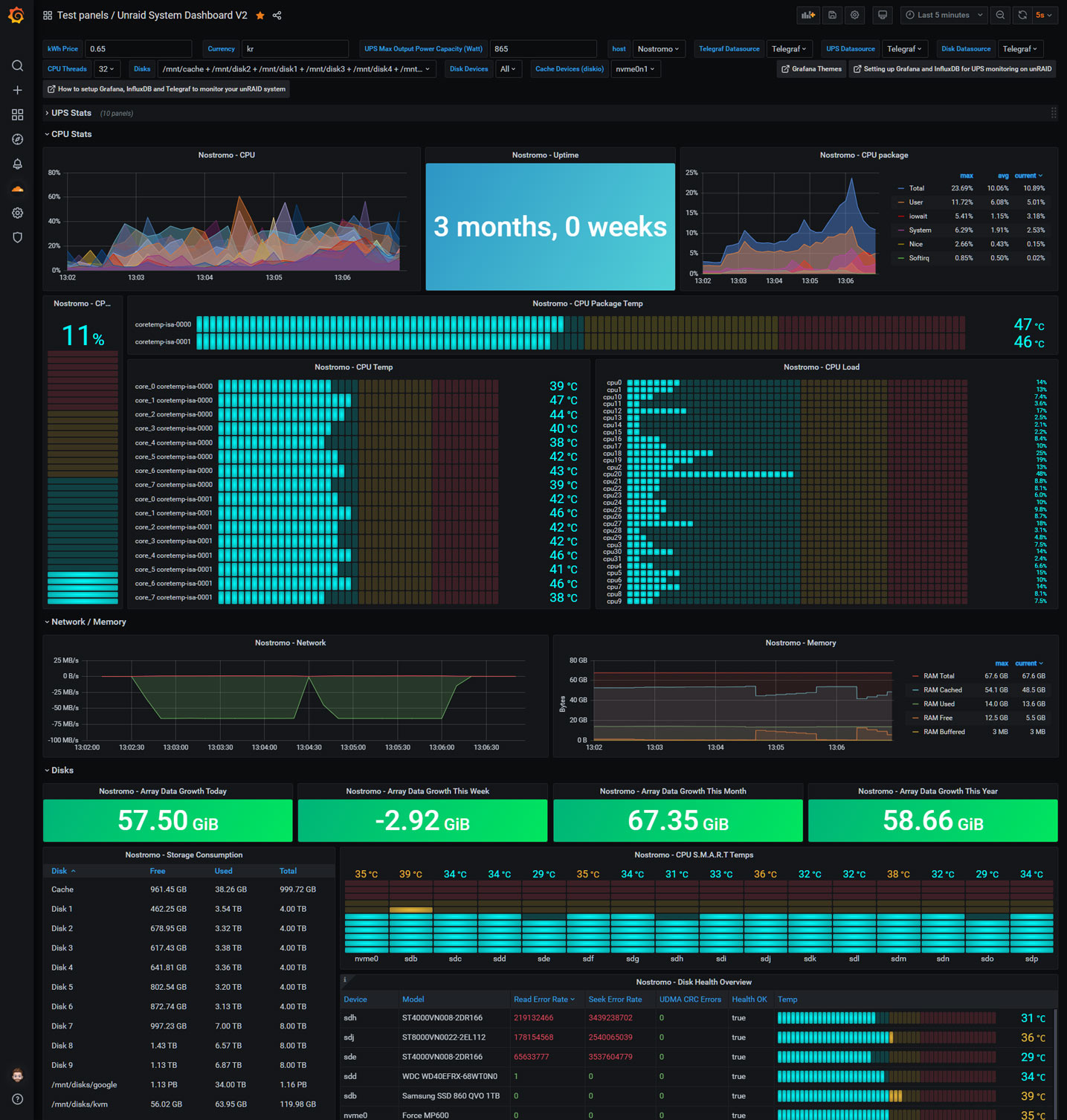
Grafana
A good dashboard for the collected data can be found with the dashboard id 7233.
Categories
Download Statistics
Related apps
Explore more like this
Explore allLinks
Details
jwillmer/nut-influxdbv2Runtime arguments
- Network
bridge- Shell
sh- Privileged
- false
Template configuration
IP address of influxdb
- Default
- localhost
- Default
- 8086
The organization name
- Default
- Home
The bucket name
Measurment name that is used in InfluxDB
- Default
- ups_status
- Default
- false
- Default
- false
- Default
- 127.0.0.1
- Default
- 3493
Password for NUT
Username for NUT
If your UPS doesn't have the nominal power metric (ups.realpower.nominal) then specify the rated watts so that the load percentage can be used to calculate the current watts
Interval of NUT query
- Default
- 21
UPS name that is queried by the NUT client
- Default
- unraid
Verbose logging
- Default
- false