
Nostos
Docker app from UnraidUser-5123611389's Repository
Overview
Readme
View on GitHub
Open-source, self-hosted commonplace book for readers and writers.
Bring your books together, keep thoughts with their sources, and turn what you read into your own writing.
Website • Docs • Features • Getting started • License
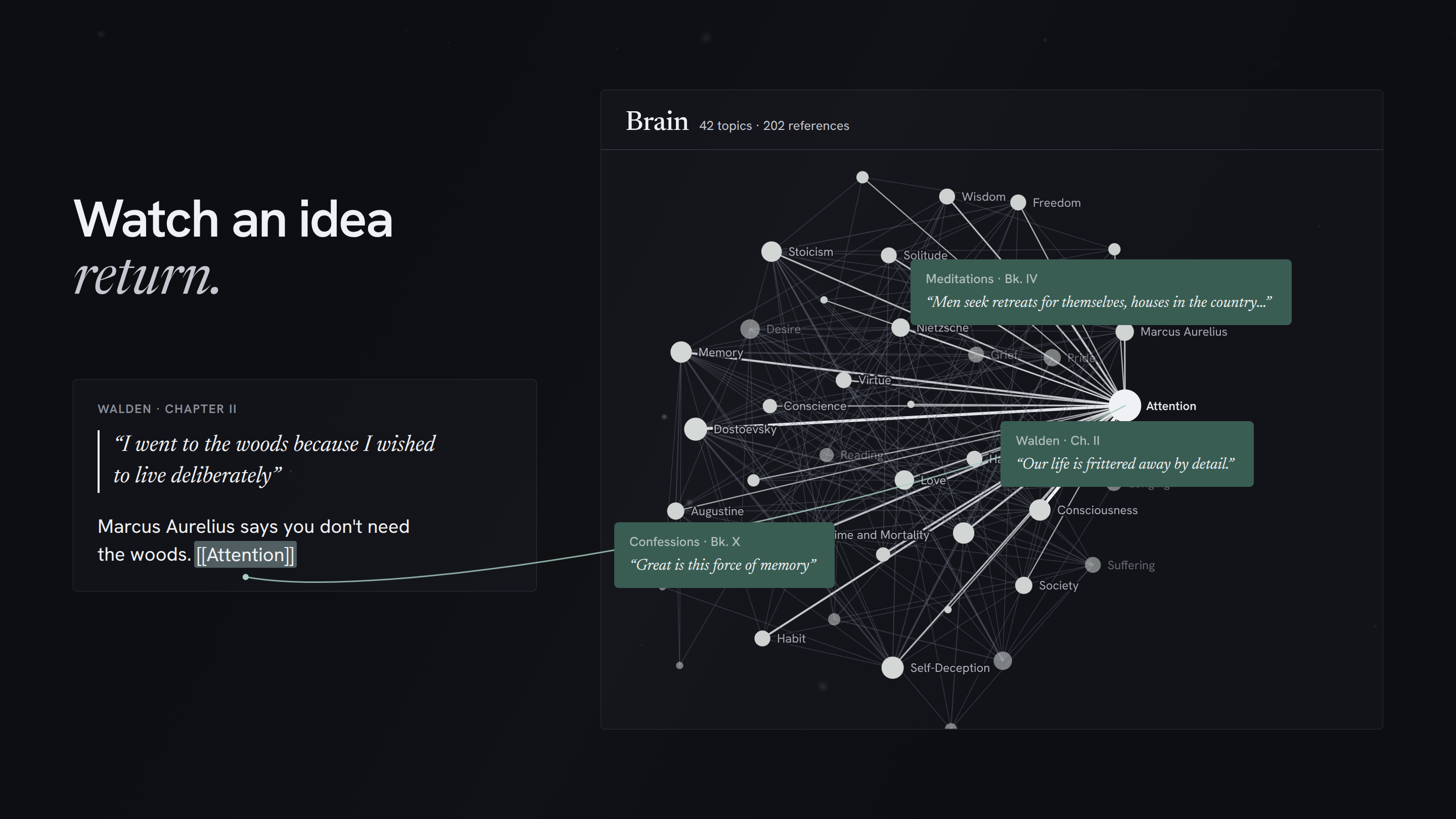
Watch the launch film on nostos.page
What is Nostos?
Nostos is an open-source, self-hosted commonplace book for people who read and write. It brings physical books, EPUBs, PDFs and audiobooks into one quiet library, keeps saved passages and notes attached to the exact page they came from, and lets you bring quotations into your drafts with verified citations.
It connects the whole journey in one place: Read → Notice → Capture → Return → Write.
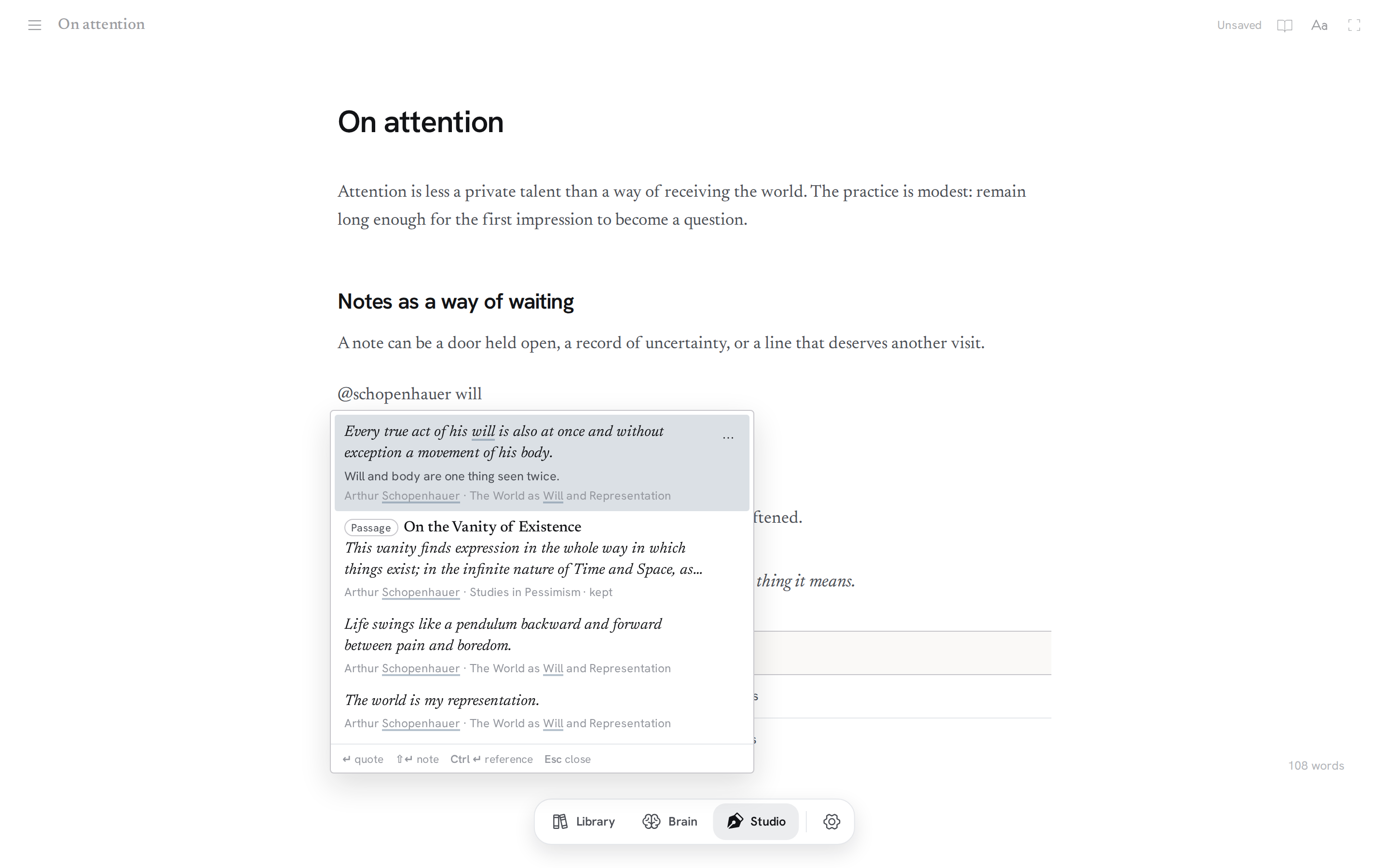
- Read & listen: Read EPUBs and PDFs with adjustable typography, or listen to audiobooks (multi-track files play as one book).
- Capture & return: Highlights and notes stay attached to their source. Topics connect ideas across books in the Brain.
- Write: Type
@in the Writing Studio to pull a kept passage into your draft with attribution attached. Export with real footnotes to Word, PDF, Markdown or rich text for Substack. - Own your data: Runs locally as a single Docker container with SQLite. Export notes and highlights as plain Markdown or full
.nostosbackups anytime.
It is deliberately quiet. There are no social feeds, streaks or engagement mechanics. The optional assistant stays out of the way until you ask for it.
You can use the hosted service, Nostos Cloud, or run it yourself. This repository is the complete, open-source SelfHosted app.
Features
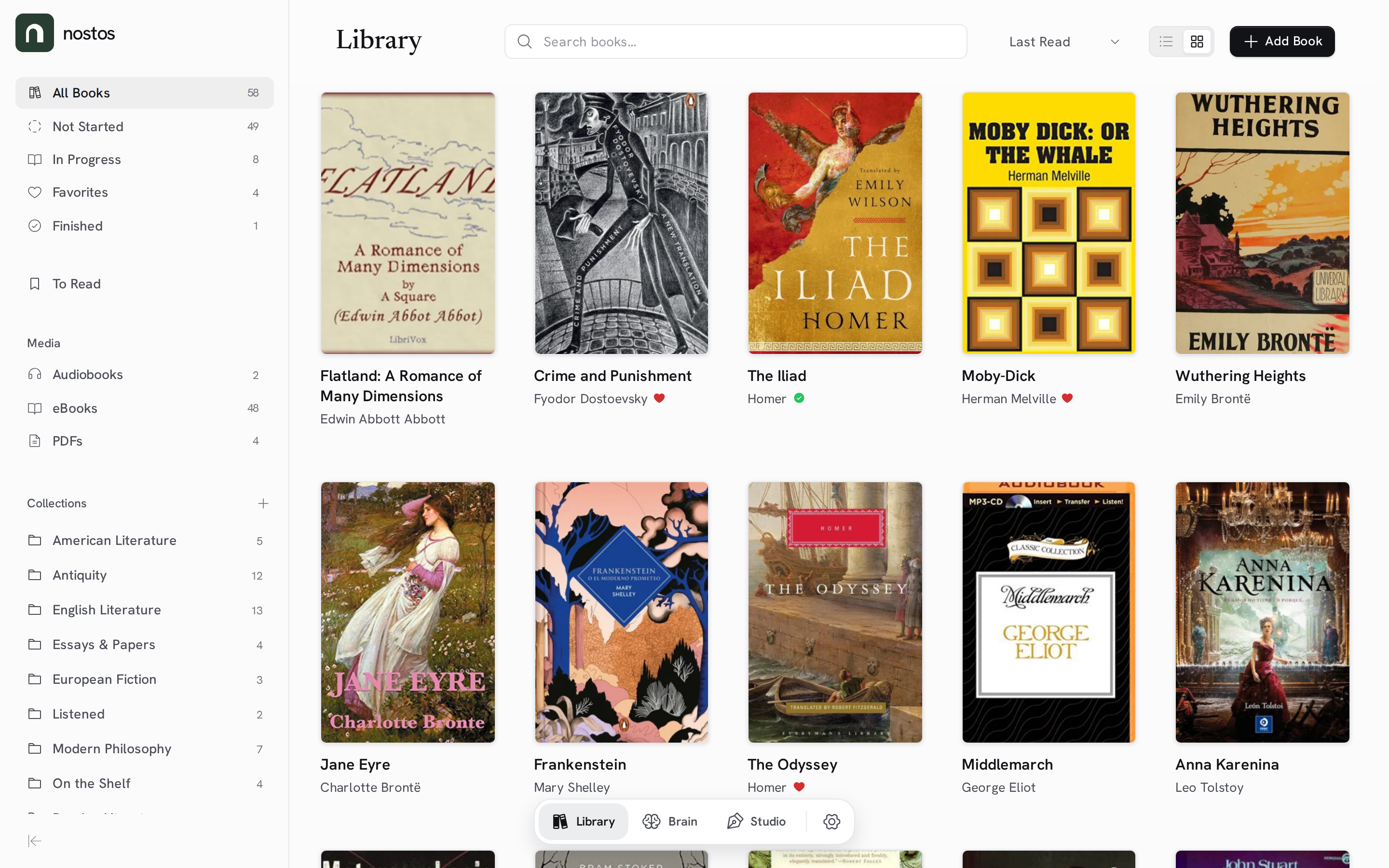
Library
- Every kind of book in one place: physical books, EPUB, PDF, TXT, MOBI and audiobooks (MP3, M4A, M4B). Audiobooks split into many files play as one book.
- Free books, built in: search Project Gutenberg, Standard Ebooks, Wikisource and LibriVox from Add a book. Litteraturbanken (Swedish literature) is available to turn on.
- Collections and editions: nested collections, drag and drop, and editions of the same work grouped together.
- A To read list: keep the books you want but don't own yet, with a short Next up shelf.
- Search everything: press Ctrl/⌘+K to find books, topics, notes and documents. Search forgives typos.
Reading & listening
- Readers for every format: an EPUB reader with adjustable typography, a PDF reader, and an audiobook player with chapters, speed control and a sleep timer.
- Highlights and notes on the page: select text to highlight it, and click a highlight to open its note.
- Passages: save a long stretch of a book, a range of PDF pages or a clip of an audiobook, and read or play it again on its own.
- Switch between ebook and audiobook: if you have both editions, continue in the other one near where you are.
- Read aloud: listen to any EPUB or PDF with your device's voice or a natural voice from a speech server.
- Bring your highlights: import highlights and notes from Kobo, KOReader, a Kindle's
My Clippings.txtor a Readwise CSV export, review them, then add them to the right books.
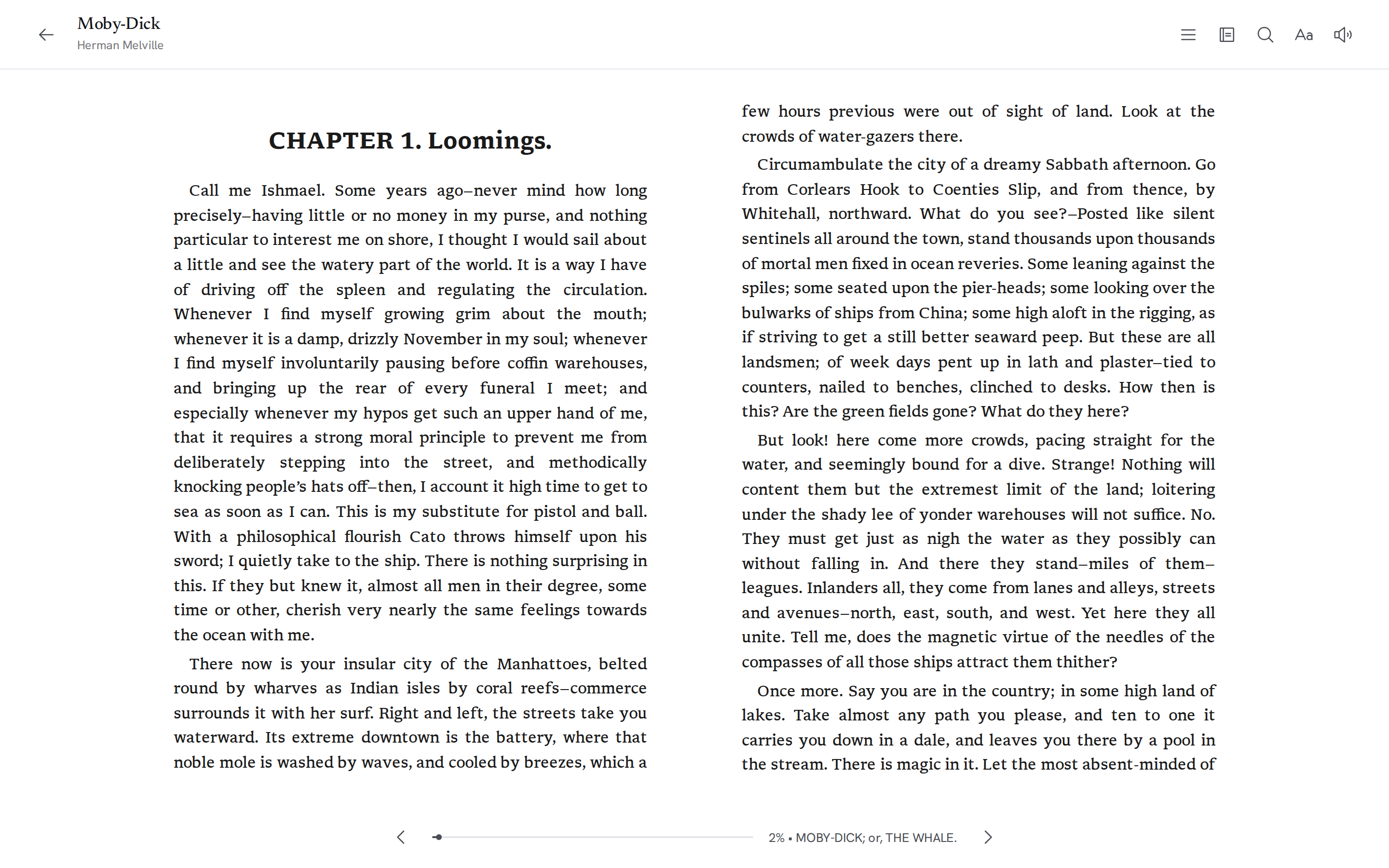
Brain
The Brain is where notes from different books meet.
- Topics: link ideas with
[[Topic]]in any note or with a tap on its card, and sort new notes one by one. - Places, like the Library: all notes, passages, unsorted notes, the topic map, and every topic, in one sidebar.
- Back to the source: every topic leads back to the notes, passages and books behind it, and can carry your own words.
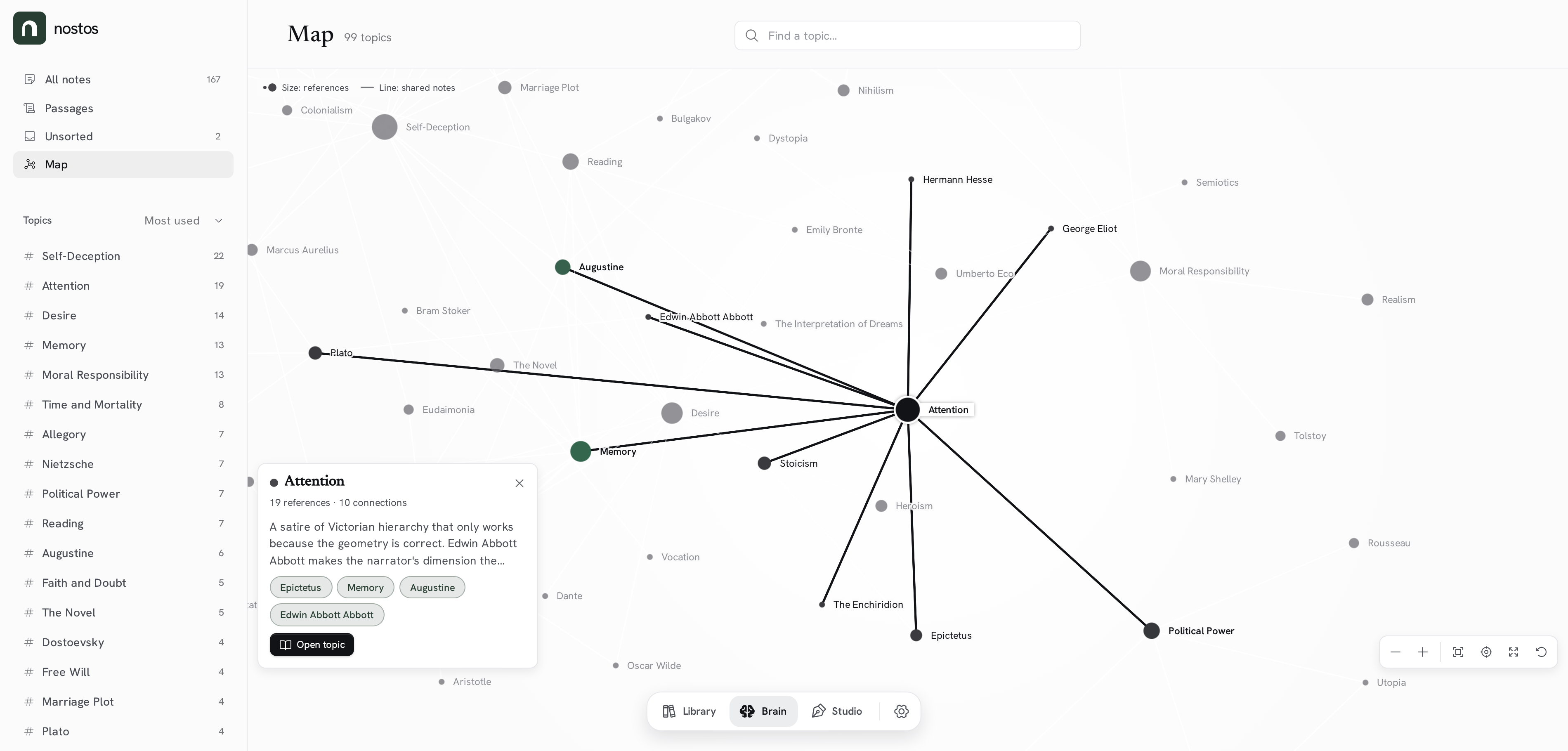
Writing Studio
- Opens on the page: a blank sheet with the caret in it; your files and references slide in when you want them, and the chrome fades while you type.
- Type
@to quote: find a note, quote or passage by its words, book or author (@schopenhauer will) and put it on the page with its attribution. A long passage opens so you can pick the sentences you want. /for blocks: headings, lists, a divider, an image, a table or code from an empty line.- Make the page yours: Studio themes, typefaces, size, spacing and width, a typewriter mode that keeps the current line centred, and optional typewriter sounds.
- Saves as you type, as plain Markdown.
More screenshots
Book page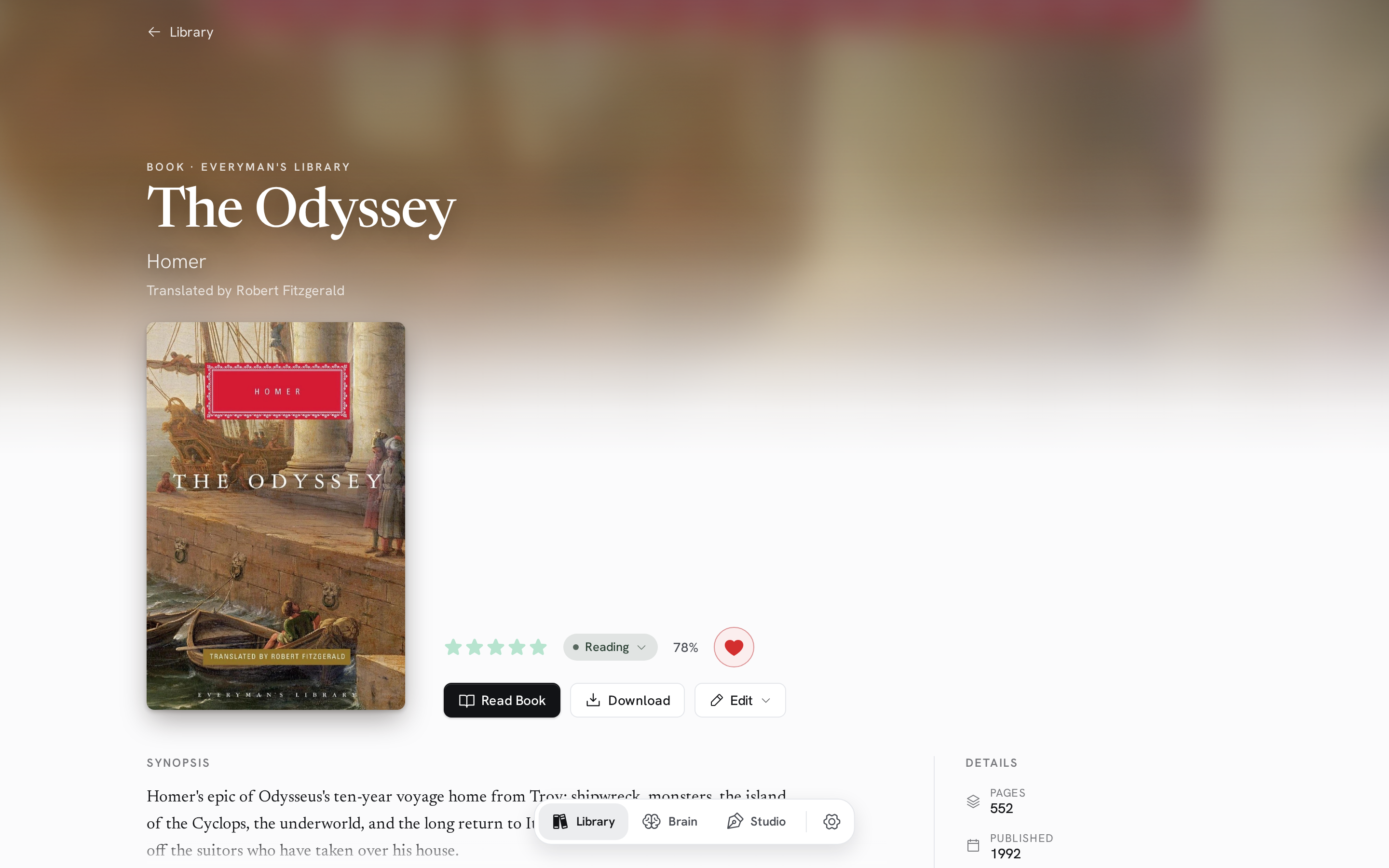
|
Add a book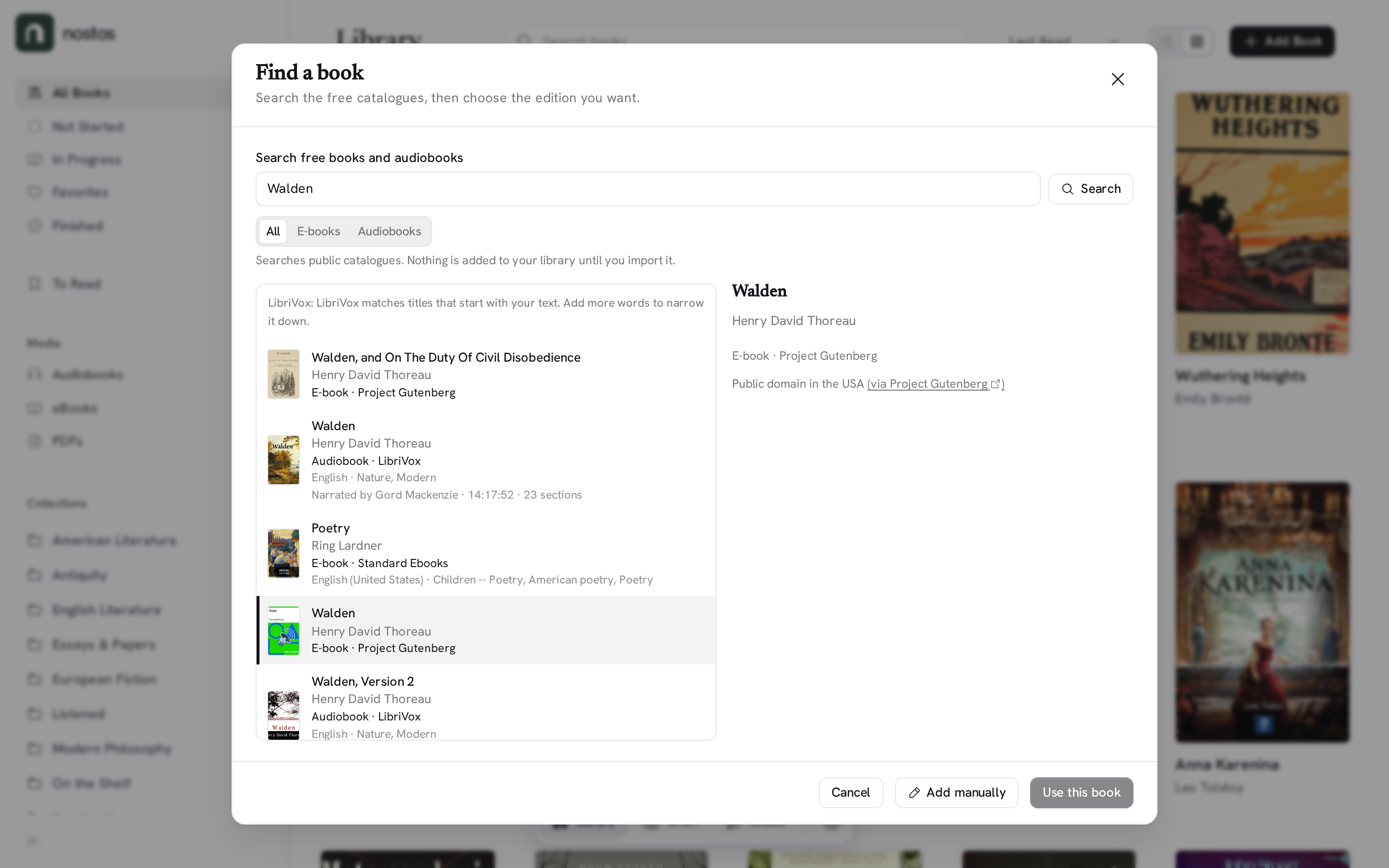
|
Brain topics and notes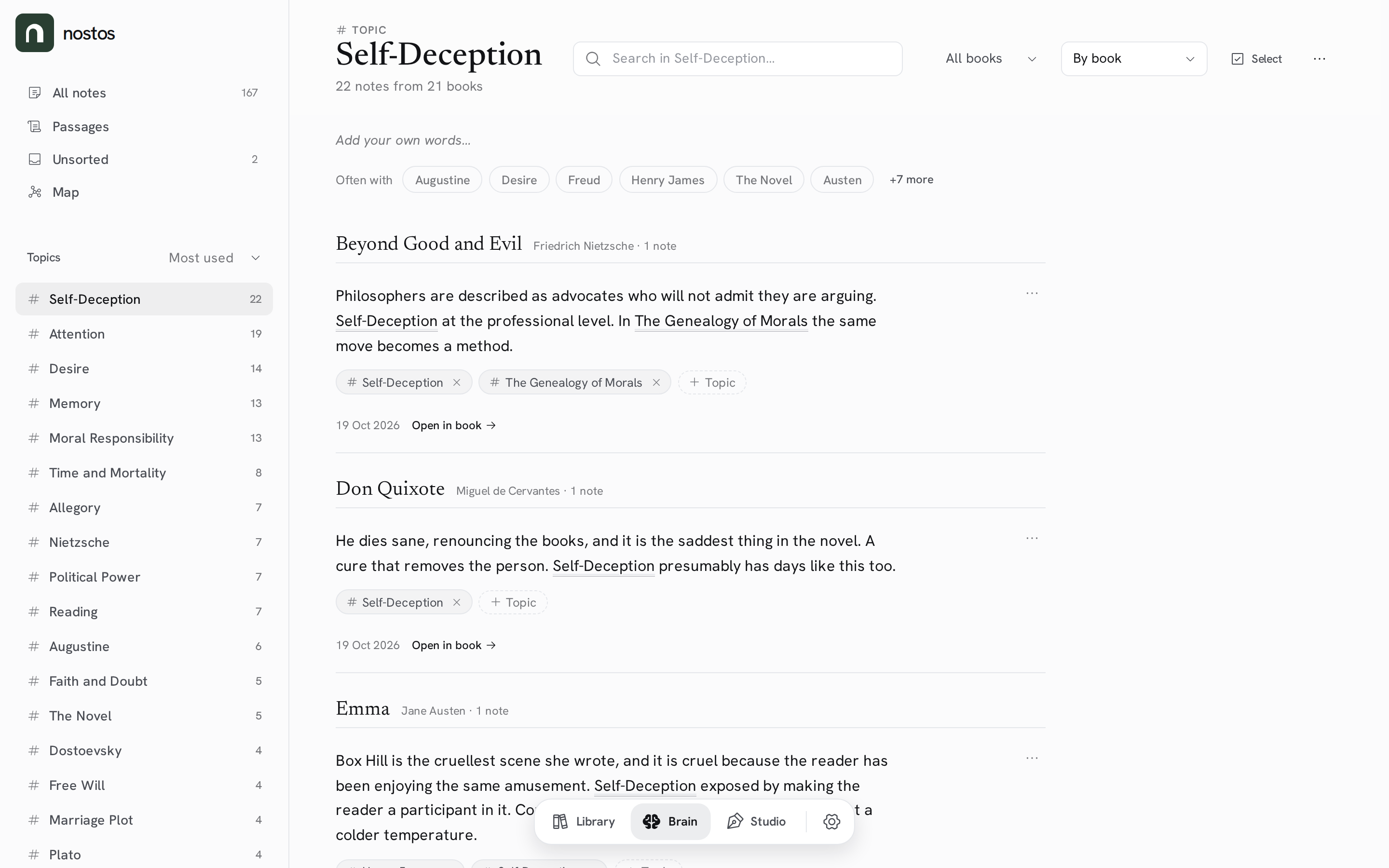
|
Ask Nostos (optional)
Ask Nostos is an AI assistant for your own library. It can find what you have read, help you capture a thought, or reorganise your collections. When it changes your library, it shows one set of changes you can undo, or review before anything happens. Nostos works fully without it.
On SelfHosted, you connect your own AI provider in Settings → AI connections. Nostos Cloud includes a managed allowance.
Your library stays yours
- Portable: export your whole library as a
.nostosarchive and import it into any Nostos, Nostos Cloud or self-hosted. - Your notes in plain Markdown: download your notes, highlights, passages and topics as a .zip of Markdown files, one per book and one per topic, with
[[Topic]]links kept. Open it in Obsidian or any text editor. - Use the files you already have (SelfHosted): point Nostos at a folder of books on your server. It reads them in place and never changes them.
- Backups: SelfHosted has local backup and restore. Nostos Cloud makes daily managed backups, which you can see in Settings.
- OPDS: browse and download your library from compatible e-reader apps.
Getting started
Nostos Cloud
The easiest way to start: get started at nostos.page and see plans and pricing.
Self-host with Docker
docker volume create nostos-data
docker run -d \
  --name nostos \
  -p 5099:8080 \
  -v nostos-data:/data \
  --restart unless-stopped \
  ghcr.io/christian-gennari/nostos:latest
Or use the included Compose file: docker compose up -d. Then open http://localhost:5099. No account or subscription needed.
App-store packages are also available for Unraid, CasaOS, Umbrel, Runtipi and selfh.st.
Everything Nostos keeps lives in the /data volume: the database, your books, local backups and the key ring in /data/keys that protects AI keys saved in Settings. Back up the whole volume, and keep it when you replace the container.
- Hardware: the image runs on 64-bit Intel and AMD machines (
linux/amd64) and on 64-bit Arm (linux/arm64): a Raspberry Pi 4 or 5 with a 64-bit OS, an Apple Silicon Mac, or an Arm NAS. Docker picks the right one for you. 32-bit systems are not supported. - Memory: Nostos uses about 110–125 MB when idle and about 220–330 MB with a small library (50 ebooks with covers and 5 audiobooks). Give it at least 512 MB; 1 GB leaves room for large imports and backups.
- Update:
docker compose pull && docker compose up -d.latestis published only after the full CI passes onmainand that exact image has passed its start-up and persistence check; it never moves back to an older revision. To pin a build, setNOSTOS_IMAGE_TAG=selfhosted-sha-<commit>; a commit that only changes documentation shares its parent's image. Oldersha-*tags are not SelfHosted builds. - Books already on your server: mount the folder at
/external/media(read-only), then open Settings → This server → External media. See the External media guide. - Coming from an older image? Older images kept the key ring inside the container. Copy it into
/data/keysbefore you replace the container, or re-enter your AI keys afterwards.
The self-hosting docs cover requirements, reverse proxies, backups and updates.
Run from source
You need the .NET 10 SDK and Node.js LTS.
git clone https://github.com/Christian-Gennari/Nostos.git
cd Nostos
npm install
npm --prefix Nostos.Frontend install
npm start        # development: http://localhost:4200
npm run prod     # production build: http://localhost:5099
Outside Docker, the database defaults to <content root>/nostos.db. Override paths with Persistence__DatabasePath, Storage__BooksRoot, Storage__BackupsRoot and DataProtection__KeysPath. See Getting started (development) for details.
How it's built
Nostos is one product with two deployments. SelfHosted (this repository) runs on its own with SQLite, local files, local backups and your own AI provider. Nostos Cloud adds private hosting pieces (sign-in, managed storage, billing, managed AI) around the same product and the same app. See the public/private boundary.
Nostos/
├── Nostos.Product/    # the product: domain, application and API behaviour
├── Nostos.Backend/    # the SelfHosted host: SQLite, local files, backups, your own AI keys
├── Nostos.Shared/     # shared DTOs and contracts
├── Nostos.Frontend/   # the Angular app, shared by SelfHosted and Cloud
└── docs/              # product, architecture and operations docs
Stack: .NET 10 Minimal APIs, EF Core 10 and SQLite · Angular 22 with Signals · epub.js · ngx-extended-pdf-viewer · Howler.js · Sigma.js and Graphology · TipTap with marked and Turndown · Phosphor icons · Newsreader and Hanken Grotesk.
Design: warm paper surfaces, a restrained forest green, literary type and quiet controls. The mark is a doorway and a lowercase n: a Forest Green (#293E32) tile with a White (#FFFFFF) arch, the same in light and dark themes. Read the Design Manifesto or browse the brand assets.
Documentation
- docs.nostos.page: guides for Nostos Cloud and self-hosting.
- Releases: what's new. How releases are made: docs/releases.md.
- Guides in this repo: External media · Read aloud · Content providers · Library portability · SelfHosted activation & recovery
- For developers and agents: REST API · Library skill for agents · Deployment capabilities · PostgreSQL compatibility
- Security policy: how to report a vulnerability.
Work in progress is tracked in GitHub Issues. Before your first pull request is merged, a bot asks you to accept the Contributor License Agreement with one comment.
License & Trademark
Nostos is licensed under the GNU Affero General Public License v3.0 or later. You may run, study, modify, and redistribute the software under those terms. If you run a modified version as a network service, you must offer its source code to the people who use it.
The Nostos name, related word marks, and official visual identity are not granted by the AGPL. Distributed forks and derivative builds must use independent naming and branding. See TRADEMARK.md for the full policy.
The EPUB reader bundles the Libron typeface (© Nico Verbruggen, derived from Readerly and Newsreader), licensed separately under the SIL Open Font License 1.1.
Media gallery
1 / 5Requirements
Related apps
Explore more like this
Explore allDetails
ghcr.io/christian-gennari/nostos:latestRuntime arguments
- Web UI
http://[IP]:[PORT:8080]/- Network
bridge- Shell
bash- Privileged
- false
- Extra Params
--user 99:100
Template configuration
Port for the Nostos web interface. Open http://[server]:5099 after the container starts.
- Target
- 8080
- Default
- 5099
- Value
- 5099
Everything Nostos keeps: the database (nostos.db), books, local backups and the key ring in keys/. Back up this folder. Keep it on local storage, not a network share.
- Target
- /data
- Default
- /mnt/user/appdata/nostos
- Value
- /mnt/user/appdata/nostos
Optional. A folder of ebooks and audiobooks you already have. Nostos reads it in place and never changes it. After starting, open Settings, This server, External media.
- Target
- /external/media
Where Nostos writes temporary files. Keep /tmp: the image's own temp folder is only writable by its default user, and this template runs the container as 99:100.
- Target
- TMPDIR
- Default
- /tmp
- Value
- /tmp