
Neoraid
Plugin from Veaceslav Maftei
Overview
Readme
View on GitHub
Neoraid
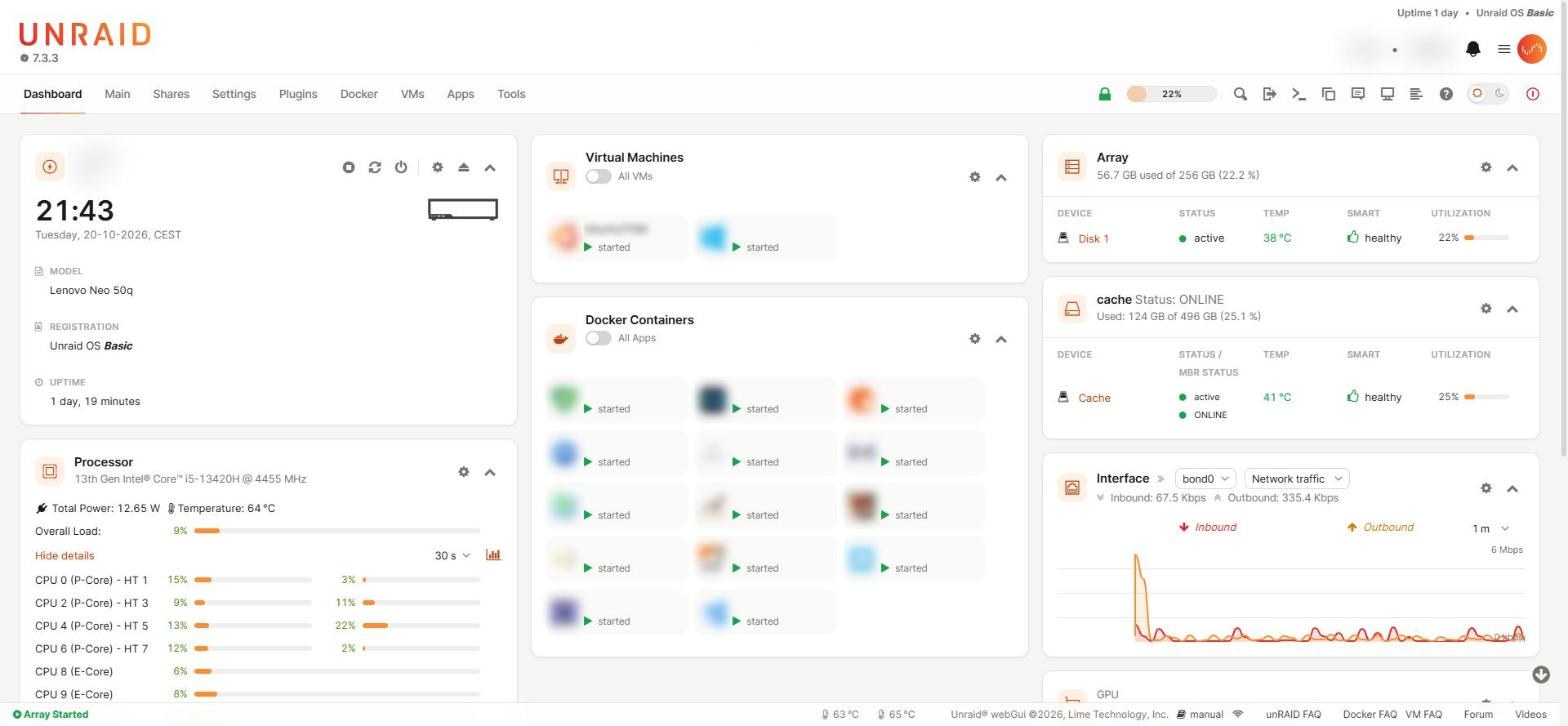
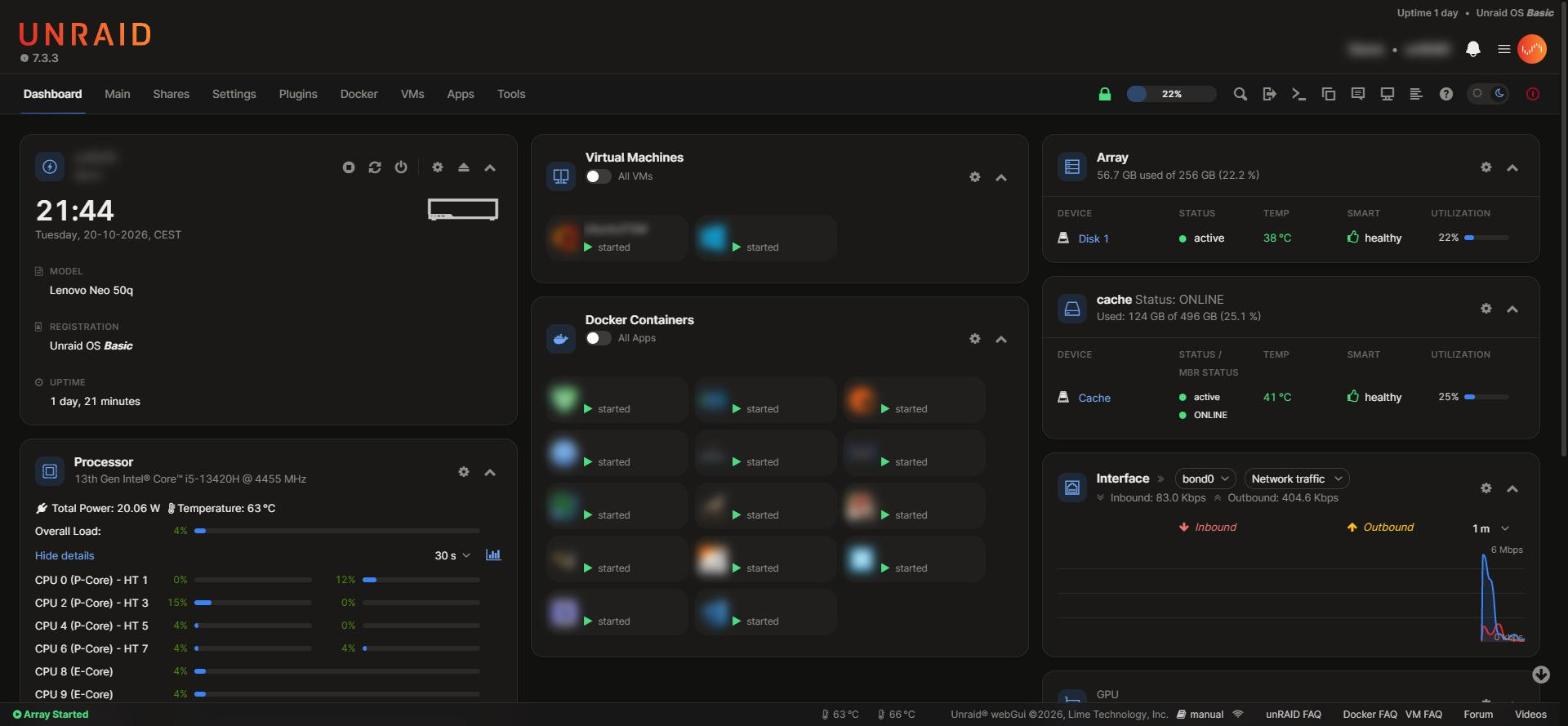
A modern theme for the Unraid 7.3 webGUI that keeps the Unraid palette. It is a plugin that adds a stylesheet layer on top of the stock theme: no system file is changed, and removing the plugin brings back the original look.
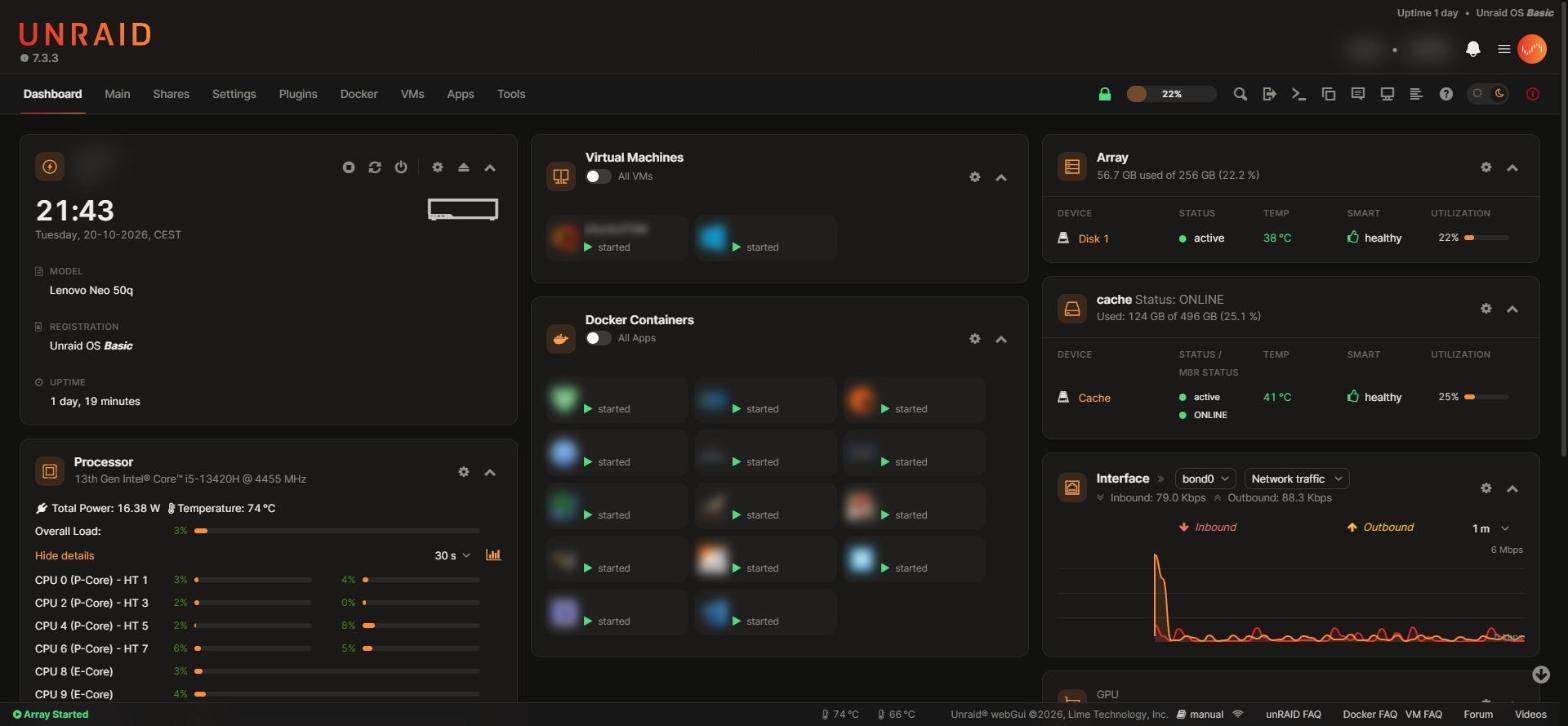
| Light mode | Custom accent |
|---|---|
 |
 |
Features
- Light and dark — follows Settings → Display Settings (white/azure = light, black/gray = dark). A switch in the navigation bar changes it on the fly, for that browser. The Vue header and the notification panel follow it too.
- Redesigned webGUI — navigation, tabs, tables, usage meters, forms, buttons, toggles, menus, dialogs and tooltips, with Inter as the interface font.
- Dashboard — equal columns, tiles as cards, Docker and VM cards, smooth CPU and network charts, thinner RAM rings with a dedicated palette.
- Settings → Neoraid — accent colour, default mode for every browser, density, corners, font, switch on or off, with a live preview.
- Plugin pages — Community Applications, Unassigned Devices, Preclear and ZFS Master get dedicated styles; other plugins inherit the theme colours.
Requirements
Unraid 7.3.0 or later (developed and tested on 7.3.3).
Install
In Unraid go to Plugins → Install Plugin, paste this URL and press Install:
https://raw.githubusercontent.com/veaceslavmafteiaevoluta/neoraid/main/dist/neoraid.plg
Reload the page. Updates show up in Plugins → Check for Updates.
Settings
Settings → User Preferences → Neoraid
| Option | Values | What it changes |
|---|---|---|
| Accent colour | 8 presets or any colour | Active page, links, focus, primary buttons, toggles, usage bars, charts, the UNRAID logo |
| Default mode | Follow Display Settings / Light / Dark | The mode every browser starts in; the switch still changes it per browser |
| Density | Comfortable / Compact | Height of table rows and controls |
| Corners | Standard / Sharp / Round | Radius of cards, tables, buttons and fields |
| Font | Inter (included) / System font | Interface typeface |
| Light/dark switch | Show / Hide | The switch in the navigation bar |
Every change previews immediately; Apply saves it for all pages and browsers, Default restores the initial values. Settings are stored in /boot/config/plugins/neoraid/neoraid.cfg.
Screenshots
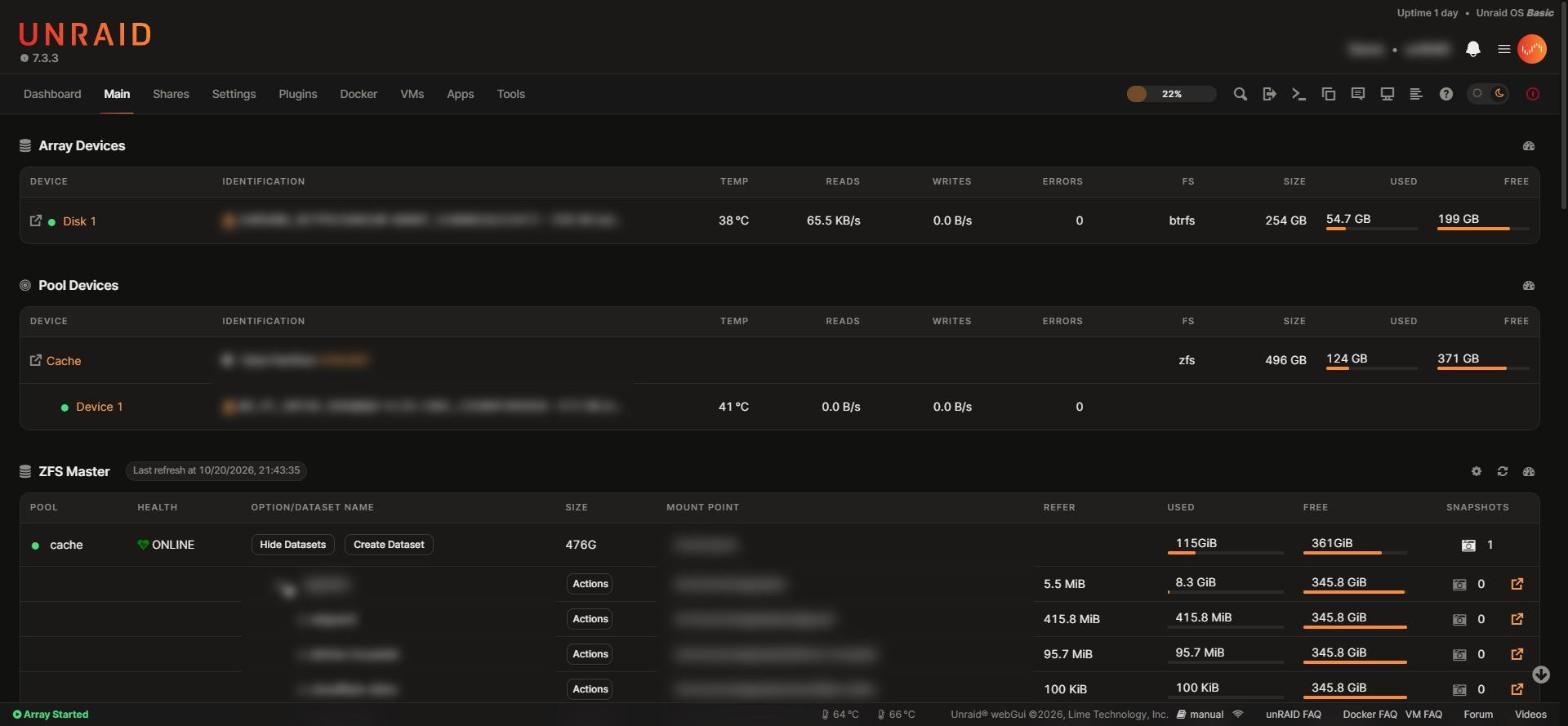 Main Main |
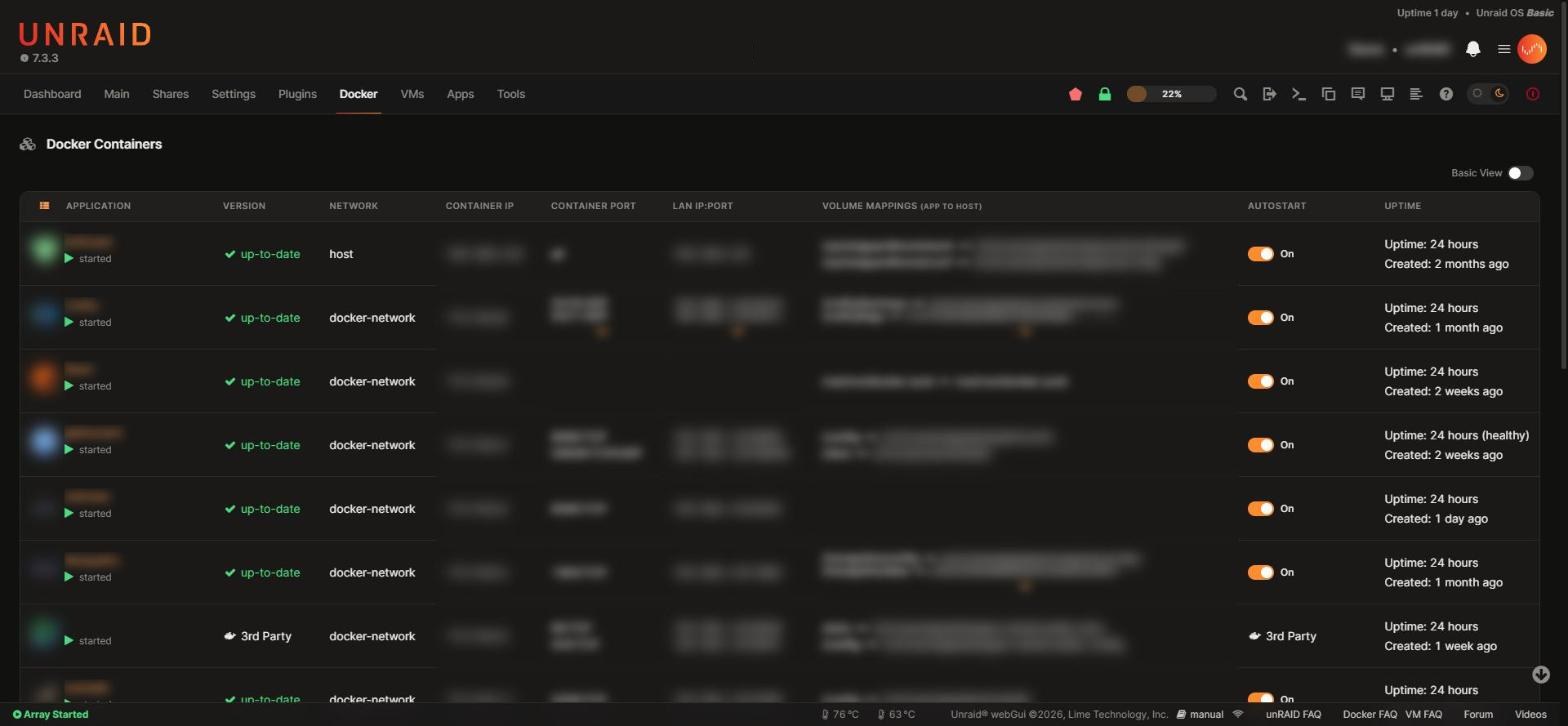 Docker Docker |
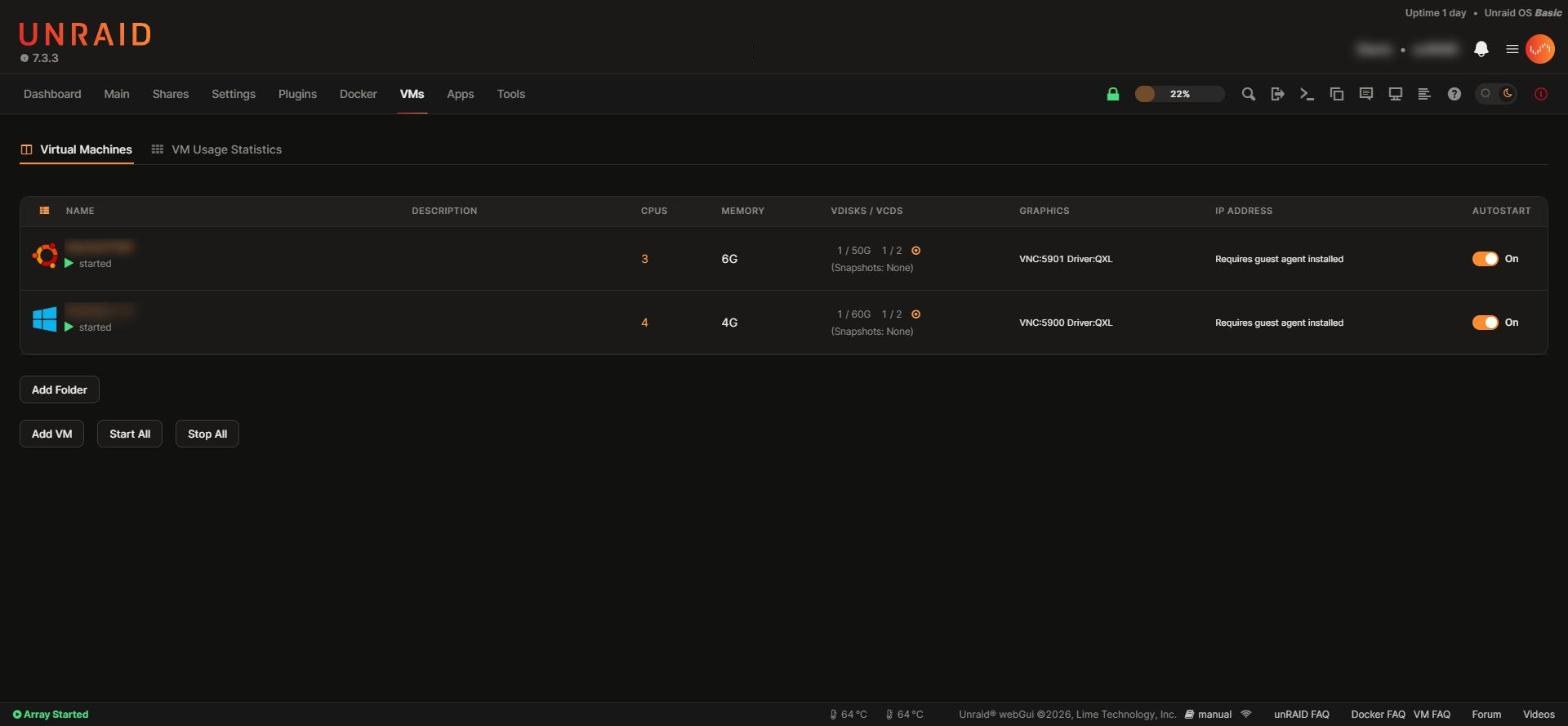 VMs VMs |
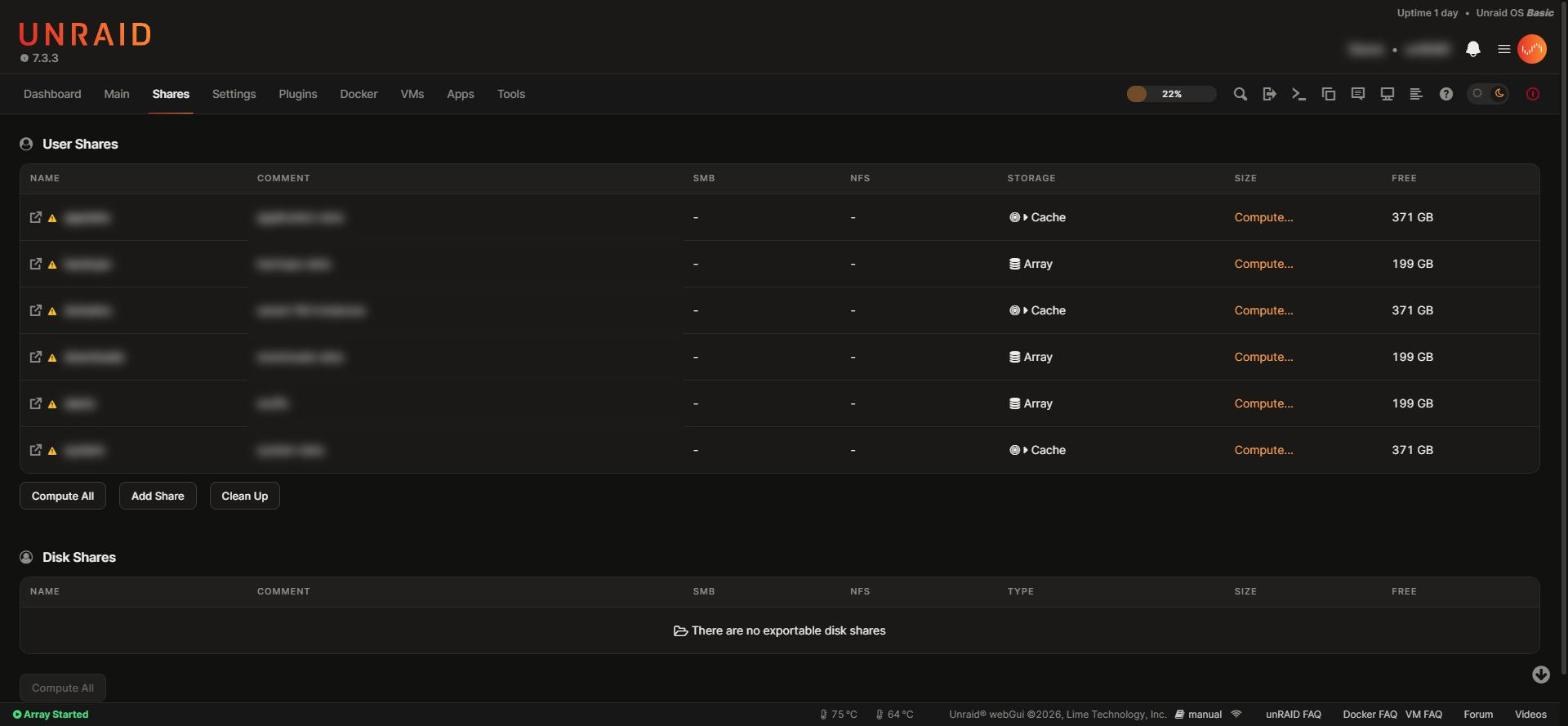 Shares Shares |
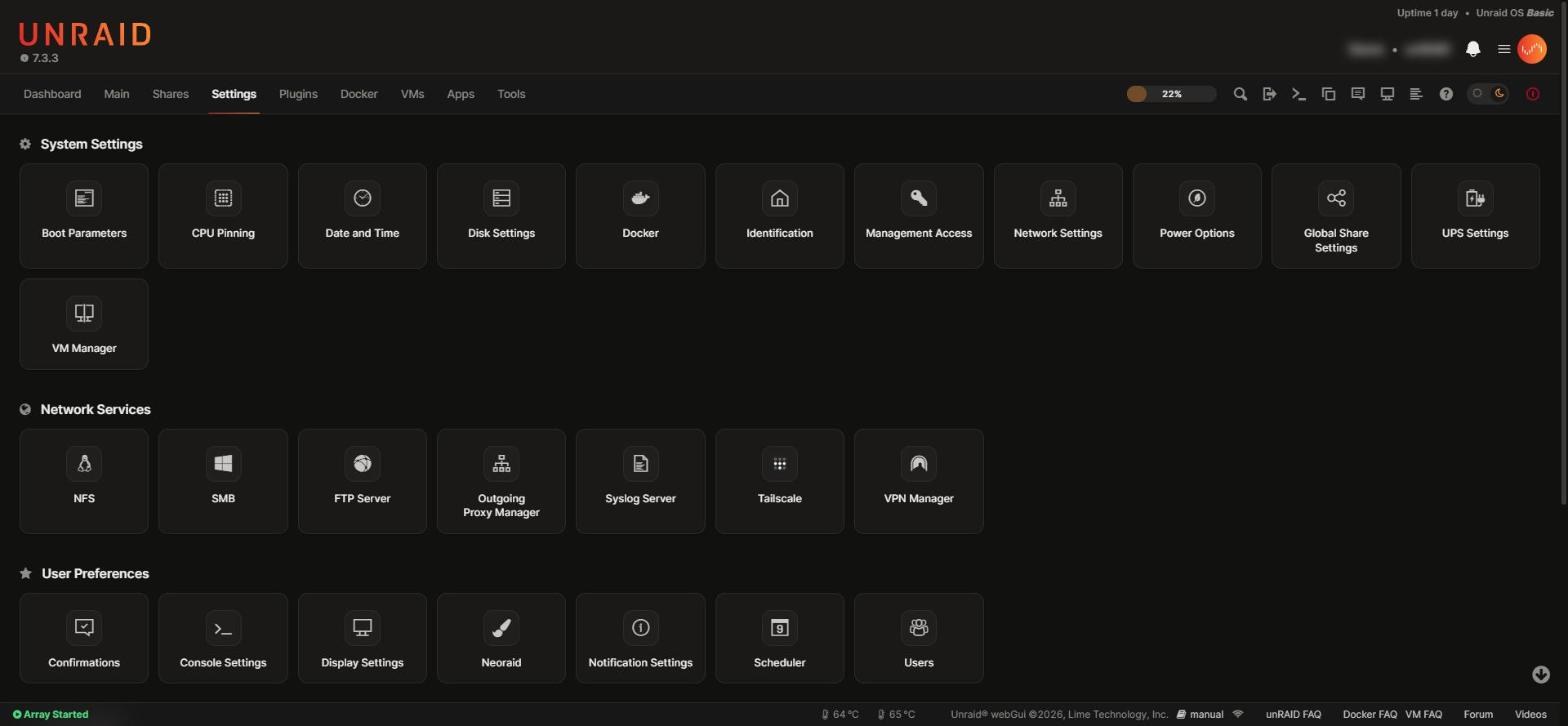 Settings Settings |
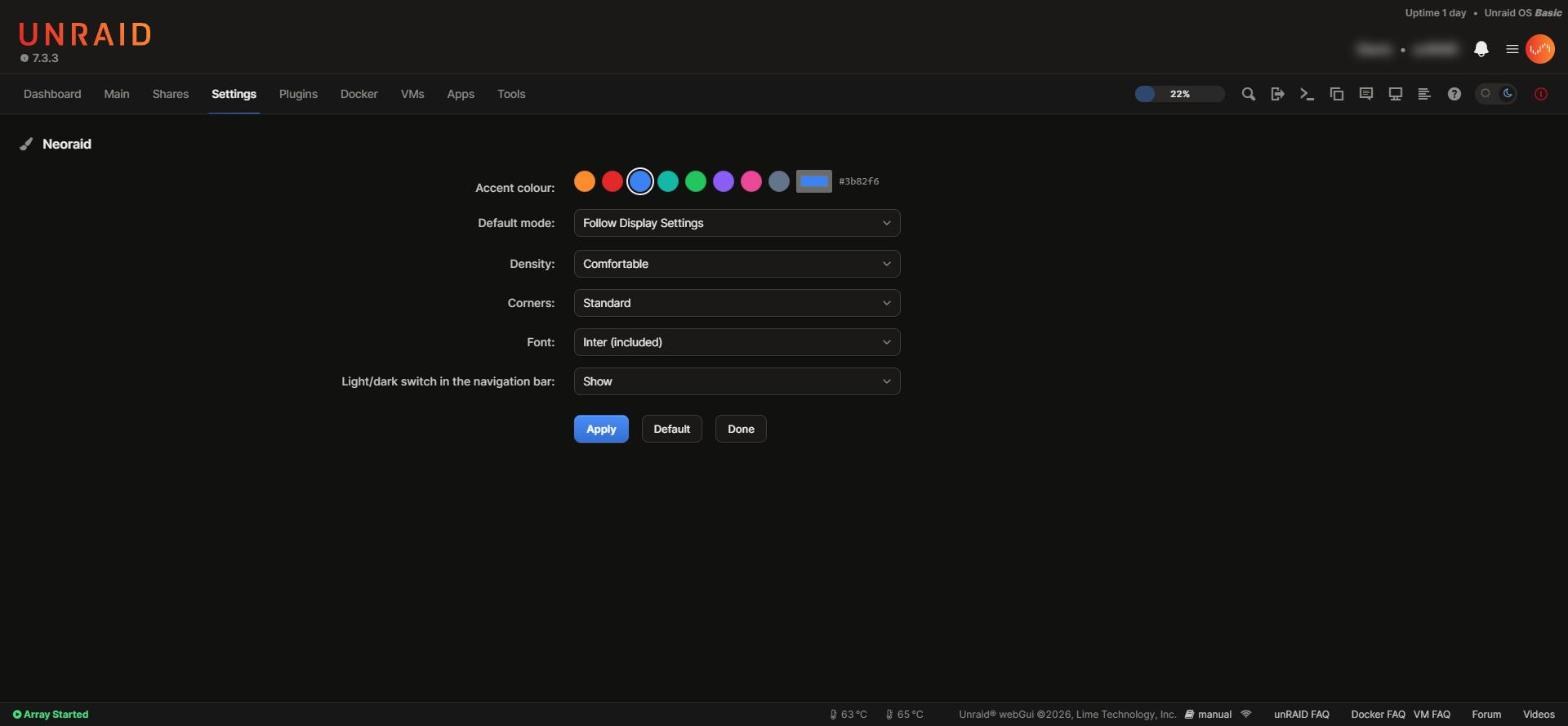 Settings → Neoraid Settings → Neoraid |
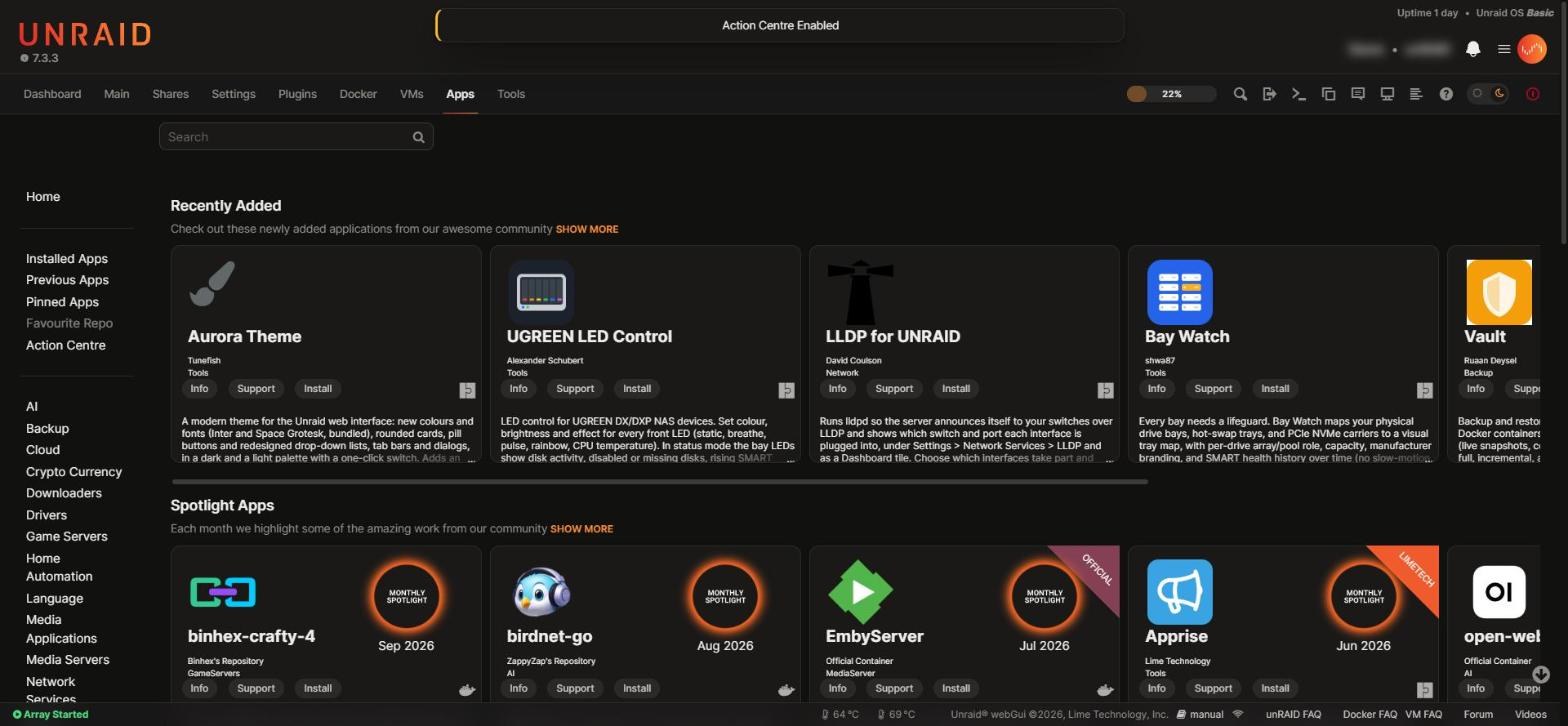 Apps (Community Applications) Apps (Community Applications) |
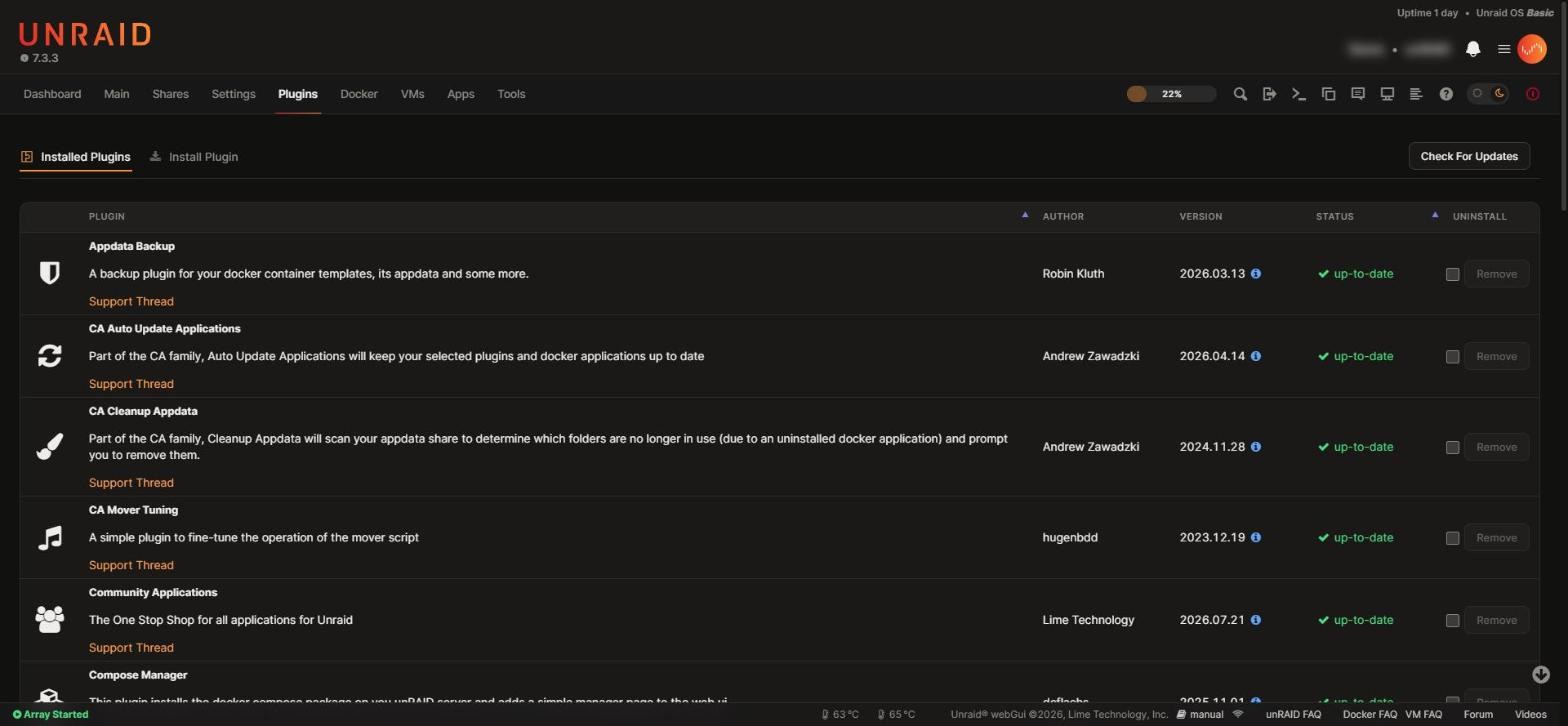 Plugins Plugins |
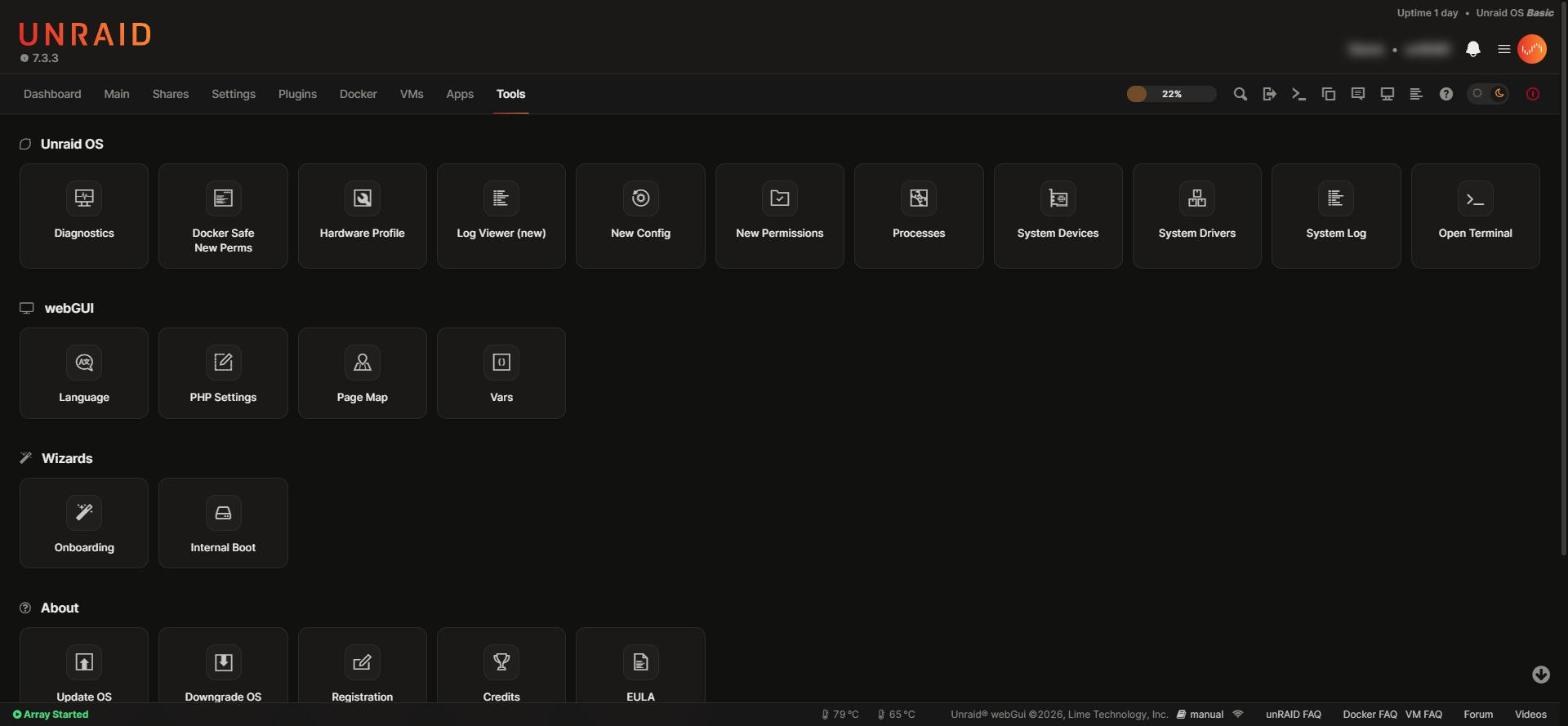 Tools Tools |
Personal data (server name, container and VM names, shares, disk serials, IP addresses, paths) is blurred.
Uninstall
Plugins → Installed Plugins → Neoraid → Remove, then reload the page. The plugin folder and its settings are deleted and the webGUI looks exactly as before.
Known limitations
- The login page keeps the stock look: it does not load plugin pages.
- The Vue header keeps its own layout; the theme sets its colours.
- The option list of a native
<select>is drawn by the operating system. - App icons and badges in Community Applications are images from the CA feed.
- The sidebar layouts (gray and azure themes) have had less testing than the top navigation.
Repository
| Path | Contents |
|---|---|
dist/neoraid.plg |
The plugin, a single self-contained file |
src/ |
Sources: stylesheet, script, pages, default settings, font, Plugins list icon |
screenshots/ |
The images above |
assets/ |
Logo |
ca_profile.xml, plugins/neoraid.xml |
Community Applications listing |
AI-assisted development
Neoraid was developed with the help of AI (Claude Code by Anthropic), used as a coding assistant for the stylesheet, the script, the build tooling and the documentation. Every change was reviewed, installed and checked by hand on a real Unraid 7.3 server, in light and dark mode, before release. Commits written with AI assistance carry a Co-Authored-By trailer.
Credits
- Inter by Rasmus Andersson, SIL Open Font License 1.1 (
src/fonts/LICENSE-Inter.txt), embedded in the plugin. - Unraid is a trademark of Lime Technology, Inc. Neoraid is an independent project, not affiliated with or endorsed by Lime Technology.
License
Media gallery
1 / 6Categories
Download Statistics
Downloads by Month
Related apps
Explore more like this
Explore allDetails
https://raw.githubusercontent.com/veaceslavmafteiaevoluta/neoraid/main/dist/neoraid.plg