
All apps · 0 apps

Navigation Dropdown Menus
Plugin from Furious Rage
Overview
Readme
View on GitHubNavigation Dropdown Menus
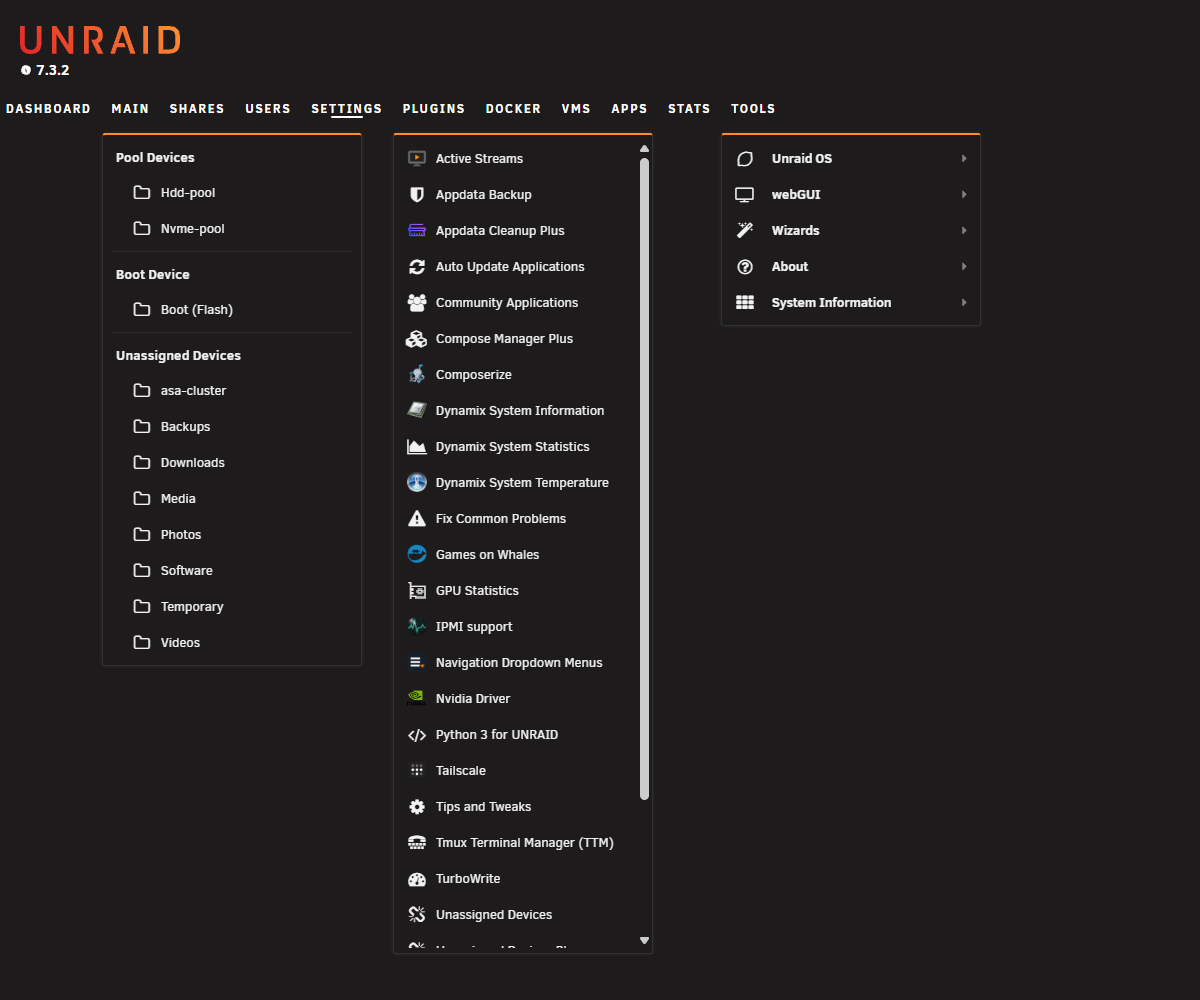
Navigation Dropdown Menus adds configurable dropdown menus to the Unraid WebGUI main navigation for faster navigation while preserving the normal behavior of Unraid's parent navigation links.
Features
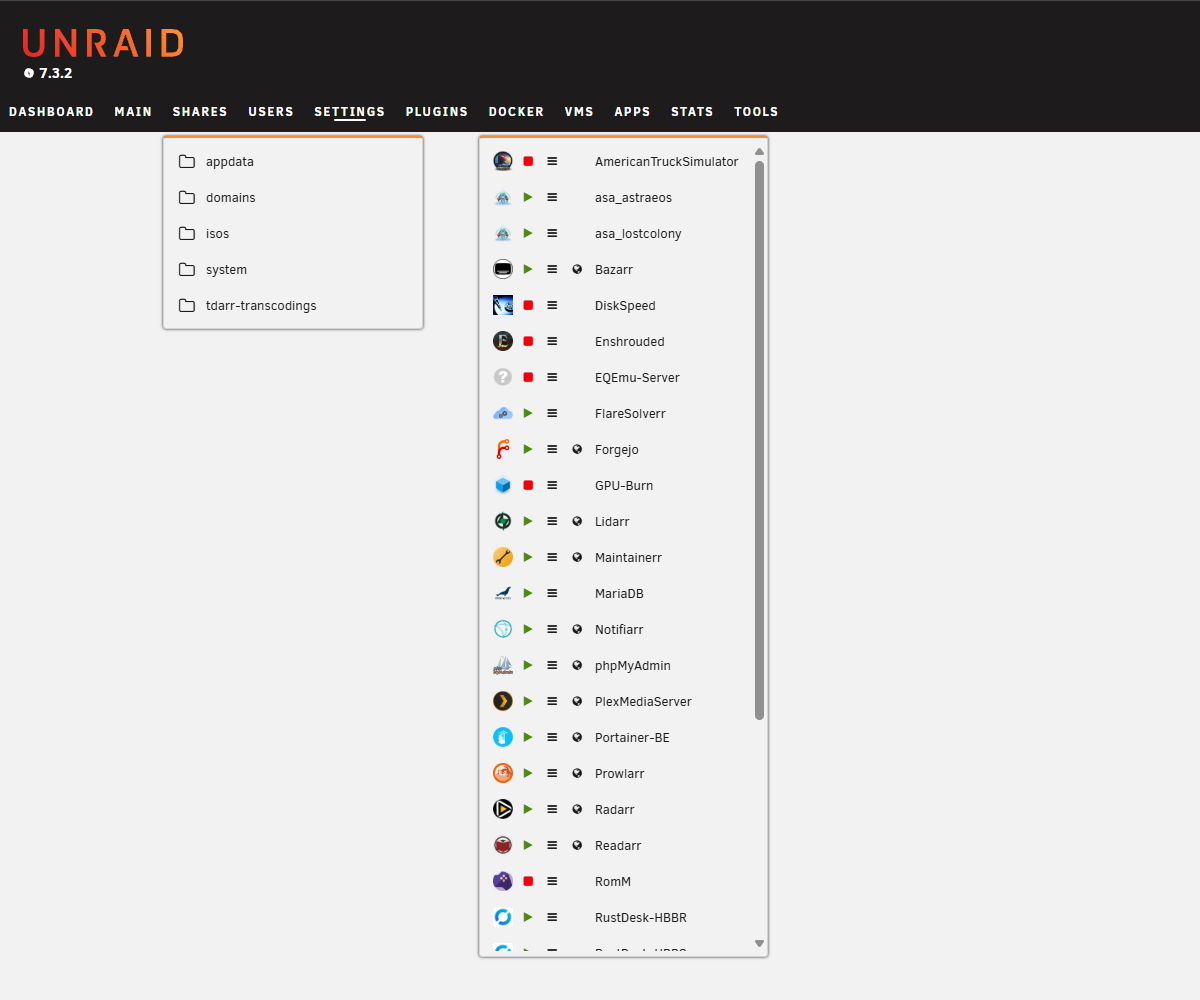
- Adds individually configurable dropdown menus to the Unraid WebGUI main navigation for Main, Shares, Users, Settings, Plugins, Docker, VMs, and Tools. All dropdown menus are enabled by default.
- Preserves the normal function of each parent navigation link when its dropdown is enabled or disabled.
- Provides configurable hover-open timing of 75, 100, 150, or 200 ms, with 100 ms as the default.
- Provides Match Unraid order or Alphabetical sorting for Shares, Users, Docker containers, and VMs. Match Unraid order is the default.
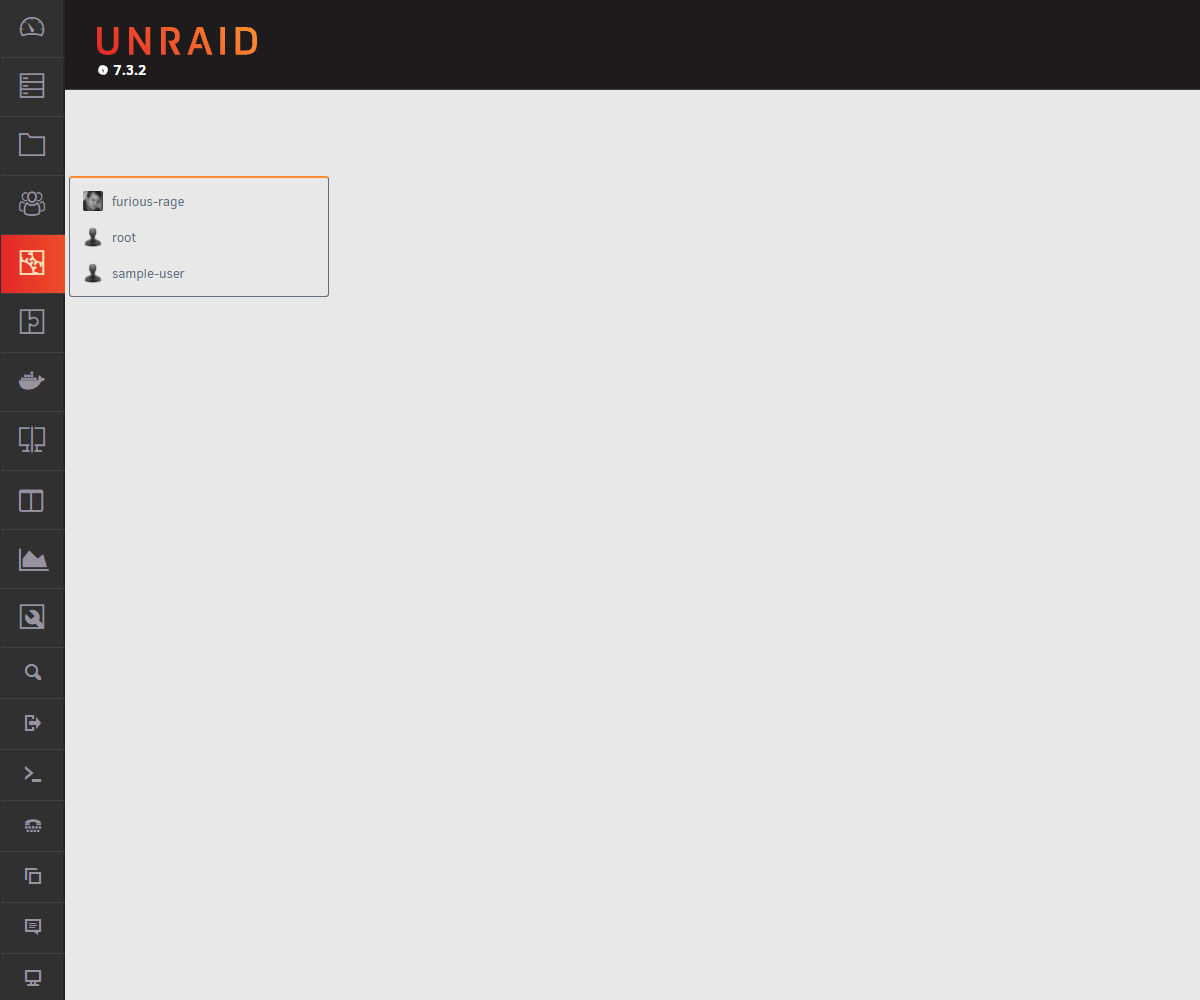
- Displays native-style icons, folder icons for Main and Shares file-browser entries, and configured Unraid user profile images with the stock fallback image.
- Optionally displays currently mounted Unassigned Devices remote shares under Main when the Unassigned Devices plugin is installed. This is enabled by default.
- Provides configurable Docker status indicators, native log buttons, and WebUI buttons. WebUI buttons appear only for running containers with a valid WebUI URL reported by Unraid.
- Provides optional Docker quick start/stop controls through the status icons. Quick actions are disabled by default, and stop confirmation is enabled by default when quick actions are used.
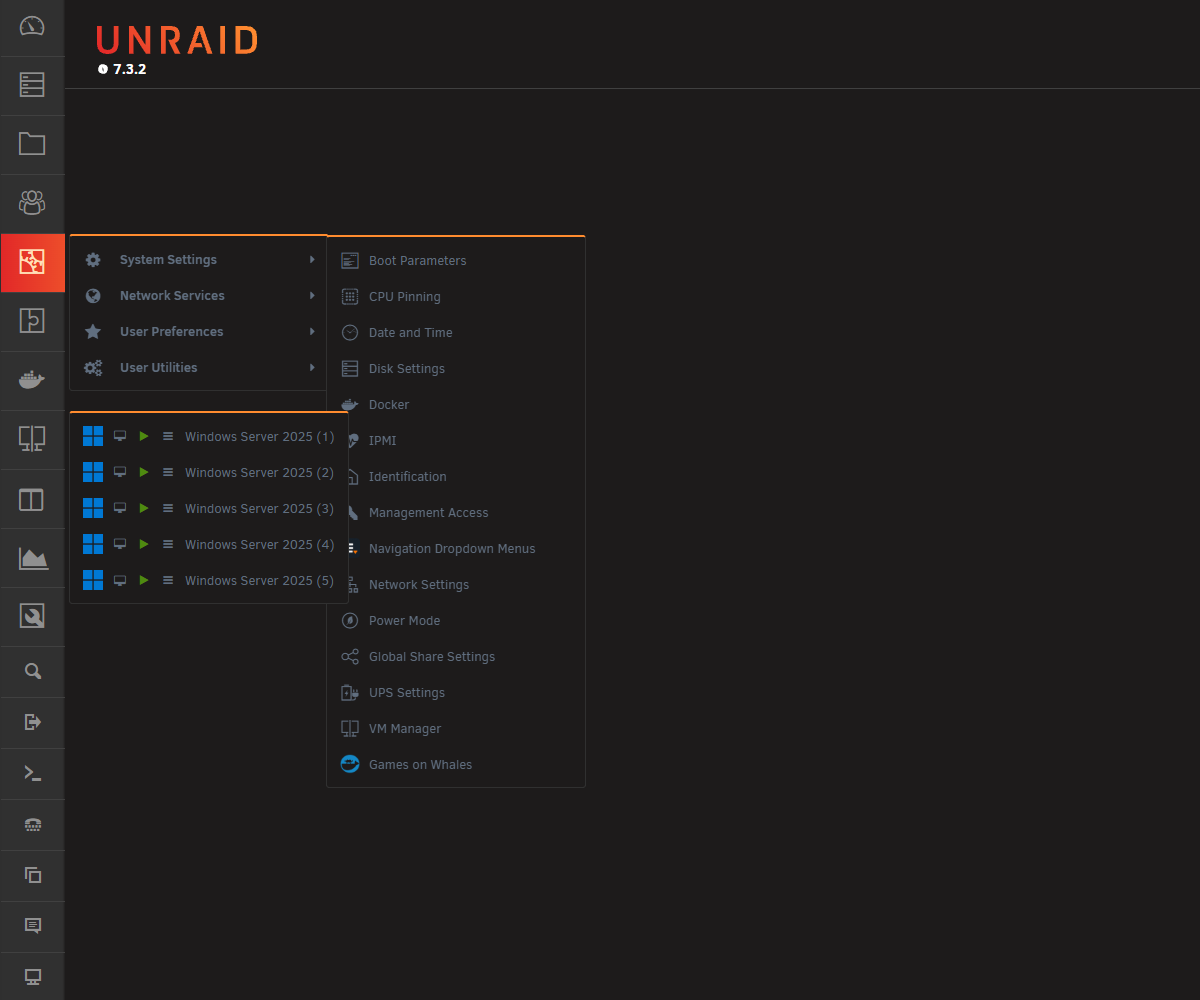
- Provides configurable VM status indicators, native log buttons, and VNC Console buttons.
- Provides optional VM quick start/stop controls through the status icons. Quick actions are disabled by default, and stop confirmation is enabled by default when quick actions are used.
- Provides an option to open Docker WebUI links in a new browser tab. This is enabled by default.
- Follows the active Dynamix color theme automatically.
- Does not replace or modify stock Unraid WebGUI files.
Screenshots
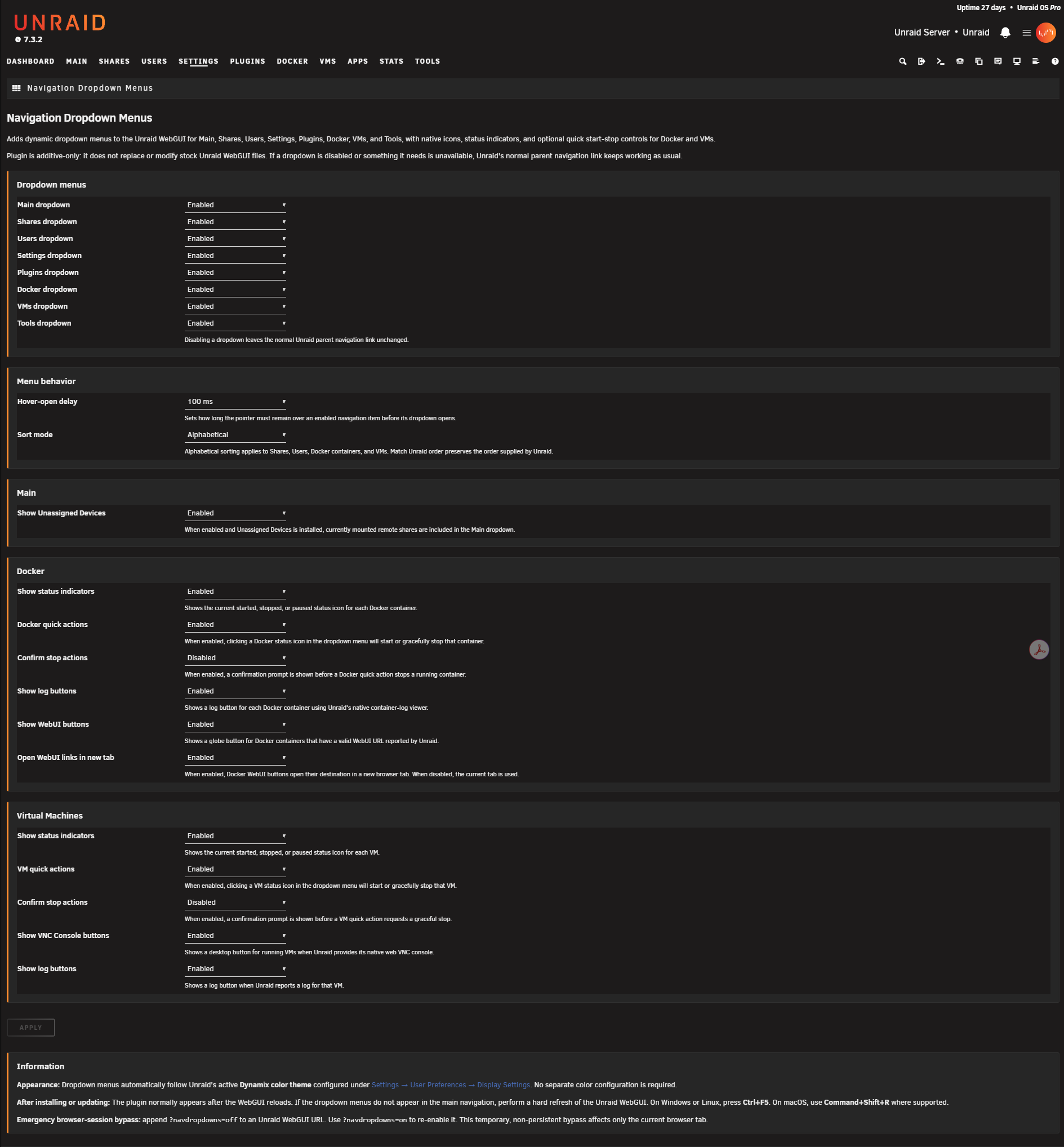
Real Unraid WebGUI captures showing the plugin across dropdowns, nested settings, VM and Docker controls, and the plugin configuration page.
Requirements
- Unraid OS 7.3.2 or later
Initial release validation was performed on Unraid OS 7.3.2.
Browser testing was completed with:
- Google Chrome
- Microsoft Edge
- Mozilla Firefox
- Safari
Installation
- Open the Apps tab in the Unraid WebGUI.
- Search for Navigation Dropdown Menus.
- Select the plugin, then select Install.
The canonical plugin file is:
https://raw.githubusercontent.com/bensonmcmoran/unraid-navigation-dropdown-menus/main/nav.dropdown.menus.plg
Note: After installing or updating the plugin, the Unraid WebGUI will normally load the current plugin assets automatically. If an older version appears to remain cached, perform a hard browser refresh:
- Windows/Linux: Ctrl+F5
- macOS: Command+Shift+R, where supported
Configuration
Open the plugin configuration from either:
Settings → Navigation Dropdown Menus
or
Plugins → Navigation Dropdown Menus
The Settings page provides independent controls for dropdown visibility, Unassigned Devices integration, hover-open timing, sorting, Docker and VM status indicators, quick actions, stop confirmations, Docker and VM log buttons, Docker WebUI buttons, Docker WebUI new-tab behavior, and VM VNC Console buttons.
Docker and VM quick actions are configured independently and are disabled by default. Their quick-action settings are available only while the corresponding status indicators are enabled. Stop confirmations are configured independently for Docker and VMs and are enabled by default.
The plugin automatically follows the active Dynamix color theme configured under:
Settings → User Preferences → Display Settings
Emergency Bypass
If the dropdown interface ever interferes with navigation, it can be disabled temporarily for only the current browser tab by adding ?navdropdowns=off to an Unraid WebGUI URL. It can be re-enabled with ?navdropdowns=on.
Support
Support, bug reports, and feature requests are handled through the repository's GitHub Issues page.
Security vulnerabilities should not be reported publicly. Please use GitHub's private vulnerability reporting for this repository.
Development
The distributable nav.dropdown.menus.plg is self-contained. Readable copies of the principal runtime source files are maintained in the repository for inspection and development.
This plugin was developed with AI-assisted coding and testing. Final functionality, testing, release decisions, and ongoing maintenance are managed by the plugin author.
Author
Furious Rage
License
Navigation Dropdown Menus is licensed under the MIT License. See LICENSE.
Sponsorship
Navigation Dropdown Menus is provided free to the community.
If you would like to support continued development and maintenance, sponsorship is available through the repository's Sponsor button.
Media gallery
1 / 5Install Navigation Dropdown Menus on Unraid in a few clicks.
Find Navigation Dropdown Menus in Community Apps on your Unraid server, review the template, and click Install. Unraid handles the Docker app or plugin setup from the published template.
Categories
Download Statistics
Downloads by Month
Related apps
Explore more like this
Explore allDetails
https://raw.githubusercontent.com/bensonmcmoran/unraid-navigation-dropdown-menus/main/nav.dropdown.menus.plg