
All apps · 0 apps

MytView
Docker app from mytview's Repository
Overview
Readme
View on GitHubMytView Server
Say it "mighty view" — and the first four letters are MyTV.
A clean, fast, read-only viewer for a self-hosted video library — video files plus their
metadata sidecars (.info.json, or Kodi/Emby-style .nfo for TV series and movies) — with
multi-user accounts, per-user watch state, owner-controlled per-channel privacy, public share
links, server-to-server federation, two-way Plex watch-state sync, and live HLS transcoding when
a client can't play a file directly.
Run it on your own hardware (NAS, home server, mini-PC) and watch in any browser — or with the native iPhone / iPad / Apple TV, Google TV, and Samsung TV (Tizen) apps, which talk to this server over its documented API.
- 🔒 Private by design — no cloud, no analytics, no ads. Streams go straight from your server to your device.
- 📚 Read-only — your library is mounted
:ro; MytView never writes to, moves, or deletes your files. - 👥 Multi-user — per-person sign-in, watch state, and resume points. Invite-based signup; the owner can reset passwords, deactivate, or remove accounts. Per-device session management with server-side revocation.
- 🔦 Per-channel privacy — mark channels public or private and grant private ones to specific people, from a per-user × per-channel grid.
- 📺 Channels, series, and movies — creator-channel libraries (
.info.jsonsidecars), TV-series libraries (.nfo+S01E02naming, season/episode ordering, next-episode tracking), and movie libraries (the Kodi layout media managers write, a 2:3 poster wall with genre filters and sort). Libraries are configured in the UI, not env vars; fully-watched shows tidy themselves out of the grids until something new arrives. - 🎞️ Direct-play first, live HLS fallback — every client tries the original file first; when it can't decode it, the server live-transcodes an ephemeral HLS stream that starts in seconds (VAAPI hardware encode when available, CPU fallback). Nothing is pre-transcoded or stored long-term.
- 💬 Subtitles & captions — picked up from
.srt/.vttfiles next to the video or from text tracks inside the.mkv/.mp4itself, with SDH/CC marked as captions. Nothing is downloaded: what's on disk is what you get. Image-based subtitles (PGS/VobSub) are not supported — they're pictures of text and would need OCR or a burned-in re-encode; use a text (SRT) version instead. - 🔗 Share links — per-video public links with expiry and view caps, link-preview cards, and the same live-HLS fallback for recipients.
- 🌐 Federation — peer with any number of other MytView servers, sharing and consuming in both directions. Share different channels, shows, or whole libraries with each household; everything you consume merges into your own libraries (browse, search, and watch state stay on your server) while video streams flow directly from whichever server holds the file — plus per-peer concurrent-stream caps and consumption stats for the sharer.
- 📲 Offline on the phone — the iPhone/iPad app (Android in open testing) keeps movies and episodes on the device and follows a series for the next unwatched ones; the server hands out each copy in the format the device plays (H.264 and HEVC MKVs are remuxed, not re-encoded), paced by a negotiated session budget so a batch never crowds out someone watching live.
- 🔄 Plex sync — two-way watched-state and resume-point sync with a Plex server on the same library. Each user links their own Plex account (plex.tv PIN flow); years of existing Plex history import on the first sync, and an unwatch in either app propagates to the other.
Website: https://mytview.com · Privacy: https://mytview.com/privacy/
Screenshots
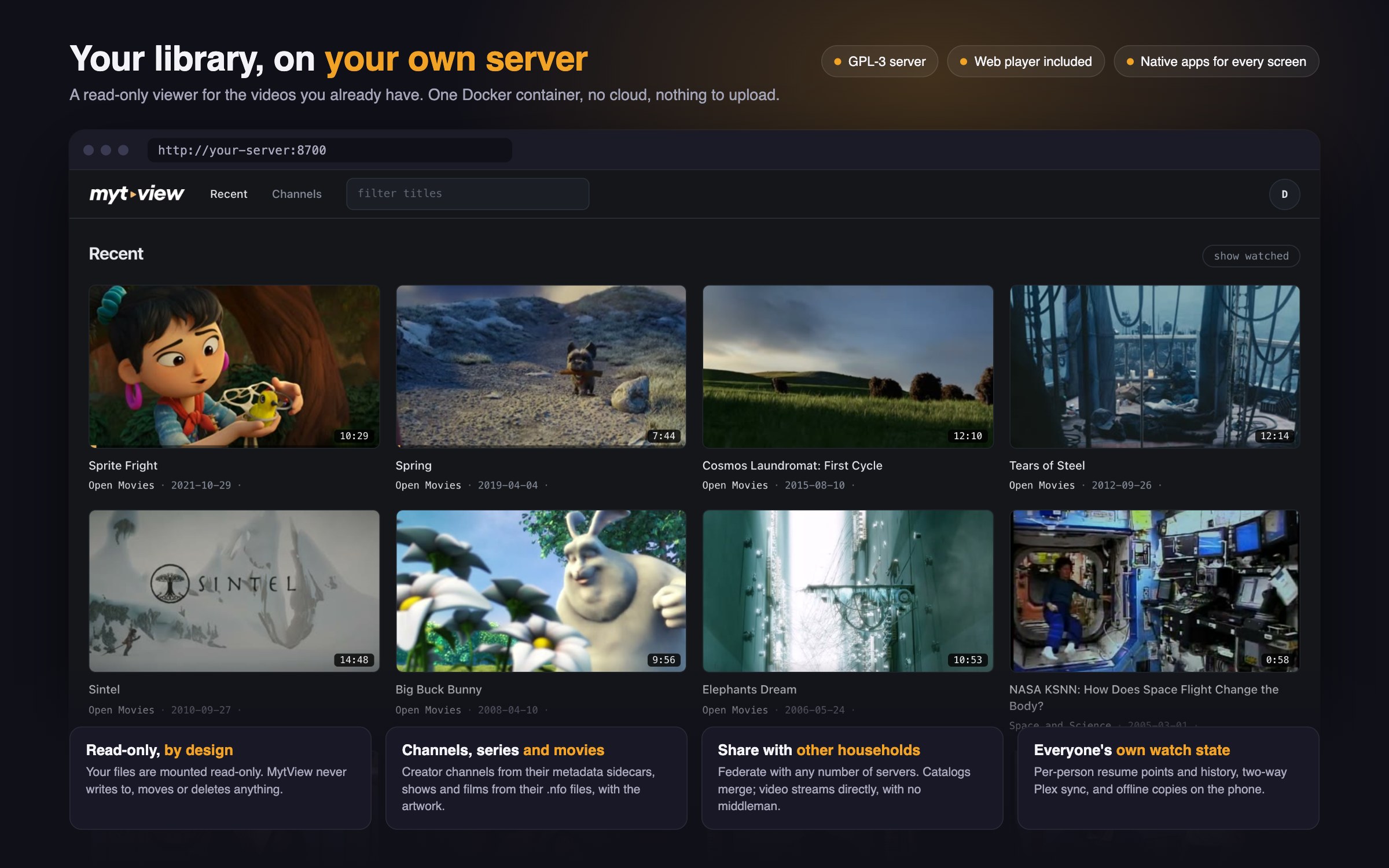
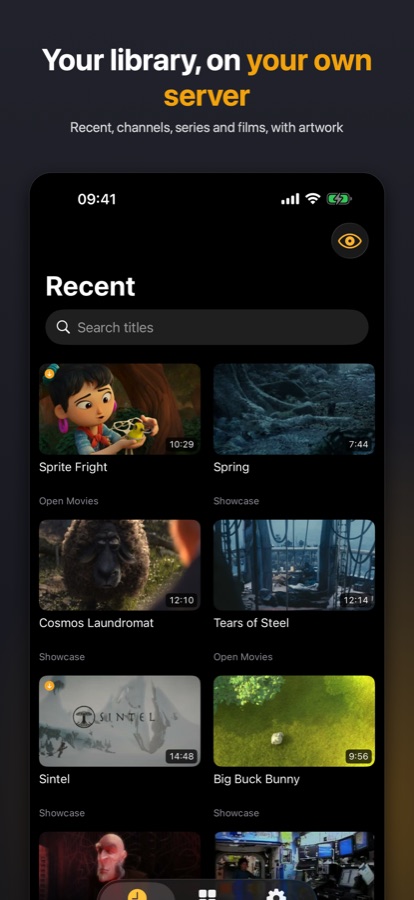
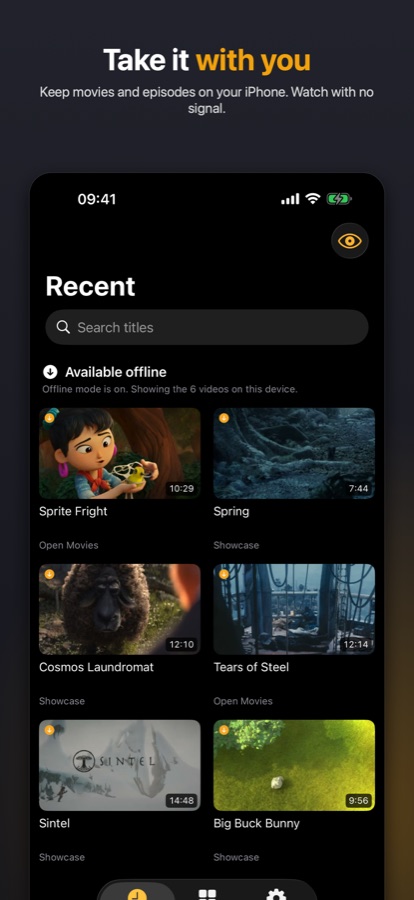
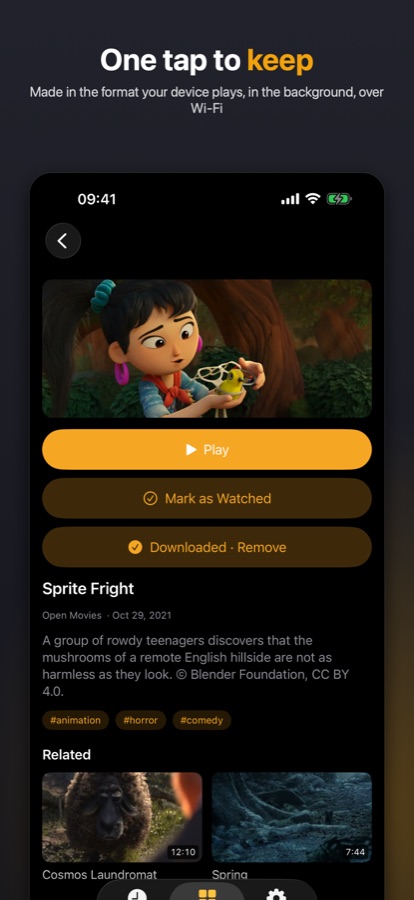
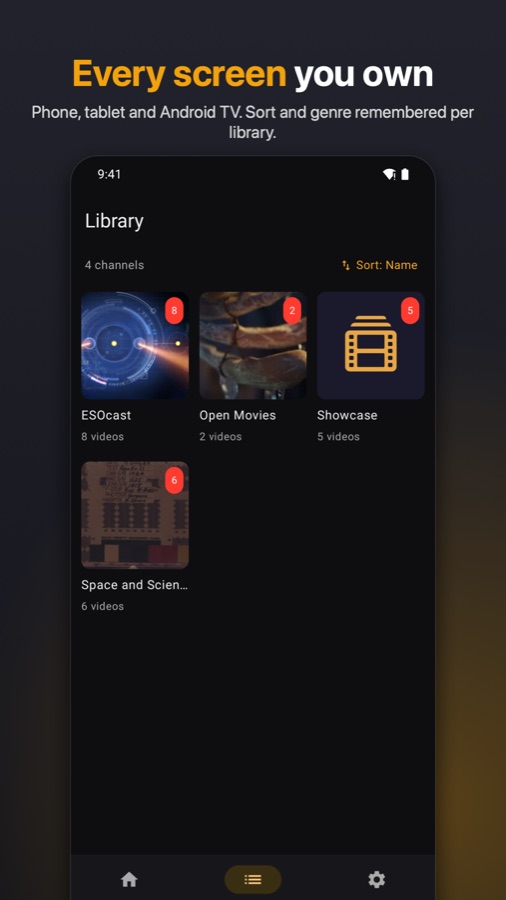
The demo library in these shots is Blender's open movies and NASA public-domain footage.
Quick start (Docker)
Unraid: install from Community Applications (search MytView); the template lives at
https://github.com/mytview/unraid-templates. Everything else: the compose file below.
# docker-compose.yml
services:
  mytview:
    image: fbartolini/mytview:latest
    container_name: mytview
    restart: unless-stopped
    ports:
      - "8700:8700"
    environment:
      ALLOW_SIGNUP: invite            # first account becomes the owner
      # ORIGIN: https://mytview.example.com     # only behind a reverse proxy / TLS
      # ADDRESS_HEADER: x-forwarded-for         # only behind a reverse proxy / CDN
    volumes:
      - /path/to/your/library:/media:ro   # your video library — READ-ONLY
      - mytview-data:/data                # accounts + watch state + index (back this up)
      - /path/to/scratch:/transcodes      # writable scratch for live-HLS segments
volumes:
  mytview-data:
docker compose up -d
Open http://your-host:8700 and sign up — the first account bootstraps the owner. After
that, signup requires a single-use invite (from /invite) unless ALLOW_SIGNUP=all.
Configuration
Volumes
| Container path | Purpose | Notes |
|---|---|---|
/media |
Your video library | Mount read-only (:ro). MytView never modifies it. |
/data |
Accounts, sessions, watch state + the search index | Durable — back this up. The index rebuilds from disk; your users/progress do not. |
/transcodes |
Scratch space for live-HLS segments | Segments exist only while someone is watching and are cleaned up after. Keep it outside your library. |
Environment
| Variable | Default | Purpose |
|---|---|---|
ALLOW_SIGNUP |
invite |
invite (first account = owner, then invite-only), all, or off. |
ALLOW_INVITES |
owner |
Who may create invite links: owner or all. |
ORIGIN |
— | Your external URL — set only behind a reverse proxy / TLS. Leave it unset otherwise (from 0.4.10 a blank value counts as unset; older images refuse to start on a blank ORIGIN). |
ADDRESS_HEADER |
— | Behind a proxy/CDN, the header carrying the real client IP (e.g. x-forwarded-for), so login rate limits see clients rather than the proxy. |
TRANSCODE_HWACCEL |
0 |
1 = Intel VAAPI hardware encode for live HLS (needs /dev/dri passthrough; amd64). Falls back to CPU automatically. |
EMBEDDED_SUBS |
1 |
off stops the server reading subtitle tracks out of .mkv/.mp4 containers (sidecar .srt/.vtt files still work). Extraction reads the whole container once per file, so on slow network storage turning it off is a reasonable choice. |
SUBS_CACHE_DIR |
/transcodes/subcache |
Where extracted subtitle text is cached, so a container is only ever read once. off = memory only. |
HLS_DIR |
/transcodes/hls |
Where live-HLS session segments are written. off disables live transcoding (direct-play only). |
SCAN_INTERVAL |
5 |
Auto-rescan interval in minutes (0 disables). Incremental and cheap. |
EXTERNAL_URL |
— | The public address federation invites embed — needed only to share via federation and only when the auto-detected address is wrong (e.g. a bare ip:port server without TLS). |
Federation and Plex sync are configured in the app, not the environment: pairing, library mappings, sync cadence, and per-peer stream caps live on the owner pages; what gets shared is picked on the Sharing page; each user links Plex from their own Account page.
Baked into the image (override only if you must): PORT=8700, HOST=0.0.0.0,
MEDIA_ROOT=/media, DB_PATH=/data/index.db, TRANSCODE_DIR=/transcodes.
Hardware transcoding (amd64 + Intel iGPU)
The repo ships docker-compose.hwaccel.yml as a merge-in
override, so the base compose stays runnable on hosts without a GPU:
docker compose -f docker-compose.yml -f docker-compose.hwaccel.yml up -d
(Equivalent by hand: TRANSCODE_HWACCEL: "1" plus devices: [/dev/dri:/dev/dri].)
Library layout
Two library formats, configured by the owner in the UI (Libraries in the avatar menu) —
any subfolder of /media can be its own library:
Channels —
Channel Name/…/Video Title.mp4+ a siblingVideo Title.info.json(title, date, description, tags, thumbnail…). Channels are keyed by their top-level folder.Series —
Show Name/Season 1/Show - S01E02 - Title.mkvwith Kodi/Emby.nfosidecars and local artwork (poster.jpg,fanart.jpg,-thumb.jpg), the layout media managers write. Falls back toSxxExxfilename parsing when no.nfoexists.Movies —
Movie Name (2024)/Movie Name (2024).mkvwithmovie.nfo+poster.jpg/fanart.jpg(the Kodi layout media managers write). Rendered as a poster wall with genre filters and title/year/recently-added sorting.
Creator archives that look like TV shows. Some download tools present a creator's channel as a
show (Show/Season 2021/s2021.e031701 - Title.mp4) and write both yt-dlp's .info.json sidecar and
a Jellyfin/Kodi .nfo. Either library type handles that folder: MytView reads the .info.json and
indexes it as a channel (real titles, upload dates, descriptions, tags), with the same video ids in
a Channels or a Series library, so watch state survives if you switch. A show with .nfo files only
and date-coded episode numbers is shown by date rather than as "S2021 E31701".
Libraries are explicit: with none configured, nothing is indexed and the first-run screen walks the owner through adding one (any subfolder — or the root — per library).
Federation (share with another household)
A MytView server can peer with as many other servers as you like, sharing to some and consuming from others (or both with the same peer). Pairing is per-peer: one owner mints a single-use invite, the other pastes it. The sharer then picks channels/shows/libraries per peer on the Sharing page — each federated server appears as one more column next to your users, and a whole-library share covers future content automatically. The consumer maps each shared library into one of their own — or a new virtual library, and several peers' libraries can merge into the same one — with the same feed, search, tags, and per-user watch state, all served by the consumer's server. Media never relays: playback streams directly from the sharing server to the viewer's device via short-lived signed URLs, so a slow home uplink is never in the middle. Duplicate items (the same movie on both servers) collapse automatically — the local copy wins.
Plex sync
If a Plex Media Server serves the same files, MytView keeps watch state agreed both ways: watched flags and resume positions sync per user, in both directions, every few minutes. Items pair by tmdb/imdb/tvdb ids with a file-path fallback; the first sync imports existing Plex history without un-watching anything. Setup: the owner sets the Plex address on their Account page; each user links their own Plex account there via plex.tv/link.
Clients & API
The web UI ships with the server. The native apps (iPhone/iPad/Apple TV, Google TV, Samsung TV) are separate, closed-source products by the same author — the Samsung app is free.
They are free today and become a small one-time purchase (no subscription) from 1 November 2026. Install an app before 1 November 2026 and it stays free forever — a founder licence, detected from the install date itself, with nothing to claim or register.
Get the apps:
- iPhone / iPad / Apple TV: on the App Store — iPhone and iPad 1.2 with offline downloads, Apple TV 1.1
- Android phone / tablet / Google TV: on Google Play as an open beta, no invite needed (offline downloads are in testing and follow in the next release)
- Samsung TV: free for everyone, lands on the Samsung store when Samsung's review completes — watch releases for the announcement
Third-party clients are welcome: the full client contract — auth and device pairing, the
video/playback descriptors, watch-state rules, and the capabilities negotiation — is documented
in docs/api.md. GET /api/v1/status advertises serverVersion and a
capabilities list to feature-gate against.
Development
npm install
cp .env.example .env    # set MEDIA_ROOT to a local path
npm run dev             # Vite dev server
npm run check           # svelte-check — must stay clean
npm test                # vitest suite
npm run build && node build   # production build (adapter-node)
Runtime dependencies are deliberately minimal: SvelteKit + better-sqlite3 (+ hls.js on the
web player). Transcoding shells out to ffmpeg/ffprobe (bundled in the Docker image). Two
SQLite databases live in /data: index.db (disposable cache, rebuilt by scanning) and
state.db (durable: users, sessions, watch state — the only thing worth backing up).
How it is built
MytView is a solo project, proudly co-created with Anthropic's Claude (Opus and Fable) under my direction: the design, the product decisions, the review and the field testing are mine, and every increment ships with tests and runs on my own servers before it is released. It is 2026; get over it. Opinions on the tooling are not sought here and will not be engaged with. Bug reports and pull requests about what the software does are very welcome.
License
GPL-3.0 — see LICENSE. Contributions are welcome under the terms in CONTRIBUTING.md.
Media gallery
Install MytView on Unraid in a few clicks.
Find MytView in Community Apps on your Unraid server, review the template, and click Install. Unraid handles the Docker app or plugin setup from the published template.
Requirements
Categories
Download Statistics
Related apps
Explore more like this
Explore allDetails
fbartolini/mytview:latestRuntime arguments
- Web UI
http://[IP]:[PORT:8700]- Network
bridge- Shell
bash- Privileged
- false
Template configuration
The port MytView answers on. Point the browser and the apps at http://your-server:this-port.
- Target
- 8700
- Default
- 8700
- Value
- 8700
Your video library. Mounted read-only: MytView never writes to, moves or deletes anything here. Pick the folder that holds your collections; inside the app you then add each sub-folder as a library (Admin > Libraries).
- Target
- /media
- Default
- /mnt/user/media
- Value
- /mnt/user/media
Accounts, sessions, watch progress and the library index. Back this up: the index rebuilds from disk, your users and their progress do not.
- Target
- /data
- Default
- /mnt/user/appdata/mytview/data
- Value
- /mnt/user/appdata/mytview/data
Working space for live-transcode segments (they exist only while someone is watching) and the resized-artwork cache. Keep it on a cache pool and outside your library share. If the share this lives on has a Minimum free space larger than the pool can honour, Unraid refuses new files and transcodes fail.
- Target
- /transcodes
- Default
- /mnt/user/appdata/mytview/transcodes
- Value
- /mnt/user/appdata/mytview/transcodes
1 = Intel VAAPI hardware encoding for live transcodes. Also add --device=/dev/dri:/dev/dri to Extra Parameters (Advanced View). Falls back to the CPU automatically if the GPU path fails.
- Default
- 0
- Value
- 0
invite = the first account becomes the owner, then a single-use invite link is required. all = open signup. off = no new accounts.
- Default
- invite
- Value
- invite
Who may create invite links: owner or all.
- Default
- owner
- Value
- owner
Minutes between library rescans (incremental, cheap). 0 = only on start and on demand.
- Default
- 5
- Value
- 5
Only behind a reverse proxy / TLS: your real external URL, e.g. https://mytview.example.com. Leave empty for direct LAN access.
Behind a reverse proxy or CDN: the header carrying the real client address (x-forwarded-for; Cloudflare: cf-connecting-ip) so per-IP login rate limits see clients, not the proxy. Leave empty for direct LAN access.
Federation only: the address other MytView servers reach you at, if it differs from what the app can derive.