
All apps · 0 apps

muer
Docker app from IBRACORP's Repository
Overview
Readme
View on GitHubMaintenance Notice
Hey everyone,
Just a heads up that this project is no longer being maintained. Unfortunately, loading YouTube videos has become too unreliable (they don't always play), and there's nothing we can do to fix it. 😔
Thanks for your understanding!
Muer

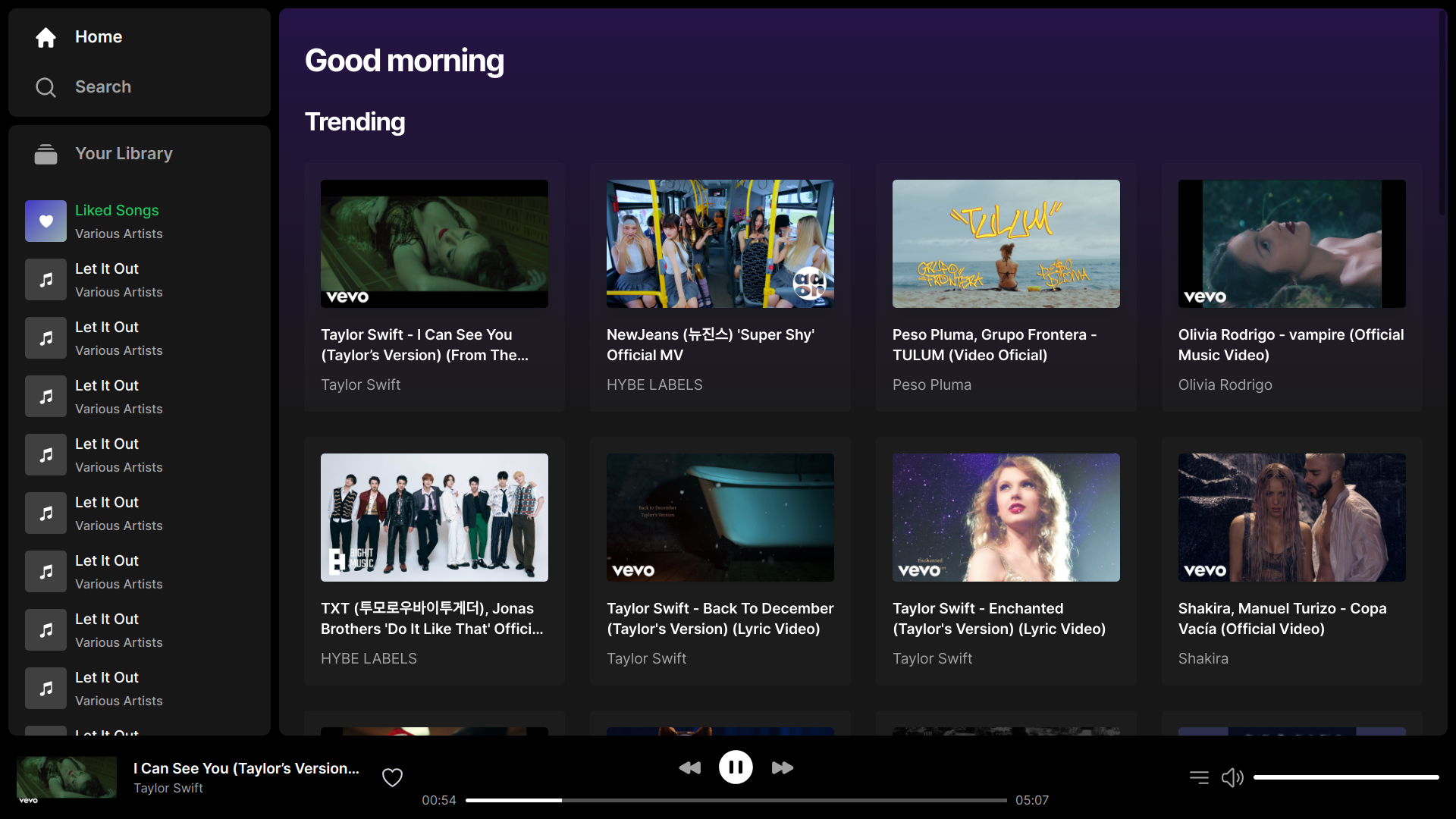
Muer is a modern, open-source music player for you and your friends.
Features:
- Beautiful UI/UX
- Music from Youtube
- Self-hosted
- Default fallback to Youtube embedded player
Muer is based on Invidious.
Development
Run following commands to start coding & contributing to Muer
git clone https://github.com/muer-org/muer # Clone the repo
cd muer
npm install # Install dependencies
cp .env.sample .env # Create the .env file
npm run dev # Start the development server
Hosting
By hosting Muer on various platforms, you help ensure the future of this project. While we use Netlify by default due to its simplicity and speed, we highly encourage individuals to explore and document their experiences with running Muer on alternative platforms.
Host on Netlify
Clicking this button will start the setup for a new project and deployment.

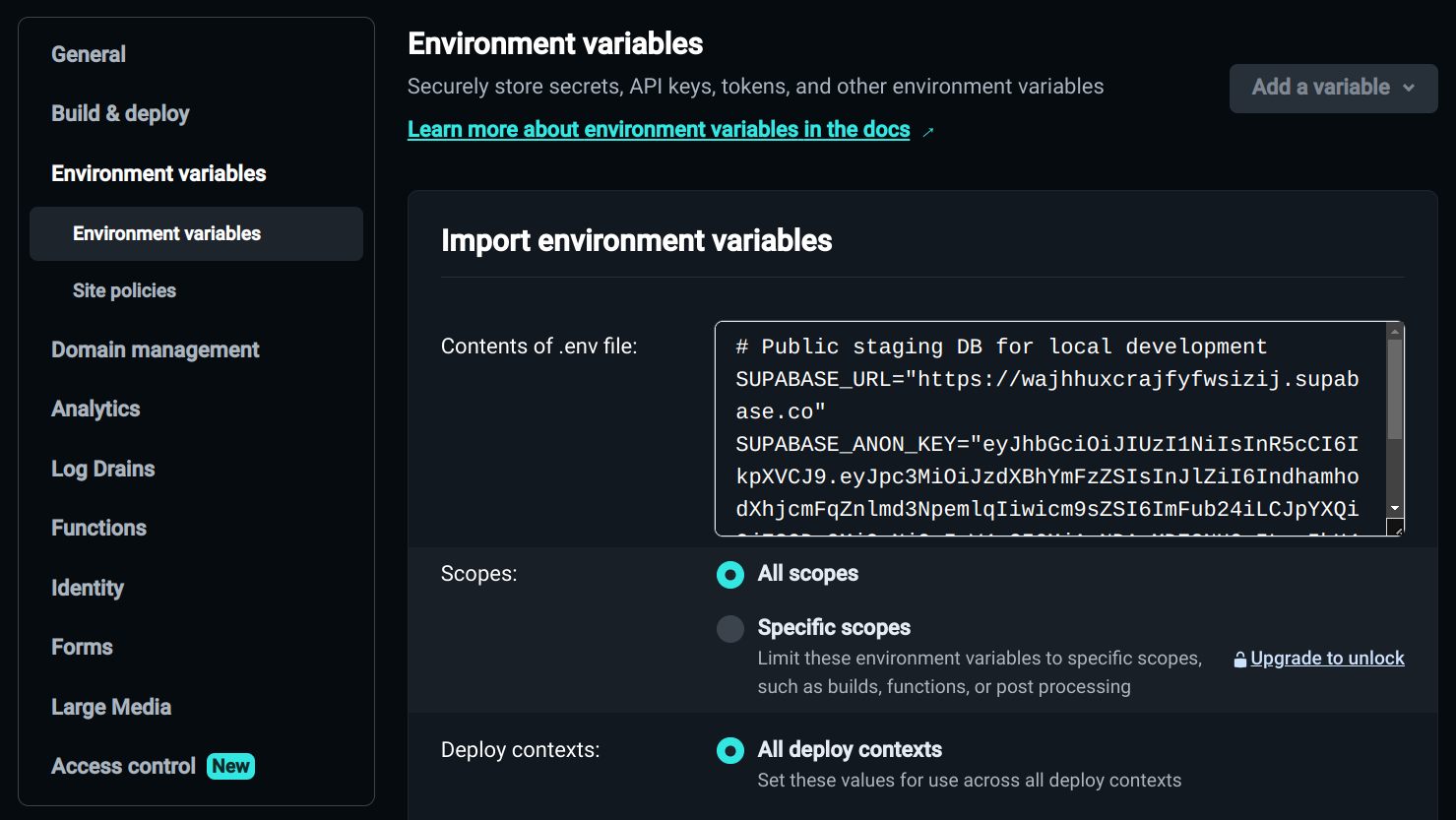
Copy environment variables from the .env.sample file like so
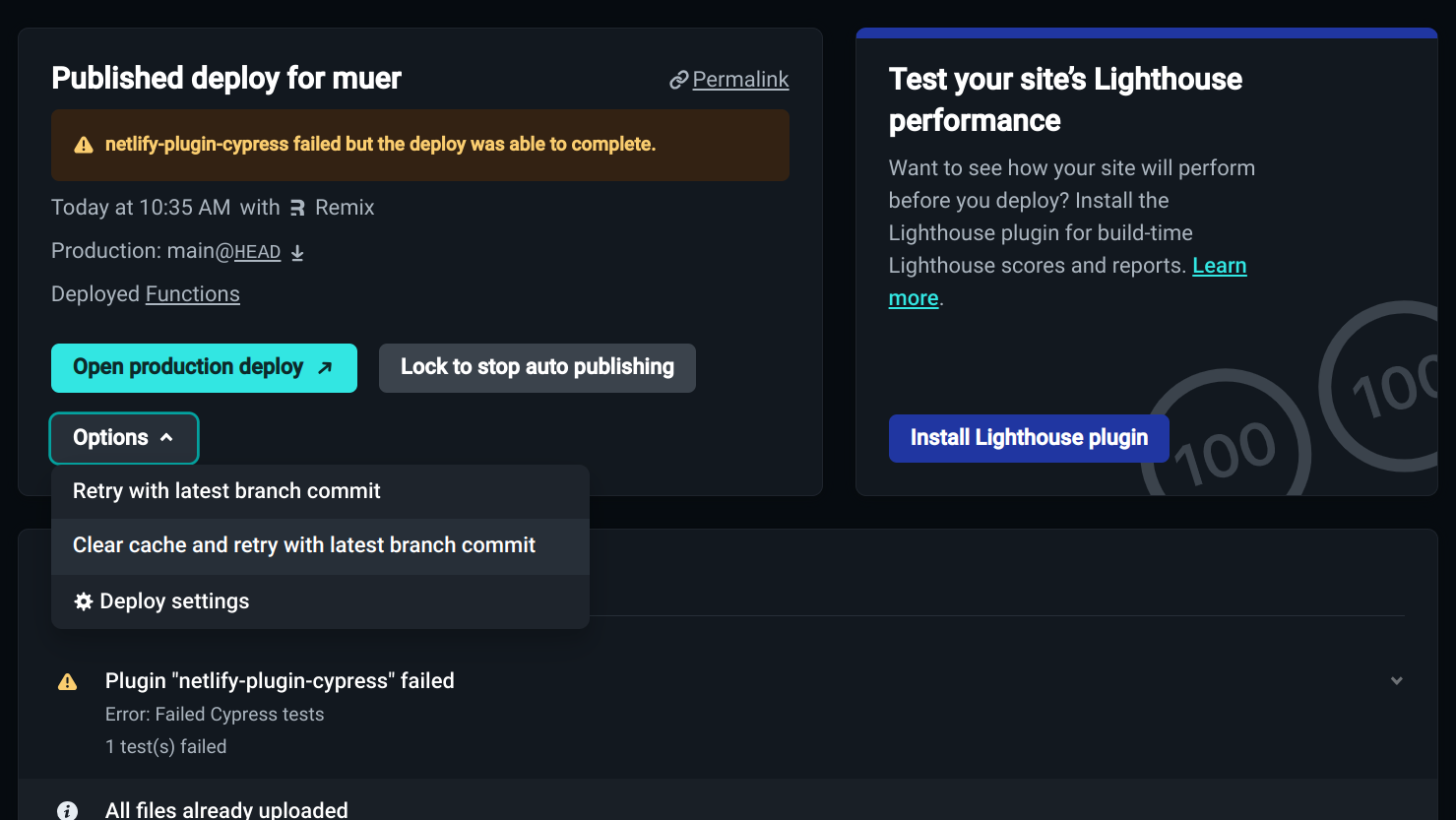
You may need to deploy again
Self-hosting
Guide to start production server on your own machine.
Method 1: Clone & Run
git clone https://github.com/muer-org/muer # Clone the repo
cd muer
npm install # Install dependencies
cp .env.sample .env # Create the .env file
cp remix.config.selfhost.js remix.config.js # Use the self-hosting config
npm run build
npm run selfhost
Method 2: Docker
docker run -p 3000:3000 muerorg/muer
Host on other platforms
You can read these guides to start experimenting with other platforms:
Download Statistics
Total Downloads Over Time
Related apps
Explore more like this
Explore allDetails
muerorg/muerRuntime arguments
- Web UI
http://[IP]:[PORT:3000]- Network
bridge- Shell
sh- Privileged
- false
Template configuration
- Target
- 3000
- Value
- 3000