

Minifold
Docker app from a-mayur's Repository
Overview
Readme
View on GitHubMinifold
A lightweight self-hosted file compressor. Drag and drop files, pick a level, download smaller files.
- Private: everything runs on your server. No telemetry, no external requests (enforced in the browser by a strict Content-Security-Policy).
- Light: one small Rust binary with the UI built in.
- Tidy: originals are deleted as soon as their job finishes or fails, compressed files after a retention time you choose, and leftovers are wiped on every start.
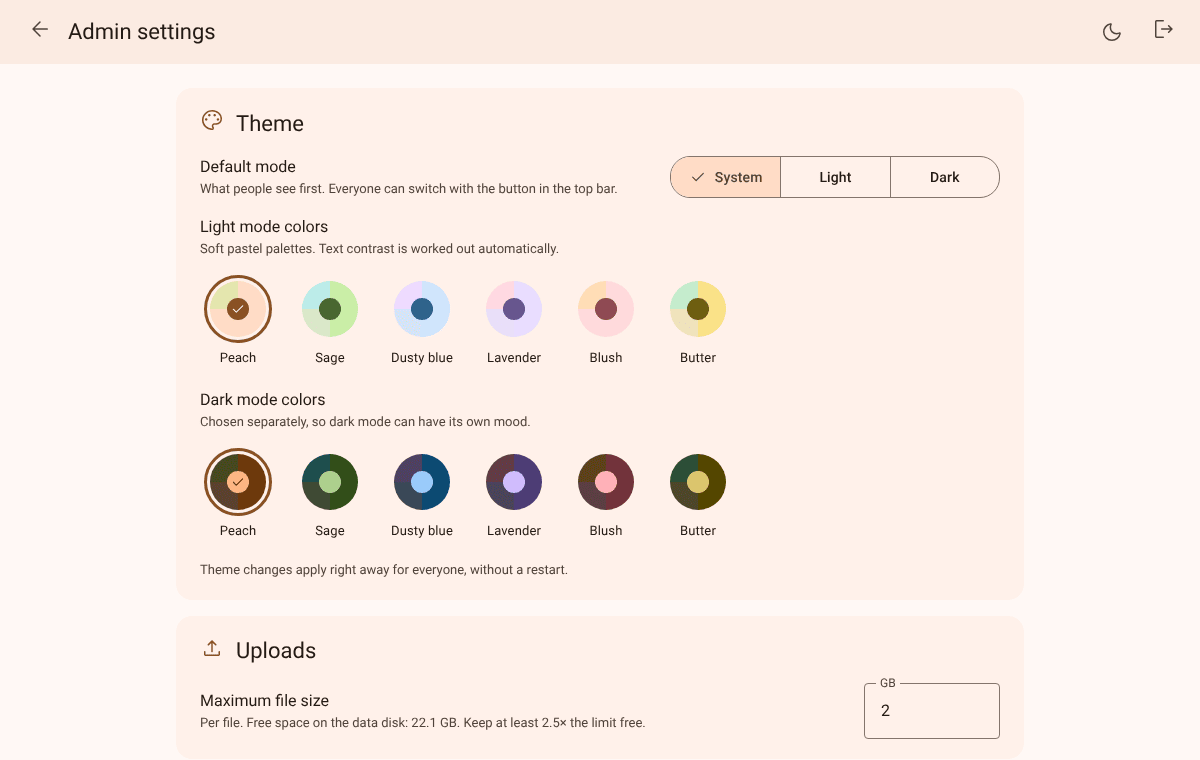
- Yours to style: a Material 3 interface with light and dark mode and six pastel color palettes, chosen on the admin page.
| Light mode | Dark mode |
|---|---|
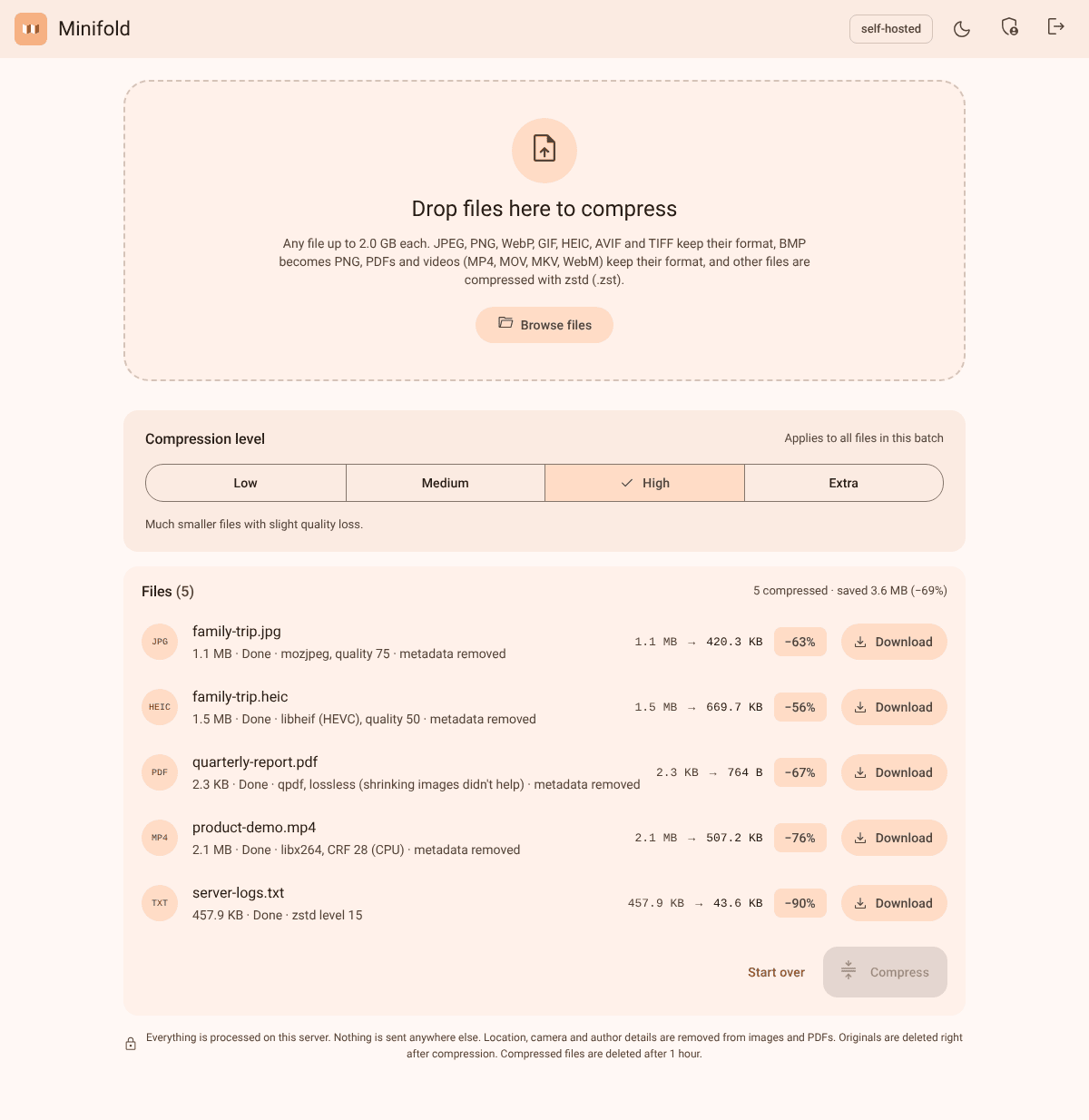 |
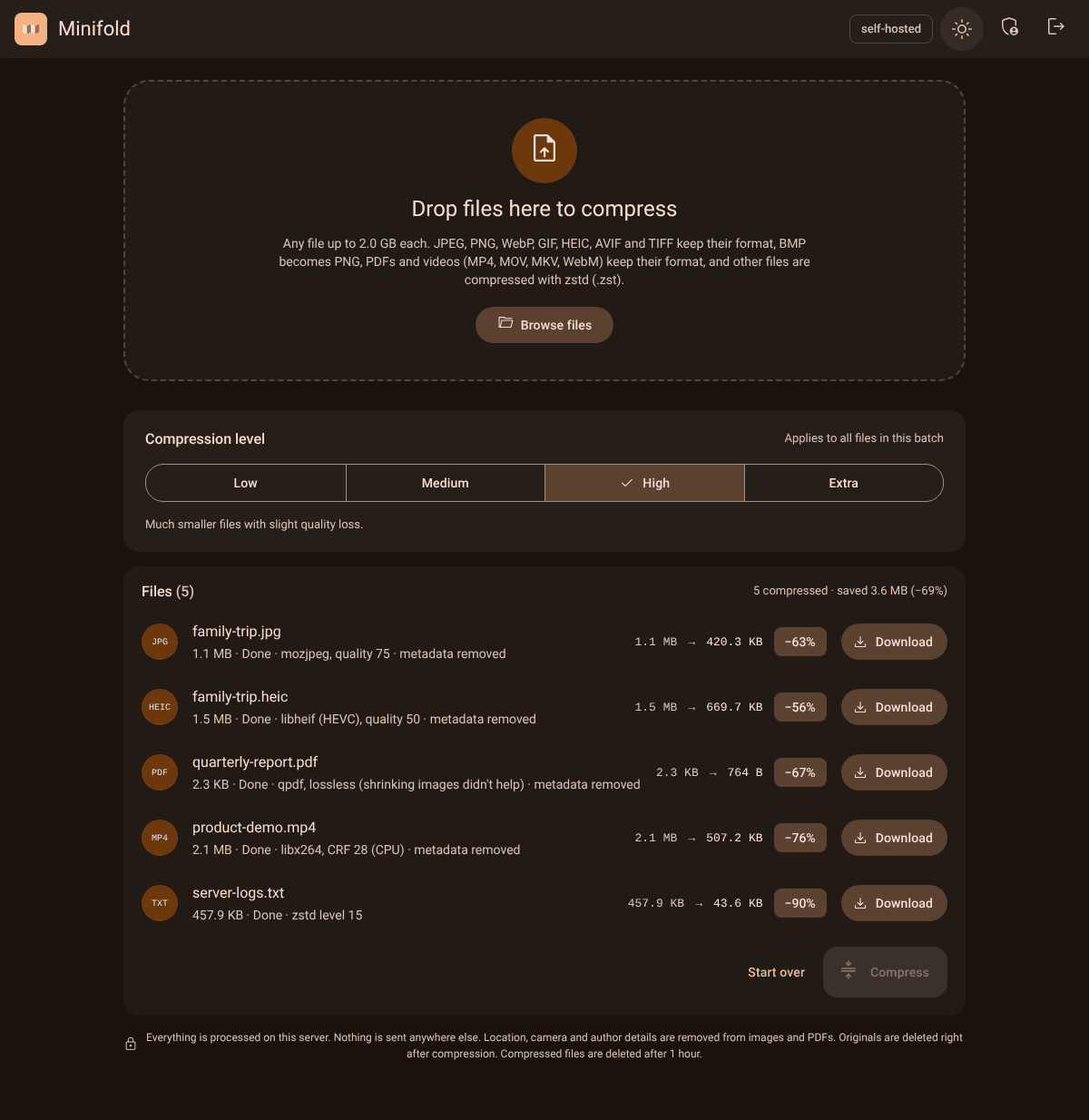 |
Status: Images (JPEG, PNG, WebP, GIF, HEIC, AVIF, TIFF; BMP becomes PNG), PDFs and videos (MP4, MOV, MKV, WebM) are compressed in their own format, with metadata (GPS, camera details, PDF author) removed by default. Other files are compressed with zstd and downloaded as
.zst.
Run with Docker
Images for amd64 and arm64 are published to GitHub Container Registry by CI for every release: ghcr.io/a-mayur/minifold:latest, or a version such as :0.2.0 / :0.2. To build it yourself instead:
echo "MINIFOLD_AUTH_TOKEN=$(openssl rand -hex 24)" > .env
echo "MINIFOLD_ADMIN_TOKEN=$(openssl rand -hex 24)" >> .env
docker compose up -d --build
Open http://<server>:8080 and sign in with MINIFOLD_AUTH_TOKEN. The admin page is at http://<server>:8080/admin (sign in with MINIFOLD_ADMIN_TOKEN).
The container needs the restart policy unless-stopped (set in docker-compose.yml): the admin page's Restart now button makes Minifold exit cleanly and relies on Docker to start it again. On Unraid, add --restart unless-stopped to the container's Extra Parameters.
On Unraid, if /config and /data are appdata folders owned by nobody:users, also add --user 99:100.
Unraid without a registry
Each GitHub Release has the image as a file. Copy minifold-<version>-amd64.tar.gz to the server and check it against SHA256SUMS:
sha256sum -c SHA256SUMS --ignore-missing
docker load -i minifold-<version>-amd64.tar.gz
Then add the container from the template below. It uses ghcr.io/a-mayur/minifold:latest; set the template's Repository to ghcr.io/a-mayur/minifold:<version> to match the loaded image.
Unraid template
unraid/minifold.xml sets everything up: port, the two appdata folders, both tokens (masked, optional) and --restart=unless-stopped --user=99:100. For GPU video encoding, add --device=/dev/dri --group-add=<GID> to Extra Parameters (see Hardware video encoding). Copy it to /boot/config/plugins/dockerMan/templates-user/ on the server, then in the Docker tab choose Add Container and pick Minifold from the template list.
Configuration
| Variable | Required | Default | Meaning |
|---|---|---|---|
MINIFOLD_AUTH_TOKEN |
no | generated | Shared access token for users, 16+ visible ASCII characters, no ; or , |
MINIFOLD_ADMIN_TOKEN |
no | generated | Admin token, same rules, must differ from the user token |
If a token isn't set, Minifold generates a random one on first start, prints it once in the container log (docker logs minifold) and saves it in /config/tokens.toml (readable only by the container user). Later starts reuse it. A token set in the environment always wins; delete tokens.toml and restart to generate new ones.
| MINIFOLD_DATA_DIR | no | /data | Where uploads and outputs are stored while jobs run |
| MINIFOLD_CONFIG_DIR | no | /config | Where settings.toml lives |
| MINIFOLD_BIND | no | 0.0.0.0:8080 | Listen address |
Admin settings (settings.toml)
Edit them on the admin page or in /config/settings.toml, then restart. The file is created with these defaults on first start. Settings added by an upgrade are written into an existing file with their default (and logged). An unknown key or out-of-range value stops startup with a message pointing at it.
| Key | Default | Range | Meaning |
|---|---|---|---|
max_upload_gb |
2 |
1–1024 | Largest file per upload |
workers |
2 |
1–64 | Files compressed at the same time; others wait in the queue |
delete_originals_after_job |
true |
Delete the upload as soon as its job finishes or fails | |
original_retention_minutes |
60 |
1–10080 | Used when the above is false |
output_retention_minutes |
60 |
1–10080 | How long a compressed file is kept after its job finished |
delete_after_download |
false |
Delete a compressed file once it has been fully downloaded (an aborted download keeps it) | |
strip_metadata |
true |
Remove EXIF/GPS, XMP, comments and text chunks from images, author/XMP from PDFs, and location/dates/titles from videos. Image color profile and orientation, and track languages, are always kept | |
hw_accel |
"off" |
off, nvenc, qsv, vaapi |
Hardware video encoder; only accelerators detected at startup can be chosen |
theme_mode |
"system" |
system, light, dark |
What visitors see first (system follows their device). Each visitor can switch with the button in the top bar; their choice is remembered in their browser |
theme_light |
"peach" |
peach, sage, dusty, lavender, blush, butter |
Color palette in light mode |
theme_dark |
"peach" |
same | Color palette in dark mode |
Theme settings apply immediately, for everyone, without a restart. The palettes are Material 3 color schemes generated from pastel seed colors with Google's material-color-utilities (tools/gen-palettes.mjs → web/palettes.json), so text contrast stays readable in every combination.
Retention cleanup runs every minute, so a file lives at most its retention time plus one minute. It also deletes stray files that belong to no job (for example, a stalled upload).
The server refuses to start, with a clear message, if a token is missing or invalid, settings.toml is invalid, a folder isn't writable, or free disk space is under 2.5x the max file size. The admin page refuses to save a max file size the disk can't support, so a saved setting can't lock you out.
What each level does
| Type | Engine | Low | Medium | High | Extra |
|---|---|---|---|---|---|
| JPEG (RGB, gray, CMYK) | mozjpeg | quality 90 | 85 | 75 | 60 |
| PNG | oxipng (lossless) | preset 2 | 3 | 4 + pngquant 65–85 | 6 + pngquant 40–70 |
| WebP | libwebp | quality 90 | 80 | 70 | 50 |
| Animated WebP | libvips (libwebp) | quality 90 | 80 | 70 | 50 |
| Lossless WebP (still or animated) | libwebp, stays lossless | lossless | lossless | lossless | lossless |
| GIF (incl. animated) | gifsicle | lossless -O2 |
lossless -O3 |
--lossy=30 |
--lossy=80 |
| HEIC | libvips + libheif (x265) | quality 80 | 65 | 50 | 35 |
| AVIF | libvips + libheif (libaom) | quality 80 | 65 | 50 | 35 |
| TIFF (incl. multi-page, 16-bit) | libvips, lossless | LZW | Deflate 6 | Deflate 9 | Deflate 9 |
| BMP → PNG | image-rs, then the PNG engine | ||||
| qpdf, + Ghostscript from Medium | lossless | images ≤ 300 dpi | ≤ 150 dpi | ≤ 72 dpi | |
| Video, H.264 (MP4/MOV/MKV) | FFmpeg libx264 | CRF 20 | 23 | 28 | 32, max 720p |
| Video, HEVC or HDR | FFmpeg libx265 (10-bit kept) | CRF 22 | 26 | 30 | 34, max 720p |
| Video, WebM | FFmpeg libvpx-vp9 | CRF 31 | 35 | 40 | 45, max 720p |
| Anything else | zstd → .zst |
level 3 | 9 | 15 | 19 |
- Files keep their format. If nothing makes a file smaller, the original is returned unchanged (
NO_GAIN). - With metadata stripping on, JPEG and WebP also get a lossless "metadata removed" copy; the smaller of that and the re-encode wins. So a file that can't be compressed further still never comes back with its GPS data.
- At High/Extra, PNG keeps whichever is smaller: pngquant + oxipng, or lossless oxipng. pngquant is skipped for animated PNGs, PNGs with a color profile (Debian's pngquant can't convert profiles, so colors would shift) and, when metadata is kept, PNGs whose metadata pngquant would drop.
- BMP has no useful compression of its own, so it's converted to PNG (lossless); the download is named
.png. This is the only format change. - TIFF stays lossless at every level (it's usually an archival or print format). When stripping metadata, a rotated single-page TIFF is turned upright first, so it still displays correctly.
- HEIC/AVIF rotation is applied when decoding and the file is saved upright. Depth maps, HDR gain maps and thumbnails inside HEIC aren't carried over.
- CMYK JPEGs are re-encoded only when they carry Adobe's color marker (almost all do). Otherwise only metadata is removed, because re-encoding could invert the colors.
- Damaged files are rejected with
CORRUPT_INPUTinstead of being turned into a broken image. - PDF: qpdf always runs (lossless: object streams, recompressed streams). From Medium, Ghostscript also shrinks images (
/printer,/ebook,/screenpresets) and the smaller result wins; the page count is checked afterwards. Bookmarks and links are kept. - PDFs with fillable forms, accessibility tags or password protection only get the lossless pass at every level, because Ghostscript would remove those (the note says which). Digitally signed PDFs are returned unchanged, since any change breaks the signature. PDFs that need a password to open are rejected (
PASSWORD_PROTECTED). Ghostscript runs for at most an hour per file (TIMEOUT). - With metadata kept, a PDF that went through Ghostscript keeps its author, title and XMP, but gets a new producer and dates.
- Video keeps its container. H.264 is used unless the source is HEVC or HDR (HLG/PQ), which stays HEVC 10-bit so HDR isn't washed out. All video, audio and subtitle tracks are kept (MKV font attachments too); cover art and data tracks (e.g. GoPro GPS telemetry) are dropped. AAC/Opus/Vorbis audio is copied; other audio is encoded (AAC, or Opus for WebM). Rotated phone videos are saved upright.
- Stripping video metadata removes location, dates, device and titles but keeps each track's language. If re-encoding wouldn't make a video smaller, its streams are copied into a new file without the metadata (instead of returning the original with its GPS location).
- A video that comes out more than 2% shorter than its source (damaged frames) is rejected (
CORRUPT_INPUT). FFmpeg runs for at most 6 hours per file. The file list shows encoding progress. - Not supported yet: AVI, FLV, WMV, MPEG-PS and other legacy containers.
Hardware video encoding
At startup Minifold looks for an NVIDIA GPU (/dev/nvidia0) and Intel/AMD GPUs (/dev/dri/renderD*), and runs a one-second test encode with each candidate (NVENC, Quick Sync, VA-API). Only accelerators that pass appear on the admin page; the default is Off. Hardware encoders are much faster but usually make larger files than the CPU at the same level, and they're used for H.264/HEVC only (WebM always uses the CPU).
- If the selected accelerator isn't found at the next start, the admin page shows a warning and video jobs fail with
HW_UNAVAILABLEuntil another option is chosen. A failed hardware encode fails the job (HW_ENCODE_FAILED); it never silently switches to the CPU. - Intel/AMD on Unraid: add
--device=/dev/dri --group-add=<GID of /dev/dri/renderD128>(find it withstat -c %g /dev/dri/renderD128) to Extra Parameters. Some older Intel GPUs need Debian's non-freeintel-media-va-driver-non-freeto encode; without it the accelerator simply isn't offered. - NVIDIA on Unraid: install the Nvidia Driver plugin, then add
--runtime=nvidiaand the variablesNVIDIA_VISIBLE_DEVICES=allandNVIDIA_DRIVER_CAPABILITIES=compute,video,utility. - Not supported yet (clear error): animated AVIF, HEIC/AVIF files with several images, ICO, JPEG XL, camera RAW, PSD.
- Images are decoded in memory, so they are limited to 512 MB and 150 megapixels (
IMAGE_TOO_LARGE). - PNG
eXIforientation isn't carried over when stripping (rarely used; JPEG and WebP orientation is kept).
API
Authenticate with Authorization: Bearer <token> (or the session cookie set by POST /api/login). Admin endpoints take the admin token instead.
| Method | Path | |
|---|---|---|
POST |
/api/login |
{"token": "..."} sets the session cookie |
POST |
/api/logout |
clears it |
GET |
/api/config |
max file size and retention policy, for display |
POST |
/api/jobs?name=<file name>&level=<low|medium|high|extra> |
raw file as the body; returns the job (202) |
GET |
/api/jobs/{id} |
job state: queued, running, done, failed |
GET |
/api/jobs/{id}/download |
the result |
GET |
/healthz |
ok |
POST |
/api/admin/login |
{"token": "..."} sets the admin session cookie |
POST |
/api/admin/logout |
clears it |
GET |
/api/admin/settings |
saved and active settings, whether a restart is required, system info |
PUT |
/api/admin/settings |
save settings (all keys); applied after a restart |
POST |
/api/admin/restart |
exit cleanly so Docker restarts the container |
curl -H "Authorization: Bearer $TOKEN" --data-binary @server.log \
  "http://localhost:8080/api/jobs?name=server.log&level=high"
Errors are JSON: {"code": "FILE_TOO_LARGE", "message": "This file is 2.8 GB and the limit on this server is 2.0 GB."}
| Code | HTTP | When |
|---|---|---|
UNAUTHORIZED |
401 | Missing or wrong token |
INVALID_REQUEST |
400 | Malformed request body |
MISSING_FILENAME |
400 | No file name, or an invalid one |
INVALID_LEVEL |
400 | Level isn't low/medium/high/extra |
INVALID_SETTING |
400 | An admin setting is missing, unknown or out of range |
EMPTY_FILE |
400 | Zero-byte upload |
CORRUPT_INPUT |
422 | The image or PDF is damaged or incomplete |
PASSWORD_PROTECTED |
422 | The PDF needs a password to open |
TIMEOUT |
504 | Processing took longer than allowed (Ghostscript: 1 hour, FFmpeg: 6 hours) |
HW_UNAVAILABLE |
503 | The selected hardware encoder wasn't found at startup |
HW_ENCODE_FAILED |
500 | The hardware encoder failed on this video |
IMAGE_TOO_LARGE |
413 | Image over 512 MB or 150 megapixels |
UPLOAD_INTERRUPTED |
400 | Connection dropped during upload |
FILE_TOO_LARGE |
413 | Over the size limit |
UNSUPPORTED_TYPE |
415 | File type not handled yet (the message names it) |
NOT_FOUND |
404 | Unknown job, or deleted by the retention policy |
NOT_READY |
409 | Download requested before the job finished, or after it failed |
DISK_FULL |
507 | Server out of disk space |
ENGINE_FAILED |
500 | The compressor failed |
INTERNAL |
500 | Anything else; details are in the server log |
CI
.github/workflows/pr.yml runs clippy, the unit tests and cargo deny on every pull request to main; it builds and publishes nothing.
.github/workflows/ci.yml runs only when a version tag (v*) is pushed; ordinary pushes don't start it. A tag run does everything in order:
- clippy (warnings are errors) and the unit tests, with all the programs the engines use installed;
cargo deny: every crate linked into the binary must have a license from the allow-list indeny.toml(permissive only), come from crates.io, and have no known security advisory;- builds the image natively on amd64 and arm64 runners and runs
ci/offline-e2e.shagainst each: the container starts on a Docker network with no route outside (checked), and one file of every kind (text, JPEG, PNG, WebP, HEIC, AVIF, TIFF, GIF, PDF, MP4) must compress successfully; - pushes both images and publishes one multi-arch image as
:X.Y.Z,:X.Yand:latest; - creates a GitHub Release with the matching
CHANGELOG.mdsection as its notes (the release fails if that section is missing), and attachesminifold-<version>-amd64.tar.gz(the image, fordocker load), the Unraid template, the icon andSHA256SUMS.
To release: add a ## vX.Y.Z section to CHANGELOG.md, set the same version in Cargo.toml, and run cargo test locally (CI doesn't run on ordinary pushes), then push the tag (git tag -a vX.Y.Z -m "Minifold vX.Y.Z" && git push origin vX.Y.Z).
Free ubuntu-24.04-arm runners are available for public repositories; a private repo needs paid arm64 runners or a different build setup.
Develop
cargo test   # needs nasm (for mozjpeg), pngquant, gifsicle, libvips-tools, the libheif plugins, qpdf, ghostscript and ffmpeg installed
MINIFOLD_AUTH_TOKEN=dev-user-token-12345 MINIFOLD_ADMIN_TOKEN=dev-admin-token-12345 \
  MINIFOLD_DATA_DIR=./data MINIFOLD_CONFIG_DIR=./config MINIFOLD_BIND=127.0.0.1:8080 cargo run
Contributing
Issues and pull requests are welcome, see CONTRIBUTING.md. Report security problems privately, see SECURITY.md.
License
MIT, see LICENSE.
The image contains /usr/share/doc/minifold/THIRD_PARTY_LICENSES.md, generated at build time by cargo about (about.toml, about.hbs), with the full license text of every linked crate and the C libraries they bundle. Licenses of the Debian programs in the image are in /usr/share/doc/<package>/copyright; their source code is available from Debian (apt-get source <package> or https://sources.debian.org).
Linked libraries: mozjpeg (IJG, BSD-3-Clause, zlib), libwebp (BSD-3-Clause), oxipng and libdeflate (MIT), zstd (BSD-3-Clause), axum, tokio, toml and others (MIT/Apache-2.0). Run as separate programs from the Docker image (not linked into Minifold): FFmpeg (GPL-2.0+ build, with x264/x265 GPL-2.0, libvpx BSD-3, Opus BSD-3), qpdf (Apache-2.0), Ghostscript (AGPL-3.0), pngquant (GPL-3.0-or-later), gifsicle (GPL-2.0), libvips (LGPL-2.1) with libheif (LGPL-3.0) and its x265 (GPL-2.0), libde265 (LGPL-3.0), libaom (BSD-2) and dav1d (BSD-2) plugins. H.264 and HEVC (used for video and HEIC) are covered by patents in some countries; VP9, AV1 (AVIF) and Opus are royalty-free.
Related apps
Explore more like this
Explore allDetails
ghcr.io/a-mayur/minifold:latestRuntime arguments
- Web UI
http://[IP]:[PORT:8080]/- Network
bridge- Shell
bash- Privileged
- false
- Extra Params
--restart=unless-stopped --user=99:100
Template configuration
Port for the web interface.
- Target
- 8080
- Default
- 8080
- Value
- 8080
Holds settings.toml (the admin settings).
- Target
- /config
- Default
- /mnt/user/appdata/minifold/config
- Value
- /mnt/user/appdata/minifold/config
Files while they're being compressed. Deleted automatically by the retention settings. Needs free space of at least 2.5x the max file size.
- Target
- /data
- Default
- /mnt/user/appdata/minifold/data
- Value
- /mnt/user/appdata/minifold/data
Password for everyone using Minifold (at least 16 characters). Leave empty and Minifold generates one on first start: it's shown once in the container log and saved in /mnt/user/appdata/minifold/config/tokens.toml.
- Target
- MINIFOLD_AUTH_TOKEN
Password for the admin page (/admin), different from the access token. Leave empty to have one generated, like the access token.
- Target
- MINIFOLD_ADMIN_TOKEN