
All apps · 0 apps

microbin
Docker app from Joshndroid's Repository
Overview
Readme
View on GitHub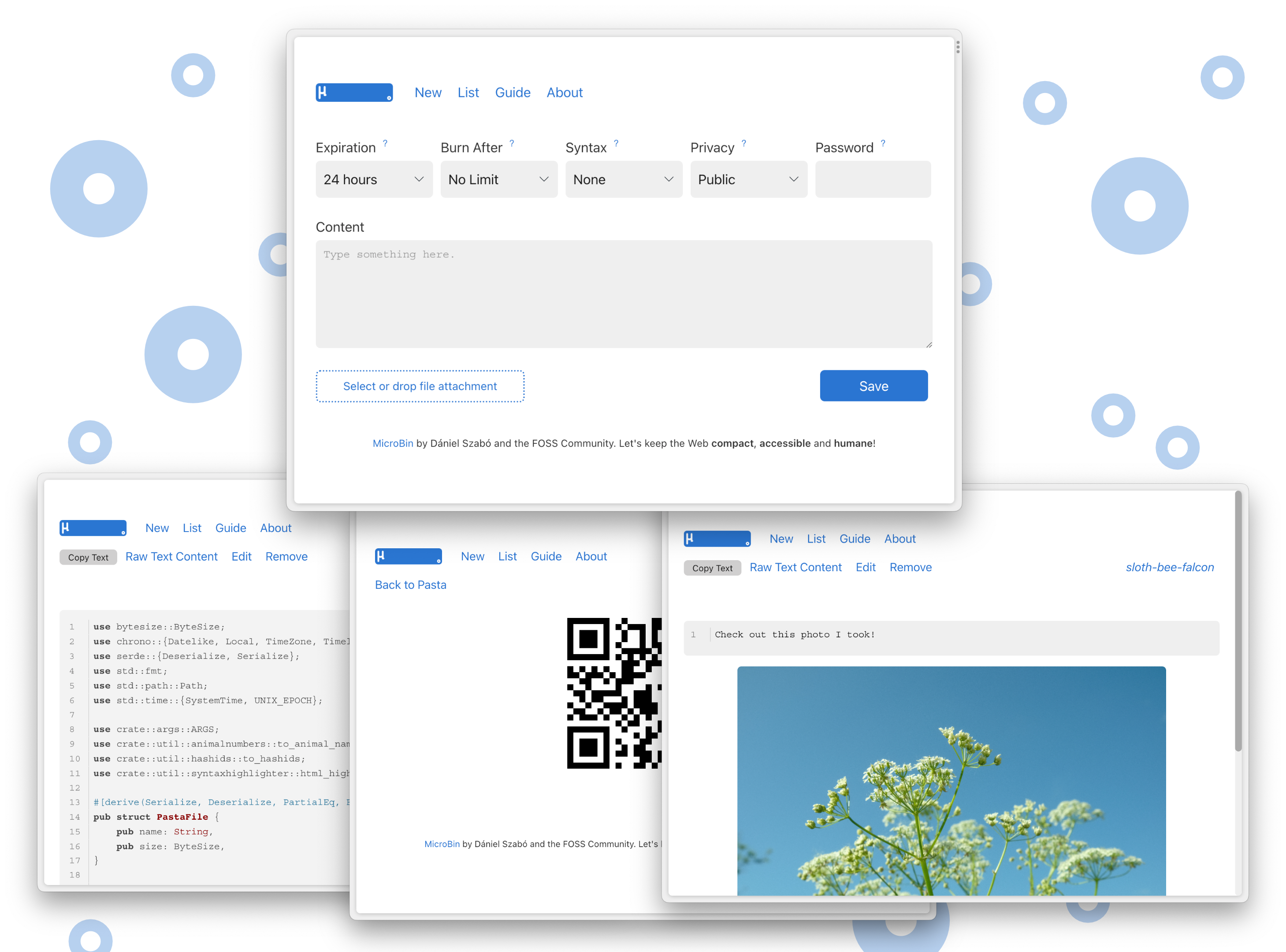
MicroBin




MicroBin is a super tiny, feature-rich, configurable, self-contained and self-hosted paste bin web application. It is very easy to set up and use, and will only require a few megabytes of memory and disk storage. It takes only a couple minutes to set it up, why not give it a try now?
Host MicroBin yourself
Run our quick docker setup script (DockerHub):
bash <(curl -s https://microbin.eu/docker.sh)
Or install it manually from Cargo:
cargo install microbin;
curl -L -O https://raw.githubusercontent.com/szabodanika/microbin/master/.env;
source .env;
microbin
On our website microbin.eu, you will find the following:
Features
- Entirely self-contained executable, MicroBin is a single file!
- Server-side and client-side E2E encryption
- File uploads (e.g.
server.com/file/pig-dog-cat) - Raw text serving (e.g.
server.com/raw/pig-dog-cat) - QR code support
- URL shortening and redirection
- Animal names instead of random numbers for upload identifiers (64 animals)
- Multiple attachments
- SQLite and JSON database support
- Private and public, editable and uneditable, automatically and never expiring uploads
- Automatic dark mode and custom styling support with very little CSS and only vanilla JS (see
water.css) - And much more!
What is an upload?
In MicroBin, an upload can be:
- A text that you want to paste from one machine to another, e.g. some code,
- Files that you want to share, e.g. a video that is too large for Discord, a zip with a code project in it or an image,
- A URL redirection.
When is MicroBin useful?
You can use MicroBin:
- To send long texts to other people,
- To send large files to other people,
- To share secrets or sensitive documents securely,
- As a URL shortener/redirect service,
- To serve content on the web, eg . configuration files for testing, images, or any other file content using the Raw functionality,
- To move files between your desktop and a server you access from the console,
- As a "postbox" service where people can upload their files or texts, but they cannot see or remove what others sent you,
- Or even to take quick notes.
...and many other things, why not get creative?
MicroBin and MicroBin.eu are available under the BSD 3-Clause License.
Categories
Download Statistics
Total Downloads Over Time
Related apps
Explore more like this
Explore allLinks
Details
danielszabo99/microbinRuntime arguments
- Web UI
http://[IP]:[PORT:8080]/- Network
bridge- Shell
sh- Privileged
- false
- Extra Params
--restart=unless-stopped
Template configuration
AppData
- Target
- /app
- Default
- /mnt/user/appdata/microbin/
- Value
- /mnt/user/appdata/microbin/
Port
- Target
- 8080
- Default
- 8080
- Value
- 8080
Add the given public path prefix to all urls. This allows you to host MicroBin behind a reverse proxy on a subpath. You need to set the public path for QR code sharing to work.
- Value
- https://YOURURL/
Enables client-side encryption
- Default
- false
- Value
- false
Enables client-side encryption
- Default
- false
- Value
- false
Enables private pastas
- Default
- true
- Value
- true
Sets the garbage collector time limit. Pastas not accessed for N days are removed even if they are set to never expire. Default value: 90. To turn off GC: 0.
- Default
- 90
- Value
- 90
Sets the default burn after setting on the main screen. Default value: 0. Available expiration options: 1, 10, 100, 1000, 10000, 0 (= no limit)
- Default
- 0
- Value
- 0
Enables generating QR codes for pastas. This feature requires the public path to also be set.
- Default
- false
- Value
- false
Sets the default expiry time setting on the main screen. Default value: 24hour. Available expiration options: 1min, 10min, 1hour, 24hour, 1week, never
- Default
- 24hour
- Value
- 24hour
Disables telemetry if set to true
- Default
- false
- Value
- false