

MetaMagic
Docker app from drxen00's Repository
Overview
Readme
View on GitHub

A Plex library manager with a first-class GUI — the power of Kometa-style library management with granular per-item control and mass operations, no YAML required.




MetaMagic gives you Kometa-grade automation — collections, artwork, overlays — through a fast web UI instead of hand-edited config files. Browse huge libraries as poster grids, fix metadata and artwork per item or in bulk, build collections automatically by franchise or studio, keep artwork in sync with MediUX, and request missing movies and seasons from Radarr/Sonarr. Your Plex token is encrypted at rest and never reaches the browser.
Features
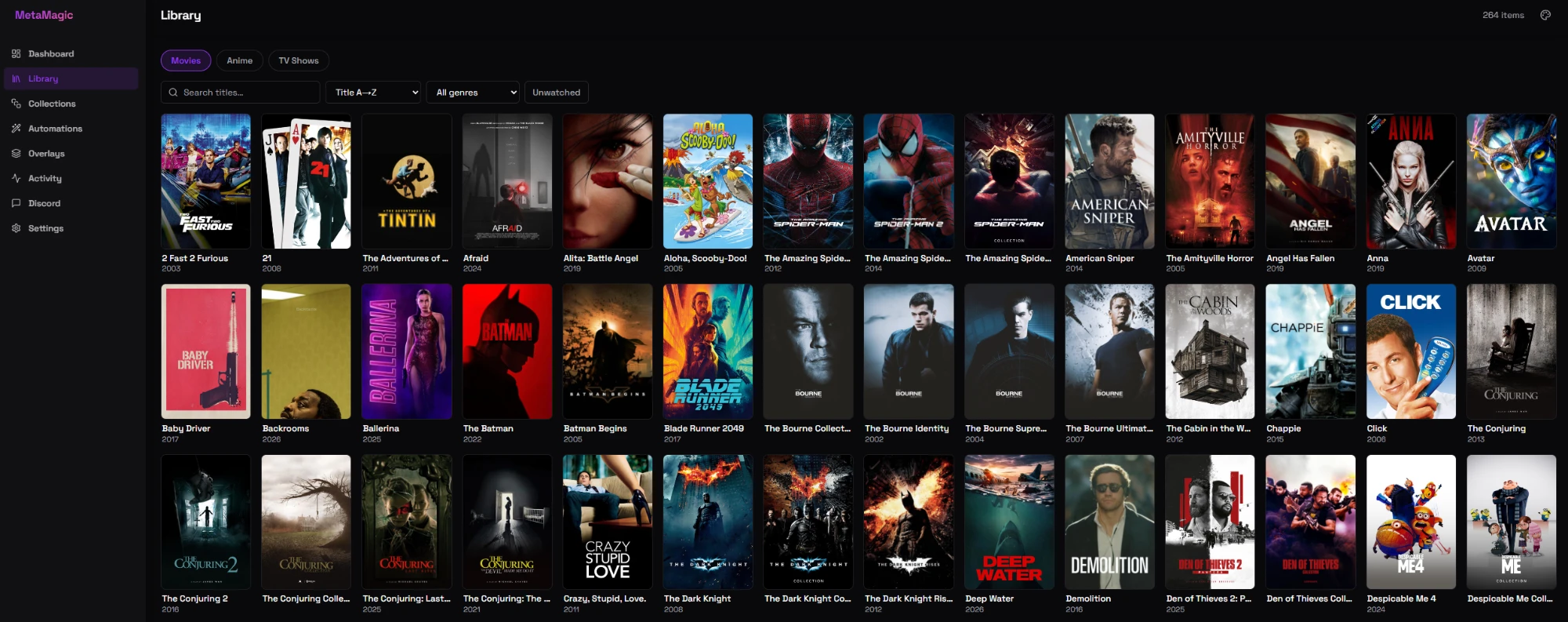
- Library browser — poster grids for huge libraries with search, sort, genre/unwatched filters, and infinite scroll.
- Metadata & artwork editing — edit titles, summaries, labels, and genres; pick posters/backgrounds from TMDb, MediUX, and ThePosterDB, per item or across a multi-select.
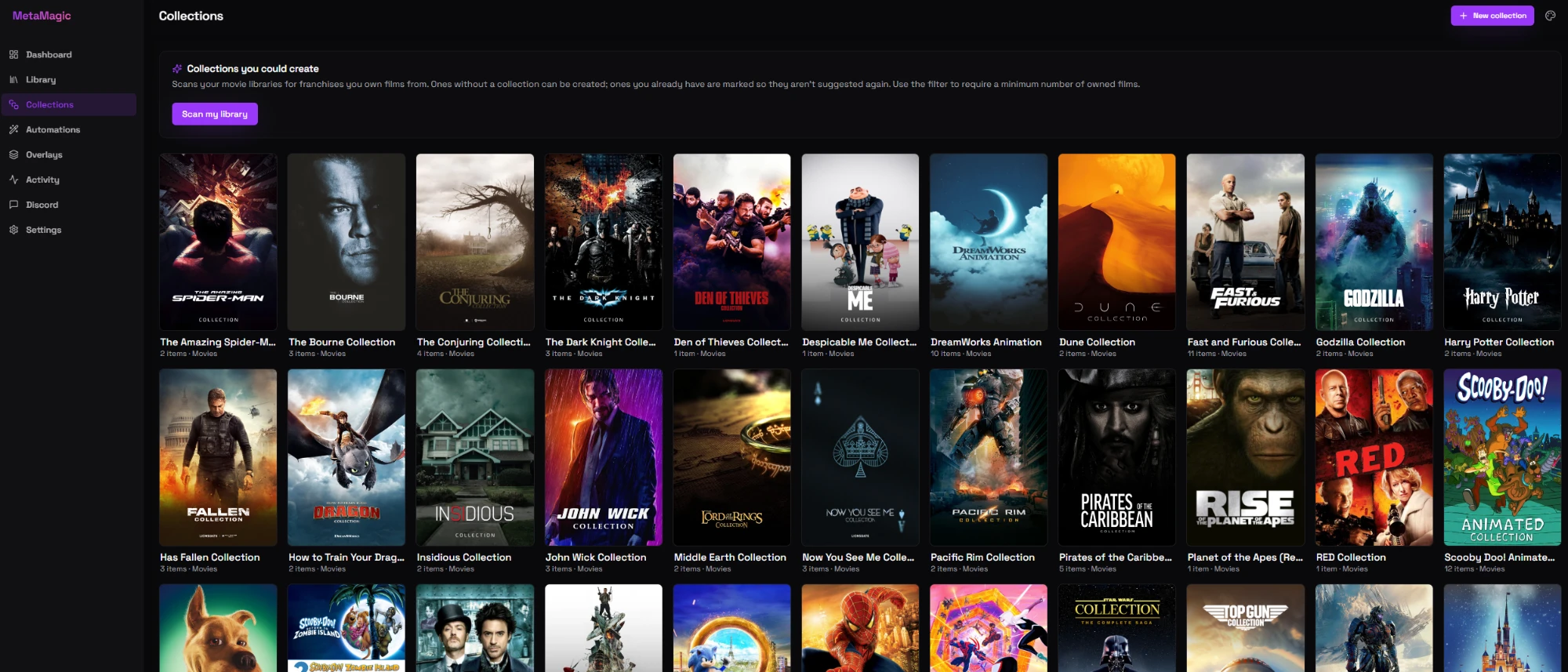
- Collections — create, edit, and delete collections; a "Collections you could create" scan finds franchises you own films from; per-collection completeness against TMDb.
- Automations (no YAML):
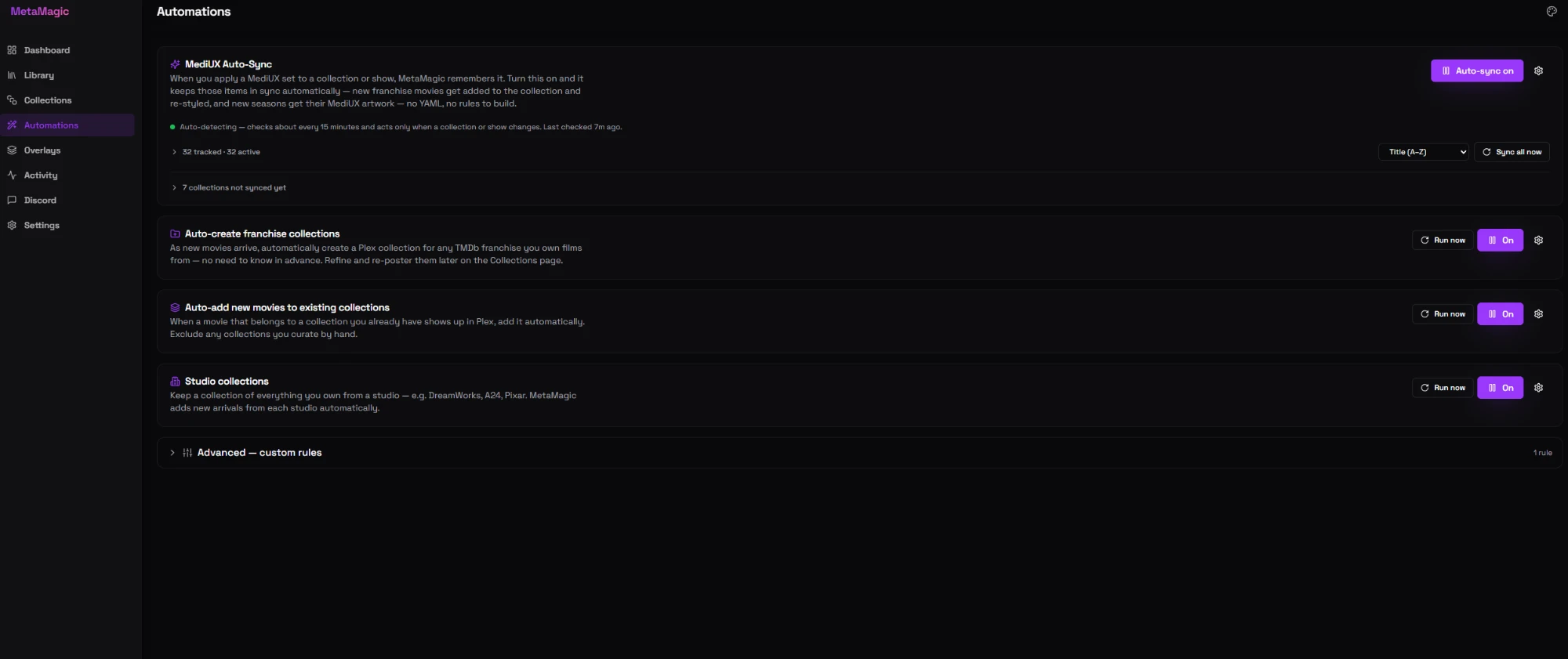
- MediUX Auto-Sync — apply a MediUX set once and MetaMagic keeps that collection/show styled and complete as new content arrives.
- Franchise auto-create — automatically build a collection for any TMDb franchise you own enough films from.
- Auto-add to existing — drop new arrivals into the collections they belong to.
- Studio collections — keep a collection of everything you own from a studio (DreamWorks, A24, Pixar…).
- Auto-request — optionally ask Radarr for missing collection films as new parts appear.
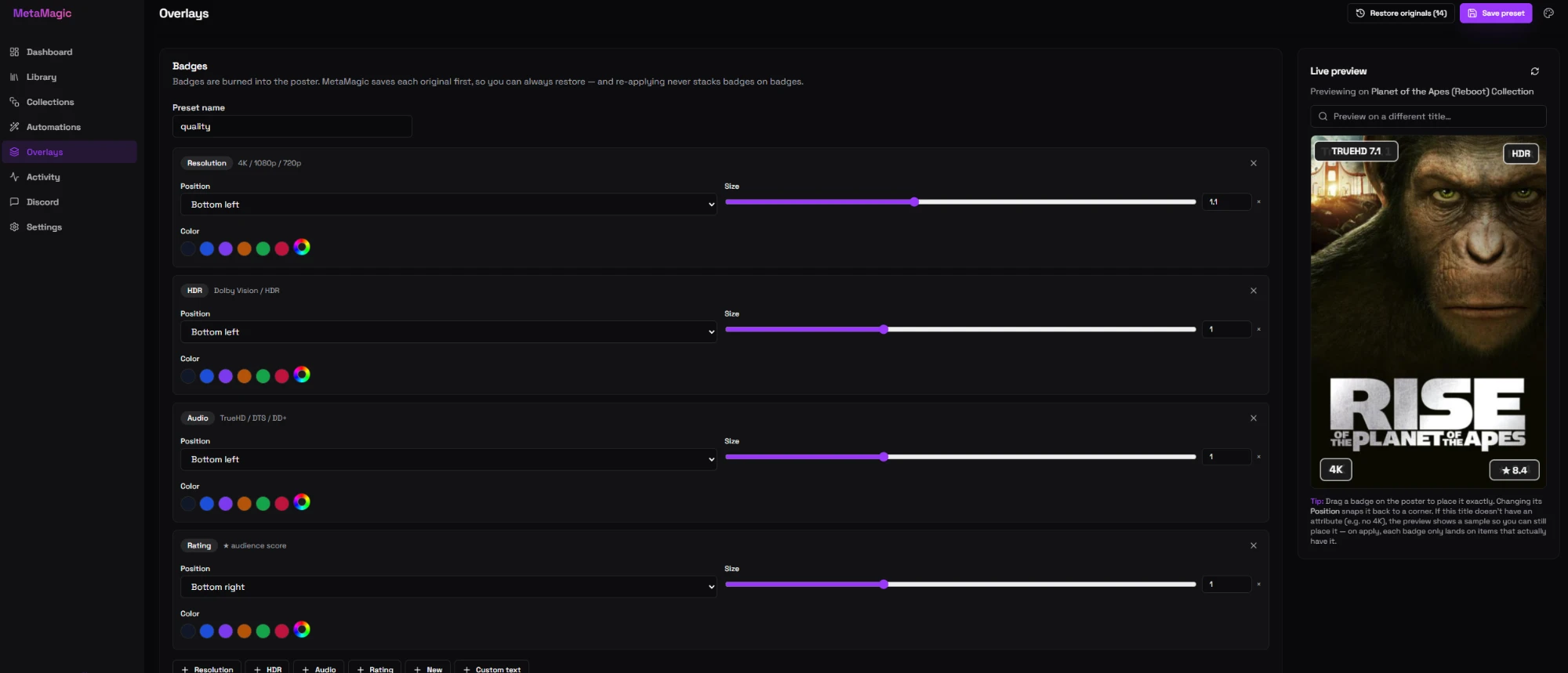
- Overlays — burn badges (resolution, HDR, audio, ratings, custom text) into posters with a live drag-to-place preview; one click restores every original.
- Radarr / Sonarr — request missing collection movies and missing show seasons, with completeness detection and a mandatory heads-up before any search.
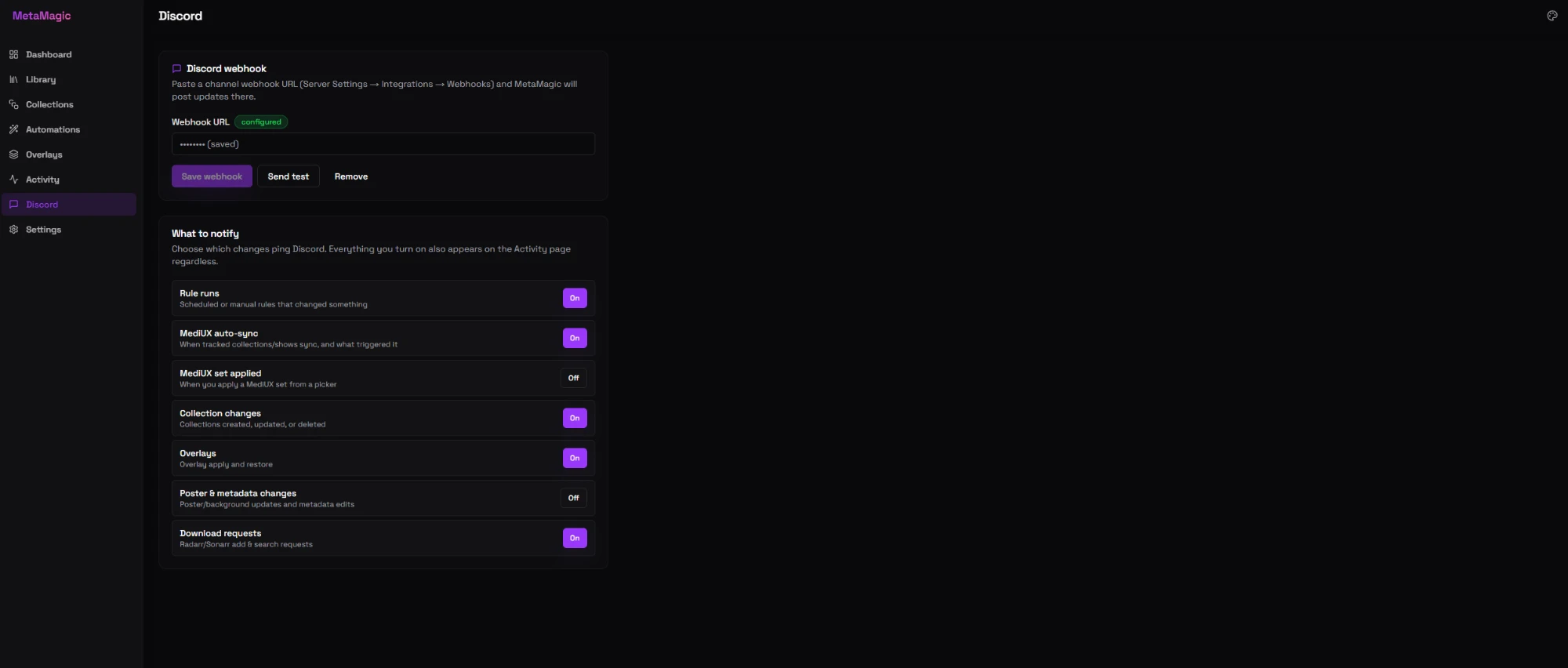
- Discord notifications — granular, per-category, with batched summaries for auto-sync sweeps.
- Instant reactions — a change-watcher notices new content within about a minute, so automations feel immediate.
- Safe by design — your Plex token is encrypted at rest (AES-256-GCM) and never sent to the browser; posters are proxied through the backend.
Screenshots
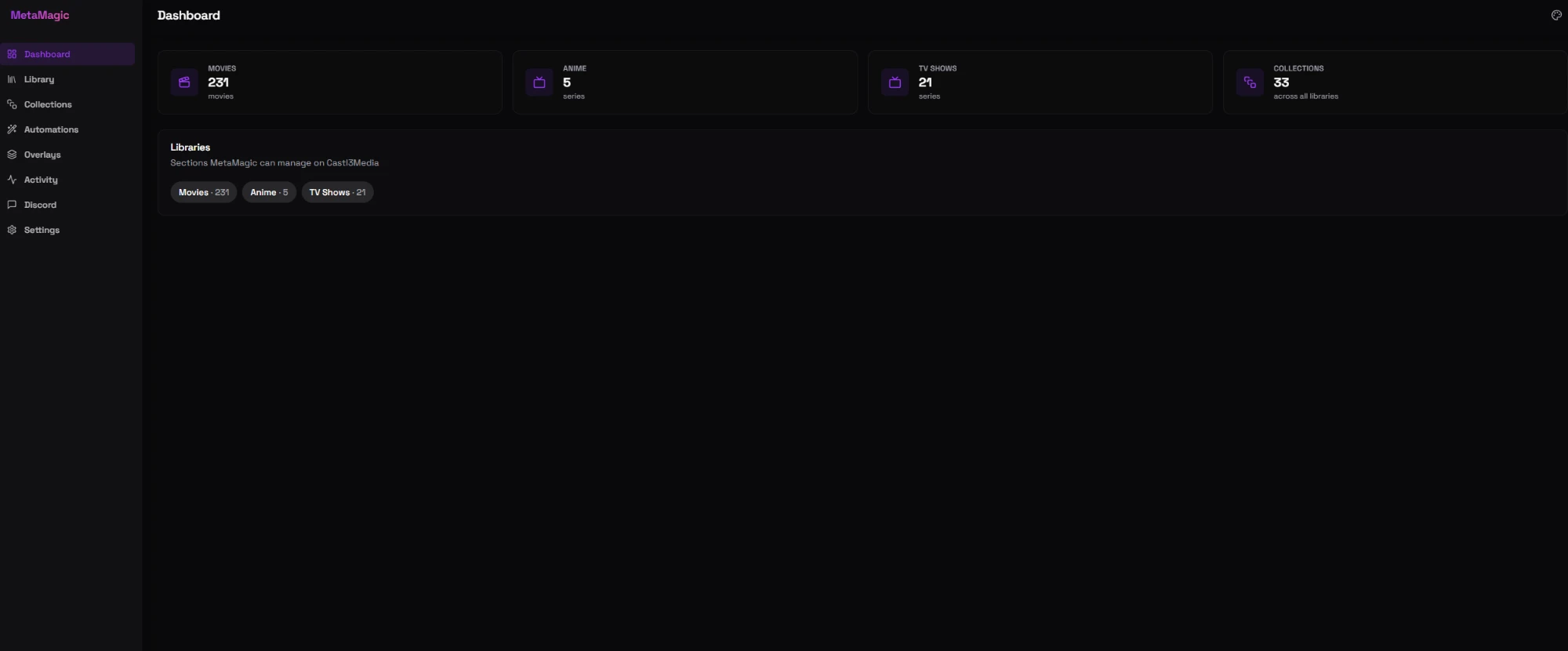
Dashboard
Library — poster grid with search, sort, and filters
Collections — with the “Collections you could create” scanner
Automations — MediUX Auto-Sync, franchise/studio collections, and more
Overlays — design badges with a live, drag-to-place preview
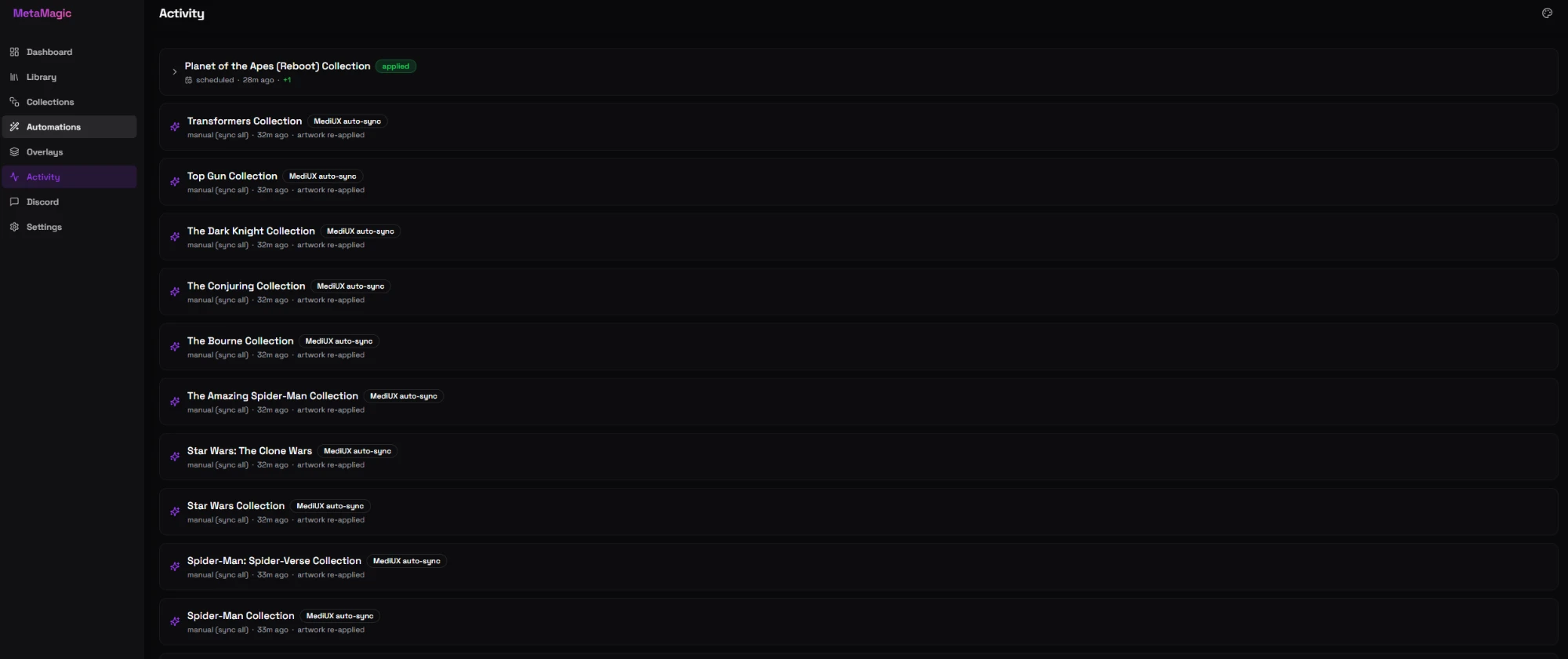
Activity — a timeline of everything MetaMagic has done
Discord — granular, per-category notifications
Install
MetaMagic ships as a single Docker image: ghcr.io/drxen00/metamagic:latest. It serves the web UI on port 3800 and stores everything (its SQLite database and your encrypted Plex credentials) in /config.
Unraid (Community Applications)
- In Unraid, open the Apps tab and search for MetaMagic.
- Click Install, set the Config path (e.g.
/mnt/user/appdata/metamagic) and the WebUI Port (default3800), and apply. - Open the WebUI and follow First-run setup.
Not listed yet? You can add the template manually by pointing a container at
ghcr.io/drxen00/metamagic:latestwith the settings below, or use the template atdocker/unraid-template.xml.
Docker
docker run -d \
  --name metamagic \
  -p 3800:3800 \
  -v /path/to/appdata/metamagic:/config \
  -e PUID=99 \
  -e PGID=100 \
  --restart unless-stopped \
  ghcr.io/drxen00/metamagic:latest
Then open http://<host>:3800.
Docker Compose
services:
  metamagic:
    image: ghcr.io/drxen00/metamagic:latest
    container_name: metamagic
    ports:
      - "3800:3800"
    volumes:
      - ./metamagic-config:/config
    environment:
      - PUID=99
      - PGID=100
    restart: unless-stopped
docker compose up -d
Configuration reference
| Setting | Default | Notes |
|---|---|---|
Port 3800 |
3800 |
The web UI. Map it to any host port you like (-p 8080:3800). |
Volume /config |
— | Required. Holds the database, encryption key, and saved original posters. Back this up. |
PUID / PGID |
99 / 100 |
User/group that owns files in /config (Unraid defaults). |
Everything else (internal API port, config dir) is preset inside the image and doesn't need changing.
First-run setup
- Create your admin account. The first time you open the UI it asks you to set a username and password. This is the only account; there's no public sign-up.
- Connect Plex. Go to Settings → Plex, enter your server URL (e.g.
http://192.168.1.10:32400) and an X-Plex-Token, and Test, then Save. The token is encrypted at rest. - Add a TMDb API key (Settings → Integrations). This powers artwork, collection matching, and the "Collections you could create" scan. A free key from themoviedb.org is all you need.
- (Optional) Radarr / Sonarr (Settings → Integrations) to request missing movies and seasons.
- (Optional) Discord (Discord tab) for notifications — pick exactly which categories you want.
Usage
- Dashboard — connection status and library/collection counts at a glance.
- Library — browse and filter posters; open any item to edit metadata, swap artwork (TMDb / MediUX / ThePosterDB), manage labels and genres, set season posters, or (for shows) request missing seasons in Sonarr. Multi-select posters for bulk actions.
- Collections — create and curate collections; run Scan my library to discover franchises you could turn into collections; see what each collection is missing versus TMDb and add or request those titles.
- Automations — toggle-and-forget automations:
- MediUX Auto-Sync keeps every item you've styled with a MediUX set up to date. Collections without a set yet appear in a "not synced yet" list where you can paste a set to start tracking them.
- Franchise auto-create, Auto-add to existing, and Studio collections, each with a Run now button and a live transcript.
- Overlays — design a badge overlay, preview it live on any title (drag badges to position them), then apply it across a library. Restore originals undoes everything.
- Activity — a timeline of everything MetaMagic has done, with optional Discord fan-out.
How it works
MetaMagic is a small pnpm monorepo:
apps/web— Next.js (App Router, Tailwind) web UI on port3800.apps/api— Fastify API on3801(internal), which talks to Plex, TMDb, MediUX, ThePosterDB, and Radarr/Sonarr, and stores state in SQLite under/config.packages/shared— shared Zod schemas and types.
A scheduler runs periodic automations, and a lightweight change-watcher fingerprints your libraries every minute so reactions feel instant.
Updating
Pull the new image and recreate the container:
docker compose pull && docker compose up -d
# or, plain Docker:
docker pull ghcr.io/drxen00/metamagic:latest && docker rm -f metamagic && <your docker run command>
On Unraid, hit Force update on the container. Your /config volume carries all settings across updates.
Development
pnpm install
pnpm dev
# web: http://localhost:3800  ·  api: http://localhost:3801
The dev server stores its database under config/ at the repo root.
Roadmap
Planned features and Kometa-parity notes live in ROADMAP.md.
Support
MetaMagic is free and built by one person. If it's made your Plex library nicer to live with, you can support development:
Credits
The visual design system (color tokens and theme presets) is ported from arr-dashboard by the arr-dashboard contributors, used under the MIT License. Artwork and set data come from TMDb, MediUX, and ThePosterDB.
License
Categories
Related apps
Explore more like this
Explore allDetails
ghcr.io/drxen00/metamagic:latestRuntime arguments
- Web UI
http://[IP]:[PORT:3800]- Network
bridge- Shell
sh- Privileged
- false
Template configuration
Port for the MetaMagic web interface
- Target
- 3800
- Default
- 3800
- Value
- 3800
Stores the database and encrypted Plex credentials
- Target
- /config
- Default
- /mnt/user/appdata/metamagic
- Value
- /mnt/user/appdata/metamagic
User ID for file permissions
- Default
- 99
- Value
- 99
Group ID for file permissions
- Default
- 100
- Value
- 100