

melodarr
Docker app from slimjimserver's Repository
Overview
Readme
View on GitHub
Melodarr
Melodarr is a self-hosted music discovery and request app for Lidarr. It gives users a friendly place to find artists, explore albums, get personal recommendations, and request new music without needing access to Lidarr itself.
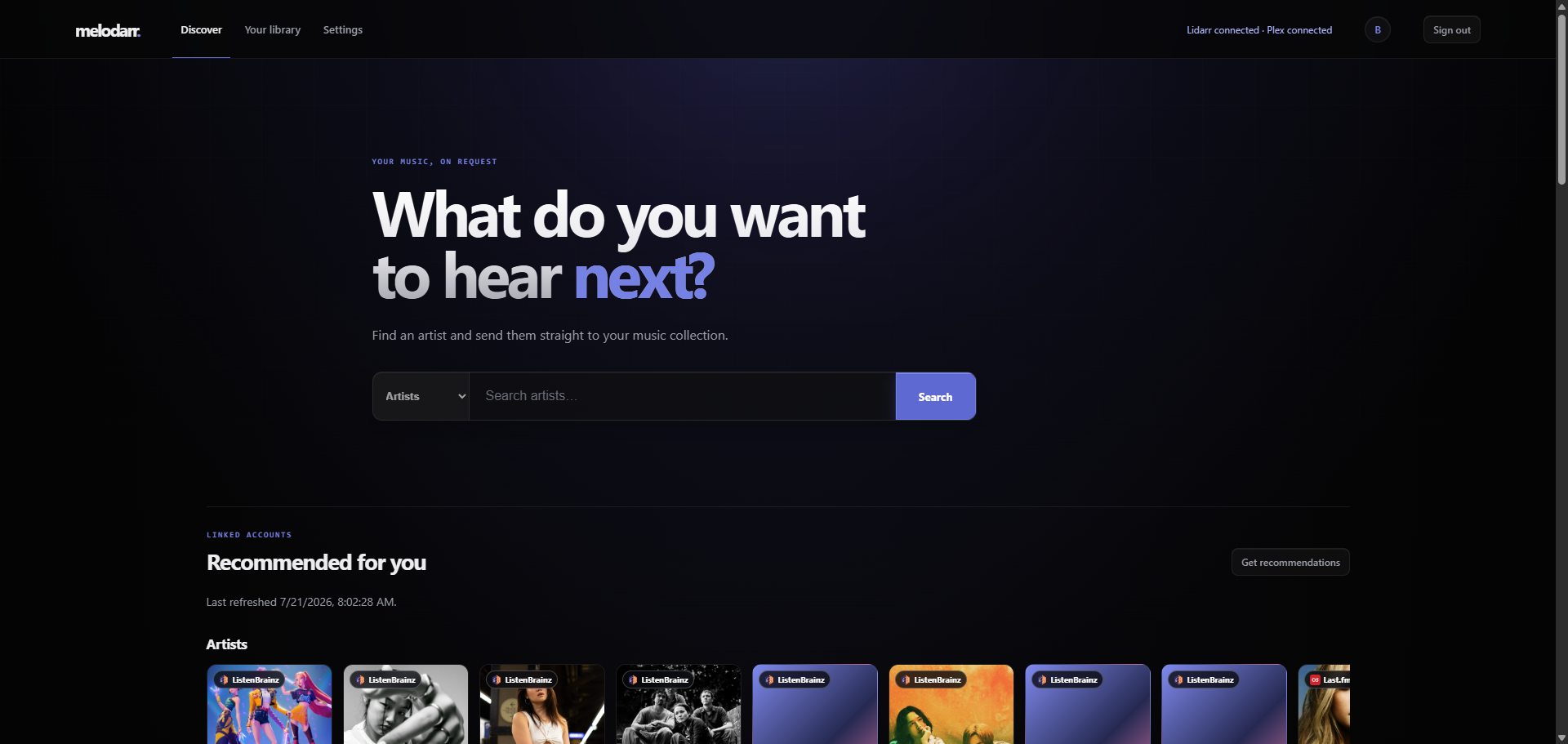
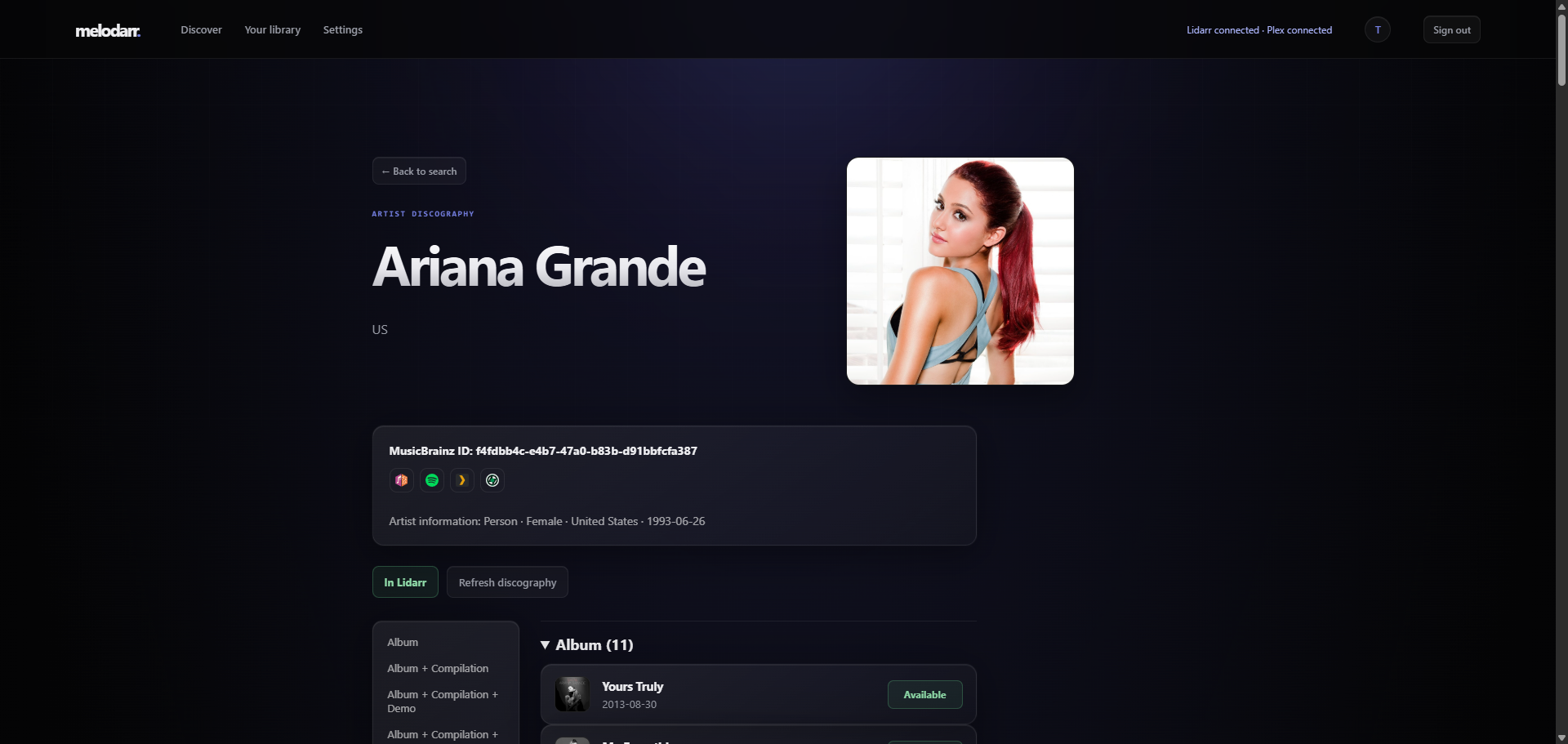
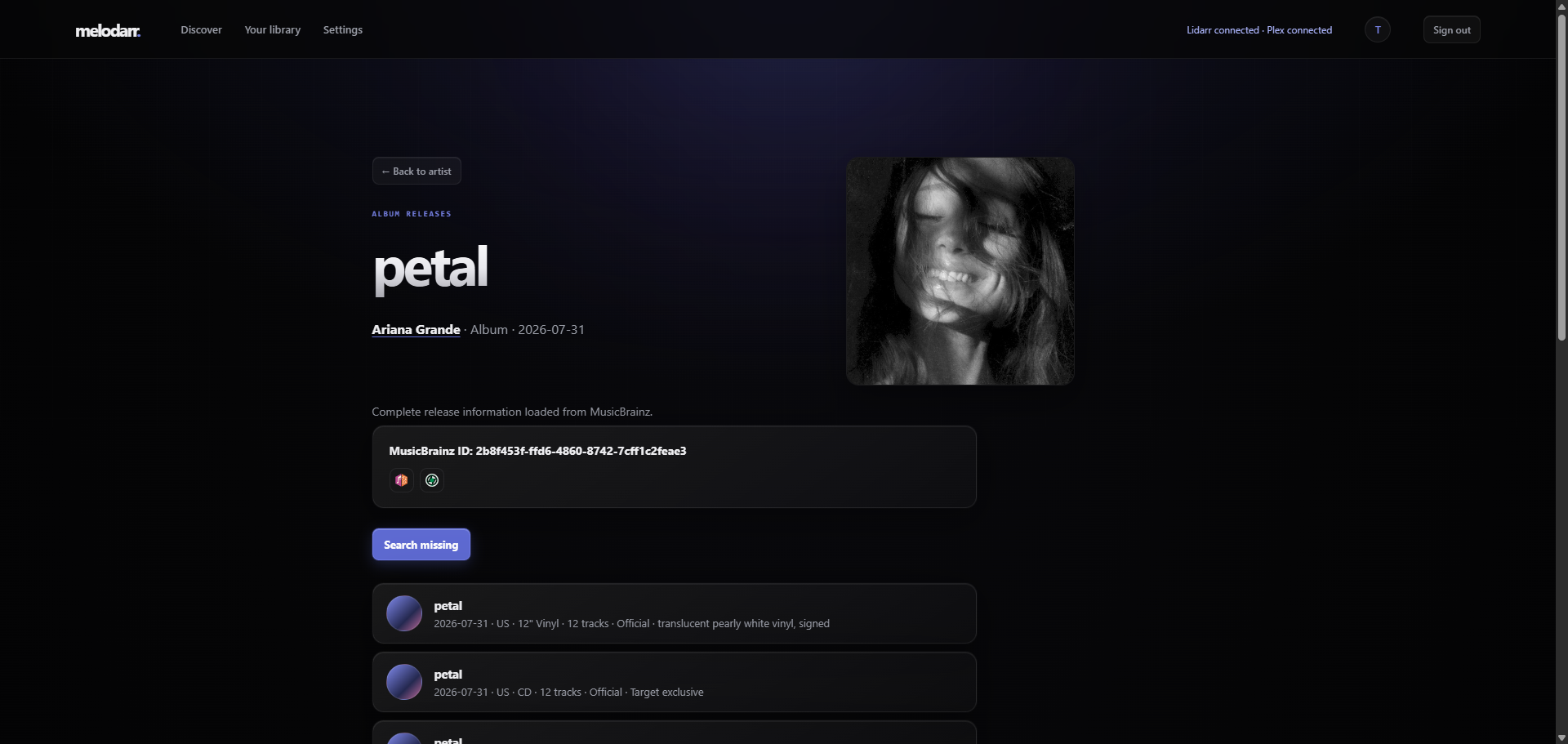
Screenshots
| Discover | Artist |
|---|---|
 |
 |
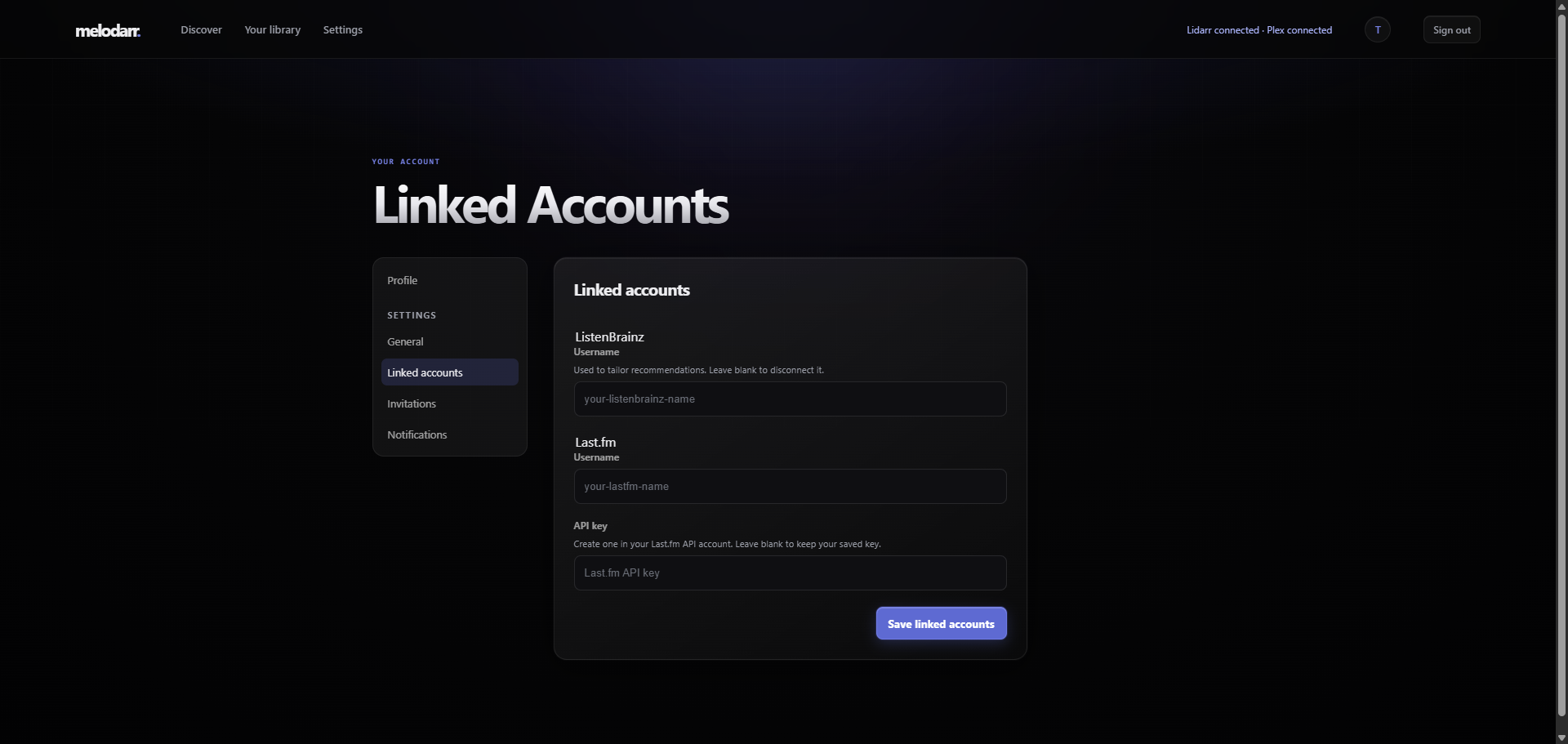
| Release Group | Linked Accounts |
 |
 |
Feature highlights
Find and request music
Search MusicBrainz for artists and albums, browse full discographies and tracklists, then request an individual release or an artist's complete catalog through Lidarr.
Melodarr keeps an eye on pending requests, queued searches, and music you already own so you always know what is available and what is on the way.
Recommendations that feel personal
The Discover page brings together music related to artists you love, albums inspired by previous requests, and something new when you feel like exploring.
Connect ListenBrainz, Last.fm, or Plex to make recommendations more personal. You can also choose favorite artists, decide whether you want familiar picks or more discovery, and fine-tune the feed with More like this and Not interested.
See what is popular
Browse popular artists from Last.fm or check Apple Music's current Top 100 albums in the United States and Japan. Switch between recent releases and the full chart, while Melodarr filters out music already in your library or request queue.
Discover music from anime
Search AnimeThemes for openings and endings, see where each song appears in a series, and follow related anime. Melodarr matches those songs to MusicBrainz releases so they can be requested through Lidarr, with administrator review when a match needs a second look.
Know what is already in your library
Connect Plex to browse the artists and albums you already own, open them directly in Plex, and keep duplicates out of recommendations and requests.
Made for households
Each person gets a private account, personal recommendations, and their own request history. Administrators can invite new users, choose the defaults used for Lidarr requests, and manage the service from a built-in dashboard.
Fast, tidy, and self-hosted
Melodarr caches artwork and music metadata locally, refreshes the library in the background, and keeps its data on your server. It is designed to run with Docker Compose and works well alongside an existing Lidarr and Plex setup.
AnimeThemes resolver API
Authenticated clients can call POST /api/v1/animethemes/resolve with a MusicBrainz releaseGroupId, a recordingIds array, or both. Browser clients continue to use their signed-in session and CSRF token. Trusted automation can instead send the API key shown under Settings → Services → Melodarr in the X-Api-Key header; API-key requests to this endpoint do not need a session cookie or CSRF token. Melodarr generates and securely persists this key on first start. The response contains every unique higher-level AnimeThemes series linked to the supplied music. Release-group evidence takes precedence when the same series also matches a recording, and unknown MBIDs return an empty series array.
AnimeThemes does not assign every anime to a higher-level series. In that case, Melodarr returns the individual anime as an explicit fallback with animeThemesSeriesId: null, its animeThemesAnimeId, and fallback: "anime"; it never invents a series ID.
See the Melodarr API guide for authentication, request and response schemas, examples, errors, and the OpenAPI specification.
Environment variables
The included Docker Compose setup does not require any extra environment variables. By default, it keeps the main database and metadata cache under the persistent /app/data mount.
| Variable | Default | Purpose |
|---|---|---|
MELODARR_DATABASE |
<project>/melodarr.db |
Main SQLite database for accounts, invitations, request history, and queued work. The image and Compose file set this to /app/data/melodarr.db. |
MELODARR_CACHE_DATABASE |
cache/metadata.db beside the main database |
Disposable cache for external API responses. The image and Compose file set this to /app/data/cache/metadata.db. |
MELODARR_SETTINGS |
settings.json beside the main database |
Service settings and credentials saved through the web interface. |
MELODARR_SECRET_KEY_FILE |
session-secret.key beside the main database |
Persistent generated session-signing key. |
MELODARR_VAPID_PRIVATE_KEY_FILE |
vapid-private.pem beside the main database |
Stable Web Push/VAPID identity. Back it up and restore it with the database. |
MELODARR_SECRET_KEY |
Generated and saved to the key file | Explicit session-signing secret. Normally leave this unset and let Melodarr manage the key in the data volume. |
MELODARR_AUTOMATION_API_KEY |
auto-generated | Optional secret override of at least 32 characters accepted in X-Api-Key by machine-enabled endpoints such as the AnimeThemes resolver. When unset, Melodarr generates and persists a key in settings.json; an override can only be rotated by changing the environment variable. |
MELODARR_VERSION |
development |
Installed version shown in Settings. Published container images set this automatically from their branch or release tag. |
MELODARR_ARTWORK_CACHE |
<project>/data/cache/artwork |
Directory for downloaded artist and album artwork. |
MELODARR_COOKIE_SECURE |
false |
Set to true when serving Melodarr over HTTPS so session cookies are marked secure. |
PORT |
5056 |
Port used by the local Flask development server. The production Gunicorn container listens on 5056. |
FLASK_DEBUG |
unset | Set to 1 only for the local development server. Do not enable it in production. |
Backing up your data
For a consistent backup, stop Melodarr cleanly before copying the database and settings files. If the service must stay online, use SQLite's online backup API; do not make a raw copy of a live database because recent data may still be in its WAL file.
License
Melodarr is licensed under the GNU General Public License v3.0.
Categories
Download Statistics
Related apps
Explore more like this
Explore allDetails
slimjimserver/melodarr:latestRuntime arguments
- Web UI
http://[IP]:[PORT:5056]- Network
bridge- Shell
sh- Privileged
- false
- Extra Params
--user 99:100
Template configuration
- Target
- 5056
- Default
- 5056
- Target
- /app/data
- Default
- /mnt/user/appdata/melodarr
- Default
- /app/data/melodarr.db
- Default
- /app/data/cache/metadata.db
- Target
- TZ
- Default
- America/New_York