
All apps · 0 apps

MediaRoulette
Docker app from Selfhosters
Overview
Readme
View on GitHubMediaRoulette

MediaRoulette for Plex — Can't decide what to watch? Let MediaRoulette pick for you!


A web app that randomly selects from your Movies, TV Shows, or both based on your preferences.
Great for large libraries where scrolling becomes overwhelming.
Features
- 🎲 Random Picker — Randomly selects from your Movies, TV Shows, or both
- 🎯 Smart Filters — Filter by media type, genre, rating, keyword, and more
- 📺 Watchlist — Save picks for later viewing
- 🌙 Dark/Light Themes — Choose your preferred appearance
- 📤 Export — Download your watchlist as JSON or CSV
- 🔐 Secure — Authenticates directly with Plex using OAuth
Screenshots
| Picker | Watchlist | Settings |
|---|---|---|
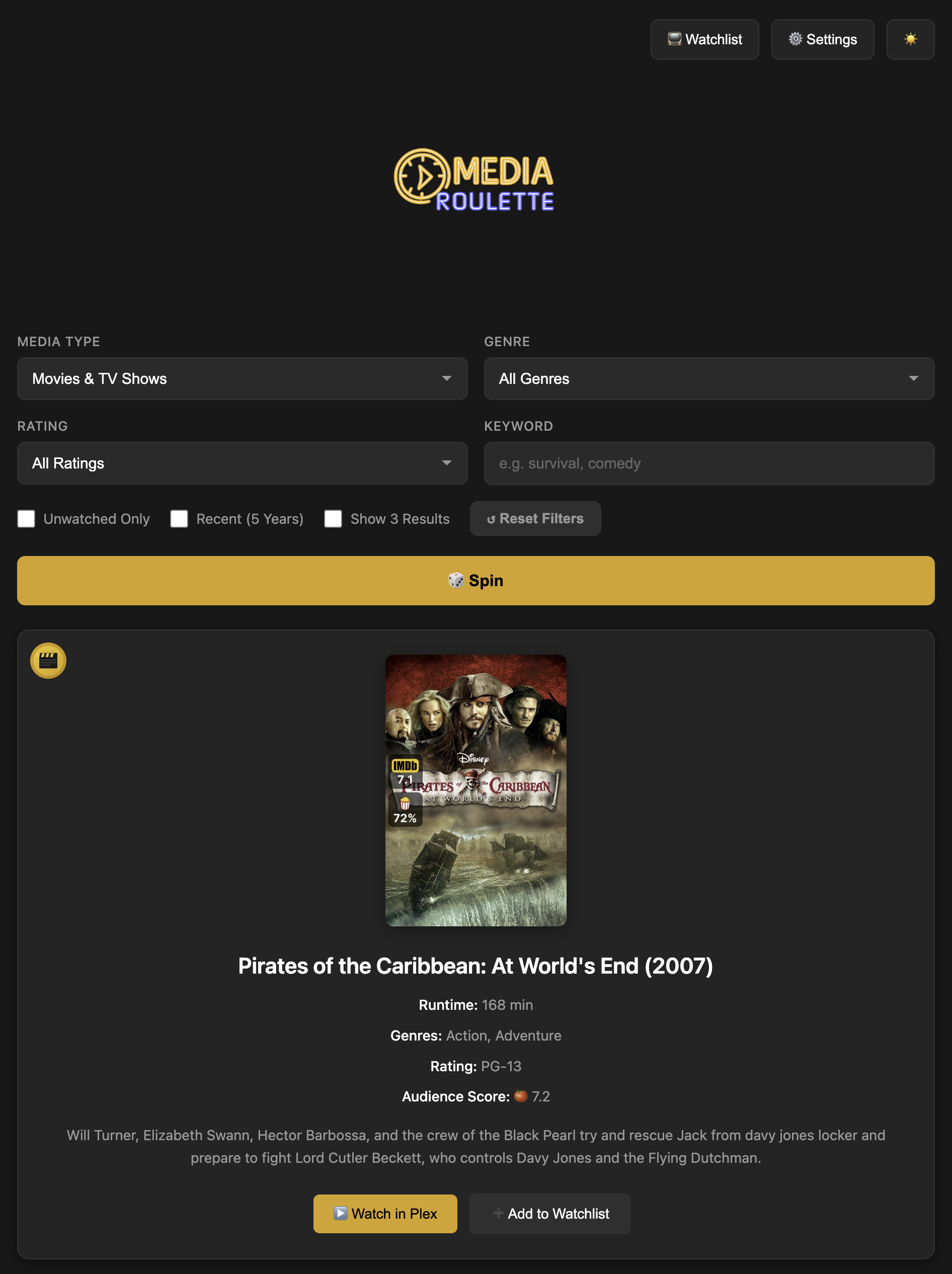 |
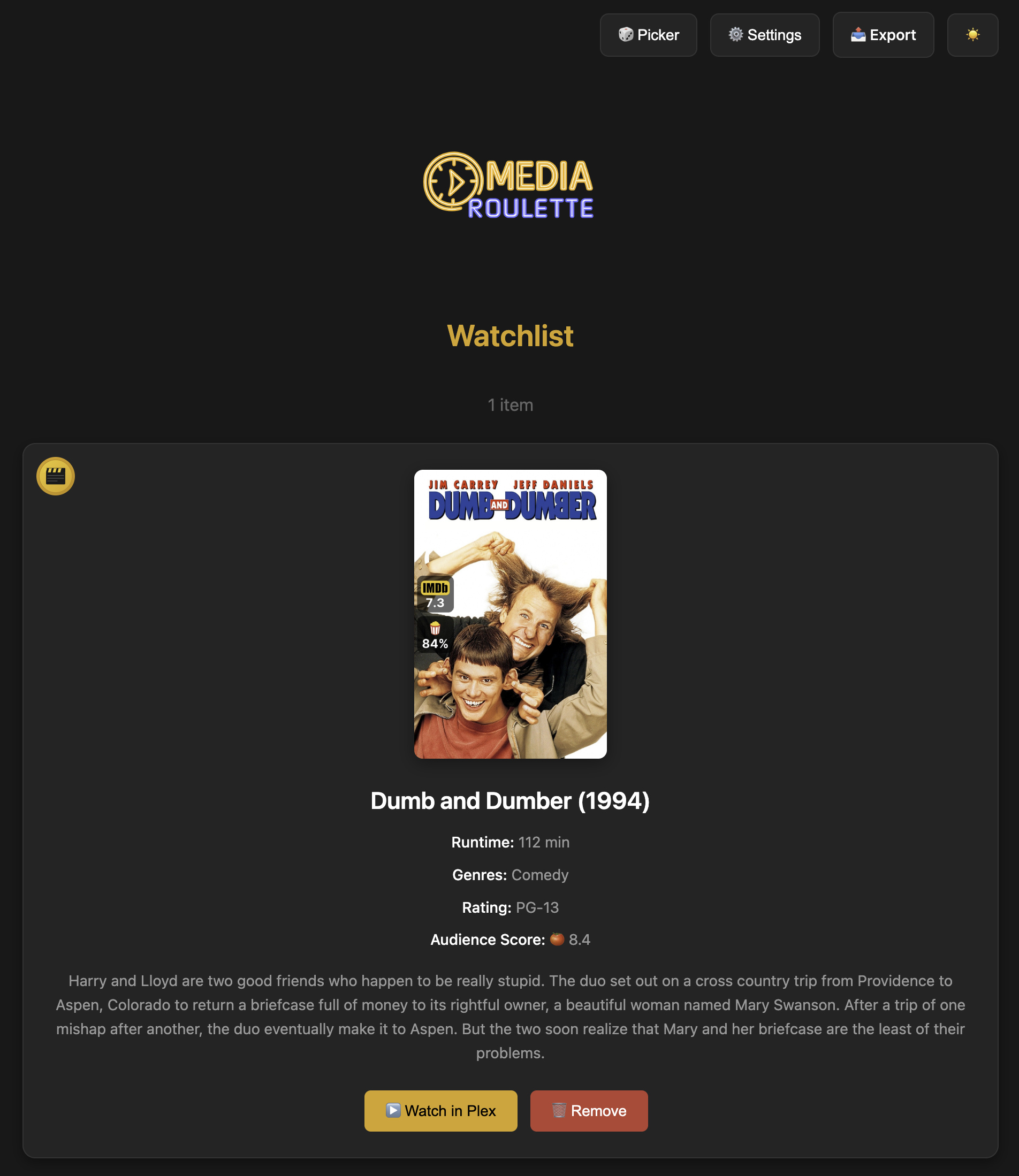 |
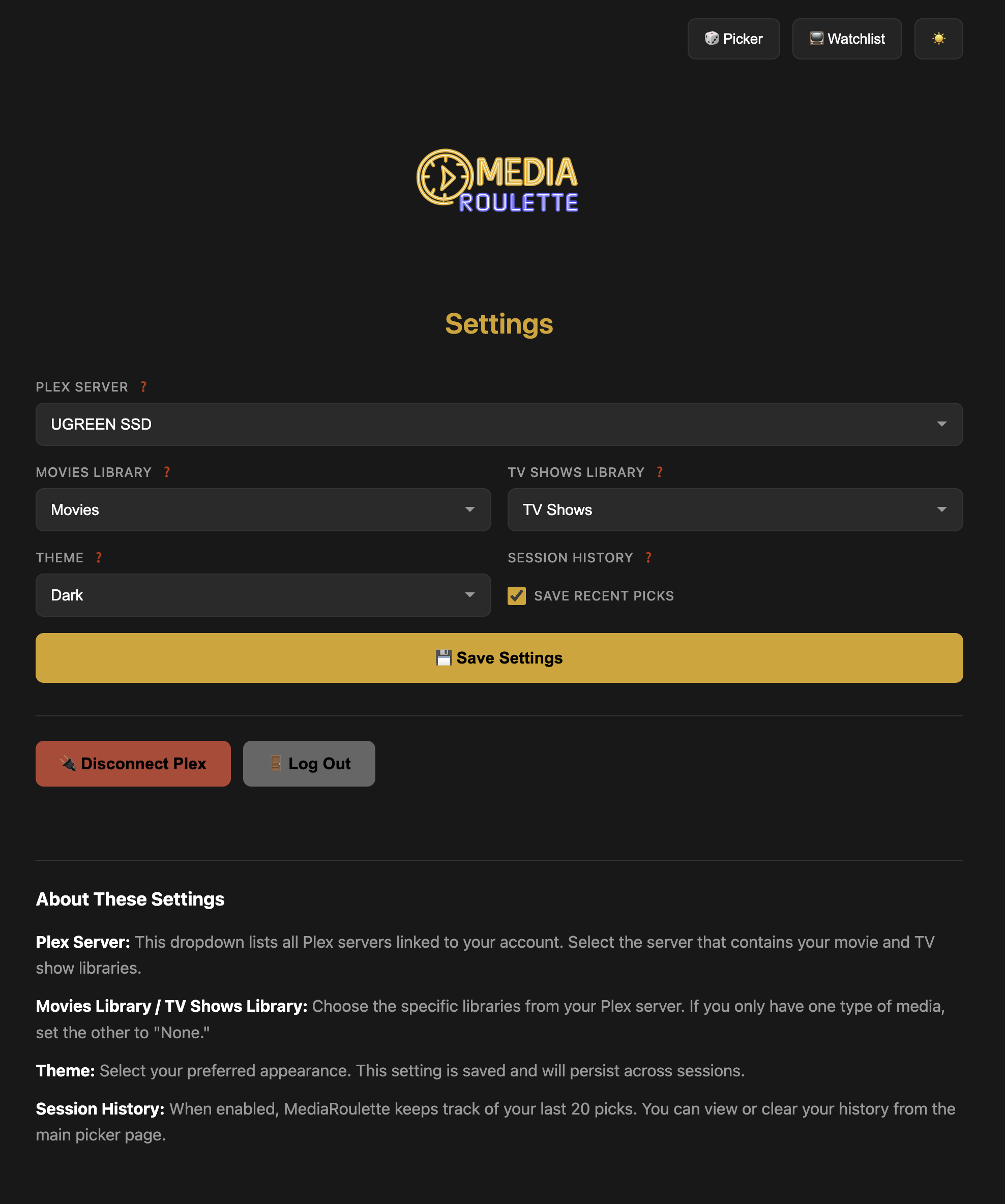 |
Quick Start
Docker Run (Recommended)
docker run -d \
  --name mediaroulette \
  -p 5000:5000 \
  -v mediaroulette-data:/app/data \
  -e SECRET_KEY=your-secret-key-here \
  --restart unless-stopped \
  ghcr.io/keltech-services/mediaroulette:latest
Then open http://localhost:5000 in your browser.
Docker Compose
Create a docker-compose.yml file:
version: '3.8'

services:
  mediaroulette:
    image: ghcr.io/keltech-services/mediaroulette:latest
    container_name: mediaroulette
    ports:
      - "5000:5000"
    volumes:
      - mediaroulette-data:/app/data
    environment:
      - SECRET_KEY=your-secret-key-here
    restart: unless-stopped

volumes:
  mediaroulette-data:
Then run:
docker-compose up -d
Configuration
Environment Variables
| Variable | Description | Default |
|---|---|---|
SECRET_KEY |
Flask session encryption key (see below) | mediaroulette-dev-key-change-in-prod |
PORT |
Port to run the application | 5000 |
Generating a Secret Key
The SECRET_KEY is used to securely sign session cookies. You should generate your own random key, especially if exposing the app outside your local network.
Option 1: Generate one online at IT Tools Token Generator
Option 2: Generate via command line:
python3 -c "import secrets; print(secrets.token_hex(32))"
Then replace your-secret-key-here in the Docker command or compose file with your generated key.
Data Storage
All user data is stored in the /app/data directory inside the container:
config.json— Plex connection settings and preferenceswatchlist.json— Your saved watchlist items
Mount this directory as a volume to persist data between container restarts.
How to Use
1. Sign In
Open MediaRoulette in your browser and click Sign in with Plex. You'll receive a code to enter at plex.tv/link.
2. Configure Libraries
After signing in, go to Settings and select your Plex server and libraries (Movies and/or TV Shows).
3. Spin the Wheel
Return to the Picker page, set your filters (or leave them as defaults), and click Spin to get a random recommendation.
4. Save to Watchlist
Found something interesting? Click Add to Watchlist to save it for later. Access your saved items from the Watchlist page.
Building from Source
Prerequisites
- Python 3.9+
- pip
Development Setup
# Clone the repository
git clone https://github.com/KelTech-Services/MediaRoulette.git
cd MediaRoulette

# Create a virtual environment (optional but recommended)
python3 -m venv venv
source venv/bin/activate

# Install dependencies
pip install -r requirements.txt

# Run the development server
python app.py
Open http://localhost:5000 in your browser.
Build Docker Image Locally
docker build -t mediaroulette .
docker run -d -p 5000:5000 -v mediaroulette-data:/app/data mediaroulette
Troubleshooting
Forgot Password / Locked Out
If you forgot your password or mistyped it during setup, you can reset your account:
Option 1: Via Settings (if logged in)
Go to Settings and click Reset Password. This will delete your account and redirect you to create a new one.
Option 2: Manual Reset (if locked out)
Delete the users.json file from your data directory and refresh the page:
# Docker volume
docker exec mediaroulette rm /app/data/users.json

# Or if using a bind mount (e.g., Portainer/Unraid)
rm /path/to/your/data/users.json
After deleting the file, reload MediaRoulette in your browser — you'll be prompted to create a new admin account.
Note: This only resets your MediaRoulette login. Your Plex connection and settings are preserved in
config.json.
Tech Stack
- Backend: Python, Flask
- Frontend: HTML, CSS, Jinja2 Templates
- Authentication: Plex OAuth
- Deployment: Docker, Gunicorn
License
MIT License — see LICENSE for details.
Contributing
Contributions are welcome! Please see our Contributing Guide for details on how to report bugs, request features, and support the project.
Acknowledgments
- Plex for the amazing media server
- Built with ❤️ by KelTech Services
Categories
Related apps
Explore more like this
Explore allDetails
ghcr.io/keltech-services/mediaroulette:latestRuntime arguments
- Web UI
http://[IP]:[PORT:5000]- Network
bridge- Shell
sh- Privileged
- false
Template configuration
Web interface port
- Target
- 5000
- Default
- 5000
- Value
- 5000
Stores config, watchlist, and user data
- Target
- /app/data
- Default
- /mnt/user/appdata/mediaroulette
- Value
- /mnt/user/appdata/mediaroulette
Flask session encryption key. Generate a random 32+ character string for security.
- Target
- SECRET_KEY