
All apps · 0 apps

MediaLyze
Docker app from MediaLyze's Repository
Overview
Readme
View on GitHubMediaLyze







Self-hosted analysis for video, music, and audiobook collections.
Scans your libraries and run analyses using ffprobe.
Explore technical metadata through a FastAPI + React web UI.
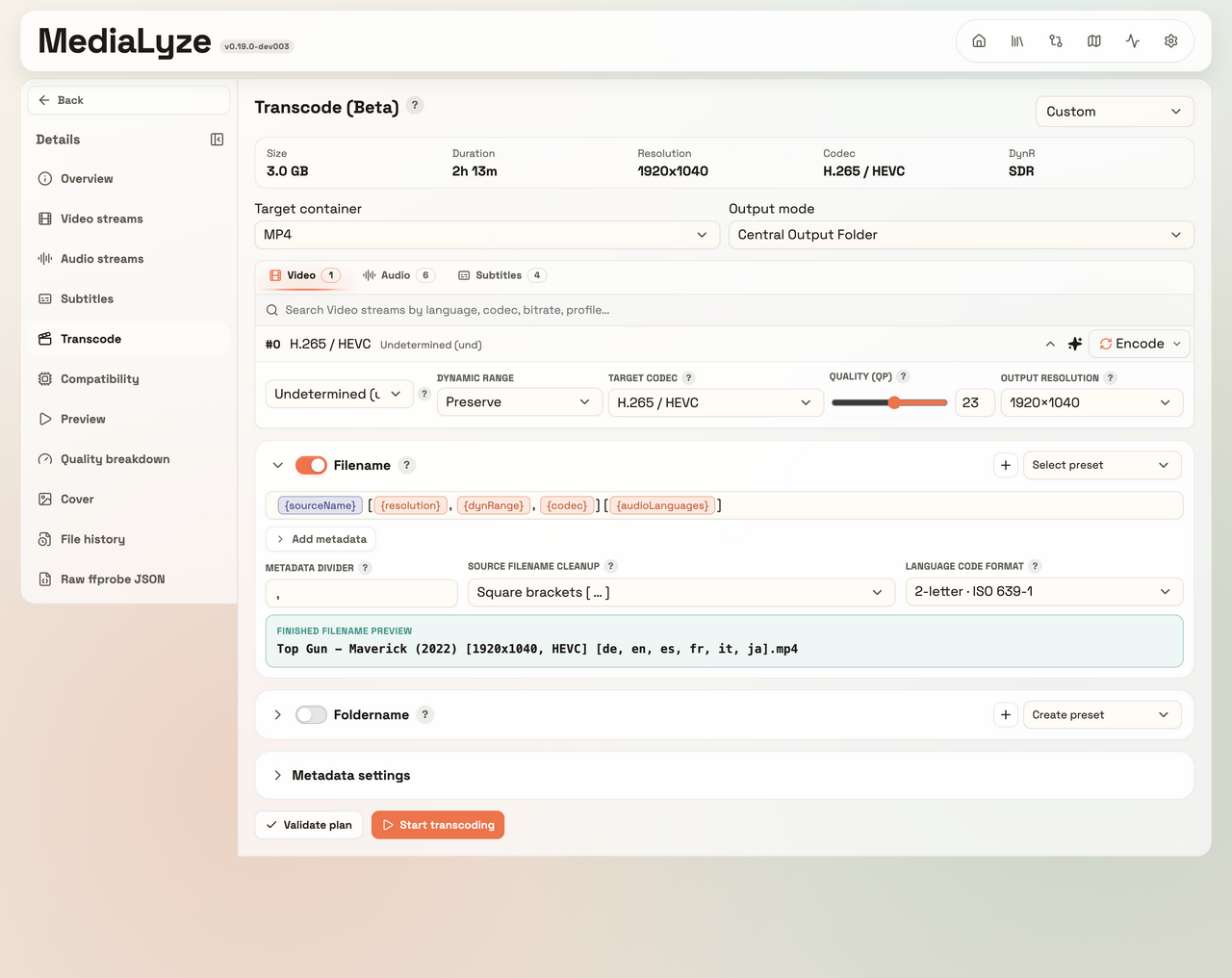
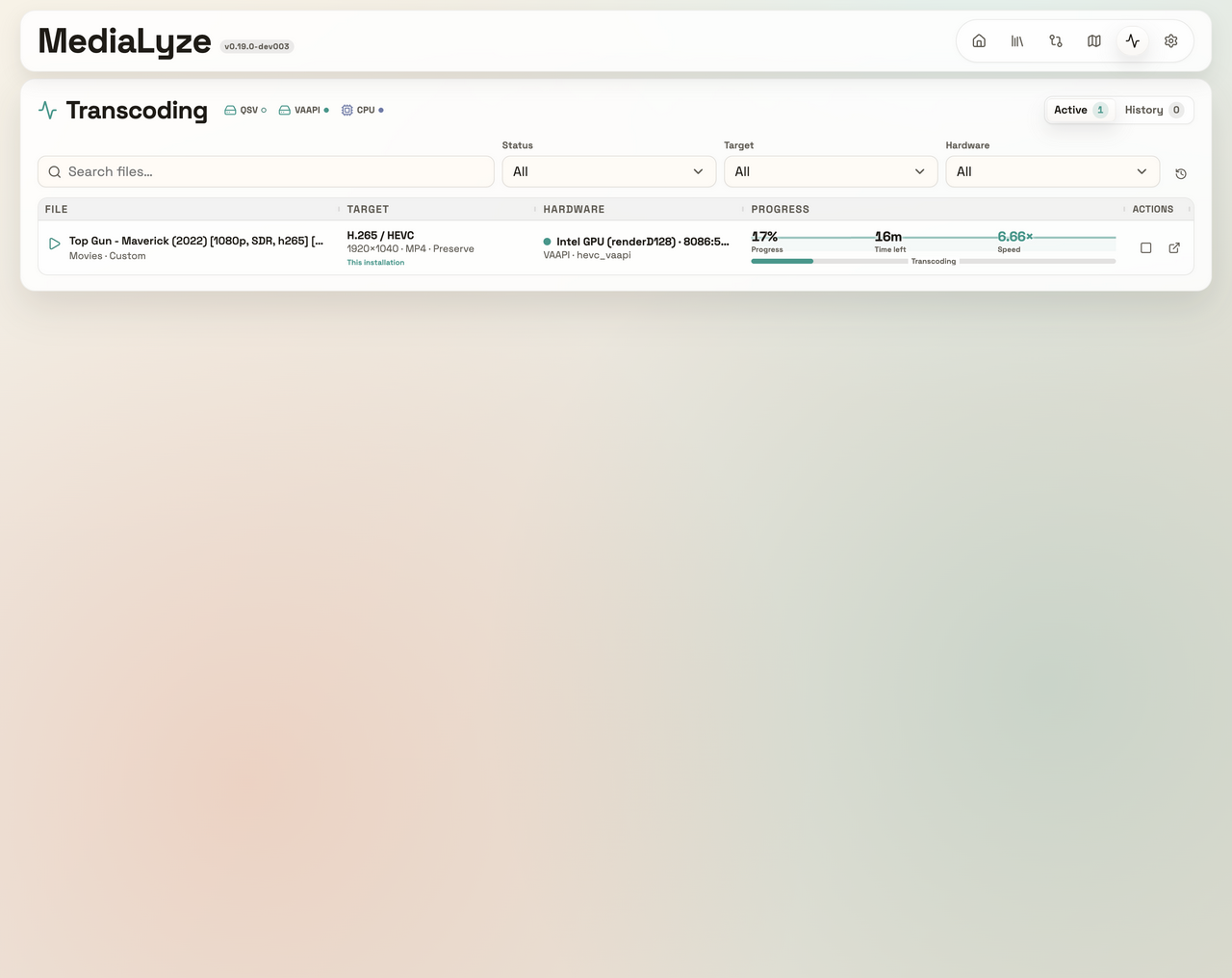
Options for transcoding are in Beta now!
Desktop Downloads
| Platform | Download |
|---|---|
| macOS Apple Silicon | Download |
| Linux | Download |
| Windows | Download |
| All release assets | Open latest release |
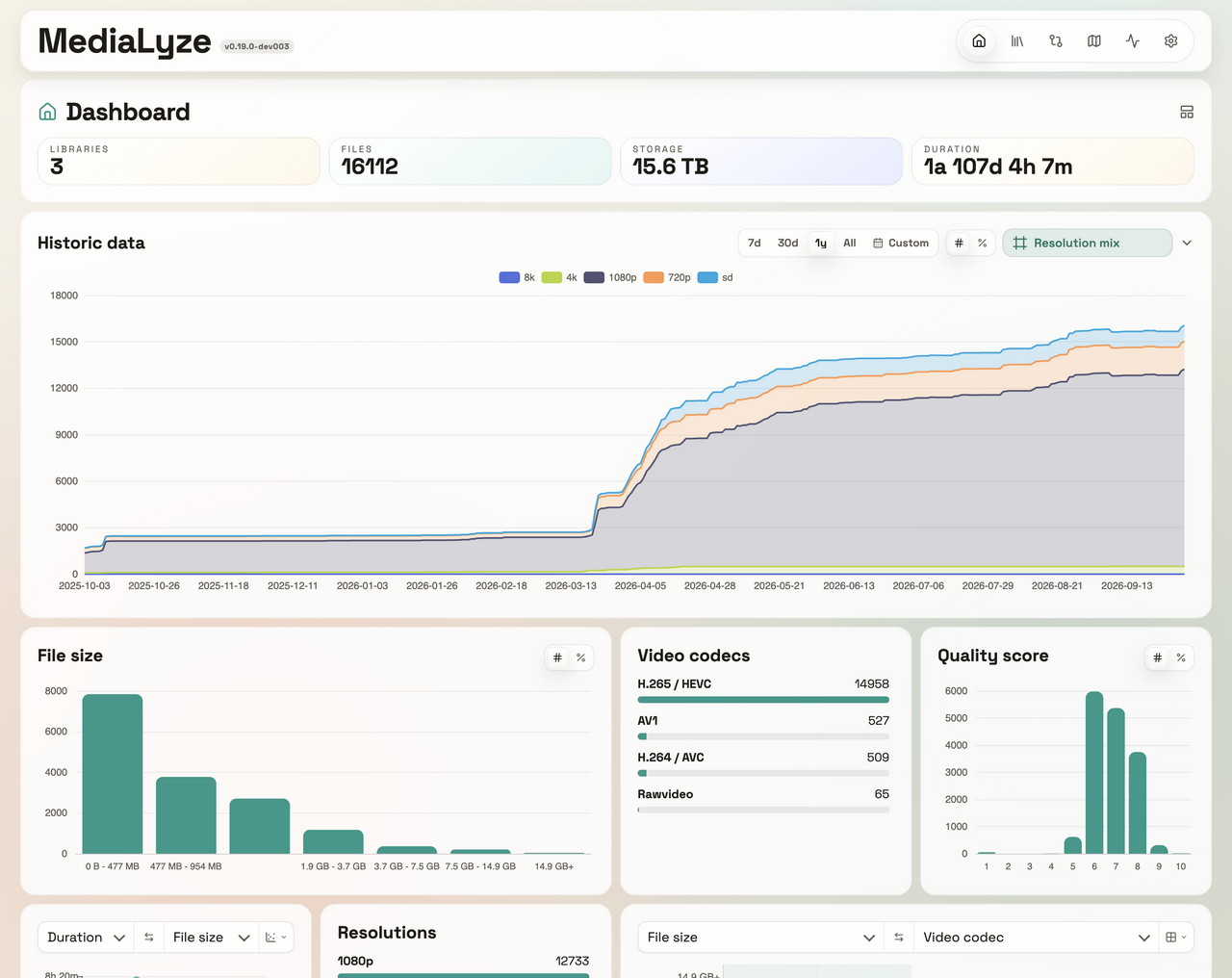
Why MediaLyze
MediaLyze is built for self-hosted setups that need visibility into large media collections without depending on external services and designed around ffprobe with normalized metadata.
Everything with a simple deployment model: one container, one SQLite database, one UI. Bring your own auth (for now).
Features
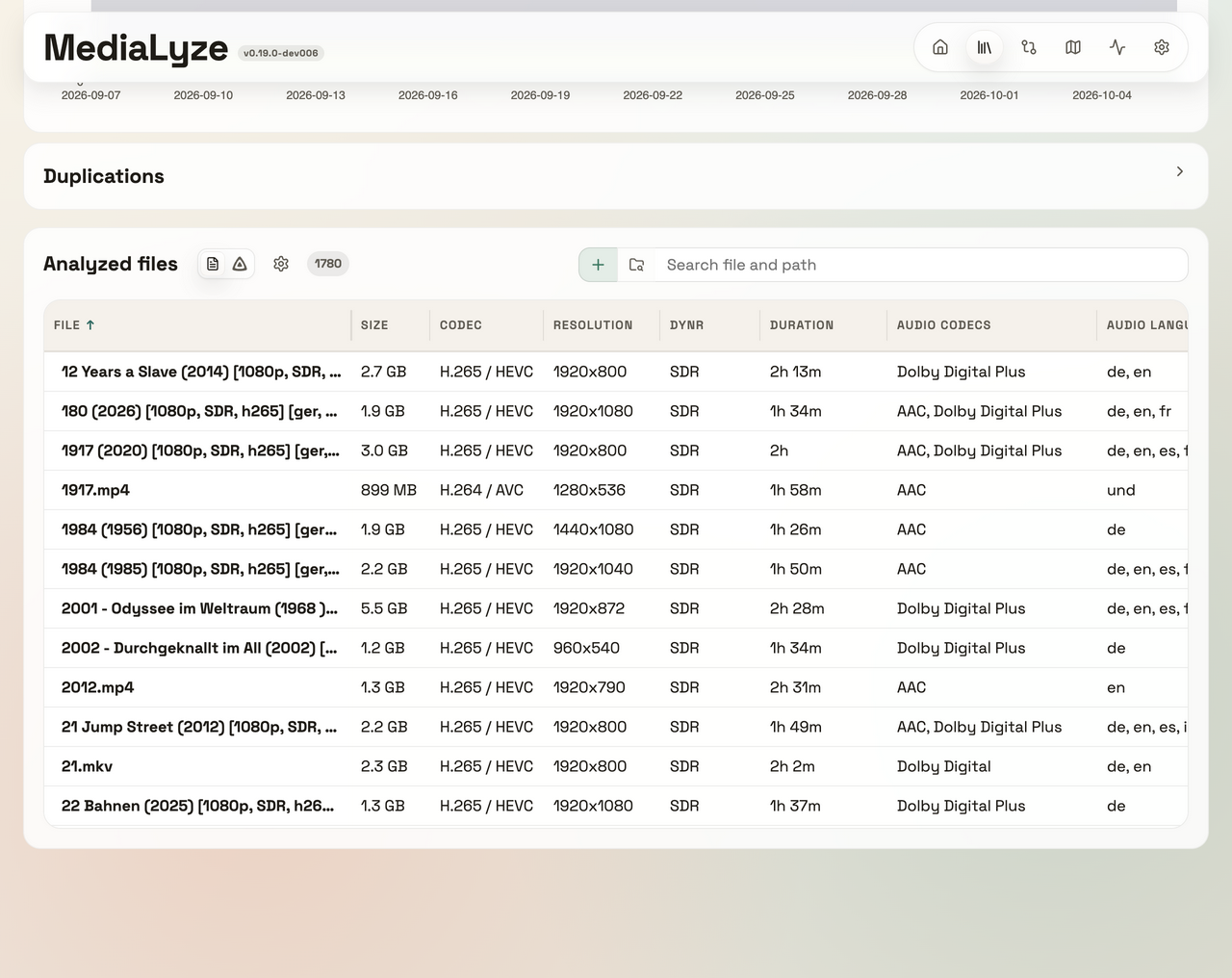
- Technical media analysis powered by
ffprobe - Safe FFmpeg transcoding into linked video variants with hardware-required execution by default; original files remain untouched unless explicit replacement is confirmed
- Full and incremental scans using
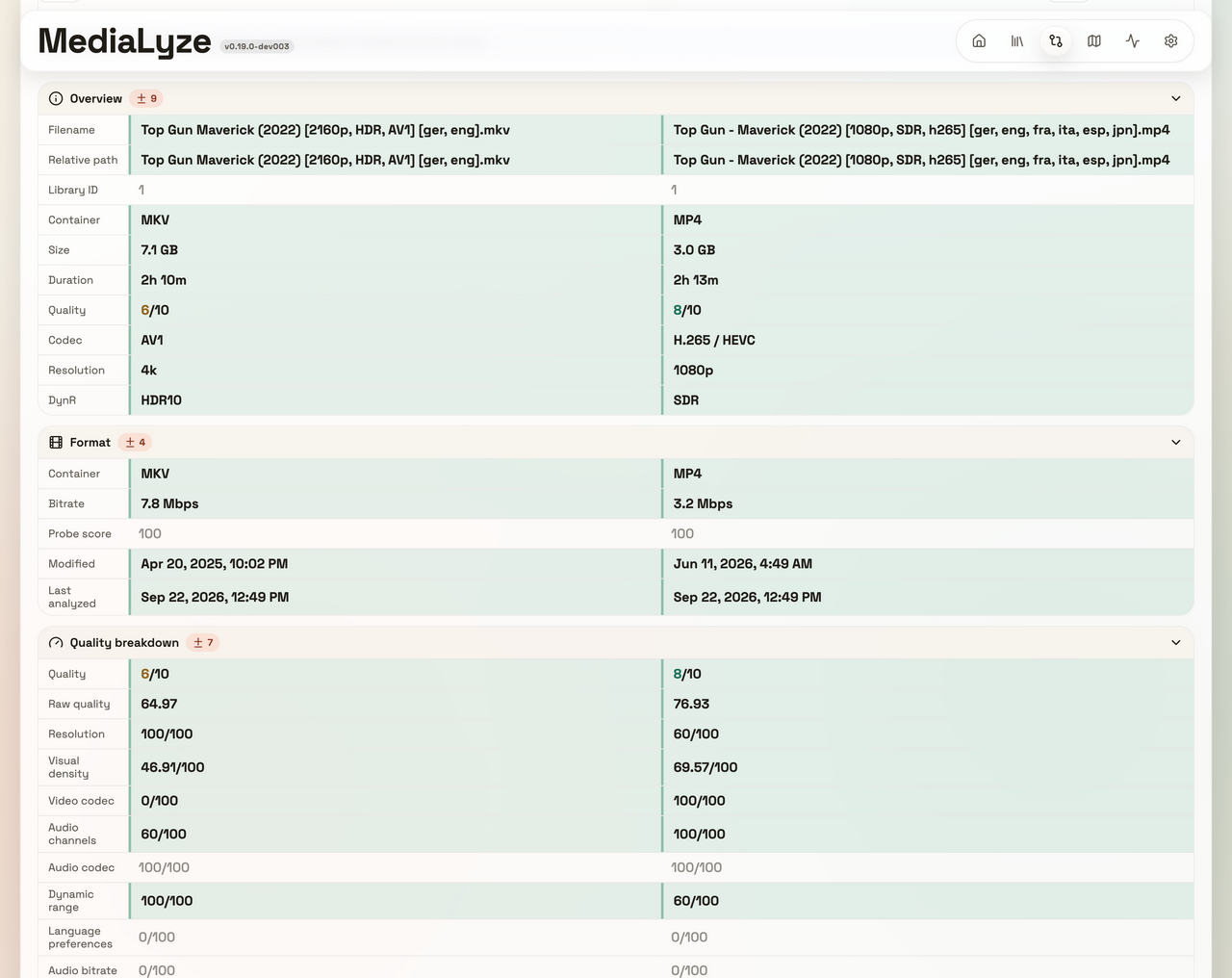
path + size + mtime - historical analysis
- many different charts for all metrics
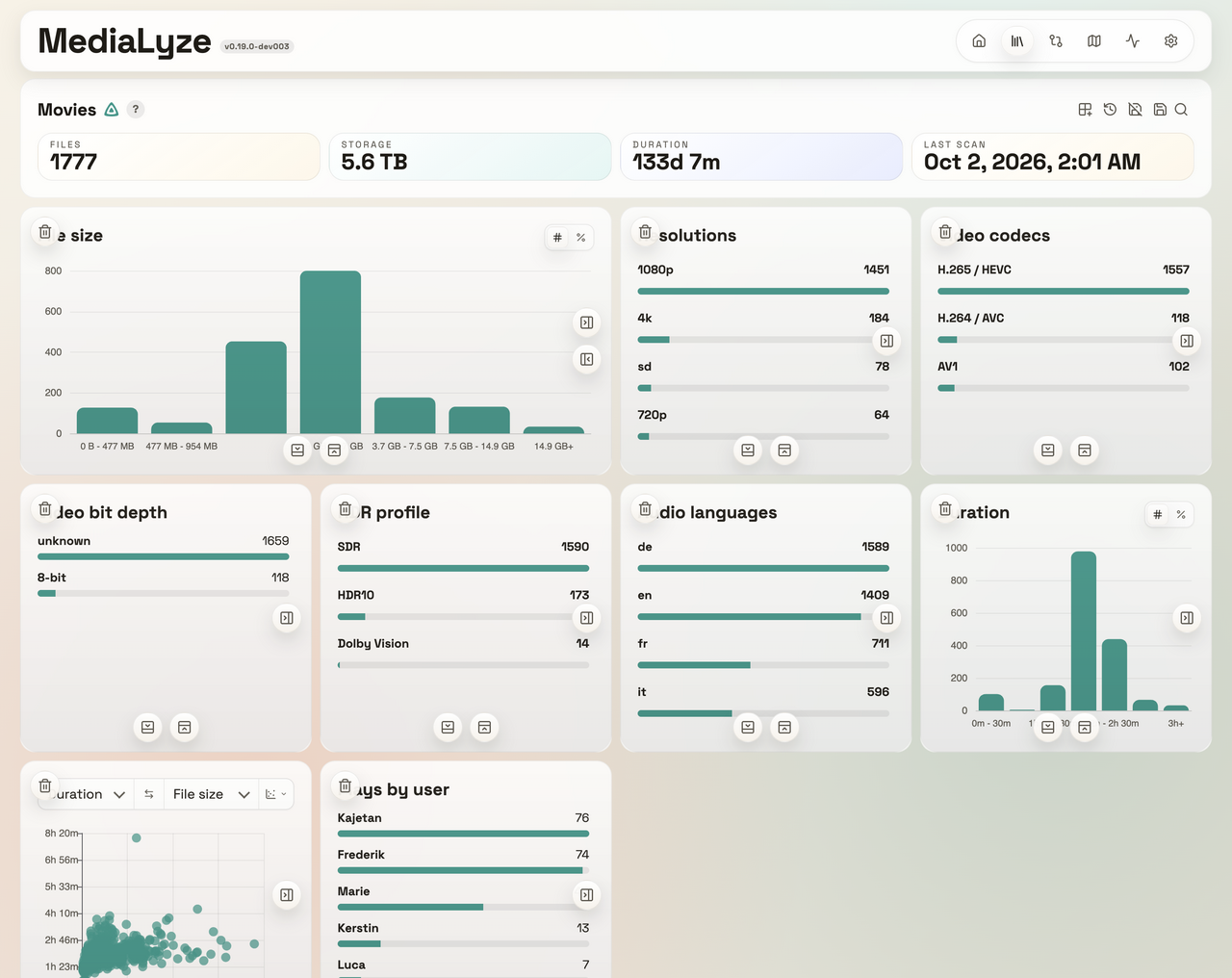
- Normalized formats, streams, subtitles, scan jobs, and quality scores (feel free to suggest improvements)
- recognize shows, seasons, bonus content
- Ignore files and folders with simple glob patterns such as
*.nfoor*/Extras/* - Native desktop packaging for Windows, macOS, and Linux in addition to the Docker/web deployment path
- and more
Screenshots
|
 |
 |
 |
 |
 |
Support MediaLyze
If you find MediaLyze useful and would like to support ongoing development, you can do so here:



Quick Start
Docker Compose
use the production ready docker compose file: docker-compose.yaml
services:
  medialyze:
    image: ghcr.io/frederikemmer/medialyze:latest
    container_name: medialyze
    ports:
      - "${HOST_PORT:-8080}:8080"
    environment:
      # change to your timezone, e.g. "Europe/Berlin" or "America/New_York"
      TZ: UTC
      MEDIALYZE_TRANSCODE_OUTPUT_ROOT: /transcode-output
    volumes:
      - ./config:/config
      # use .env or change "./media" to the path of your media directory
      - ./media:/media:ro
      - ./Transcode_Output:/transcode-output:rw

      # additional media mounts by extending this pattern if needed:
      # /PATH/TO/MEDIA0:/media/MEDIA0:ro
      # /PATH/TO/MEDIA1:/media/MEDIA1:ro
can be extended by .env using: docker-compose-ENV.yaml and env.example
For automatic local GPU wiring, use docker/start-medialyze.sh on Linux/macOS
or docker/start-medialyze.ps1 on Windows. The launcher starts the CPU-safe
Compose file and creates a temporary override for NVIDIA (gpus: all) and
Linux /dev/dri plus the host device-group IDs only when the corresponding
host capability is present. It does not install drivers. MediaLyze then probes
the visible encoders and selects a passing AMD, Intel, or NVIDIA path without
requiring a vendor-specific setting. The media mount remains read-only;
transcoded output is written to ./Transcode_Output by default and can be
moved with TRANSCODE_OUTPUT_HOST_DIR.
This includes integrated media engines: Intel CPU/iGPU Quick Sync and AMD APU/iGPU VCN
on Linux through /dev/dri, plus native Windows QSV/AMF and macOS VideoToolbox in the
desktop app. On native Windows hybrid systems, the desktop sidecar enumerates the
physical D3D11 adapters so an AMD/Intel integrated engine and a discrete NVIDIA GPU
are probed and selected independently. A CPU software encoder is used only in the
explicit cpu_only mode.
Open http://localhost:8080, or set HOST_PORT to expose the container on a different host port.
The container serves plain HTTP on its internal port 8080 by default - if you want HTTPS, terminate it in a reverse proxy.
Configuration through Docker configuration
Desktop app
Built with Electron, desktop builds run the same FastAPI + React stack locally with a local SQLite database and ffprobe.
Desktop behavior:
- choose local folders directly from the OS
- choose mounted NAS / SMB locations and, on Windows, UNC paths such as
\\server\share\videos - watch mode is limited to local paths; network paths fall back to scheduled scans
Release artifacts are packaged as:
- Windows:
.exe - macOS:
.dmg - Linux:
AppImage
Build locally
run:
cp docker/env.example .env
docker compose -f docker-compose-dev.yaml up --build
The default container setup mounts:
configto/config${MEDIA_ROOT:-./media}to/mediaas read-only${TRANSCODE_OUTPUT_HOST_DIR:-./Transcode_Output}to/transcode-outputas writable output
These are the local-build Compose defaults; the production Compose file uses CONFIG_HOST_DIR and MEDIA_HOST_DIR bind mounts instead.
If you want a different media-path, or external port change env.example or .env.
Local Development
For a single-command local dev setup, use scripts/dev-local.sh on macOS/Linux or scripts/dev-local.ps1 on Windows.
Backend
python3 -m venv .venv
source .venv/bin/activate
pip install -e ".[dev]"
CONFIG_PATH="$PWD/.local/config" MEDIA_ROOT="$PWD/media" uvicorn backend.app.main:app --reload --port 8080
Frontend
cd frontend
npm install
npm run dev
The Vite dev server proxies /api to the backend on port 8080 by default. The combined scripts also pass a custom BACKEND_HOST and BACKEND_PORT to Vite.
Combined startup scripts
macOS/Linux:
./scripts/dev-local.sh
Windows PowerShell:
.\scripts\dev-local.ps1
Both scripts expect:
.venvwithpip install -e ".[dev]"frontend/node_modulesfromnpm --prefix frontend install- a valid
MEDIA_ROOTdirectory, defaulting to your Desktop if not overridden
They start the backend with reload enabled, wait for /api/health, then launch the Vite dev server in the foreground.
Both services listen on all IPv4 interfaces by default. Once both are ready, the scripts print app URLs for the machine's IP addresses and hostnames. Open a LAN address or resolvable hostname from another device on the same network. Terminal support determines whether the printed URLs are clickable. Set BACKEND_HOST or FRONTEND_HOST to 127.0.0.1 to restrict either service to the local machine; BACKEND_PORT and FRONTEND_PORT override the default ports. The machine's firewall must allow incoming connections to the chosen ports.
The launchers track both service processes, stop their child processes when the launcher exits, and clean up matching leftovers on the next start. If another application owns a configured port, startup reports it and leaves that process running.
Desktop
python3 -m venv .venv
source .venv/bin/activate
pip install -e ".[dev]"

cd frontend
npm install
npm run build

cd ../desktop
npm install
npm run dev
Local desktop development expects ffprobe in your PATH.
For packaged .app, .dmg, .exe, and AppImage builds, see docs/build_desktop.md.
Docker configuration
The complete environment-variable reference, including application settings, Docker Compose interpolation, entrypoint permissions, defaults, and security notes is in docs/environment.md.
The most commonly used variables are:
MEDIALYZE_RUNTIME: runtime mode,serverordesktop, defaultserverCONFIG_PATH: writable config/data directory, default/configin server mode and the OS user-data directory in desktop modeMEDIA_ROOT: media mount root for server mode, default/mediaAPP_HOST: bind host for the backend, default0.0.0.0in server mode and127.0.0.1in desktop modeHOST_PORT: HTTP port exposed on the host by the provided Docker Compose files, default8080; access the app viahttp://<host>:<HOST_PORT>FRONTEND_DIST_PATH: optional explicit frontend bundle path, mainly used by packaged desktop buildsTZ: process/container timezone, defaultUTCDISABLE_DEFAULT_IGNORE_PATTERNS: optional; when set totrue, built-in default ignore patterns are not preloadedMEDIALYZE_TELEMETRY_DISABLED: optional; when set totrue, telemetry is forced off and the UI toggle is lockedMEDIALYZE_TELEMETRY_ENDPOINT: optional; overrides the telemetry ingest endpoint, defaulthttps://www.medialyze.app/api/telemetry/ingestFFPROBE_PATH: optional override for theffprobebinary pathFFMPEG_PATH: optional override for theffmpegbinary used for preview generation and transcodingMEDIALYZE_TRANSCODE_OUTPUT_ROOT: optional writable path inside the runtime for separate transcoded output; Compose maps this to/transcode-outputMEDIALYZE_HW_RENDER_NODE: optional Linux DRM render node override for Intel/AMD VAAPI/QSV, for example/dev/dri/renderD128; when omitted MediaLyze probes every visible render node and selects a passing device automaticallyTRANSCODE_OUTPUT_HOST_DIR: Compose host directory for/transcode-output, default./Transcode_OutputJELLYFIN_API_KEY_FILE: optional path to a Jellyfin API-key secret file; see Jellyfin integrationPUID/PGID: optional runtime user/group ids for shared-folder permission setups; set both or leave both unset to keep the default root runtime user
MEDIA_ROOT should be mounted read-only in production.
If you need a specific runtime uid/gid, set PUID and PGID for the production Compose file. For automatic interpolation from a repository-root .env, use docker compose --env-file .env -f docker/docker-compose.yaml up -d. Compose interpolation and passing variables into the container are separate; the local-build Compose file loads .env via env_file.
For SMB / NAS setups, the recommended approach is to mount the share on the Docker host first and then point MEDIA_HOST_DIR at that host mount path.
In the desktop app, mounted network shares and UNC paths can be selected directly.
Scan parallelism is configured in the UI under Settings -> App settings -> Scan performance.
MediaLyze exposes separate limits for per-scan analysis workers and parallel library scans so you can tune throughput without editing compose or env files.
Transcoding is configured under Settings -> Transcoding. Hardware-required is
the default and never falls back silently to CPU. The page shows the real
FFmpeg capability probe, including NVIDIA driver/API failures, and lets you
choose the CPU budget, GPU slots, output policy, retry behavior, and partial
output cleanup. Same-directory variants are excluded from primary counts and
future scans; replacing an original is an explicit, no-backup operation.
Desktop FFmpeg artifacts and Docker's architecture-specific FFmpeg package are
pinned and checksummed in docs/ffmpeg-manifest.json.
Ignore rules use glob patterns matched against the normalized relative path inside each library. MediaLyze ships editable built-in defaults for common system and temporary paths such as */.DS_Store, */@eaDir/*, */.deletedByTMM/*, and *.part. Set DISABLE_DEFAULT_IGNORE_PATTERNS=true if you do not want those defaults preloaded on first start.
See docs/patterns.md for folder discovery, series recognition, bonus-content rules, and ignore-pattern examples.
Telemetry payloads are documented in docs/telemetry.md, including the none, minimal, and enabled payload contracts and the privacy-preserving rounding rules for coarse usage counts.
Provider-neutral connections, conservative automatic path inference, automatic/manual library assignment, synchronization, and provider development are documented in docs/connectors.md. Jellyfin-specific permissions, playback-data privacy, compatibility, and secret handling are documented in docs/jellyfin.md. JELLYFIN_API_KEY_FILE applies only to the migrated standard Jellyfin connection; additional Jellyfin servers can be configured in the shared Connector Settings accordions. Remaining read-only diagnostics stages are tracked in docs/connector-ui-deferred.md.
Repository automation, Docker and desktop publishing, manual workflow controls, and release recovery are documented in docs/github_actions.md.
Tech Stack
- Backend: Python, FastAPI, SQLAlchemy, SQLite
- Frontend: React, Vite, TypeScript, i18next
- Desktop packaging: Electron, electron-builder
- Media analysis:
ffprobe/ FFmpeg - Scheduling and watch mode: APScheduler, watchdog
- Packaging: GHCR
Project Status
MediaLyze is an open-source project under active development. The current scope includes video, music, and audiobook analysis, scan management, statistics, file inspection, read-only connectors, and explicit transcoding. main tracks stable releases; dev may include changes beyond the latest release.
mentioned on
Star History
Contributing
Contributions are welcome. Read CONTRIBUTING.md before opening a pull request.
License
MediaLyze is licensed under the GNU Affero General Public License v3.0 (AGPL-3.0).
See the LICENSE file for details.
Requirements
Related apps
Explore more like this
Explore allDetails
ghcr.io/frederikemmer/medialyze:latestRuntime arguments
- Web UI
http://[IP]:[PORT:8080]/- Network
bridge- Shell
bash- Privileged
- false
Template configuration
Host port for the MediaLyze web interface. The container target port stays 8080.
- Target
- 8080
- Default
- 8080
- Value
- 8080
Persistent configuration and SQLite database storage.
- Target
- /config
- Default
- /mnt/user/appdata/medialyze
- Value
- /mnt/user/appdata/medialyze
Required read-only media mount. Change the container path to your preferred visible name, but keep it below /media, for example /media/Movies.
- Target
- /media/Media
- Default
- /mnt/user/media
- Value
- /mnt/user/media
Optional additional read-only media mount. Change the container path to your preferred visible name, but keep it below /media, for example /media/Movies.
- Target
- /media/Movies
Optional additional read-only media mount. Change the container path to your preferred visible name, but keep it below /media, for example /media/Shows.
- Target
- /media/Shows
Optional additional read-only media mount. Change the container path to your preferred visible name, but keep it below /media, for example /media/Music.
- Target
- /media/Music
Container timezone, for example Europe/Berlin or America/New_York.
- Target
- TZ
- Default
- UTC
- Value
- UTC
Optional runtime user id. On Unraid, 99 is usually nobody.
- Default
- 99
- Value
- 99
Optional runtime group id. On Unraid, 100 is usually users.
- Default
- 100
- Value
- 100