
All apps · 0 apps

mediahub
Docker app from bdlnaredi's Repository
Overview
Readme
View on GitHubMediaHub



One friendly web page for the apps on your home media server. See what is downloading, add shows and movies, approve requests from family, check on your server, and get a phone message when something needs you. It runs as a single small Docker container with no dependencies to install.
Early release (0.9). It is used daily, but it has been built against the documented APIs of the apps below, and some behavior can differ between app versions. Bug reports with the app version are very welcome.
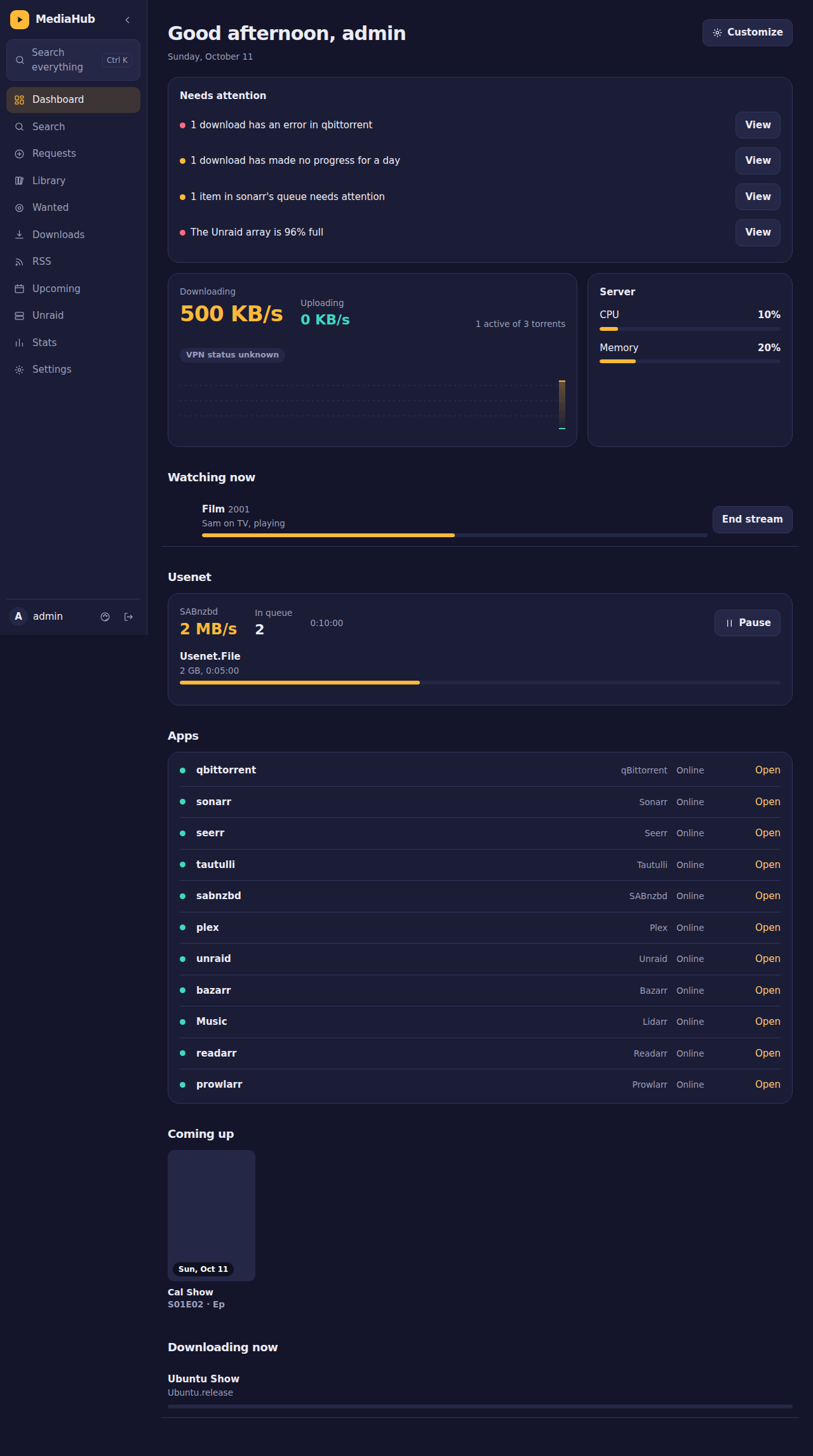
What it does
- Dashboard: live download speed and graph, server CPU and memory, which apps are online, what is coming up, what is downloading, who is watching on Plex, and a "needs attention" list. Each person can hide and reorder sections.
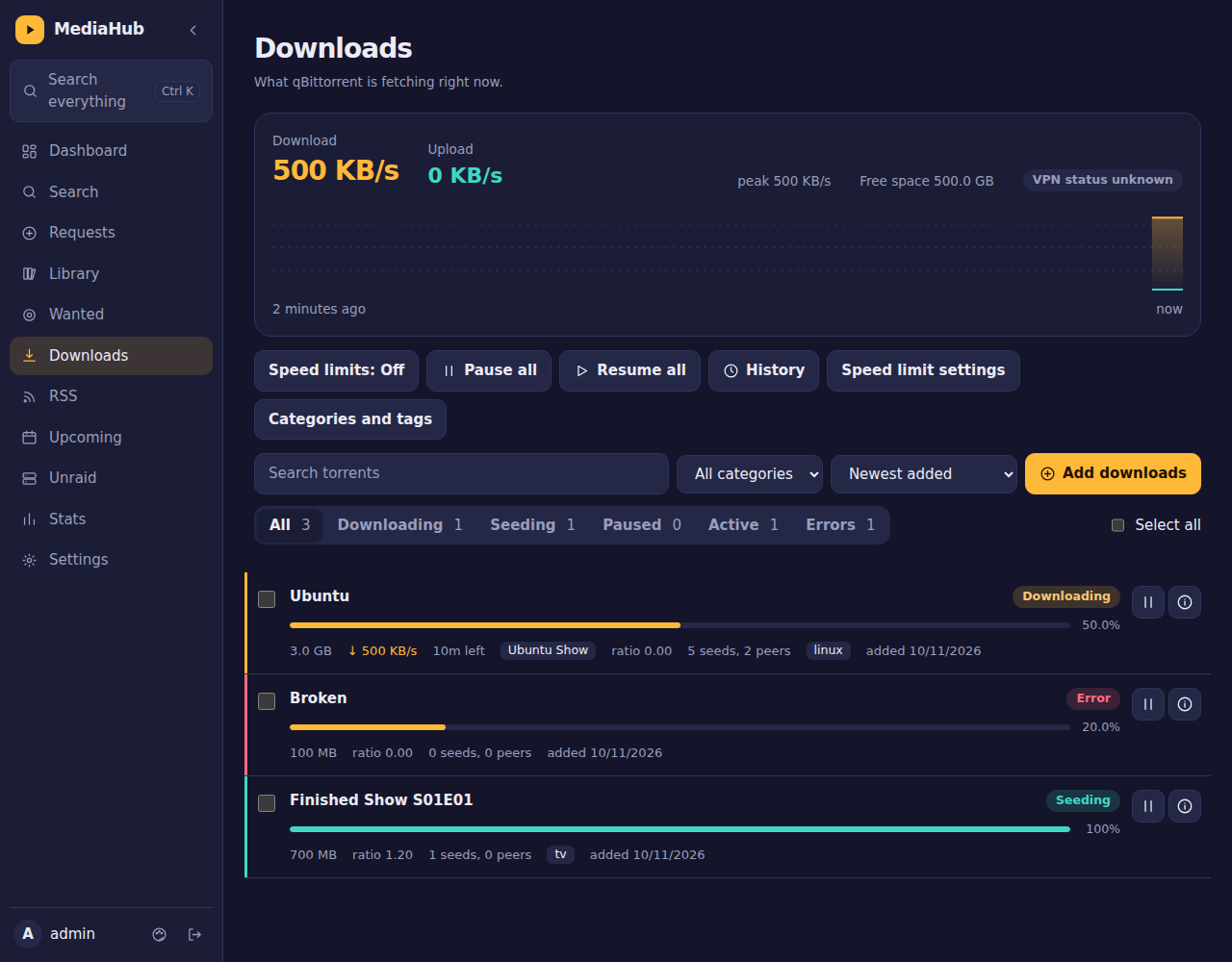
- Downloads (qBittorrent): filters, search, select several, pause and resume, categories and tags, file selection, speed limits and schedule, history, seeding rules, and a chip showing which show or movie a download belongs to.
- RSS (qBittorrent): read feeds, mark as read, download one or many articles, and manage auto-download rules with a preview.
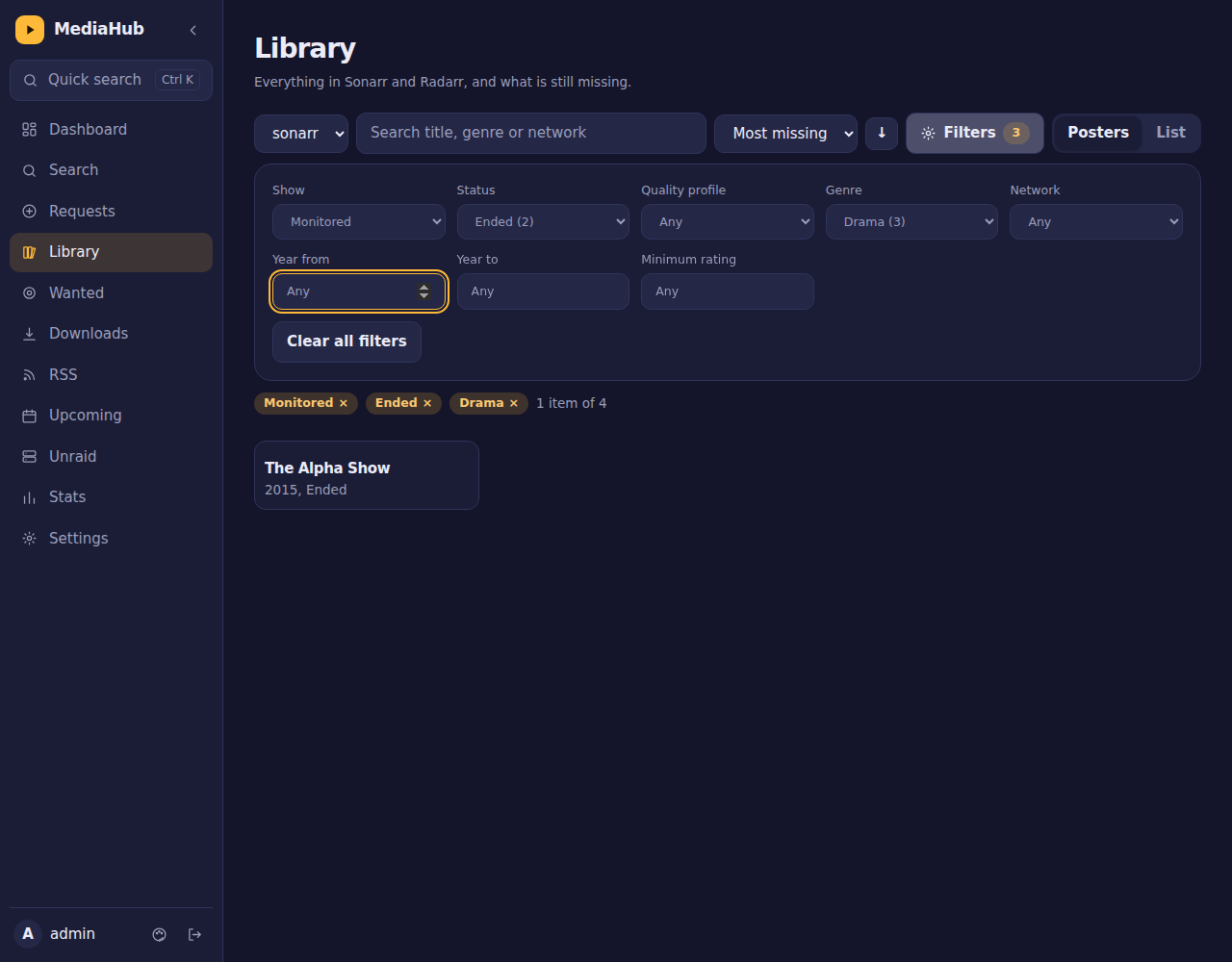
- Sonarr and Radarr: search and add, library browser with many filters and sorts, a show window with seasons and episodes where you can monitor or unmonitor any of them, a Wanted list, upcoming releases as a list or a month calendar, and automatic or interactive searches.
- Requests (Seerr): family members ask for something, you approve it, and they get a message when it is ready.
- Profiles: per-person app access and permissions (for example "view only"), signed-in devices, and an activity log.
- Alerts: phone messages through ntfy, Telegram or Discord for finished downloads, apps going offline, a full array, the VPN dropping and new requests.
- Also: Plex (who is watching, recently added), Tautulli stats, SABnzbd, Jackett search, Unraid (CPU, memory, array, disks, shares, containers), encrypted backup and restore, quick search (
Ctrl+K), light and dark themes, and install-to-home-screen on a phone.
| Downloads | Library |
|---|---|
 |
 |
| RSS | Calendar |
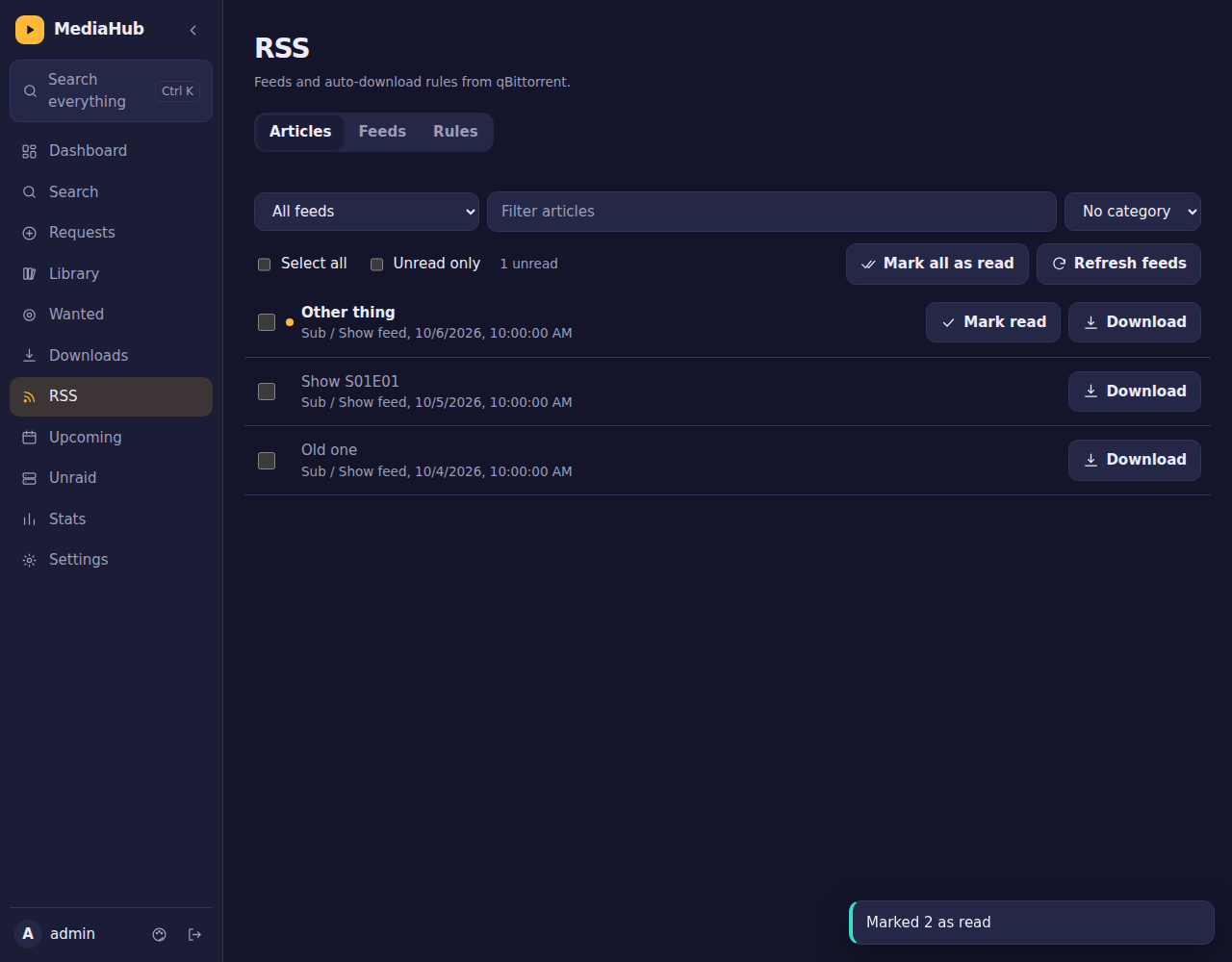 |
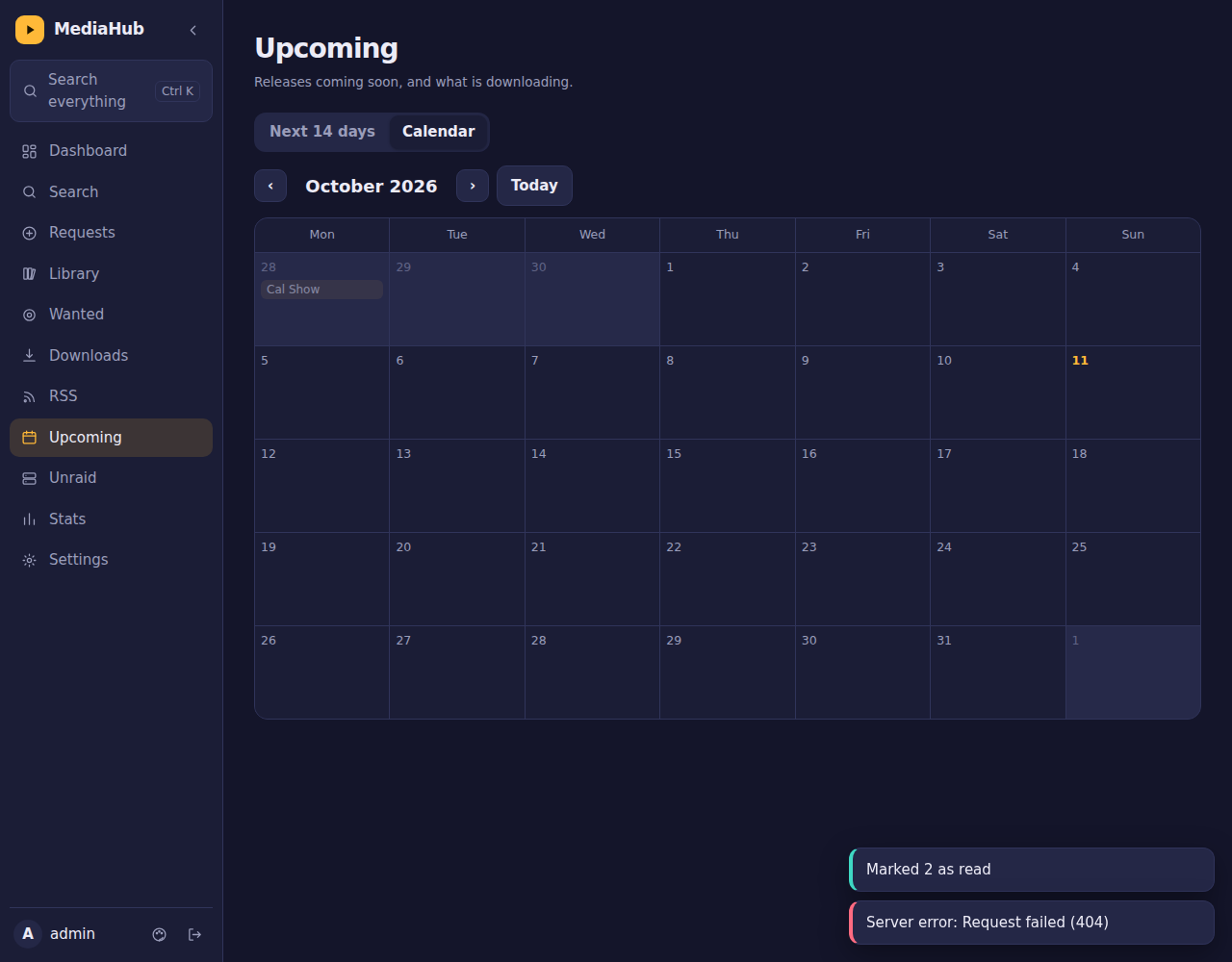 |
Screenshots use demo data.
Quick start
You need Docker (or Unraid) and a folder to keep MediaHub's data.
Docker Compose
services:
  mediahub:
    image: ghcr.io/bdlnaredi/mediahub:latest
    container_name: mediahub
    restart: unless-stopped
    ports:
      - "5080:8080"
    environment:
      - PUID=1000
      - PGID=1000
    volumes:
      - ./data:/data
    security_opt:
      - no-new-privileges:true
docker compose up -d
Docker run
docker run -d --name mediahub --restart unless-stopped \
  -p 5080:8080 -e PUID=1000 -e PGID=1000 \
  -v /path/to/mediahub-data:/data \
  ghcr.io/bdlnaredi/mediahub:latest
Unraid
Copy unraid/mediahub.xml to /boot/config/plugins/dockerMan/templates-user/ on your server, then in the Docker tab choose Add Container and pick mediahub from the template list. The defaults (PUID 99, PGID 100, data in /mnt/user/appdata/mediahub) suit Unraid.
First run
Open http://YOUR-SERVER-IP:5080. The first screen creates the admin account (password of 8 or more characters). Then go to Settings, then Apps and add your apps. Pages appear in the menu as soon as the matching app is connected.
If the port can be reached by anyone besides you, set SETUP_TOKEN first (see below) so nobody else can create the admin account.
Settings you can change
| Variable | Default | What it does |
|---|---|---|
PORT |
8080 |
Port inside the container. |
DATA_DIR |
/data |
Where accounts, saved apps and the encryption key are kept. |
PUID / PGID |
1000 / 1000 |
The user and group that own the data folder. On Unraid use 99 and 100. |
SETUP_TOKEN |
empty | If set, creating the first admin asks for this code. |
TRUST_PROXY |
off | Set to true only if MediaHub is behind a reverse proxy or tunnel you control. It makes MediaHub believe the proxy's client address and HTTPS headers. Leave it off otherwise. |
ALLOWED_ORIGINS |
empty | Comma-separated extra web addresses allowed to sign in, if a proxy changes the Host header, for example https://media.example.com. |
Connecting your apps
| App | Address example | What you need |
|---|---|---|
| Sonarr / Radarr | http://192.168.1.10:8989 / :7878 |
API key (Settings, General). |
| qBittorrent | http://192.168.1.10:8080 |
The web page username and password. |
| Jackett / Prowlarr | :9117 / :9696 |
API key. |
| Seerr (Overseerr / Jellyseerr) | :5055 |
API key (Settings, General). |
| Plex | :32400 |
Your Plex token. |
| Tautulli | :8181 |
API key (Settings, Web Interface). |
| SABnzbd | :8080 |
API key (Config, General). |
| Unraid (7.2 or newer) | your Unraid web address | An API key from Settings, Management Access, API Keys. |
| Bazarr / Lidarr / Readarr | :6767 / :8686 / :8787 |
API key. Status and an Open link only for now. |
Settings, then Apps has a Test connection button and hints for each app. Use your server's address on your network, not names that only work inside Docker.
Some features depend on fields that differ between app versions (for example Unraid disk details, parity control and container logs, or ending a Plex stream, which needs Plex Pass). When something is not available MediaHub shows a short note and carries on.
HTTPS and remote access
Do not forward the port straight to the internet over plain HTTP. Good options:
- Tailscale: install it on your server and your devices and open MediaHub over your private network. Nothing is exposed.
- Cloudflare Tunnel: gives you an HTTPS address without opening any port. Add an access rule so only people you approve can reach the sign-in page.
- A reverse proxy (Nginx Proxy Manager, Caddy, Traefik) with a certificate.
When you use a proxy or tunnel, set TRUST_PROXY=true. If sign-in says "Blocked a request from another website", the proxy is changing the Host header: either pass the original host through or add your address to ALLOWED_ORIGINS.
Safety and your data
- Passwords are hashed. The keys and passwords of your other apps are encrypted on disk with a key stored beside them in
secret.key. - Sign-ins are rate limited, cookies are same-site and
HttpOnly, requests from other websites are blocked, and a strict content security policy is sent. - Profiles can be limited on the server, not just hidden in the page.
- Saves are written atomically, and an automatic copy (
db.json.bak) is kept. A damaged database is never silently replaced.
Everything lives in your data folder: db.json, db.json.bak, secret.key and sessions.json. Back up that whole folder, or use Settings, then Backup for a passphrase-protected file. Keep backups private, because they contain the keys of your other apps. See SECURITY.md.
Updating
docker compose pull && docker compose up -d
Your data folder is kept. Release notes are in CHANGELOG.md. To pin a version, use a tag such as ghcr.io/bdlnaredi/mediahub:0.9.0 instead of latest.
Troubleshooting
- "Permission denied" or it cannot save: set
PUIDandPGIDto the owner of your data folder. - A page is missing from the menu: connect the matching app in Settings, then Apps.
- Posters are blank: posters load from the internet, so the browser needs internet access.
- An app shows "Not reachable": check the address and port, and that MediaHub can reach it from inside its container.
Disclaimer
MediaHub is an independent project and is not affiliated with or endorsed by the makers of Sonarr, Radarr, qBittorrent, Plex, Unraid or any other app it can connect to. Those names belong to their owners. MediaHub only talks to software you run yourself, and does not host, index or provide any content. You are responsible for how you use your own server and for following the laws and terms that apply to you.
Contributing
Ideas, bug reports and pull requests are welcome. See CONTRIBUTING.md. To run it locally you only need Node.js 20 or newer:
DATA_DIR=./data PORT=8080 node server.js
npm test
License
Categories
Related apps
Explore more like this
Explore allDetails
ghcr.io/bdlnaredi/mediahub:latestRuntime arguments
- Web UI
http://[IP]:[PORT:8080]/- Network
bridge- Privileged
- false
- Extra Params
--security-opt=no-new-privileges:true
Template configuration
Port for the MediaHub web page
- Target
- 8080
- Default
- 8080
- Value
- 8080
Accounts, saved apps and the encryption key. Back this folder up.
- Target
- /data
- Default
- /mnt/user/appdata/mediahub
- Value
- /mnt/user/appdata/mediahub
User ID that owns the data folder (99 is nobody on Unraid)
- Default
- 99
- Value
- 99
Group ID that owns the data folder (100 is users on Unraid)
- Default
- 100
- Value
- 100
Optional. If set, creating the first admin asks for this code.
- Target
- SETUP_TOKEN
Set to true only if MediaHub is behind a reverse proxy or tunnel you control.
- Target
- TRUST_PROXY