

media-box
Docker app from devblaze's Repository
Overview
Readme
View on GitHub

media-box
A self-hosted, all-in-one PVR + media server in a single container — a replacement for Sonarr, Radarr, Bazarr, Jellyseerr, and Jellyfin. The only thing you need to bring is an indexer.
🚧 UNDER DEVELOPMENT — USE AT YOUR OWN RISK 🚧
This is an early work in progress and is NOT optimized or hardened for public / production use.
Expect rough edges, breaking changes, and bugs. If you stumbled on this and want to try it:
keep backups, don't point it at data you can't afford to lose, and run it entirely at your own risk.
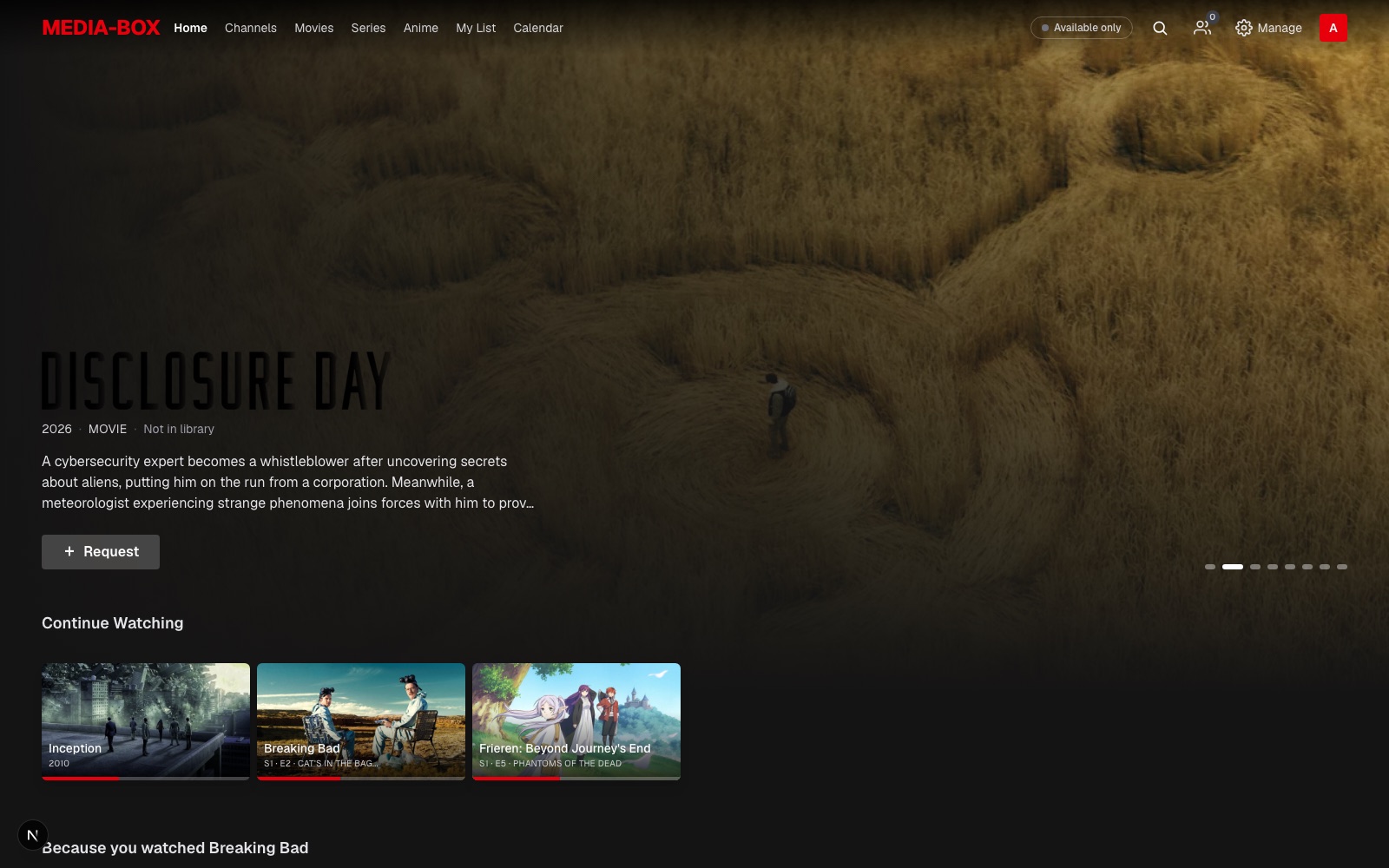
What it does
- Two libraries, one app — movies and series, metadata via TMDB.
- Full PVR loop — monitor → RSS sync → search Torznab indexers → grab via qBittorrent or TorBox (debrid) → import (hardlink / copy / move) with template renaming → history & upgrades.
- Release preferences — per quality profile, prefer specific groups (e.g. YIFY/YTS for movies, an
anime group for anime) with automatic fallback; plus required / ignored terms (substring or
/regex/). - Netflix-style Discover for everyday users — hero billboards, hover rows, Movies / Series / Anime categories, search with type filters, an "available only" toggle. Available titles play in-browser; the rest can be requested.
- In-app player — direct-play with HTTP-range seeking, plus an HLS transcoder (Intel QSV/VAAPI, AMD VAAPI, NVIDIA NVENC) for anything the browser can't decode. ffprobe-populated media info.
- Library Import — scan existing movie/series folders, auto-match to TMDB, and resolve the uncertain ones from a manual review panel.
- Requests + roles — admins manage everything; normal users browse & request.
- One-click migration from existing Sonarr / Radarr (library, monitored flags, quality profiles, Torznab indexers, qBittorrent clients).
Built on Next.js 16 (a single process: UI + /api/v1 + an in-process job scheduler) with SQLite/Drizzle.
Screenshots
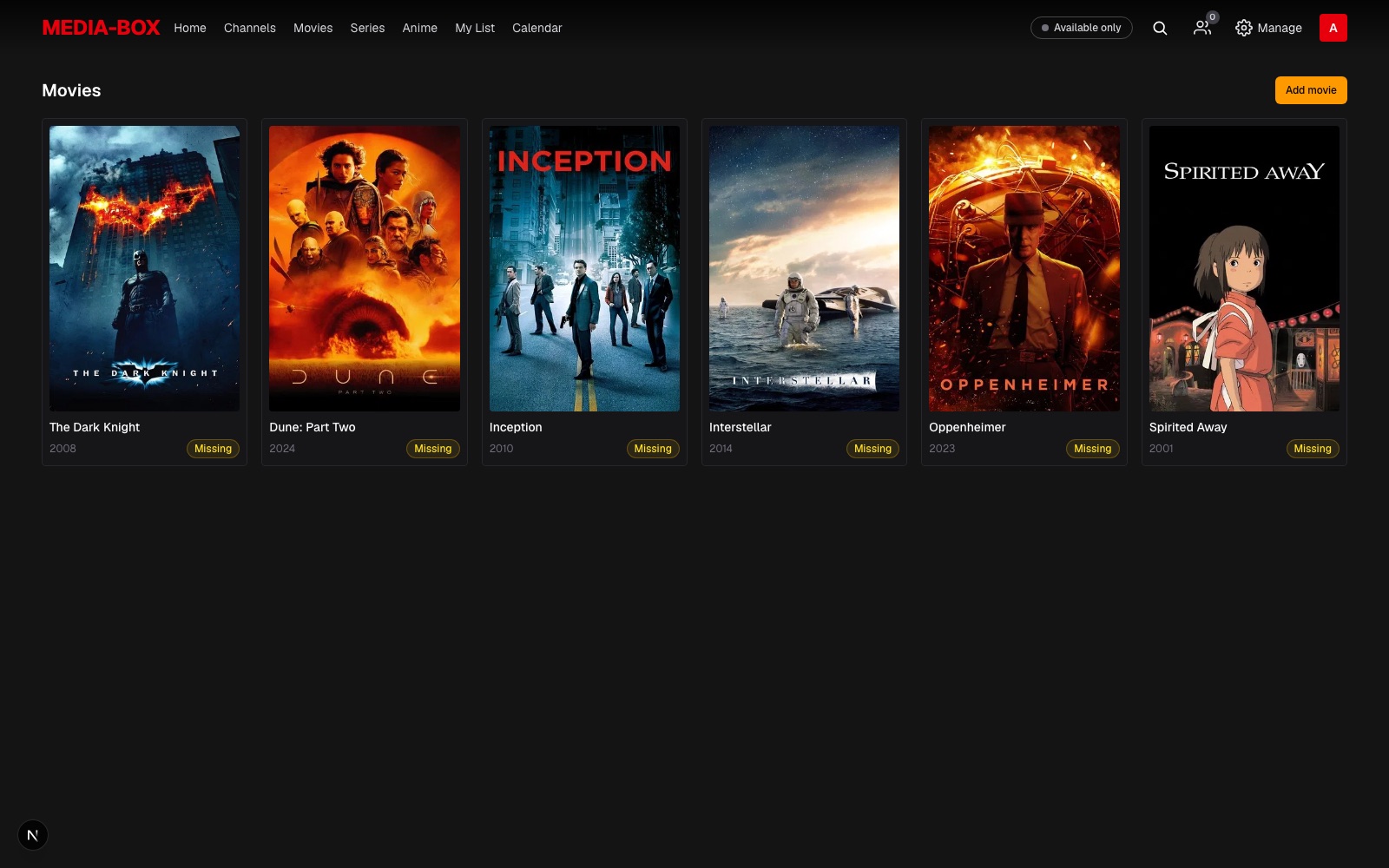 Movie library |
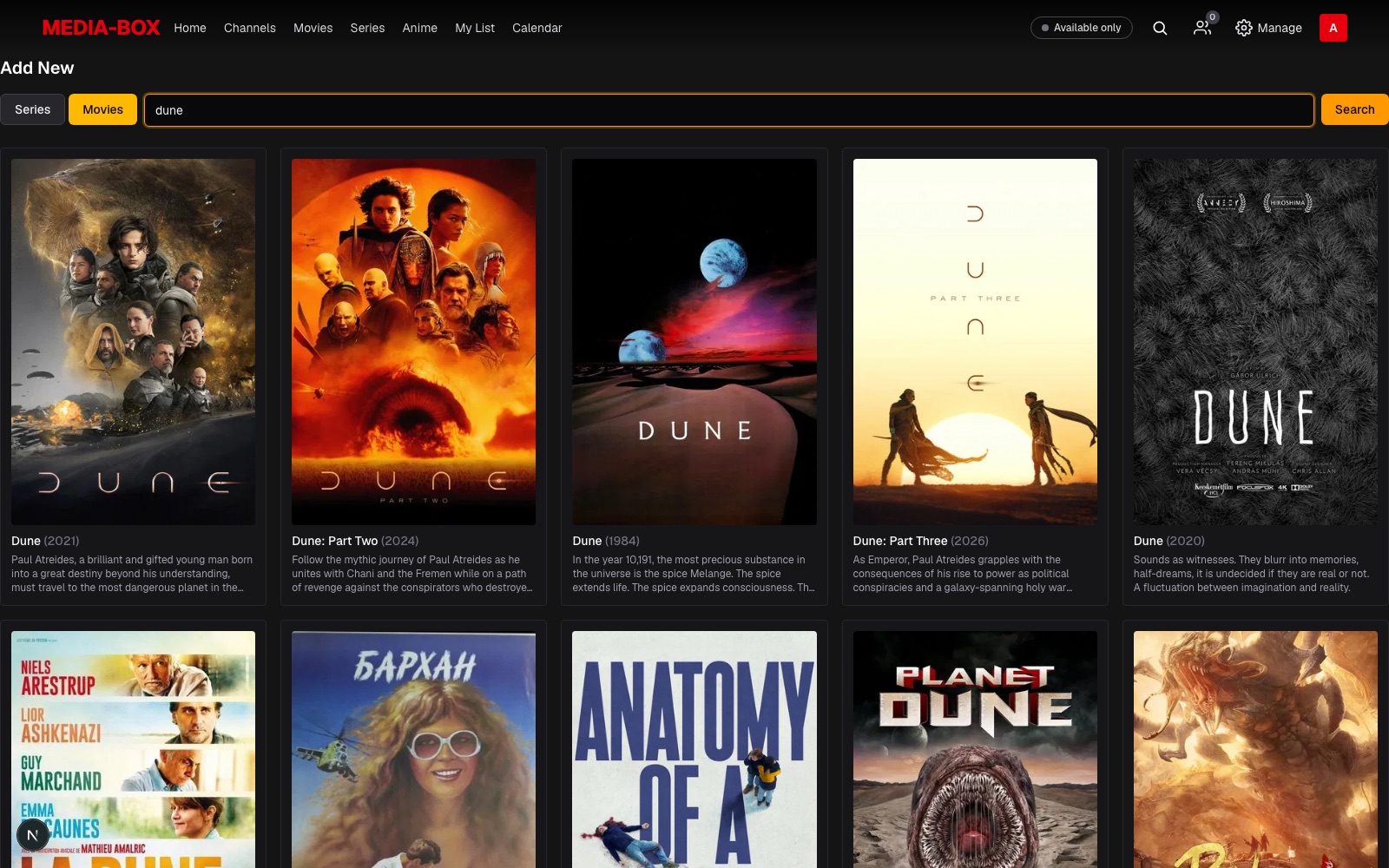 Add anything from TMDB |
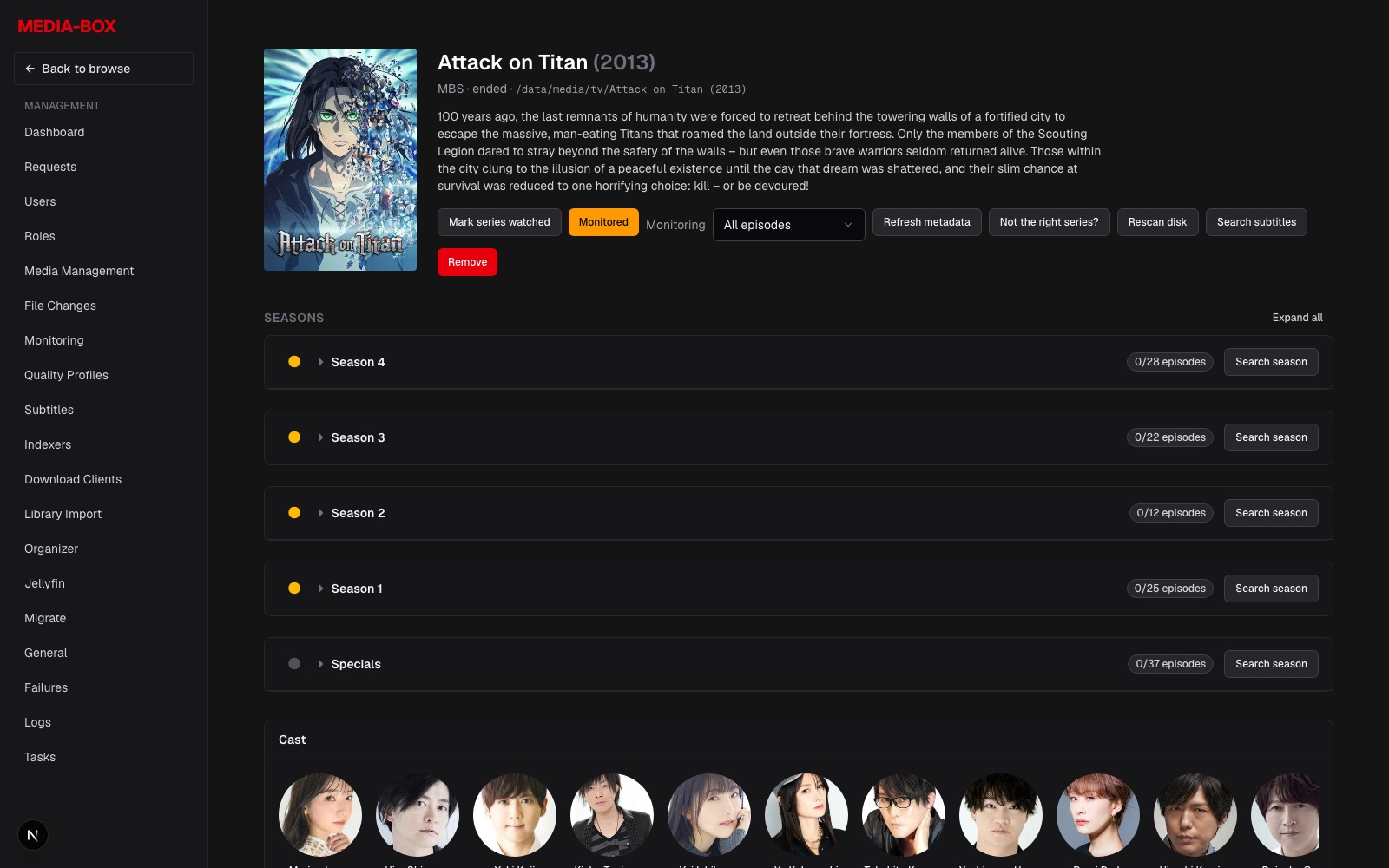 Series management — seasons, monitoring, search |
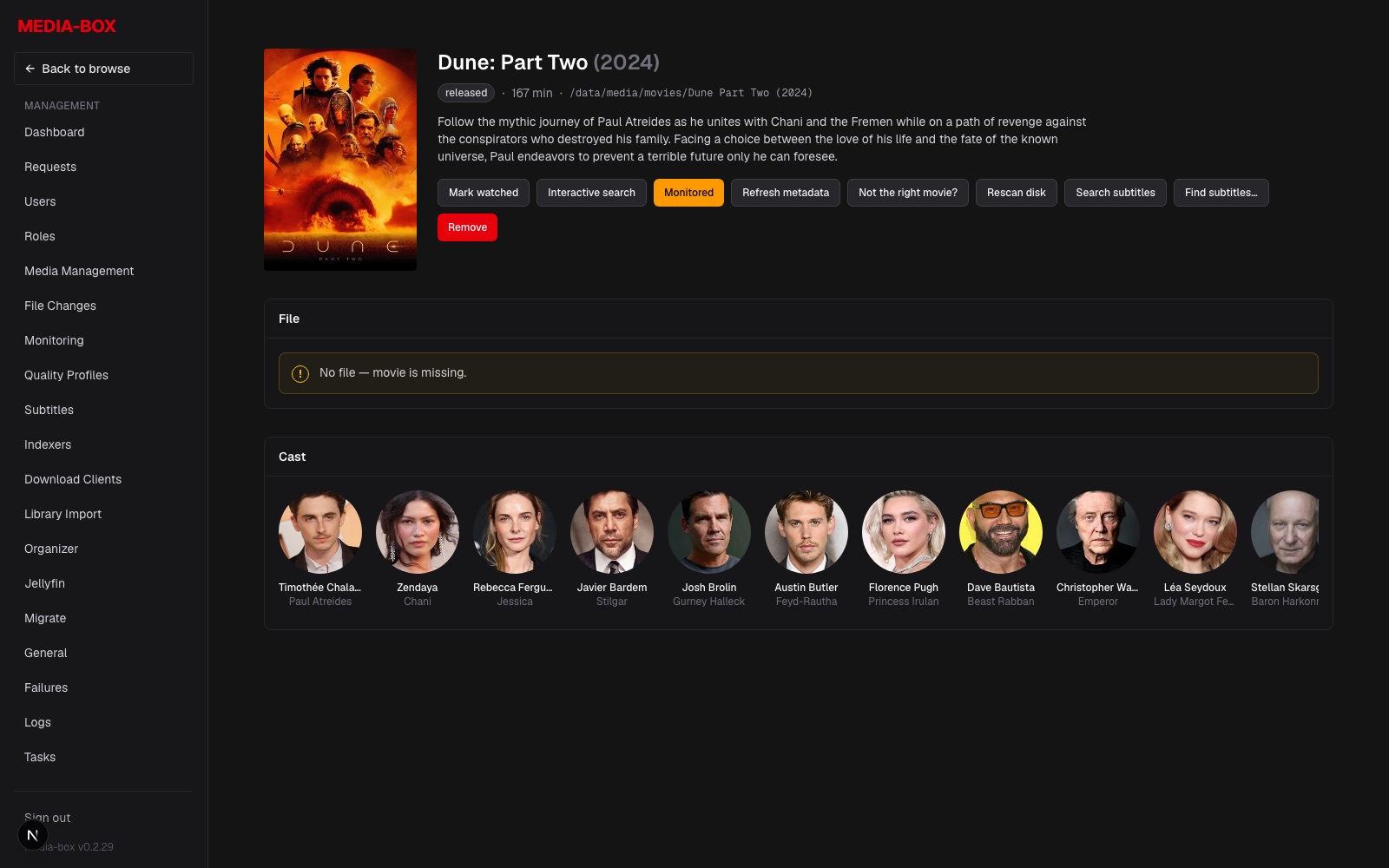 Movie management with cast & file state |
More in docs/screenshots/ — Library Import, admin settings (transcoding, RAM cache, AI assistant).
Install on Unraid (Docker template)
Easiest: media-box is available in Unraid Community Applications — open the Apps tab and search for media-box. (The CA-registered copy of the template lives in
devblaze/torbox-client/templates/, the maintainer template repo — keep it in sync withunraid/media-box.xml.)⚠️ Use with caution on existing media libraries. media-box manages files — it can move, rename, upgrade and delete media it imports. Pointing it at a library that Sonarr/Radarr or your media server already manage? Start with Settings → Media Management → File operations set to Read-only or Ask, and switch to Allow once you trust what it does.
The manual route below still works: media-box ships an Unraid Docker template at
unraid/media-box.xml. The container image is published to the GitHub Container Registry (ghcr.io/devblaze/media-box).
1. Publish the image (once, and on each update)
Let CI do it (recommended). The included GitHub Actions workflow
(.github/workflows/docker-publish.yml) builds linux/amd64
and pushes to ghcr.io/devblaze/media-box on every commit to main — no secrets to configure, it uses
the built-in GITHUB_TOKEN.
One-time: after the first successful run, the ghcr package is private. Open the package settings → Change visibility → Public so Unraid can pull it without a
docker login.
Or build and push it yourself (docker login ghcr.io with a PAT that has write:packages):
docker buildx build --platform linux/amd64 \
  -t ghcr.io/devblaze/media-box:latest --push .
2. Install the template in Unraid
Unraid reads user templates from /boot/config/plugins/dockerMan/templates-user/. Drop
unraid/media-box.xml in there and it shows up in the Add Container → Template dropdown.
SSH into your Unraid server (or open the web terminal) and fetch the template straight from the repo:
wget -O "/boot/config/plugins/dockerMan/templates-user/my-media-box.xml" \
  https://raw.githubusercontent.com/devblaze/media-box/main/unraid/media-box.xml
Then in the Unraid GUI: Docker tab → Add Container → set Template to media-box and fill in the paths below.
No SSH? Download
unraid/media-box.xml, then upload it to/boot/config/plugins/dockerMan/templates-user/my-media-box.xmlwith any SMB/SFTP client (theflashshare maps to/boot).
3. Configure the container
The template exposes these; adjust the host paths to your shares:
| Setting | Container path | Notes |
|---|---|---|
| WebUI Port | 7878 |
change the host side if it clashes |
| Config | /config |
app config + SQLite DB — persist this (/mnt/user/appdata/media-box) |
| Downloads | /downloads |
your download client's output share |
| Movies | /movies |
movie library share |
| TV | /tv |
series library share |
| PUID / PGID / UMASK / TZ | env | Unraid defaults 99 / 100 / 022 |
| Intel/AMD GPU (optional) | /dev/dri |
for hardware transcoding — then set Settings → Transcoding |
Hardlinks vs copy: if Downloads is on a different filesystem than Movies/TV, imports copy (slower, needs free space). Point all three at subfolders of one share for instant, space-free hardlink imports (the trash-guides layout). For NVIDIA, install the Unraid Nvidia-Driver plugin and add Extra Parameters
--runtime=nvidiaplusNVIDIA_VISIBLE_DEVICES=allinstead of the/dev/dridevice.
4. First run
Open http://<unraid-ip>:7878, create the admin account, then:
- Settings → General — paste a free TMDB API key.
- Settings → Media Management — set your downloads / movies / series paths (or they seed from the
DOWNLOADS_DIR/MOVIES_DIR/SERIES_DIRenv vars) and add root folders. - Settings → Indexers — add Torznab endpoints (Prowlarr/Jackett).
- Settings → Download Clients — add qBittorrent and/or TorBox.
- Settings → Library Import — import media you already have on disk.
- Optionally Settings → Migrate — import from an existing Sonarr/Radarr.
Normal (non-admin) users you create land on the Netflix-style Discover page and can play what's available or request the rest.
Updating
media-box applies its database migrations automatically on boot, so updating is just pulling a newer image:
- Rebuild & push a new image (step 1 above) — or let the GitHub Actions CI publish it on push to
main. - In Unraid: Docker tab → media-box → Force update (or Check for Updates → Update). Unraid pulls
the new
:latestand recreates the container;/config(your DB) is preserved.
docker compose users: docker compose pull && docker compose up -d.
Non-Unraid (docker compose)
A docker-compose.yml mirrors the Unraid mapping (separate downloads/movies/tv
shares, optional /dev/dri). Edit the volume paths, then docker compose up -d.
API
Everything the UI does goes through GET/POST/PUT/DELETE /api/v1/*. External tools authenticate with the
X-Api-Key header (shown under Settings → General). GET /api/v1/health is unauthenticated for the
container healthcheck.
Development
yarn install
yarn dev       # config + SQLite DB land in ./.config-dev
yarn test      # parser / naming / scoring test suite
yarn typecheck
Note: this repo tracks a modified Next.js 16 — read
node_modules/next/dist/docs/before changing framework-facing code (seeAGENTS.md).
Related apps
Explore more like this
Explore allDetails
ghcr.io/devblaze/media-box:latestRuntime arguments
- Web UI
http://[IP]:[PORT:7878]- Network
bridge- Shell
sh- Privileged
- false
Template configuration
Web interface port
- Target
- 7878
- Default
- 7878
- Value
- 7878
App configuration and SQLite database (persist this)
- Target
- /config
- Default
- /mnt/user/appdata/media-box
- Value
- /mnt/user/appdata/media-box
Download client output (torrents/usenet). Put on the SAME share as Movies/TV for hardlinks.
- Target
- /downloads
- Default
- /mnt/user/downloads
- Value
- /mnt/user/downloads
Movie library
- Target
- /movies
- Default
- /mnt/user/movies
- Value
- /mnt/user/movies
Series (TV) library
- Target
- /tv
- Default
- /mnt/user/tv
- Value
- /mnt/user/tv
User ID for file ownership
- Default
- 99
- Value
- 99
Group ID for file ownership
- Default
- 100
- Value
- 100
File creation mask
- Default
- 022
- Value
- 022
Timezone (e.g. Europe/Athens)
- Default
- Europe/Athens
- Value
- Europe/Athens
Pass the iGPU for hardware transcoding (Intel QuickSync / AMD VAAPI). Then set Settings > Transcoding > Hardware acceleration to VAAPI or QSV. Leave unset for CPU transcoding. For NVIDIA, install the Unraid Nvidia-Driver plugin and add Extra Parameters: --runtime=nvidia plus NVIDIA_VISIBLE_DEVICES.
- Target
- /dev/dri
- Default
- /dev/dri
- Value
- /dev/dri