marquee

marquee

Docker app from TimmyAmant's Repository

Overview

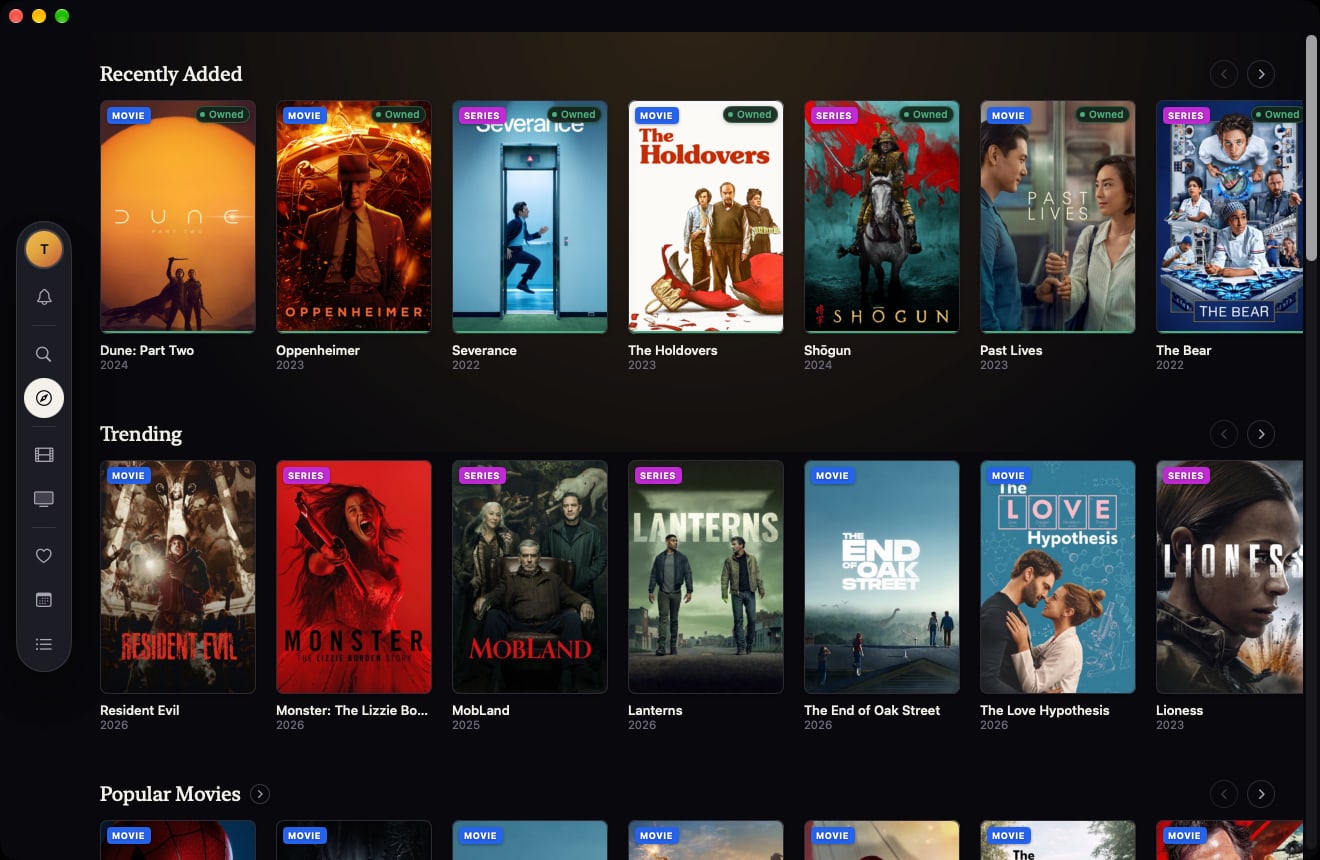
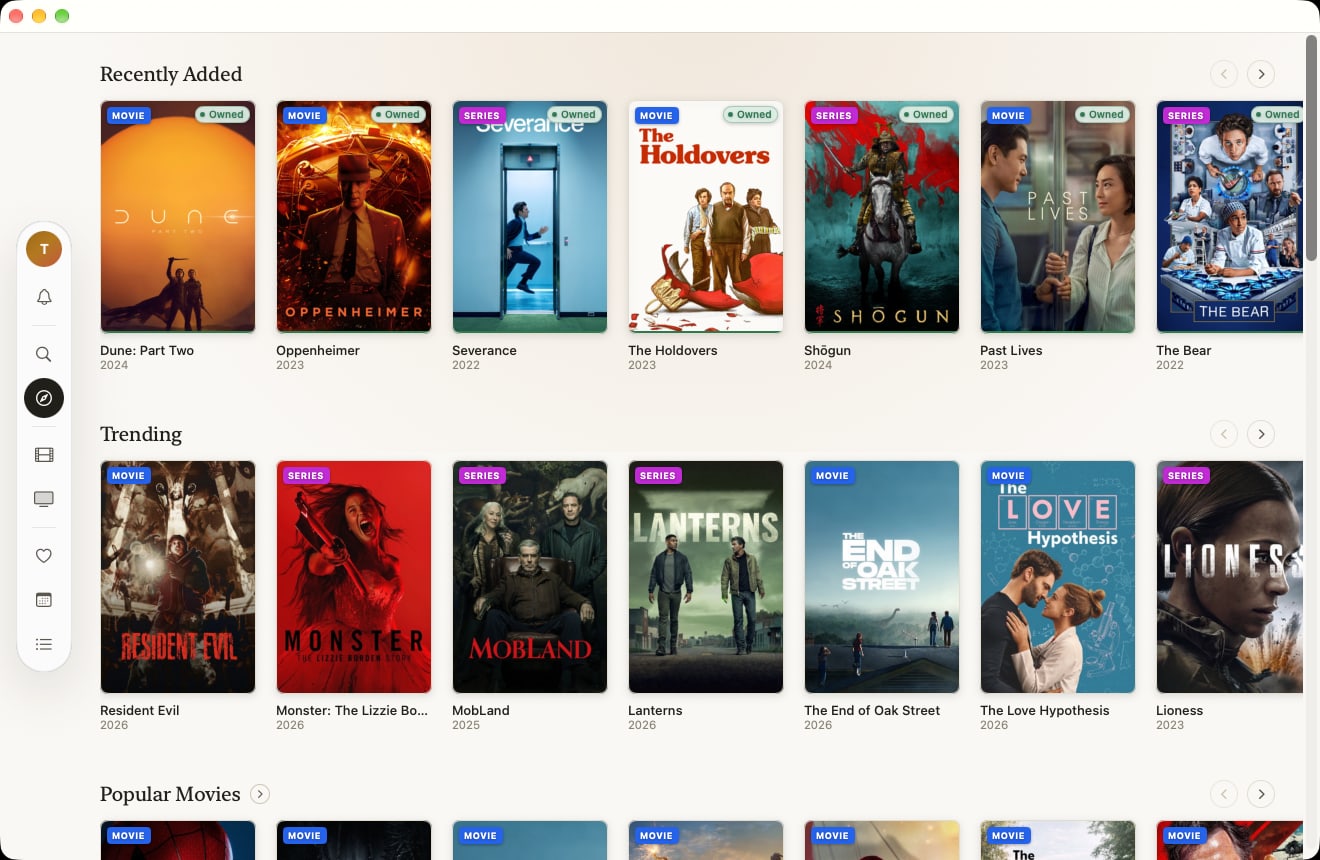
Self-hosted media metadata dashboard - TMDb + Plex + Sonarr/Radarr. Look up any actor, studio, or franchise, see instantly whether it's already in your Plex library, being downloaded, or coming soon, and send anything missing straight to Sonarr or Radarr. Built for households: the admin account (created on first visit) connects Plex/Sonarr/Radarr and can add accounts for everyone else. Other household members get the full app - Discover, Search, My Library, Favorites, Calendar - but request titles instead of adding them directly, so nothing downloads without the admin's approval. Includes a release calendar, download notifications, and a mobile-friendly UI. This is a single, self-contained container - Postgres runs inside it, there is nothing else to install. Just set a POSTGRES_PASSWORD below and go. First visit after install creates the one-time admin account. Full setup instructions: https://github.com/TimmyAmant/marquee#readme

Marquee

🚧 Beta. Actively developed and tested daily against a real Plex/Sonarr/Radarr setup, but still early — expect rough edges, schema changes between updates, and the occasional bug. Back up your database before updating. Found something broken? Open an issue.

A self-hosted dashboard that ties your media metadata together with what you actually own. Look up any actor, studio, or franchise, see instantly whether it's already in your Plex library or being downloaded, and send anything missing straight to Sonarr or Radarr — all from one page, without digging through three different apps.

Runs on your home network (Unraid, Synology, a spare box, whatever) next to the Plex/Sonarr/Radarr you already have. Not a hosted service — your data, your server.

Features

Home & Discover

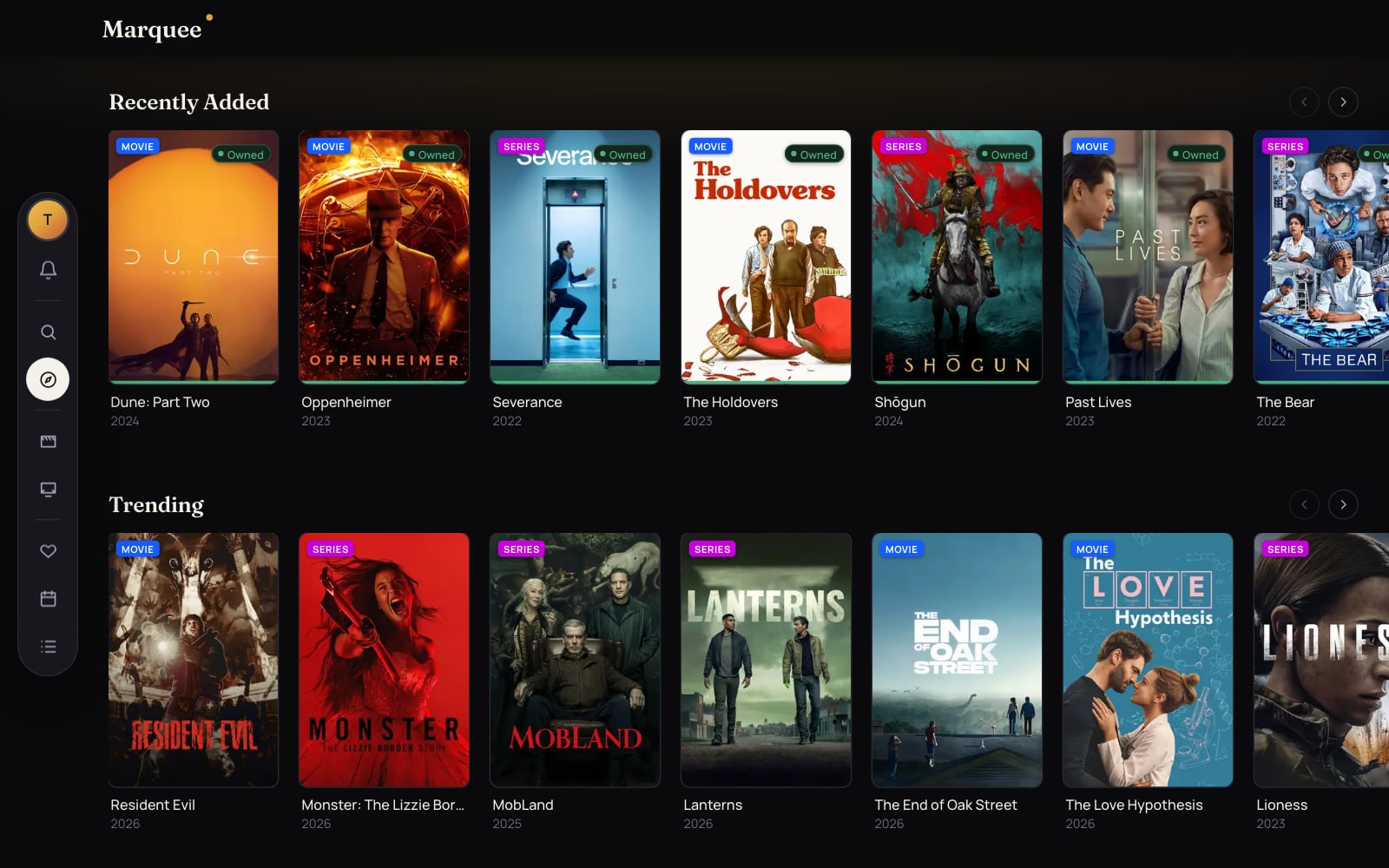
  • Trending-this-week and coming-soon rails on the homepage (public, no account needed to browse).
  • Discover page: filter by Movies / TV / Both, sort by Popular / Top rated / Newest, filter by year and by any of the 16+ TMDb genres.
  • Hide titles you already track toggle, so Discover only shows what you don't have yet.
  • Quick-add button right on the poster — add to Sonarr/Radarr without opening the title page.

Search

  • Title, person, and studio search with live autocomplete suggestions.
  • Genre search — type "action", "horror", "comedy" (or a TV genre like "Sci-Fi & Fantasy") and get every matching movie/TV show.
  • Theme/keyword search — for queries that aren't a genre (e.g. "natural disaster"), falls back to TMDb's keyword tagging to find matches.

Title pages

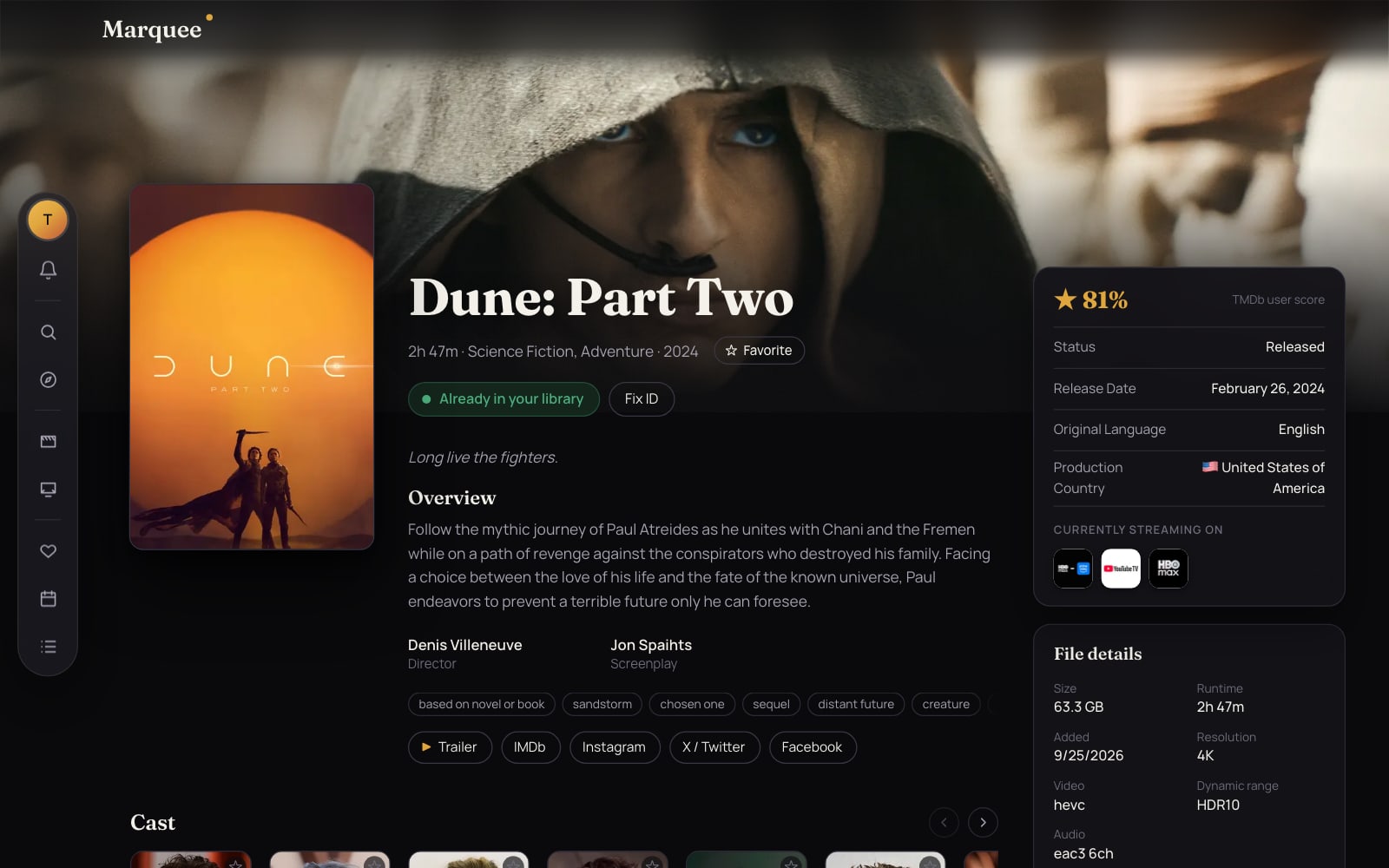
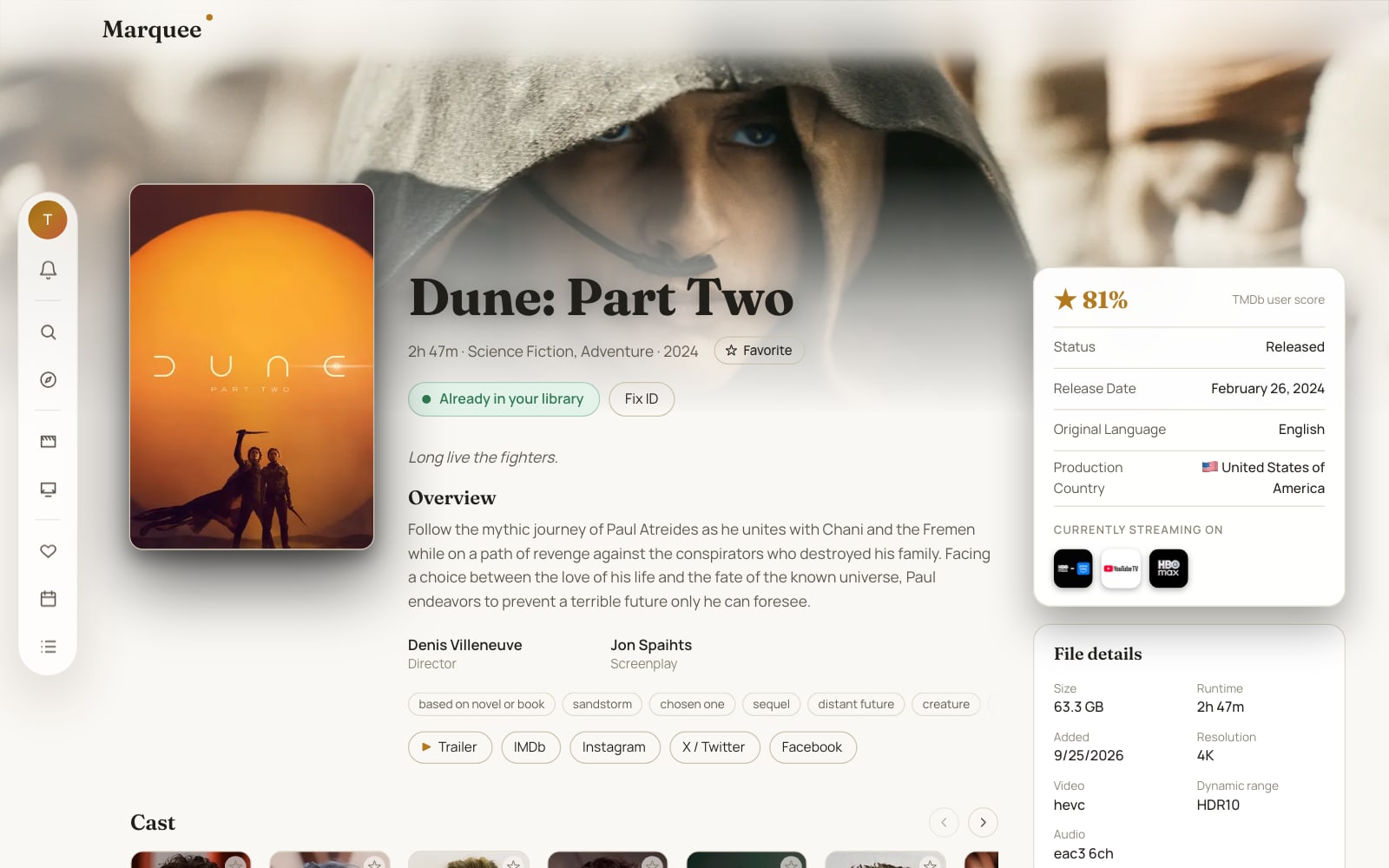
  • Full details: overview, year, trailer, and links to IMDb/Instagram/X (Twitter)/Facebook.
  • Live ownership status: Owned / Downloading / Monitored / Coming soon / Not owned, checked directly against Plex/Sonarr/Radarr — an unreleased title that's already being tracked shows as "Coming soon" instead of looking like something's actually missing.
  • One-click Add to Radarr/Sonarr (admin) using your saved quality profile/root folder — re-enables monitoring automatically if the title was already added and then unmonitored. Household members see a Request button instead — see Household accounts & requests below.
  • Full cast list with character names, linking to each person's page.
  • Studio/production company section, with conglomerates (Disney, Marvel, Lucasfilm, etc.) merged into one entry instead of listed separately.
  • Franchise & crossover section: movie collections (Harry Potter, James Bond, etc.) pulled directly from TMDb; a curated list for TV crossovers (Arrowverse, 9-1-1 Universe, One Chicago, NCIS Franchise).
  • "More like this" recommendations.
  • TV shows: season selector with per-season completeness, full episode list with per-episode have-it/missing status.

People & studios

  • Full filmography for any actor/person — every movie and TV credit with character name, cross-referenced against your library.
  • Full catalog for any studio, with the same conglomerate-merging as title pages.
  • Favorite button on people and studios to build a personal watchlist.

My Library

  • One aggregated view of everything already in Plex, Sonarr, and Radarr — shared with every household member, not just the admin who connected the integrations.
  • Header stats: movie count, TV show count, total size on disk, plus a count of anything monitored/downloading but not yet owned.
  • Filter by type (Movie/TV) and status (Owned/Downloading/Monitored/Coming soon), sort by Newest/Oldest/A–Z/Recently added, search within your library, and switch between grid and table views.
  • Stop monitoring a title directly from the library (admin-only).

Calendar

  • Month grid of upcoming releases and air dates, pulled straight from Radarr's/Sonarr's own calendar data — accurate release/digital/physical dates for movies, per-episode air dates for TV.
  • Shared with every household member, same as My Library.

Notifications

  • Bell icon in the nav polls for new activity: a title started downloading, finished downloading, or (for household members) one of your requests was approved or declined.
  • Powered by Radarr/Sonarr webhooks — the URL and a per-account secret are generated for you under Settings → Integrations.

Favorites

  • One page listing every person and studio you've starred.

Household accounts & requests

  • One-time first-run setup creates the admin account — no public signup page after that.
  • The admin adds accounts for other household members from Settings → Account, and can remove them later. Members only ever see their own account there, not the rest of the household.
  • Members get the full app — Discover, Search, My Library, Favorites, Calendar — but instead of adding titles directly to Sonarr/Radarr, they hit Request. The admin reviews everything waiting for approval on the Requests page and approves or declines with one click; the requester gets notified either way. Members have their own Requests tab too, showing the status of everything they've asked for — pending, declined, or (once approved) downloading/already in the library.
  • Only the admin can connect or reconfigure Plex/Sonarr/Radarr (Settings → Integrations) — members can browse and request, not wire up new download sources.
  • Settings → Integrations (admin-only):
    • TMDb — one shared API key/access token for the whole instance, editable in-app (test-and-save) or via environment variable.
    • Plex — OAuth connect, shows your library's movie/TV counts, syncs automatically in the background.
    • Sonarr / Radarr — server URL + API key (test-and-save), with default quality profile and root folder for new adds.
  • "Keep me signed in for 30 days" login option, rate-limited sign-in attempts, and all saved integration credentials encrypted at rest.

Self-hosting

  • Single self-contained Docker image — Postgres runs inside the same container as the app, so there's nothing else to install or wire up. Database migrations apply automatically on every start.
  • Works out of the box on Unraid, either via Docker Compose or a native Community Applications template.
  • Mobile-friendly — a hamburger nav and touch-scrollable rows/tables mean it's fully usable from a phone, not just desktop.
  • Want to reach it from outside your home network? A free Cloudflare Tunnel works well and needs no port forwarding — point it at http://<your-server-ip>:3000.

Quick start (Docker)

Requirements: Docker + Docker Compose, and free API keys from TMDb and TheTVDB (both free, a couple minutes to sign up).

git clone https://github.com/TimmyAmant/marquee.git
cd marquee
cp .env.local.example .env

Edit .env and fill in:

Variable Where to get it
POSTGRES_PASSWORD pick anything — this is only for the database bundled inside the container, it's never exposed outside it
AUTH_SECRET openssl rand -base64 32
MASTER_ENCRYPTION_KEY openssl rand -base64 32back this up, losing it makes saved Sonarr/Radarr/Plex credentials undecryptable
TMDB_API_KEY (or TMDB_ACCESS_TOKEN) themoviedb.org/settings/api — can also be set later from Settings → Integrations instead
TVDB_API_KEY / TVDB_PIN thetvdb.com/api-information

Then:

docker compose up -d

This pulls the prebuilt image from Docker Hub (amd64 and arm64) instead of building locally, so it's up in seconds. If you've changed the source and want to run your own build instead, use docker compose up -d --build.

Visit http://<your-server-ip>:3000. First visit creates the admin account (one-time setup, no public signup after); connect Plex/Sonarr/Radarr from Settings → Integrations once you're in.

Unraid

Two ways to run it on Unraid, pick one:

Option A — Compose Manager Install the Compose Manager plugin from Community Applications, point it at this repo's docker-compose.yml. Change APP_PORT in .env first if it collides with something else you're running.

Option B — native Community Applications template (recommended) Marquee is listed directly in Community Applications — open the Apps tab, search "marquee", and install it. It's a single container — just fill in POSTGRES_PASSWORD and the other fields the template asks for (same variables as the .env table above); everything else, including where the database is stored, is pre-filled with sane defaults.

The template lives at unraid-templates/marquee.xml in this repo.

Local development

The app container bundles Postgres for production/self-hosting, but for local development it's easiest to run a plain throwaway Postgres alongside npm run dev:

npm install
docker run -d --name marquee-dev-db -p 5432:5432 -e POSTGRES_PASSWORD=devpass -e POSTGRES_DB=marquee postgres:16-alpine
cp .env.local.example .env.local   # set DATABASE_URL=postgres://postgres:devpass@localhost:5432/marquee
npm run dev

Schema changes: npx drizzle-kit generate then npx drizzle-kit migrate.

Support

Found a bug or have a question? Open an issue.

Install Marquee on Unraid in a few clicks.

Find Marquee in Community Apps on your Unraid server, review the template, and click Install. Unraid handles the Docker app or plugin setup from the published template.

Open the Apps tab on your Unraid server Search Community Apps for Marquee Review the template variables and paths Click Install

Download Statistics

52
Total Downloads

Related apps

Details

Repository
timmyamant/marquee:latest
Last Updated2026-07-15
First Seen2026-07-15

Runtime arguments

Web UI
http://[IP]:[PORT:3000]/
Network
bridge
Shell
bash
Privileged
false

Template configuration

WebUI PortPorttcp

Port Marquee listens on

Target
3000
Default
3000
Value
3000
Postgres DataPathrw

Where Marquee's built-in Postgres database is stored

Target
/var/lib/postgresql/data
Default
/mnt/user/appdata/marquee/postgres-data
Value
/mnt/user/appdata/marquee/postgres-data
POSTGRES_PASSWORDVariable

Password for Marquee's built-in database. Pick any strong password - just remember it, it's not used anywhere outside this container.

AUTH_SECRETVariable

Any long random string. Generate with: openssl rand -base64 32

MASTER_ENCRYPTION_KEYVariable

Base64 32-byte key used to encrypt saved Sonarr/Radarr/Plex credentials. Generate with: openssl rand -base64 32 -- BACK THIS UP, losing it makes saved credentials undecryptable.

AUTH_TRUST_HOSTVariable

Leave as true for LAN access without a fixed domain

Default
true
Value
true
POSTGRES_USERVariable

Built-in database username - the default is fine for almost everyone

Default
marquee
Value
marquee
POSTGRES_DBVariable

Built-in database name - the default is fine for almost everyone

Default
marquee
Value
marquee
TMDB_API_KEYVariable

From themoviedb.org/settings/api. Can also be set later from within the app: Settings -> Integrations.

TMDB_ACCESS_TOKENVariable

Alternative to TMDB_API_KEY (TMDb v4 access token) - only need one of the two

TVDB_API_KEYVariable

From thetvdb.com/api-information - used to cross-reference Sonarr's shows to TMDb

TVDB_PINVariable

From thetvdb.com/api-information