
All apps · 0 apps

Malla
Docker app from grtgbln's Repository
Overview
Readme
View on GitHubMalla
Malla (Mesh, in Spanish) is an (AI-built) tool that logs Meshtastic packets from an MQTT broker into a SQLite database and exposes a web UI to get some interesting data insights from them.
Running Instances
Check out some instances with running data from community MQTT servers:
- meshtastic.es (Spain): https://malla.meshtastic.es
- malla.ctmesh.org (Connecticut): https://malla.ctmesh.org
- meshmap.pro (Taiwan): https://meshmap.pro
- malla.motaba.net (Bulgaria): https://malla.motaba.net
Features
🚀 Key Highlights
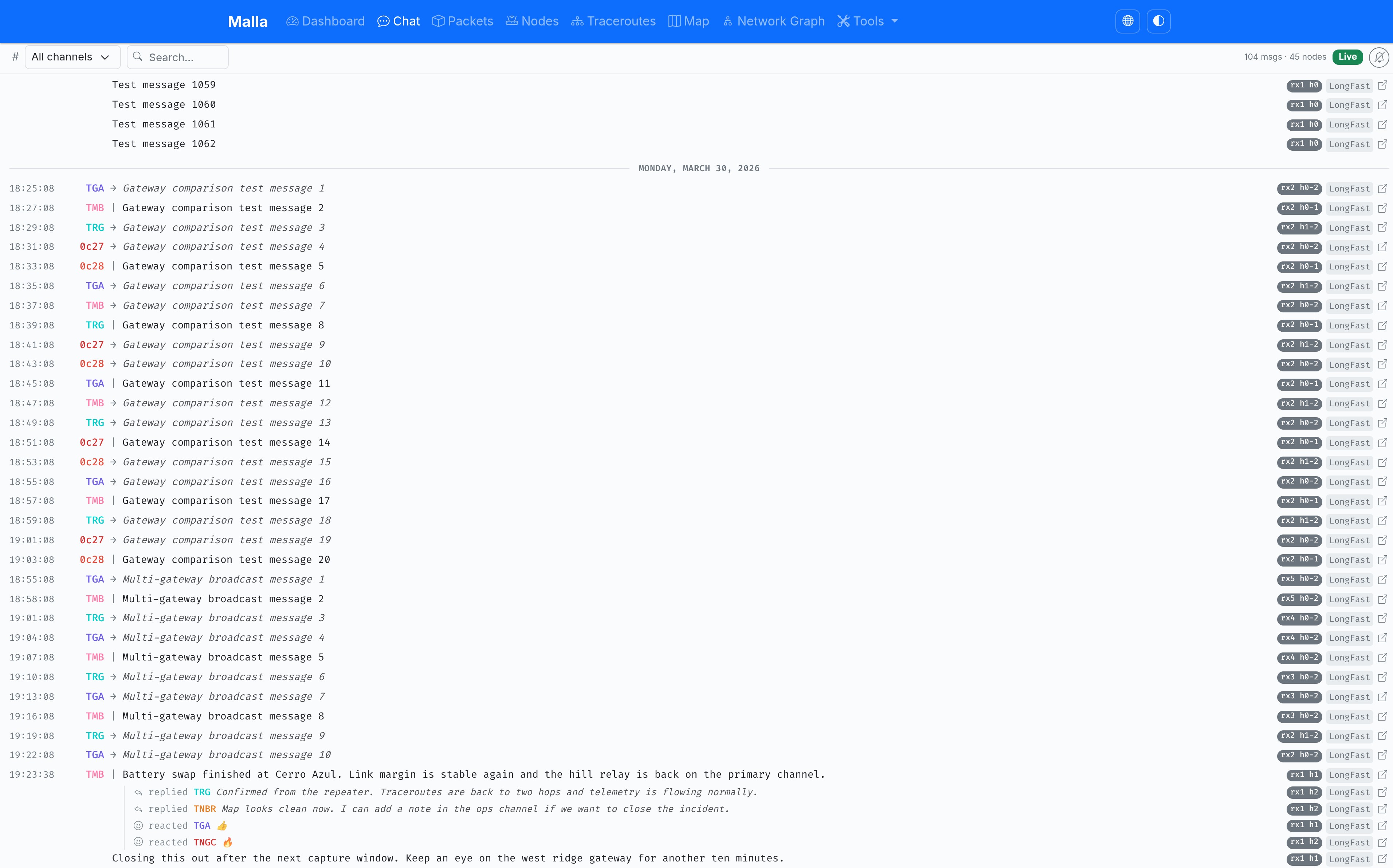
• End-to-end capture – Logs every packet from your Meshtastic MQTT broker straight into an optimised SQLite database.
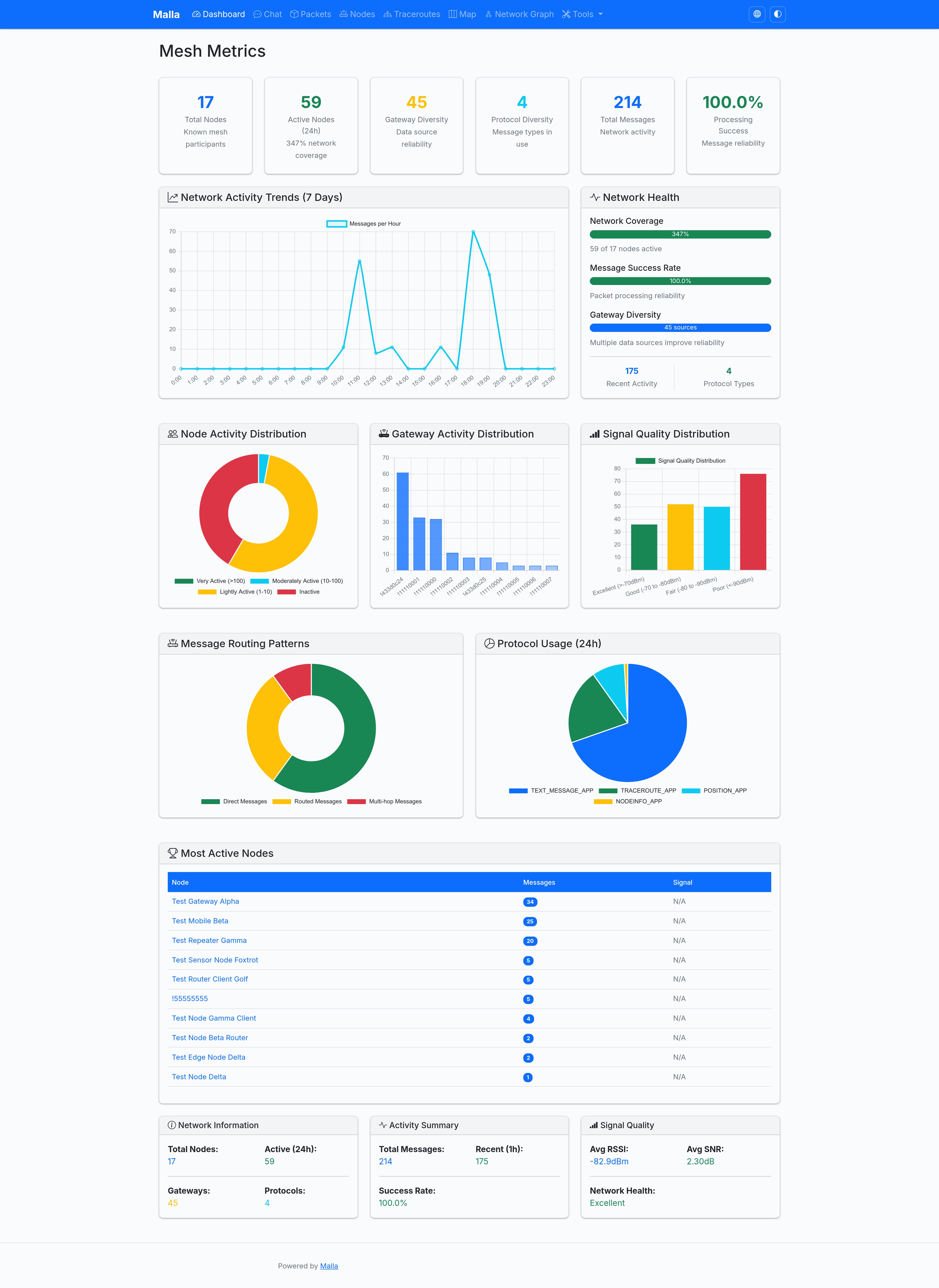
• Live dashboard – Real-time counters for total / active nodes, packet rate, signal quality bars and network-health indicators (auto-refresh).
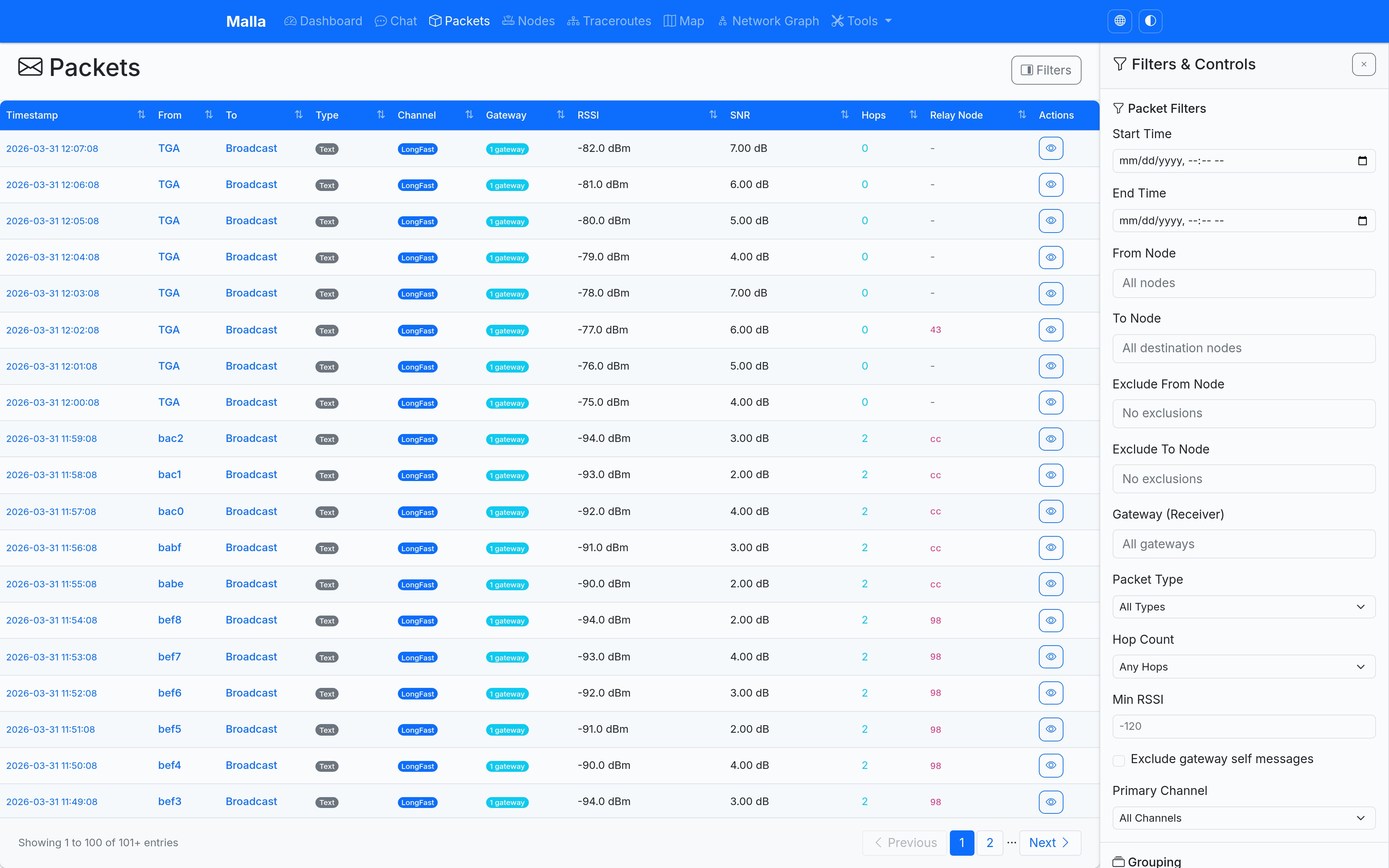
• Packet browser – Lightning-fast table with powerful filtering (time range, node, port, RSSI/SNR, type), pagination and one-click CSV export.
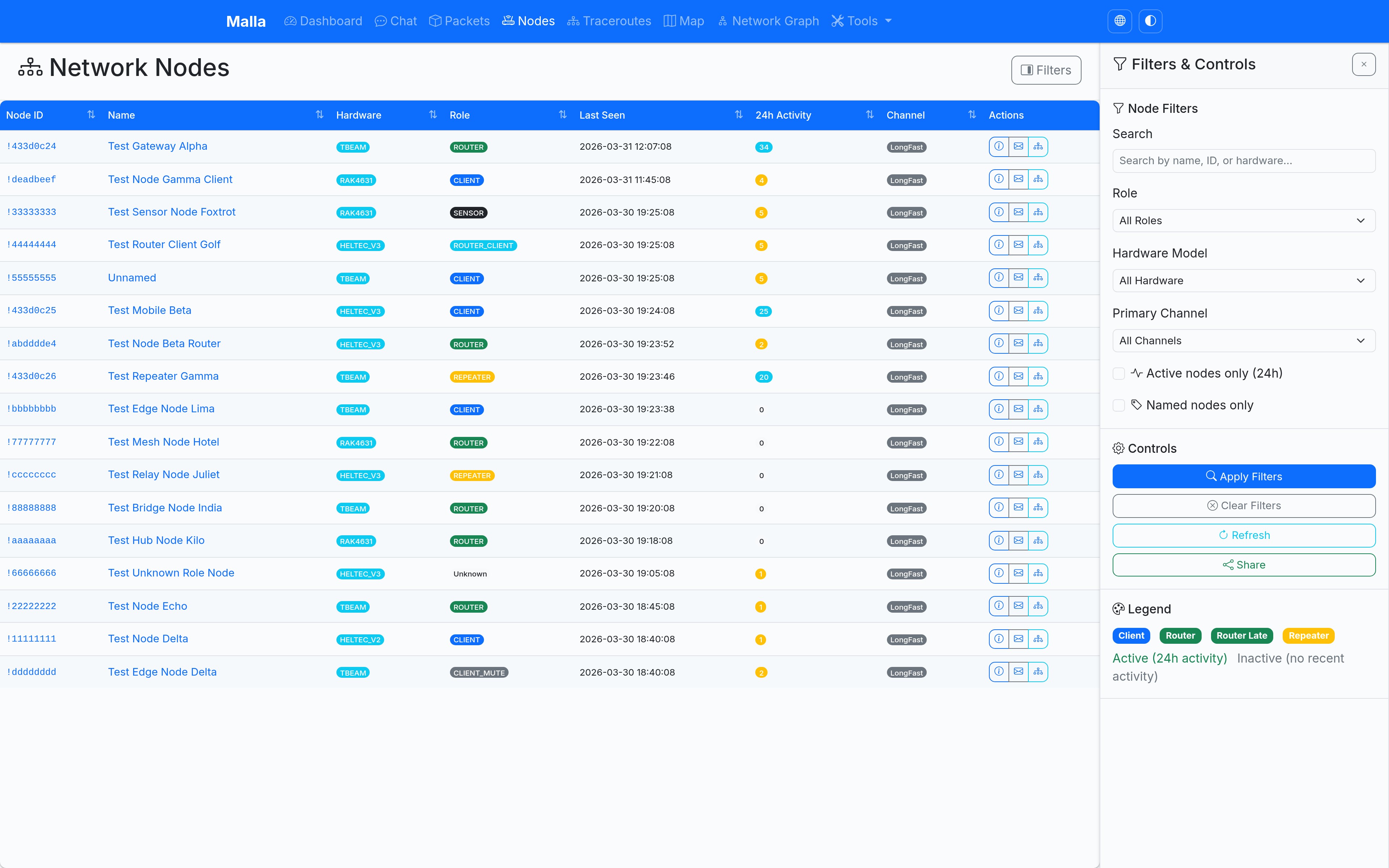
• Node explorer – Detailed hardware, role, battery and signal info for every node – searchable picker plus online/offline badges.
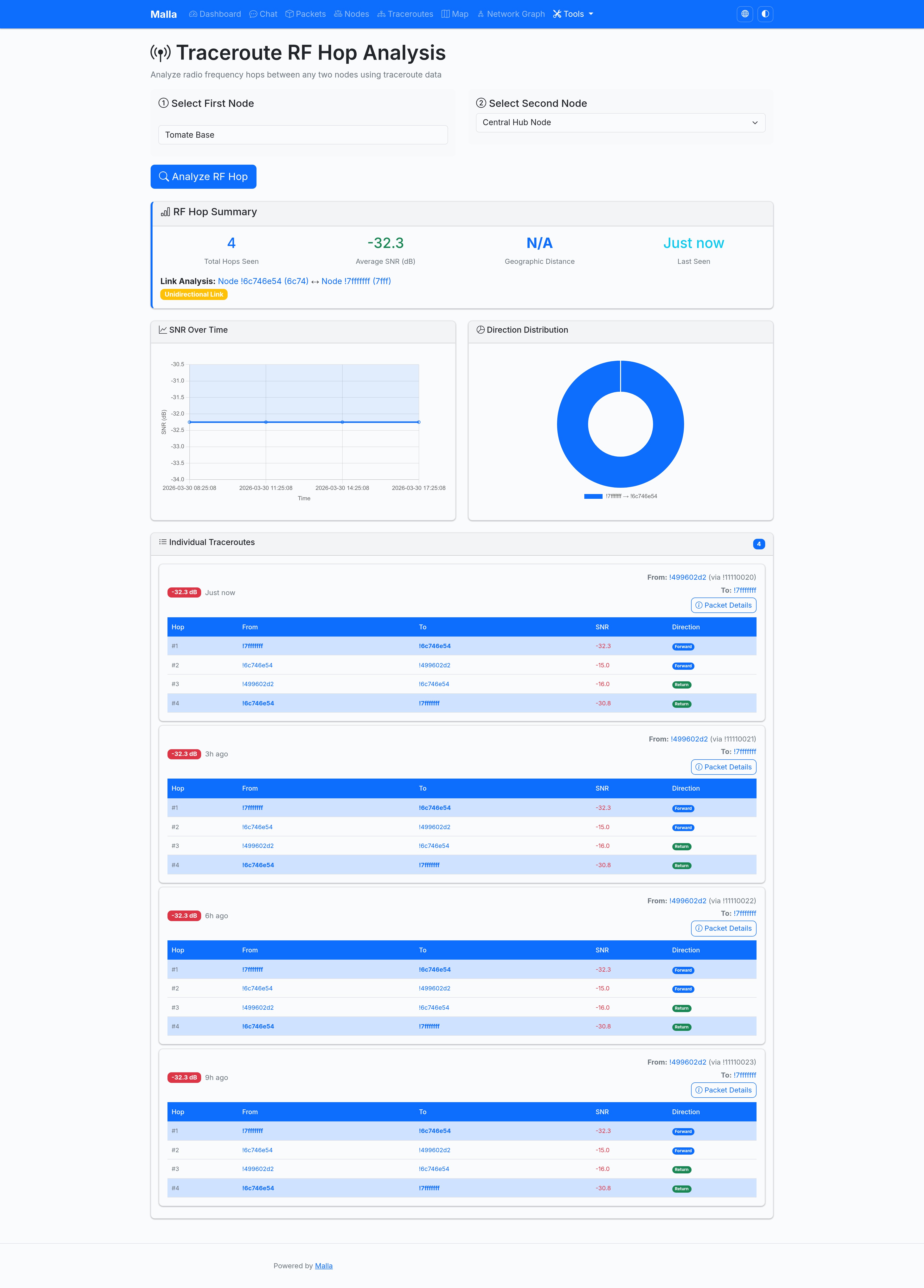
• Traceroutes – Historical list view to inspect packet paths across the mesh network.
• Map view – Leaflet map with live node locations, RF-link overlays and role colour-coding.
• Network graph – Force-directed graph visualising multi-hop links and RF distances between nodes / gateways.
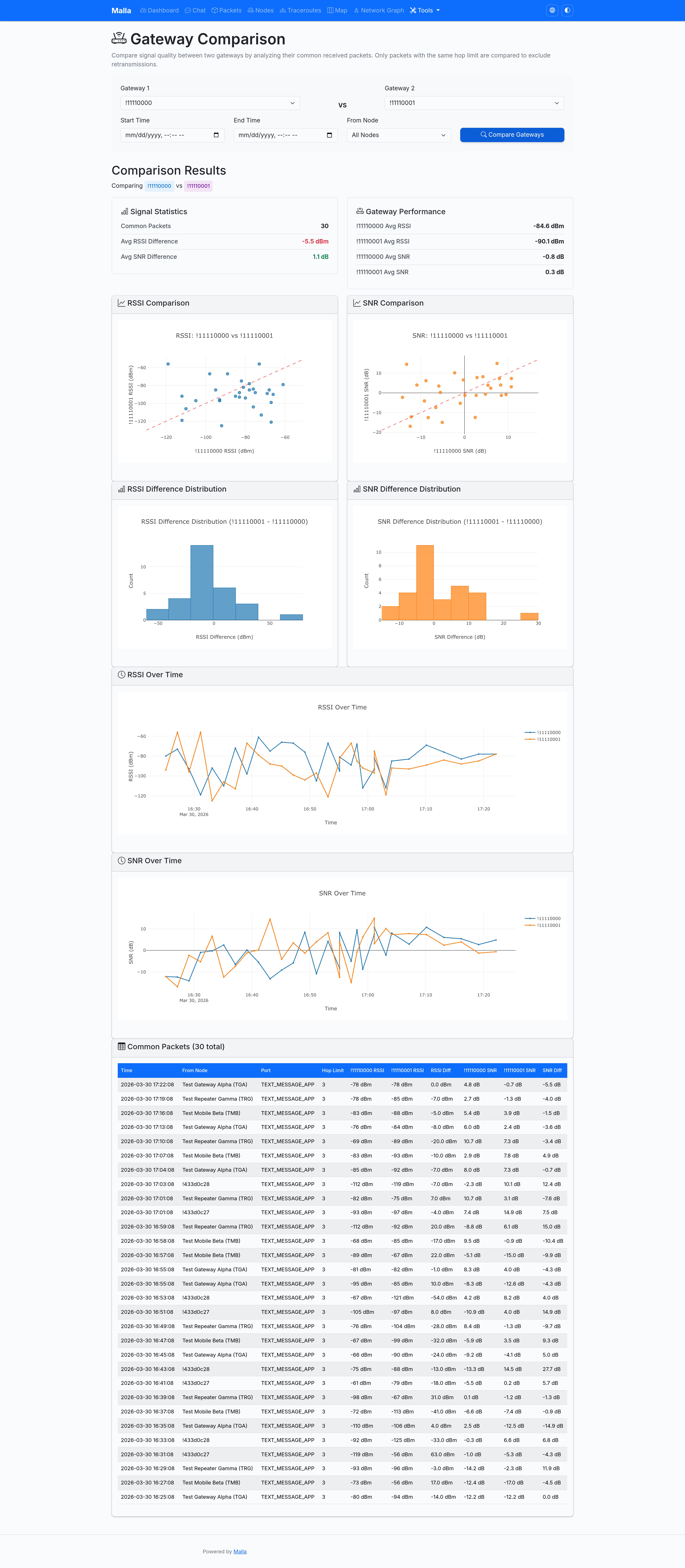
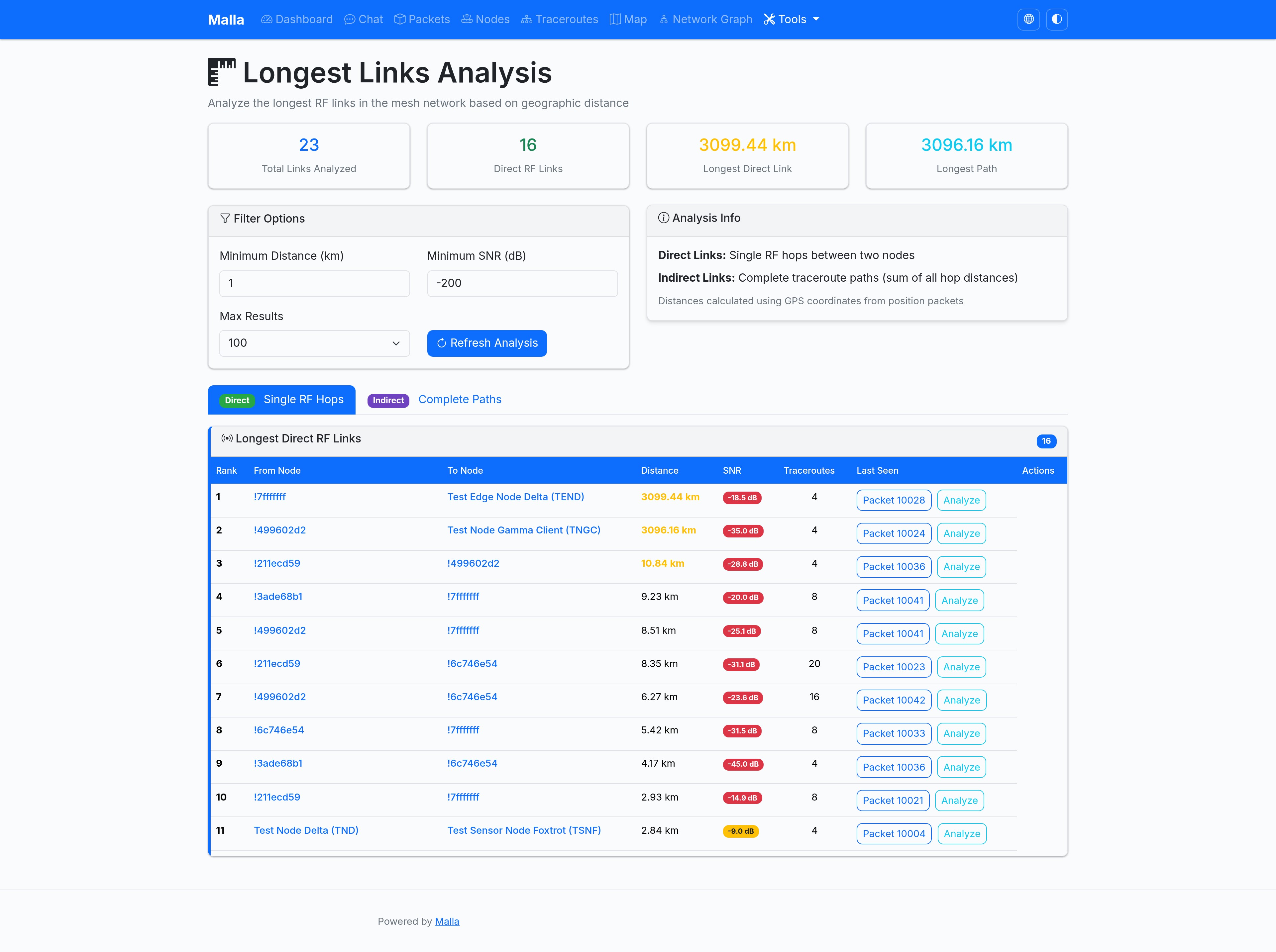
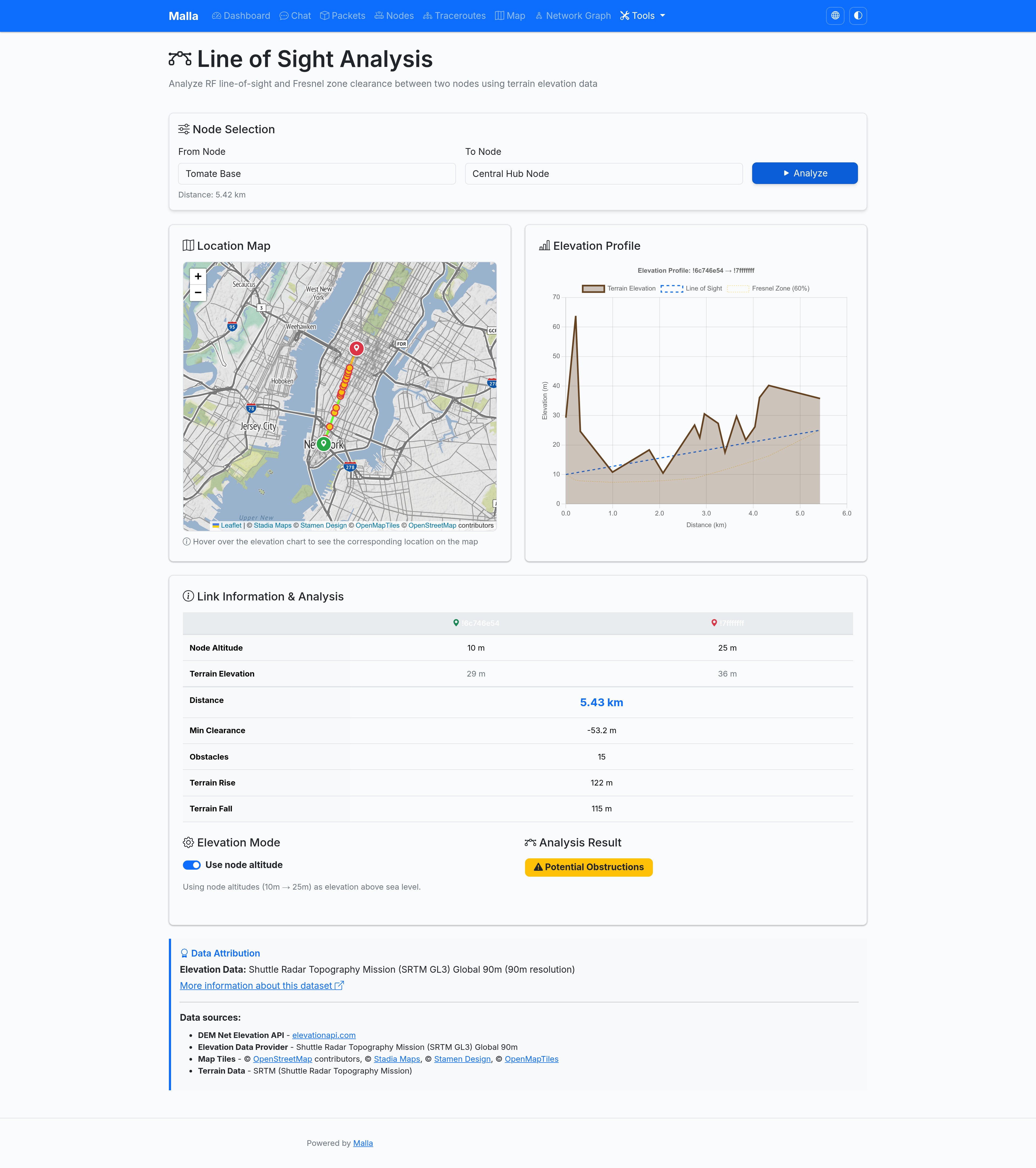
• Toolbox – Hop-analysis tables, gateway-compare matrix and "longest links" explorer for deep dives.
• Analytics charts – 7-day trends, RSSI distribution, top talkers, hop distribution and more (Plotly powered).
• Single-source config – One config.yaml (or MALLA_* env-vars) drives both the capture tool and the web UI.
• One-command launch – malla-capture and malla-web wrapper scripts get you up and running in seconds.
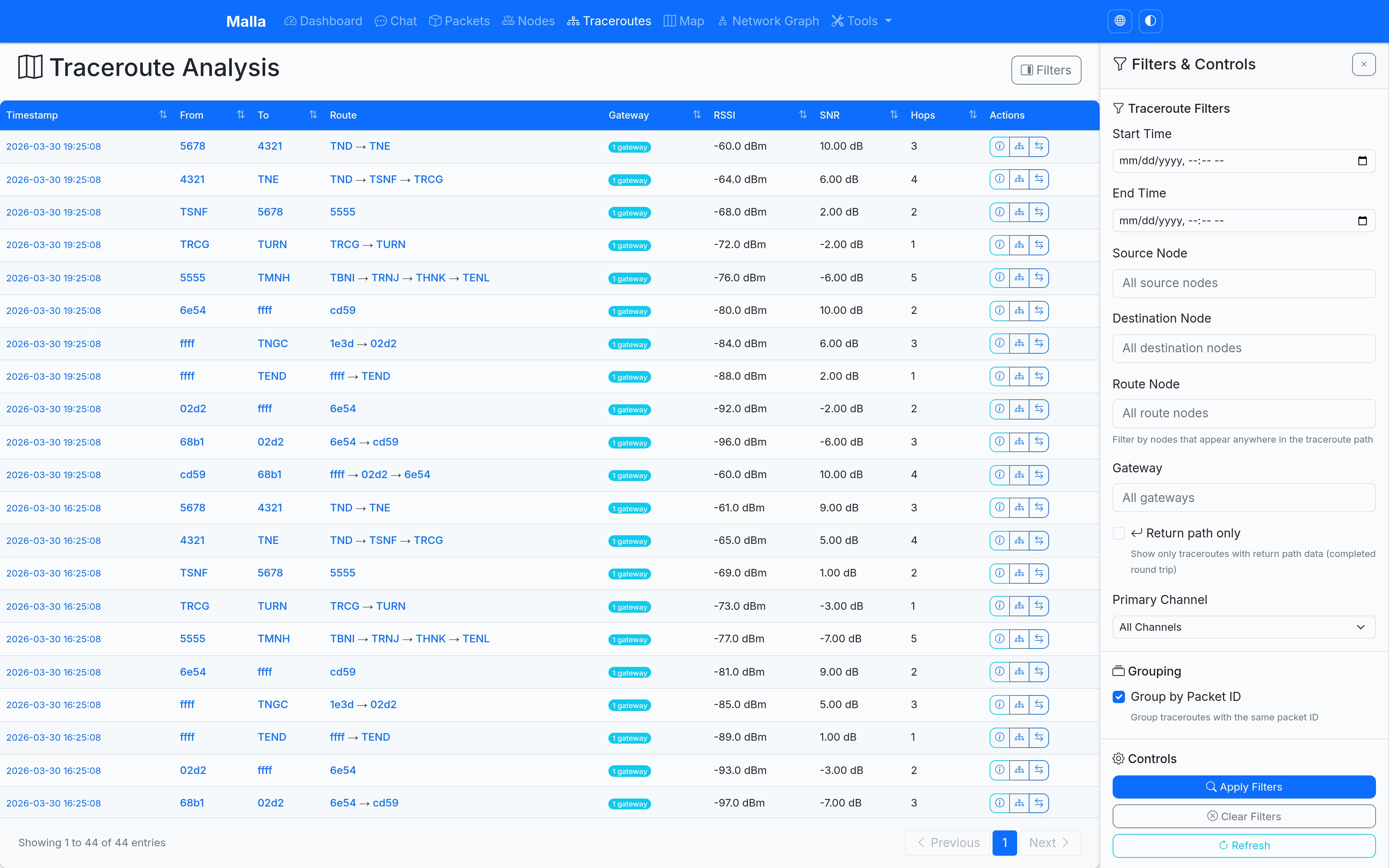
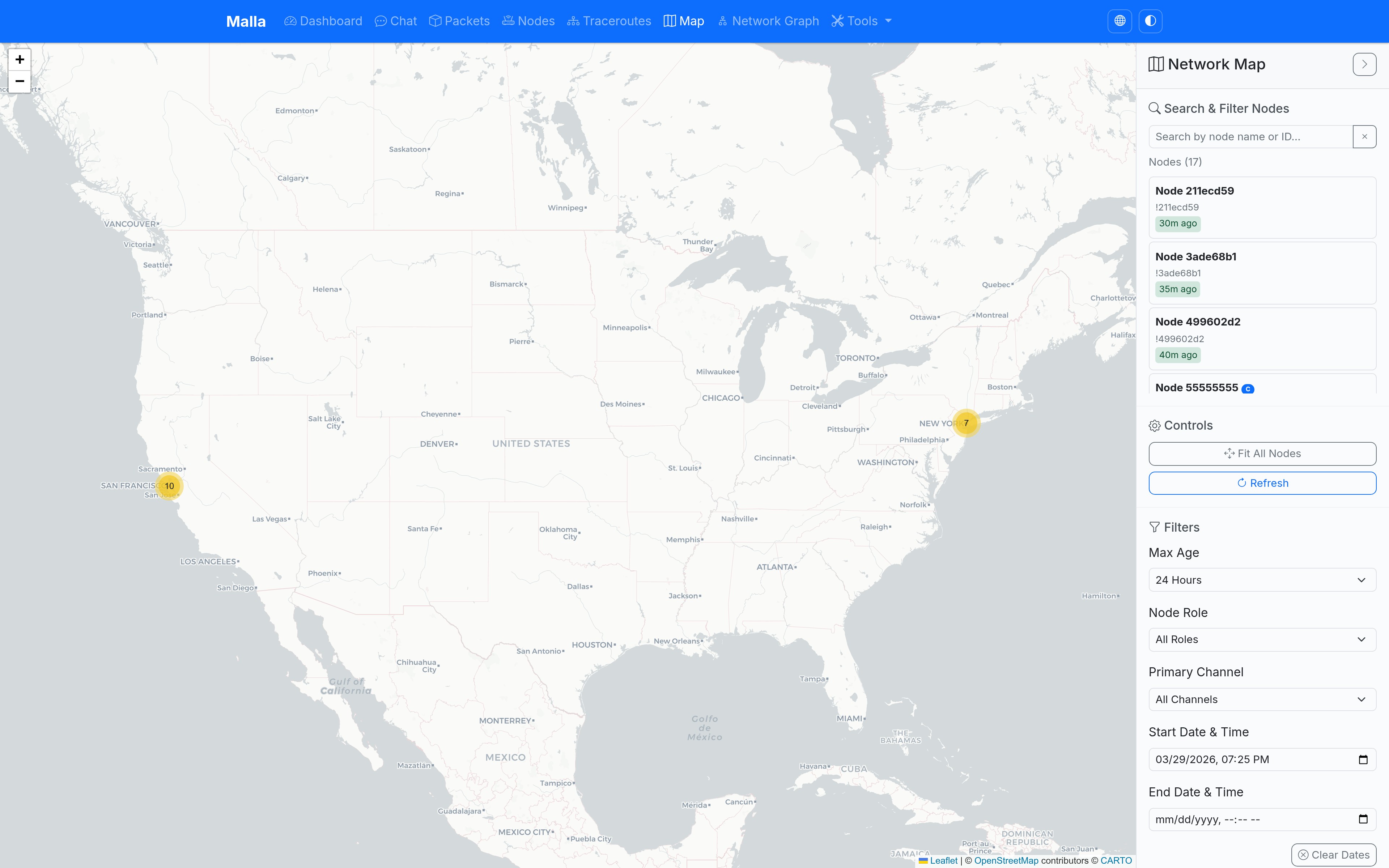
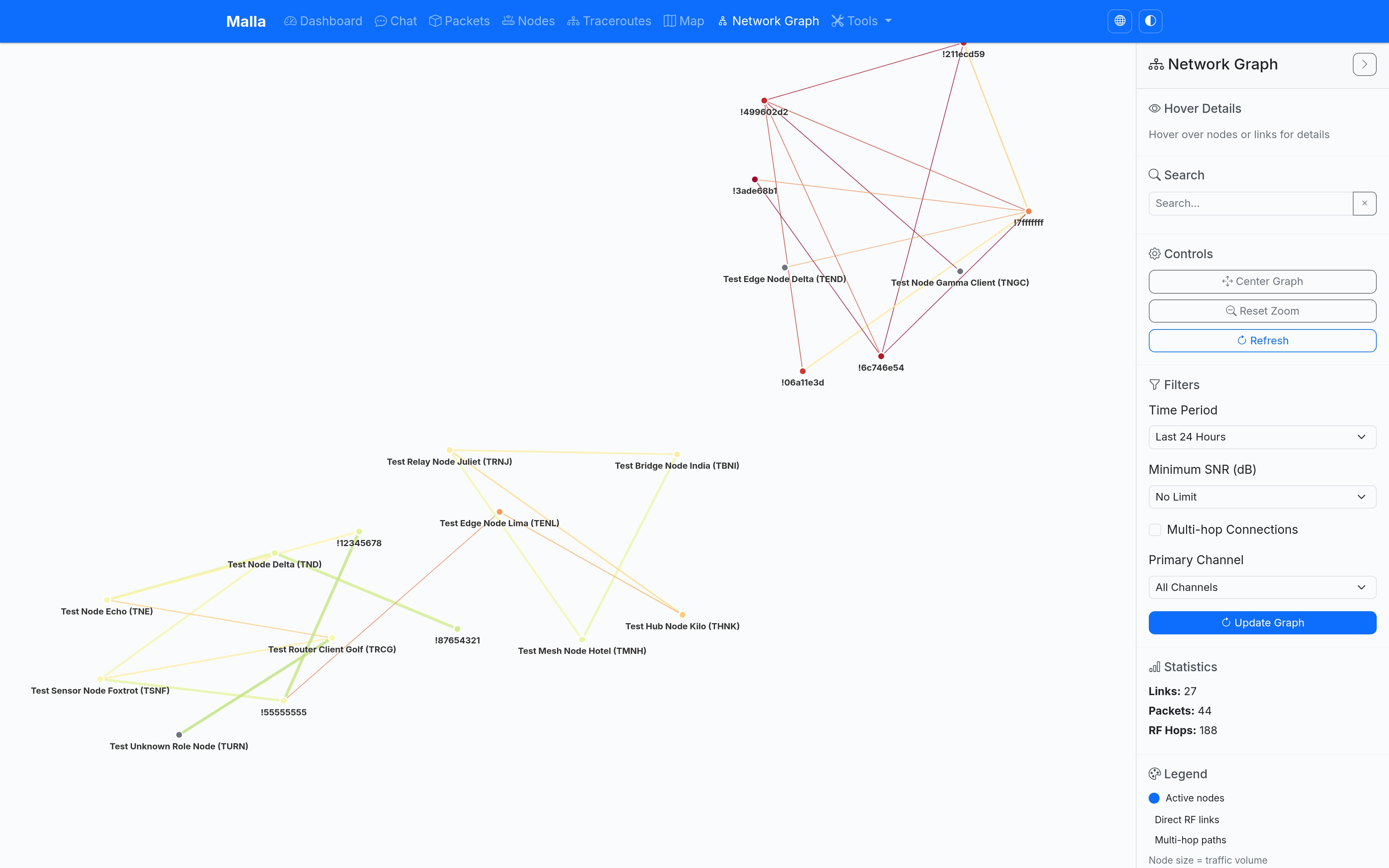
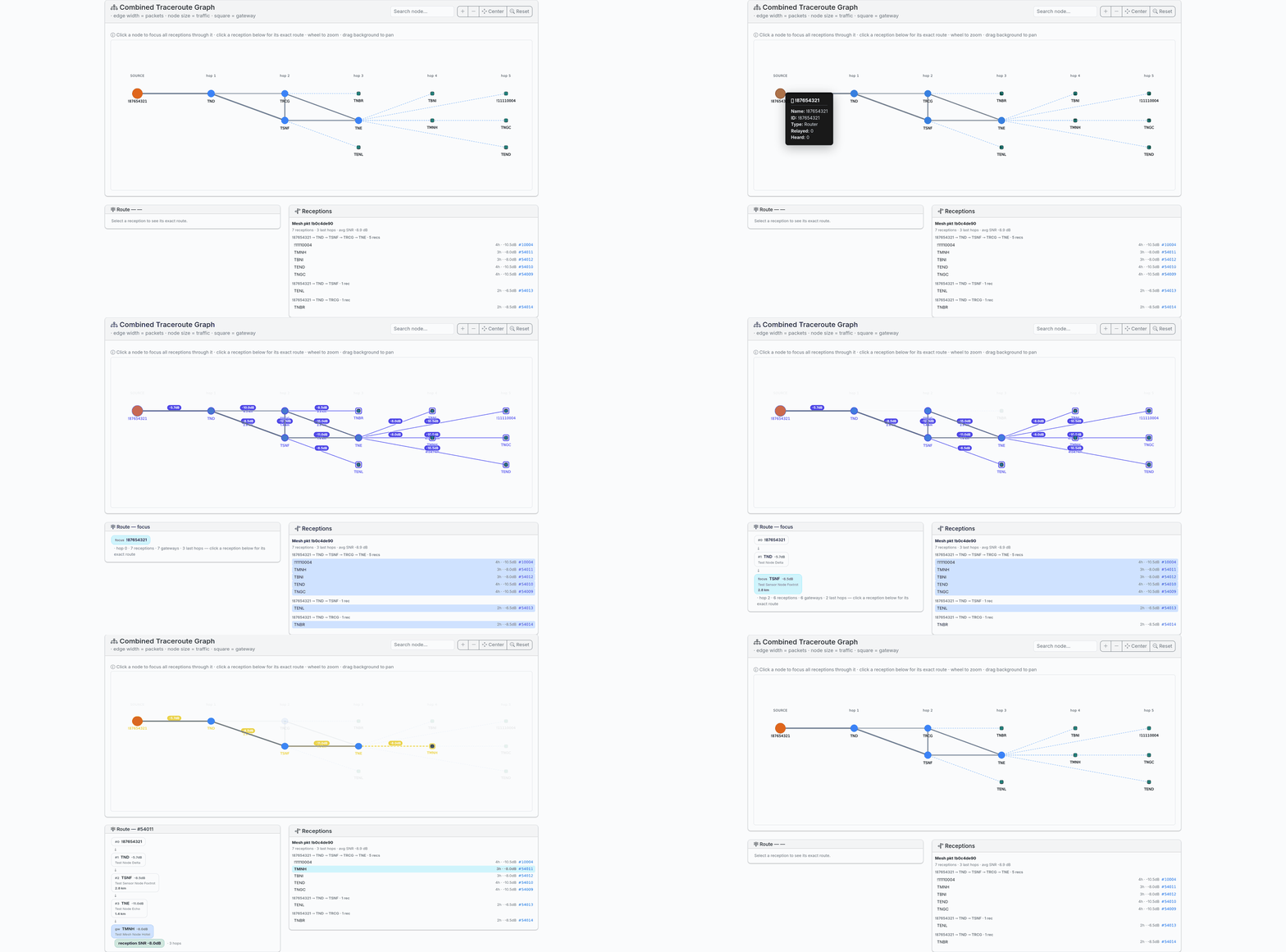
Prerequisites
- Python 3.13+
- Access to a Meshtastic MQTT broker
- Modern web browser with JavaScript enabled
Installation
Using Docker (Recommended)
The easiest way to run Malla is using Docker. Pre-built images are available from GitHub Container Registry:
Copy the environment configuration:
cp env.example .envEdit the configuration:
$EDITOR .env # Set your MQTT broker address and other settingsStart the services:
docker-compose up -dView logs:
docker-compose logs -fAccess the web UI:
- Open http://localhost:5008 in your browser
For development with local code changes:
# Edit docker-compose.yml to uncomment the 'build: .' lines
# Then build and run:
docker-compose up --build -d
Manual Docker run (advanced):
# Run the capture service
docker run -d \
  --name malla-capture \
  -v malla_data:/app/data \
  -e MALLA_MQTT_BROKER_ADDRESS=your.mqtt.broker.address \
  ghcr.io/zenitram/malla:latest \
  /app/.venv/bin/malla-capture

# Run the web UI
docker run -d \
  --name malla-web \
  -p 5008:5008 \
  -v malla_data:/app/data \
  ghcr.io/zenitram/malla:latest
Using uv
You can also install and run Malla directly using uv:
Clone or download the project files to your preferred directory
git clone https://github.com/zenitraM/malla.git
cd malla
Install uv if you don't have it installed yet:
curl -LsSf https://astral.sh/uv/install.sh | shCreate a configuration file by copying the sample file:
cp config.sample.yaml config.yaml
$EDITOR config.yaml  # tweak values as desired
Start it with
uv runin the project directory, which should pull the required dependencies.# Start the web UI uv run malla-web # Start the MQTT capture tool uv run malla-capture
Using Nix
The project also comes with a Nix flake and a devshell - if you have Nix installed or run NixOS it will set up
uv for you together with the exact system dependencies that run on CI (Playwright, etc.):
nix develop --command uv run malla-web
nix develop --command uv run malla-capture
Quick Start
The system consists of two components that work together:
1. MQTT Data Capture
This tool connects to your Meshtastic MQTT broker and captures all mesh packets to a SQLite database. You will need to configure the MQTT broker address in the config.yaml file (or set the MALLA_MQTT_BROKER_ADDRESS environment variable) before starting it. See Configuration Options for the entire set of settings.
mqtt_broker_address: "your.mqtt.broker.address"
You can use this tool with your own MQTT broker that you've got your own nodes connected to, or with a public broker if you've got permission to do so.
Start the capture tool:
uv run malla-capture
2. Web UI
The web interface for browsing and analyzing the captured data.
Start the web UI:
uv run malla-web
Access the web interface:
- Local: http://localhost:5008
Running Both Tools Together
For a complete monitoring setup, run both tools simultaneously:
Terminal 1 - Data Capture:
export MALLA_MQTT_BROKER_ADDRESS="127.0.0.1"  # Replace with your broker
./malla-capture
Terminal 2 - Web UI:
./malla-web
Both tools use the same SQLite database concurrently using thread-safe connections.
Docker Configuration
When using Docker, configuration is handled through environment variables defined in your .env file:
Production Deployment with Gunicorn
For production deployments, Malla supports running with Gunicorn, a production-ready WSGI server that provides better performance and stability than Flask's development server.
Option 1: Using environment variable (recommended)
# In your .env file:
MALLA_WEB_COMMAND=/app/.venv/bin/malla-web-gunicorn
Option 2: Using the production override file
docker-compose -f docker-compose.yml -f docker-compose.prod.yml up -d
Option 3: Direct script execution
# For local development with uv:
uv run malla-web-gunicorn

# Or using the executable script:
./malla-web-gunicorn
The Gunicorn configuration automatically:
- Uses multiple worker processes based on CPU cores
- Enables proper logging and monitoring
- Configures appropriate timeouts and connection limits
- Provides better concurrent request handling
Benefits of Gunicorn over Flask dev server:
- Production-ready with proper process management
- Better performance under load
- Automatic worker process recycling
- Proper signal handling for graceful shutdowns
- Enhanced logging and monitoring capabilities
Environment File Setup
Copy the example:
cp env.example .envConfigure your settings:
# Required: Set your MQTT broker address
MALLA_MQTT_BROKER_ADDRESS=your.mqtt.broker.address

# Optional: Customize other settings
MALLA_NAME=My Malla Instance
MALLA_WEB_PORT=5008
MALLA_SECRET_KEY=your-production-secret-key
Key Configuration Options
MALLA_MQTT_BROKER_ADDRESS: Your MQTT broker IP/hostname (required)MALLA_MQTT_PORT: MQTT broker port (default: 1883)MALLA_MQTT_USERNAME/MALLA_MQTT_PASSWORD: MQTT authentication (optional)MALLA_WEB_PORT: Port to expose the web UI (default: 5008)MALLA_NAME: Display name in the web interface
Data Persistence
Data is automatically stored in a Docker volume (malla_data) and persists across container restarts. No manual volume setup is required when using docker-compose.
Configuration Options
YAML configuration file (recommended)
Malla will automatically look for a file named config.yaml in the current
working directory when it starts. You can point to an alternative file by
setting the MALLA_CONFIG_FILE environment variable.
If the file is not found, all built-in defaults are used (see
config.sample.yaml).
Copy the sample file and customise it:
cp config.sample.yaml config.yaml
$EDITOR config.yaml  # tweak values as required
The file is git-ignored so you will never accidentally commit secrets such
as your secret_key.
The following keys are recognised:
| YAML key | Type | Default | Description | Env-var override |
|---|---|---|---|---|
name |
str | "Malla" |
Display name shown in the navigation bar. | MALLA_NAME |
home_markdown |
str | "" |
Markdown rendered on the dashboard homepage. | MALLA_HOME_MARKDOWN |
secret_key |
str | "dev-secret-key-change-in-production" |
Flask session secret key (change in prod!). (currently unused) | MALLA_SECRET_KEY |
database_file |
str | "meshtastic_history.db" |
SQLite database file location. | MALLA_DATABASE_FILE |
host |
str | "0.0.0.0" |
Interface to bind the web server to. | MALLA_HOST |
port |
int | 5008 |
TCP port for the web server. | MALLA_PORT |
debug |
bool | false |
Run Flask in debug mode (unsafe for prod!). | MALLA_DEBUG |
log_level |
str | "INFO" |
Logging level (DEBUG, INFO, WARNING, ERROR, CRITICAL). | MALLA_LOG_LEVEL |
mqtt_broker_address |
str | "127.0.0.1" |
MQTT broker hostname or IP address. | MALLA_MQTT_BROKER_ADDRESS |
mqtt_port |
int | 1883 |
MQTT broker port. | MALLA_MQTT_PORT |
mqtt_username |
str | "" |
MQTT broker username (optional). | MALLA_MQTT_USERNAME |
mqtt_password |
str | "" |
MQTT broker password (optional). | MALLA_MQTT_PASSWORD |
mqtt_topic_prefix |
str | "msh" |
MQTT topic prefix for Meshtastic messages. | MALLA_MQTT_TOPIC_PREFIX |
mqtt_topic_suffix |
str | "/+/+/+/#" |
MQTT topic suffix pattern. | MALLA_MQTT_TOPIC_SUFFIX |
mqtt_client_id |
str | "" |
MQTT client ID. Leave empty for a randomly generated ID (recommended). | MALLA_MQTT_CLIENT_ID |
default_channel_key |
str | "1PG7OiApB1nwvP+rz05pAQ==" |
Default channel key(s) for decryption (base64). Supports comma-separated list of keys - each will be tried in order until successful. | MALLA_DEFAULT_CHANNEL_KEY |
data_retention_hours |
int | 0 |
Number of hours after which to delete old data (0 = never delete). Automatically cleans up packet_history and node_info records older than specified hours. | MALLA_DATA_RETENTION_HOURS |
trusted_proxy_ips |
str | null |
Comma-separated IPs of trusted reverse proxies. Malla only trusts the configured client-IP header from these exact peers. When running via Gunicorn, these same IPs are passed to forwarded_allow_ips so only those peers can forward headers. |
MALLA_TRUSTED_PROXY_IPS |
trusted_proxy_client_ip_header |
str | "X-Forwarded-For" |
Header used to derive the real client IP from a trusted proxy. Recommended for Anubis: X-Real-IP. |
MALLA_TRUSTED_PROXY_CLIENT_IP_HEADER |
otlp_endpoint |
str | null |
OpenTelemetry endpoint for sending traces (e.g. http://localhost:4317). |
MALLA_OTLP_ENDPOINT |
gunicorn_workers |
int | null |
Number of Gunicorn worker processes. null means auto-detect based on CPU cores. |
MALLA_GUNICORN_WORKERS |
gunicorn_threads |
int | 1 |
Number of threads per Gunicorn worker. Increase this for better concurrency, especially on I/O bound tasks. | MALLA_GUNICORN_THREADS |
Environment variables always override values coming from YAML file.
When trusted_proxy_ips is set, Malla rewrites REMOTE_ADDR from
trusted_proxy_client_ip_header, but only when the immediate peer is one of
those trusted proxy IPs. This is the recommended setup for Anubis using
X-Real-IP. ProxyFix is still used for forwarded protocol handling. If you
run via malla-web-gunicorn, the same exact IPs are also passed to Gunicorn's
forwarded_allow_ips so forwarded headers are only accepted from those peers.
When not using Gunicorn, no additional server-level proxy trust is opened.
Data Cleanup
Malla includes an automatic data cleanup feature to help manage database size over time. When enabled, it will:
- Delete packet_history records older than the specified number of hours
- Delete node_info records for nodes that haven't been seen recently and have no packets in the packet_history table
- Repeat the cleanup process every hour in the background
To enable data cleanup, set the data_retention_hours configuration parameter to a positive value:
# Keep data for 7 days (168 hours)
data_retention_hours: 168
Or via environment variable:
export MALLA_DATA_RETENTION_HOURS=168
Set to 0 (default) to disable cleanup completely.
Embedding the Map
The map view can be embedded in other websites or used in a narrower width by collapsing the sidebar by default. This is particularly useful when you want to showcase your mesh network on your website or integrate it into other pages.
URL Parameter
Add ?sidebar-collapsed=true or ?sidebar-collapsed=1 to the map URL to collapse the sidebar by default:
https://your-malla-instance.com/map?sidebar-collapsed=true
The sidebar can still be expanded by users clicking the toggle button, giving them access to filters, statistics, and controls when needed.
Embedding Example
<iframe
    src="https://your-malla-instance.com/map?sidebar-collapsed=true"
    width="100%"
    height="600"
    frameborder="0"
    style="border: 0;">
</iframe>
This approach maximizes the visible map area while keeping full functionality accessible through the expandable sidebar.
Contributing
Feel free to submit issues, feature requests, or pull requests to improve Malla!
License
This project is licensed under the MIT license.
Media gallery
1 / 10Requirements
Requires a separate Malla - Capture instance.
Requires a `config.yaml` file to be mounted at `/app/config.yaml` before starting the container. See configuration details: https://github.com/zenitraM/malla/blob/main/config.sample.yaml
Categories
Related apps
Explore more like this
Explore allDetails
ghcr.io/zenitram/malla:latestRuntime arguments
- Web UI
http://[IP]:[PORT:5008]/- Network
bridge- Privileged
- false
Template configuration
Container Port: 5008
- Target
- 5008
- Default
- 5008
- Value
- 5008
Name of the Malla instance.
- Target
- MALLA_NAME
- Default
- Malla
- Value
- Malla
Secret key.
- Target
- MALLA_SECRET_KEY
Path to the Malla config file.
- Target
- /app/config.yaml
- Default
- /mnt/user/appdata/malla/config.yaml
- Value
- /mnt/user/appdata/malla/config.yaml
Path to store Malla data.
- Target
- /app/data
- Default
- /mnt/user/appdata/malla/data
- Value
- /mnt/user/appdata/malla/data
Enable debug mode.
- Target
- MALLA_DEBUG
- Default
- false|true
Internal host address for Malla web server. Not recommended to change.
- Target
- MALLA_HOST
- Default
- 0.0.0.0
- Value
- 0.0.0.0
Internal port for Malla web server. Not recommended to change.
- Target
- MALLA_PORT
- Default
- 5008
- Value
- 5008
Path to the internal database file inside the container. Not recommended to change.
- Target
- MALLA_DATABASE_FILE
- Default
- /app/data/meshtastic_history.db
- Value
- /app/data/meshtastic_history.db