

Maki
Docker app from Orbit's Repository
Overview
Readme
View on GitHub
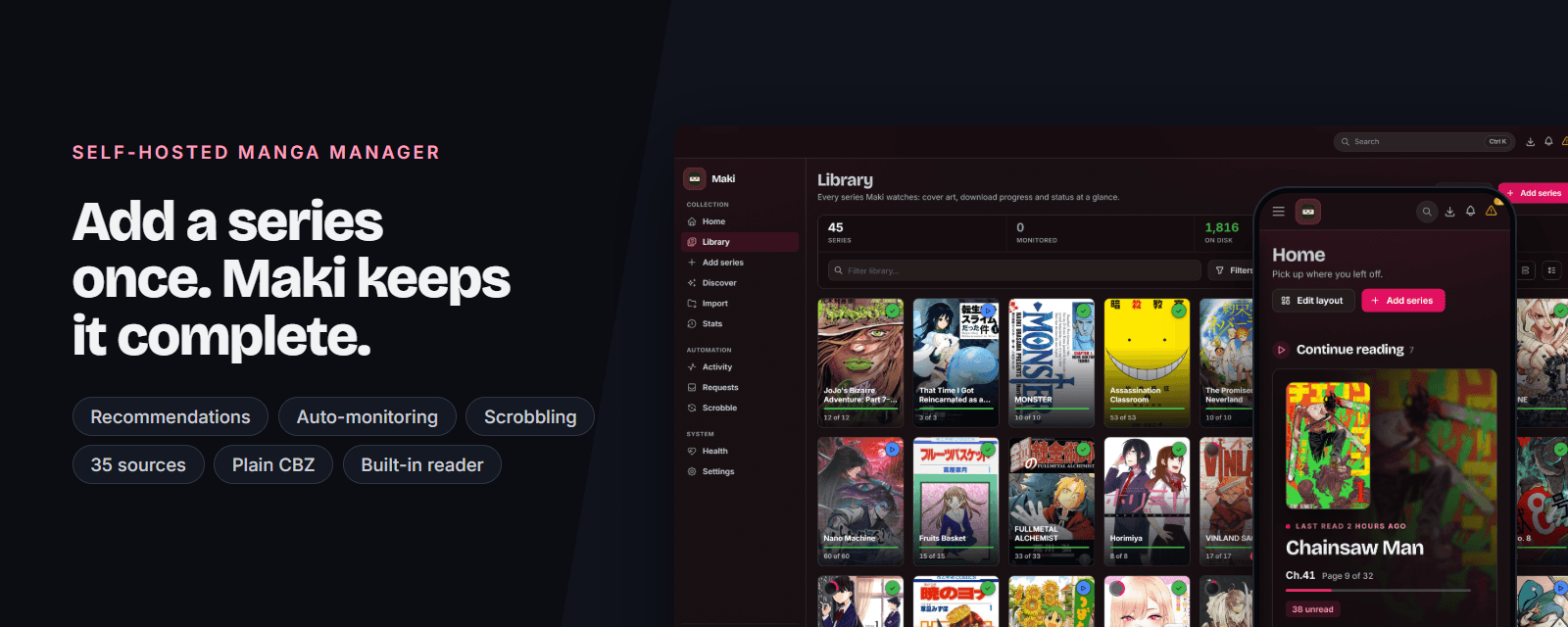
 Maki
Maki
Add a series once and Maki keeps it complete.
A self-hosted manga manager in the spirit of Sonarr and Radarr, with a reader built in.


Overview · Why Maki · Quick start · Download · Sources · Documentation · Languages

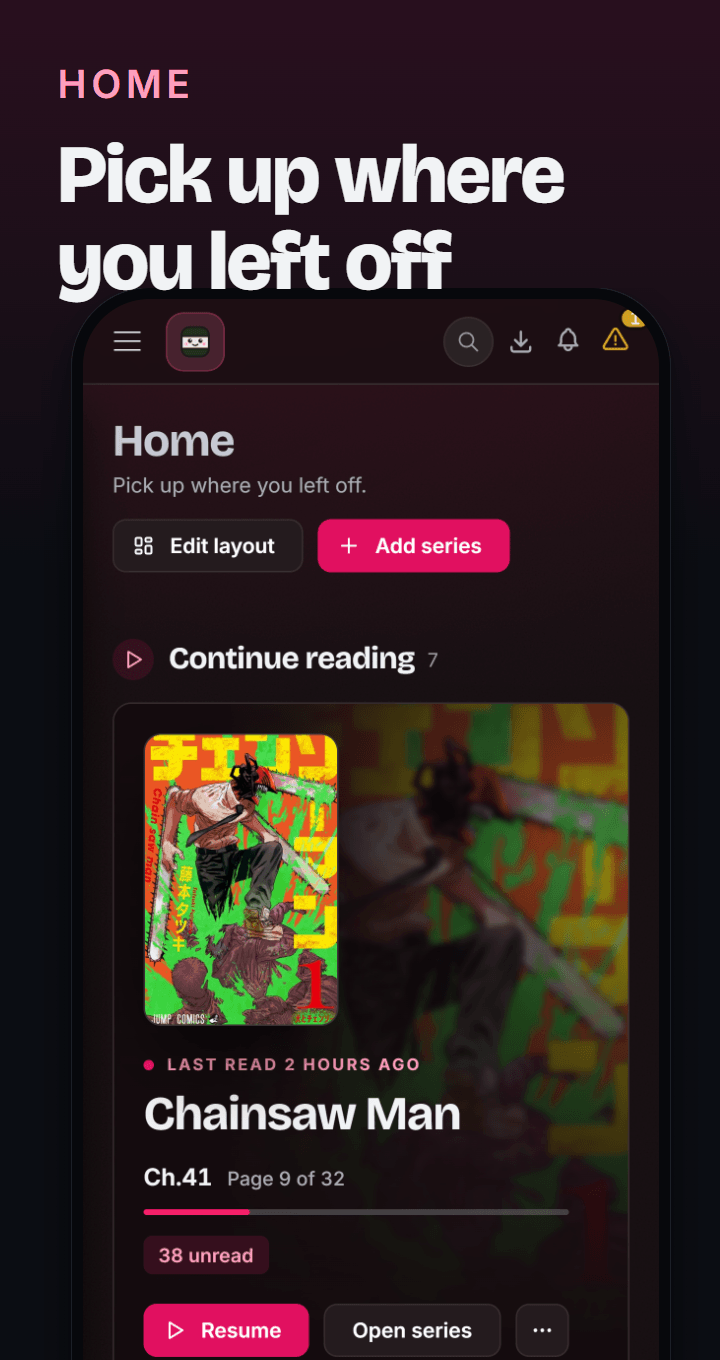

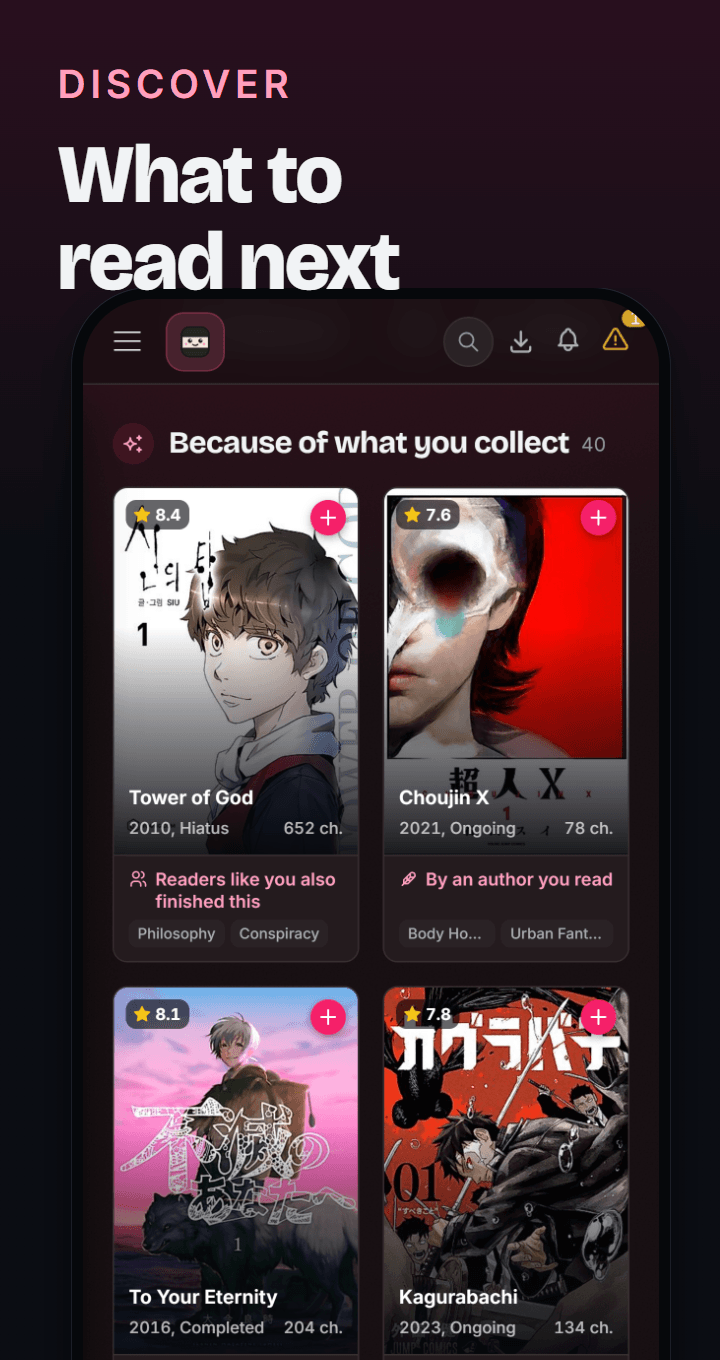
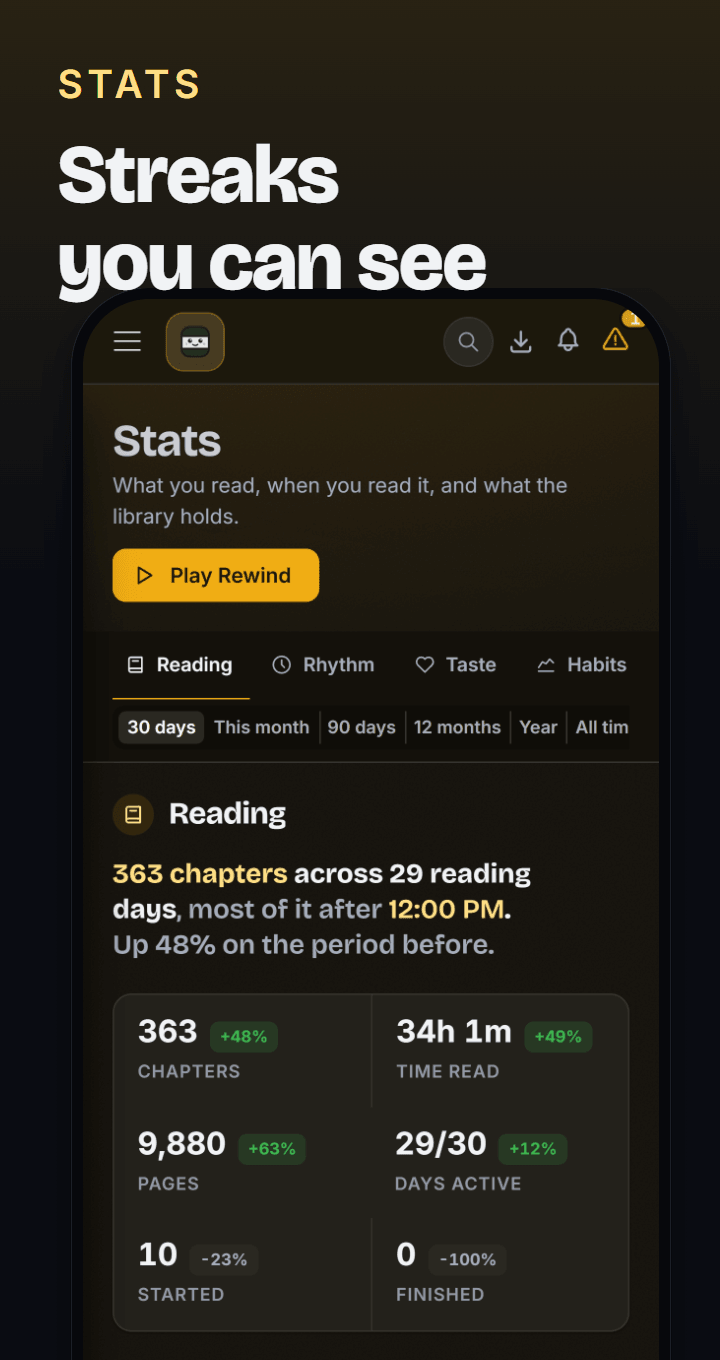
Overview
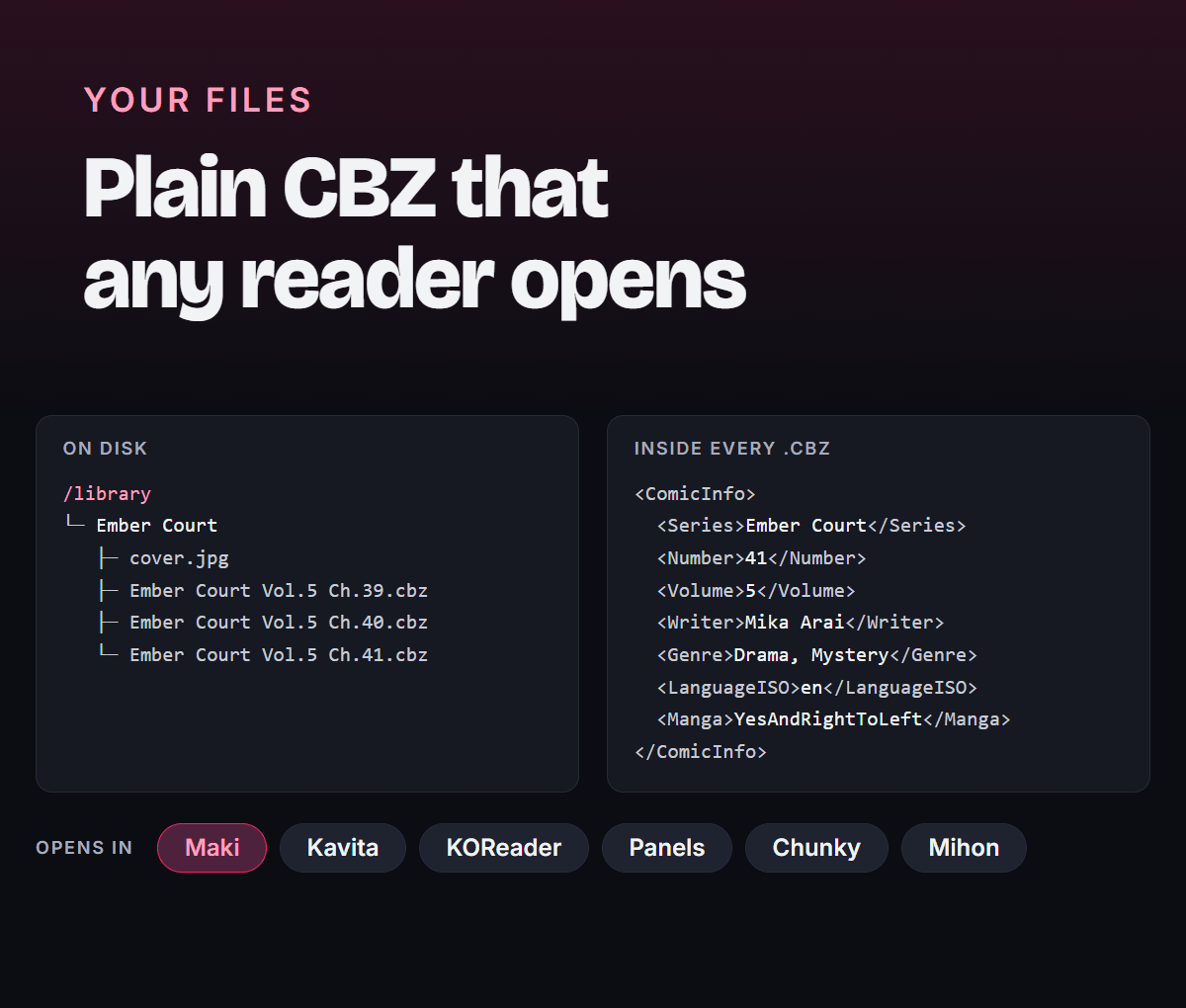
Maki watches manga sites for new chapters, downloads the pages and writes CBZ files with ComicInfo.xml metadata. Kavita and most comic readers understand that format, so the same folder works everywhere. You can also read in Maki's own reader, or over OPDS in Panels, Chunky, KOReader and Mihon.
[!NOTE] Maki is almost entirely AI-slop-built, developed with Anthropic's latest Claude models. It is pre-1.0, so the schema and API can still change between releases. Issues and pull requests are welcome.
Why Maki
- Recommendations from your own library. Local embeddings over the MangaBaka catalog suggest what to read next, with rails for blind spots, Readers like you and Your Taste. It all runs on your server.
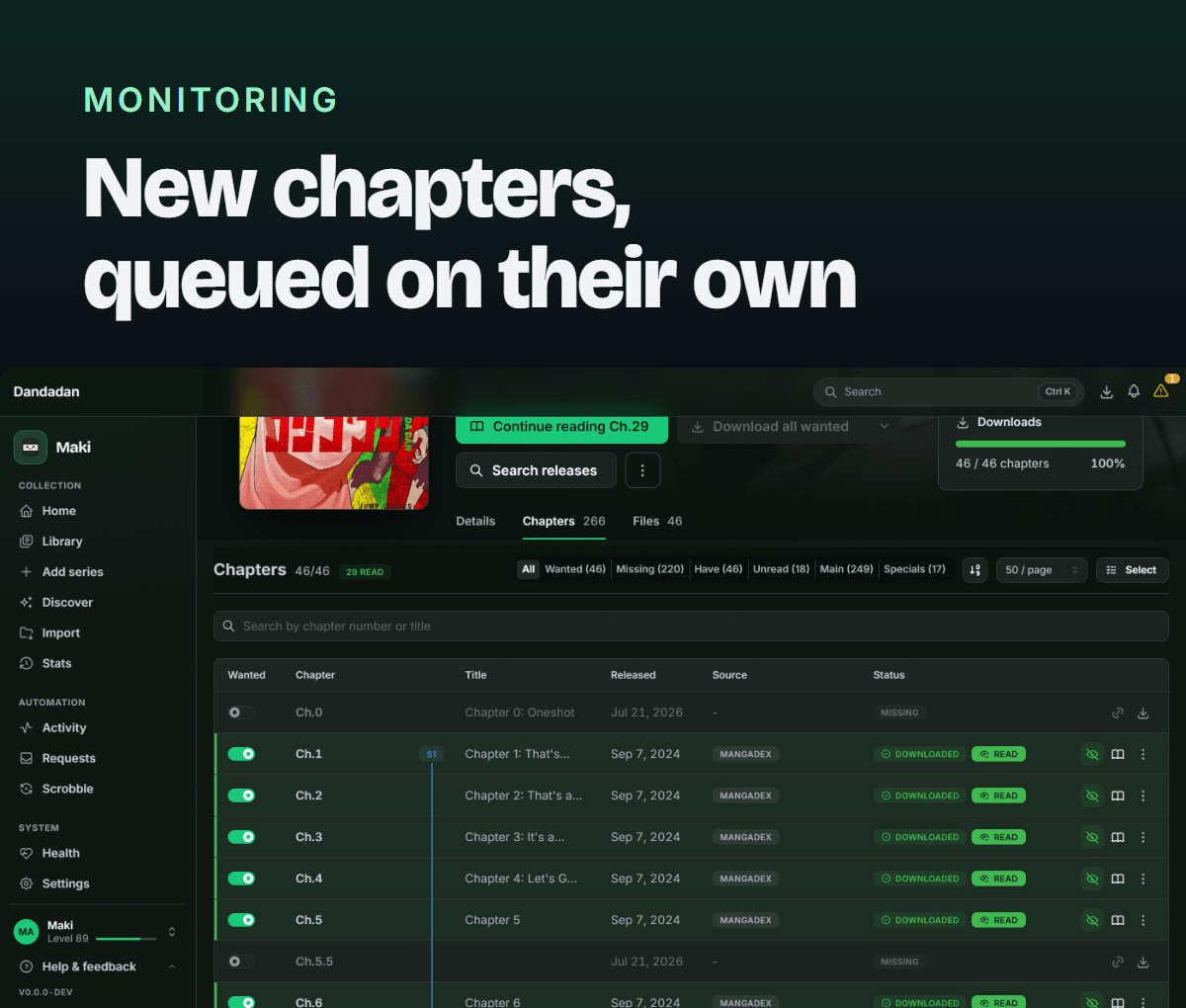
- Automatic monitoring. Maki checks your sources on a schedule, picks the best one for each series and queues new chapters as they appear. More than 30 sources are built in, in over a dozen languages, and optional Suwayomi support adds its extensions on top. Torrents through Prowlarr or Jackett work the same way.
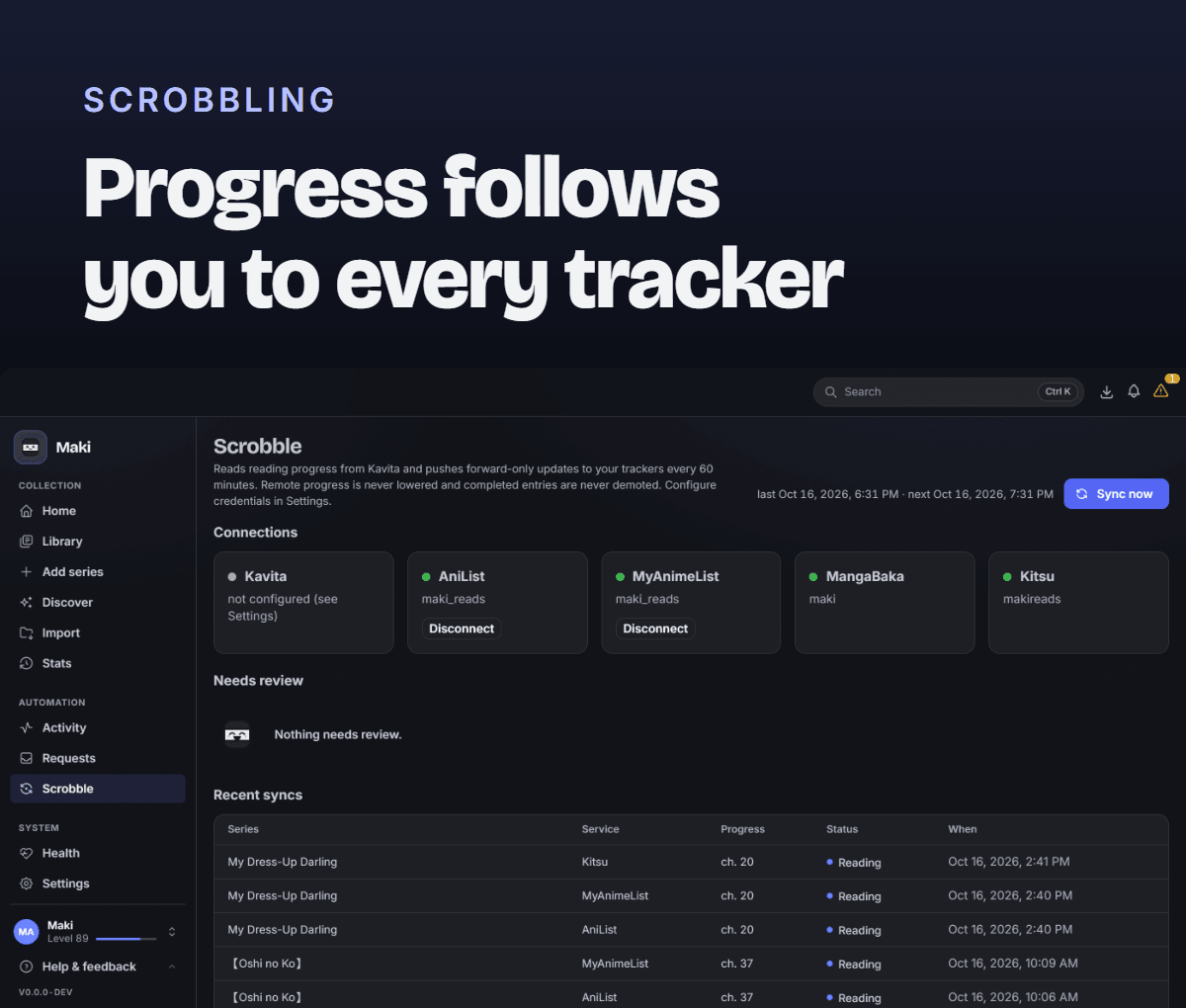
- Scrobbling. Reading progress goes to AniList, MyAnimeList, Kitsu and MangaBaka, whether you read in Maki, over OPDS or in Kavita.
- Plain files, any reader. Everything is saved as CBZ with ComicInfo.xml. Kavita, KOReader, Panels, Chunky, Mihon or any other comic reader can use the same folder, and nothing is locked inside Maki's database.
- A reader when you want one. Paged, double-page or continuous scroll, with progress merged across every app you read in.
Also included: multiple users with per-folder access, two-factor and OpenID Connect, notifications to Discord, Telegram, ntfy and more, stats and Rewind, eleven languages, a REST API and one-click backups. The full list is in docs/features.md.
Quick start
services:
  maki:
    image: ghcr.io/orbitmpgh/maki:latest
    container_name: maki
    environment:
      - PUID=1000
      - PGID=1000
    volumes:
      - ./maki-config:/config
      - /path/to/manga-library:/library
    ports:
      - "8990:8990"
    restart: unless-stopped
- Open
http://localhost:8990and create the administrator account. - Under Settings, add
/libraryas a root folder. - Click Add series, search for a title and pick it. Maki links sources and syncs chapters in the background.
- Download a chapter or click Search all missing, then follow progress under Activity.
Kavita, FlareSolverr and Suwayomi are optional. A compose file with all of them is in
docs/docker-compose.example.yml. If you use FlareSolverr, set its
URL under Settings → FlareSolverr to http://flaresolverr:8191 and hit Test. For
Suwayomi, set http://suwayomi:4567 under Settings → Integrations → Suwayomi, hit Test,
then Manage sources to turn on the ones you want.
Upgrading from a single-user Maki? The first page asks you to set a username and password. Your library, history and tracker connections are already attached to that account.
Download
| Platform | Status | Get it |
|---|---|---|
| Docker (amd64, arm64) | Supported | ghcr.io/orbitmpgh/maki:latest |
| Unraid | Supported | Search for Maki in the Apps tab on your Unraid server |
| From source | Supported | .NET 10 and Node 24, see docs/development.md |
Sources
35 sources are built in, from official publisher sites to scanlation groups, in over a dozen languages. Nothing to install. If you already run Suwayomi, point Maki at it and its extensions appear next to the built-in sources.
Show all sources
Notes on languages, FlareSolverr and mirror overrides are also in docs/sources.md.
| Source | Notes |
|---|---|
| MangaDex | Official API, language filter |
| MANGA Plus | Official (Shueisha), language-specific mappings |
| WEBTOON | Official (webtoons.com), ORIGINALS and CANVAS in en, id, th, es, fr, zh-Hant, de |
| Naver Webtoon | Official (comic.naver.com), Korean, WEBTOON tier only |
| GigaViewer sites | Official Japanese: Shonen Jump+, Comic Days, Sunday Webry, MAGCOMI, Tonari no Young Jump, Comic Zenon, Kurage Bunch (free episodes only) |
| KadoComi (Comic Walker) | Official, Japanese |
| MangaPill | |
| Weeb Central | |
| MangaFire | Language filter, requires FlareSolverr |
| TCB Scans | Domain override via MAKI_SOURCE_TCBSCANS_BASEURL |
| Asura Scans | Manhwa/manhua |
| Flame Comics | Manhwa/manhua |
| TopManhua | Manhwa/manhua, requires FlareSolverr |
| MangaKatana | |
| MangaKakalot | Requires FlareSolverr |
| Atsumaru | atsu.moe |
| Dynasty Scans | English, yuri |
| Toonily | Manhwa, adult, requires FlareSolverr |
| Manhwa18.net | Adult, requires FlareSolverr |
| Baozi Manhua | Simplified Chinese manhua |
| Manhuagui | Simplified Chinese, mirror override via MAKI_SOURCE_MANHUAGUI_BASEURL |
| Manga Livre | Brazilian Portuguese |
| Taiyō | Brazilian Portuguese |
| ManhwaWeb | Spanish |
| Olympus Scanlation | Spanish, requires FlareSolverr |
| Anime-Sama | French, requires FlareSolverr |
| Manga-Tube | German |
| MangaWorld | Italian |
| MangaLib | Russian |
| MangaDenizi | Turkish |
| Shinigami | Indonesian, manhwa/manhua/manga |
| Cứu Truyện | Vietnamese, FlareSolverr when challenged, mirror override via MAKI_SOURCE_CUUTRUYEN_BASEURL |
| Team-X | Arabic, requires FlareSolverr; the domain rotates, override it with MAKI_SOURCE_TEAMX_BASEURL |
| Sen Manga | Japanese raws |
| Rawkuma | Japanese raws, FlareSolverr when challenged, mirror override via MAKI_SOURCE_RAWKUMA_BASEURL |
Documentation
| Guide | Covers |
|---|---|
| Features | Everything Maki does, in full |
| Sources | The built-in sources and Suwayomi |
| Multiple readers | Per-user data, library access, Kavita |
| Exposing Maki to the internet | HTTPS, trusted proxies, two-factor |
| Single sign-on | OpenID Connect setup and claim mapping |
| Backup and restore | Snapshots, migrations, restoring |
| Development | Building the image, running from source, architecture |
Languages
The interface ships in English, German, French, Spanish, Brazilian Portuguese, Polish, Russian, Turkish, Japanese, Simplified Chinese and Korean. Everything except English is machine-translated and marked as needing review. Fixing a string on Hosted Weblate is the easiest way to help. More in docs/languages.md.
Legal
Maki is a tool for organizing your library. Scraper sources access third-party websites. You are responsible for complying with those sites' terms of service and your local laws. Support the industry: buy official releases.
License
Categories
Related apps
Explore more like this
Explore allDetails
ghcr.io/orbitmpgh/maki:latestRuntime arguments
- Web UI
http://[IP]:[PORT:8990]/- Network
bridge- Shell
bash- Privileged
- false
Template configuration
Maki web interface port
- Target
- 8990
- Default
- 8990
- Value
- 8990
Database, logs, covers, page cache, config.json/API key
- Target
- /config
- Default
- /mnt/user/appdata/maki
- Value
- /mnt/user/appdata/maki
Manga library root
- Target
- /library
- Default
- /mnt/user/manga
- Value
- /mnt/user/manga
User ID to run as (matches file ownership of Config/Library)
- Default
- 99
- Value
- 99
Group ID to run as (matches file ownership of Config/Library)
- Default
- 100
- Value
- 100