
All apps · 0 apps
MakerWorks-v2
Docker app from techpunk's repo
Overview
Readme
View on GitHubMakerWorks Storefront
MakerWorks Storefront is a production-grade 3D printing commerce platform: customer-facing storefront, instant quoting, checkout, and a full operations backend for fulfillment teams.
It is built for print labs and shops that need one system for sales, manufacturing, and inventory-aware planning.
Suite Demo Walkthrough
A fully synthetic demo walkthrough is available for documenting the end-to-end MakerWorks, StockWorks, and PrintLab flow:
- Full walkthrough:
docs/wiki/Suite-Demo-Walkthrough.md - Screenshot assets:
docs/wiki/assets/suite-screenshots/ - Demo data scripts:
npm run suite:demo:seed,npm run suite:demo:screenshots,npm run suite:demo:wiki
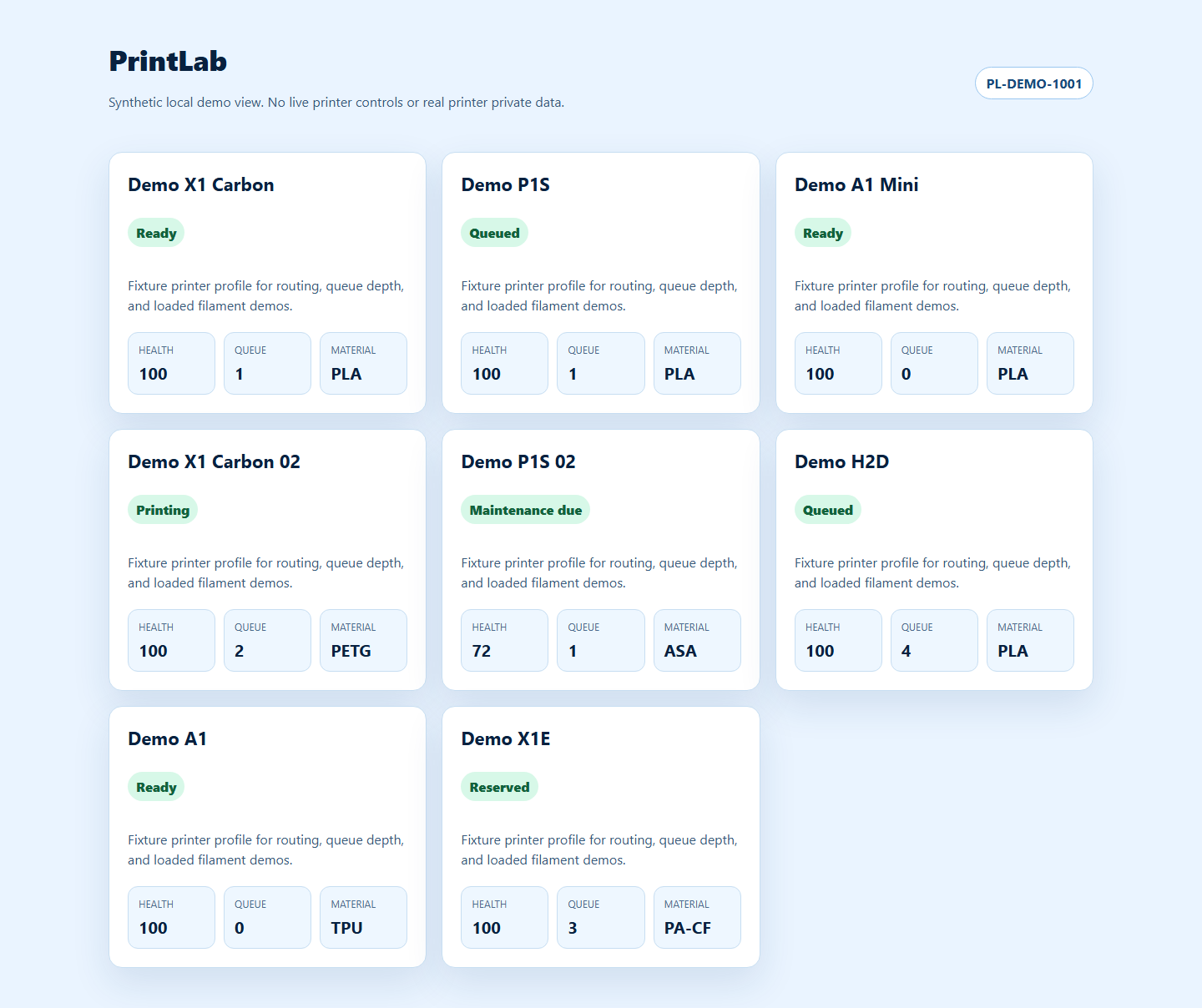
The demo uses sample data only. PrintLab screenshots default to synthetic fixture views so printer controls, live serials, camera feeds, and private printer state are not captured.
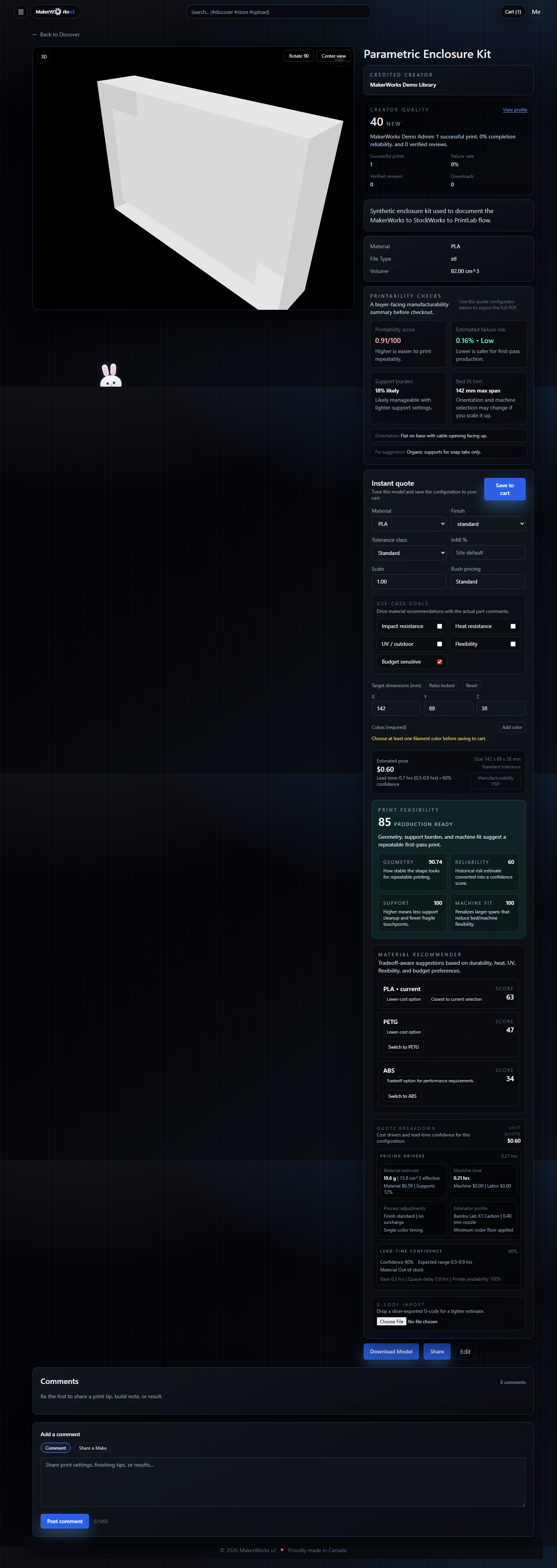
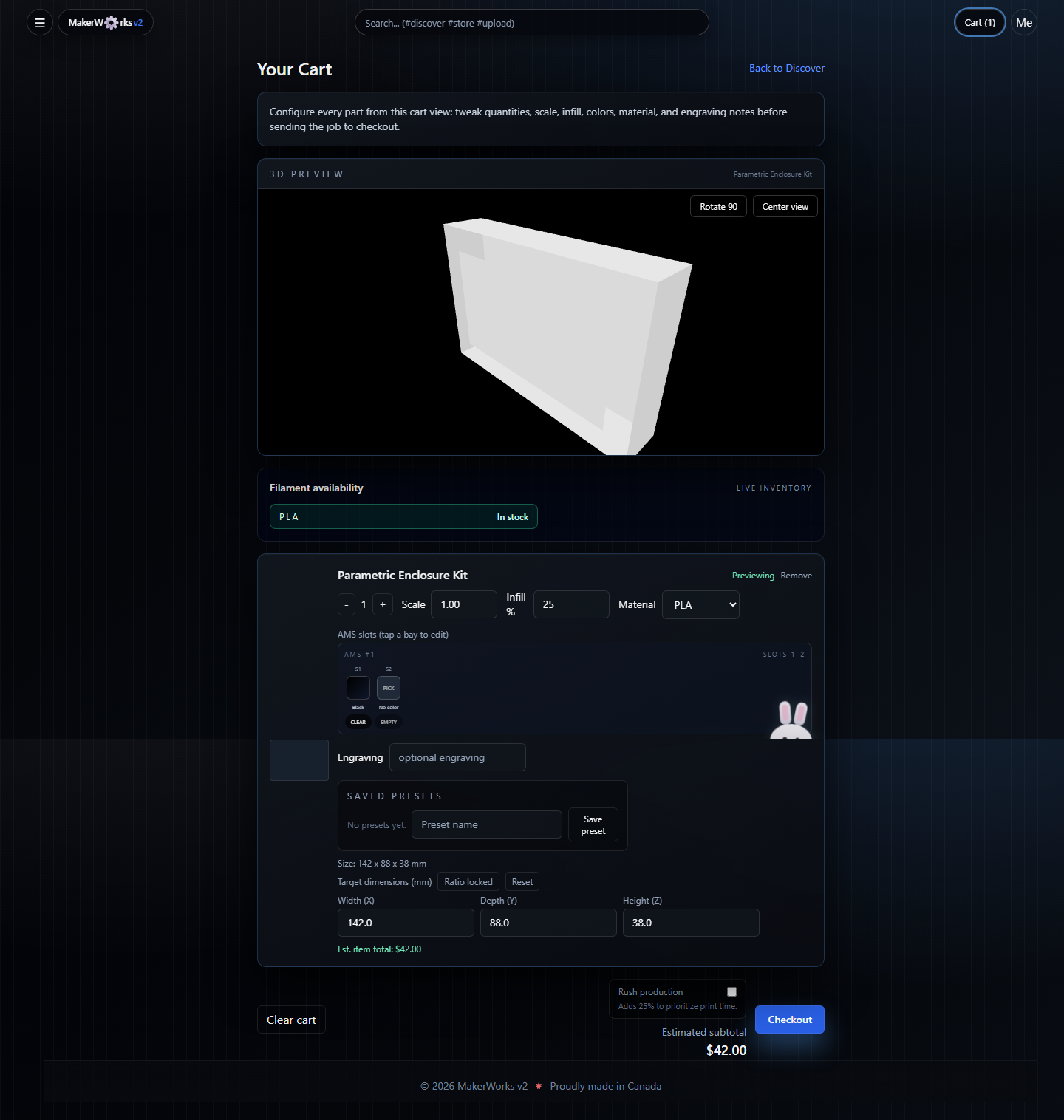
MakerWorks Model-to-Cart Flow
The walkthrough covers discovery, model detail, instant quote, checkout, customer order tracking, and admin production views.
Suite Operations Views
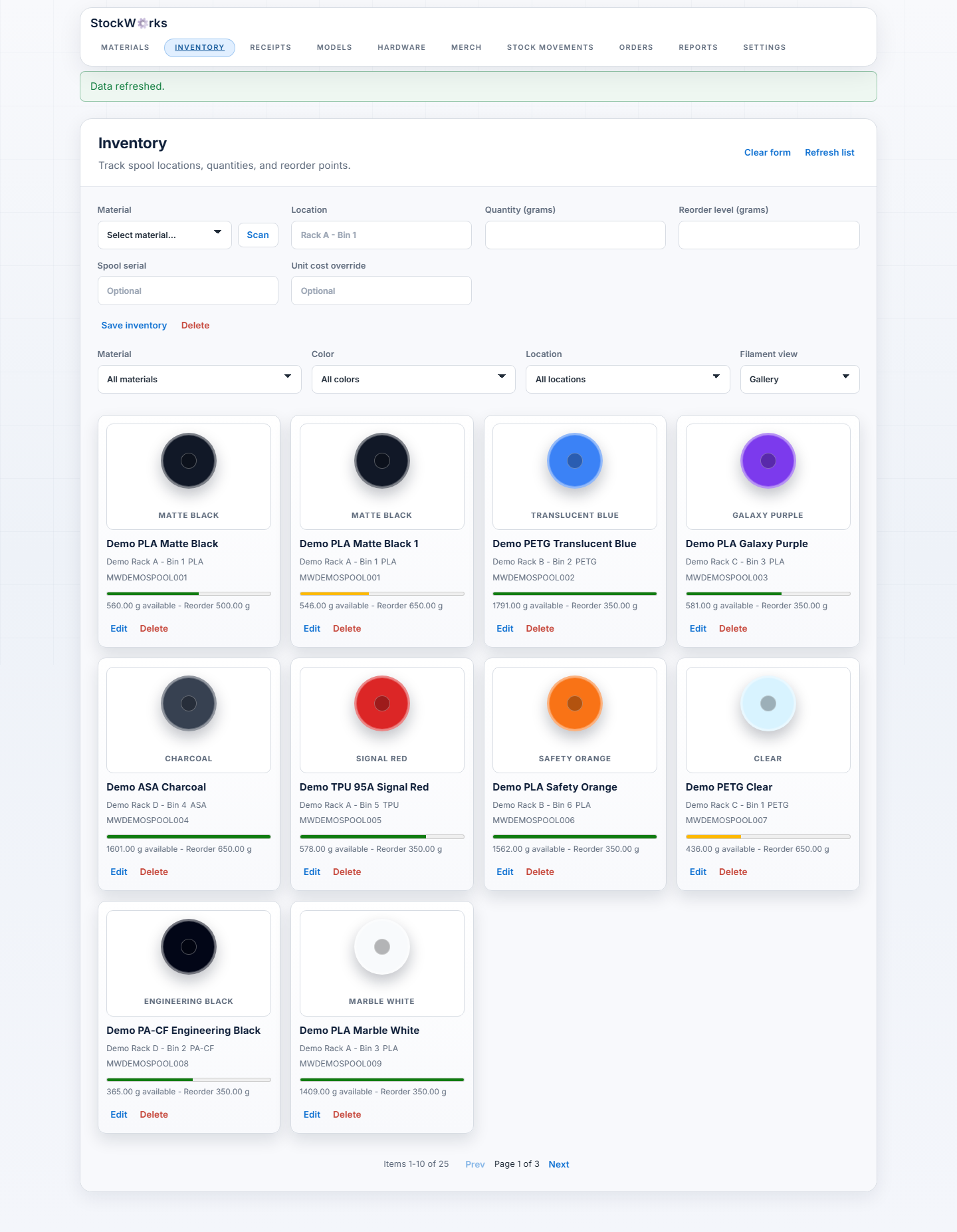
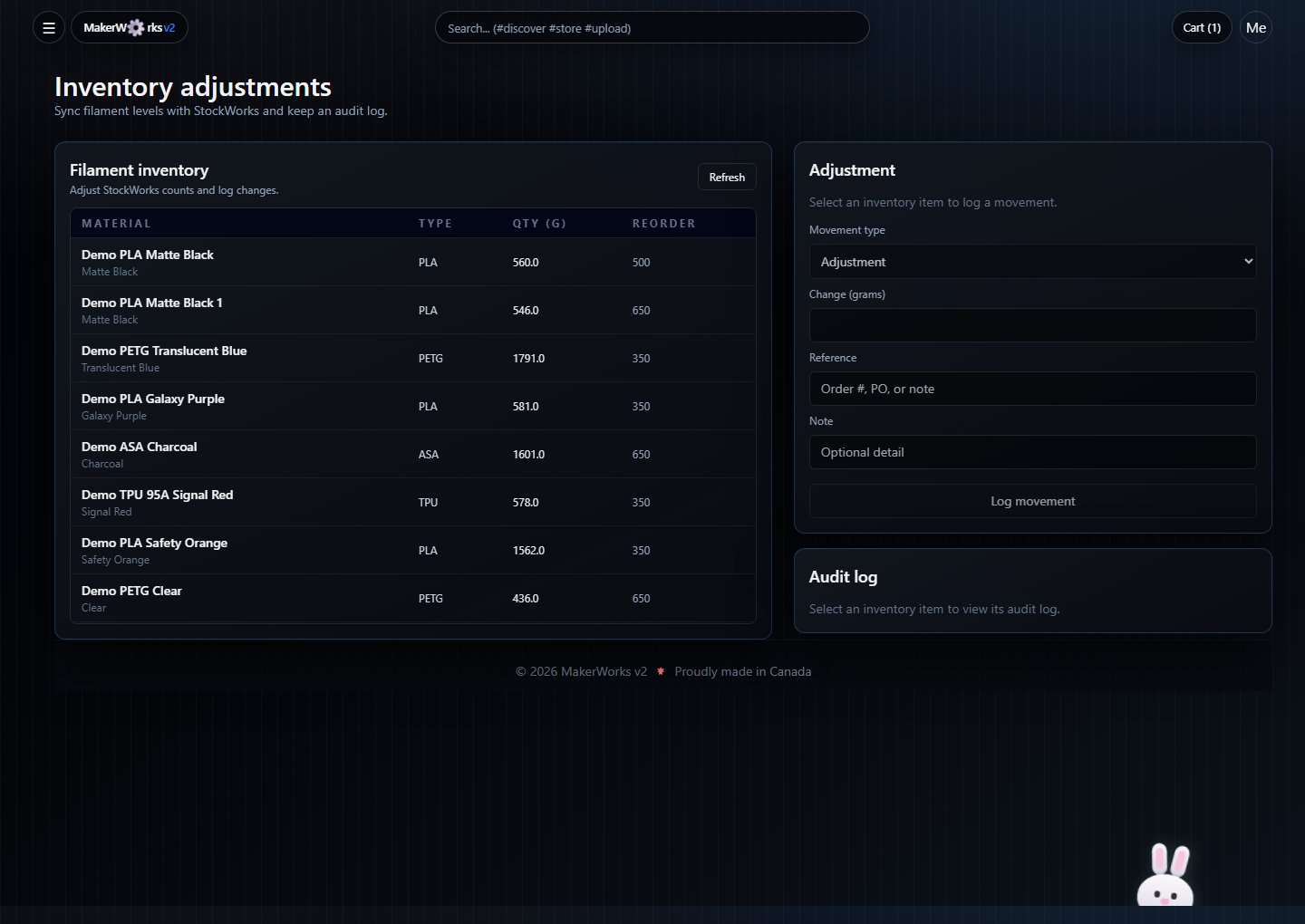
StockWorks and PrintLab screenshots show the same synthetic order context moving through inventory planning, material transactions, printer routing, and submitted job tracking.
What This App Does
- Runs a public 3D print storefront (discover, product pages, upload, cart, checkout).
- Prices configurable print jobs using material, machine time, labor, and policy rules.
- Manages order lifecycle from quote to fulfillment, including customer approvals and revisions.
- Supports admin workflows for production queues, printer assignment, analytics, and backup/restore.
- Connects optional external systems for payments, inventory, printer telemetry, and notifications.
Recent Frontend Upgrades
- Discover now supports typed search tokens, shareable presets, relevance reasons, ready-to-print inventory-aware filtering, and explainable risk/ship-speed sorting.
- Model detail now includes creator quality scoring, printability checks, lineage/remix history, part-aware review comments with pins, and richer quote explainability.
- Checkout now includes a persistent mini-summary, configuration comparison, organization billing controls, department-aware procurement routing, and lead-time confidence details.
- Customer order pages expose production milestones, estimate calibration, failure-recovery guidance, approvals, revisions, and timeline history.
- Organization workflows now include shared discover presets, project workspaces, department budgets, and approval-routing configuration.
Core Product Areas
Customer Commerce
- Browse catalog and collections.
- Upload STL/OBJ/3MF/AMF/PLY/WRL/VRML/GLB/GLTF/USD/USDZ/USDA/USDC/ZIP files.
- Configure print options and get instant estimates.
- Review print feasibility, material recommendations, tolerance class, and quote breakdowns before adding to cart.
- Checkout with card, cash, no-charge contribution, invoice, PO, or quote-request modes.
- Track orders, respond to approvals, and request revisions/reprints.
- Review project workspaces, pinned part comments, and production progress timelines.
Shop Operations
- Manage models, product templates, featured content, and pricing profiles.
- Operate printer queues and production assignment tools.
- Monitor analytics, demand forecasting, and material optimization.
- Run backups/restores and environment validation from admin tooling.
Integrations
OrderWorks (legacy compatibility)
OrderWorks is legacy compatibility context and is no longer part of the active checkout or production handoff path. MakerWorks keeps OrderWorks-compatible surfaces for historical data and inbound compatibility, while new production execution should use the MakerWorks order lifecycle and PrintLab handoff.
- Core client/service:
lib/orderworks.ts - Sync logic:
lib/orderworks-sync.ts - Status mapping:
lib/orderworks-status.ts - Admin endpoints:
- Public bridge endpoint:
app/api/makerworks/jobs/route.ts
Stockworks (inventory + material intelligence)
MakerWorks includes Stockworks integration for filament/material inventory, consumption, and warnings.
- Core client:
lib/stockworks-client.ts - Inventory domain modules:
- API routes:
PrintLab (printer routing + production handoff)
MakerWorks can hand production context to PrintLab for printer-aware routing and job tracking. The demo walkthrough captures this with synthetic printer fixtures only.
- Demo fixtures:
scripts/suite-demo-seed.ts - Screenshot capture:
scripts/capture-suite-screenshots.ts - Full PrintLab walkthrough:
docs/wiki/Suite-Demo-Walkthrough.md#printlab
Upgrade Planning
- See
UPGRADE_RECOMMENDATIONS.mdfor a prioritized backlog covering PostgreSQL, Node.js, and dependency migration waves.
Quick Start
Docker (recommended)
- Copy environment template:
cp .env.example .env
- Set required values (
DATABASE_URL,JWT_SECRET, admin credentials, and optional integrations).- Optional for automated backups: set
BACKUP_SCHEDULE_ENABLED=1and tuneBACKUP_*retention vars.
- Optional for automated backups: set
- Start services:
docker compose up --build -d
- Open
http://localhost:3000.
Local Node Runtime
Requirements:
- Node.js 20+
- PostgreSQL 15+
- Install dependencies:
npm ci
- Configure env:
cp .env.example .env
- Generate Prisma client and run migrations:
npm run prisma:generate
npm run prisma:migrate
- Bootstrap admin:
npm run bootstrap:admin
- Run the app:
npm run dev
Environment Configuration
Use .env.example as source of truth. Key variable groups:
- Minimal boot environment:
DATABASE_URL,JWT_SECRET,BASE_URL,STORAGE_DIR, and bootstrap admin values when needed. - Backup/restore (optional local overrides):
PG_DUMP_BIN,PSQL_BIN - Backup scheduling/retention:
BACKUP_DOCKER_SERVICE,BACKUP_SCHEDULE_ENABLED,BACKUP_SCHEDULE_TIME_UTC,BACKUP_RUN_ON_START,BACKUP_PRUNE_ON_BACKUP,BACKUP_RETENTION_DAYS,BACKUP_RETENTION_MAX_COUNT - Backup runtime mode:
SKIP_DOCKER,PG_DUMP_BIN,PSQL_BIN - Backup destination path:
BACKUP_DIR(defaults toSTORAGE_DIR/backups) - Optional legacy overrides:
STRIPE_*,PAYPAL_*,ORDERWORKS_*,STOCKWORKS_*,PRINTLAB_*,SMTP_*,VAPID_*,DISCORD_*,NEXT_PUBLIC_BRAND_*, and direct-upload URL settings.
Payments, email, suite integrations, notifications, direct-upload URLs, and branding can be configured after login from Admin -> Suite setup. Environment variables continue to override saved suite settings during migration; remove an env value only after saving and testing the matching in-app setting.
Admin Password Guardrails
ADMIN_PASSWORD is now validated with security guardrails:
- Must be at least 12 characters.
- Must not be a weak/default value such as
changeme,change-me-please,password,admin,default,secret,test, ordev.
Enforcement behavior:
npm run bootstrap:adminskips admin bootstrap when the password is weak in non-production environments.- In production (
NODE_ENV=production), weakADMIN_PASSWORDcauses bootstrap to fail fast. /api/admin/env-checknow flags weakADMIN_PASSWORDand weak/shortJWT_SECRETas insecure config.
Backups On Unraid
Use these settings when running MakerWorks as a single container on Unraid (non-compose runtime).
Unraid Restart Behavior
On Unraid, the container "autostart" toggle and Docker restart behavior are separate concerns.
Autostartmeans Unraid starts the container when the array or Docker service starts.- It does not guarantee the container will be relaunched after the app process exits.
- For crash recovery, set the container restart policy to
unless-stopped.
If MakerWorks still stops instead of staying up, the container is usually exiting during startup rather than failing a health check. This image does not define a Docker HEALTHCHECK; the main process exits only when a startup command fails.
Current startup chain inside the container:
node scripts/start-production.js
On Unraid, the primary MakerWorks container sets START_PROCESSING_WORKER=1 by default. That starts image and preview processing inside the same container as the web app, so uploaded cover images use the same DATABASE_URL, STORAGE_DIR, and storage mount as MakerWorks itself. Do not create or tune a separate worker container for normal Unraid installs.
Most common reasons the container exits on Unraid:
- PostgreSQL is not reachable from
DATABASE_URL npx prisma migrate deployfails against the target databaseADMIN_PASSWORDis weak/invalid in production andbootstrap-admin.jsrefuses to continue- a pending restore manifest exists but
psqlor the referenced backup is missing
Useful checks from inside the MakerWorks container:
printenv DATABASE_URL | sed 's#://.*:.*@#://***:***@#'
which psql
which pg_dump
node scripts/restore.js
npx prisma migrate deploy
node scripts/bootstrap-admin.js
curl -fsS http://127.0.0.1:3000/api/health
If the container is stopping, inspect its last logs in Unraid first. A restart policy will only help if Docker is configured to restart the container after a non-zero exit.
Required container mappings
- Map your storage share to
/app/storage(example host path:/mnt/user/makerworks/storage) - Optional dedicated backup mapping:
- Container path:
/app/backups - Host path:
/mnt/user/makerworks/storage/backups
- Container path:
Required backup env vars
SKIP_DOCKER=1PG_DUMP_BIN=/usr/bin/pg_dumpPSQL_BIN=/usr/bin/psqlBACKUP_DIR=/app/backups(if you created the dedicated/app/backupsmapping)
If BACKUP_DIR is not set, backups default to STORAGE_DIR/backups (usually /app/storage/backups).
Verify backup tooling in the app container
Run inside the MakerWorks container:
which pg_dump
pg_dump --version
echo "$SKIP_DOCKER $PG_DUMP_BIN $PSQL_BIN $BACKUP_DIR"
Expected:
which pg_dumpreturns/usr/bin/pg_dumppg_dump --versionprints PostgreSQL versionSKIP_DOCKERis1
Run and verify a backup
npm run backup
ls -lah "${BACKUP_DIR:-$STORAGE_DIR/backups}"
find "${BACKUP_DIR:-$STORAGE_DIR/backups}" -maxdepth 2 -type f -name "db.sql"
Expected:
- backup logs include
Running pg_dumpandBackup stored at ... find ... db.sqlreturns at least one file path
Note: ls -lah on the backup root may show total 0 even when backups are valid, because files are inside timestamped subfolders. Use the find command above to confirm db.sql exists.
Common failure causes
pg_dump executable was not found:PG_DUMP_BINis wrong or not present in container.- fix by using
/usr/bin/pg_dumpand redeploying the container.
- backup folder created but empty:
- backup failed before dump completed; check
npm run backuplogs. - verify DB host in
DATABASE_URLis reachable from the MakerWorks container.
- backup failed before dump completed; check
Bulk Model Import
For self-hosted/operator use, you can bulk upload a mapped folder of model files through the normal upload API.
Supported file types:
.stl.obj.3mf.zip
Run it with explicit args:
npm run bulk:upload-models -- --dir /app/imports/models --base-url http://127.0.0.1:3000 --email admin@example.com --password your-password
Docker Compose usage
The compose file now includes:
- a
./imports:/app/importsvolume on thewebcontainer BULK_UPLOAD_DIR=/app/importsBULK_UPLOAD_BASE_URL=http://127.0.0.1:3000
Run inside the web container:
docker compose exec web npm run bulk:upload-models -- --dir /app/imports --email admin@example.com --password your-password
Unraid usage
Recommended Unraid setup:
- Map a host folder to
/app/imports - Set
BULK_UPLOAD_DIR=/app/imports - Leave
BULK_UPLOAD_BASE_URL=http://127.0.0.1:3000
Then run inside the web container:
npm run bulk:upload-models -- --dir /app/imports --email admin@example.com --password your-password
Notes for Unraid:
- Use the container path, not the host path, when passing
--dir http://127.0.0.1:3000is the right target when running the script inside the MakerWorks container- The Unraid template now includes an optional
/app/importspath mapping for this script
Useful options:
--material PLA--tags "batch-import,archive"--description "Imported from mapped folder"--limit 25--dry-run--no-cover-match
Behavior:
- Recursively scans the target folder.
- Uploads each supported model file as its own model.
- If a same-basename image exists beside a model, it will be used as the cover automatically.
- examples:
part01.stl+part01.jpg,part01-cover.png
- examples:
- Uses env fallbacks from
.env.exampleunder theBULK_UPLOAD_*names.
Operational Commands
npm run dev
npm run build
npm run lint
npm run typecheck
npm test
npm run prisma:deploy
npm run backup
npm run backup:scheduler
backup:scheduler is intended to run as a separate long-lived process/container and uses UTC schedule + retention env vars from .env.
Order Receipt PDFs
MakerWorks generates plain-English transaction PDFs for customer orders under STORAGE_DIR/orders/{orderId}/receipts/.
Customers can download receipts from /api/customer/orders/{orderId}/receipt.
Admins and staff can download or regenerate receipts from /api/admin/orders/{orderId}/receipt.
Receipt generation runs best-effort during checkout, admin order creation, and payment sync; download routes regenerate the PDF on demand.
Architecture
- Frontend/API: Next.js App Router + React + TypeScript
- Data: PostgreSQL + Prisma
- Storage: local filesystem (
STORAGE_DIR) with optional external file base URL - Queue/processing support: BullMQ + Redis-compatible backend (when configured)
License
MIT (LICENSE)
Support
Issues: https://github.com/schartrand77/mkw2/issues
Documentation
- User Manual:
docs/user-manual.md - Wiki Index:
docs/wiki/README.md - Wiki Home:
docs/wiki/Home.md
Requirements
Categories
Related apps
Explore more like this
Explore allDetails
ghcr.io/schartrand77/mkw2:latestRuntime arguments
- Web UI
http://[IP]:[PORT:3000]/- Network
makerworks-net- Shell
bash- Privileged
- false
- Extra Params
--restart unless-stopped --add-host=host.docker.internal:host-gateway
Template configuration
Host port for the MakerWorks web UI.
- Target
- 3000
- Default
- 3777
- Value
- 3777
Persistent uploads, generated files, and default backup storage.
- Target
- /app/storage
- Default
- /mnt/user/appdata/makerworks/storage
- Value
- /mnt/user/appdata/makerworks/storage
Optional dedicated backup directory.
- Target
- /app/backups
- Default
- /mnt/user/appdata/makerworks/backups
- Value
- /mnt/user/appdata/makerworks/backups
Optional source directory for bulk model imports.
- Target
- /app/imports
- Default
- /mnt/user/appdata/makerworks/imports
- Value
- /mnt/user/appdata/makerworks/imports
PostgreSQL connection string for MakerWorks.
- Target
- DATABASE_URL
- Default
- postgresql://postgres:change-this-password@makerworks-postgres:5432/makerworks?schema=public
- Value
- postgresql://postgres:change-this-password@makerworks-postgres:5432/makerworks?schema=public
Long random secret used to sign application tokens.
- Target
- JWT_SECRET
External URL users use to reach MakerWorks.
- Target
- BASE_URL
- Default
- http://localhost:3777
- Value
- http://localhost:3777
Internal durable storage root.
- Target
- STORAGE_DIR
- Default
- /app/storage
- Value
- /app/storage
Internal backup destination. Leave /app/backups when the backup path is mapped.
- Target
- BACKUP_DIR
- Default
- /app/backups
- Value
- /app/backups
Use local pg_dump/psql inside the container instead of Docker Compose exec.
- Target
- SKIP_DOCKER
- Default
- 1
- Value
- 1
pg_dump path inside the MakerWorks image.
- Target
- PG_DUMP_BIN
- Default
- /usr/bin/pg_dump
- Value
- /usr/bin/pg_dump
psql path inside the MakerWorks image.
- Target
- PSQL_BIN
- Default
- /usr/bin/psql
- Value
- /usr/bin/psql
Initial admin email.
- Target
- ADMIN_EMAIL
- Default
- admin@example.com
- Value
- admin@example.com
Initial admin password. Must be strong in production.
- Target
- ADMIN_PASSWORD
Initial admin display name.
- Target
- ADMIN_NAME
- Default
- Admin
- Value
- Admin
Set true when MakerWorks is served only over HTTPS.
- Target
- COOKIE_SECURE
- Default
- false
- Value
- false
Optional Redis URL for background queues. Leave blank to disable queue-backed processing.
- Target
- REDIS_URL
Server-side pricing currency, USD or CAD.
- Target
- CURRENCY
- Default
- USD
- Value
- USD
Client-side display currency, USD or CAD.
- Target
- NEXT_PUBLIC_CURRENCY
- Default
- USD
- Value
- USD
Optional StockWorks integration URL on makerworks-net.
- Target
- STOCKWORKS_BASE_URL
- Default
- http://StockWorks:8000
- Value
- http://StockWorks:8000
Optional StockWorks username.
- Target
- STOCKWORKS_USERNAME
Optional StockWorks password.
- Target
- STOCKWORKS_PASSWORD
Optional PrintLab integration URL on makerworks-net.
- Target
- PRINTLAB_BASE_URL
- Default
- http://PrintLab:8080
- Value
- http://PrintLab:8080
Optional API key sent to PrintLab.
- Target
- PRINTLAB_API_KEY
Header used for PrintLab API key auth.
- Target
- PRINTLAB_API_KEY_HEADER
- Default
- X-API-Key
- Value
- X-API-Key
Shared secret for PrintLab callbacks into MakerWorks.
- Target
- PRINTLAB_WEBHOOK_SECRET
Optional Stripe secret key.
- Target
- STRIPE_SECRET_KEY
Optional Stripe publishable key.
- Target
- NEXT_PUBLIC_STRIPE_PUBLISHABLE_KEY
Optional Stripe webhook signing secret.
- Target
- STRIPE_WEBHOOK_SECRET
Container timezone.
- Target
- TZ
- Default
- Etc/UTC
- Value
- Etc/UTC