
All apps · 0 apps

Mailpit
Docker app from jmztaylor's Repository
Overview
Readme
View on GitHubMailpit - email testing for developers






Website • Documentation • API
Mailpit is a small, fast, low memory, zero-dependency, multi-platform email testing tool & API for developers.
It acts as an SMTP server, provides a modern web interface to view & test captured emails, and includes an API for automated integration testing.
Mailpit was originally inspired by MailHog which is no longer maintained and hasn't seen active development or security updates for a few years now.
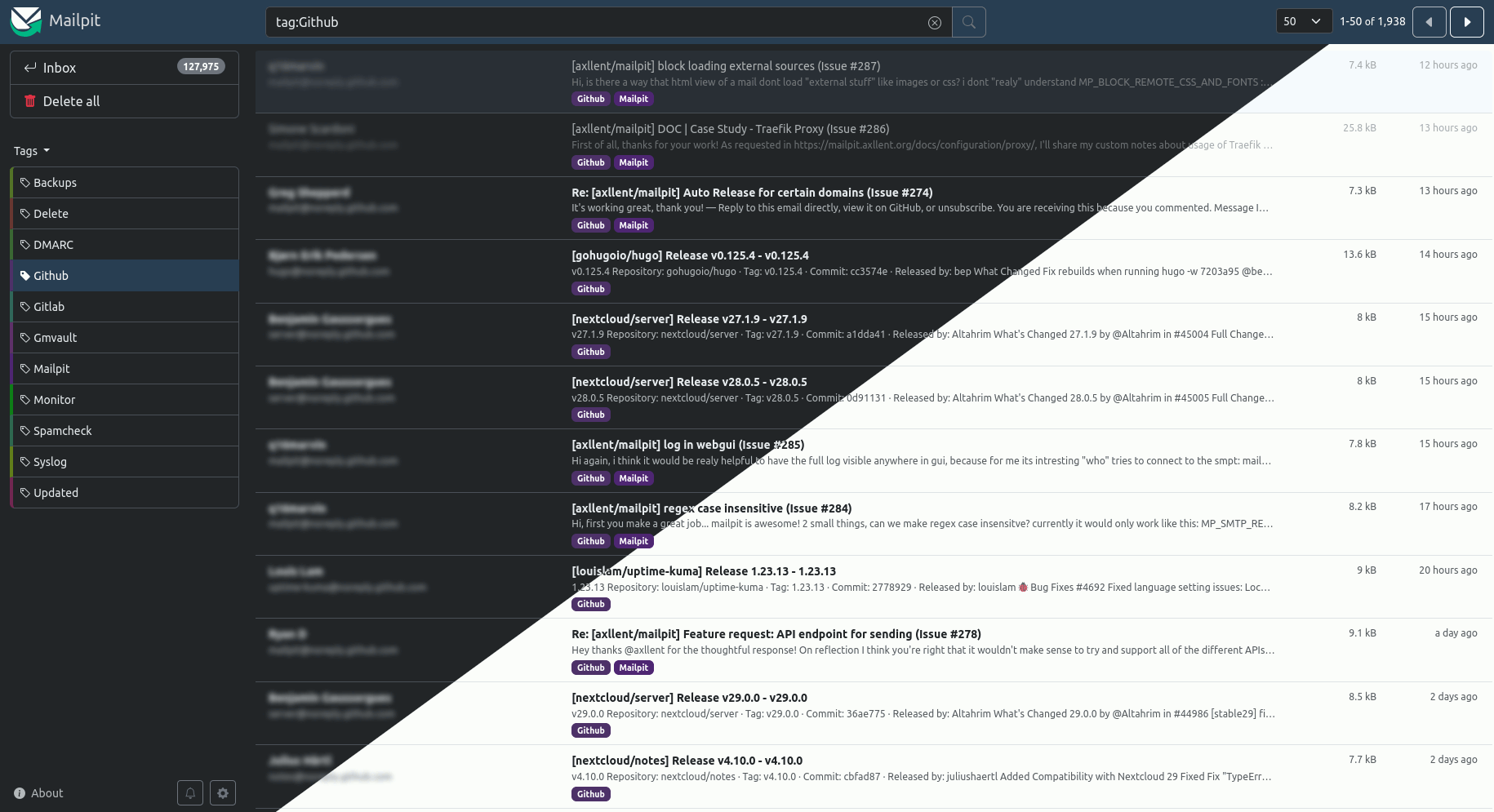
Features
- Runs entirely from a single static binary or multi-architecture Docker images
- Modern web UI with advanced mail search to view emails (formatted HTML, highlighted HTML source, text, headers, raw source, and MIME attachments including image thumbnails), including optional HTTPS & authentication
- SMTP server with optional STARTTLS or SSL/TLS, authentication (including an "accept any" mode)
- A REST API for integration testing
- Real-time web UI updates using web sockets for new mail & optional browser notifications when new mail is received
- Optional POP3 server to download captured message directly into your email client
- HTML check to test & score mail client compatibility with HTML emails
- Link check to test message links (HTML & text) & linked images
- Spam check to test message "spamminess" using a running SpamAssassin server
- Create screenshots of HTML messages via web UI
- Mobile and tablet HTML preview toggle in desktop mode
- Message tagging including manual tagging or automated tagging using filtering and "plus addressing"
- SMTP relaying (message release) - relay messages via a different SMTP server including an optional allowlist of accepted recipients
- SMTP forwarding - automatically forward messages via a different SMTP server to predefined email addresses
- Fast message storing & processing - ingesting 200-300 emails per second over SMTP depending on CPU, network speed & email size, easily handling tens of thousands of emails, with automatic email pruning by volume or message age (by default keeping the most recent 500 emails)
- Chaos feature to enable configurable SMTP errors to test application resilience
List-Unsubscribesyntax validation- Optional webhook for received messages
Installation
The Mailpit web UI listens by default on http://0.0.0.0:8025 and the SMTP port on 0.0.0.0:1025.
Mailpit runs as a single binary and can be installed in different ways:
Install via package managers
- Mac:
brew install mailpit(to run automatically in the background:brew services start mailpit) - Arch Linux: available in the AUR as
mailpit - FreeBSD:
pkg install mailpit
Install via script (Linux & Mac)
Linux & Mac users can install it directly to /usr/local/bin/mailpit with:
sudo sh < <(curl -sL https://raw.githubusercontent.com/axllent/mailpit/develop/install.sh)
You can also change the install path to something else by setting the INSTALL_PATH environment, for example:
sudo INSTALL_PATH=/usr/bin sh < <(curl -sL https://raw.githubusercontent.com/axllent/mailpit/develop/install.sh)
Download static binary (Windows, Linux and Mac)
Static binaries can always be found on the releases. The mailpit binary can be extracted and copied to your $PATH, or simply run as ./mailpit.
Docker
See Docker instructions for 386, amd64 & arm64 images.
Compile from source
To build Mailpit from source, see Building from source.
Usage
Run mailpit -h to see options. More information can be seen in the docs.
If installed using homebrew, you may run brew services start mailpit to always run mailpit automatically.
Testing Mailpit
Please refer to the documentation on how to easily test email delivery to Mailpit.
Configuring sendmail
Mailpit's SMTP server (default on port 1025), so you will likely need to configure your sending application to deliver mail via that port.
A common MTA (Mail Transfer Agent) that delivers system emails to an SMTP server is sendmail, used by many applications, including PHP.
Mailpit can also act as substitute for sendmail. For instructions on how to set this up, please refer to the sendmail documentation.
For team features, multiple inboxes, and a hosted setup, try Mailtrap, our friendly companion.
Download Statistics
Total Downloads Over Time
Links
Details
axllent/mailpitRuntime arguments
- Web UI
http://[IP]:[PORT:8025]- Network
bridge- Shell
sh- Privileged
- false
Template configuration
- Target
- 1025
- Default
- 1025
- Value
- 1025
- Target
- /data
- Default
- /mnt/user/appdata/mailpit
- Value
- /mnt/user/appdata/mailpit
- Target
- 8025
- Default
- 8025
- Value
- 8025