
All apps · 0 apps

machinaris
Docker app from guy.davis' Repository
Overview
Readme
View on GitHubProject Closure
Hi all, as an update on the future of Machinaris, I want to set everyone's expectations for CNI group's plans for Chia's new plot format. Machinaris is essentially a bundling of various tools and forks that sprouted up around Chia when it first appeared years ago. With the loss of interest in Chia, all those related tools have been dropped by their authors.
As well, my own interest in the Chia ecosystem has waned considerably, so I simply don't want to invest a lot of upcoming time in trying to patch all the various old tools (plotman, chiadog, madmax, gigahorse, bladebit, etc...) that will inevitably break/change when CNI's new plot format finally drops.
I think this will likely mean the end of this project. For those that want to continue running Machinaris against the current format plots, using Chia 2.6.X, that should be possible until CNI releases an urgent security fix or some other backwards-incompatible change. Thanks everyone for the support over the years, it's been fun.
machinaris
A Docker image for plotting and farming the Chia™ cryptocurrency on one computer or across many. Try the easy install using the Launch Wizard.
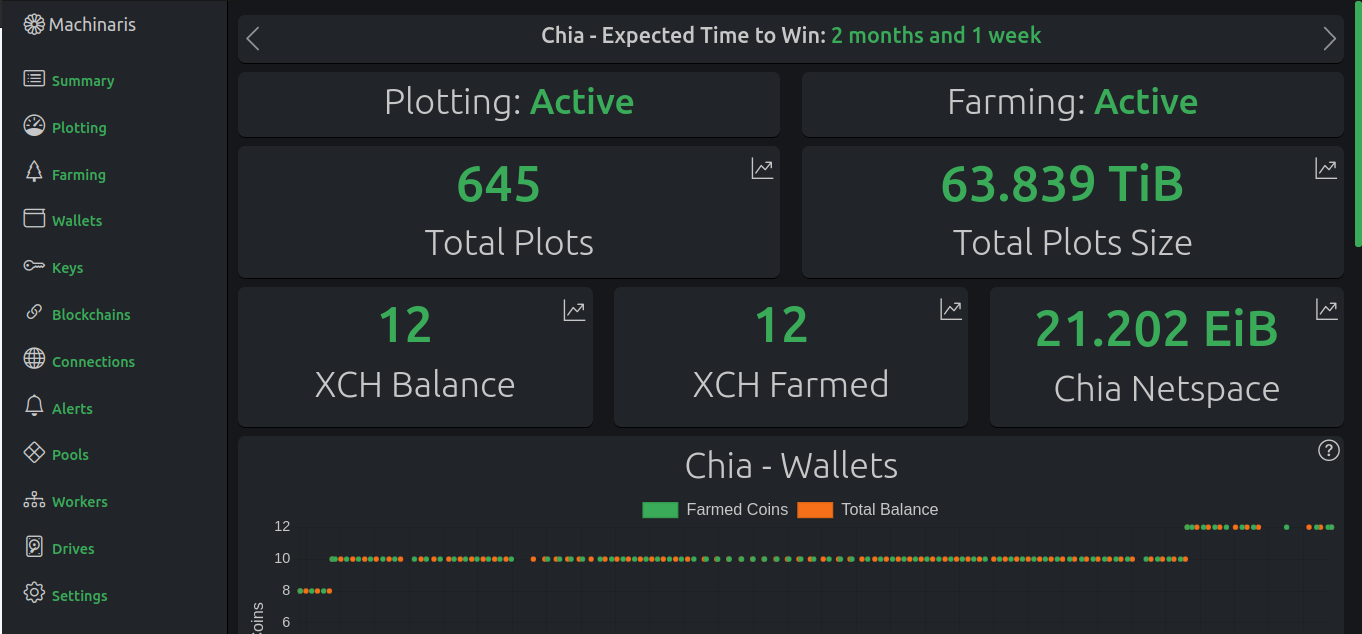
For details, see your particular platform: Windows, Linux, Macintosh, Unraid, Synology and others. For support, start a Discussion or join our Discord.
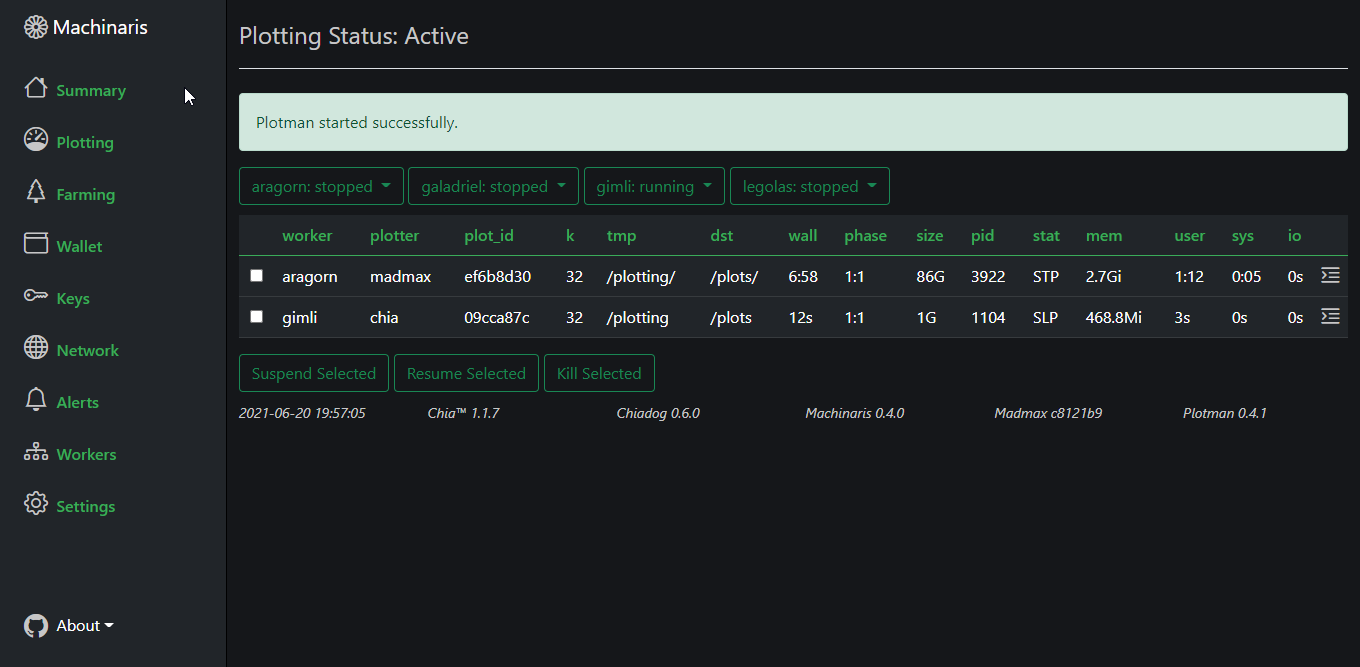
Plotting View
Plotting with the MadMax/Gigahorse and Bladebit plotters, with optional GPU, is managed by Plotman through the Machinaris WebUI across many machines:
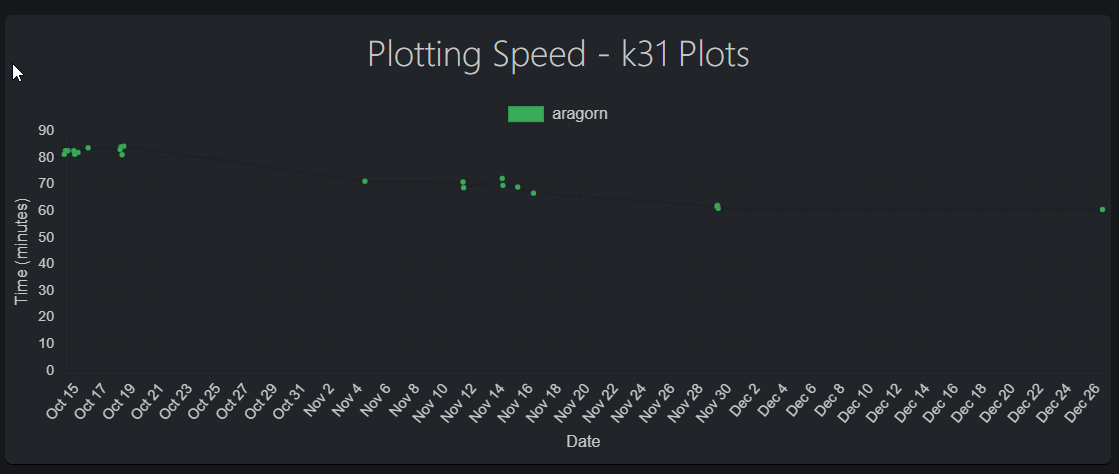
Track your plotter machines performance as you fine-tune your plotting, graphed for each k-size you plot.
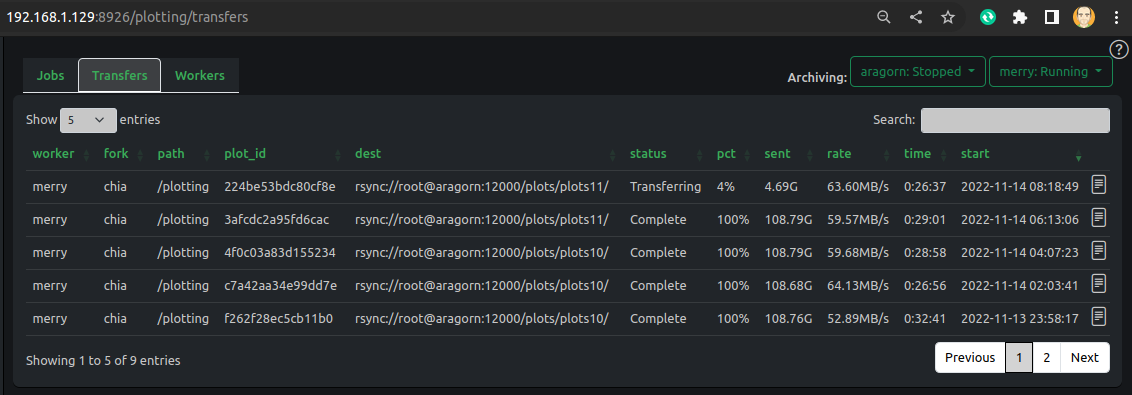
Archive your new plots to their final destination on local drives or on remote harvesters (via rsync):
Farming View
Machinaris bundles the latest Chia™ version inside the Docker image.
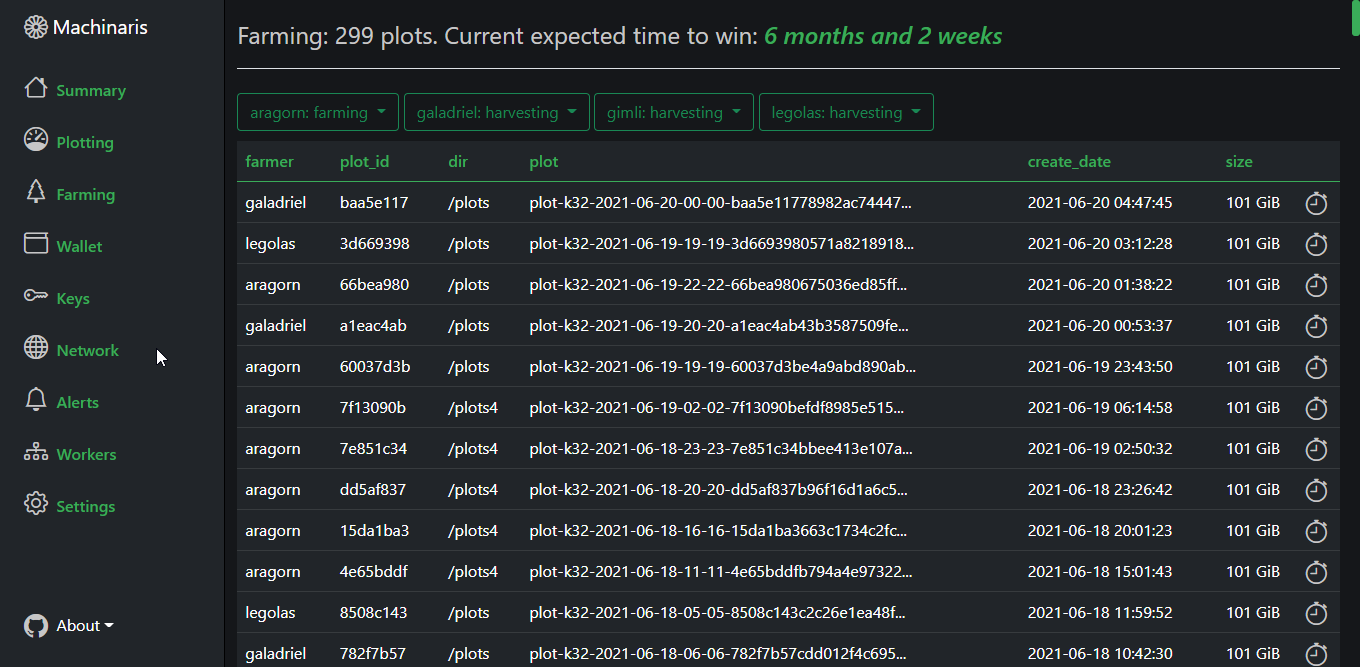
Machinaris also optionally farms your plots to other blockchains including BPX, Chives, Ecostake, Flax, HDDCoin, MMX, and many others.
Alerts
Chiadog provides monitoring of the log files, ensuring you get notified when important events occur across your farm:
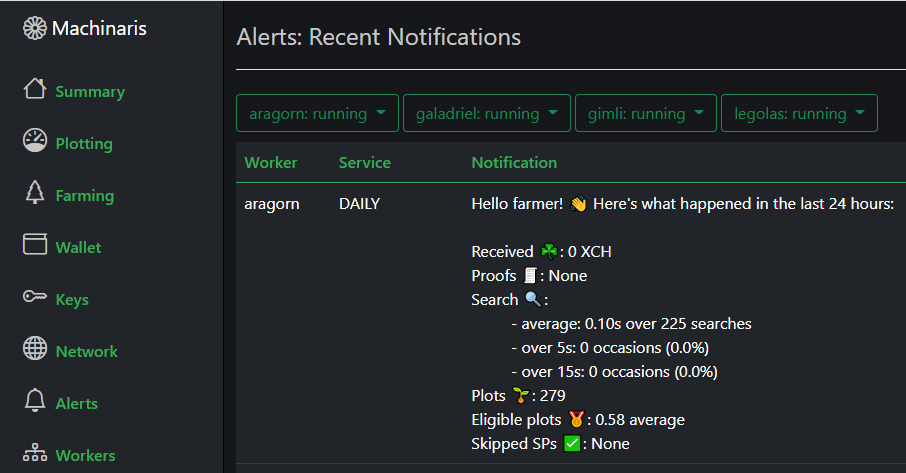
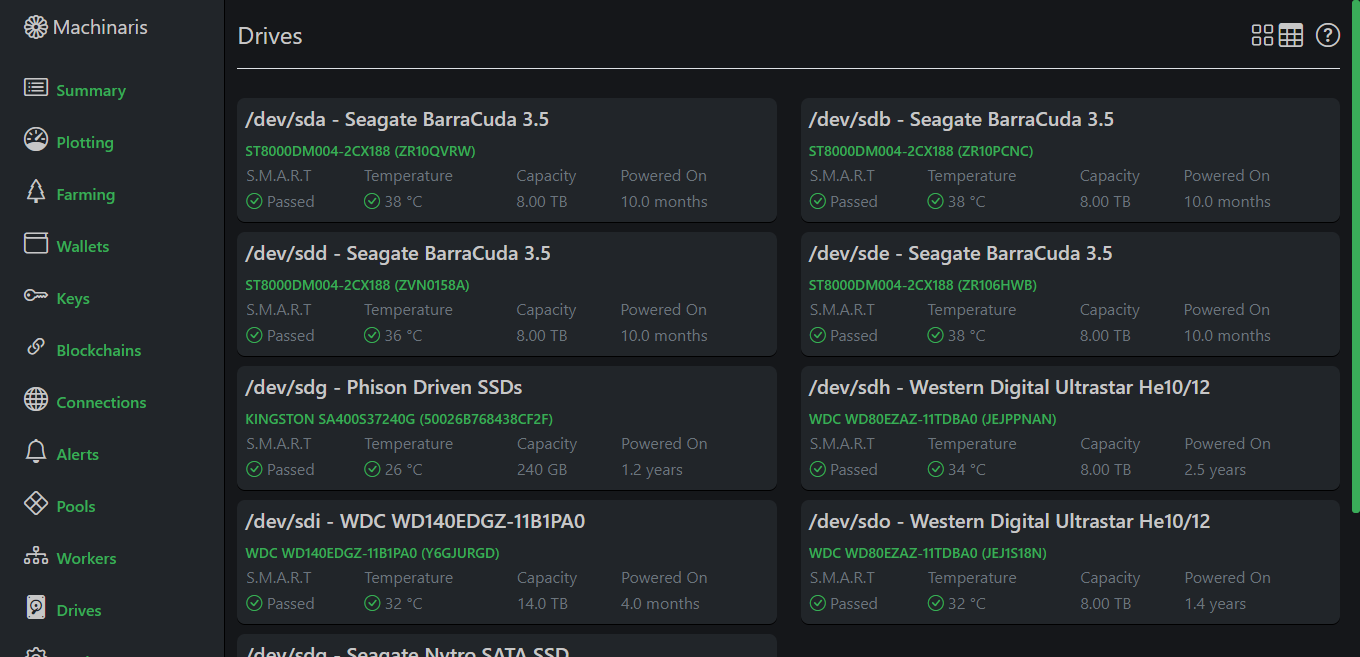
Drive health is monitored as with smartctl on Linux. Notifications can be sent to e-mail, telegram, discord, slack, etc.
Setup
Simplified setup allows you to either import your existing key mnemonic or generate a new one directly in the Machinaris WebUI on first launch:
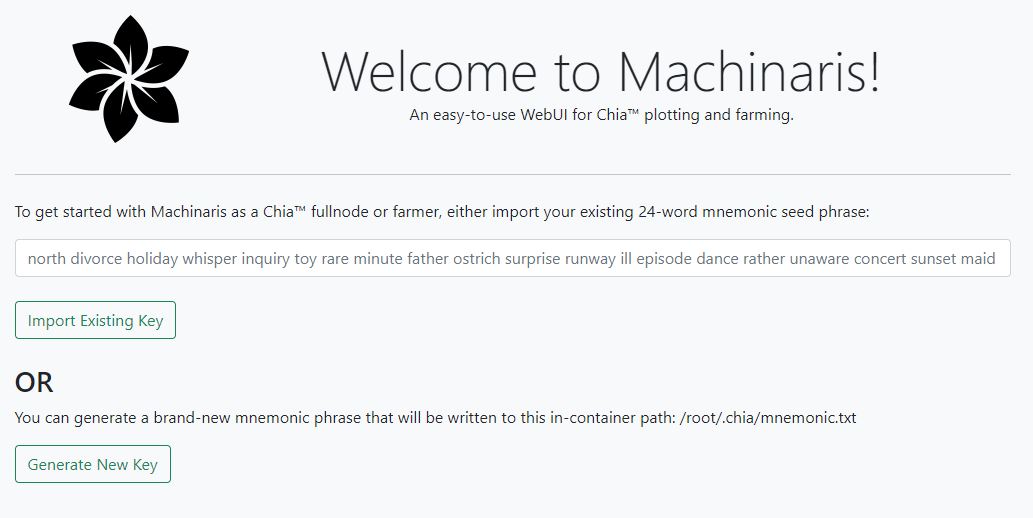
That's for fullnode (default) and farmer modes. However, for harvester you only need the farmer's CA certificates and for plotter only your pool and farmer public keys.
Immediately on setup, a fast blockchain download will get you synced and farming in just hours, rather than the days required by the official GUI client.
Configuration
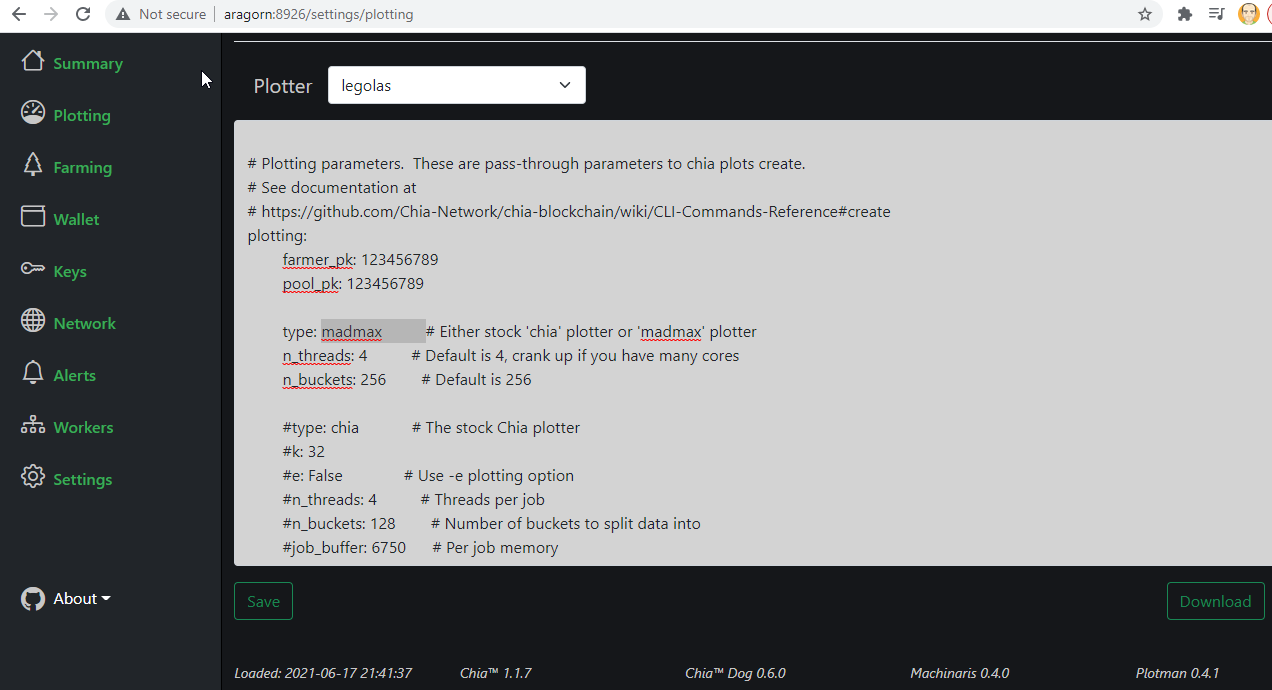
Configuration updating for Chia, Plotman, and Chiadog directly from the WebUI.
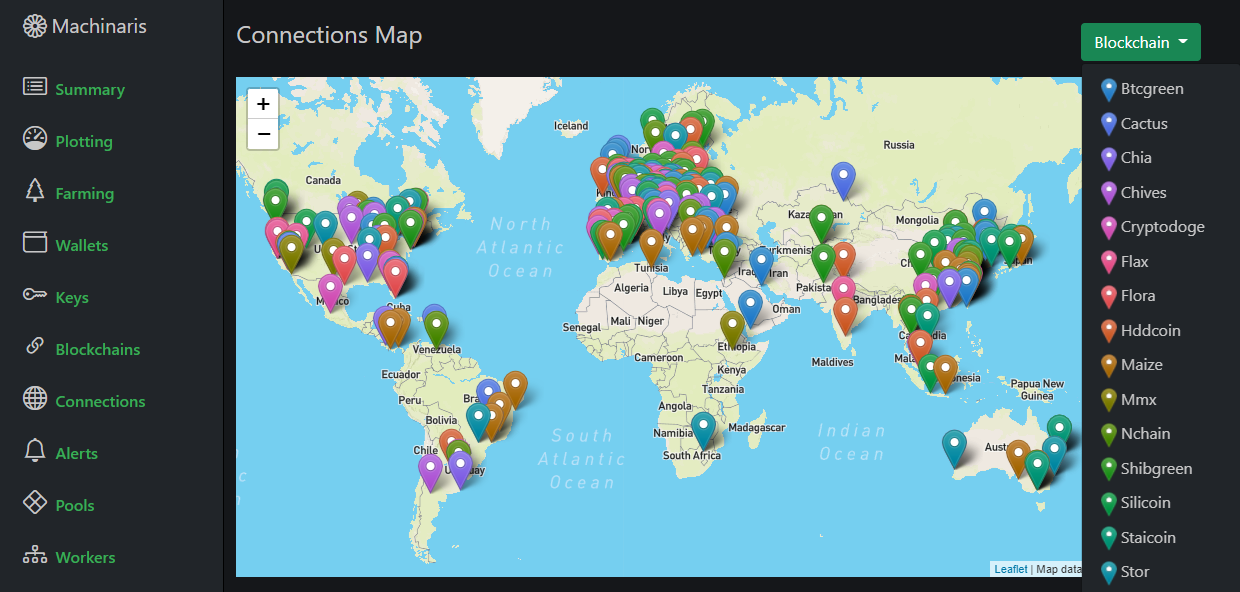
Summary and details for connections and blockchains highlights your farm's status:
Container CLI
While the WebUI is useful for quick and easy access, you also have the full power of a shell commandline (CLI) in the running Machinaris container. All binaries are available to execute advanced commands:
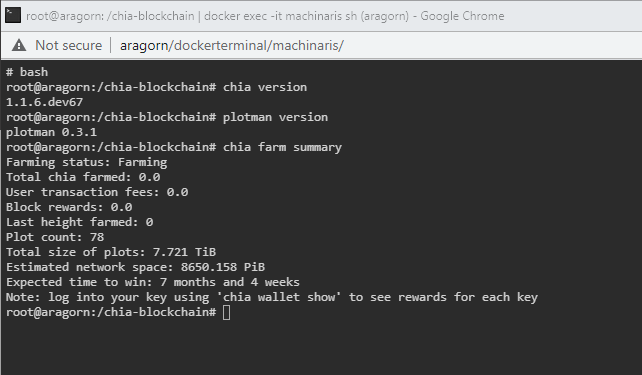
To enter an in-container shell, just type docker exec -it machinaris bash from the host OS.
Worker Management
When Machinaris is deployed to multiple systems on your LAN, you can control each plotter, harvester, and farmer - all from a central WebUI on the Machinaris controller. Configuration, monitoring, and alerting are all available in this centralized portal.
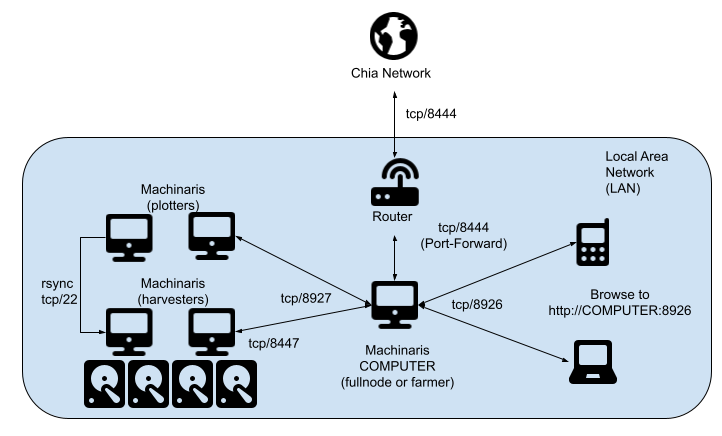
Each worker will run one Machinaris container per blockchain: Chia, Flax, MMX, etc as a fullnode, harvester, or plotter.
REST API
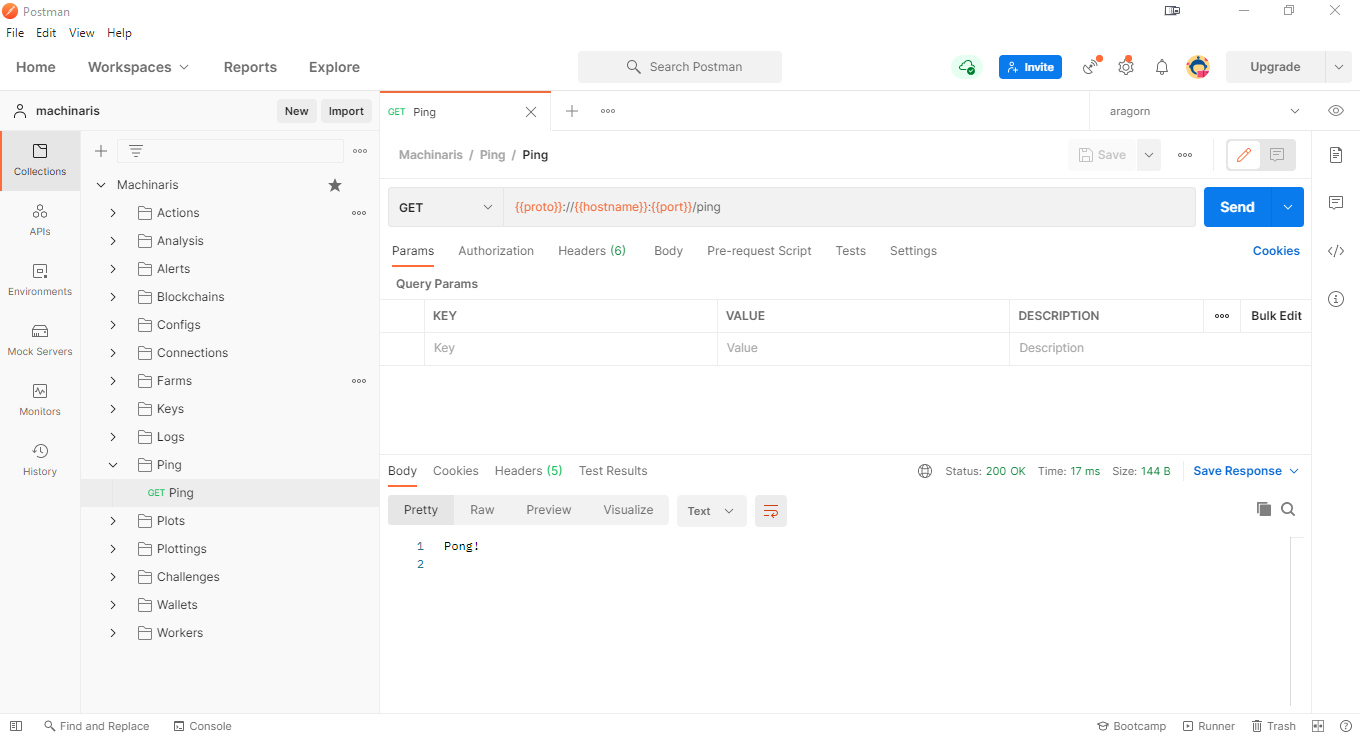
Machinaris includes a complete REST API offering opportunities for integration and extension with other tools.
All project contributions and feedback are welcomed!
Trademark Notice
CHIA NETWORK INC, CHIA™, the CHIA BLOCKCHAIN™, the CHIA PROTOCOL™, CHIALISP™ and the “leaf Logo” (including the leaf logo alone when it refers to or indicates Chia), are trademarks or registered trademarks of Chia Network, Inc., a Delaware corporation. There is no affliation between this Machinaris project and the main Chia Network project.
Categories
Download Statistics
Total Downloads Over Time
Related apps
Explore more like this
Explore allLinks
Details
ghcr.io/guydavis/machinarisRuntime arguments
- Web UI
http://[IP]:[PORT:8926]/- Network
host- Shell
sh- Privileged
- false
Template configuration
Holds app data for the container. Not for temp plotting or final plot storage.
- Target
- /root/.chia
- Default
- /mnt/user/appdata/machinaris
- Value
- /mnt/user/appdata/machinaris
Holds completed Chia plots for farming.
- Target
- /plots1
Your fast temp space for plotting, ideally a cache pool or unassigned SSD.
- Target
- /plotting
The IP address of your Unraid server on your LAN for controller/worker communication.
The TCP port for connecting to peers. Port forward at your router.
- Target
- 8444
- Default
- 8444
- Value
- 8444
The TCP port allowing harvesters to connect with on your LAN. DO NOT port forward at your router.
- Target
- 8447
- Default
- 8447
- Value
- 8447
Machinaris local web app port.
- Target
- 8926
- Default
- 8926
- Value
- 8926
Machinaris local API port.
- Target
- 8927
- Default
- 8927
- Value
- 8927
Path to the mnemonic key used by Chia to run.
- Target
- keys
- Default
- /root/.chia/mnemonic.txt
- Value
- /root/.chia/mnemonic.txt
Determines which services Machinaris starts. Default is everything (aka fullnode).
- Default
- fullnode
- Value
- fullnode
When true, a Plotman plotting loop will be immediately launched on start of the container, applying your plotman.yaml settings.
- Target
- AUTO_PLOT
- Default
- false
- Value
- false
A colon-separated list of all in-container folders holding your completed plots.
- Default
- /plots1
- Value
- /plots1
The blockchain to farm. Leave set to 'chia'.
- Default
- chia
- Value
- chia
On first launch, whether to download a fully synced copy of the blockchain database, avoidng hours/days of syncing. Off by default due to inherent risks. More at: https://github.com/guydavis/machinaris/wiki/Blockchains
- Default
- false
- Value
- false