
All apps · 0 apps
LX-Family
Docker app from UnraidUser-0436170630's Repository
Overview
Readme
View on GitHub
English · Deutsch











A self-hosted Family OS with separate spaces for parents, children, grandparents and pets.
Your routines, your server, your family data.
LX Family is a private Family OS that brings the everyday life of a household into one calm, role-aware app:
- organize calendars, chores, meals, shopping, school, chat and family files;
- give children an age-appropriate world with routines, missions, rewards and parental approval instead of a scaled-down admin screen;
- keep everything on your own server, with optional Nextcloud, Home Assistant and native Android notifications.
New name, same safe update path: LX Family was previously called LX Family Planner. The repository, Docker image and Android package identifier deliberately stay stable, so existing installations update normally. Read the short renaming note.
Try it first
[!TIP] Open the read-only live demo
Family:Demo· password:demo
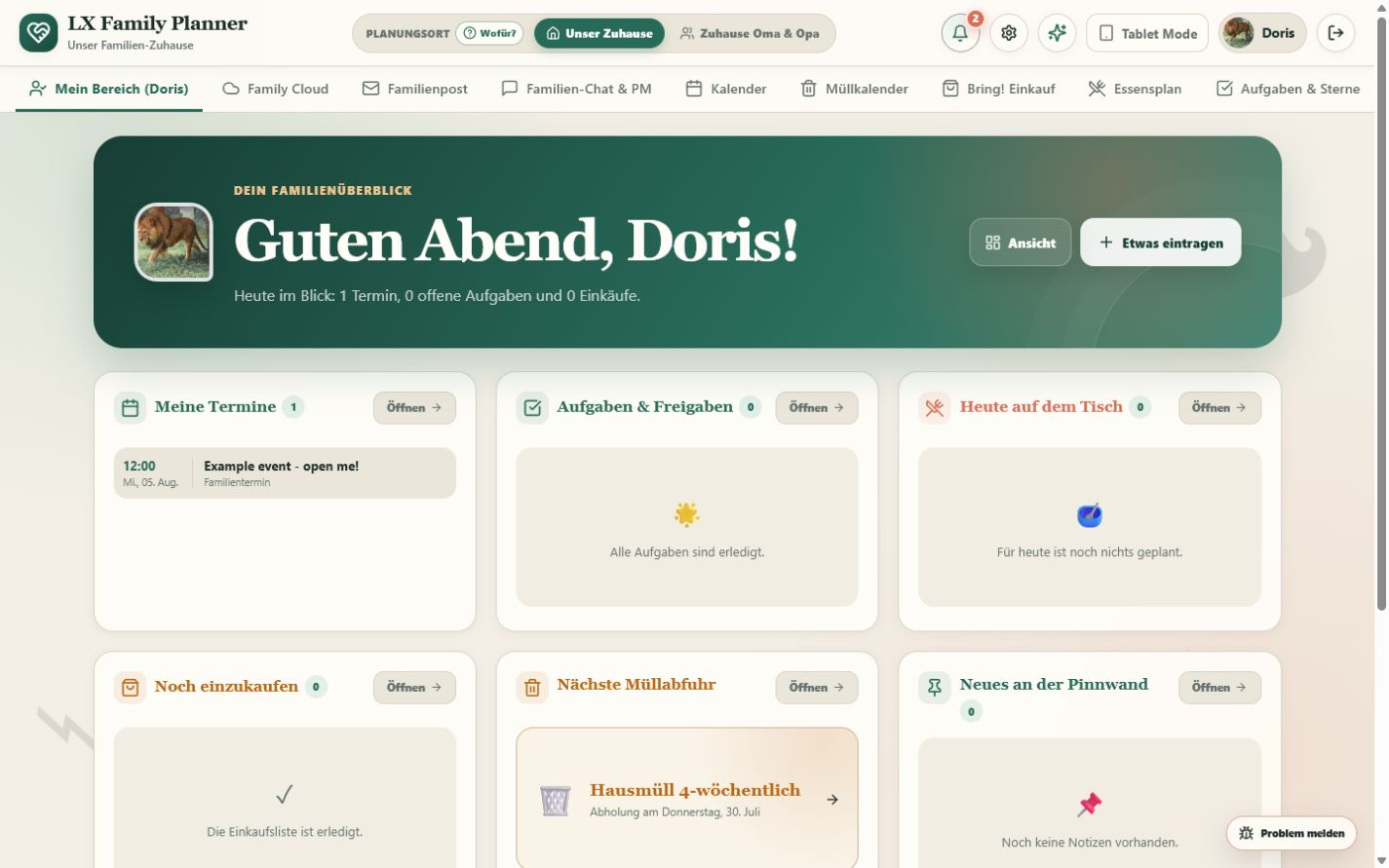
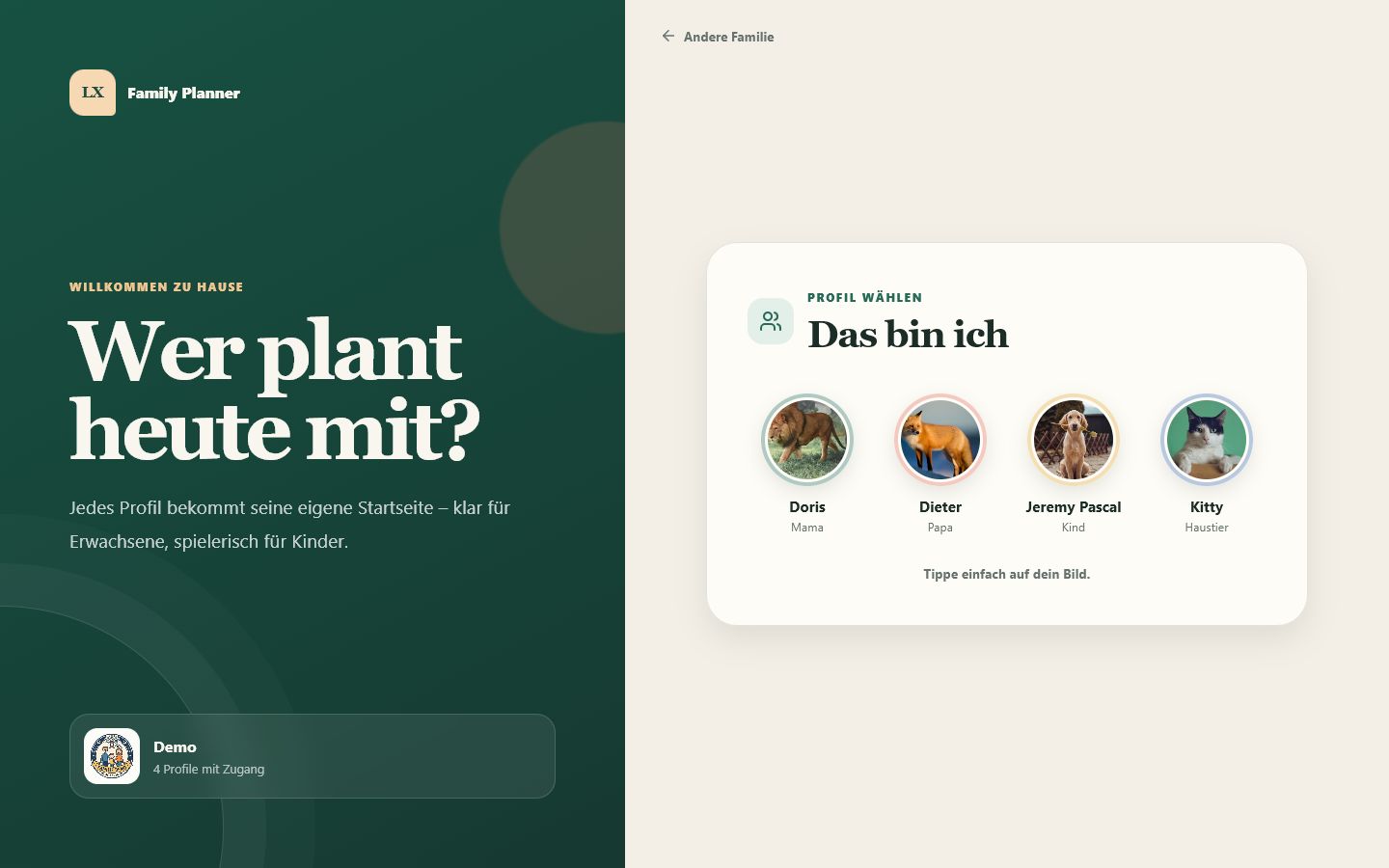
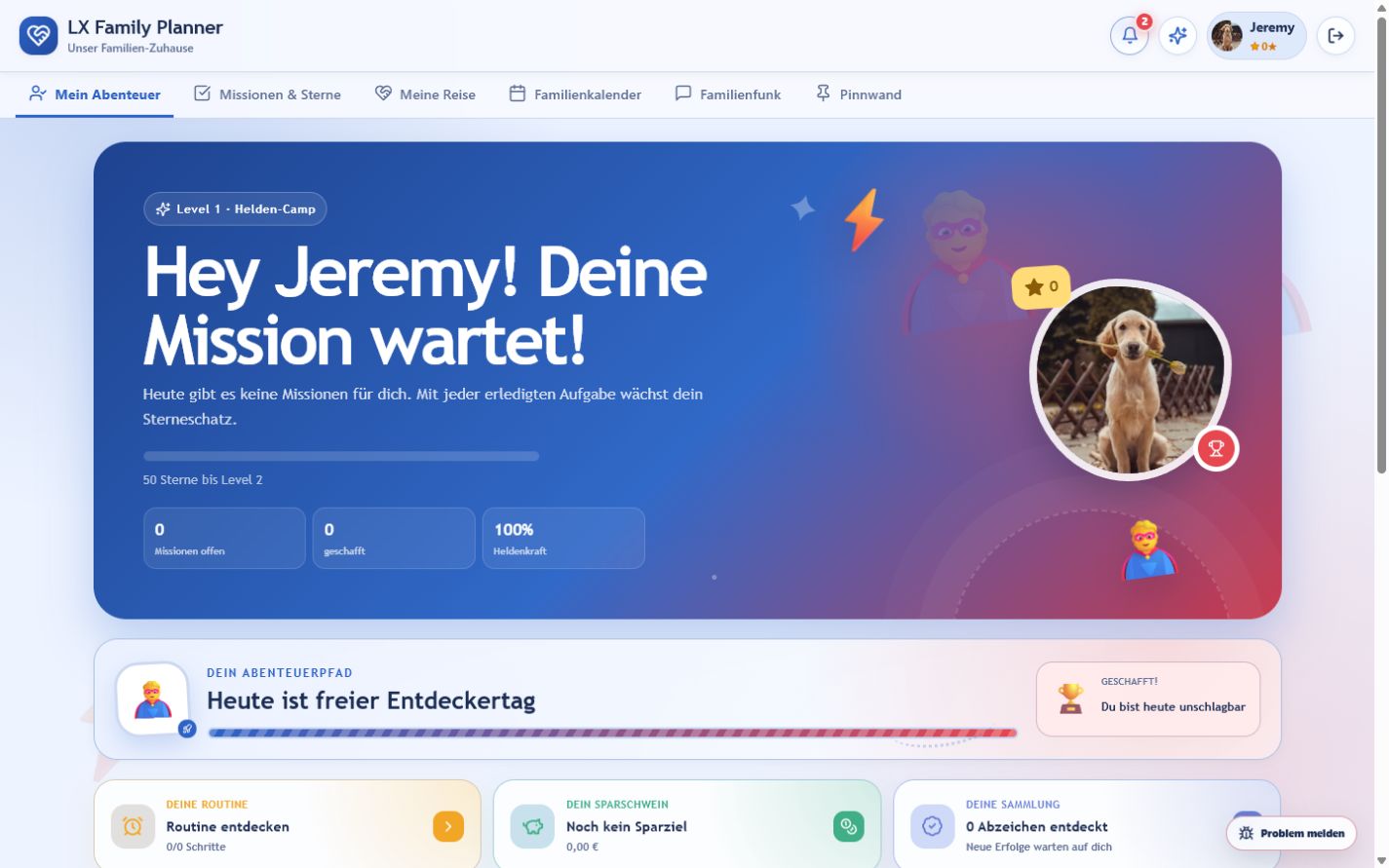
Choose Doris for the adult experience or Jeremy Pascal for the child experience. The demo is a shared showroom—please do not enter personal data.
See the flow in 15 seconds
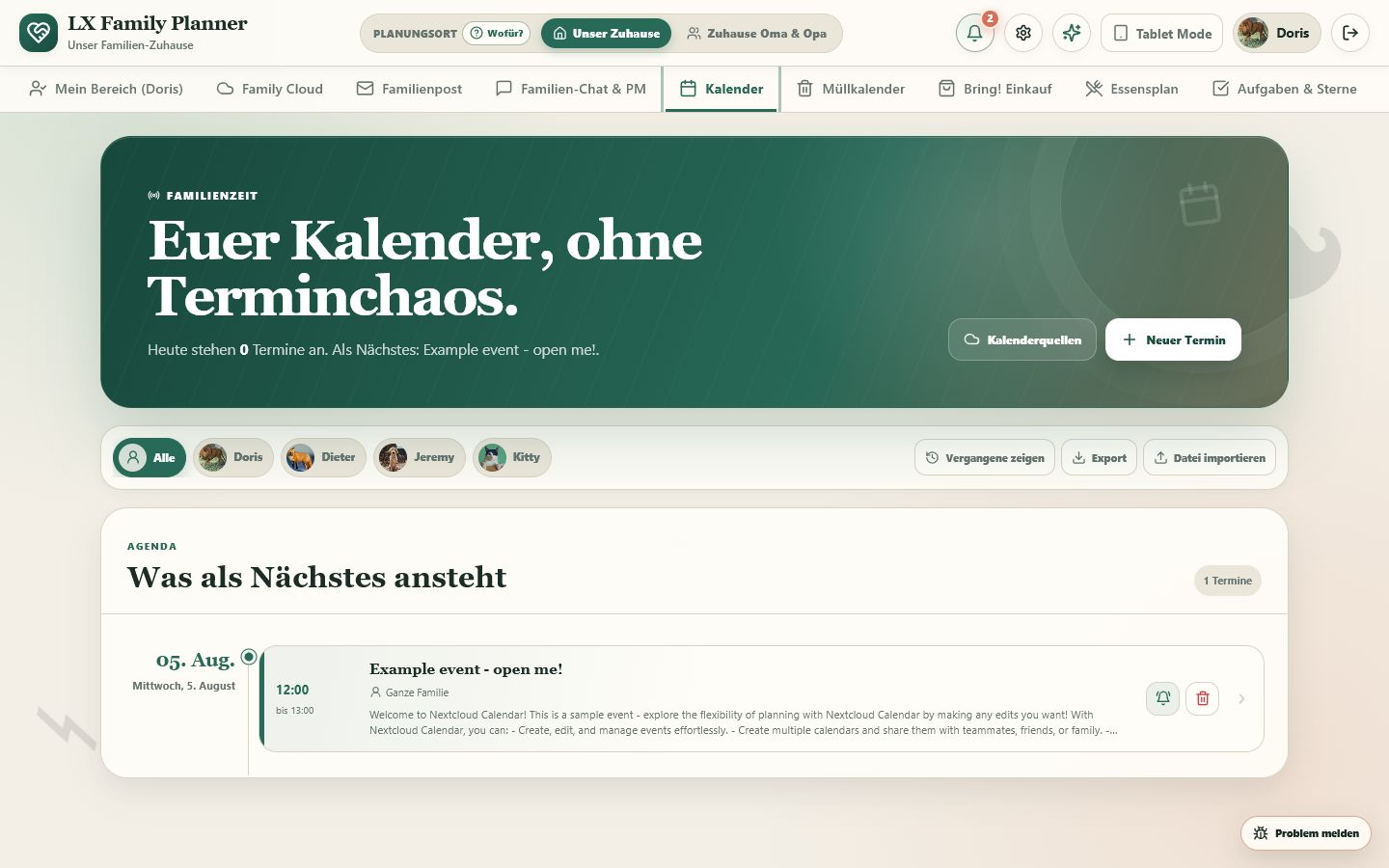
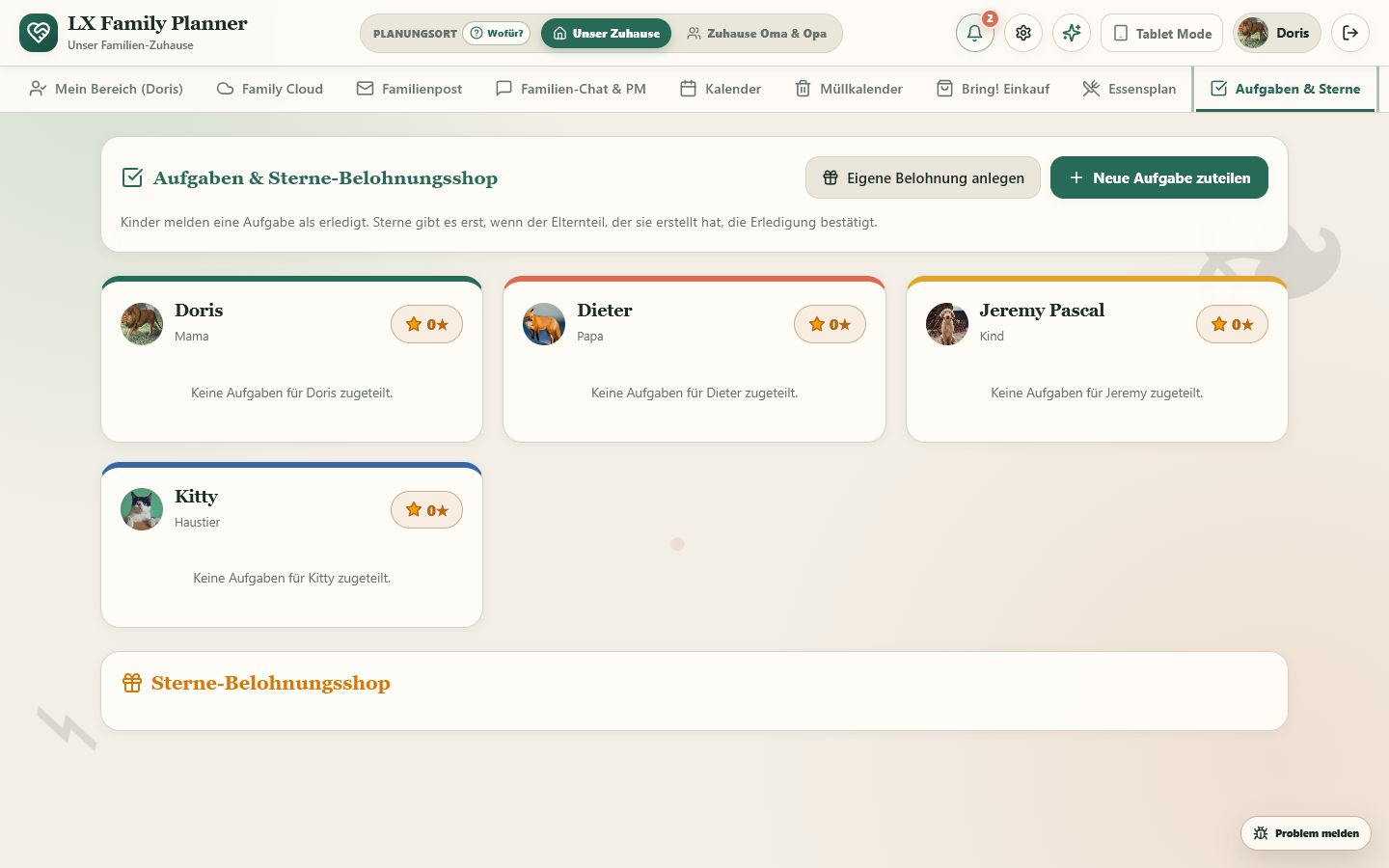
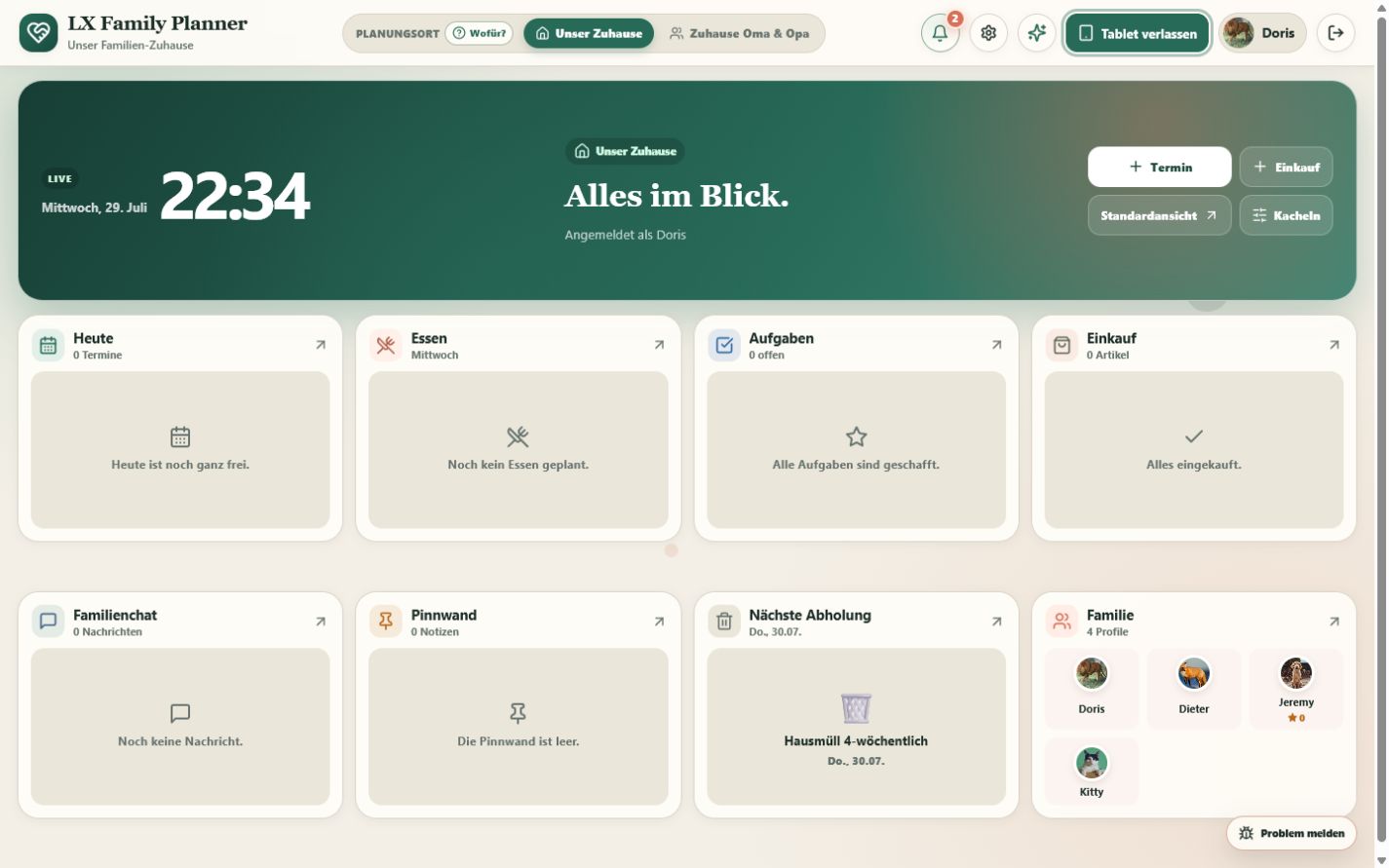
Real screens from the public demo: choose a profile, enter a child space, see the shared overview, plan a date and open the family archive.
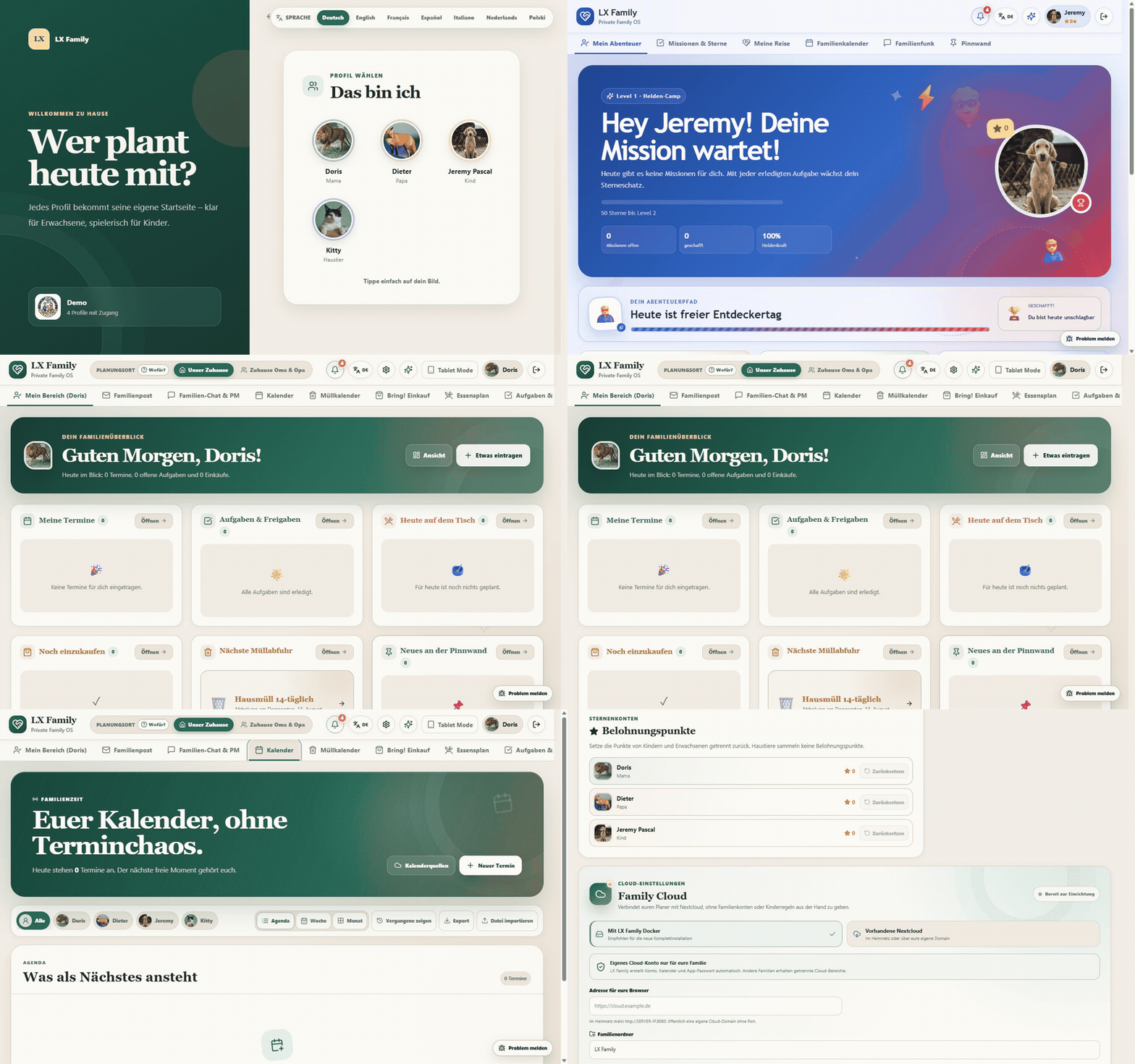
| One-tap profile selection | A real child experience |
|---|---|
 |
 |
See calendars, chores, cloud, pets, family mail and tablet mode
| Shared calendar | Chores and approvals |
|---|---|
 |
 |
| Family Cloud inside LX | Parent control centre |
|---|---|
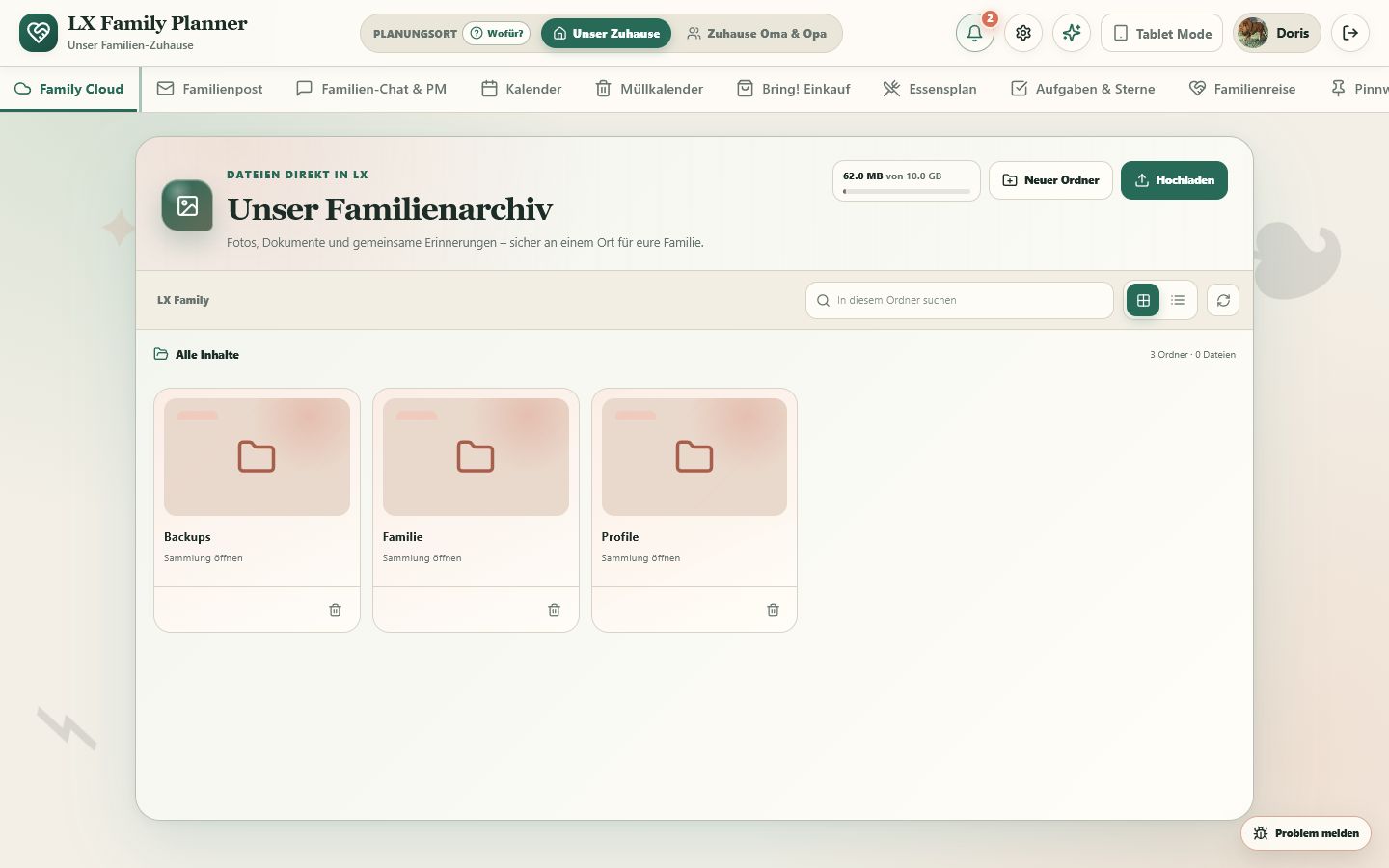 |
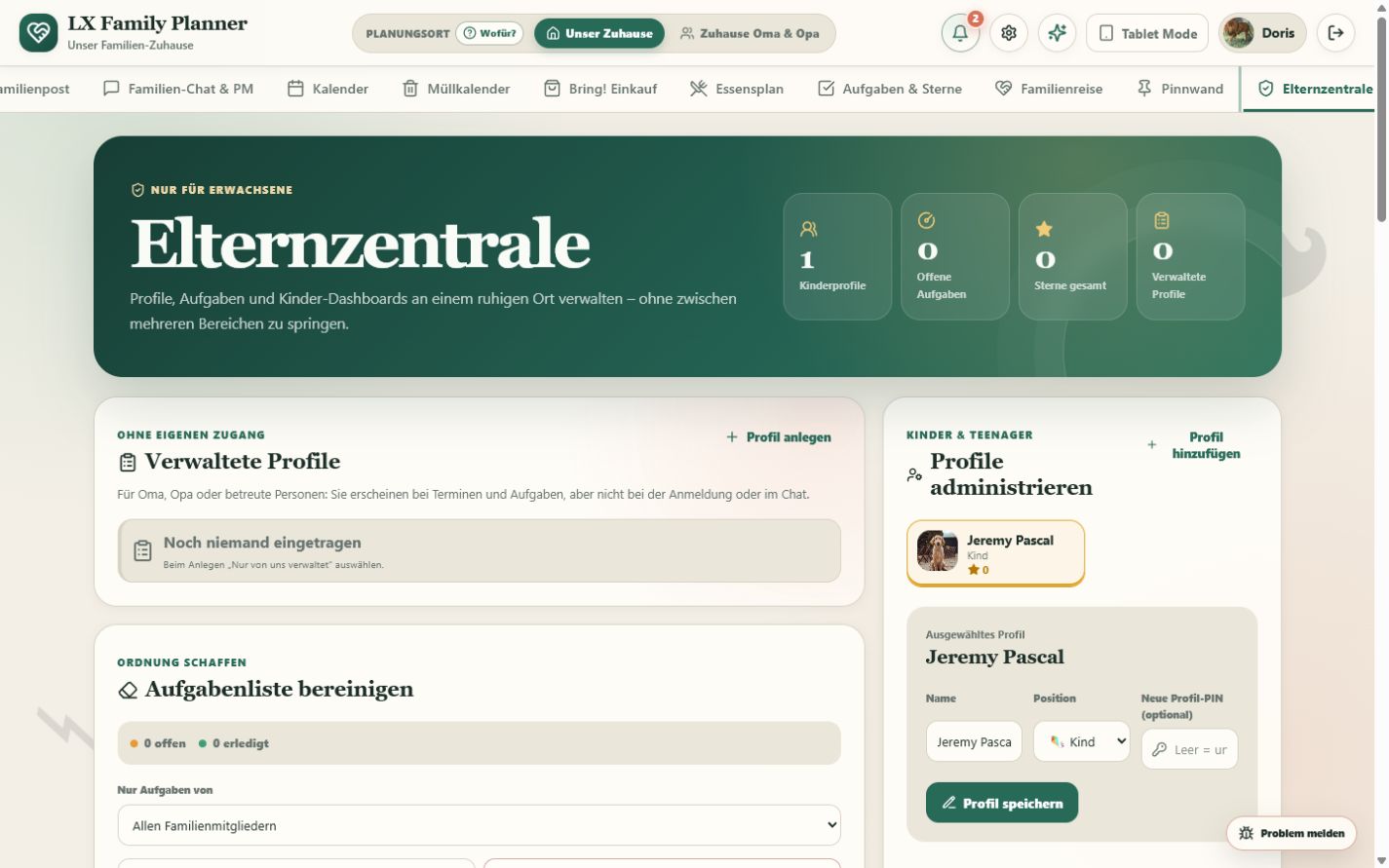 |
| Pet profile | Family mailbox |
|---|---|
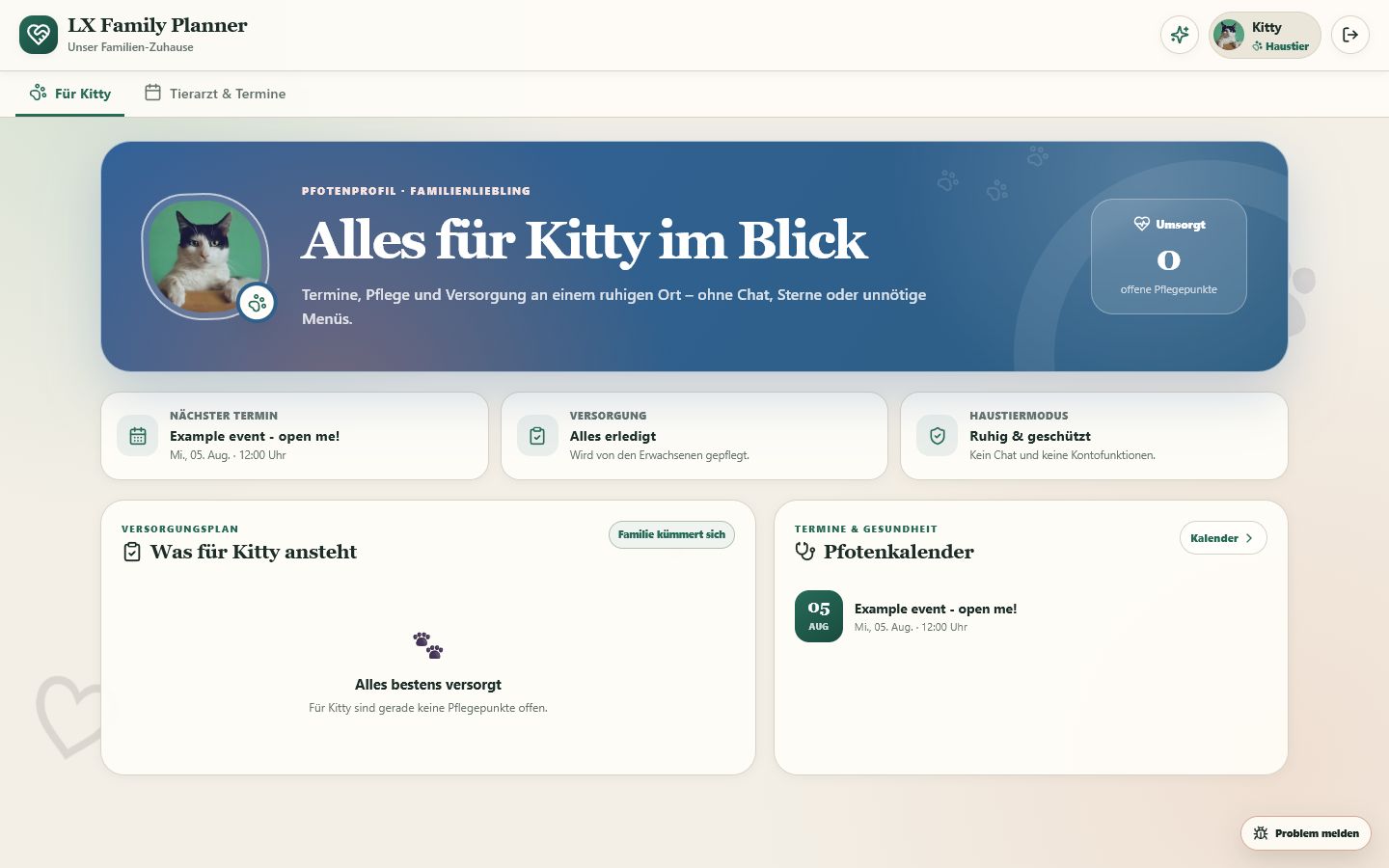 |
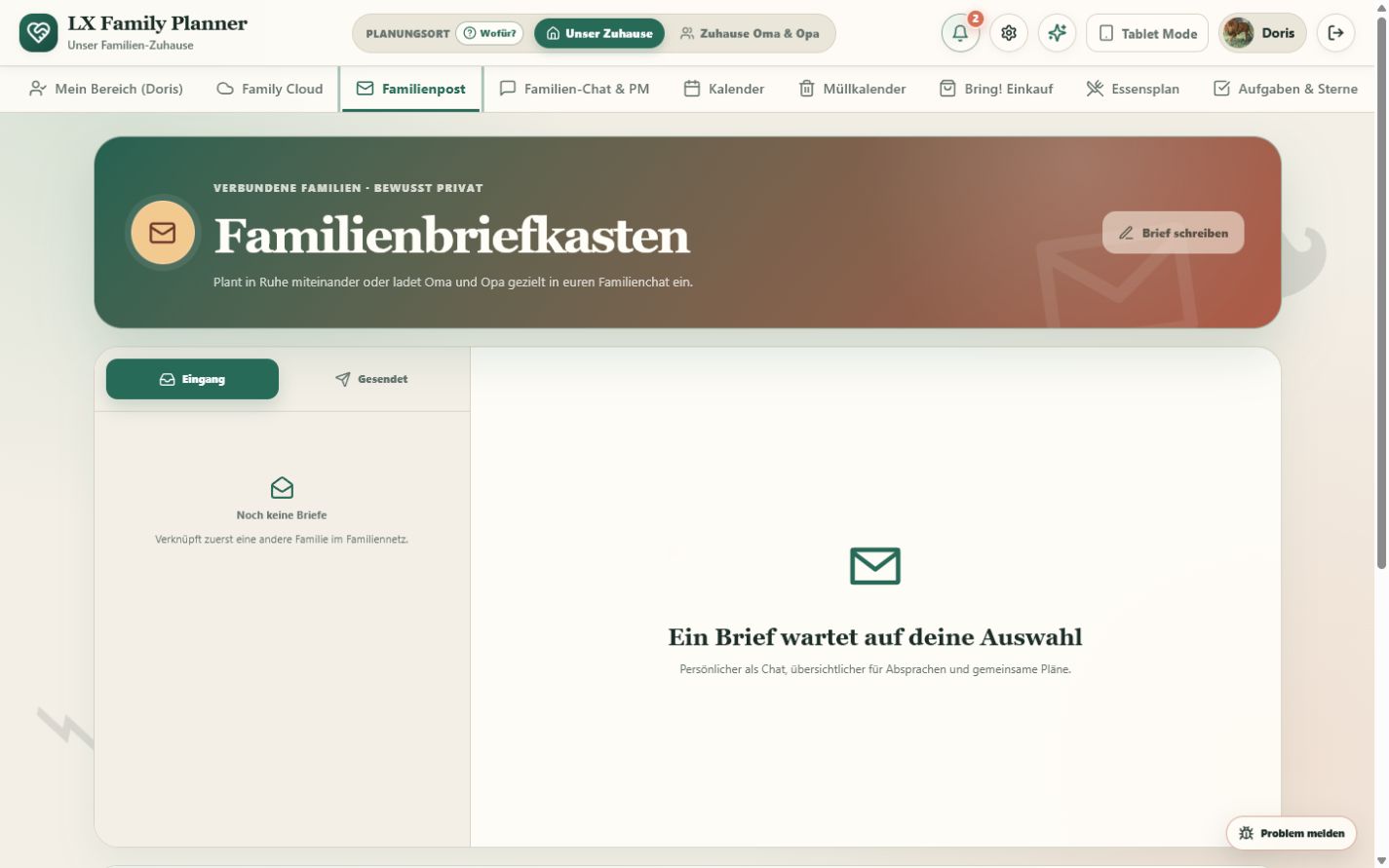 |
What makes it different?
| LX Family | A traditional family calendar | |
|---|---|---|
| Children | visual routines, missions, stars and parent-approved chores | mostly the adult UI with fewer controls |
| Profiles | adults, children, teens, grandparents, managed people and pets | usually one generic account type |
| Family network | invite grandparents or another household and share only what you approve | usually one isolated household |
| Data ownership | self-hosted SQLite, safe updates, optional Nextcloud | provider account and cloud required |
| Home setup | Docker, Proxmox, Unraid, Umbrel, CasaOS, Cosmos or plain Node.js | vendor-specific |
| Integrations | Android push, browser push, Home Assistant, Bring!, ICS, CalDAV and Gotify | varies by vendor |
Highlights
- Family calendar: multiple participants, recurring appointments, birthdays, waste collection, ICS and optional read-only or two-way CalDAV connections, plus flexible reminders.
CalDAV calendar connections
Open Calendar → Calendar sources, select CalDAV and enter the HTTPS address of one calendar collection together with a dedicated app password. Choose read only for work, school or shared calendars. Choose two way for one primary family calendar when LX should also create and update events. Only one writable target can be active; foreign remote events are never deleted by LX, and ETags protect concurrent changes. This works with standard CalDAV servers such as Synology Calendar, Nextcloud and many hosted calendars.
For an intentionally local calendar server on a private LAN address, set
CALENDAR_ALLOW_PRIVATE_HOSTS=true in the LX environment. Keep this setting
off when no LAN calendar is required: it is an explicit safeguard against a
calendar URL reaching other private devices from the LX server.
WebDAV family archive
Open Parent center → WebDAV family archive to connect a NAS or another
DAV-compatible server. LX stores the credentials encrypted, creates the chosen
family folder when needed, and lets the existing archive view browse folders,
upload, download, preview and delete files. Use HTTPS and a dedicated app
password whenever the server supports it. For a NAS on a private LAN address,
set WEBDAV_ALLOW_PRIVATE_HOSTS=true explicitly in the LX environment.
- Chores that stay fair: shared assignments, automatic rotation, recurring routines and a four-eyes approval flow before children receive stars.
- Meals and recipes: meal plan, cooking mode, shopping-list hand-off and safe imports from public recipe sites, Pinterest, Facebook Reels, Tandoor and My Recipe Box exports, including direct Android sharing of RTK backups.
- Family communication: group chat, protected direct messages, a pinboard, attachments and a mailbox between explicitly connected families.
- Child spaces: school timetable, pocket money, savings goals, moods, media limits, emergency card, achievements and profile-specific dashboards.
- Designed for the whole home: dedicated pet profiles, managed profiles for people without an account, grandparent access and a landscape tablet mode.
- Your infrastructure: encrypted integration secrets, consistent backups, migration simulation, data-integrity checks and an optional Family Cloud.
The complete feature and operations guide is available in the German documentation while the English guide is being expanded.
Install LX Family
Choose your platform and start in a few minutes →
| Your setup | Start here |
|---|---|
| Docker, NAS, mini PC or VM | Docker Compose |
| Proxmox VE | Native LX Family LXC |
| Windows home server | Windows + Docker Desktop |
| Existing Node server | Plain Node.js |
| Unraid | Community Applications |
| Umbrel, CasaOS or Cosmos | Packages under review |
Quick start
Docker Compose (recommended)
git clone https://github.com/laxxx-lab/lx-family-planner.git
cd lx-family-planner
cp .env.example .env
sed -i "s/^APP_SECRET=.*/APP_SECRET=$(openssl rand -hex 32)/" .env
docker compose up -d --build
Open http://SERVER-IP:3001, create the first family and complete the guided
setup. The secure defaults allow the first family registration and then close
public registration automatically. Family names are not listed publicly.
Your server, your address: LX Family does not operate a hosted service for other families. Each installation uses its own IP address or domain. See self-hosting for LAN, HTTPS, Android and CORS.
[!IMPORTANT] Keep
.env,APP_SECRET,data/andbackups/private. Never commit a Firebase service account, Nextcloud password or real family content.
On Windows, Start-Familienplaner.cmd performs the same setup with a double
click. Existing installations can use the guarded updater:
- Windows:
Update-Familienplaner.cmd - Linux/Docker:
bash scripts/docker-update.sh - Proxmox native LXC: see the platform guide
- Store packaging: see store submissions
Every guarded update creates a consistent backup, runs migrations on a copy,
checks the result and rolls back if validation fails. LX retains the three
newest local backup-and-manifest pairs; a fourth is held only until a guarded
update has passed all checks. The data/ and backups/ directories are
independent from the application image.
Restore safely
Never replace family_planner.sqlite, -wal or -shm directly in the
live data directory. SQLite manages those files together, so a manual swap can
leave LX unable to write data. Use Database backups → Restore in the Parent
Hub or the supplied restore script instead. Both paths verify the backup,
create a safety copy first and restart LX in a controlled way.
Without Docker
Requires Node.js 22.13 or newer:
git clone https://github.com/laxxx-lab/lx-family-planner.git
cd lx-family-planner
npm ci
cp .env.example .env
npm run build
npm start
For development, run npm run server and npm run dev in separate terminals.
Languages
The visible language switch offers German, English, French, Spanish, Italian,
Dutch and Polish before login and in the main header. The choice stays on the
device. Set APP_LANGUAGE=en (or another supported language code) to choose
the default for a new installation and server-generated notifications.
Translation catalogues are key-checked during CI so a language cannot silently lose UI strings. Native speakers are warmly invited to improve wording through small, focused pull requests.
iPhone and iPad
LX Family is an installable PWA on iPhone and iPad. Open your own LX address in Safari, use Share → Add to Home Screen, then open LX from the new icon. It runs in a standalone window without Safari controls; LX also shows the three steps directly on compatible Apple devices. Browser push on iOS additionally needs the Home-Screen app, HTTPS and a configured Web Push server.
Optional Family Cloud
LX can provision a separate Nextcloud account for each family, expose shared and personal profile folders inside the app, sync calendars in both directions and store encrypted backups. Enable the bundled Nextcloud profile with the provided helper instead of committing credentials:
./scripts/nextcloud-enable.sh
An existing Nextcloud can be used as well. See the detailed cloud guide for reverse proxy, trusted-domain, quota and restore instructions.
Quality and trust
Every pull request runs the same production-oriented checks used before a release:
- JavaScript syntax and translation-key parity;
- API, permissions, migration, backup and data-integrity regression tests;
- recipe, calendar, push, Nextcloud and platform packaging tests;
- a production frontend build;
- safe-update simulation against a copied SQLite database.
Useful local commands:
npm run check
npm run backup
npm run simulate-update
npm run audit
Security-sensitive reports belong in a private GitHub Security Advisory, not in a public issue. Read the security policy, contribution guide and roadmap.
Project direction
LX is built around four principles: children are supported rather than monitored; private data is filtered on the server; integrations stay optional; and an update must not cost a family its history. Near-term work focuses on offline reliability, a guided restore flow and optional modules for larger household features.
Development is maintainer-led and uses automated tests plus AI-assisted tooling. Changes are reviewed and validated against the working application before a release. See CONTRIBUTING.md for the workflow.
Help LX grow
If LX solves a real problem for your household:
- give the repository a Star so more self-hosters can discover it;
- share one concrete use case or screenshot in GitHub Discussions;
- report a reproducible bug or propose a focused improvement;
- help review an English or German translation.
Optional one-time or monthly support through GitHub Sponsors is being prepared. Sponsorship will never unlock features or create a paid priority lane: LX remains free and the same application for every family.
Built for families who want helpful software without giving up their home data.
Media gallery
1 / 3Install LX-Family on Unraid in a few clicks.
Find LX-Family in Community Apps on your Unraid server, review the template, and click Install. Unraid handles the Docker app or plugin setup from the published template.
Requirements
Categories
Related apps
Explore more like this
Explore allDetails
ghcr.io/laxxx-lab/lx-family-planner:latestRuntime arguments
- Web UI
http://[IP]:[PORT:3001]- Network
bridge- Shell
bash- Privileged
- false
Template configuration
Port used to open LX Family.
- Target
- 3001
- Default
- 3001
Persistent database, integration secrets and Firebase configuration.
- Target
- /app/data
- Default
- /mnt/user/appdata/lx-family-planner/data
Persistent LX Family backups.
- Target
- /app/backups
- Default
- /mnt/user/appdata/lx-family-planner/backups
Linux user ID used for files in the appdata folders. Unraid normally uses 99 (nobody).
- Target
- PUID
- Default
- 99
Linux group ID used for files in the appdata folders. Unraid normally uses 100 (users).
- Target
- PGID
- Default
- 100
Random secret with at least 32 characters. Never change it after the first start.
- Target
- APP_SECRET
Secure default: only the first family can register. Use invite for controlled additional families or open only for an intentional public portal.
- Target
- REGISTRATION_MODE
- Default
- first-family
Required by new families when registration mode is invite. Use a long random value.
- Target
- REGISTRATION_INVITE_CODE
Keep false to prevent family names and profile counts from being visible before login.
- Target
- PUBLIC_FAMILY_DIRECTORY
- Default
- false
Timezone used for calendar reminders and scheduled tasks.
- Target
- TZ
- Default
- Europe/Berlin
Automatically uses secure cookies when accessed through HTTPS.
- Target
- SESSION_COOKIE_SECURE
- Default
- auto
Persistent SQLite database location.
- Target
- DATABASE_FILE
- Default
- /app/data/family_planner.sqlite
Optional path used for a one-time migration from older LX versions.
- Target
- LEGACY_DATABASE_FILE
- Default
- /app/data/family_db.json