

lore-webgui
Docker app from Judd's Repository
Overview
Readme
View on GitHubLore Web UI
Build status License: MIT Container image on GHCR
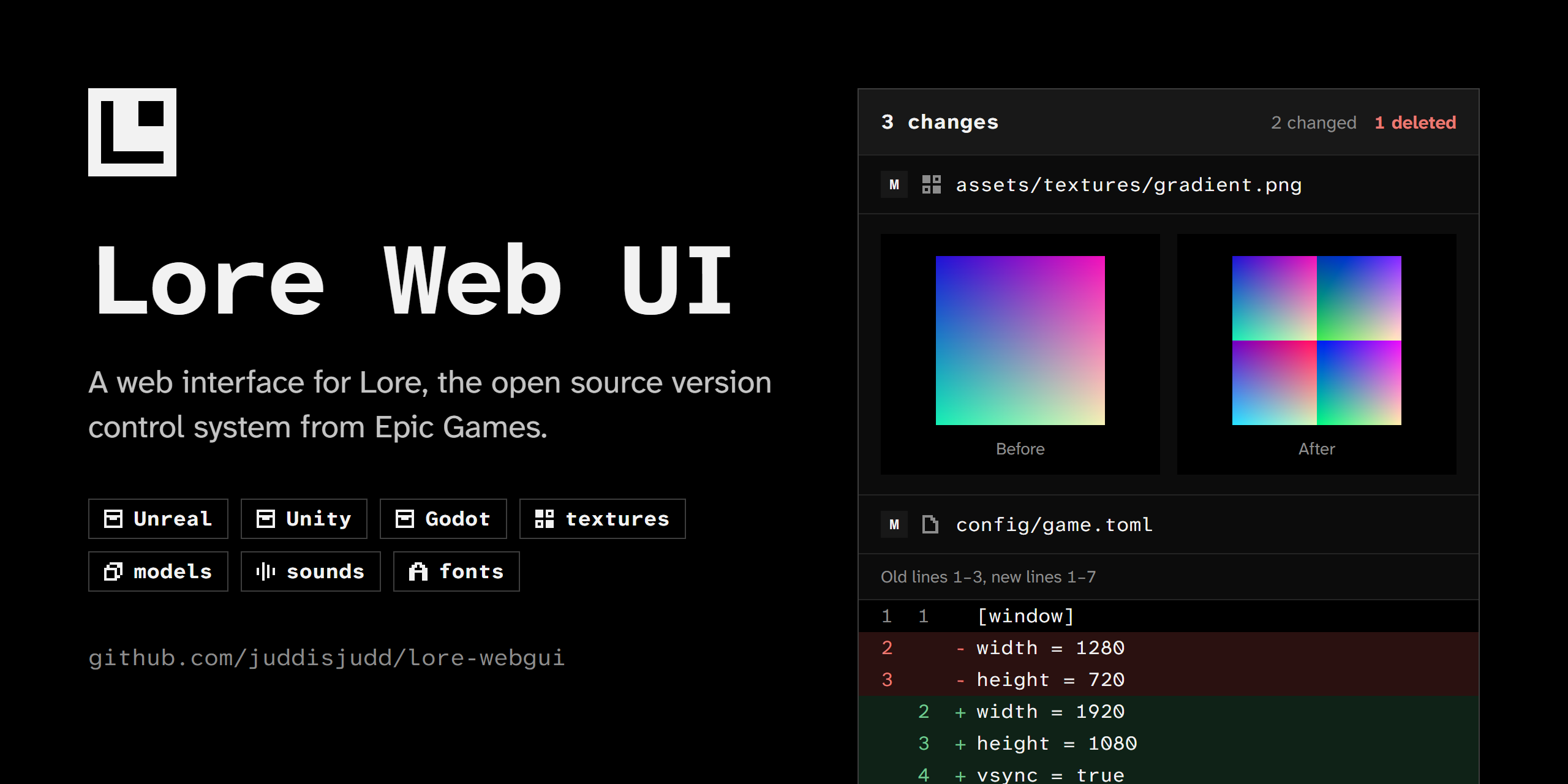
A web interface for Lore, the open source version control system from Epic Games. Browse repositories, read history, inspect files and diffs, and manage branches from a browser.
Features
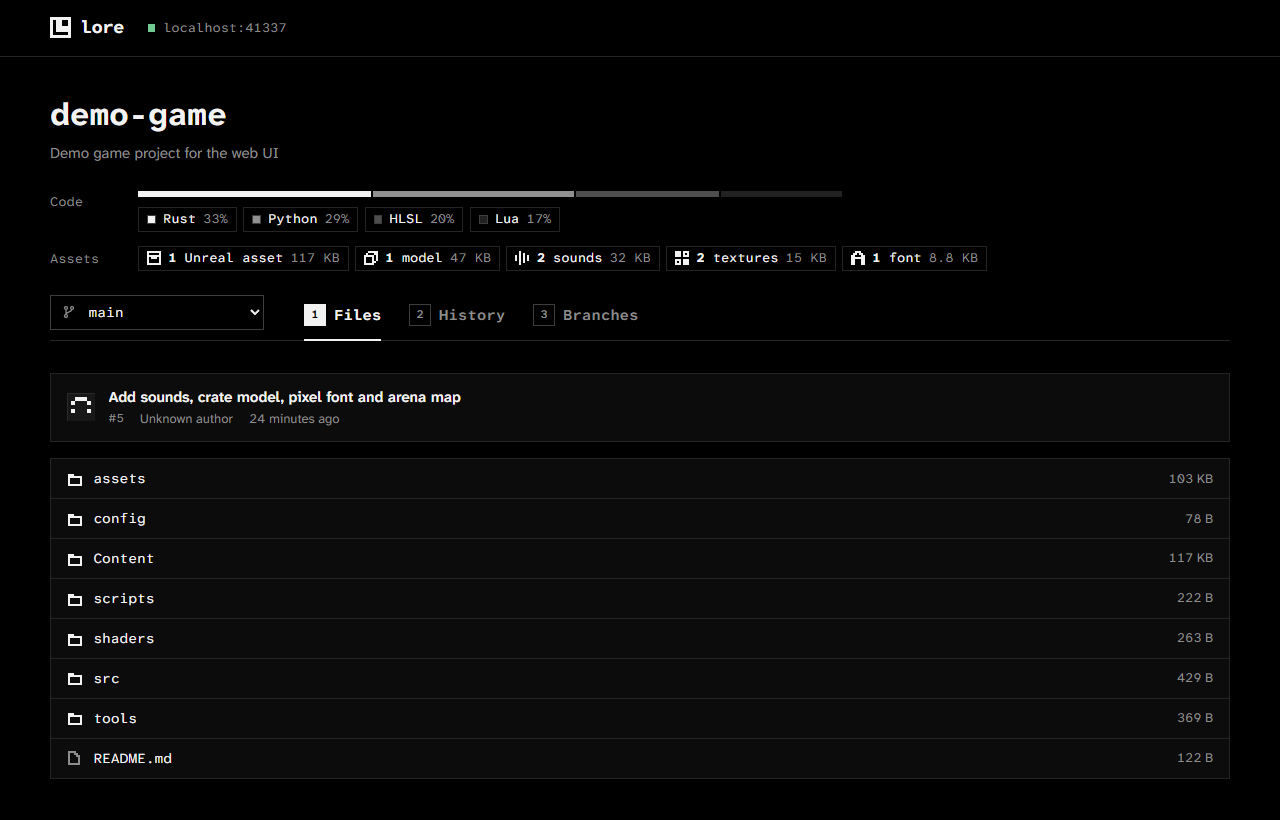
- Files. Browse any branch or revision. Text files open with line numbers. Images, audio and video play inline. Everything else downloads.
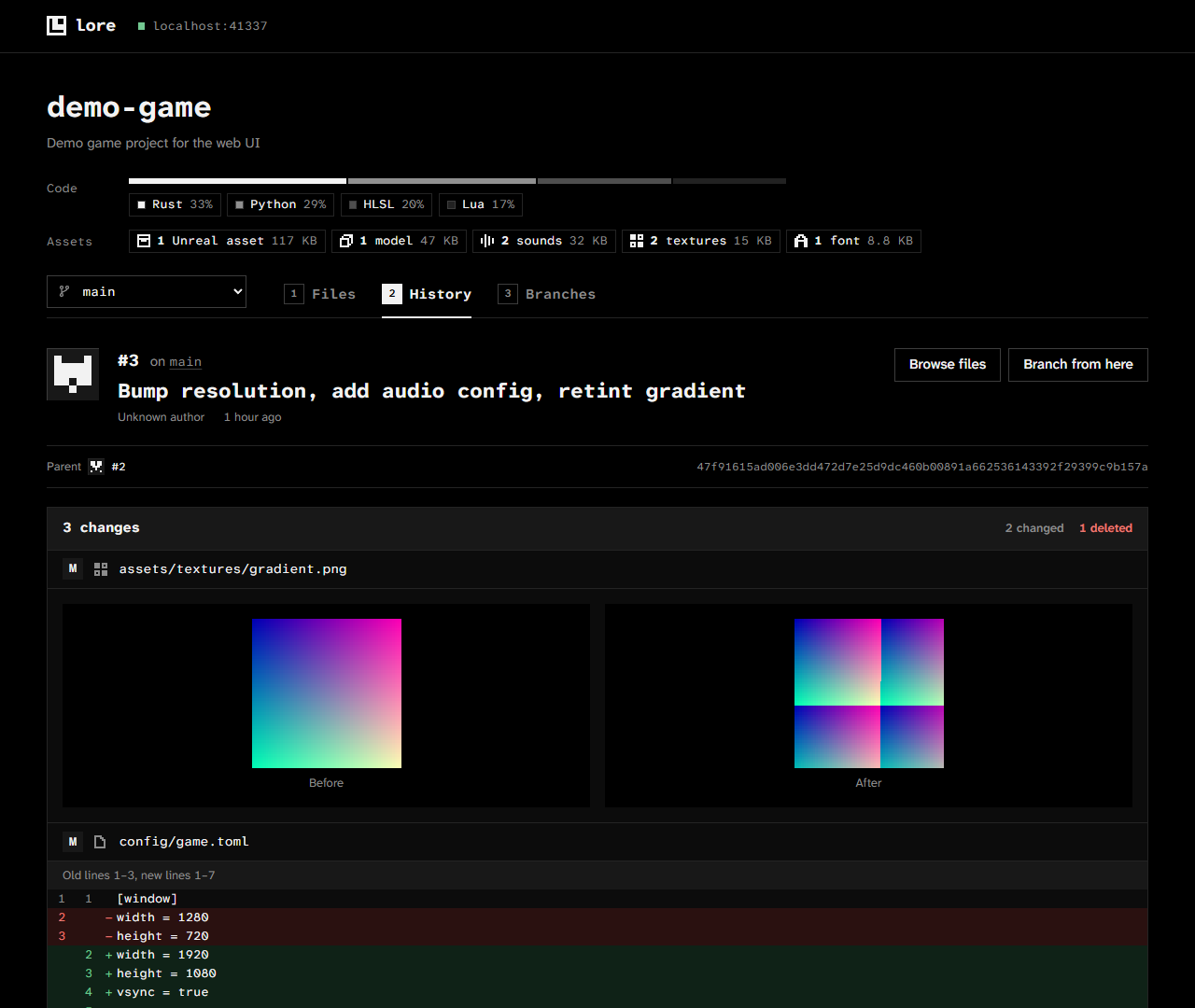
- History and diffs. Each revision shows its changed files with line diffs for text and side-by-side previews for images.
- Branches. Create a branch from any revision and delete branches you no longer need. Create new repositories.
- Compare branches. See what one branch would bring into another: its revisions, its changed files, and the files both branches changed, which will conflict when you merge.
- File locks. The Locks tab lists every locked file on a branch, with its owner and lock time. Locked files and the folders that contain them show a lock in the file list. Locks are read-only here; take and release them with
lore lock. - Live updates. Open pages refresh by themselves when someone pushes, creates or deletes a branch, or locks or unlocks a file.
- Accounts. People sign in with accounts an admin creates. Roles decide who only browses, who creates repositories and branches, and who manages users.
- Repository stats. Badges show the languages on a branch and its game assets by type: textures, models, sounds, video, fonts, and Unreal, Unity and Godot assets.
- Keyboard and themes. Press
1to4to switch between Files, History, Branches and Locks. Light and dark themes follow your system setting.
Quick start
You need Bun 1.4 or newer, Node.js 22.17 or newer, and a running Lore server. Setup takes about 2 minutes.
Clone the repository and install dependencies:
git clone https://github.com/juddisjudd/lore-webgui.git
cd lore-webgui
bun install
Start the app and point it at your Lore server:
LORE_HOST=lore.local bun run devIn PowerShell:
$env:LORE_HOST = "lore.local"; bun run devOpen http://localhost:5173. The first visit asks for the setup code that the gateway printed in your terminal, then creates your admin account.
Leave out LORE_HOST to connect to a server on localhost.
How it works
Browsers cannot talk to a Lore server directly. Lore speaks gRPC over HTTP/2 and QUIC, and offers no gRPC-Web or CORS support. A small gateway runs next to the web app and translates.
browser ──JSON──▶ gateway ──gRPC──▶ Lore server :41337
                          ──HTTP──▶ Lore server :41339  (file content)
For live updates, the gateway subscribes to the Lore server's event stream for each open repository and passes the events to the browser as Server-Sent Events. A browser tab connects only while it is visible.
The project is a Bun workspace with three packages:
| Package | Role |
|---|---|
packages/api |
The HTTP contract between browser and gateway, written once with Effect HttpApi and Schema. Both sides import it, so the type checker catches any mismatch between them. |
packages/gateway |
A Bun server built with Effect. It calls Lore through gRPC clients generated from Lore's protobuf files, computes text diffs and repository stats, streams file content, and serves the built web app. |
packages/web |
A SvelteKit single-page app using Svelte 5. |
The gateway also publishes OpenAPI documentation at /api/docs.
Run in production
Build the web app:
bun run buildStart the gateway:
LORE_HOST=lore.local bun run startOpen http://localhost:7337. One process serves both the app and the API.
If a reverse proxy sits in front of the gateway, it must not buffer /api/repositories/*/events, or live updates arrive late. The gateway sends X-Accel-Buffering: no, which nginx honors.
Run with Docker
Images for linux/amd64 and linux/arm64 are published to the GitHub Container Registry. Each image contains the built web app and the gateway bundled into a single file. It runs as a non-root user and reports its status through a Docker health check on /api/health.
Start the container:
docker run -d --name lore-webgui -p 7337:7337 -v lore-webgui-data:/data -e LORE_HOST=lore.local ghcr.io/juddisjudd/lore-webgui:latestPrint the setup code for the first admin:
docker logs lore-webguiOpen http://localhost:7337 and enter the code.
Keep the volume at /data. It holds the accounts database, and without it the accounts are lost each time the container is recreated.
Each push to main publishes latest and a tag for the short commit hash. Each version tag such as v0.1.0 publishes 0.1.0 and 0.1.
Docker Compose
From a clone of this repository:
LORE_HOST=lore.local docker compose up -d
In PowerShell:
$env:LORE_HOST = "lore.local"; docker compose up -d
Run docker compose logs lore-webgui to see the setup code. Compose keeps the accounts database in the lore-webgui-data volume.
Compose pulls the published image. Add --build to build it from your local source instead. Leave out LORE_HOST to reach a Lore server running on the Docker host itself. Compose passes PORT and LORE_TOKEN through as well.
Accounts
The web UI keeps its own accounts in a SQLite file in DATA_DIR.
First admin
On first start, the gateway has no accounts and prints a one-time setup code in its log:
No accounts yet. Open the web UI and enter this setup code to create the first admin: …
- Open the web UI. It shows the setup page.
- Paste the code, then choose the admin's username and password.
The code works once. If the gateway restarts before anyone uses it, the gateway prints a new one.
Roles
| Role | Can |
|---|---|
| Viewer | Browse repositories, history, files, locks and branch comparisons. |
| Member | Everything a viewer can, plus create repositories and create or delete branches. |
| Admin | Everything a member can, plus manage users and delete repositories through the API. |
An admin adds people on the Users page with a temporary password. Each person chooses their own password at first sign-in. Ten wrong passwords in a row lock a username for 15 minutes.
Names in Lore
The gateway sends the signed-in username with each call to Lore, so branches and repositories created in the web UI show who made them. Lore reads the name only when its configuration trusts unsigned identities:
[server]
trust_unsigned_identity = true
Without that setting, Lore records web UI actions as <unknown>. Lore does not check these names, so turn the setting on only if you trust everyone who can reach the Lore server. When LORE_TOKEN is set, the gateway sends that token instead, and Lore records the token's identity.
Turning accounts off
Set AUTH=off to run without sign-in, for example behind a reverse proxy that signs people in. Everyone then has full access.
Configuration
The gateway reads these environment variables:
| Variable | Default | Purpose |
|---|---|---|
LORE_HOST |
localhost |
Host of the Lore server. Sets both URLs below. |
LORE_GRPC_URL |
http://$LORE_HOST:41337 |
Lore gRPC endpoint. |
LORE_HTTP_URL |
http://$LORE_HOST:41339 |
Lore HTTP endpoint, used for file content. |
LORE_TOKEN |
none | Token for a Lore server that has [server.auth], which rejects requests without one. Leave it unset for any other Lore server: when it is set, the gateway sends it in place of each person's name, and Lore records every action under the token's identity. |
PORT |
7337 |
Port the gateway listens on. |
STATIC_DIR |
packages/web/build |
Folder of the built web app. |
MAX_DIFF_BYTES |
2097152 |
Files larger than this are not diffed. |
HISTORY_CONCURRENCY |
16 |
Parallel revision lookups per page of history. |
AUTH |
accounts |
accounts requires sign-in. off gives everyone full access. |
DATA_DIR |
data |
Folder for the accounts database, relative to the gateway's working folder. The Docker image uses /data. |
In development, set GATEWAY_URL to point the Vite dev server at a gateway on another address. The default is http://localhost:7337.
Repository stats
The badges describe the latest revision of the selected branch. Code badges show languages weighted by file size, the way GitHub counts them. Data and prose files such as Markdown, JSON and TOML do not count. Asset badges show the file count and total size for each asset type.
The gateway classifies files by extension. It skips vendored code and engine output folders, including ThirdParty, Intermediate, DerivedDataCache, Library and node_modules. Results are cached per revision. Revisions never change, so the cache never needs clearing. The first request for a large repository reads its full file tree once.
Development
bun run check   # type checks: tsc for api and gateway, svelte-check for web
bun run test    # gateway unit tests
bun run build   # production build of the web app
The generated gRPC code in packages/gateway/src/gen is committed. To refresh it after Lore's protobuf files change:
- Clone EpicGames/lore into a folder named
lorenext to this repository. - Run
bun run gen.
Known limitations
- Accounts protect the web UI only. Anyone who can reach the Lore server directly can still use the Lore CLI with whatever access the server allows.
- Repositories can only be deleted through the API (
DELETE /api/repositories/:repo). Lore deletes them permanently, so the UI has no button for it. - Downloads show no progress bar. Bun drops the
Content-Lengthheader on streamed responses. - The server does not implement
ContentDiffyet, so the gateway computes diffs itself.RevisionTreealso leaves out the folder you ask for, so the gateway reads it from the parent folder. - The clone command shown on an empty branch uses the gateway's
LORE_HOST. A gateway that useslocalhostshowslocalhostto every visitor.
License
Categories
Related apps
Explore more like this
Explore allDetails
ghcr.io/juddisjudd/lore-webgui:latestRuntime arguments
- Web UI
http://[IP]:[PORT:7337]/- Network
bridge- Shell
sh- Privileged
- false
- Extra Params
--restart=unless-stopped --user=99:100
Template configuration
Port the web UI listens on.
- Target
- 7337
- Default
- 7337
- Value
- 7337
Accounts database. Without it, accounts are lost each time the container is updated.
- Target
- /data
- Default
- /mnt/user/appdata/lore-webgui
- Value
- /mnt/user/appdata/lore-webgui
IP or host name of your Lore Server, such as 192.168.1.10. If it runs on this Unraid server, use your Unraid IP. Not localhost.
- Target
- LORE_HOST
Optional. Leave empty unless your Lore Server requires sign-in. Every signed-in person uses this token, so give it the least access that works. Lore then records the token's name, not each person's.
- Target
- LORE_TOKEN
accounts requires sign-in. off gives everyone full access, with no sign-in. Use off only behind a reverse proxy that signs people in.
- Target
- AUTH
- Default
- accounts
- Value
- accounts
Files larger than this many bytes show no diff. 2097152 is 2 MiB.
- Target
- MAX_DIFF_BYTES
- Default
- 2097152
- Value
- 2097152
Parallel revision lookups for each page of history.
- Target
- HISTORY_CONCURRENCY
- Default
- 16
- Value
- 16