
All apps · 0 apps

LNbits
OfficialDocker app from Raccommode's Repository
Overview
Readme
View on GitHub







LNbits — The most powerful Bitcoin & Lightning toolkit
Run it for yourself, for your community, or as part of a larger stack.
What is LNbits?
LNbits is a lightweight Python server that sits on top of your Lightning funding source. It gives you safe, isolated wallets, a clean API, and an extension system for rapidly adding features - without locking you into a single node implementation. The Inspiration for LNBits came from ideas pioneered by OpenNode and LNPay — both today work as funding sources for LNbits.
What you can do with LNbits
- Harden app security: Create per-wallet API keys so individual apps never touch your full balance.
- Extend functionality fast: Install extensions to explore and ship Lightning features with minimal code.
- Build into your stack: Use the LNbits HTTP API to integrate payments, wallets, and accounting.
- Cover LNURL flows: Use LNbits as a reliable fallback wallet for LNURL.
- Demo in minutes: Spin up instant wallets for workshops, proofs-of-concept, and user testing.
Funding sources
LNbits runs on top of most Lightning backends. Choose the one you already operate - or swap later without changing your app architecture.
- Read the funding source guide
Learn more
Running LNbits
See the install guide for details on installation and setup.
Get yourself familiar and test on our demo server demo.lnbits.com, or on lnbits.com software as a service, where you can spin up an LNbits instance for 21sats per hr.
LNbits account system
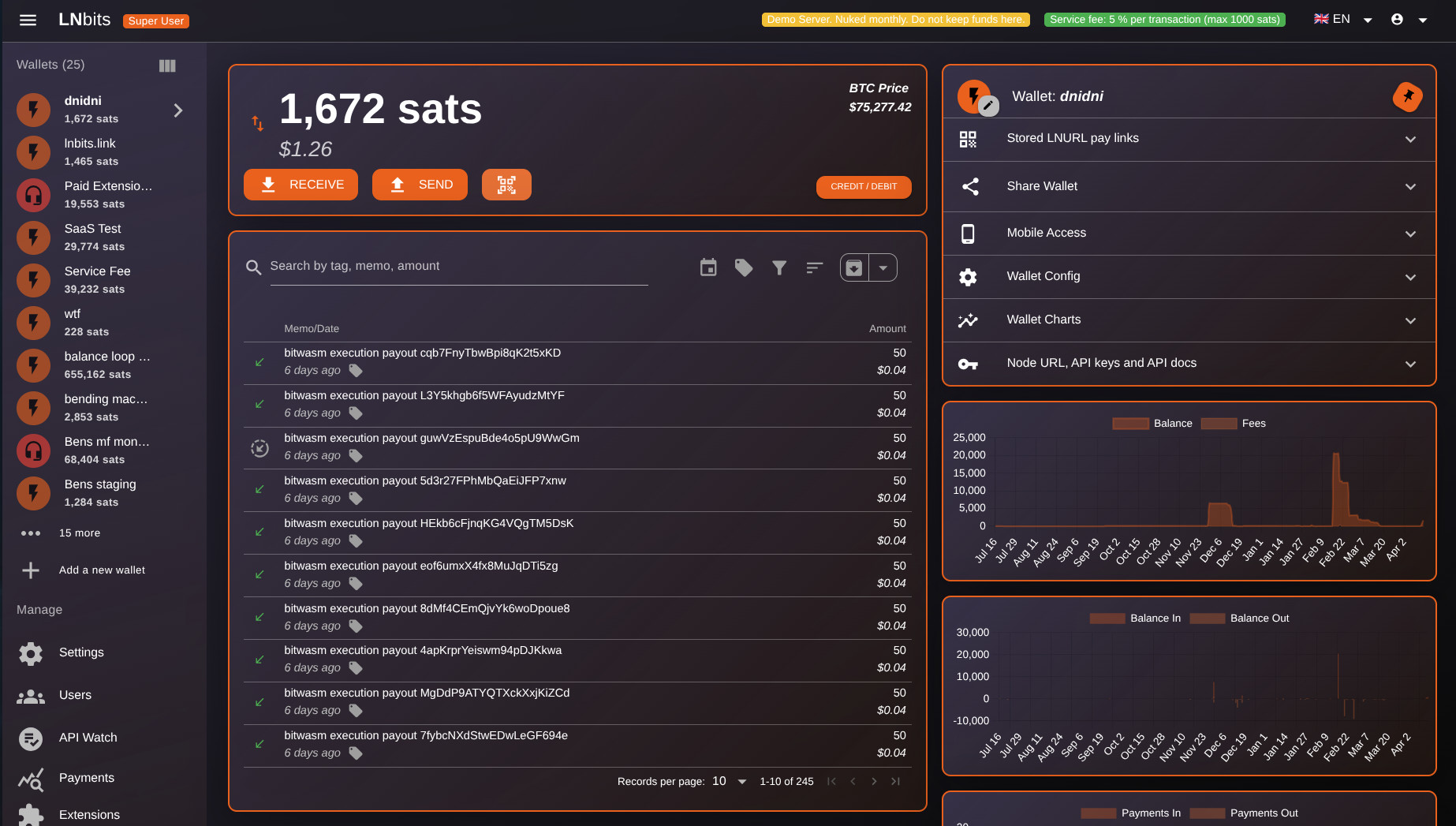
LNbits is packaged with tools to help manage funds, such as a table of transactions, line chart of spending, export to csv. Each wallet also comes with its own API keys, to help partition the exposure of your funding source.
LNbits extension universe
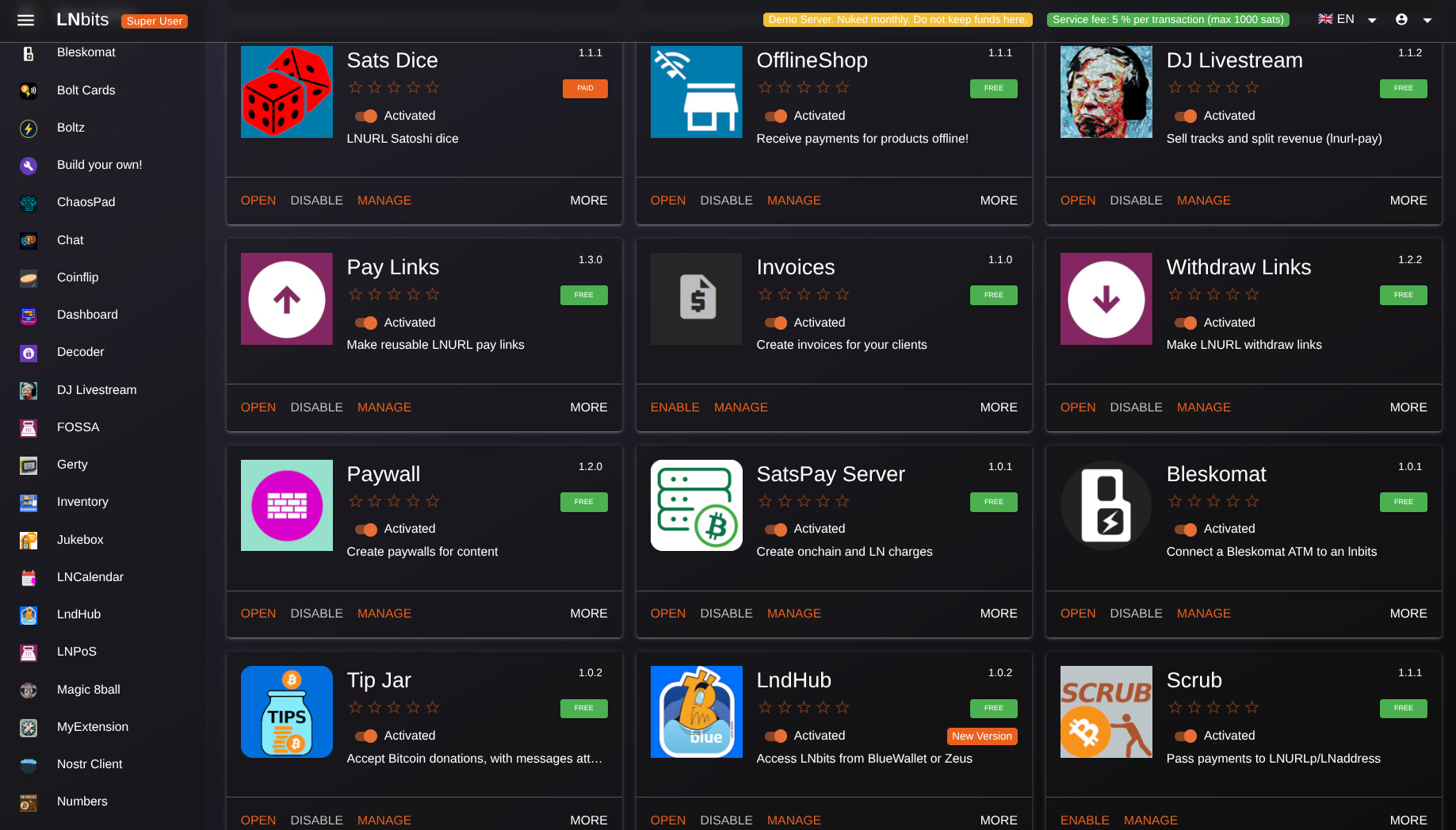
Extend YOUR LNbits to meet YOUR needs.
All non-core features are installed as extensions, reducing your code base and making your LNbits unique to you. Extend your LNbits install in any direction, and even create and share your own extensions.
LNbits API
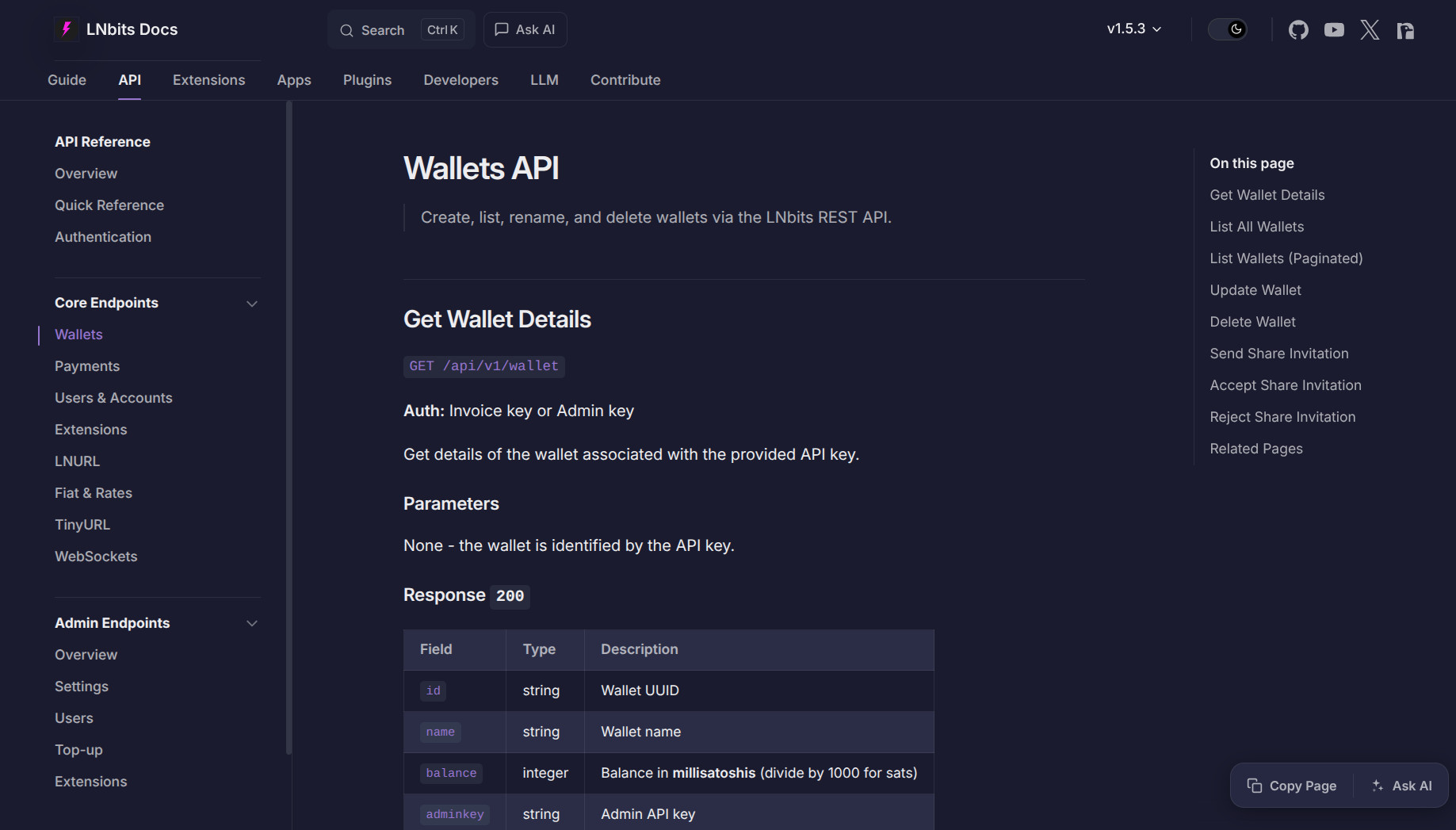
LNbits has a powerful API, many projects use LNbits to do the heavy lifting for their bitcoin/lightning services.
LNbits node manager
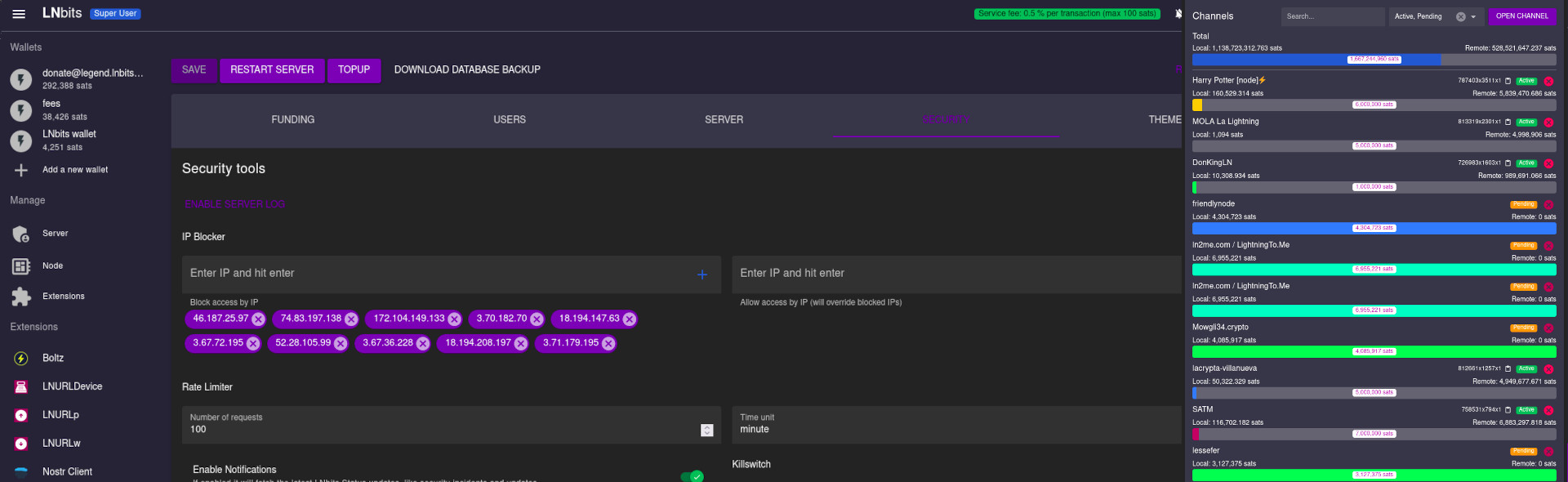
LNbits comes packaged with a light node management UI, to make running your node that much easier.
LNbits merchant tools
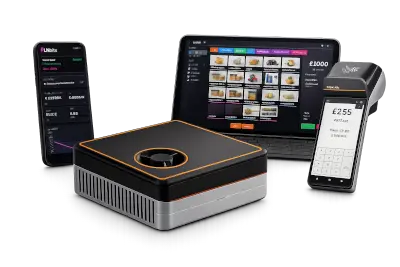
The LNbits stack can process both bitcoin and fiat payments, making it a turnkey, all-in-one solution for merchants. With orders and inventory shared across extensions, and built-in notifications for Nostr, Telegram, and email, LNbits keeps everything in sync, freeing merchants to focus on their business.
Powered by LNbits
LNbits empowers everyone with modular, open-source tools for building Bitcoin-based systems — fast, free, and extendable.






Media gallery
Requirements
Categories
Download Statistics
Total Downloads Over Time
Related apps
Explore more like this
Explore allDetails
lnbits/lnbits:latestRuntime arguments
- Web UI
http://[IP]:[PORT:5000]- Network
bridge- Shell
sh- Privileged
- false
Template configuration
LNbits web interface and API port. Container port: 5000.
- Target
- 5000
- Default
- 5000
- Value
- 5000
Persistent LNbits data, SQLite database, logs, super user state, backups, and installed extensions.
- Target
- /app/data
- Default
- /mnt/user/appdata/lnbits
- Value
- /mnt/user/appdata/lnbits
Optional .env file based on the upstream .env.example. Leave blank to configure with the variables in this template and the Admin UI.
- Target
- /app/.env
LNbits data folder inside the container. Keep this pointed at the Data mount.
- Target
- LNBITS_DATA_FOLDER
- Default
- /app/data
- Value
- /app/data
Persistent path for installed LNbits extensions. Without this, installed extensions can be lost when the container is recreated.
- Target
- LNBITS_EXTENSIONS_PATH
- Default
- /app/data/extensions
- Value
- /app/data/extensions
Enable the LNbits Admin UI and first-install super user flow. Use true or false.
- Target
- LNBITS_ADMIN_UI
- Default
- true
- Value
- true
Set true when LNbits is served only over HTTPS. Leave false for direct local HTTP access through the Unraid Web UI.
- Target
- AUTH_HTTPS_ONLY
- Default
- false
- Value
- false
Lightning funding source class. Start with VoidWallet for testing, then use PhoenixdWallet, LndRestWallet, LndWallet, CoreLightningWallet, or another supported backend.
- Target
- LNBITS_BACKEND_WALLET_CLASS
- Default
- VoidWallet
- Value
- VoidWallet
Comma-separated extensions installed by default on restart. Remove an extension from this list before uninstalling it permanently.
- Target
- LNBITS_EXTENSIONS_DEFAULT_INSTALL
- Default
- tpos
- Value
- tpos
Optional public URL used behind a reverse proxy, for example https://lnbits.example.com/.
- Target
- LNBITS_BASEURL
Browser and UI title for this LNbits instance.
- Target
- LNBITS_SITE_TITLE
- Default
- LNbits
- Value
- LNbits
Recommended strong random secret for auth signing. Set this before production use.
- Target
- AUTH_SECRET_KEY
Optional token required on the first-install page.
- Target
- FIRST_INSTALL_TOKEN
Comma-separated auth methods, for example user-id-only, username-password, nostr-auth-nip98, google-auth, github-auth, keycloak-auth, or oidc-auth.
- Target
- AUTH_ALLOWED_METHODS
- Default
- user-id-only, username-password
- Value
- user-id-only, username-password
Enable verbose debug mode. Use True or False.
- Target
- DEBUG
- Default
- False
- Value
- False
Trusted proxy IPs for forwarded headers. Use * when LNbits is behind a trusted local reverse proxy.
- Target
- FORWARDED_ALLOW_IPS
- Default
- *
- Value
- *
Optional external database URL. Leave blank to use SQLite in the Data path.
- Target
- LNBITS_DATABASE_URL
Required when Backend Wallet Class is PhoenixdWallet. Use the reachable Phoenixd HTTP API URL, for example http://UNRAID-IP:9740/ or http://phoenixd:9740/ on a custom Docker network.
- Target
- PHOENIXD_API_ENDPOINT
Required when Backend Wallet Class is PhoenixdWallet. Use the Phoenixd full-access API password from phoenix.conf.
- Target
- PHOENIXD_API_PASSWORD
Optional read-only mount for an LND data directory. Useful when using LndWallet or LndRestWallet with cert and macaroon paths under /lnd.
- Target
- /lnd
Required when Backend Wallet Class is LndRestWallet. Use the reachable LND REST URL, for example https://UNRAID-IP:8081/ or https://lnd:8080/ on a custom Docker network.
- Target
- LND_REST_ENDPOINT
LND TLS certificate path inside the LNbits container, or the certificate content accepted by LNbits.
- Target
- LND_REST_CERT
- Default
- /lnd/tls.cert
- Value
- /lnd/tls.cert
LND admin macaroon path inside the LNbits container, or hex/base64 macaroon content.
- Target
- LND_REST_MACAROON
- Default
- /lnd/data/chain/bitcoin/mainnet/admin.macaroon
- Value
- /lnd/data/chain/bitcoin/mainnet/admin.macaroon
Required when Backend Wallet Class is LndWallet. Hostname or IP of the LND gRPC endpoint.
- Target
- LND_GRPC_ENDPOINT
Required when Backend Wallet Class is LndWallet. LND gRPC port.
- Target
- LND_GRPC_PORT
- Default
- 10009
- Value
- 10009
LND TLS certificate path inside the LNbits container, or the certificate content accepted by LNbits.
- Target
- LND_GRPC_CERT
- Default
- /lnd/tls.cert
- Value
- /lnd/tls.cert
LND admin macaroon path inside the LNbits container, or hex/base64 macaroon content.
- Target
- LND_GRPC_MACAROON
- Default
- /lnd/data/chain/bitcoin/mainnet/admin.macaroon
- Value
- /lnd/data/chain/bitcoin/mainnet/admin.macaroon