
All apps · 0 apps

LLMStats
Plugin from jo-sobo
Overview
Readme
View on GitHub LLMStats for Unraid
LLMStats adds a compact dashboard widget that monitors locally hosted LLM servers. It shows server status, available and loaded models, supported model stats, and busy/idle state directly on the Unraid Dashboard, and can optionally show load/unload controls for server modes that support them.
Supported server types:
- Ollama
- llama-server (llama.cpp), with monitoring in single-model mode and full model management in router mode
Screenshots
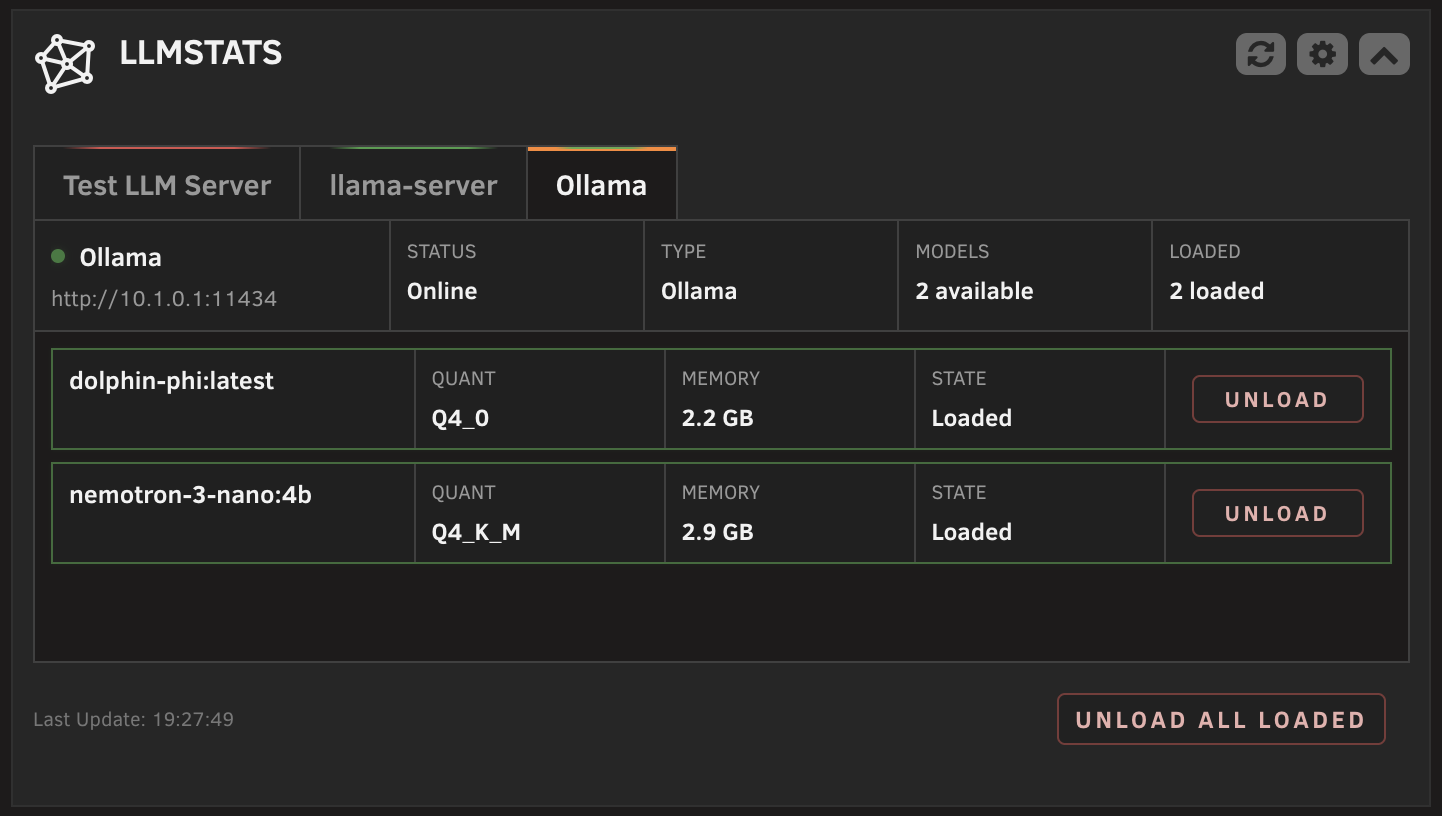
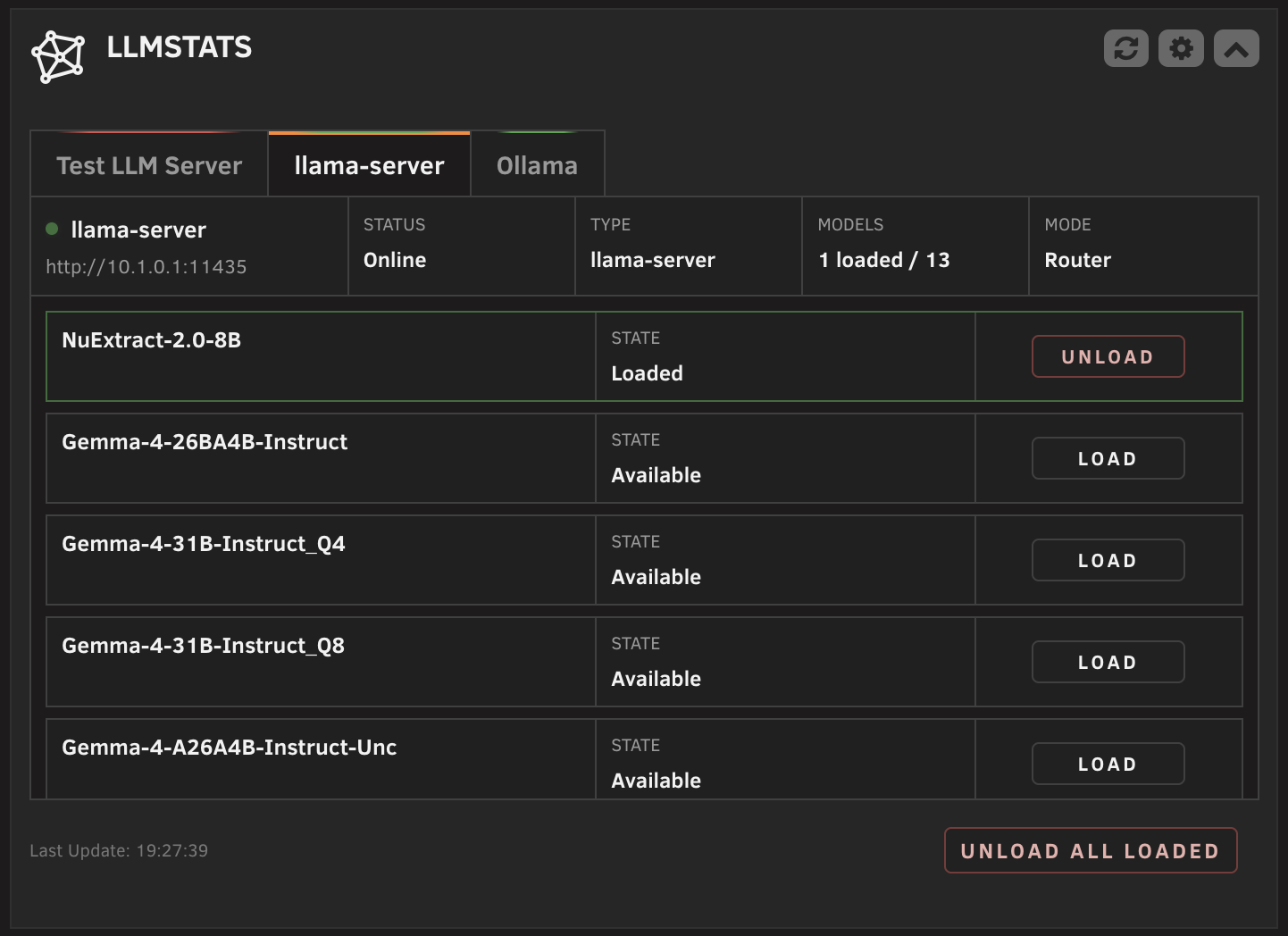
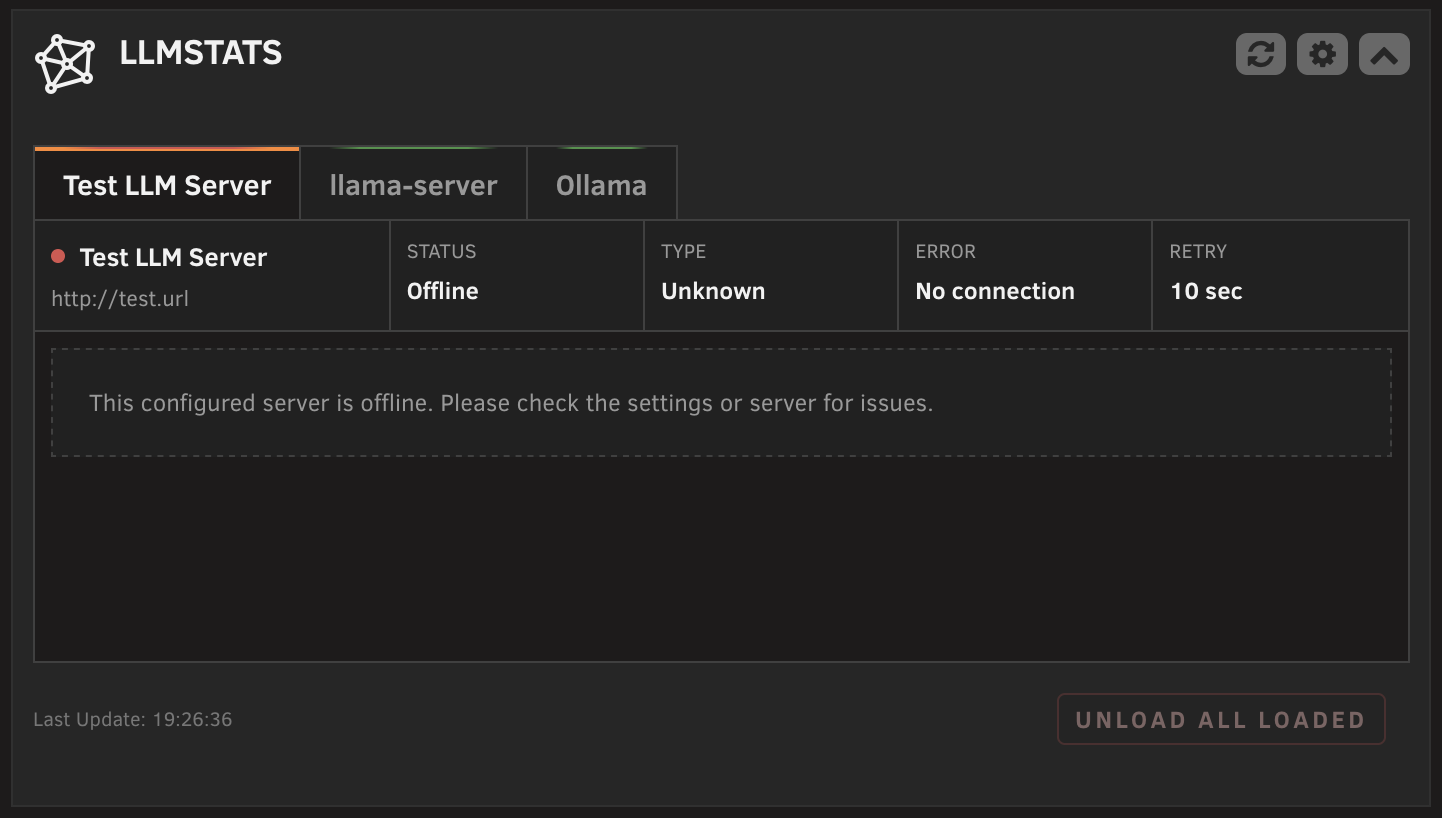
Features
- Dashboard tile with one tab per configured server, including offline servers.
- Green status glow for online servers, red for offline, orange marker for the selected tab.
- Server status card per tab: connection status, server type, model counts, slot activity, and router mode.
- Model cards with configurable fields per server: quantization, memory, busy/idle state, and optional load/unload controls. Quantization and memory stats are Ollama-only; unsupported fields are unavailable for llama-server.
- Load unloaded models where supported, unload a single model, or unload all loaded models with optional confirmation.
- Server type autodetection with manual fallback.
- Collapsed dashboard state with compact server status chips.
- Configurable refresh interval.
- Light and dark theme support.
- Settings page with server management (add, remove, reorder, test) and setup guidance.
Requirements
- Unraid 6.9 or newer.
- At least one Ollama or llama-server instance reachable from the Unraid host.
- LLMStats assumes local endpoints that are reachable without credentials. Authentication is currently not implemented.
Installation
LLMStats is available through Unraid Community Applications.
For manual installation:
Open the Unraid web interface.
Go to Plugins.
Click Install Plugin.
Paste this URL and install:
https://raw.githubusercontent.com/jo-sobo/llmstats-unraid-plugin/main/llmstats.plg
Configuration
Open Settings > User Utilities > LLMStats Settings in the Unraid web interface.
Available settings:
- Automatic refresh: Enable or disable dashboard updates.
- Refresh interval: Set how often the widget polls the configured servers.
- Unload confirmation: Require a confirmation dialog before unload actions.
- Server configuration: Add, remove, reorder, and test servers. Each server has a display name, URL, and server type (autodetect, Ollama, or llama-server).
- Model display: Choose per server which supported fields appear on model cards. The model name is always shown. Busy/idle state is selected by default; load/unload controls are optional and off by default. Quantization and memory are Ollama-only display stats, so those settings are unavailable for llama-server.
Click Apply to save changes. The dashboard widget updates on the next refresh.
Server Setup
LLMStats only needs the server API to be reachable from the Unraid host. Configure the actual container, models, GPU access, storage, and updates through the official server docs.
Ollama
Required for LLMStats:
- The Ollama API must be reachable from the Unraid host.
- Ollama must listen on an address reachable from outside its container, not only on container-local loopback.
- The URL saved in LLMStats must exactly match the host, port, and scheme that reach your Ollama API.
Official references:
llama-server
Required for LLMStats:
- The llama-server API must be reachable from the Unraid host.
- llama-server must listen on an address reachable from outside its container, not only on container-local loopback.
- The URL saved in LLMStats must exactly match the host, port, and scheme that reach your llama-server API.
- For model load and unload controls, run llama-server in router mode: do not pass one fixed model file, and provide a model source such as
--models-diror--models-preset. - Single-model mode can still show the loaded model, but load and unload controls are unavailable.
Official references:
Known Limitations
- Not every server exposes the same metadata; unsupported values are unavailable for that server type.
- Quantization and runtime memory usage are treated as Ollama-only model stats. llama-server is supported, but those model display fields are not configurable for llama-server.
- llama-server single-model mode reports the fixed
-mmodel as already loaded, and can show busy/idle slot activity when the/slotsendpoint is available. Because llama-server has no model switching API in this mode, load and unload controls are unavailable. - llama-server router mode is required for load/unload controls and per-model loaded, sleeping, loading, or failed state. The load/unload field is greyed out for llama-server instances that are not detected as router mode.
How It Works
The dashboard widget polls a local plugin API at the configured refresh interval. The plugin probes all configured servers in parallel from the Unraid host, autodetects the server type where requested, and assembles a per-server state with models, metadata, and load state. Load and unload actions are validated against the saved server list and executed server-side.
Support
Source code and issue tracking are on GitHub:
https://github.com/jo-sobo/llmstats-unraid-plugin/issues
Donation
If LLMStats is useful to you, donations are welcome:
License
This project is licensed under the GPL v3. See LICENSE for details.
Media gallery
1 / 3Categories
Download Statistics
Downloads by Month
Related apps
Explore more like this
Explore allDetails
https://raw.githubusercontent.com/jo-sobo/llmstats-unraid-plugin/main/llmstats.plg