
All apps · 0 apps

Linkwarden
OfficialDocker app from UNRA1DUser's Repository
Overview
Readme
View on GitHub
Linkwarden
Bookmarks, Evolved






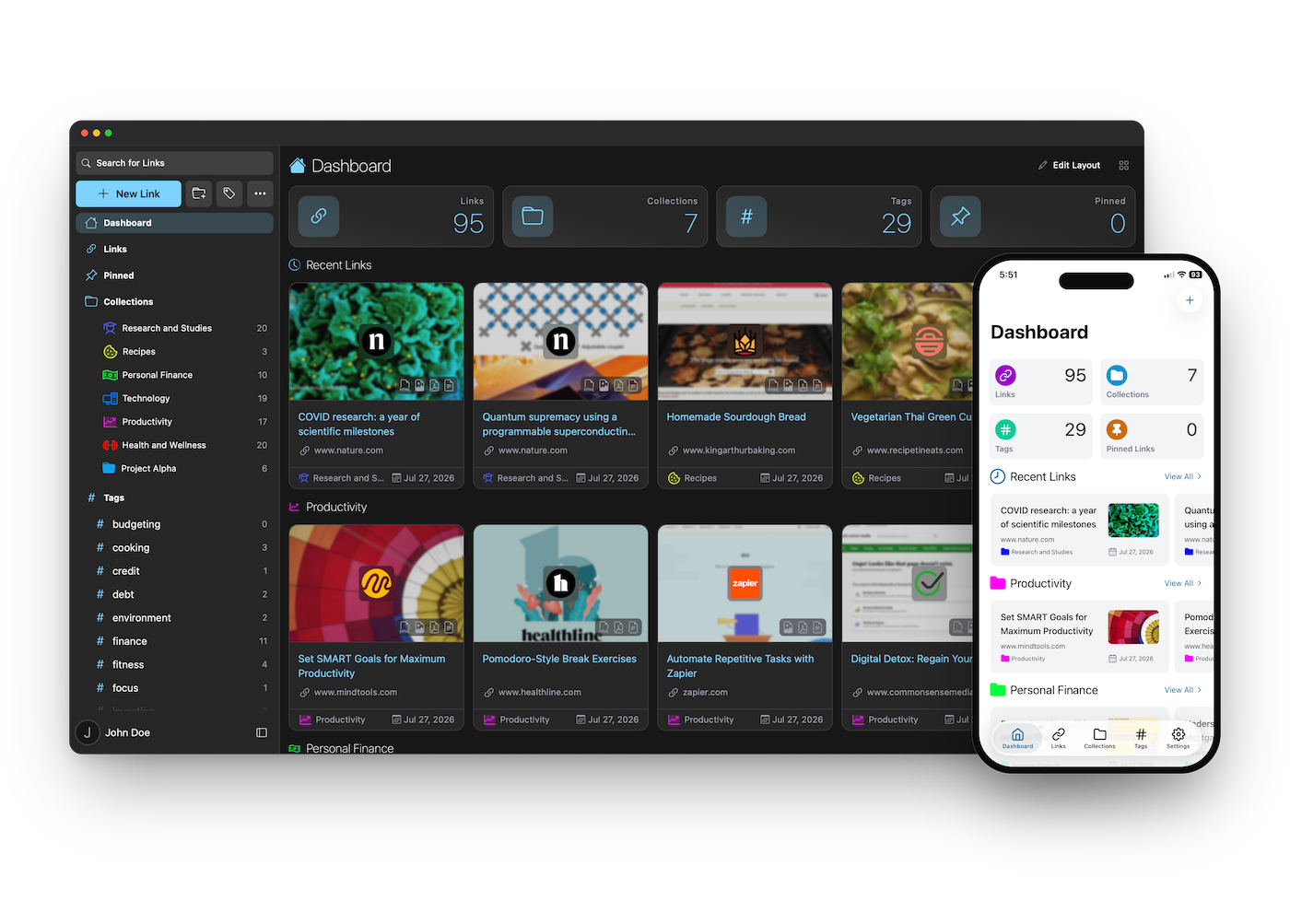
Intro & motivation
Linkwarden is a self-hosted, open-source collaborative bookmark manager to collect, read, annotate, and fully preserve what matters, all in one place.
The objective is to organize useful webpages and articles you find across the web in one place, and since useful webpages can go away (see the inevitability of Link Rot), Linkwarden also saves a copy of each webpage as a Screenshot and PDF, ensuring accessibility even if the original content is no longer available.
In addition to preservation, Linkwarden provides a user-friendly reading and annotation experience that blends the simplicity of a “read-it-later” tool with the reliability of a web archive. Whether you’re highlighting key ideas, jotting down thoughts, or revisiting content long after it’s disappeared from the web, Linkwarden keeps your knowledge accessible and organized.
Linkwarden is also designed with collaboration in mind, enabling you to share links with the public and/or collaborate seamlessly with multiple users.
[!TIP]
Our official Cloud offering provides the simplest way to begin using Linkwarden and it's the preferred choice for many due to its time-saving benefits.
Your subscription supports our hosting infrastructure and ongoing development.
Alternatively, if you prefer self-hosting Linkwarden, you can do so by following our Installation documentation.
Features
- 📸 Auto capture a screenshot, PDF, and single html file of each webpage
- 📖 Reader view of the webpage, with the ability to highlight and annotate text
- 🏛️ Send your webpage to Wayback Machine (archive.org) for a snapshot (optional)
- ✨ Local AI Tagging to automatically tag your links based on their content (optional)
- 📂 Organize links by collection, sub-collection, name, description and multiple tags
- 👥 Collaborate on gathering links in a collection
- 🎛️ Customize the permissions of each member
- 🌐 Share your collected links and preserved formats with the world
- 📱 Native iOS and android mobile apps
- 🔍 Full text search, filter and sort for easy retrieval
- 🌓 Dark/Light mode support
- 🧩 Browser extension (star it here!)
- 🔄 Browser Synchronization (using Floccus!)
- ⬆️ Upload from SingleFile (check out the guide)
- 🔐 SSO integration (Enterprise and Self-hosted users only)
- 🍎 iOS Shortcut to save links to Linkwarden
- 🔑 API keys
- ✅ Bulk actions
- 👥 User administration
- 🌐 Support for other languages (i18n)
- 📁 Image and PDF uploads
- 🎨 Custom icons for links and collections
- 🔔 RSS feed subscription
- ✨ And many more features (literally!)
Get Our Official Mobile App
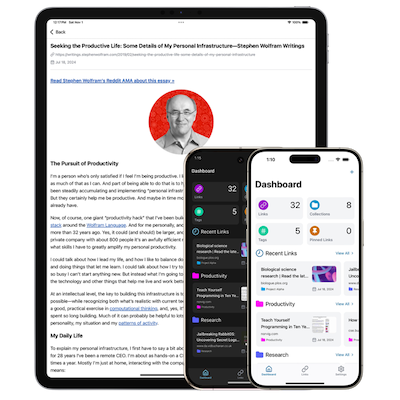
[!IMPORTANT] To use the app you’ll first need a Linkwarden account.
To create an account, you can choose between:
- Linkwarden Cloud – instant setup, and your subscription directly supports ongoing development.
- Self-hosted Linkwarden – free, but you’ll need to deploy and maintain a Linkwarden instance on a server.
After creating an account, download the app from your preferred store:


(To get the app as an APK outside Google Play, check out our builds repository.)
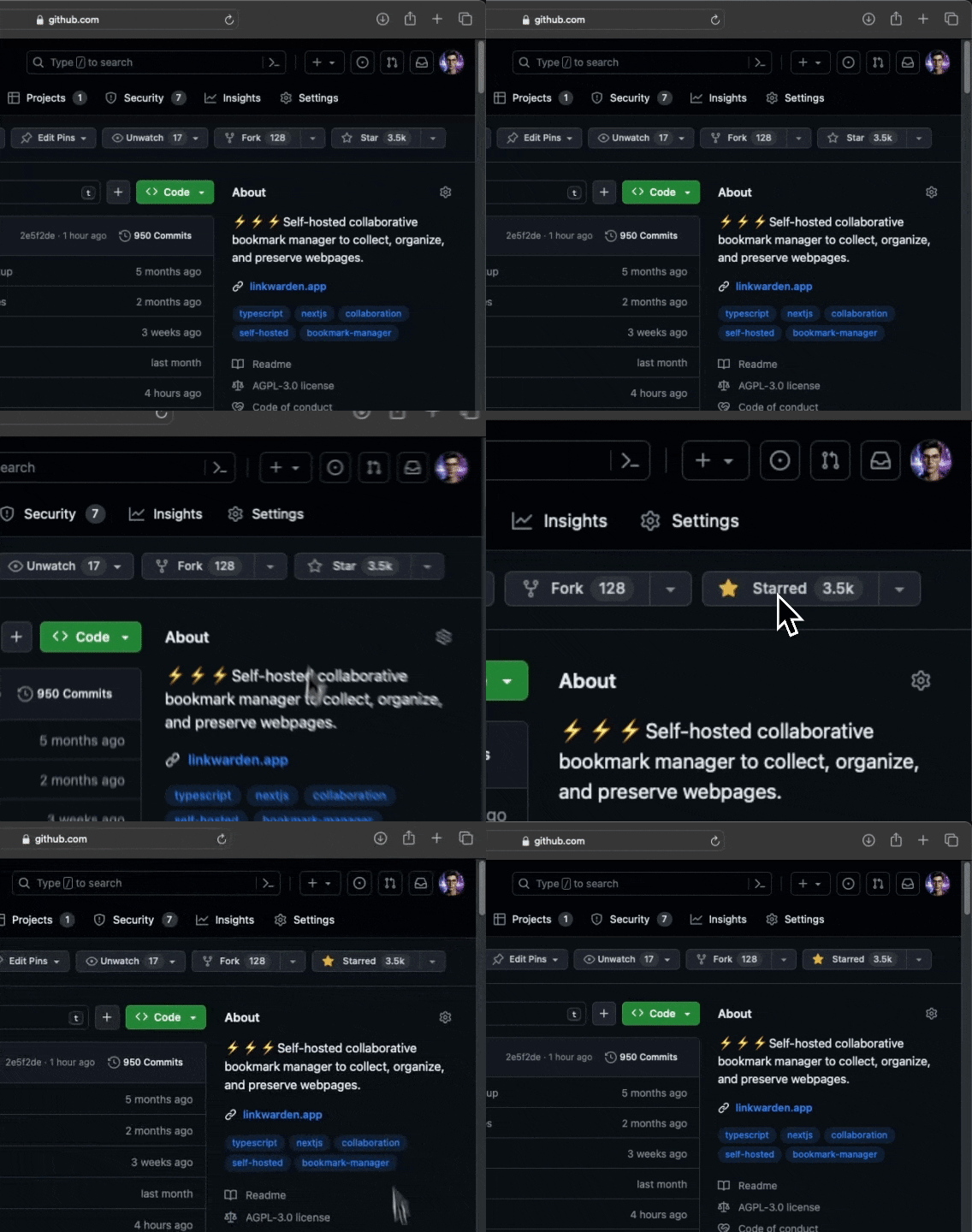
Like what we're doing? Give us a Star ⭐
We're building our Community 🌐
Join and follow us in the following platforms to stay up to date about the most recent features and for support:

Suggestions
We usually go after the popular suggestions. Feel free to open a new issue to suggest one - others might be interested too! :)
Roadmap
Make sure to check out our public roadmap.
Community Projects
Here are some awesome community-maintained projects that are built around Linkwarden, be sure to star all of them!
- My Links - Native iOS and MacOS App, source code.
- LinkDroid - Android App with share sheet integration, source code.
- LinkGuardian - An Android client for Linkwarden. Built with Kotlin and Jetpack compose.
- StarWarden - A browser extension to save your starred GitHub repositories to Linkwarden.
- link-my-harmony - HarmonyOS Next client for Linkwarden (鸿笺 / Folio), built with ArkTS and ArkUI.
Development
If you want to contribute, Thanks! Start by choosing one of our popular suggestions, just please stay in touch with @daniel31x13 before starting.
Translations
If you want to help us translate Linkwarden to your language, please check out our Crowdin page and start translating. We would love to have your help!
To start translating a new language, please create an issue so we can set it up for you. New languages will be added once they reach at least 50% translation completion.
Security
If you found a security vulnerability, please do not create a public issue, instead send an email to security@linkwarden.app stating the vulnerability. Thanks!
Support <3
Other than using our official Cloud offering, any donations are highly appreciated as well!
Here are the other ways to support/cheer this project:
- Starring this repository.
- Joining us on Discord.
- Referring Linkwarden to a friend.
If you did any of the above, Thanksss! Otherwise thanks.
Thanks to All the Contributors 💪
Huge thanks to these guys for spending their time helping Linkwarden grow. They rock! ⚡️
Related apps
Explore more like this
Explore allLinks
Details
ghcr.io/linkwarden/linkwardenRuntime arguments
- Web UI
http://[IP]:[PORT:3000]- Network
bridge- Shell
sh- Privileged
- false
- Extra Params
--memory=2G --restart=unless-stopped
Template configuration
- Target
- 3000
- Default
- 3000
Used to encrypt the NextAuth.js JWT, and to hash email verification tokens. This is the default value for the secret option in NextAuth and Middleware
- Default
- very_sensitive_secret
Change localhost to your IP. The Port should be the same as the WebUI Port
- Default
- http://localhost:3000/api/v1/auth
postgresql://[USERNAME]:[PASSWORD]@localhost:[PORT]/[DATABASE]
- Default
- postgresql://[USERNAME]:[PASSWORD]@localhost:[PORT]/[DATABASE]
- Target
- /data/data
- Default
- /mnt/cache/appdata/linkwarden
The numbers of Links to fetch every time you reach to the bottom of the webpage
- Default
- 20
The folder to store your Screenshot's, PDF's, and profile photos
- Default
- /data
The amount of time to wait for the website to be archived (in seconds)
- Default
- 30
Adjusts how often a user can trigger a new archive for each link (in minutes)
- Default
- 5
If set to true, registration will be disabled.
- Default
- false|true
If set to true, users will be able to login with username and password.
- Default
- true|false
If set to true, new users will not be able to login with SSO
- Default
- false|true
If set to true, email will be enabled and you'll need to define the next two variables below
- Default
- false|true
The email that will send the verification emails
That sensitive string that starts with smtp://...