
All apps · 0 apps
LeakWatch
Docker app from tophat17_'s Repository
Overview
Readme
View on GitHub🛡️ LeakWatch
Know which of your Unraid containers should be behind a VPN — and see, at a glance, whether they actually are.
LeakWatch scans the Docker containers on your server, tells you whether each one should use a VPN (and why), then checks each container's real public IP and flags anything that's supposed to be protected but is leaking your server's real IP.
Built for Unraid, but the same image runs on any Docker host.
The problem it solves
Setting up an *arr stack (Sonarr, Radarr, Prowlarr, qBittorrent, SABnzbd, Plex…) is one of the first things people do on a new Unraid server — and one of the easiest to get wrong.
The hard questions for a newcomer are:
- Which of these containers actually need a VPN?
- Why do some need one and others don't?
- Is my torrent client really using the VPN right now, or quietly leaking my home IP?
Getting this wrong is a real risk: a torrent or usenet client running on your real public IP exposes your home address to every peer and to your ISP. Meanwhile, putting Plex or a reverse proxy behind a VPN just breaks them.
LeakWatch turns that guesswork into a clear, explained checklist.
Who it's for
- New to Unraid / self-hosting — learn, in plain language, which containers should be protected and why, so you set things up safely the first time.
- Experienced users — one dashboard to confirm everything is configured the way you expect, and to catch a VPN that silently dropped or a new container that slipped onto your real IP.
What it does
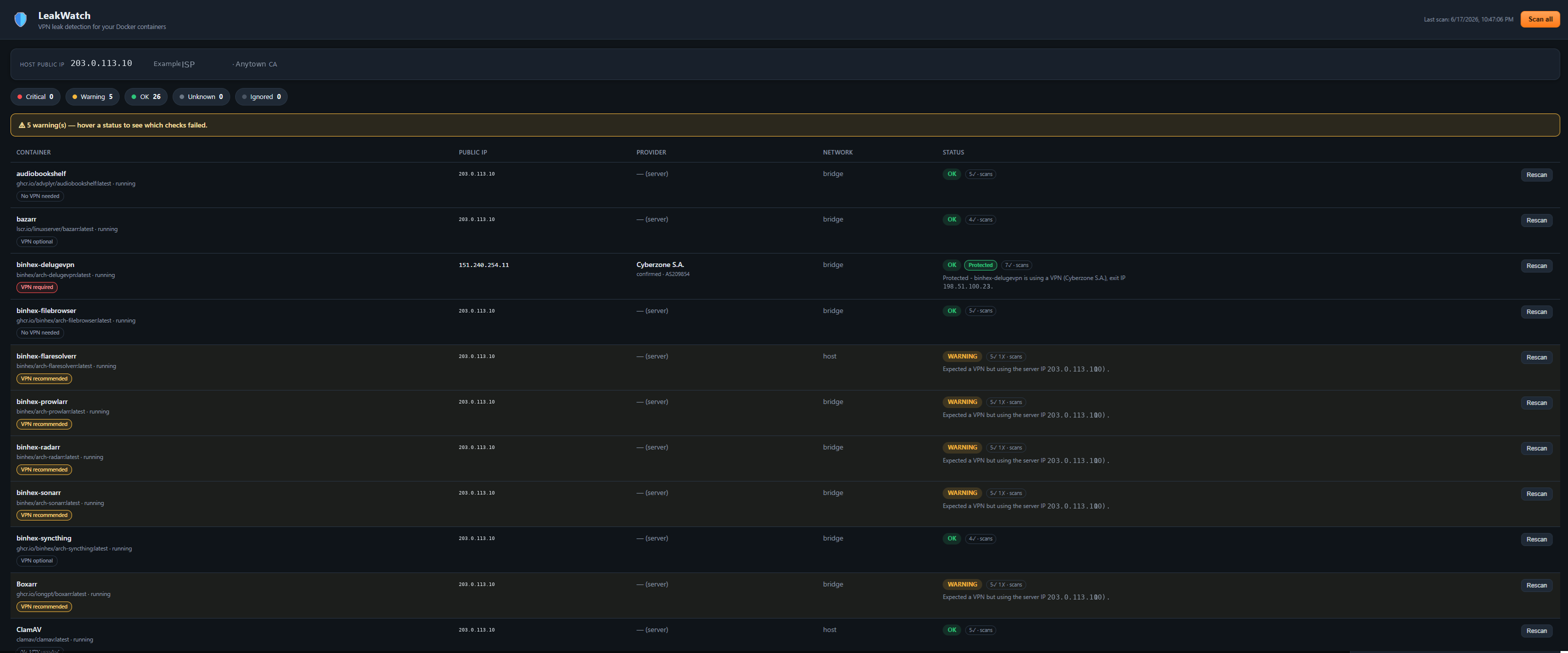
- Lists every container on your server and finds the real public IP each one uses on the internet.
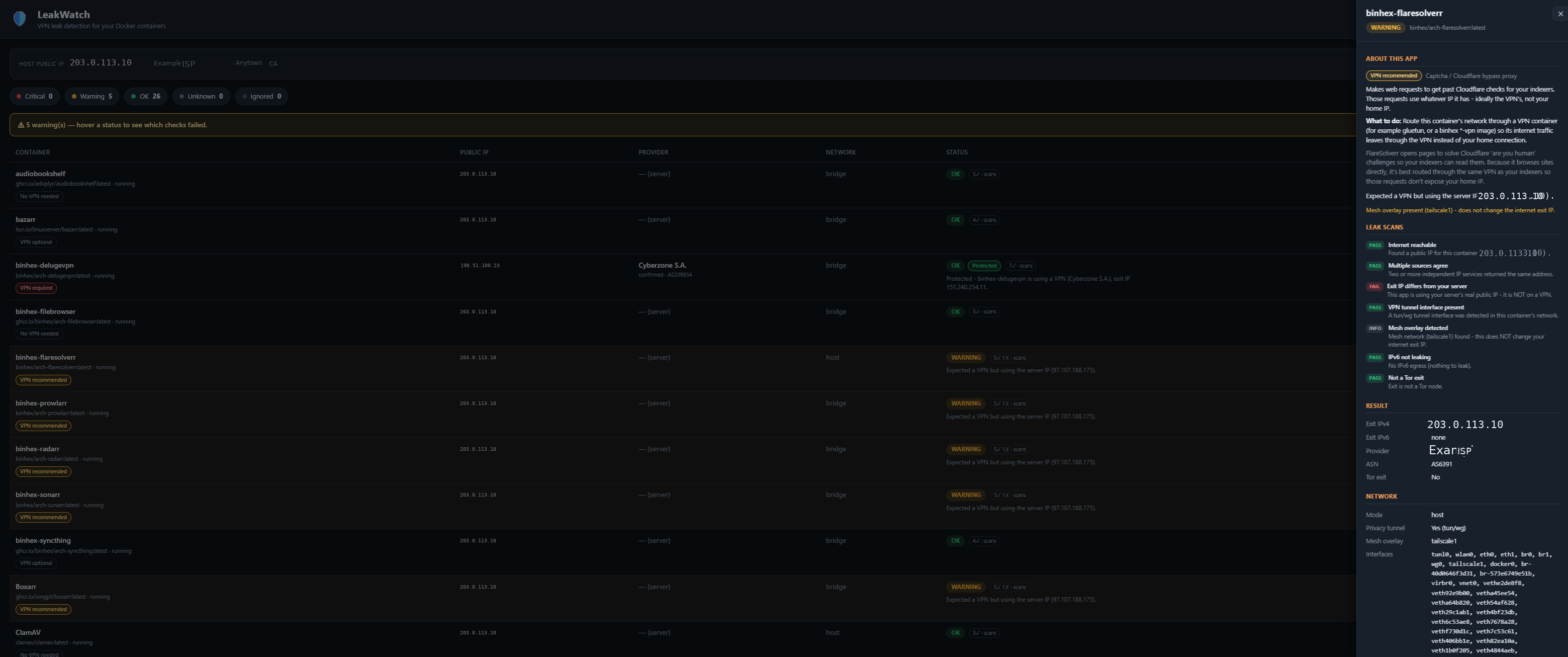
- Gives each container a recommendation — 🔴 VPN required (torrent/usenet), 🟡 VPN recommended (indexers, *arr apps), ⚪ No VPN needed (Plex, dashboards, databases) — with a plain-language "why" when you hover, and a full "About this app" explainer when you click it.
- Checks the result and labels each container Protected, Leaking, or fine-on-server-IP, and names the VPN provider (Mullvad, NordVPN, Surfshark, Proton, PIA, and more).
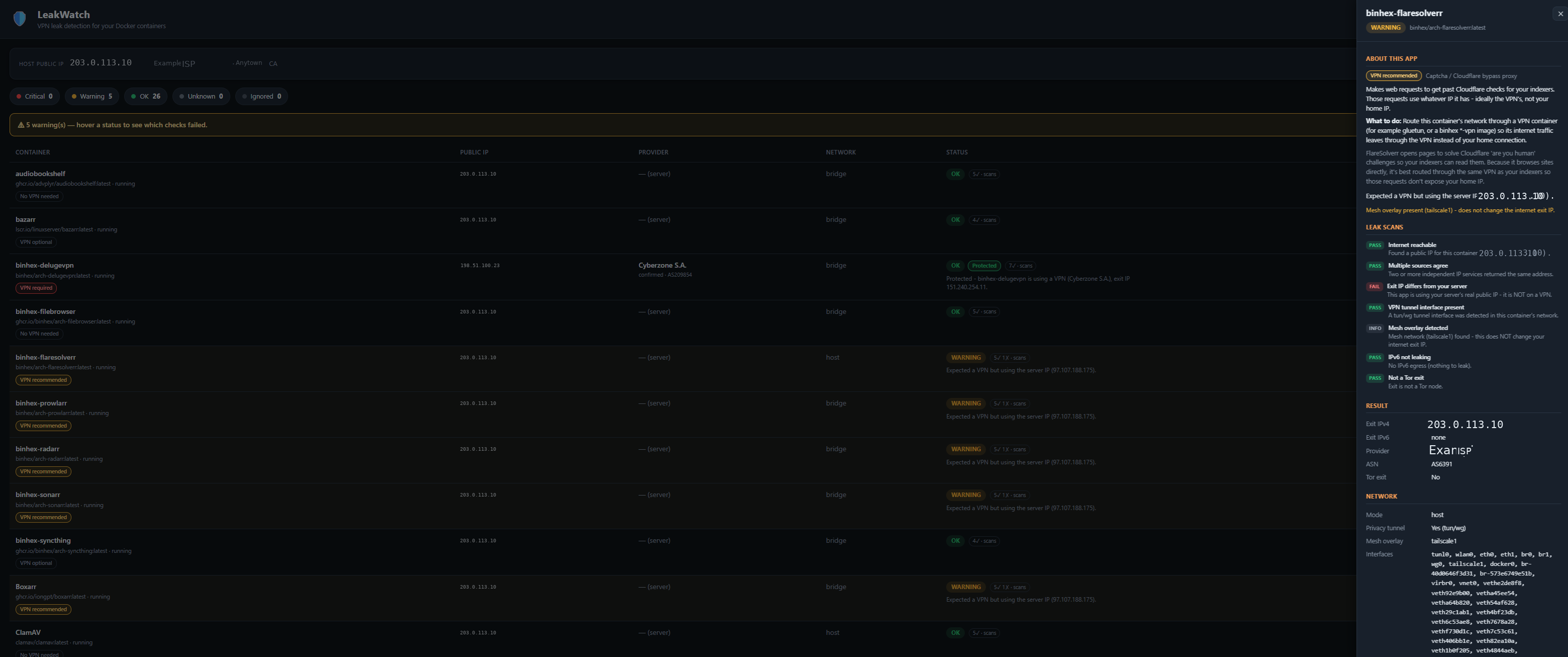
- Shows its work — hover any status to see every check that ran and whether it passed or failed.
- Extra checks: IPv6-leak detection, Tor-exit detection, Tailscale/ZeroTier mesh awareness, and a multi-source cross-check so a single bad lookup can't fool it.
Recommendation levels
| Badge | Meaning | Examples |
|---|---|---|
| 🔴 VPN required | Exposing your real IP here is a genuine risk. Flagged CRITICAL / "Leaking!" if it's on your server IP. | qBittorrent, Deluge, Transmission, SABnzbd, NZBGet |
| 🟡 VPN recommended | Talks to indexers/trackers; safer behind a VPN. | Prowlarr, Sonarr, Radarr, FlareSolverr |
| 🟢 VPN gateway | This is the VPN tunnel others route through. | gluetun, wireguard |
| ⚪ No VPN needed | Needs your normal connection; a VPN would break it. | Plex, Jellyfin, Nginx Proxy Manager, Cloudflare-DDNS, databases |
| ◽ VPN optional / Unrecognised | Your call, or an app LeakWatch doesn't recognise. | Bazarr, Syncthing, misc. |
Install on Unraid
Community Applications (recommended)
- In Unraid, open the Apps tab (Community Applications).
- Search for LeakWatch and click Install.
- Set the WebUI port (default
8080) and click Apply — that's the only setting. The Docker socket and everything else are preset. - When it starts, open the WebUI from the Docker tab — it scans automatically.
Add the template by URL (before it's in the CA store)
In Docker → Add Container, paste this into the Template field:
https://raw.githubusercontent.com/tophat17/LeakWatch/main/unraid/leakwatch.xml
…set the WebUI port (everything else is preset), then Apply.
How it works (and is it safe?)
For each container, LeakWatch starts a tiny throwaway helper container inside that container's network namespace and asks "what's our public IP?" — so it sees the exact same network (VPN tunnel included) even if the app itself has no curl/wget. The result is cross-checked across several independent IP services, then the exit IP is matched against known VPN networks and a free proxy-detection database to name the provider.
LeakWatch needs the Docker socket (/var/run/docker.sock) mounted so it can list your containers and run those probes. This grants Docker control of your server — standard for this class of tool (Portainer, Dockge, etc.). The helper containers are short-lived, run with --cap-drop ALL + no-new-privileges, and are removed after each probe. LeakWatch makes no changes to your containers; it only reads and tests.
Disclaimer
LeakWatch works on a best-effort basis and can be wrong. Always double-check that your apps are using the internet the way you intend — especially anything privacy-sensitive.
License
MIT — see LICENSE.
Related apps
Explore more like this
Explore allDetails
ghcr.io/tophat17/leakwatch:latestRuntime arguments
- Web UI
http://[IP]:[PORT:8080]/- Network
bridge- Shell
sh- Privileged
- false
Template configuration
The only setting you need: the port for the LeakWatch web interface.
- Target
- 8080
- Default
- 8080
- Value
- 8080
Preset. Lets LeakWatch list your containers and run network probes.
- Target
- /var/run/docker.sock
- Default
- /var/run/docker.sock
- Value
- /var/run/docker.sock
Preset. Stores the scan cache (optional - the app works without it too).
- Target
- /data
- Default
- /mnt/user/appdata/leakwatch
- Value
- /mnt/user/appdata/leakwatch
Advanced. Tiny image used to probe each container's network namespace.
- Target
- LEAKWATCH_HELPER_IMAGE
- Default
- curlimages/curl:latest
- Value
- curlimages/curl:latest
Advanced. Per-service network timeout in seconds.
- Target
- LEAKWATCH_PROBE_TIMEOUT
- Default
- 8
- Value
- 8
Advanced. How many containers to test in parallel.
- Target
- LEAKWATCH_CONCURRENCY
- Default
- 4
- Value
- 4
Advanced/optional. Free proxycheck.io key for sharper VPN-provider naming (1000 lookups/day). Works without a key at a lower limit.
- Target
- LEAKWATCH_PROXYCHECK_KEY