
All apps · 0 apps
Layerling
Docker app from jbat66's Repository
Overview
Readme
View on GitHubLayerling for Unraid
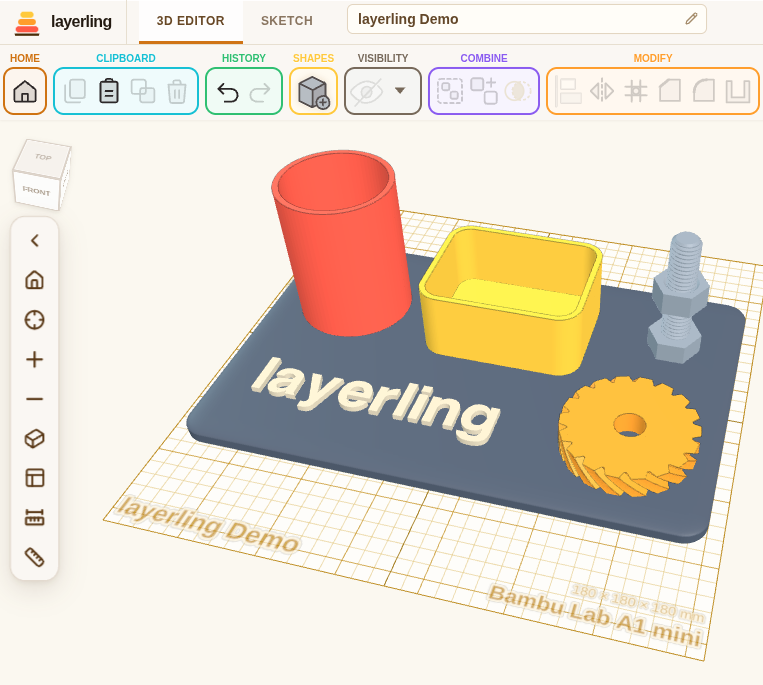
Use this Docker if you want to save your CAD drawings in a central location, have more than one person access the same drawings, or just want to be completely independent of the internet. Otherwise you can just use the website for Layerling. It does all the same things, but all your drawings will save inside of your browser.
Community-maintained Docker template for Layerling. The application and image come from henmedia/layerling. This repository supplies installation metadata and does not build the image.
Easy 3D CAD for 3D printing
Drop a shape, cut a hole, round an edge, print it. In your browser, with no account and no CAD background.
Who It Is For; You own a 3D printer. You want a part that fits something, not a career in CAD. layerling works the way you already think: put a shape on the plate, drag it to size, turn a second shape into a hole, group the two, export, print. There is nothing to learn before you start and nothing to sign up for open the page and build. Your designs stay in your own browser: no account, no cloud, nothing uploaded anywhere.
Coming From Tinkercad? layerling sits a step beyond Tinkercad towards Fusion 360: it is operated the same way, so you will recognize everything the plate, the shapes, solids and holes, group and ungroup, bundle, Alt-drag for a copy but it does not stop where Tinkercad does. Things you have been missing are waiting for you.
Installation settings
- Image:
ghcr.io/henmedia/layerling:latest. - Bridge networking; host port
3000maps to container port3000. - Web interface:
http://YOUR_UNRAID_IP:3000. - Shared designs:
/mnt/user/appdata/layerling/projectsmaps to/shared-projects. LAYERLING_SHARED_PROJECTS_DIR=/shared-projectsenables server storage.- Runs as Unraid
nobody:users(99:100) through--user=99:100.
Create/select a host projects directory writable by UID 99 and GID 100. Layerling's upstream image normally runs as UID/GID 999; upstream documents overriding the runtime user for writable bind mounts. Do not add PUID/PGID variables: the upstream image does not document support for them.
Open On the server in Layerling to save shared designs. Designs saved in the browser remain browser-local until moved. Back up the host projects folder.
Categories
Download Statistics
Related apps
Explore more like this
Explore allDetails
ghcr.io/henmedia/layerling:latestRuntime arguments
- Web UI
http://[IP]:[PORT:3000]- Network
bridge- Shell
sh- Privileged
- false
- Extra Params
--user=99:100
Template configuration
Host port for the Layerling web interface. Change if already in use.
- Target
- 3000
- Default
- 3000
- Value
- 3000
Persistent server-saved designs. This host directory must be writable by UID 99 and GID 100. Browser-only designs are stored separately in each browser.
- Target
- /shared-projects
- Default
- /mnt/user/appdata/layerling/projects
- Value
- /mnt/user/appdata/layerling/projects
Must match the container path of the Shared Projects mapping. Normally leave unchanged.
- Target
- LAYERLING_SHARED_PROJECTS_DIR
- Default
- /shared-projects
- Value
- /shared-projects