
All apps · 0 apps

LAN-Games
Docker app from Cdybkr's Repository
Overview
Readme
View on GitHubLAN Games
A self-hosted multiplayer game platform for LAN parties. Eight classic games with real-time play, hidden information, and spectator support — all running on a server you control.




8 games · 660+ tests · single-server setup · Node.js 18+
Why This Exists
LAN parties want games everyone in the room can play together. Most multiplayer games today require internet, accounts, and matchmaking — LAN Games is the opposite. One Node.js server on your network hosts eight turn-based board games in the browser. No accounts beyond a username, no internet after install, no configuration required. The platform is game-agnostic: each game is a server module behind a small interface, so adding a ninth game doesn't touch the framework. Hidden-information games like Battleship and Risk coexist with open-board games through a per-game state-filtering contract, and spectators can watch any game with full visibility.
Quickstart
Clone and install:
git clone https://github.com/kbennett2000/lan-games.git
cd lan-games/server
npm install
Start the server:
# Generate a random secret (once) and start:
export JWT_SECRET=$(node -e "process.stdout.write(require('crypto').randomBytes(48).toString('hex'))")
npm start
Play. Open
http://localhost:3000in your browser. Create a game, share the URL with friends on your network, and play.
No database setup, no external services, no configuration files. Docker is also supported — see the detailed Quick Start below.
Windows note: The root
package.jsonscripts use bash syntax (. ./.env). Run from Git Bash, WSL, or use thecd server && npm startpath directly withJWT_SECRETset as an environment variable. A.env.exampleis included for reference.
The Games
| Monopoly 2–8 players · ~90 min 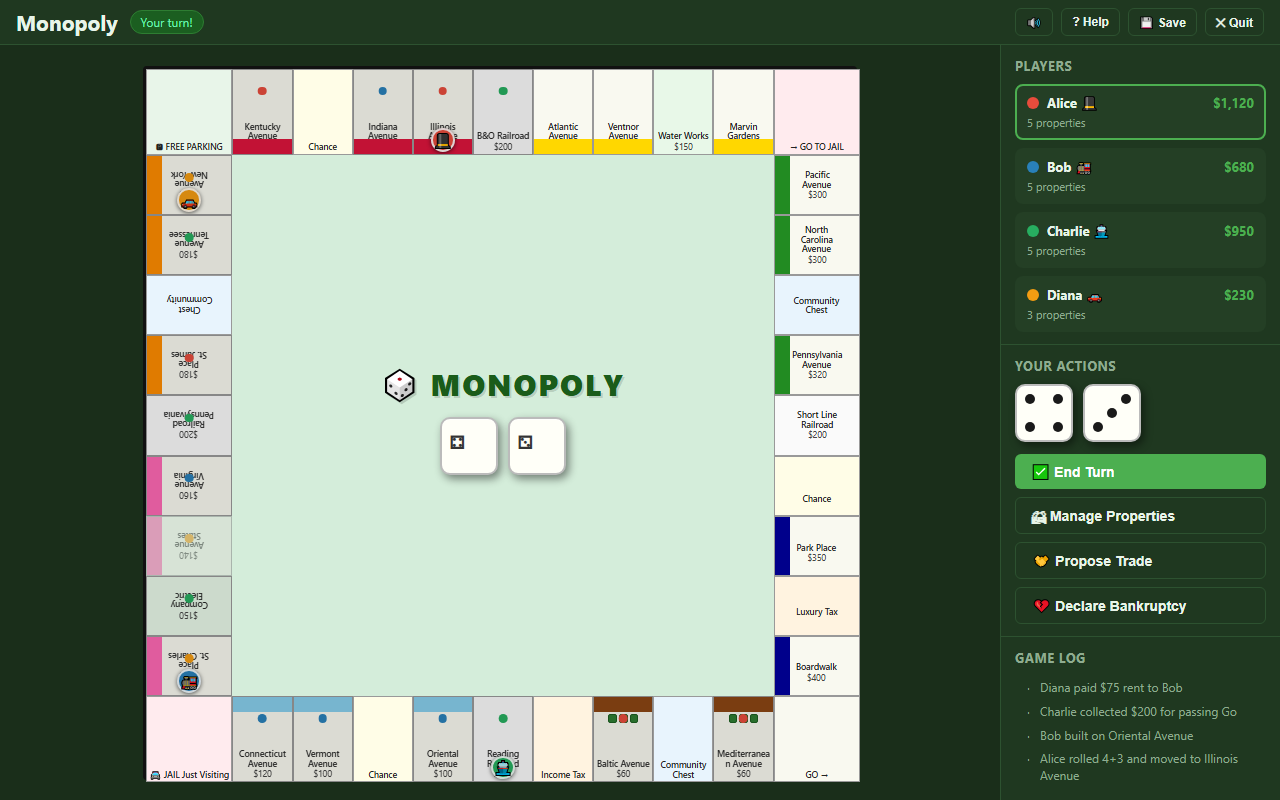 |
Risk 2–6 players · ~120 min 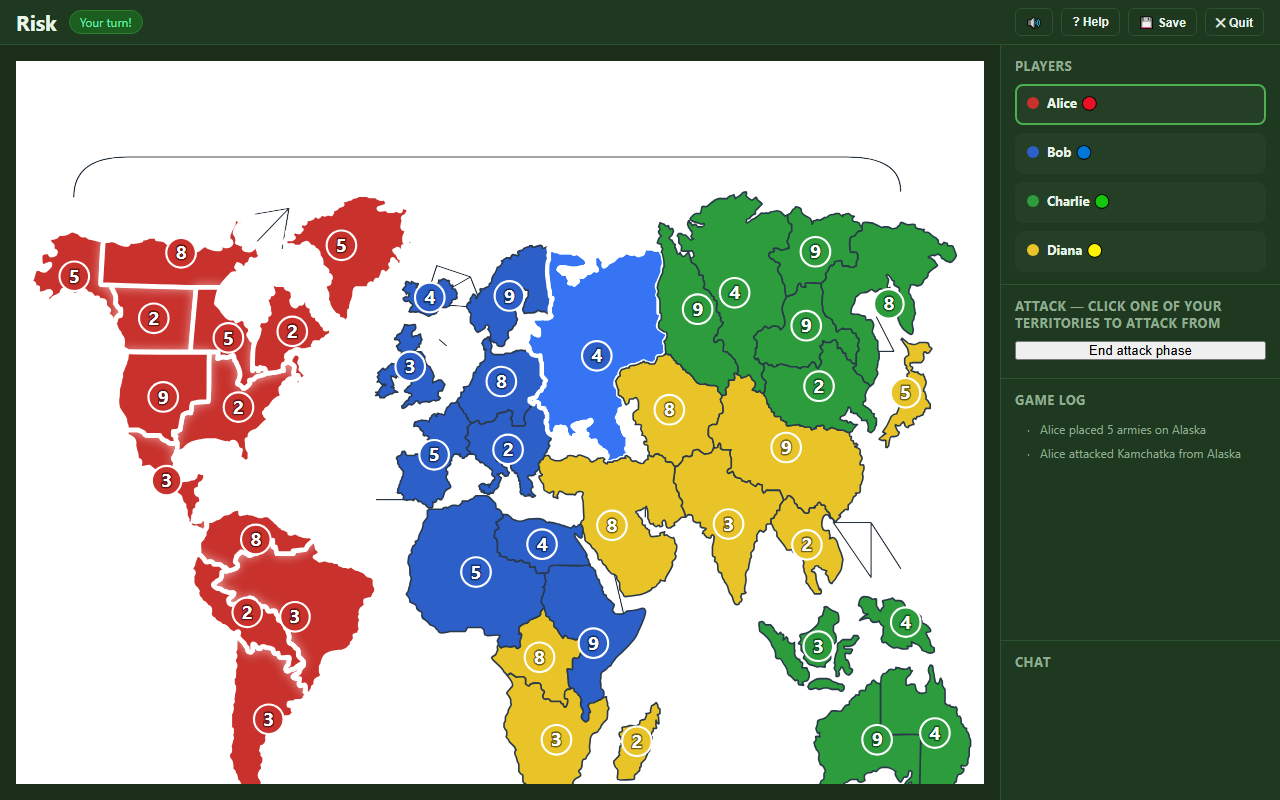 |
The Game of Life 2–6 players · ~45 min 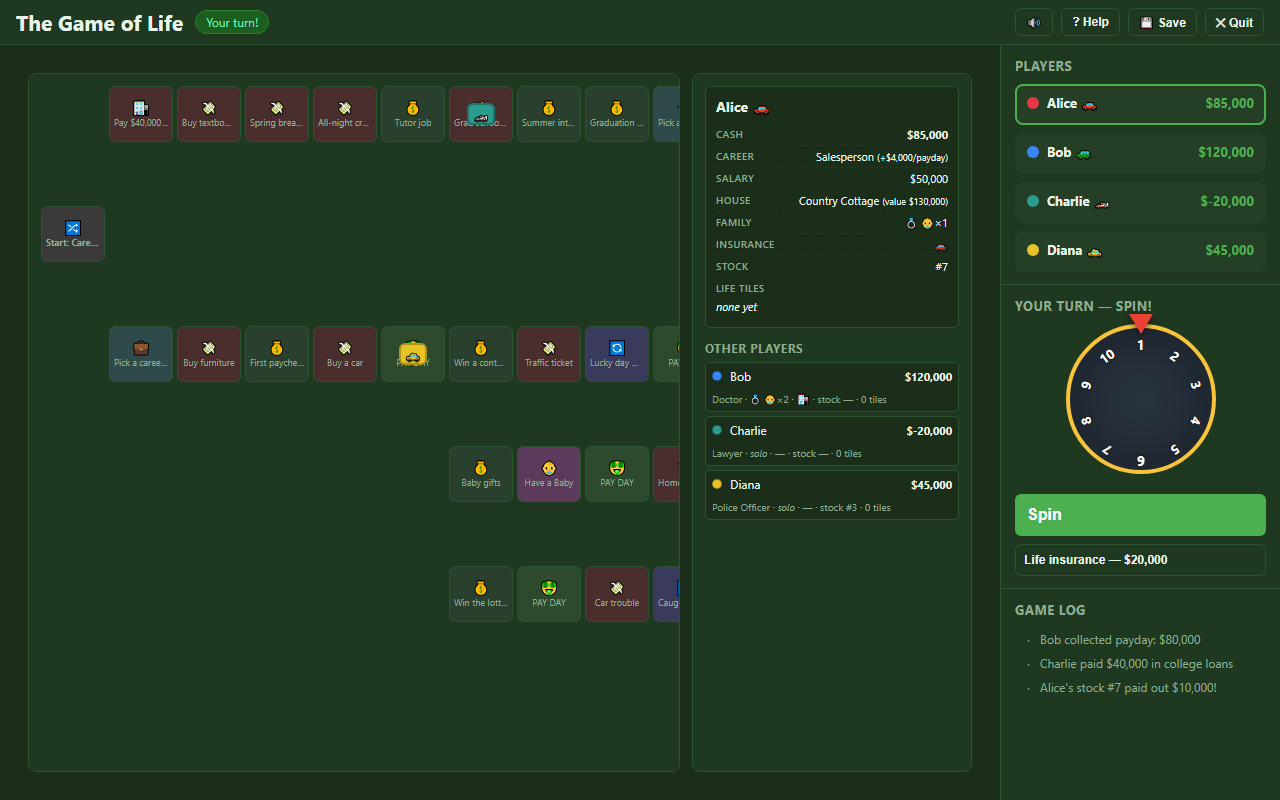 |
| Battleship 2 players · ~15 min 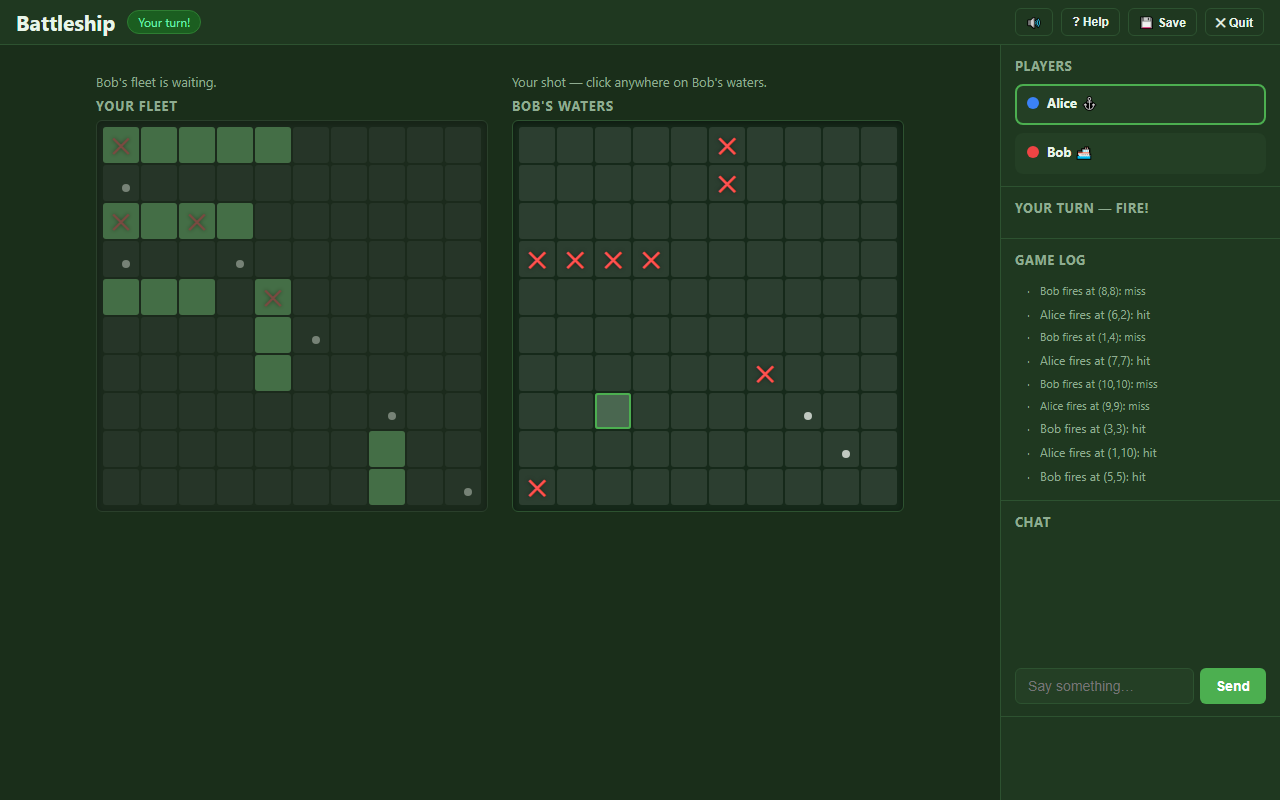 |
Yahtzee 1–8 players · ~20 min 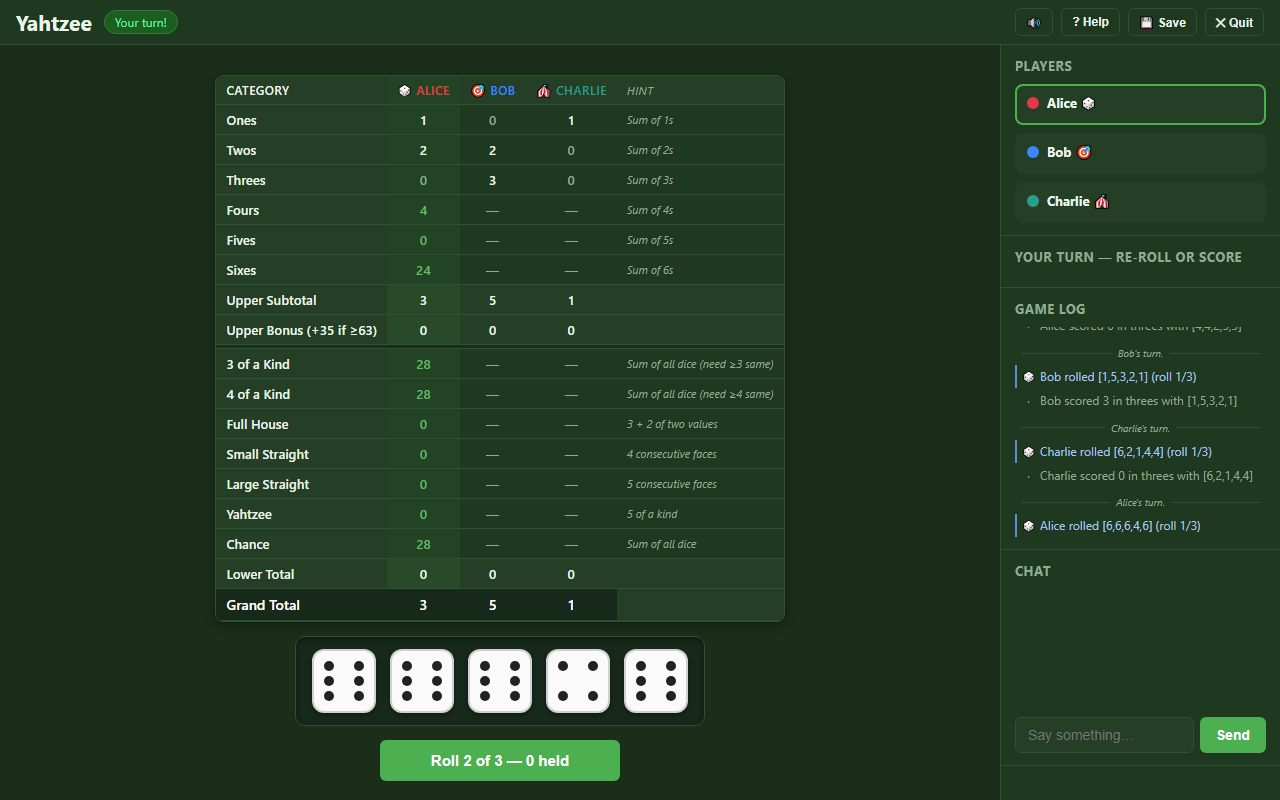 |
Checkers 2 players · ~15 min 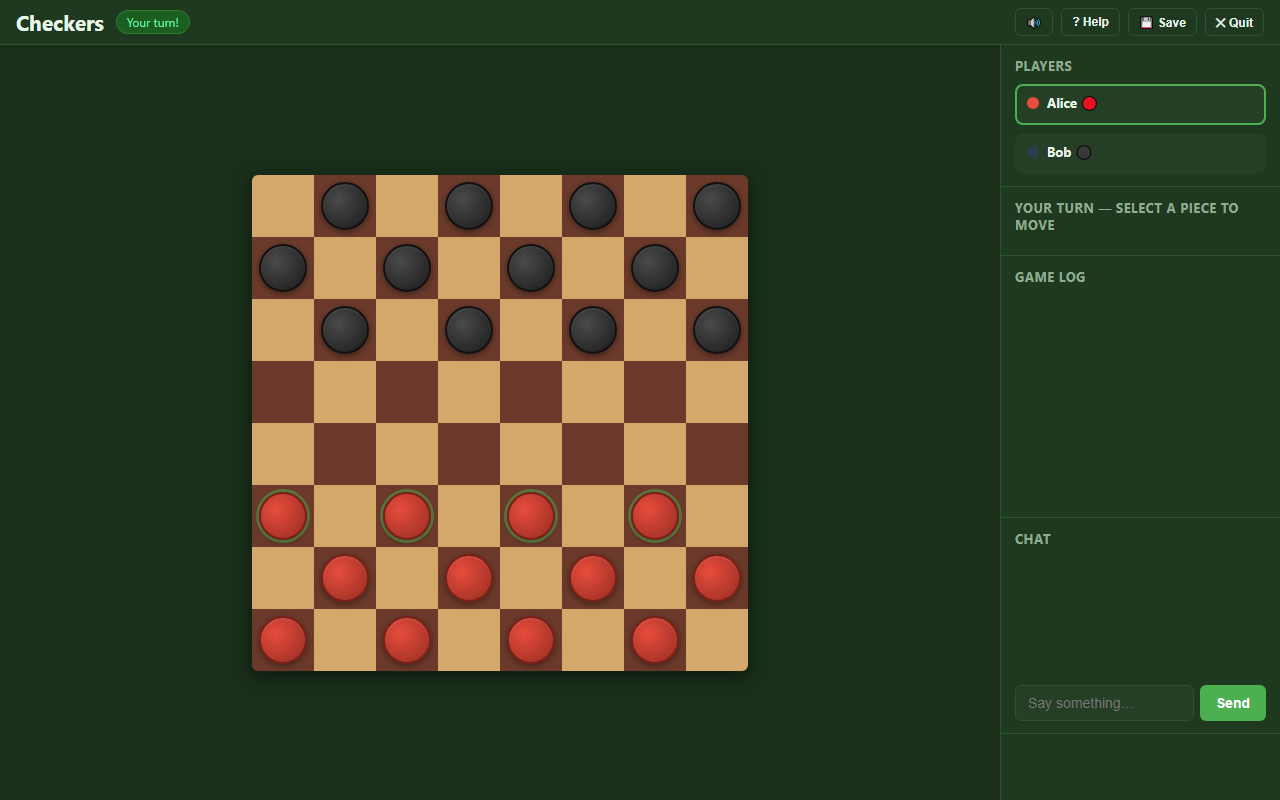 |
| Connect Four 2 players · ~5 min 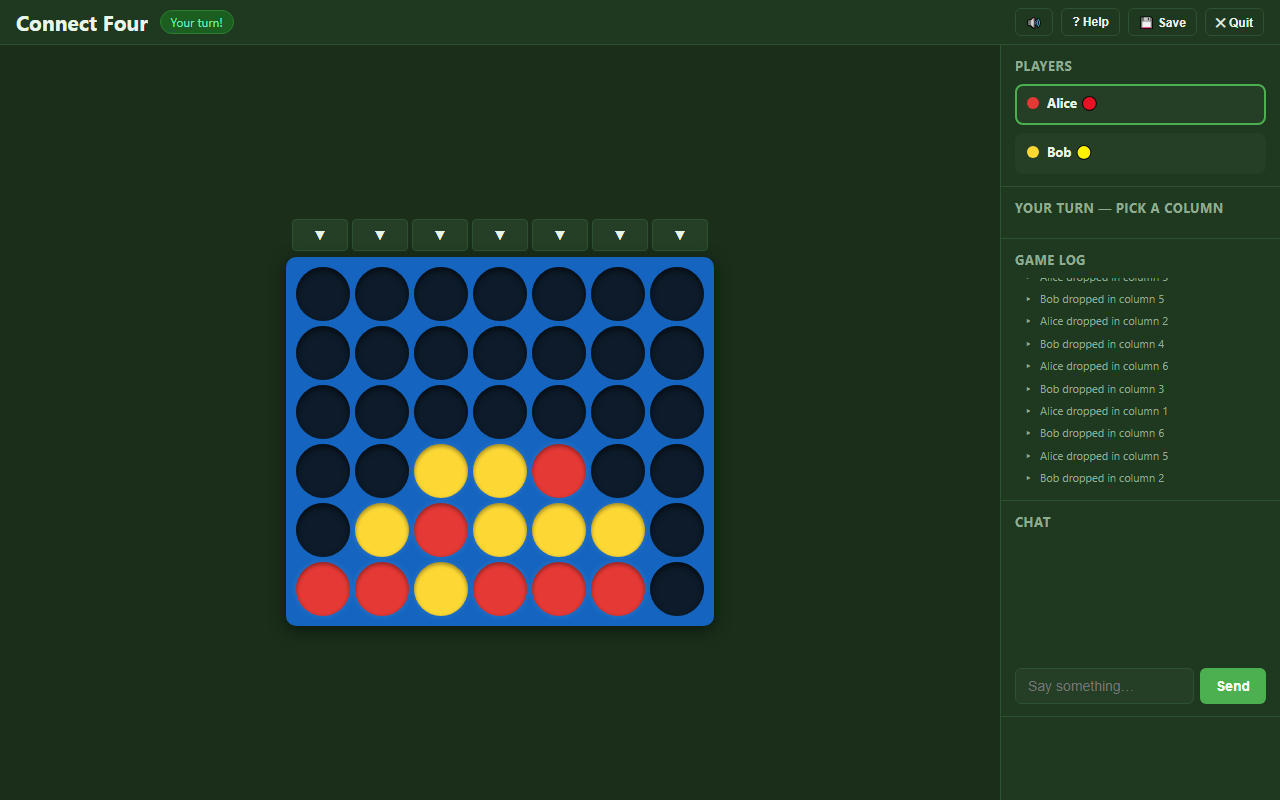 |
Tic-Tac-Toe 2 players · ~2 min 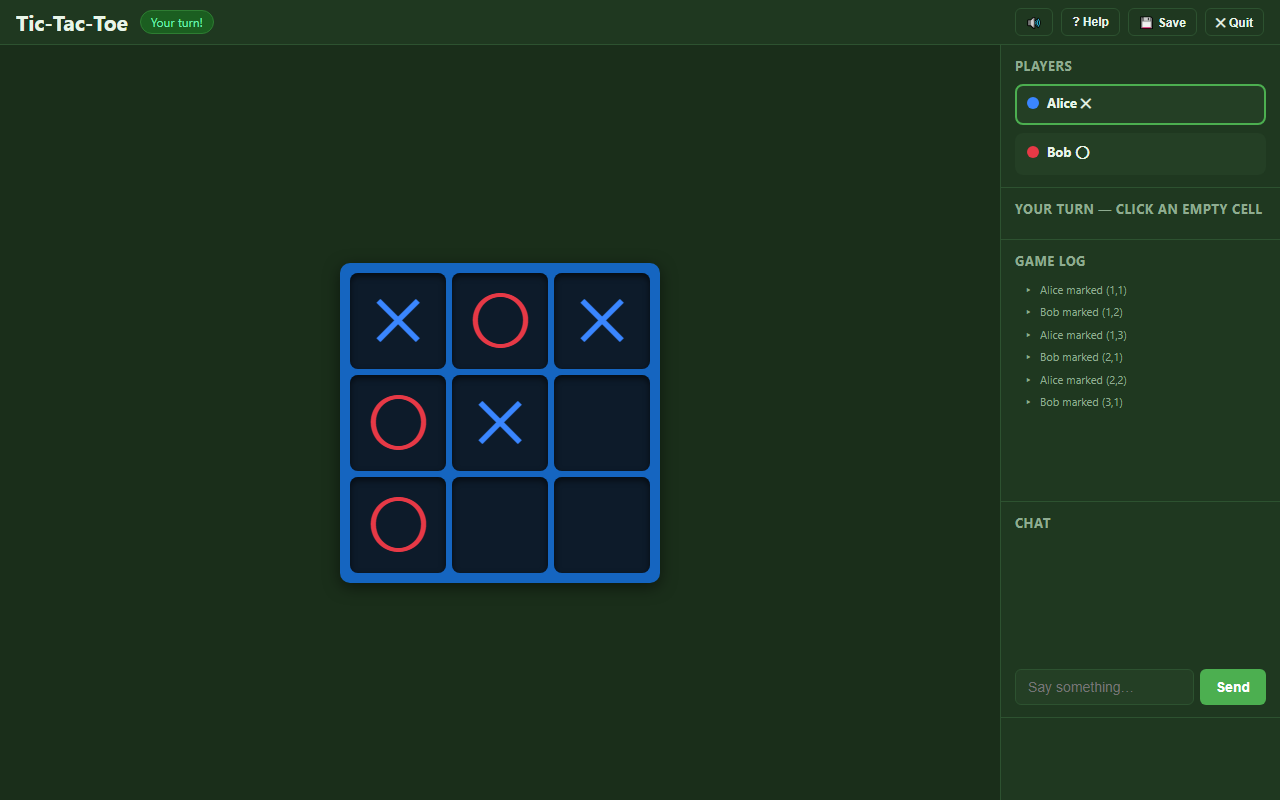 |
Every game supports save/resume, in-game chat, and spectator mode. Games with hidden information (Battleship, Risk, Life) enforce privacy server-side — each player sees only what they're allowed to.
Table of Contents
Why This Exists · Quickstart · The Games · Features · Quick Start
In this README: Project Structure · Architecture · Security Notes · Development · Documentation · Roadmap
Standalone docs: How to Play · Configuration · Adding a New Game · API Reference · Socket.io Events
Features
Framework
- Multi-game — add any turn-based game by implementing one interface file; no framework changes required
- Real-time multiplayer — all clients sync instantly via Socket.io WebSockets
- Player accounts — register/login with username + password; JWT persisted in
localStorage - Lobby — create, browse, and join open games; game-type badge shown on every card
- Save & Resume — pause any in-progress game and continue it later from the lobby
- Auto-reconnect — disconnected players are marked AFK; their turn is auto-skipped after 30 s
- In-game chat — room-scoped, real-time, 300-character cap
- Spectator mode — anyone logged in can watch any game in progress (👁 Spectate button on every in-progress lobby card). Spectators see the full unfiltered state (including hidden information for games like Battleship, Risk, and Life), chat with players, and watch the action log; they cannot take actions. Players are notified when spectators join. See the "Spectator mode" section below.
- Configurable — every rule, price, and board value lives in JSON; hot-reload without a restart
Monopoly
- Full rules: dice, doubles (3× → jail), property buying, auctions, rent, color-group monopoly detection, even-building rule, mortgage/unmortgage, jail (fine / doubles / card), Chance & Community Chest (full 16-card decks), trades (money + properties + jail cards), Income Tax (flat or 10% of net worth), bankruptcy with asset transfer
- Visual CSS Grid board with color bands, player tokens, house/hotel indicators, and ownership dots
Connect Four
- Standard 7 × 6 board; drop pieces by clicking column buttons
- Win detection: horizontal, vertical, and both diagonals
- Draw detection when the board is full
Risk
- Classic 42-territory world map across 6 continents; 2–6 players
- Three-phase turns: reinforce → attack → fortify
- Auto-distributed initial setup; armies and territories dealt evenly to all players
- Dice combat: attacker rolls up to 3, defender auto-rolls up to 2; ties go to defender
- Continent bonuses (NA 5, SA 2, EU 5, AF 3, AS 7, AU 2) applied at the start of every reinforce phase
- 44-card deck (42 territory + 2 wild); valid sets (3 of a kind, 3 different, or any 2 + wild) traded for escalating bonus armies (4, 6, 8, 10, 12, 15, then +5 each)
- Player elimination transfers all cards to the conqueror; last player standing wins by world domination
- First game with hidden information — each player's hand is private, enforced server-side by the game's
getStateForPlayerfilter
Tic-Tac-Toe
- Classic 3 × 3 board; 2 players take turns marking cells with
✕and◯ - Win detection: rows, columns, both diagonals
- Draw detection when the board fills
Yahtzee
- Standard 5-dice, 13-category, three-rolls-per-turn rules; 1–8 players (solo play supported)
- Up to 3 rolls per turn with arbitrary holds between rolls
- All 13 categories (six upper + three-/four-of-a-kind, full house, two straights, Yahtzee, chance)
- Upper-section bonus (+35 when subtotal ≥ 63); ties produce a shared-winner array
- Two-click commit on category selection prevents accidental score-locking
- First non-board game — UI is a shared score sheet (players as columns, categories as rows) plus a dice tray, all inside the renderer-owned board area
Battleship
- Classic 2-player, 10×10 grid; five ships per side (Carrier 5, Battleship 4, Cruiser 3, Submarine 3, Destroyer 2)
- Drag-and-drop ship placement with R-key rotation during drag
- Two-grid firing layout — your fleet on the left, opponent's waters on the right; fixed positions across turns with active/inactive treatment that flips
- Both fleets revealed at game over (winner and loser see the layout that beat them)
- First game with a simultaneous private setup phase — both players place ships in parallel; the phase transitions to firing on a barrier (both Ready) rather than via a turn. Modelled as
status='playing'+turnState.phase='setup'withcurrentPlayerIndex=null - First game with fully hidden state per player — opponents' ship positions are stripped by
getStateForPlayeron every emit, not masked
Checkers
- Classic American Checkers on an 8×8 board; 12 pieces per side, 2 players
- Diagonal movement with mandatory captures and multi-jump chain captures
- King coronation on reaching the back row (kings move forward and backward, one square at a time — not "flying" kings)
- Stalemate-as-loss: player with no legal move loses
- Click-driven move selection consuming server-supplied action descriptors — the renderer highlights only legal pieces and destinations
- Animated piece movement, capture fading, chain-capture sequencing, and king coronation visual
The Game of Life
- 64-square branching board with a start fork (Career vs College), main track, and two-path retirement choice (Countryside Acres vs Millionaire Estates)
- 1–10 spinner (no dice) — CSS-animated wheel that decelerates and settles on the result
- College path costs $40,000 in loans but unlocks degree-required careers; career path skips the loan but is locked out of degree careers
- Marriage adds a spouse peg and collects $5,000 from each other player as wedding gifts
- Children mechanic — single births (+$5k/player) and twins (+$10k/player); each child counts toward final scoring at $50k each
- Insurance — auto and life, optional out-of-band purchases that nullify the matching accident squares
- Stocks — pick a number 1–10; collect $10,000 whenever any player's spinner matches it (cross-turn payouts)
- House purchase — pick from 2–3 offered house cards (cost vs scoring value); contributes to final score
- Retirement is the strategic crux: Countryside Acres draws life tiles from a shrinking deck; Millionaire Estates is a cash gamble that resolves at game over
- First game with a branching, non-grid board — squares are graph nodes with explicit
next[]adjacency; the renderer places squares at hand-tuned grid coordinates with arrows showing direction - First game with deferred-resolution game over — ME retirees' win/loss is undetermined until the last player retires; documented in docs/renderer-contract.md
- First game with a "retired-but-still-in-game" pattern — retired players stay in
state.playersand turn rotation skips past them; the game ends when every player is retired - Life tiles are hidden information per player (count visible to opponents, values masked until game over); revealed with a per-tile flip animation during the final score reveal
Quick Start
Prerequisites
- Node.js 18+ (LTS recommended) — or Docker (see below)
- C++ build toolchain —
better-sqlite3andbcryptare native modules compiled duringnpm install. If the build fails, install the toolchain for your OS:- Windows:
npm install -g windows-build-toolsor install the "Desktop development with C++" workload from Visual Studio Build Tools - macOS:
xcode-select --install - Linux (Debian/Ubuntu):
sudo apt install build-essential python3 - Docker sidesteps this entirely — the
node:20(Debian) build stage ships the toolchain
- Windows:
- No external database — SQLite is embedded via
better-sqlite3
Install & run
cd server
npm install
npm start          # production
npm run dev        # development (nodemon auto-restart)
The server binds to 0.0.0.0:3000 by default — reachable on your entire LAN.
Docker
1. Create a .env file at the repo root containing your JWT secret (the server refuses to start without one):
# Generates a random secret and writes it to .env in one step
node -e "console.log('JWT_SECRET=' + require('crypto').randomBytes(48).toString('hex'))" > .env
2. Build and start:
docker compose up --build
The Dockerfile runs both the unit and integration test suites during the build — the image is only produced if all tests pass.
Open http://localhost:3000. The SQLite database is stored in a Docker named volume (db-data) and survives container restarts and image rebuilds.
To reset the database inside the container:
docker compose run --rm server node scripts/reset-db.js
Connect
| Who | URL |
|---|---|
| Host machine | http://localhost:3000 |
| LAN players | http://<host-ip>:3000 |
Find <host-ip> with ip addr (Linux/macOS) or ipconfig (Windows).
Play
- Every player registers a username and password on their own browser.
- One player creates a game, picks a game type, and optionally customises rules.
- Other players join from the lobby.
- The host clicks Start Game.
Spectator mode
Anyone logged in can watch any in-progress game without playing.
- In the lobby, every game in
playingstatus has a 👁 Spectate button next to the Join/Rejoin button. - A spectator sees the full unfiltered state — including hidden information like Battleship ship positions, Risk card hands, and Life tiles. (The point is to enjoy watching strategy unfold; spectators are watching, not playing.)
- Spectators can chat in the same room as players; their messages are prefixed with 👁 so players know which lines come from the gallery.
- Spectators see the action log, the player roster, and any in-progress modals.
- The action panel is hidden; the "You're spectating" banner persists at the top of the play area.
- Players are notified when a spectator joins (log entry). Leaves are silent.
- A spectator can leave any time via the ✕ Leave button (replacing the host's Save/Quit). Leaving has no effect on the game.
Spectators cannot take actions. The server enforces this (any game:action from a spectator is rejected with a game:error); the client gates click handlers as a UX layer so spectator clicks don't appear to do anything.
A user who is already a player in a game cannot also spectate it — the Spectate button is suppressed in that case, and the server rejects an explicit attempt with "You are already a player in this game".
Project Structure
The repository has three top-level directories: server/ (Node.js backend with game-logic modules under server/games/ and framework under server/src/), client/ (single-page application with per-game renderers under client/js/games/), and docs/ (design notes and reference documentation).
See docs/project-structure.md for the full annotated directory tree.
Architecture
The platform is a single Node.js server (Express + Socket.io) backed by embedded SQLite. Game logic lives in pure-function modules behind a small interface; the framework handles persistence, real-time sync, authentication, and the lobby. Each client renders its game type through a registry-dispatched renderer.
See docs/architecture.md for the component diagram, data-flow walkthrough, database schema, and common GameState shape.
Security Notes
LAN Games is designed for trusted local networks. Authentication uses JWT tokens (the server refuses to start without a JWT_SECRET) and bcrypt-hashed passwords. Every game action is validated server-side, and every state-bearing emission routes through getStateForPlayer to protect hidden information. A full state-emission audit documents the boundary.
The platform is offline by design — once installed, the server and client need zero internet connectivity. All assets are served locally, there are no CDN dependencies, no telemetry, and no outbound HTTP calls.
See docs/security.md for the complete security notes including JWT configuration, LAN binding warnings, and the offline-by-design inventory.
Development
Scripts
npm start              # run the server
npm run dev            # run with nodemon (auto-restart)
npm test               # unit tests (625 across 11 suites)
npm run test:integration  # integration tests (40 across 6 suites)
npm run lint           # ESLint
npm run format:check   # Prettier (verify)
npm run format:write   # Prettier (auto-fix)
npm run reset-db       # drop all tables and recreate schema
npm run reset-db:hard  # delete the .db file entirely
npm run screenshots    # regenerate README screenshots (requires Playwright)
npm run banner         # regenerate the README banner image (requires Playwright)
See docs/development.md for environment variables, port configuration, test details, hot-reloading, and the new-game checklist.
Documentation
Guides
- How to Play — complete rules and controls for all eight games
- Adding a New Game — interface contract, state versioning, renderer registration
- Development — environment variables, scripts, testing, hot-reload, new-game checklist
Reference
- Configuration — every tunable setting, board layout, and card deck
- API Reference — REST endpoints for auth and game management
- Socket.io Events — real-time event protocol for gameplay
- Architecture — component diagram, data flow, database schema, GameState shape
- Project Structure — annotated repository layout
- Security Notes — security model, JWT, LAN binding, offline-by-design
Design Documents
- Action Descriptors — optional rich-action interface (5 of 8 games)
- Renderer Contract — client-side renderer interface design memo
- State-Emission Audit — security audit of every state-bearing emit
- Screenshot & Banner Generation — how the README gallery images and banner are produced
Roadmap
- More games — Chess, Scrabble, Catan, Coup, Liar's Dice, …
- Action descriptor contract — implemented across five of the eight games (Battleship, Checkers, Risk, Yahtzee, and The Game of Life); the renderer-side rule mirrors are gone in all five. Connect Four and Tic-Tac-Toe deliberately skip the contract — their action surfaces (
dropPiece,markCell) are trivial enough thatgetValidActionscovers them. Seedocs/action-descriptors.mdfor the contract and the patterns the five migrations established. - Turn timer UI — server emits absolute-deadline warnings via
game:turn_warning; the client-side countdown bar is implemented inclient/js/turn-warning.js. Spectator mode— shipped; see the Spectator mode section above- AI players — pluggable bot interface implementing the same
applyActioncontract - Custom board themes — CSS variable overrides per game type
- Mobile optimisation — touch-friendly controls for handheld players
- HTTPS / mDNS — easier LAN discovery and secure transport without manual IP lookup
Categories
Related apps
Explore more like this
Explore allDetails
ghcr.io/codyburker/lan-games:latestRuntime arguments
- Web UI
http://[IP]:[PORT:3000]/- Network
bridge- Shell
sh- Privileged
- false
Template configuration
Host port for the LAN Games web UI.
- Target
- 3000
- Default
- 8014
- Value
- 8014
SQLite database directory — user accounts and game state live here. Ownership is fixed automatically on startup (set to PUID:PGID), then the app runs unprivileged.
- Target
- /app/server/data
- Default
- /mnt/user/appdata/lan-games
- Value
- /mnt/user/appdata/lan-games
User ID the app runs as after startup (Unraid default: 99 = nobody). Data files are owned by this user.
- Default
- 99
- Value
- 99
Group ID the app runs as after startup (Unraid default: 100 = users).
- Default
- 100
- Value
- 100
Secret used to sign login tokens. Leave EMPTY for turnkey setup: the container generates one on first boot and persists it in the Game Data directory (.jwt_secret), so logins survive restarts and updates. Set a value only to override with your own secret.
- Target
- JWT_SECRET
Container timezone.
- Default
- America/Indiana/Indianapolis
- Value
- America/Indiana/Indianapolis