

laminator
Docker app from cj0r's Repository
Overview
Readme
View on GitHub
Score badges and metadata overrides for Emby and Jellyfin.
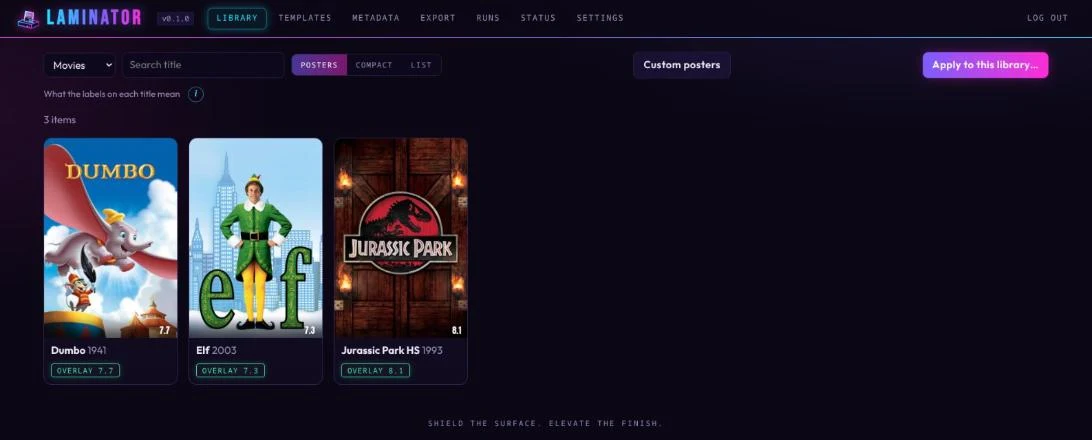
laminator draws a rating from MDBList onto your movie and show posters and lets you correct metadata such as content ratings, titles and tags, all from a web UI. Everything it changes can be put back.
[!WARNING] laminator changes posters and metadata on your media server. Try it on a few titles first, and read the disclaimer.
Features
- Score badges from MDBList (combined score, or IMDb, TMDb, Rotten Tomatoes and others), always drawn on the untouched original, so they update instead of stacking.
- Templates with a live preview, to design the badge.
- Metadata overrides: content rating, title, sort title, tagline, critic rating, tags, genres and more, locked so a refresh can't undo them.
- Custom posters per title, for fan edits and the like.
- Fully reversible: originals and old values are kept, per title or all at once.
- Scheduled runs, backups, two-factor sign-in, and Emby and Jellyfin side by side.
Quick start
services:
  laminator:
    image: cj0r/laminator:latest
    restart: unless-stopped
    ports: ["5264:5264"]
    volumes:
      - ./data:/data
Run docker compose up -d, open http://<host>:5264, and choose your password (the setup code is in docker logs laminator). Then add your server and MDBList key in Settings. Unraid and other setups are in Getting started.
Screenshots
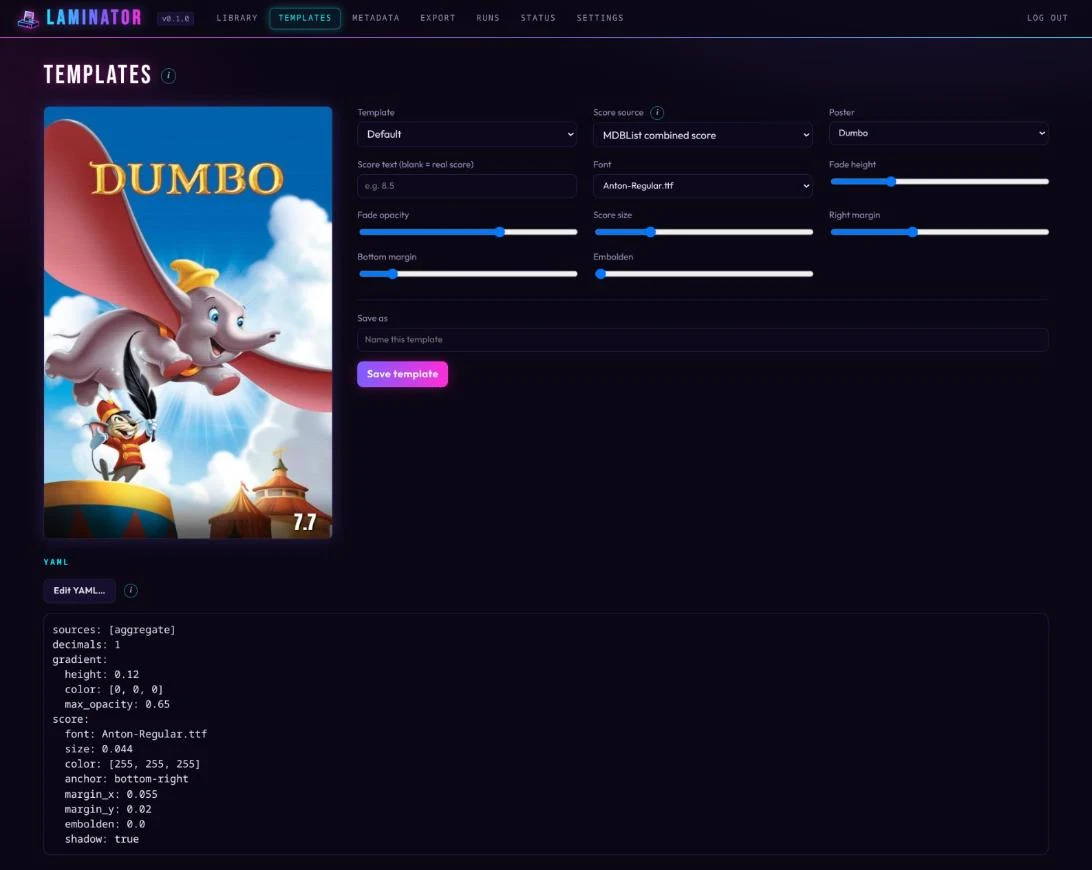 |
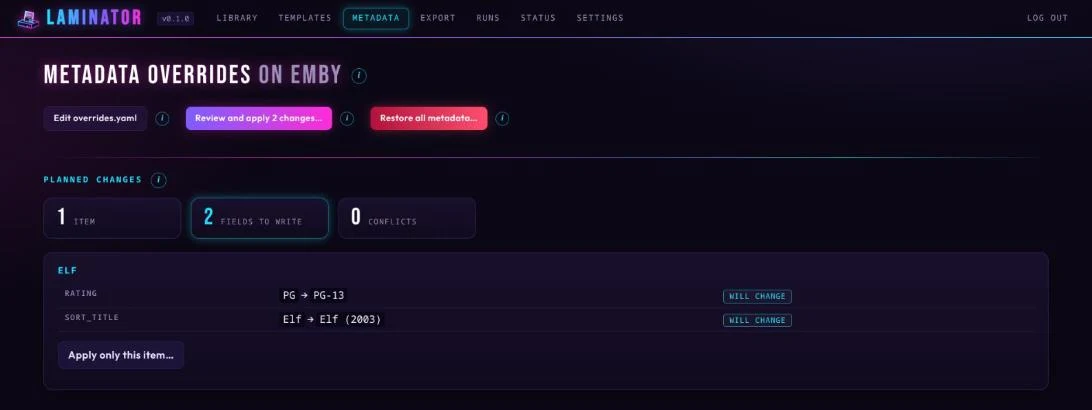 |
| Templates: design the badge on a real poster. | Metadata: see every change before it's written. |
User guide
Getting started · Web UI · Posters · Templates · Custom posters · Metadata overrides · Export · Backups · Maintenance · Settings · Upgrading · Command line · Security · Troubleshooting
Disclaimer
laminator is provided as is, without warranty, and you use it at your own risk. The authors accept no liability for changed posters or metadata, lost data or any other damage.
- It changes your media server: posters, and metadata fields it locks. Keep backups of your server and of laminator's data folder.
- It was developed with an AI coding assistant (Claude Code) and tested against real Emby 4.10 and Jellyfin 10.11 servers. Jellyfin has been checked with movies (posters, metadata, restore); TV shows are less tested there. Treat it like any young project.
- Securing your deployment, and following the terms of the services you connect, is up to you. laminator is not affiliated with Emby, Jellyfin or MDBList.
License
laminator is free software under the GNU General Public License v3.0. Bundled fonts (SIL Open Font License) and dependency licenses are listed in THIRD_PARTY_NOTICES.md.
Support
If laminator is useful to you, you can support its development:
Support on Ko-fi Buy Me a Coffee
Bug reports and pull requests are welcome.
Media gallery
1 / 3Requirements
Categories
Download Statistics
Related apps
Explore more like this
Explore allDetails
cj0r/laminator:latestRuntime arguments
- Web UI
http://[IP]:[PORT:5264]/- Network
bridge- Shell
sh- Privileged
- false
- Extra Params
--security-opt no-new-privileges:true
Template configuration
Web interface access port.
- Target
- 5264
- Default
- 5264
- Value
- 5264
Settings, saved original posters, state and backups. Keep this in your backups.
- Target
- /data
- Default
- /mnt/user/appdata/laminator
- Value
- /mnt/user/appdata/laminator
Optional: a folder for your own base posters (Settings > Custom posters > folder: /assets).
- Target
- /assets
Optional: a second copy of laminator's backups, for example on another share.
- Target
- /backups
Your time zone, for the schedule (for example America/New_York).
- Target
- TZ
- Default
- Etc/UTC
- Value
- Etc/UTC
Optional: preset the web UI password instead of choosing it on first start with the setup code from the log.
- Target
- LAMINATOR_ADMIN_PASSWORD
Optional, behind a reverse proxy: the address you use in the browser, for example https://laminator.example.com.
- Target
- LAMINATOR_PUBLIC_URL
Optional, behind a reverse proxy: the proxy's address or network (for example 172.18.0.0/16). Only its forwarded headers are believed.
- Target
- LAMINATOR_TRUSTED_PROXIES