
All apps · 0 apps

Komga
Docker app from Selfhosters
Overview
A Media server for comics/mangas/BDs with API and OPDS support.
Check logs for auto-generated username/password.
Readme
View on GitHub






 Komga
Komga
Komga is a media server for your comics, mangas, BDs, magazines and eBooks.
Chat on Discord
Features
- Browse libraries, series and books via a responsive web UI that works on desktop, tablets and phones
- Organize your library with collections and read lists
- Edit metadata for your series and books
- Import embedded metadata automatically
- Webreader with multiple reading modes
- Manage multiple users, with per-library access control, age restrictions, and labels restrictions
- Offers a REST API, many community tools and scripts can interact with Komga
- OPDS v1 and v2 support
- Kobo Sync with your Kobo eReader
- KOReader Sync
- Download book files, whole series, or read lists
- Duplicate files detection
- Duplicate pages detection and removal
- Import books from outside your libraries directly into your series folder
- Import ComicRack
cblread lists
Installation
Refer to the website for instructions.
Documentation
Head over to our website for more information.
Develop in Komga
Check the development guidelines.
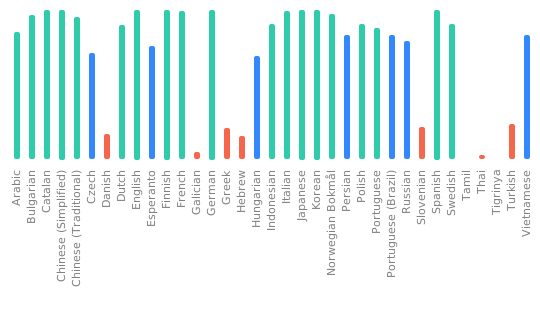
Translation
Powered by

Thanks to JetBrains for providing the development environment that helps us develop Komga.

Thanks to Chromatic for providing the visual testing platform that helps us review UI changes and catch visual regressions.
Credits
The Komga icon is based on an icon made by Freepik from www.flaticon.com
Download Statistics
45,297,175
Total Downloads
1,272,502
This Month
900,004
Avg / Month
Total Downloads Over Time
Loading chart...
Related apps
Explore more like this
Explore allLinks
Details
Repository
gotson/komgaLast Updated2026-10-02
First Seen2019-11-24
Runtime arguments
- Web UI
http://[IP]:[PORT:25600]- Network
bridge- Privileged
- false
Template configuration
WebUIPorttcp
Container Port: 25600
- Target
- 25600
- Default
- 25600
ExclusionsVariable
Container Variable: KOMGA_LIBRARIES_SCAN_DIRECTORY_EXCLUSIONS
- Target
- KOMGA_LIBRARIES_SCAN_DIRECTORY_EXCLUSIONS
- Default
- #recycle,@eaDir
ConfigPathrw
Container Path: /config
- Target
- /config
- Default
- /mnt/user/appdata/komga/
BooksPathrw
Container Path: /books
- Target
- /books
- Default
- /mnt/user/Media/books