
All apps · 0 apps

Kino-Swipe
Docker app from Bergasha's Repository
Overview
Readme
View on GitHub




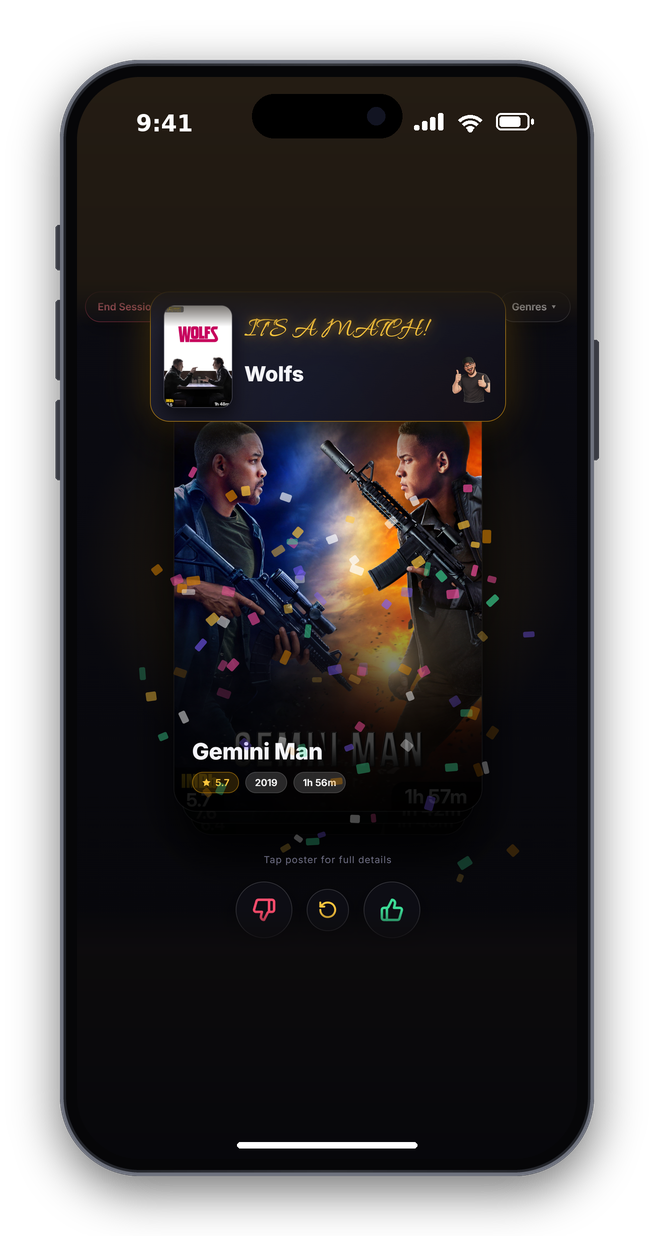
Always trying to decide on a movie to watch together? This may be the fun solution you've been looking for. Dating app style — swipe right to like, swipe left to pass. If you both swipe right on the same movie, IT'S A MATCH!!
Supports Plex & Jellyfin
Screenshots
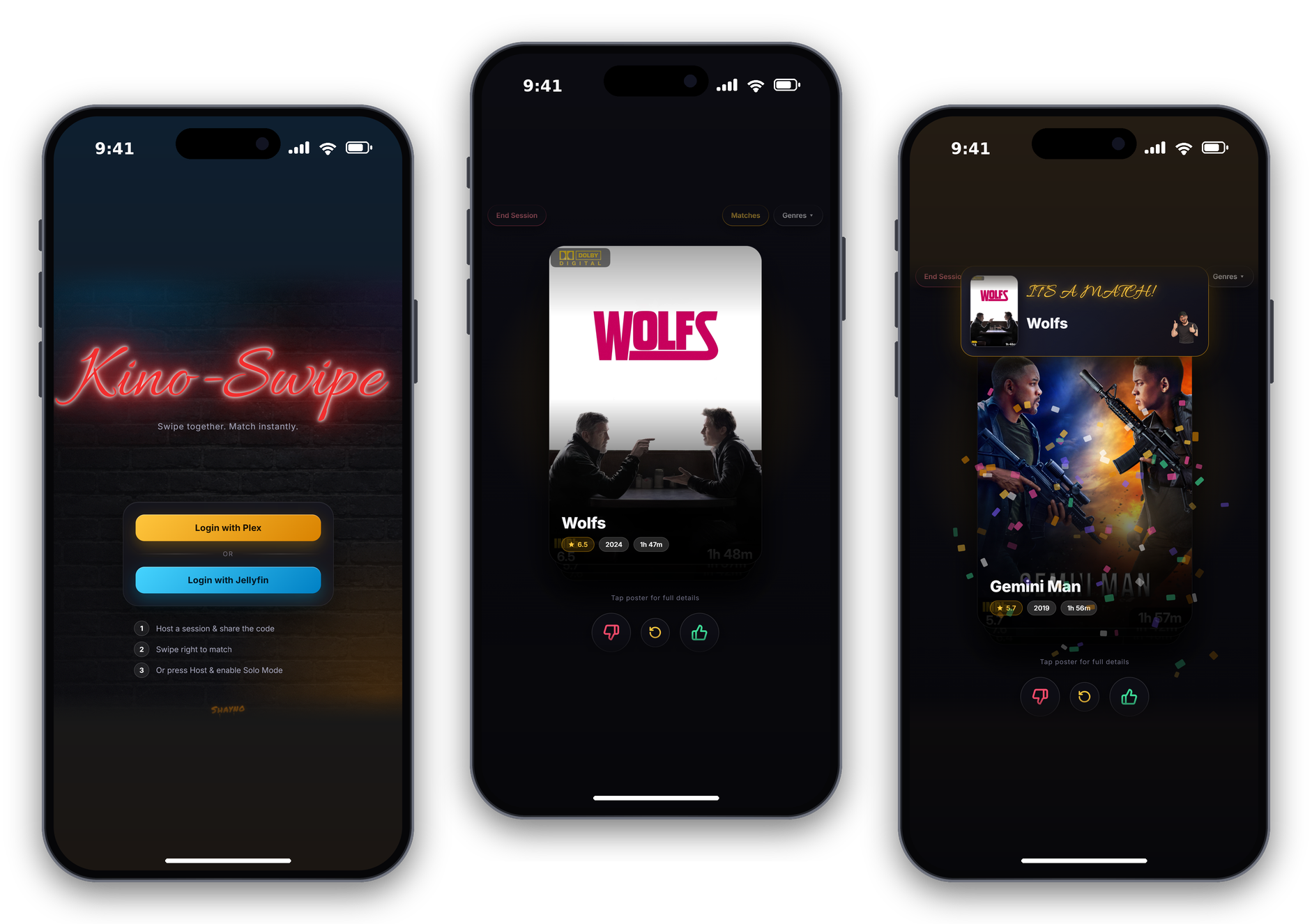
Click to view all screenshots
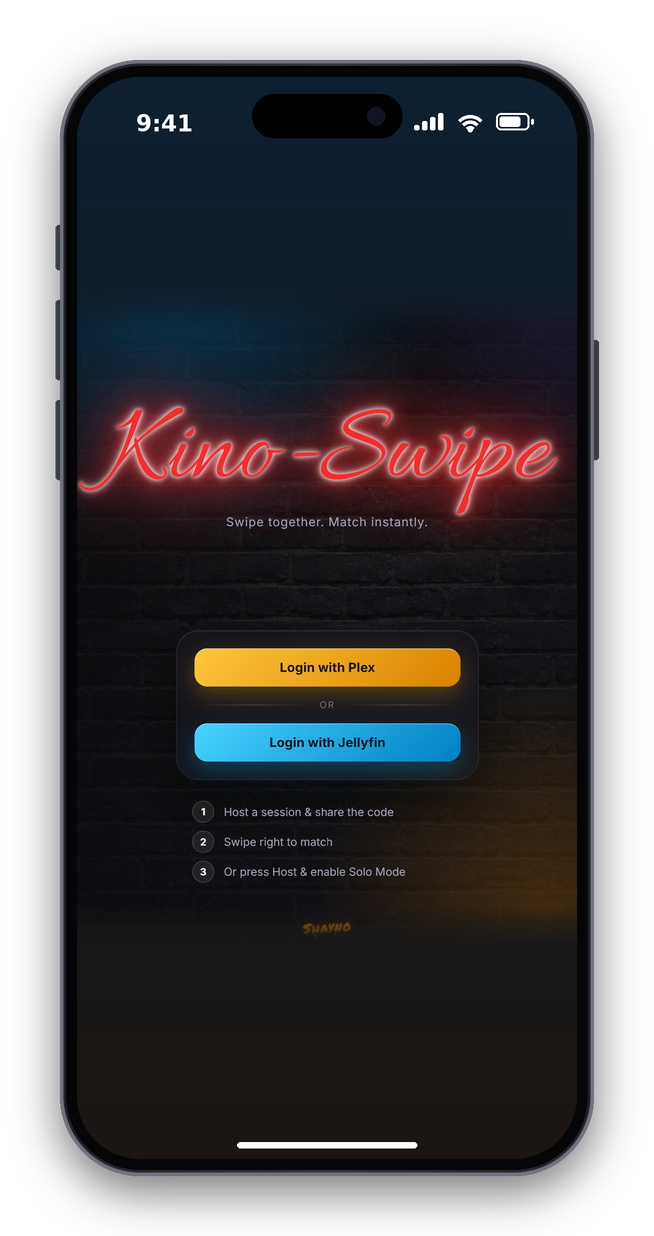
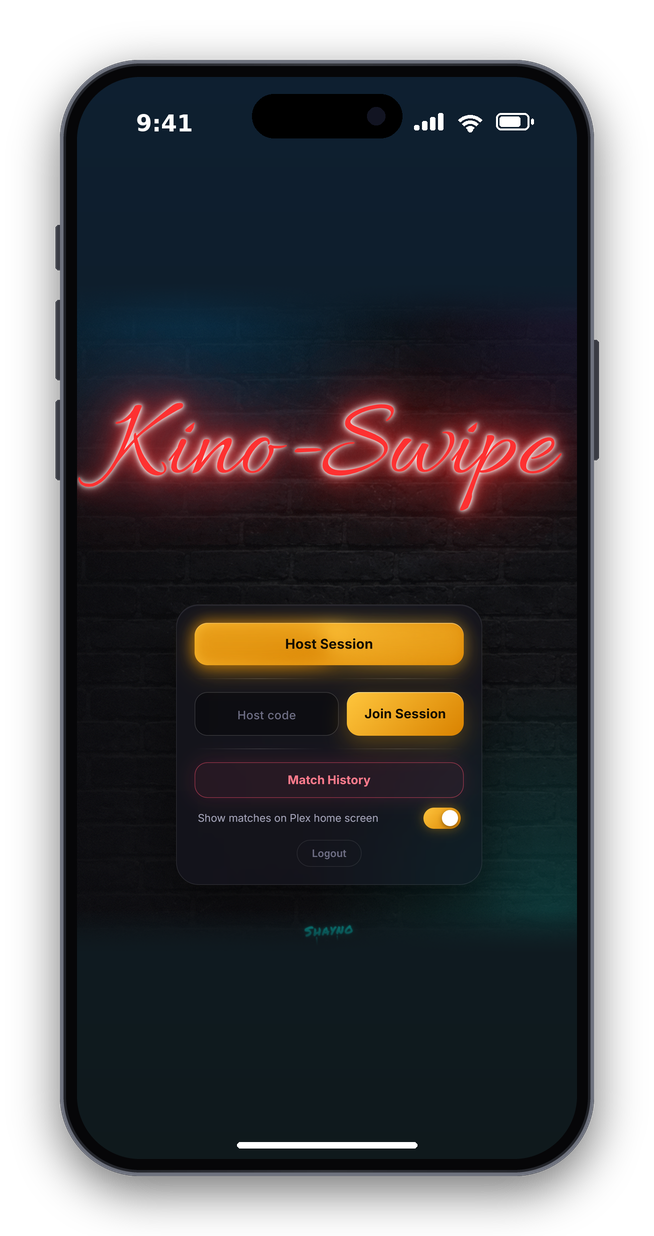
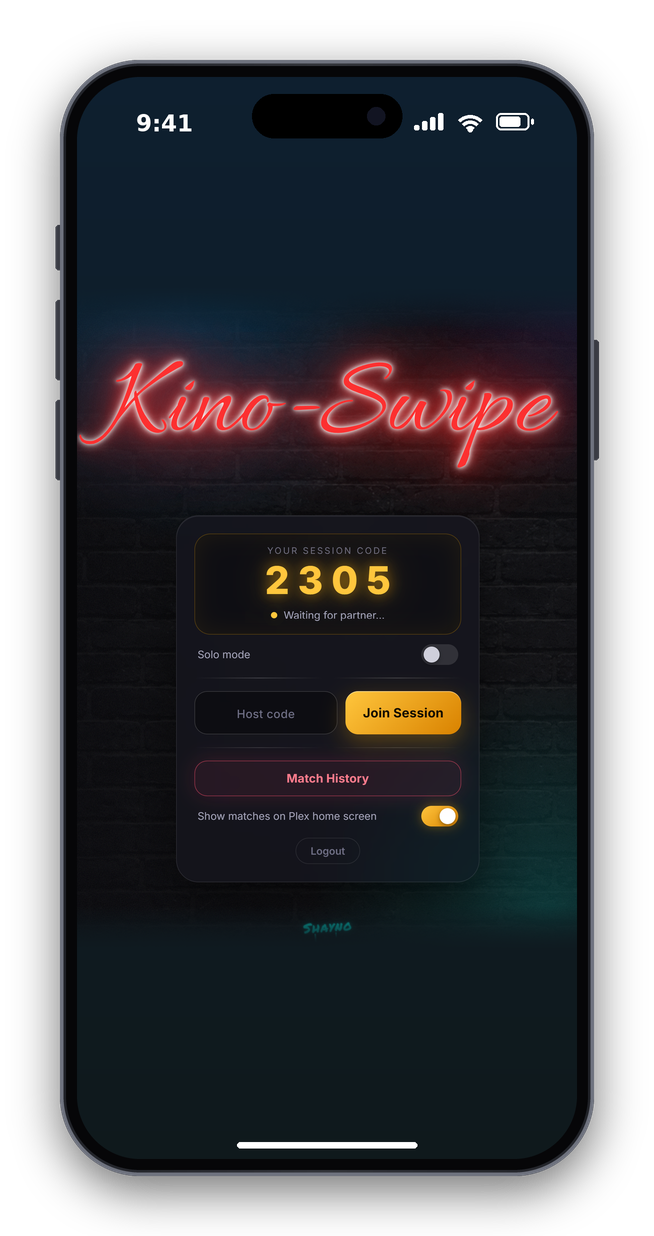
Login & Sessions
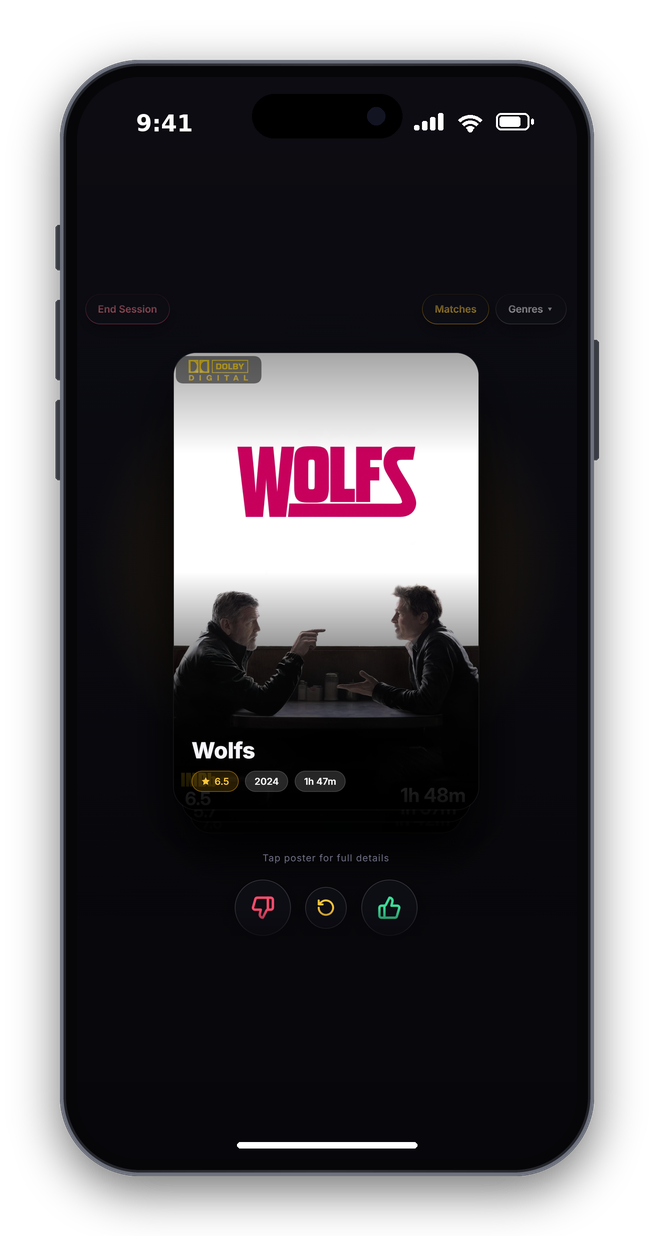
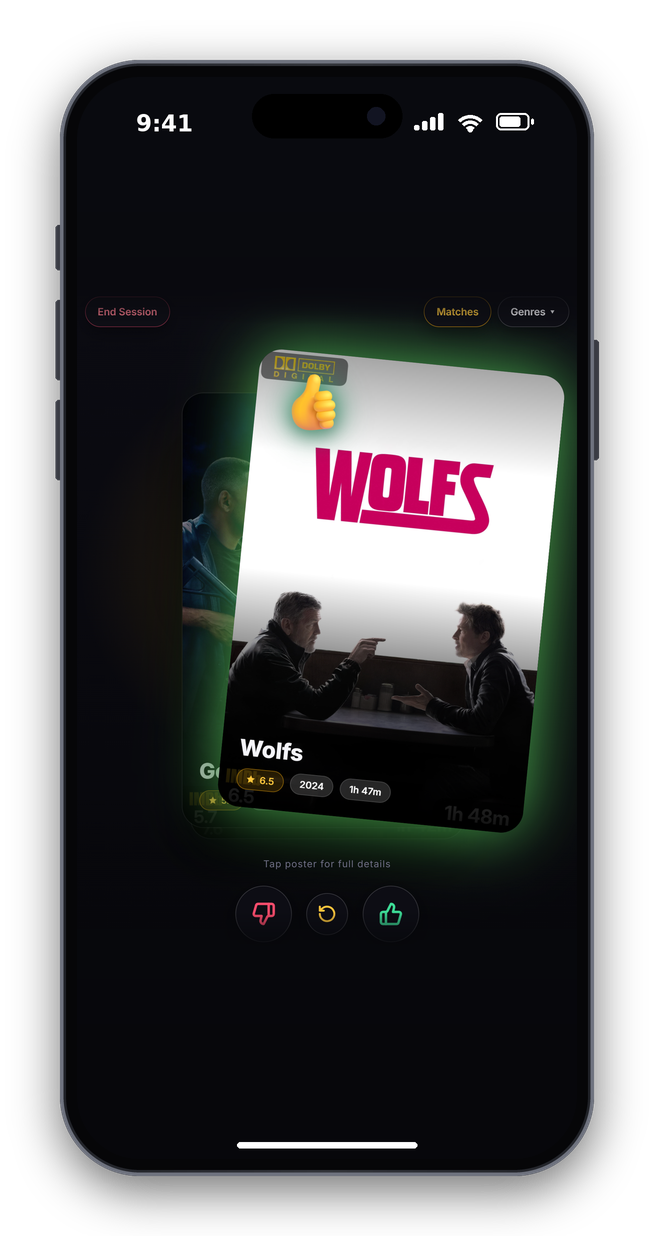
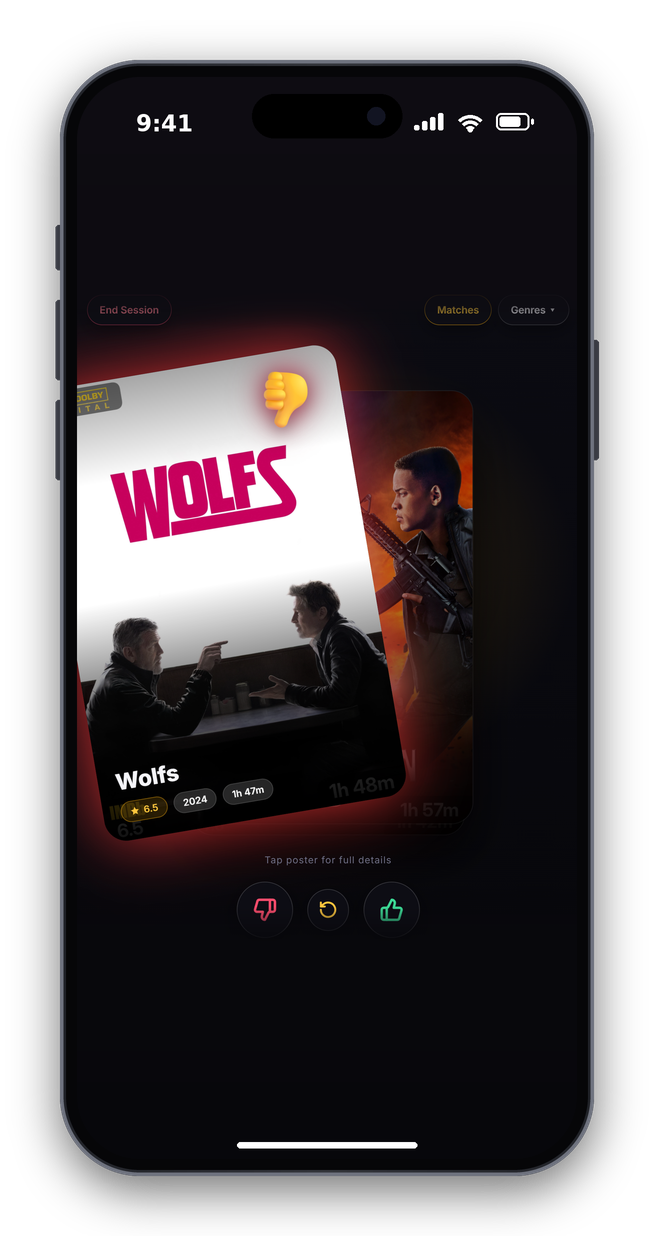
Swiping
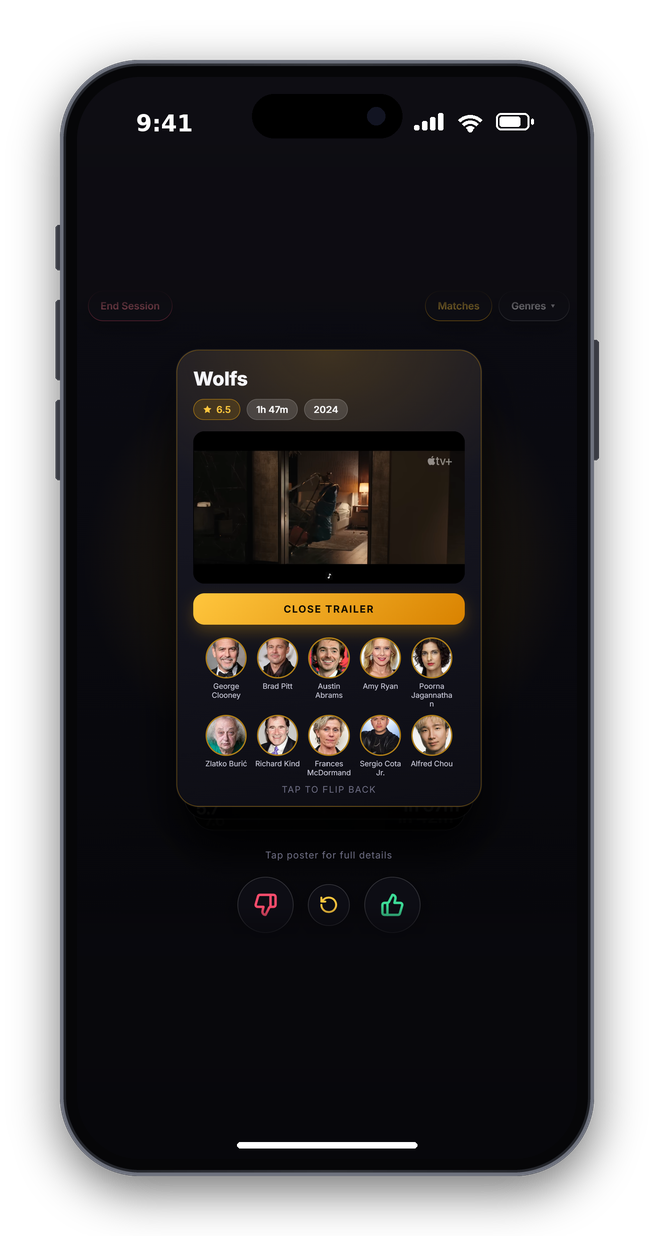
Movie Details & Trailers
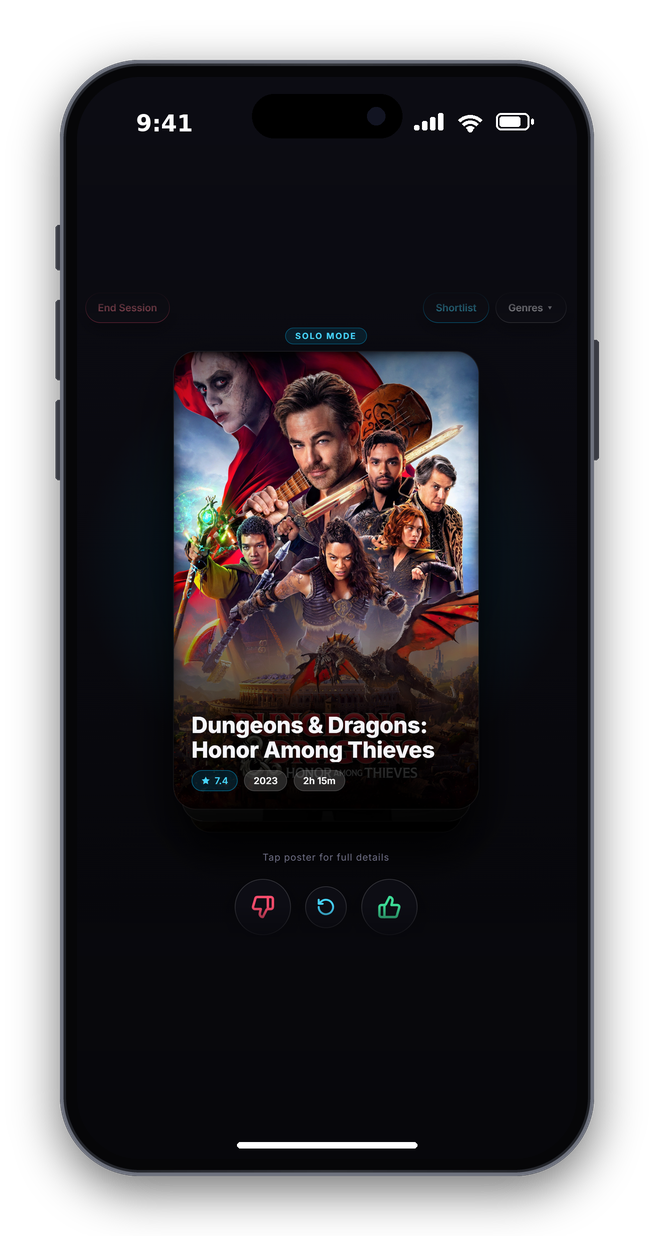
Matches & Solo Mode
Performance Note (First-Time Run)
When you click Host Session or select a new genre for the absolute first time, Kino-Swipe caches your media library locally in a SQLite database to ensure instant loading speeds later.
- First run / New genre: May take 5–15 seconds depending on the size of your Plex or Jellyfin library while it builds the initial local dataset.
- Subsequent runs: Instantaneous. The app shuffles and serves cards out of the local cache immediately.
- Automatic Updates: The cache automatically and silently updates in a background thread every 24 hours, meaning you will never experience that initial setup delay again after the first run.
- Plex Homescreen Sync: Matches on Plex homescreen are only visable to the user who made the match, All other remote or admin users will not see those matches.
Features
- Plex & Jellyfin Integration: Connects directly to your Plex or Jellyfin server to pull movies.
- Coloured sessions: Plex Yellow lets you know you're in a Plex session and Jellyfin Blue for Jellyfin.
- Real-Time Sync: Host a room, share a 4-digit code, and swipe with a partner instantly.
- Visual Feedback: Faint Red/Green glow with thumbs-up or thumbs-down overlays that react as you drag posters left or right.
- Select Genre: Both sessions stay in sync while browsing genres.
- Add to Watchlist: Tap a match to open in Plex or save to watchlist/favourites for later.
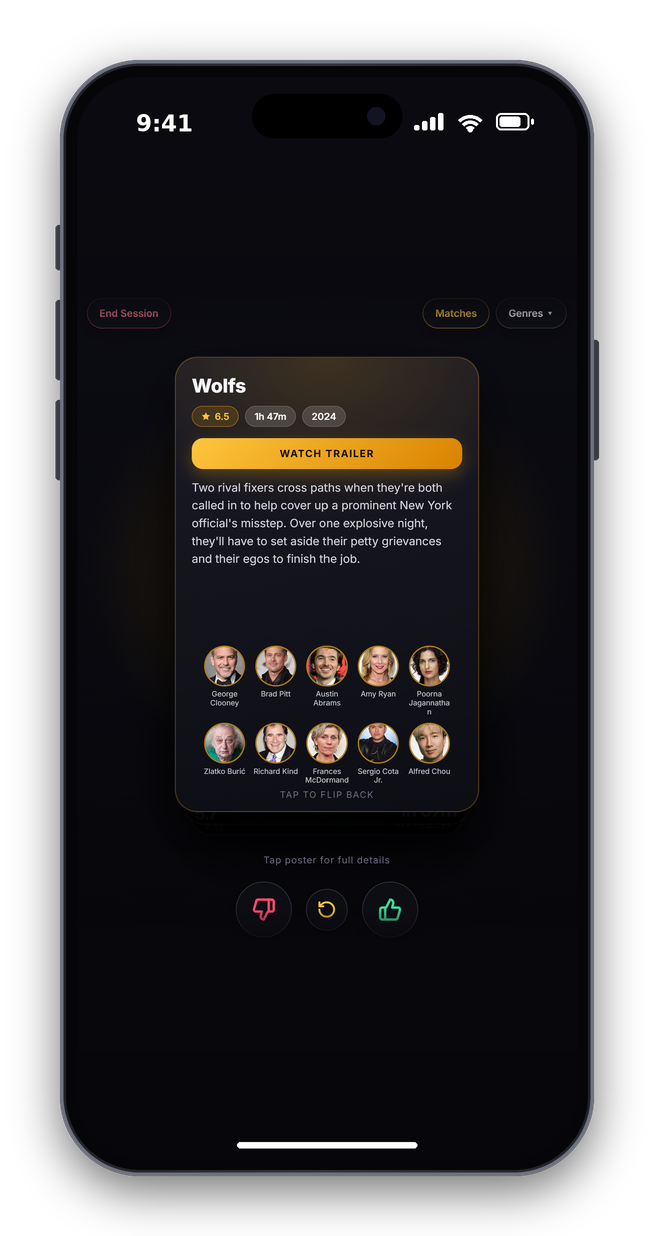
- Watch Trailer: Tap the poster for full synopsis, cast, and trailer via TMDB.
- PWA Support: Add to your Home Screen for a native app feel.
- Match Notifications: Instant alerts with haptic feedback when you both swipe right on the same movie.
- Match History: All matches saved to history until you're ready to delete them.
- Plex-Homescreen-Sync: Each match will automatically show on a per-users Plex Homescreen (Until deleted from Kino).
- Plex Home Users Have kids with restricted accounts? You can now select their profile if they are a Home User to only see suitable movies.
- Jellyfin Restricted Libraries Also for Jellyfin users with restricted libraries will only see their movies.
- Solo Mode: Flying solo? Host a session and flick the solo toggle — every right swipe saves to your Match History.
Requirements
- Plex Media Server and/or Jellyfin Media Server
- A TMDB API Key (optional, only needed for trailers and cast)
- HTTPS/Reverse Proxy (required to install as a PWA on your phone)
You only need one media server. Both can run side by side on the same instance, and users pick which one to log into at the login screen.
No tokens or API keys need to go in the container config. Everything is entered in the setup page the first time you open the app (see First-Time Setup).
TMDB API Setup
Only required if you want trailers and cast to work on the rear of the movie posters. Paste the key into the setup page (or set TMDB_API_KEY).
Click to expand TMDB setup instructions
Create a free TMDB account at themoviedb.org/signup and verify your email.
Access API settings — click your profile icon → Settings → API.
Create an API Key — click Create, select Developer, accept the Terms of Use, and fill out the form:
- Type of Use: Personal/Educational
- Application Name: Kino-Swipe
- Application URL: your server IP or localhost
- Summary: "A Tinder-style movie picker for Plex/Jellyfin."
Copy your API Key (v3 auth) — the long string of numbers and letters.
Deployment
Option 1: Docker Compose
services:
  kino-swipe:
    image: bergasha/kino-swipe:latest
    container_name: kino-swipe
    ports:
      - "5005:5005"
    volumes:
      - ./data:/app/data
      - ./static:/app/static
    restart: unless-stopped
Option 2: Docker Run
docker run -d \
  --name kino-swipe \
  -p 5005:5005 \
  -v ./data:/app/data \
  -v ./static:/app/static \
  --restart unless-stopped \
  bergasha/kino-swipe:latest
Option 3: Unraid
Install Kino Swipe from Community Applications. Every variable is optional, so you can leave them all blank and finish the setup in the app.
Keep
/app/datamapped to a persistent folder. Your settings, matches and library cache are stored there.
First-Time Setup
Open http://YOUR_SERVER_IP:5005. If nothing is configured yet you are taken straight to the setup page (it is always available later at /setup, or via the cog on the login screen).
- Sign in as the server owner. This is how the app knows you are allowed to change settings, so there is no setup code to find in the logs.
- Plex: sign in with Plex. You must be the owner of a Plex server. Your server is found automatically.
- Jellyfin: enter the URL of your server and sign in as an administrator. Kino-Swipe creates its own "KinoSwipe" API key, and your password is not stored.
- TMDB (optional): paste your TMDB API key to enable trailers and cast.
- Plex library language (optional): choose the language your Plex movie library is named in (
Movies,Filme, ...). - Press Open Kino. Friends and family just use the normal login screen, no setup needed.
Once a server is connected, the setup page is locked to its owner or admin. Use Sign out of settings at the bottom of the setup page to lock it again. Signing back in at /setup as the Plex owner or a Jellyfin admin unlocks it for 6 hours.
Important: complete the setup (sign in as the server owner) before exposing Kino-Swipe to the internet. Until a server is connected anyone who can reach the app can open the setup page.
Locked out or changed servers? Start the container once with KINO_RESET_SETUP=1, finish the setup again, then remove the variable.
Environment Variables (Optional)
Everything above can still be set through environment variables, which is handy for automated or locked-down deployments. A value set this way always wins and is shown as locked in the setup page.
| Variable | Description |
|---|---|
PLEX_URL |
URL of your Plex server, e.g. https://YOUR_PLEX_IP:32400 |
PLEX_TOKEN |
Your Plex auth token |
JELLYFIN_URL |
URL of your Jellyfin server, e.g. http://YOUR_JELLYFIN_IP:8096 |
JELLYFIN_API_KEY |
A Jellyfin API key |
TMDB_API_KEY |
TMDB API key for trailers and cast |
APP_LOCALE |
Plex library language, en (Movies, default) or de (Filme) |
FLASK_SECRET |
Session secret. Generated and stored automatically if not set |
KINO_RESET_SETUP |
Set to 1 for one start to clear the stored setup and admin |
If you upgrade from an older version that used these variables, nothing changes: the app is treated as already set up.
This product uses the TMDB API but is not endorsed or certified by TMDB.
Media gallery
1 / 6Categories
Download Statistics
Related apps
Explore more like this
Explore allDetails
bergasha/kino-swipe:latestRuntime arguments
- Web UI
http://[IP]:[PORT:5005]- Network
bridge- Shell
sh- Privileged
- false
Template configuration
Port used to access Kino Swipe
- Target
- 5005
- Default
- 5005
- Value
- 5005
URL of your Plex server (Optional, can be set in the setup page)
Your Plex token (Optional, can be set in the setup page)
URL of your Jellyfin server (Optional, can be set in the setup page)
Your Jellyfin API Key (Optional, can be set in the setup page)
TMDB API key for trailers and cast (Optional, can be set in the setup page)
Session secret (Optional, generated automatically if blank)
Persistent storage for Kino Swipe data
- Target
- /app/data
- Default
- /mnt/user/appdata/kino-swipe/data
- Value
- /mnt/user/appdata/kino-swipe/data
Persistent storage for local static files
- Target
- /app/static
- Default
- /mnt/user/appdata/kino-swipe/static
- Value
- /mnt/user/appdata/kino-swipe/static