

KilnDB
Docker app from MaybeGrim's Repository
Overview
Readme
View on GitHubKilnDB
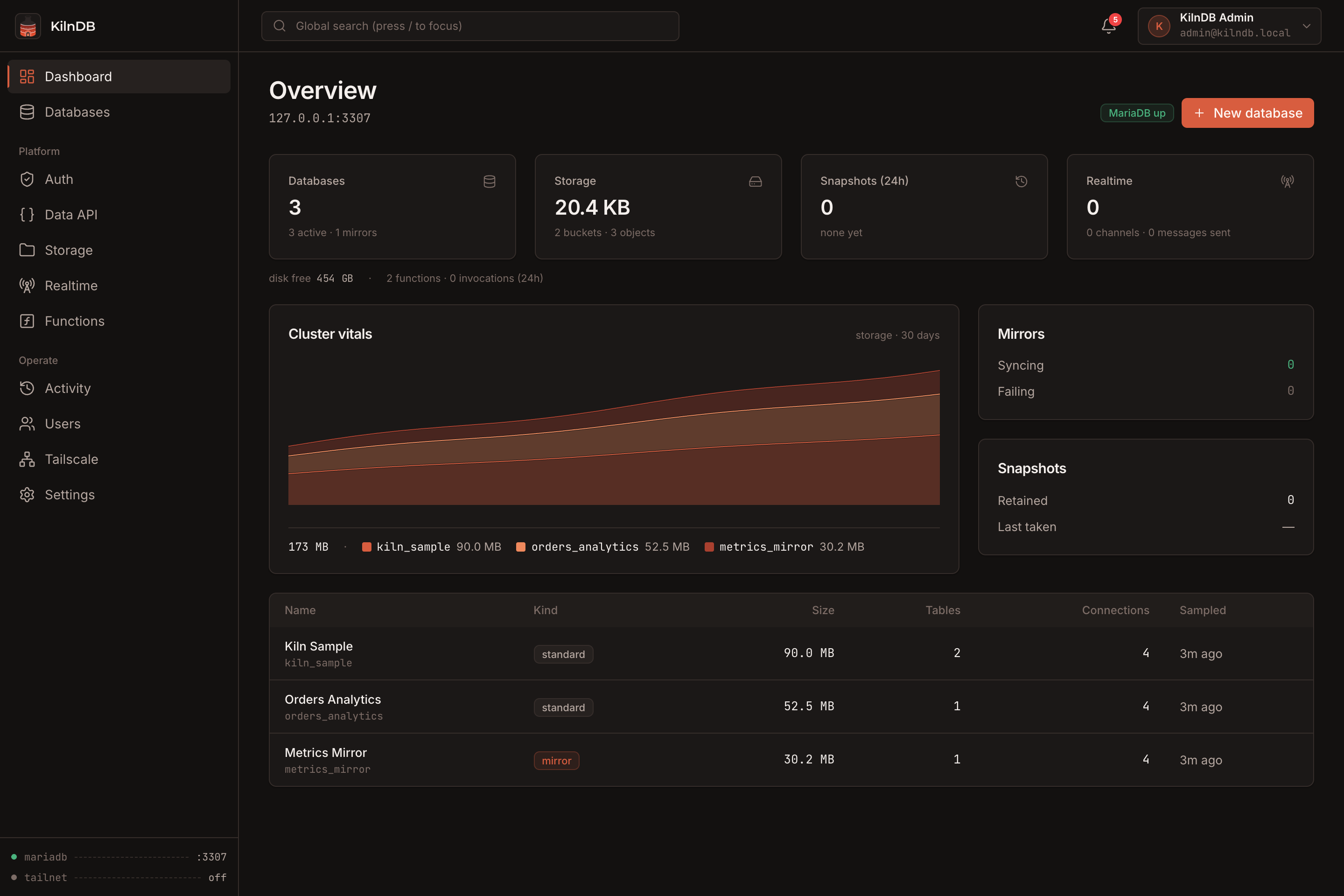
Self-hosted database infrastructure for MySQL and MariaDB, packaged as one control plane.
KilnDB provisions databases, generates credentials, mirrors external data, takes snapshots, exposes a REST Data API, runs TypeScript functions, serves realtime channels, and manages local object storage from a single web console. It supervises its own MariaDB instance, so there is no separate application database to configure first.
One console, one API port, one persistent data directory.
Highlights
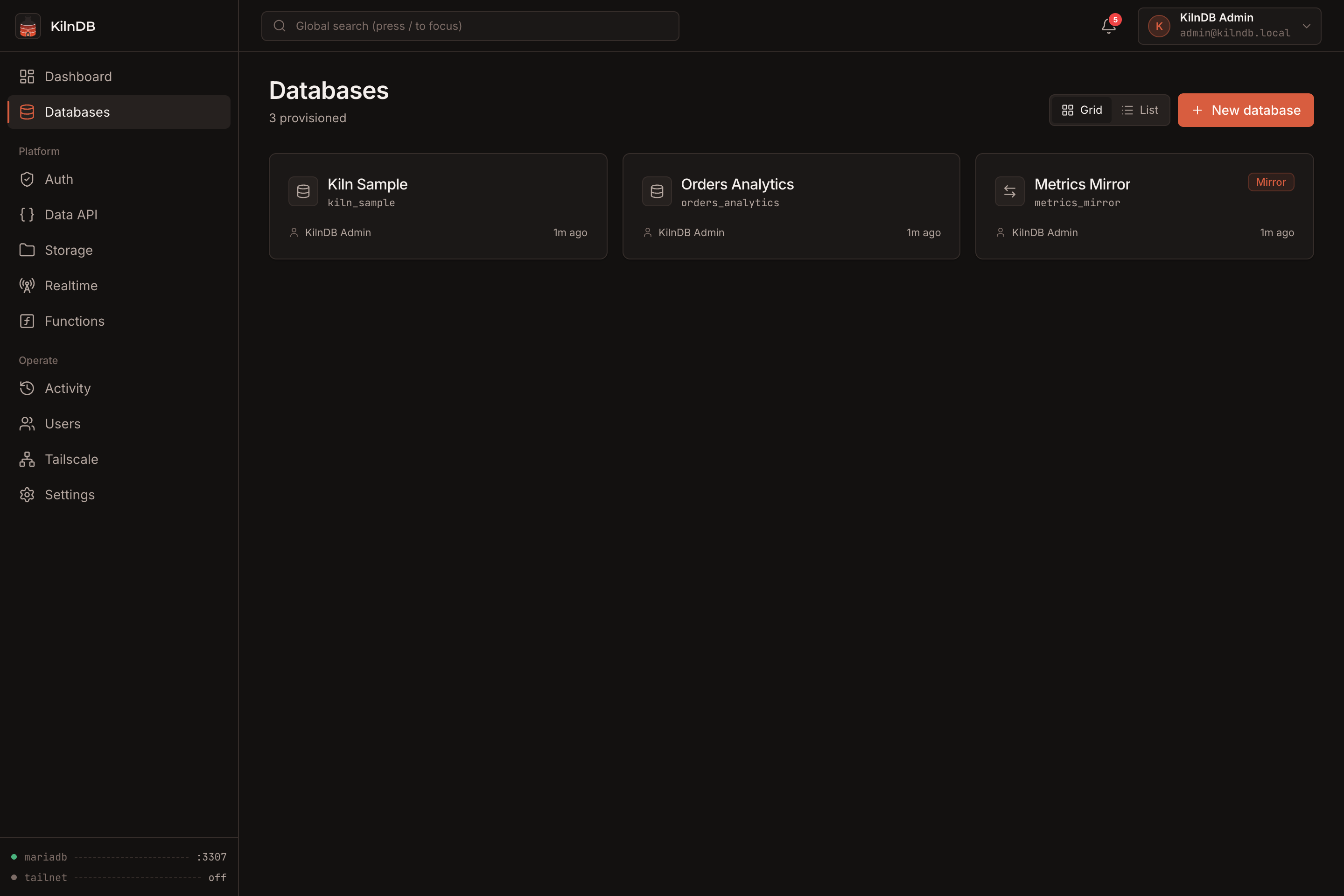
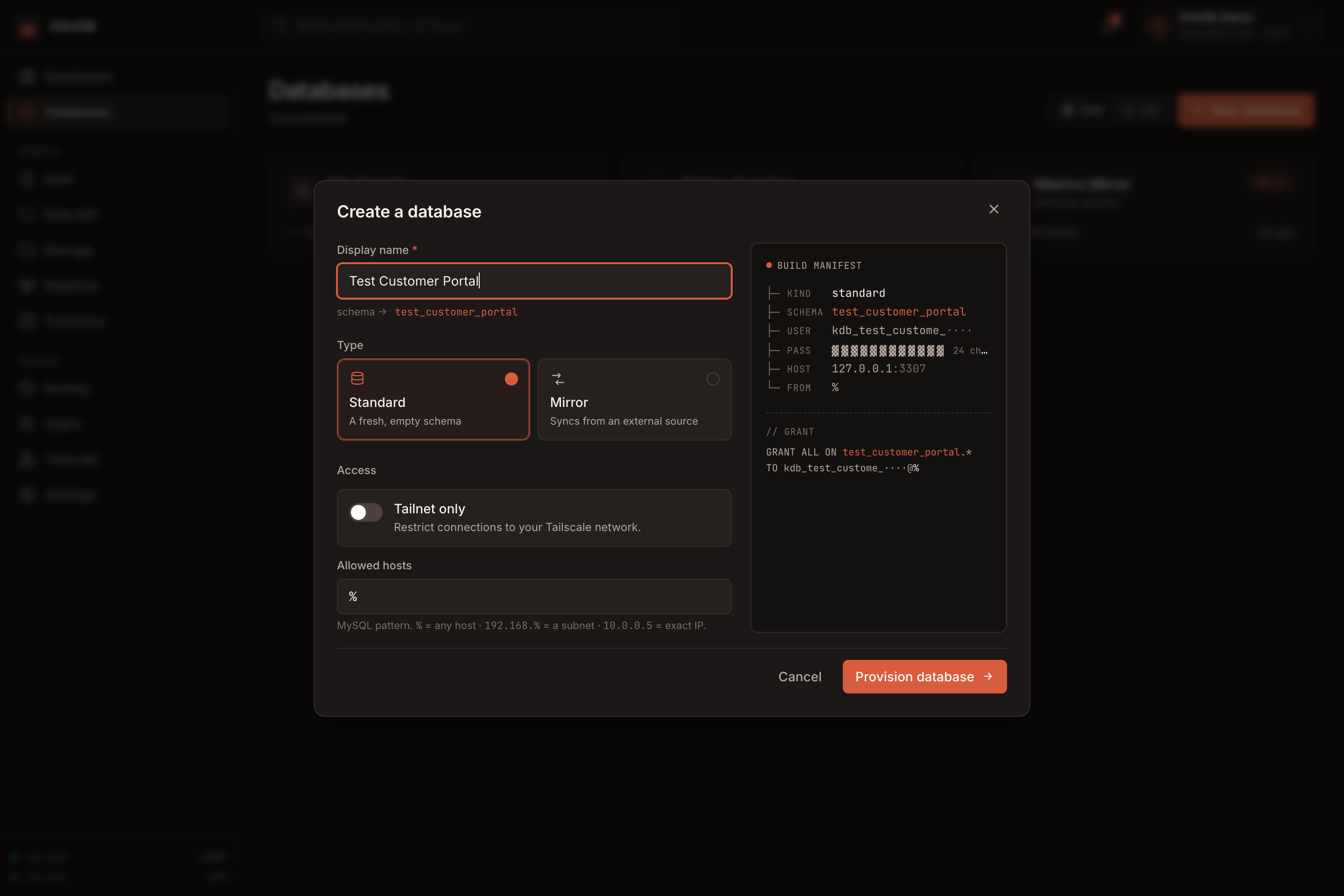
- Database provisioning — create an isolated schema and least-privilege MariaDB user from one form, with one-time credentials and ready-to-copy connection strings.
- Mirrors and snapshots — sync from MySQL, MariaDB, or PostgreSQL sources; create on-demand or scheduled SQL snapshots and restore them from the console.
- Generated Data API — expose reflected tables through authenticated
GET,POST,PATCH, andDELETEendpoints with filtering, ordering, pagination, policies, and generated OpenAPI 3.1 docs. - App Auth — manage application users separately from console operators and issue bearer JWTs for the Data API, Realtime, and Functions.
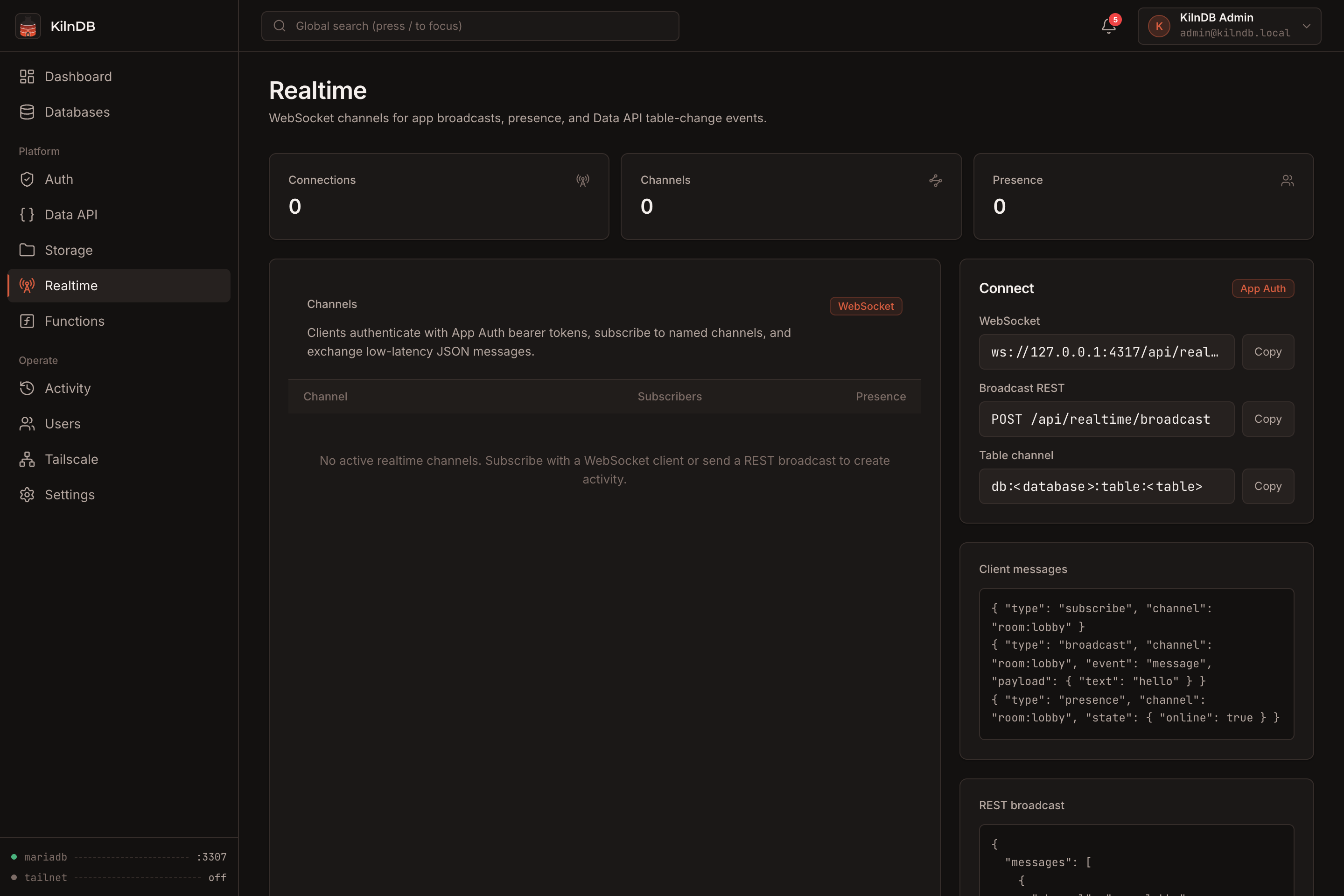
- Realtime — use authenticated WebSocket channels for broadcast, presence, and Data API mutation events.
- TypeScript Functions — create and invoke file-backed functions with optional JWT verification, encrypted secrets, and invocation logs.
- Object storage — manage private or public filesystem-backed buckets with upload, overwrite, download, and deletion controls.
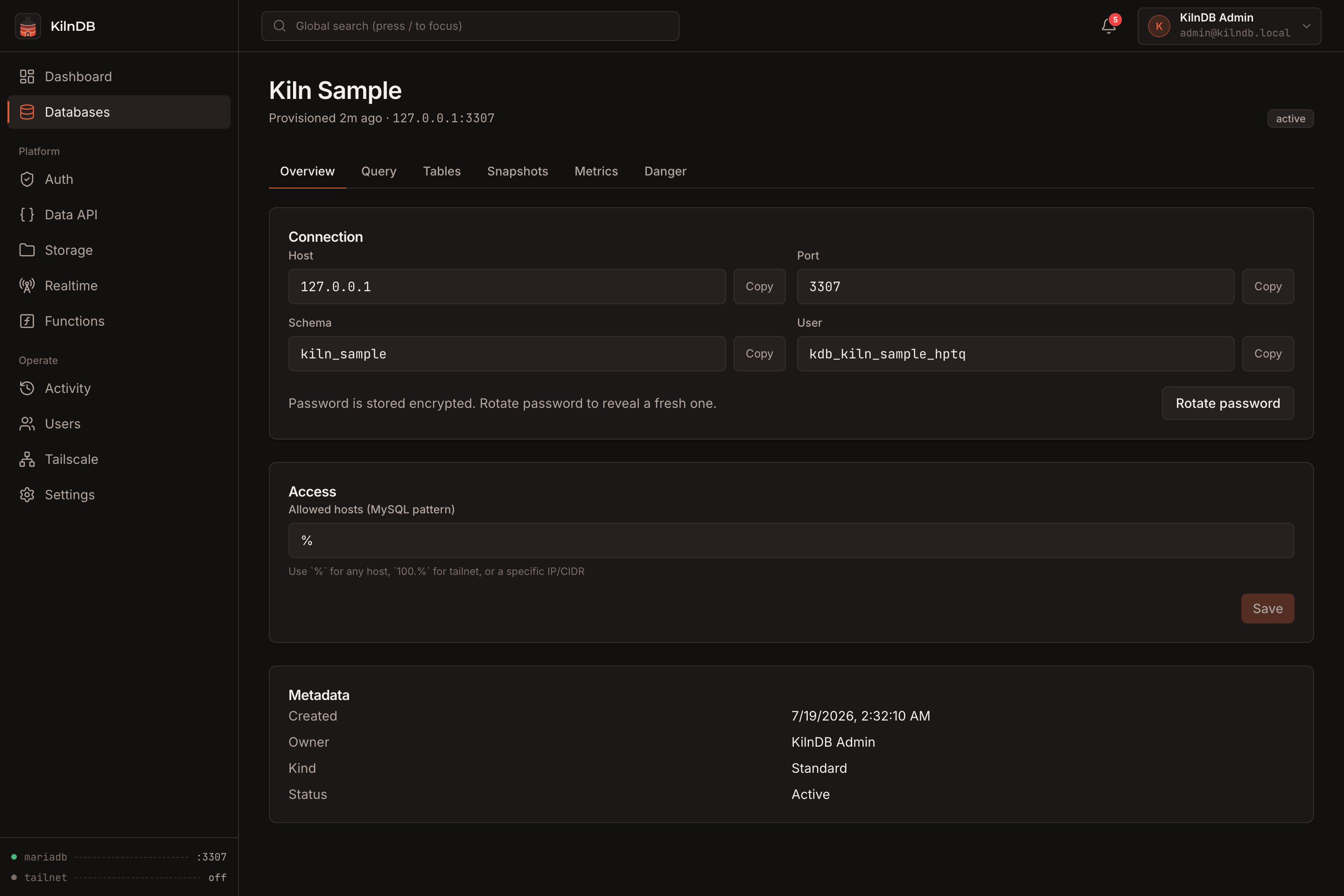
- Operations — inspect database size, rows, tables, connections, write activity, audit history, and service health.
- Access control — assign
admin,db_owner, andviewerroles and optionally expose databases through Tailscale.
Screenshots
| Databases | Create a database |
|---|---|
 |
 |
| Database detail | Sign in |
|---|---|
 |
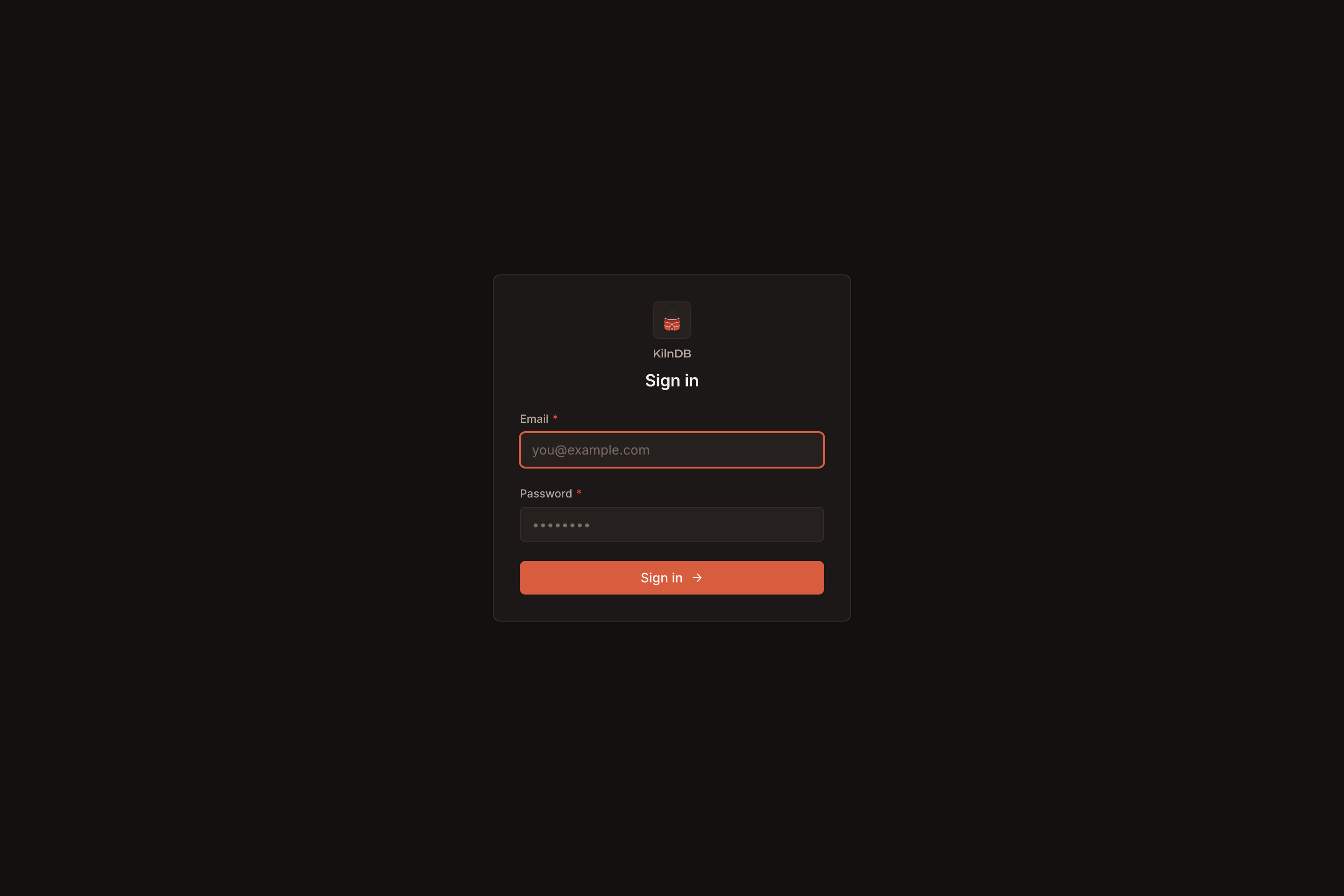 |
| App Auth | Generated Data API |
|---|---|
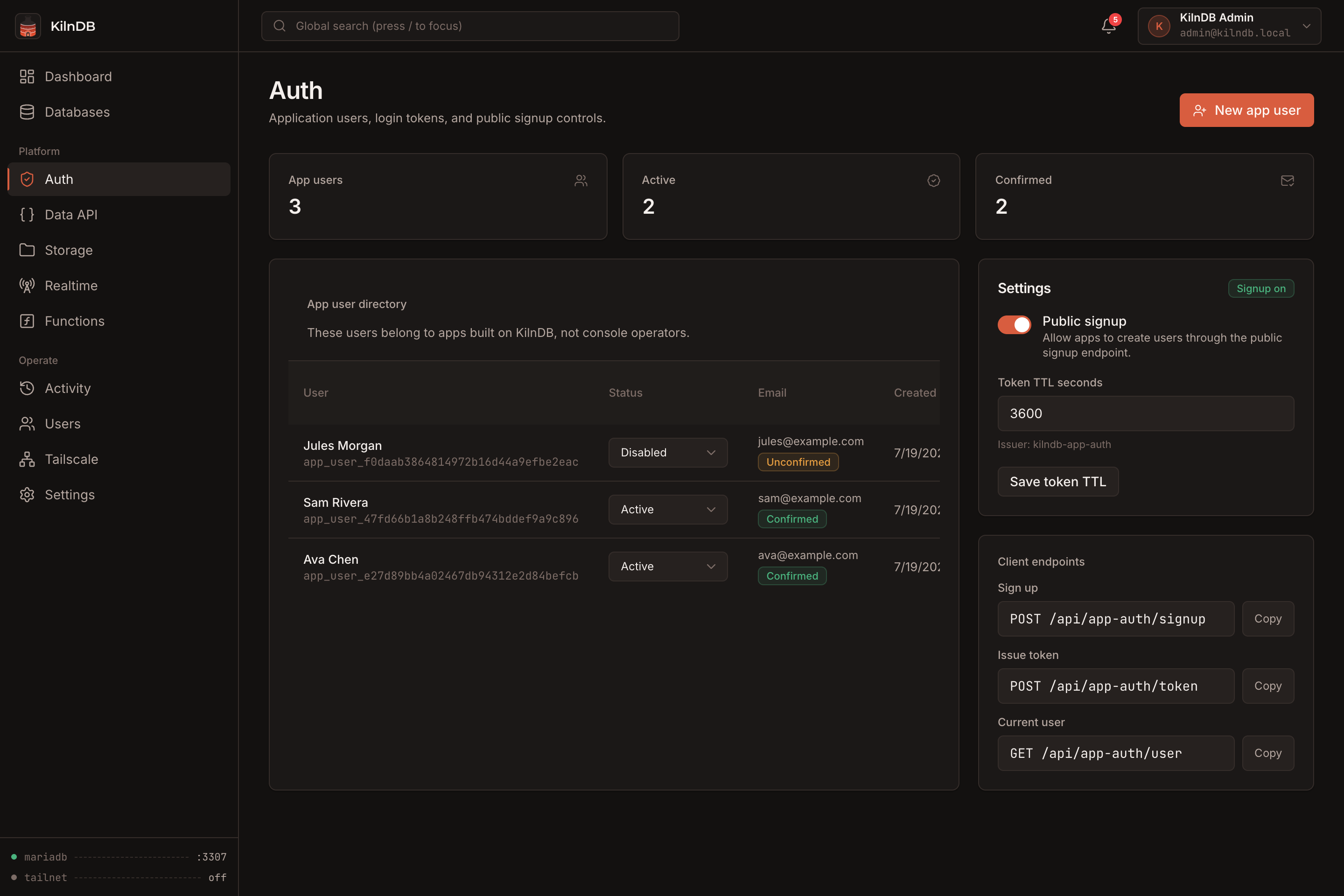 |
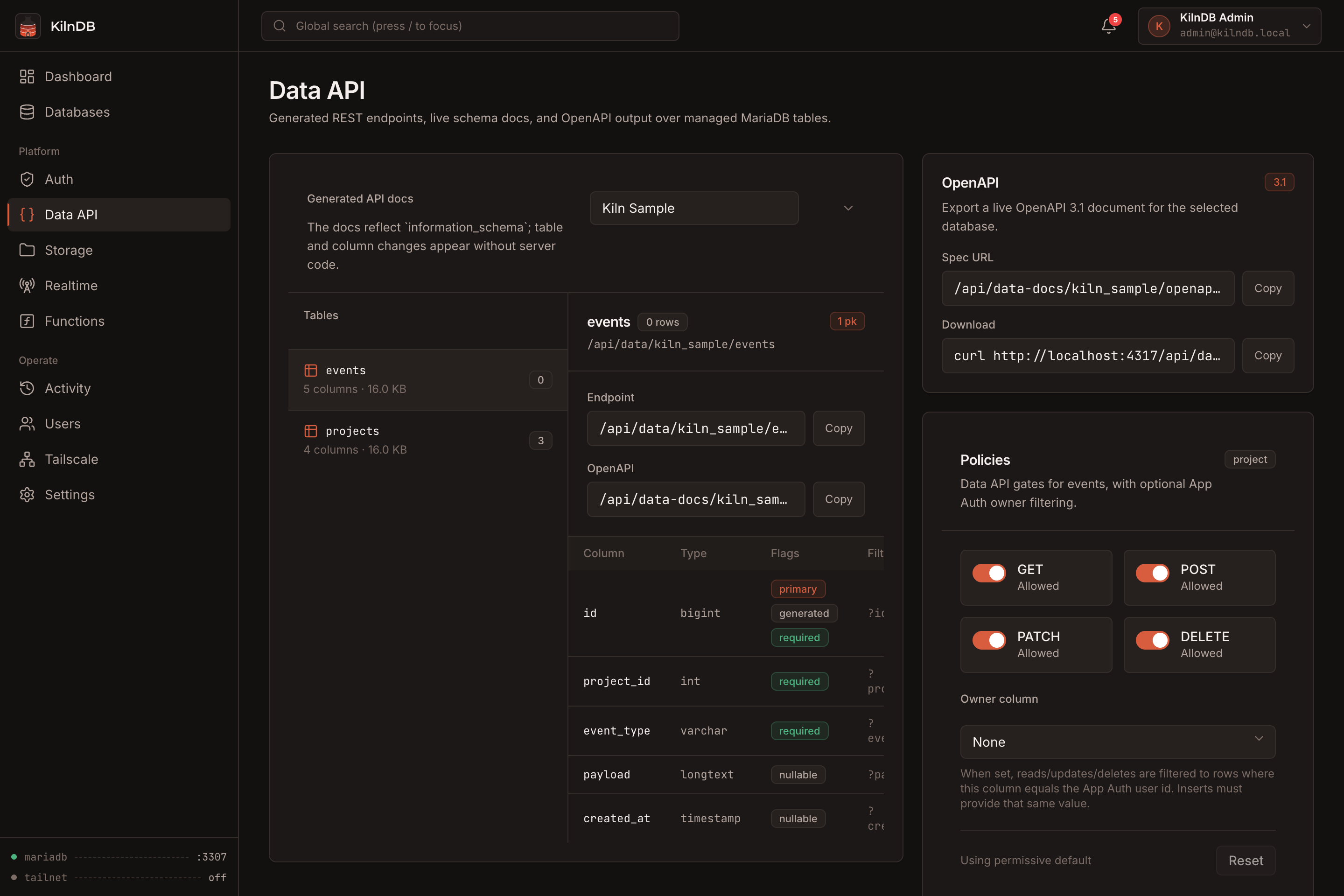 |
| Object storage | Realtime channels |
|---|---|
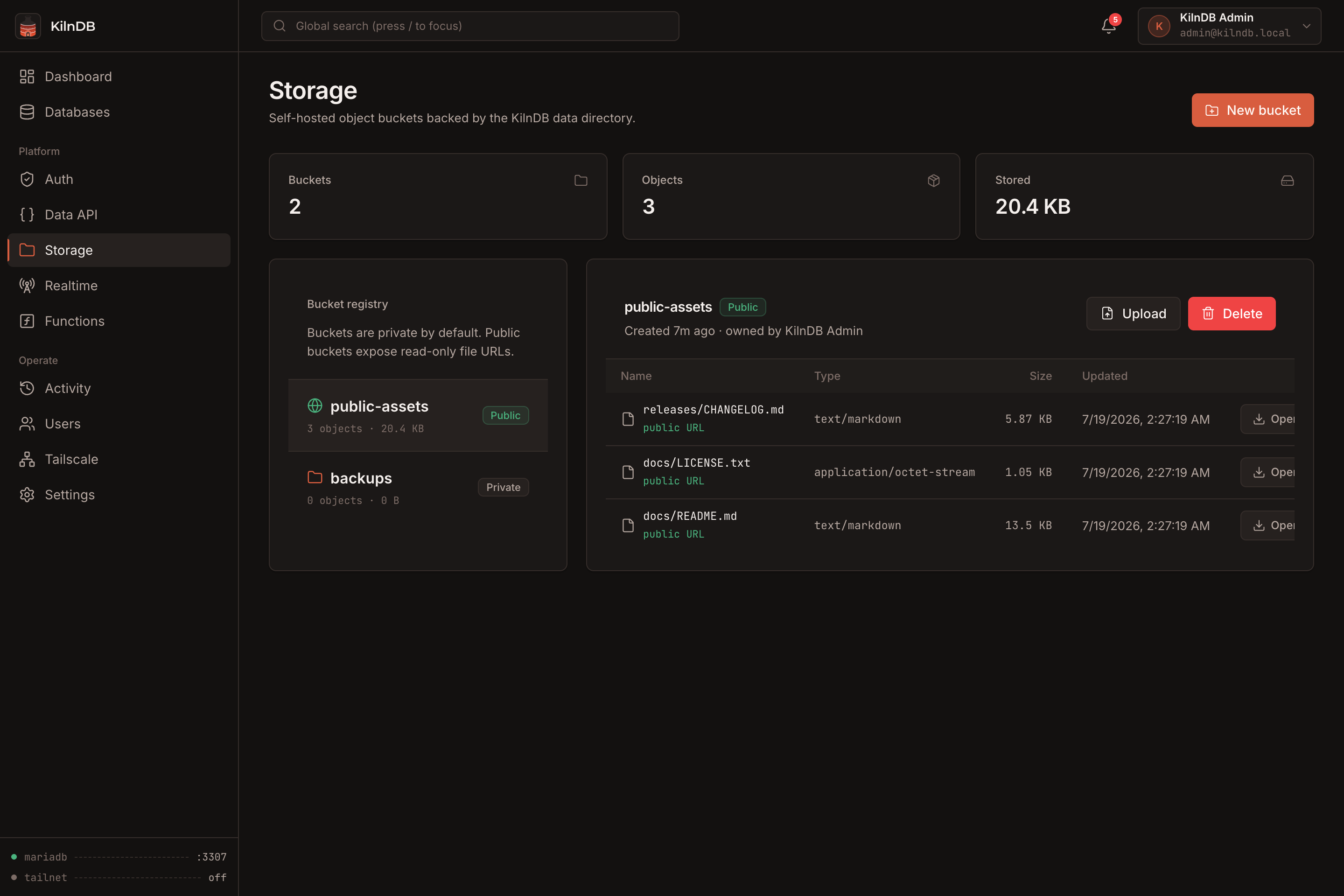 |
 |
| TypeScript Functions |
|---|
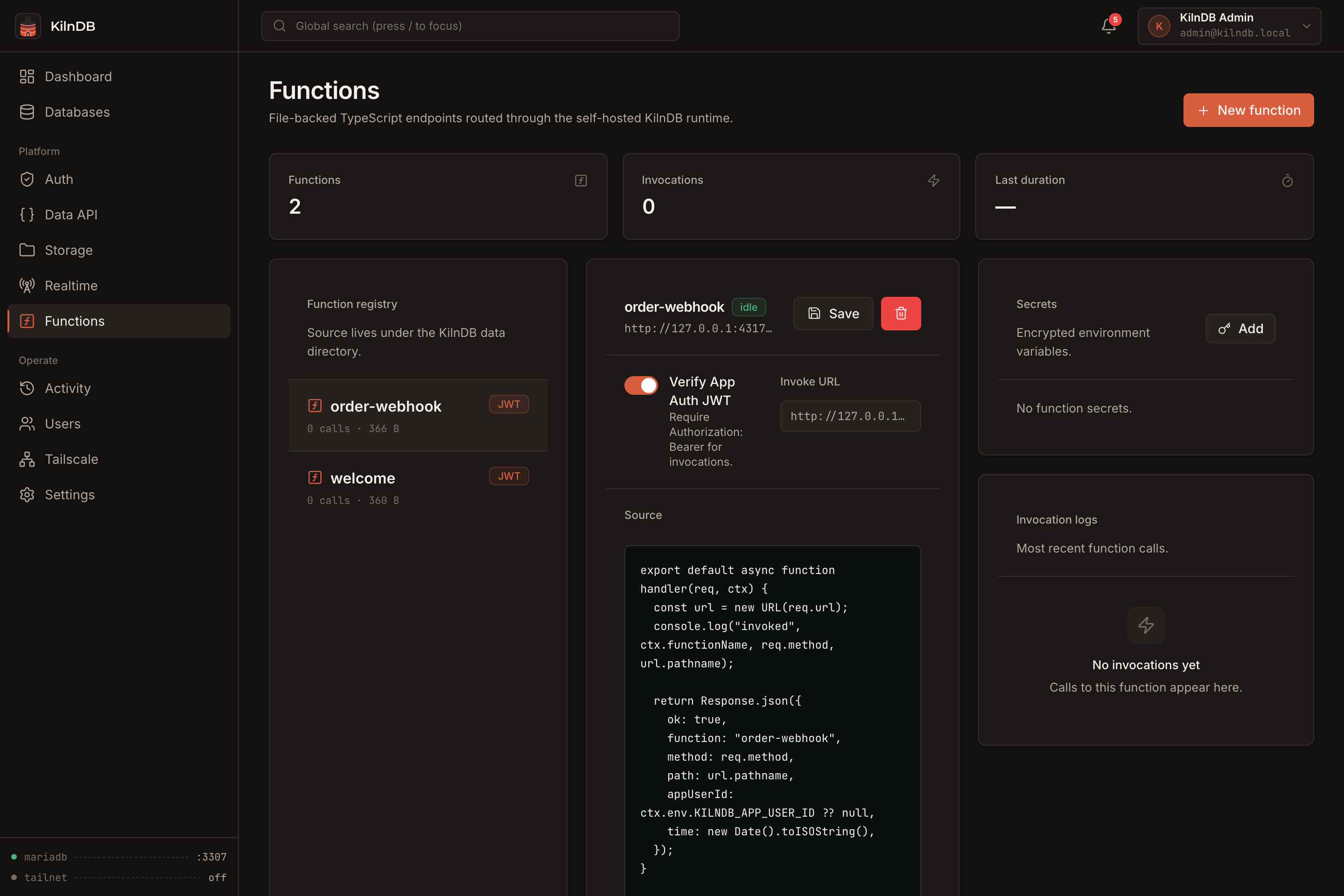 |
Quick start
Both Docker setups persist the complete installation—including MariaDB, metadata, snapshots, storage objects, functions, and the encryption key—in a named volume.
Option 1: Docker Compose
The included docker-compose.yml is the recommended setup. From the repository root:
docker compose up -d --build
Open http://localhost:4317 and complete the first-run setup. No default username or password is created.
Useful commands:
# Follow application and MariaDB startup logs
docker compose logs -f kilndb

# Stop the service without deleting its data
docker compose down

# Rebuild and restart after pulling an update
docker compose up -d --build
docker compose down leaves the data volume intact. Back up the kilndb-data volume before destructive maintenance or upgrades.
The included Compose setup is equivalent to:
services:
  kilndb:
    build: .
    image: kilndb:latest
    container_name: kilndb
    restart: unless-stopped
    ports:
      - "4317:4317"
    volumes:
      - kilndb-data:/data

volumes:
  kilndb-data:
Option 2: Docker Run
Build the image and start a container directly:
docker build -t kilndb:latest .

docker run -d \
  --name kilndb \
  --restart unless-stopped \
  -p 4317:4317 \
  -v kilndb-data:/data \
  kilndb:latest
Then open http://localhost:4317. Docker creates the kilndb-data volume automatically.
Useful commands:
# Follow startup and runtime logs
docker logs -f kilndb

# Stop and restart the existing container
docker stop kilndb
docker start kilndb

# Remove the container without deleting its named data volume
docker rm -f kilndb
To rebuild after an update while preserving data:
docker rm -f kilndb
docker build -t kilndb:latest .
docker run -d \
  --name kilndb \
  --restart unless-stopped \
  -p 4317:4317 \
  -v kilndb-data:/data \
  kilndb:latest
Option 3: Unraid
KilnDB publishes multi-architecture images to GitHub Container Registry and includes an Unraid Docker template with persistent data, Web UI, health-check, and native per-container Tailscale support.
From the Unraid terminal:
mkdir -p /boot/config/plugins/dockerMan/templates-user
curl -fsSL \
  https://raw.githubusercontent.com/maybegrim/KilnDB/main/unraid/kilndb.xml \
  -o /boot/config/plugins/dockerMan/templates-user/my-KilnDB.xml
Go to Docker → Add Container, choose KilnDB from the Template menu, and apply it. The template pulls ghcr.io/maybegrim/kilndb:latest, publishes the console on port 4317, and stores the complete installation under /mnt/user/appdata/kilndb.
On Unraid 7.2 or newer, turn on Use Tailscale in the KilnDB container template to give the container its own tailnet identity. The template persists Tailscale state under /data/.tailscale_state; Unraid injects and manages the client before KilnDB starts. If you enable Tailscale Serve over HTTPS, set KILNDB_COOKIE_SECURE to 1.
See Unraid deployment for authentication, Serve, updates, and backup guidance.
Local development
Install Bun and MariaDB client/server tools, then run:
bun install
bun run dev
The API starts on 127.0.0.1:4317, Vite starts on 127.0.0.1:5173, and the managed MariaDB process uses 127.0.0.1:3307 by default.
Required MariaDB executables are mariadbd, mariadb-install-db, mariadb-admin, mariadb, and mariadb-dump. Package names vary by platform; on macOS use brew install mariadb, and on Debian or Ubuntu use sudo apt install mariadb-server mariadb-client.
How it works
Browser :4317
      │
      ▼
┌──────────────────────────────────────────────┐
│ Bun + Hono                                   │
│ Web console · REST API · Data API            │
│ Realtime · Functions · background workers    │
└───────────────┬──────────────────────┬───────┘
                │                      │
                ▼                      ▼
       metadata.sqlite       managed MariaDB :3307
                │                      │
                └──────────┬───────────┘
                           ▼
              snapshots · storage · functions
                    persistent data directory
The API initializes and supervises MariaDB, stores control-plane metadata in bun:sqlite, and serves the built React console in production. The Docker image runs both processes as an unprivileged kilndb user.
Configuration
No environment variables are required for the default Docker setup.
| Variable | Default | Purpose |
|---|---|---|
PORT |
4317 |
Console and API port |
HOST |
127.0.0.1 locally, 0.0.0.0 in Docker |
API bind address |
KILNDB_DATA_DIR |
<repo>/.kilndb locally, /data in Docker |
Persistent state directory |
KILNDB_MARIADB_PORT |
3307 |
Managed MariaDB port |
KILNDB_MARIADB_BIND |
127.0.0.1 |
MariaDB bind address |
KILNDB_MARIADB_BIN |
auto-detected | Explicit path to mariadbd |
KILNDB_COOKIE_SECURE |
0 |
Set to 1 when the console is served over HTTPS |
KILNDB_WEB_ORIGIN |
http://localhost:5173 |
Primary development CORS origin |
KILNDB_EXTRA_ORIGINS |
empty | Comma-separated additional CORS origins |
KILNDB_WEB_DIST |
unset locally, /app/apps/web/dist in Docker |
Static console build served by the API |
Connecting to databases from outside Docker
MariaDB listens only inside the container by default. To connect an external MySQL client, publish its port and opt into a non-loopback bind:
services:
  kilndb:
    ports:
      - "4317:4317"
      - "3307:3307"
    environment:
      KILNDB_MARIADB_BIND: "0.0.0.0"
Only expose the database port on a trusted network. Restrict each provisioned database's allowed-host pattern instead of using % when possible.
HTTPS
Put KilnDB behind a TLS-terminating reverse proxy and set:
environment:
  KILNDB_COOKIE_SECURE: "1"
Core workflows
Provision a database
Open Databases → New database, choose a standard or mirror database, and set its allowed-host pattern. KilnDB creates a schema, generates a dedicated user and password, applies grants, encrypts the stored credential, and presents the password once.
Use App Auth and the Data API
Create or enable an application user from Auth, then exchange credentials for a bearer token:
curl -X POST http://localhost:4317/api/app-auth/token \
  -H 'Content-Type: application/json' \
  --data '{"email":"user@example.com","password":"your-password"}'
Use the returned accessToken with a reflected table endpoint:
curl 'http://localhost:4317/api/data/app_db/todos?select=id,title&order=id.desc' \
  -H 'Authorization: Bearer <accessToken>'
Supported operations and query controls include:
GET,POST,PATCH, andDELETEselect,order,limit, andoffseteq,neq,gt,gte,lt,lte,like,ilike, andinfilters- per-table method gates and optional owner-column scoping
- generated OpenAPI 3.1 documents from the Data API console
Subscribe to Realtime
const socket = new WebSocket(
  "ws://localhost:4317/api/realtime/v1/websocket?token=<accessToken>",
);

socket.addEventListener("open", () => {
  socket.send(JSON.stringify({
    type: "subscribe",
    channel: "db:app_db:table:todos",
  }));
});

socket.addEventListener("message", (event) => {
  console.log(JSON.parse(event.data));
});
Writes made through the Data API emit events to database and table channels. Realtime also supports application broadcasts and presence state.
Create a function
Functions live at <data-dir>/functions/<name>/index.ts and may also be created in the console:
export default async function handler(request, context) {
  return Response.json({
    ok: true,
    function: context.functionName,
    method: request.method,
  });
}
Invoke a protected function with an App Auth token:
curl http://localhost:4317/functions/v1/hello \
  -H 'Authorization: Bearer <accessToken>'
Data and backups
Everything needed to restore an installation lives in one data directory:
data/
├── metadata.sqlite
├── master.key
├── mariadb/
├── snapshots/
├── storage/
├── functions/
└── logs/
Back up the entire directory or Docker volume. The master.key is required to decrypt stored credentials and function secrets, so a backup without it is incomplete.
For a consistent filesystem-level backup, stop KilnDB before copying the data directory. Database-level snapshots can be created and restored while the service is running.
Security model
- Console passwords are hashed with
Bun.password; console sessions use an HTTP-only,SameSite=LaxJWT cookie. - App Auth uses a separate bearer-token secret and audience.
- Database credentials, function secrets, and Tailscale auth keys are encrypted with AES-256-GCM using the installation's
master.key. - The Data API validates database, table, column, ordering, and filter identifiers before building SQL.
- Public storage reads are available only for buckets explicitly marked public; mutations still require an authorized console role.
- Functions run in separate Bun subprocesses with an invocation timeout. Function source is trusted local code, not a hardened multi-tenant sandbox.
- MariaDB and the API bind to loopback addresses by default during local development.
Please report security issues privately as described in SECURITY.md.
Project structure
kilndb/
├── apps/
│   ├── api/              Bun + Hono API and workers
│   └── web/              React + Vite console
├── packages/shared/      shared types and terminology
├── docs/screenshots/     README images
├── scripts/              development and visual checks
├── unraid/kilndb.xml     Unraid Docker template
├── Dockerfile
├── docker-compose.yml
└── package.json
Development checks
bun run typecheck
bun run build
See CONTRIBUTING.md for the contribution workflow and CHANGELOG.md for notable changes.
Current limitations
- Data API policies are enforced at the KilnDB API layer; direct MariaDB connections use MariaDB grants and are not covered by those policies.
- Realtime emits Data API mutations and application broadcasts; it does not tail the MariaDB binlog or persist events for replay.
- Functions provide process-level separation and timeouts, not container or VM isolation.
- Storage is local filesystem-backed and does not implement the S3 protocol.
- PostgreSQL support is limited to importing mirror data into MariaDB.
License
Categories
Related apps
Explore more like this
Explore allDetails
ghcr.io/maybegrim/kilndb:latestRuntime arguments
- Web UI
http://[IP]:[PORT:4317]- Network
bridge- Shell
bash- Privileged
- false
Template configuration
Port for the KilnDB web console and API.
- Target
- 4317
- Default
- 4317
- Value
- 4317
Persistent storage for MariaDB, metadata, master.key, snapshots, storage objects, functions, and logs. Back up this entire directory.
- Target
- /data
- Default
- /mnt/user/appdata/kilndb
- Value
- /mnt/user/appdata/kilndb
Set to 1 when the KilnDB console is served through an HTTPS reverse proxy. Keep 0 for direct HTTP access.
- Target
- KILNDB_COOKIE_SECURE
- Default
- 0
- Value
- 0
Optional comma-separated additional CORS origins, including scheme and port.
- Target
- KILNDB_EXTRA_ORIGINS
Optional host port for direct MariaDB client connections. Access remains disabled until MariaDB Bind Address is changed to 0.0.0.0.
- Target
- 3307
- Default
- 3307
- Value
- 3307
Keep 127.0.0.1 to prevent external database connections. Set to 0.0.0.0 only when direct MariaDB access is required and the port is restricted to a trusted network.
- Target
- KILNDB_MARIADB_BIND
- Default
- 127.0.0.1
- Value
- 127.0.0.1