

keepIT
Docker app from Richy1989's Repository
Overview
Readme
View on GitHub
keepIT
A modern, real-time notes app you can run yourself.




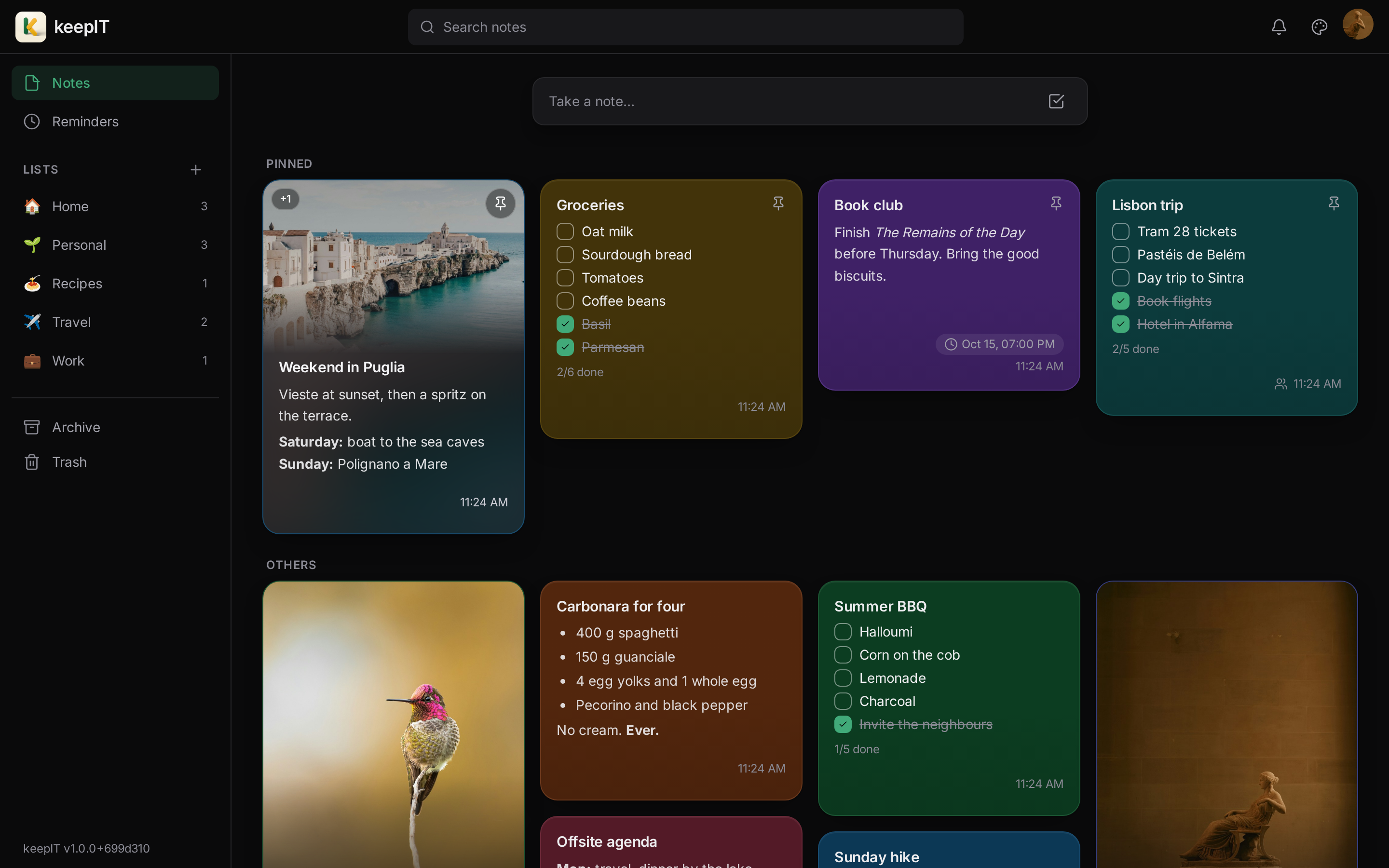
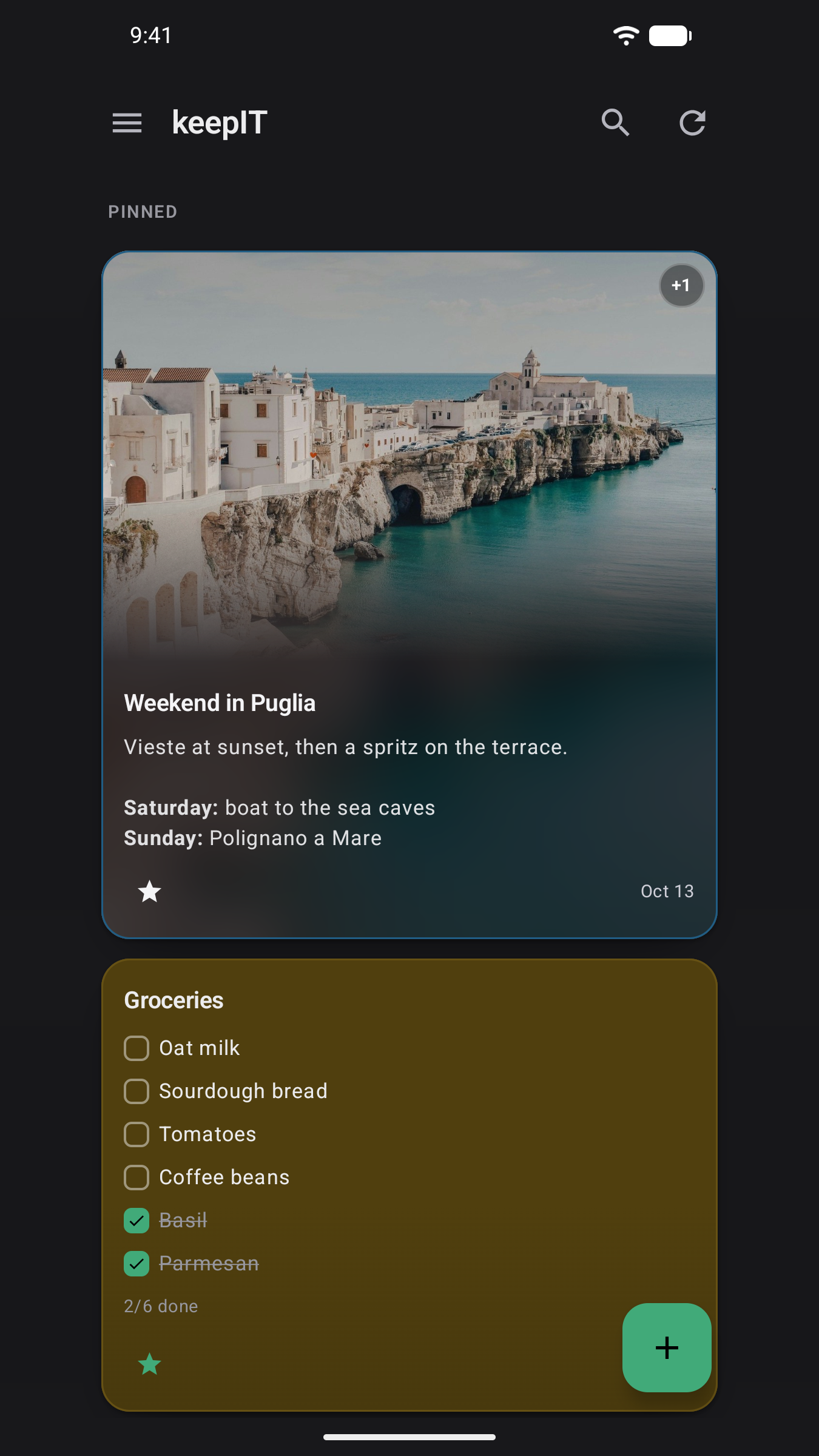
Notes, checklists, lists, reminders and sharing in a fast web app and a native Android client, syncing live across your devices. Everything runs on your own server: no cloud account, no subscription, and nobody else holding your notes. Just want notes on your phone? The Android app also works entirely on its own, with no server at all.
Get it running with one Docker command, or use the Android app standalone.

What you can do with it
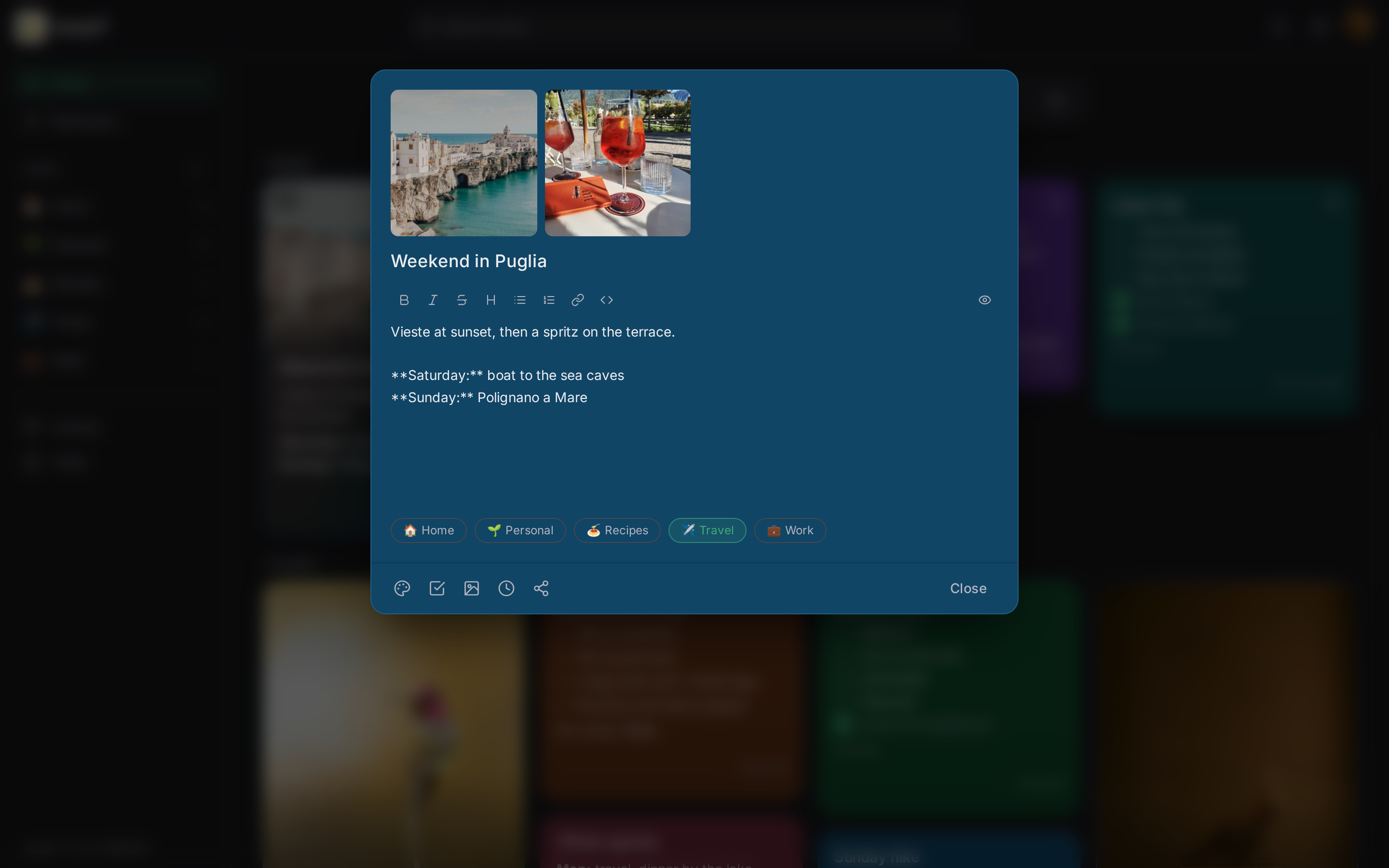
- 📝 Notes your way: text notes with rich formatting (bold, headings, lists, links, code), or checklists you tick off as you go.
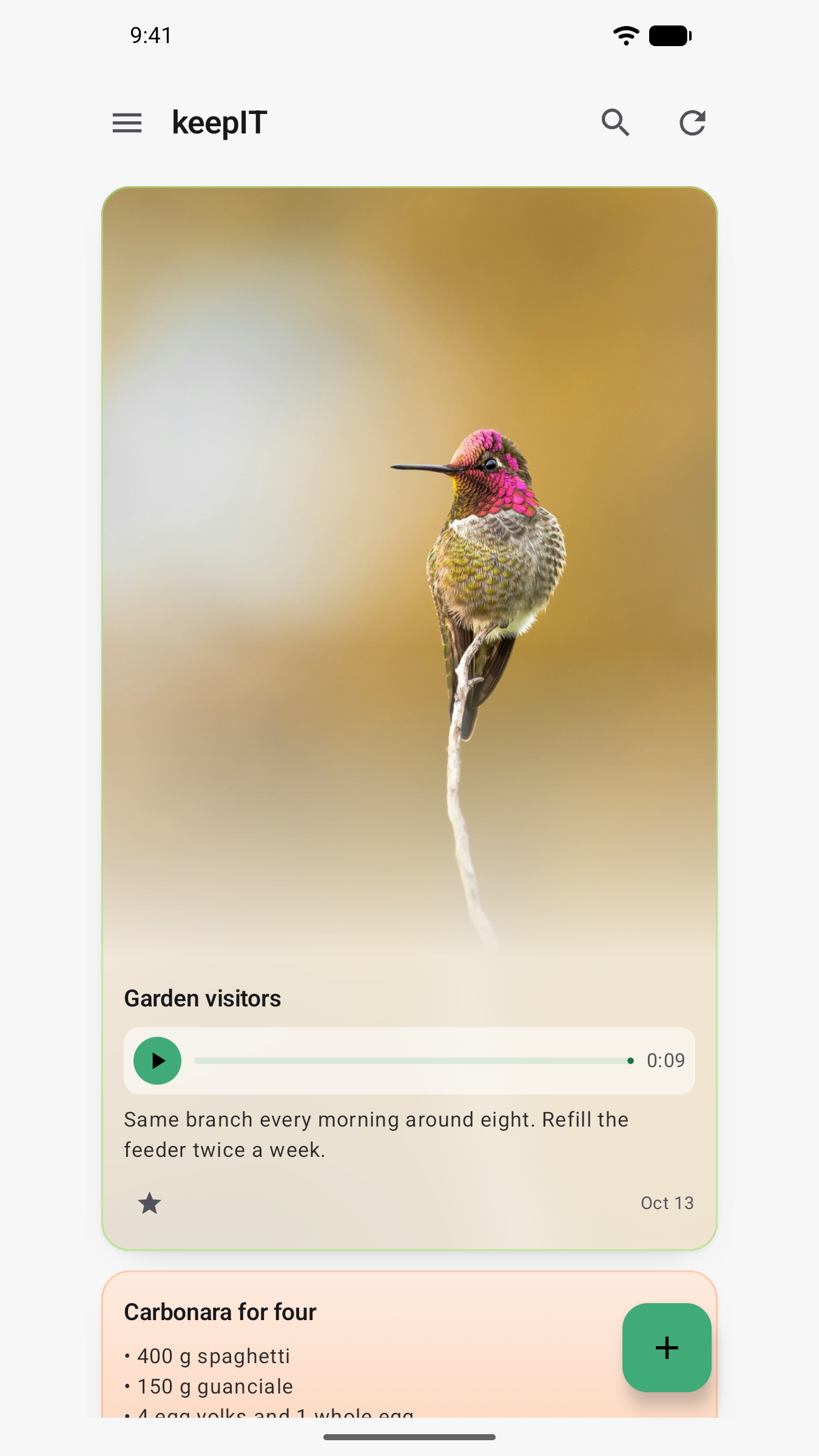
- 🖼️ Photos in your notes: attach images to any note, up to ten each. Location data is stripped from every upload, so sharing a photo doesn't share where you took it.
- 🎙️ Voice notes: record a thought on your phone instead of typing it, and play it back anywhere — on the phone or in the web app, straight from your list of notes without opening one. Recording works offline too.
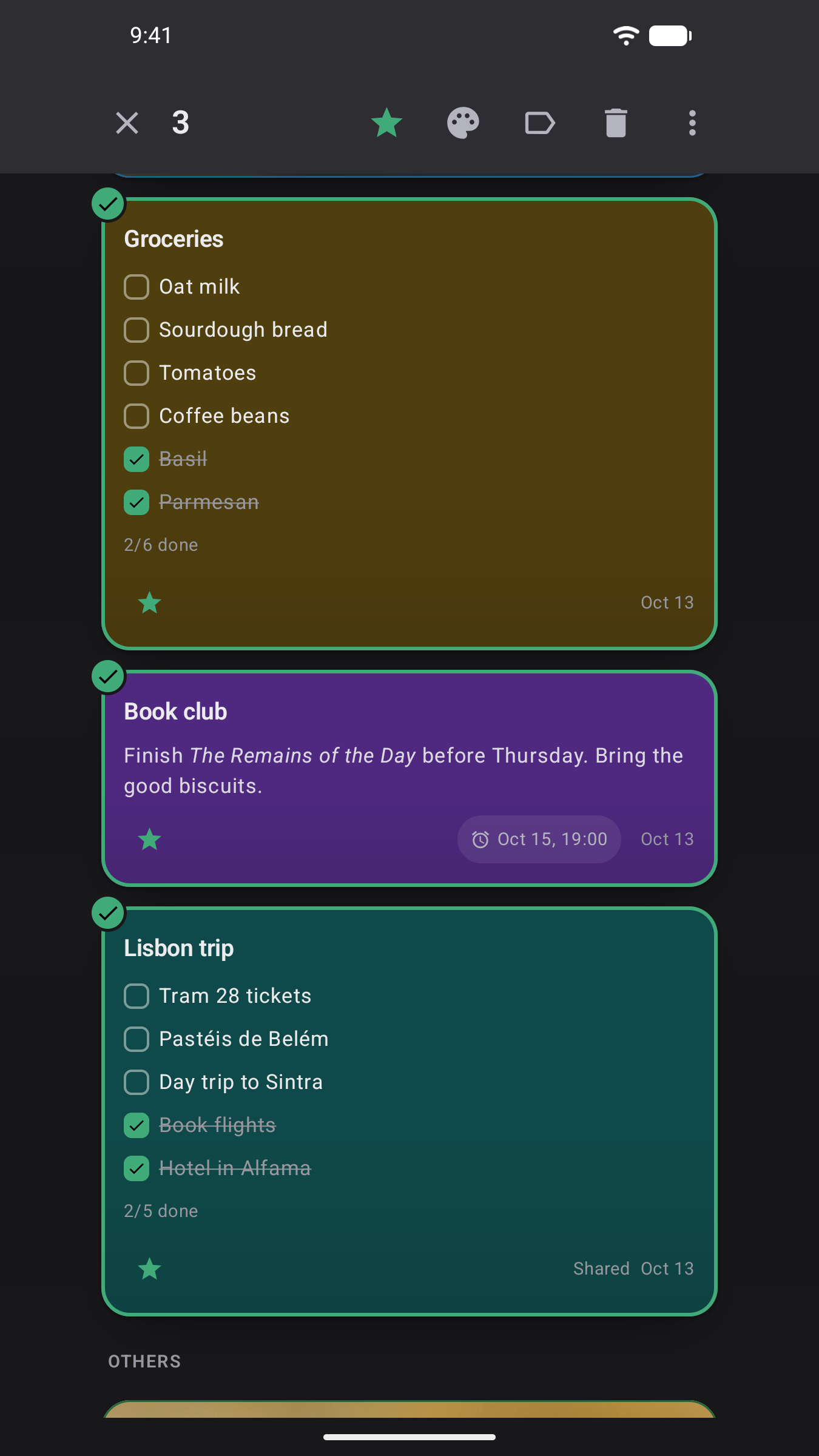
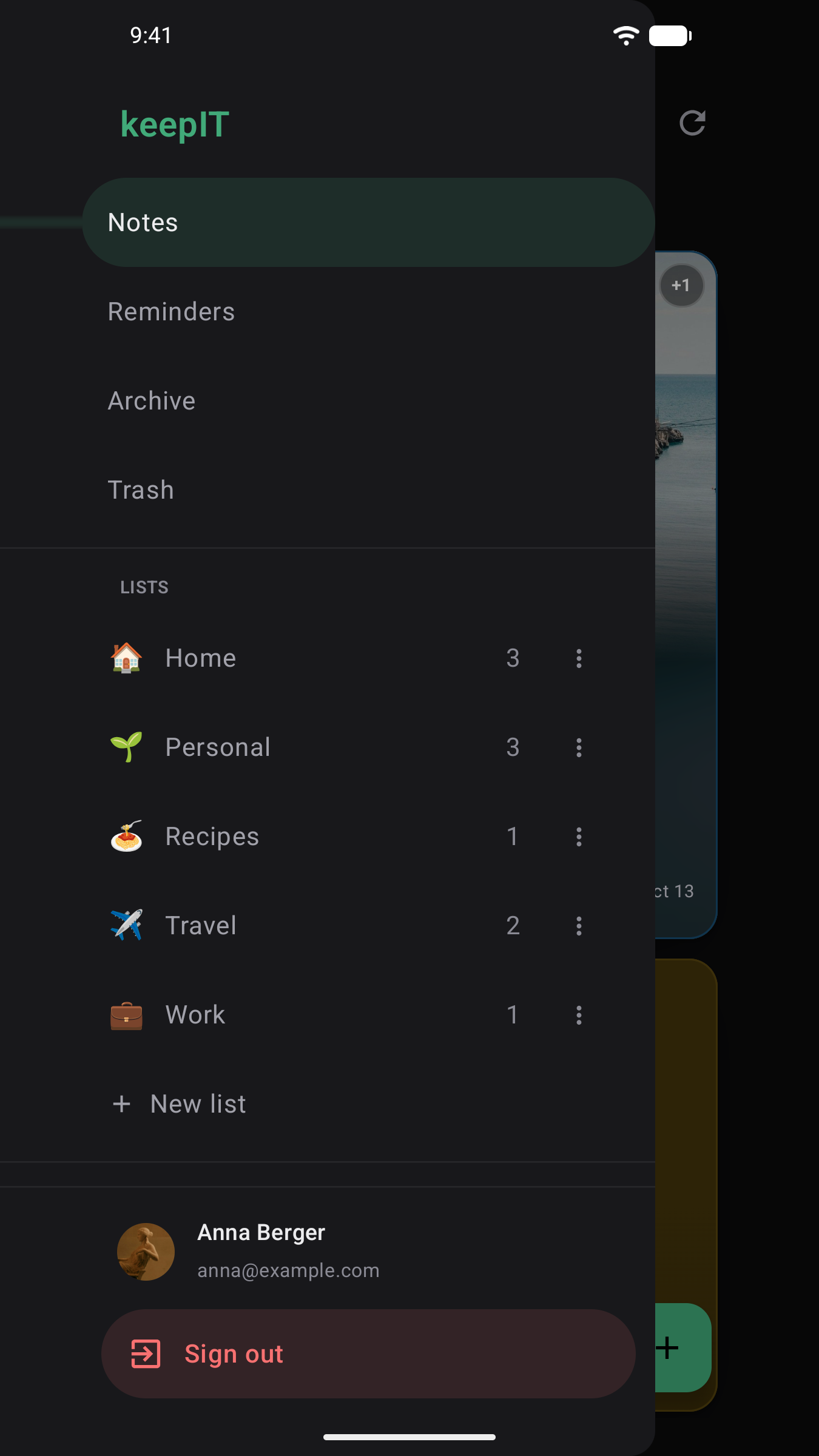
- 🗂️ Stay organized: group notes into lists, pin the important ones, archive what's done, and find anything instantly with search. Deleted notes wait in the trash until you're sure. On Android, long-press to select several notes and pin, color, file or delete them together.
- ⏰ Reminders: once, or on a schedule (daily, weekly, monthly, yearly). On your phone they arrive as real notifications, even with the app closed, the screen locked, or no internet.
- 👥 Share notes: invite someone by email to view or edit a note with you. You each keep your own pins, lists and reminders; edits show up for everyone, live.
- 🔄 Always in sync: change a note on one device and watch it update on the others. No refresh, no sync button.
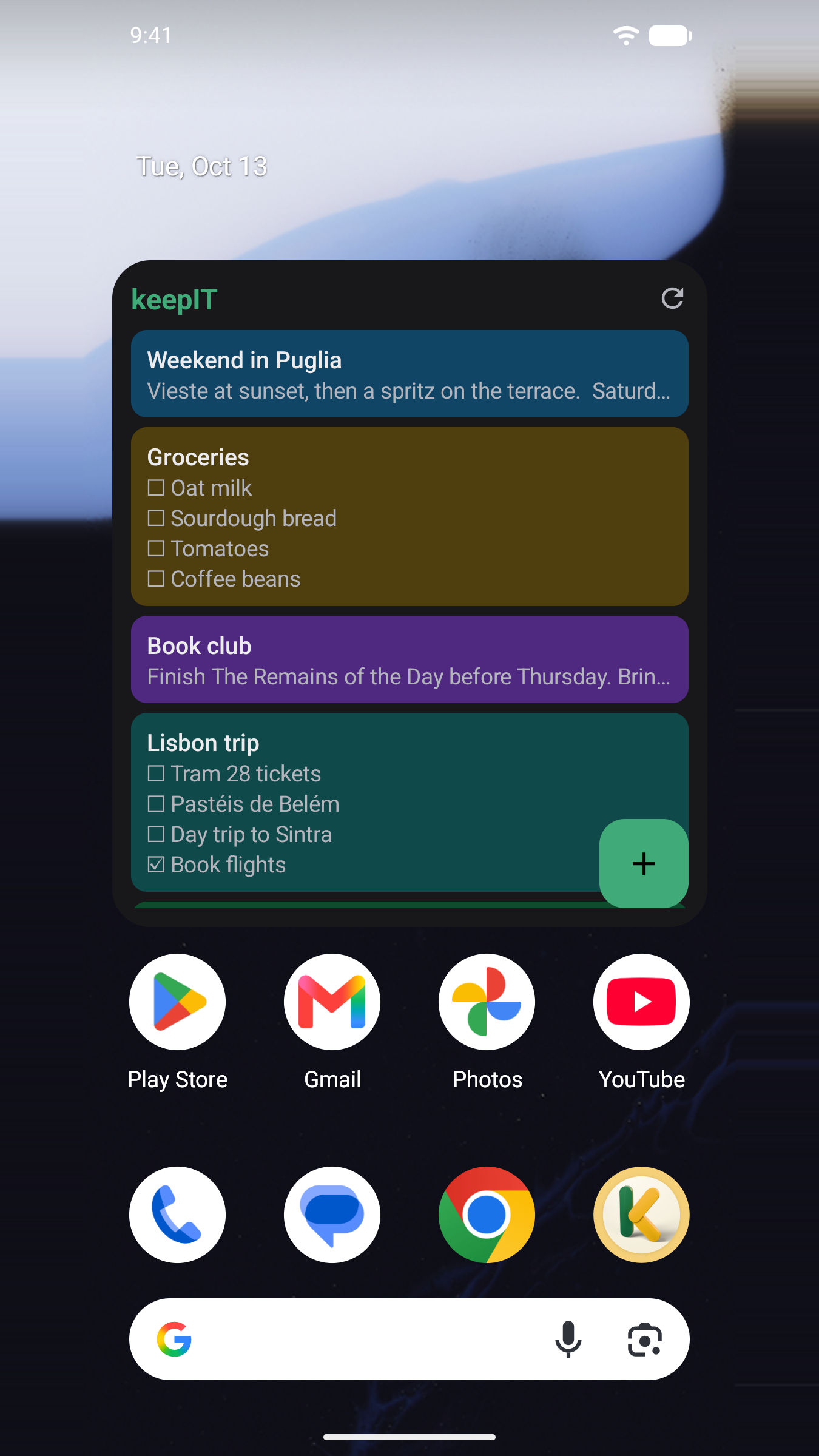
- 📱 Android app included: the same notes on your phone, with a home-screen widget for recent notes and one-tap capture. It works fully offline: read and edit anywhere, and your changes sync as soon as you're back online.
- 📴 No server? No problem: the Android app also runs standalone. Notes, lists, photos, reminders and the widget all live on your phone, with nothing to set up. Connect a server later and everything moves into your account.
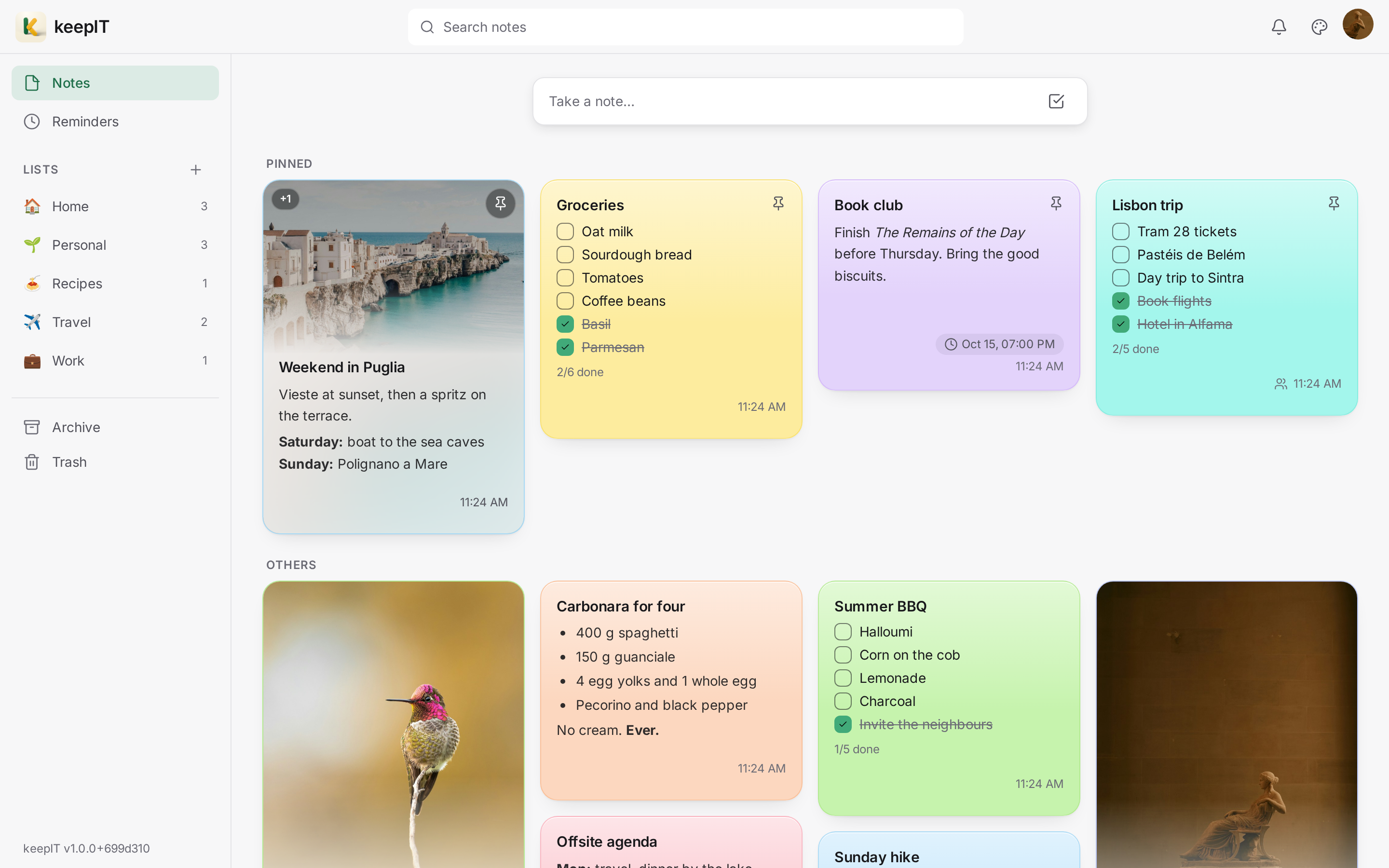
- 🎨 Make it yours: light, dim or dark themes (or follow your device), on the web and on Android, a background color per note, and an accent color for the whole app.
- 💾 Take your notes with you: save everything you own — notes, checklists, lists, reminders and photos — as a single zip, and load it back into any keepIT account. On the web and on Android, standalone phones included, so a phone with no server still has a real backup. Your data, readable without keepIT, and no lock-in.
- 🔒 Your notes stay yours: everything lives on your server, or only on your phone. No third-party cloud, no account with anyone but yourself. Turn on two-factor authentication and signing in takes a code from an authenticator app too.
A closer look
The Android app in action, in under half a minute (with music):
https://github.com/user-attachments/assets/8c5d0574-b9ed-4ab7-aac6-e54ae903551c
Light, dim or dark, on the web and on your phone:
Quick start
keepIT runs on your own machine or home server with Docker. One command, no database to set up:
docker run -d \
  --name keepit \
  -p 8080:80 \
  -v keepit-data:/data \
  -e Jwt__Key="your-random-secret-at-least-32-chars" \
  richy1989/keepit:latest
Then open http://localhost:8080 (or your server's address on port 8080) and create your account. That's it.
A few things worth knowing:
Jwt__Keyis a secret that keeps your sign-ins secure. Replace it with any random string of at least 32 characters, and keep it the same across restarts.- Your data lives in the
keepit-datavolume. Back that up and you've backed up your notes (how). - Once your accounts are created, you can close public sign-up by adding
-e App__AllowRegistration=false(recommended if your server is reachable from the internet). - Forgot password works without any mail server: the reset link is written to the server
log (
docker logs keepit), where you, the operator, can grab it. To have it emailed to users instead, configure SMTP with theEmail__*settings below and setApp__PublicBaseUrlto your instance's address. Reset emails are not sent without it; if it's missing, the server log says so at startup and the web app's Settings page shows a warning. - keepIT doesn't run as root. The app runs as the unprivileged user
app(uid 1654). On start, the container makes the data folder that user's, so your data (on Unraid, theappdata/keepitfolder) shows 1654 as its owner. Start the container as usual, without--user. If that folder is on storage that can't change owners (a network share, for instance), make it writable for uid 1654. - Behind your own reverse proxy (Traefik, Nginx Proxy Manager, SWAG…)? If it keeps access
logs, have it leave out query strings, or at least
tokenandaccess_token: the web app's live-sync connection carries a sign-in token in its URL, and so does a password-reset link. keepIT's own logs blank both. - Running Unraid? A Community Apps template is included at
deploy/keepit.unraid.xml.
[!CAUTION] Running a version before 1.0? Export your notes before you update. keepIT 1.0 starts with a clean database; from then on, every update keeps your data. How to move over.
Updating, or something not working? The FAQ covers updates, reverse proxies and HTTPS, email, and images. What's new in each version is in the CHANGELOG.
Prefer Docker Compose, Postgres, or building the image yourself?
Docker Compose (three containers: app, web server, and a PostgreSQL database), from a clone of this repo. It builds the images itself, which needs a license key for ImageSharp (see Build the image yourself below):
cp .env.example .env          # set JWT_KEY (32+ chars), optionally POSTGRES_PASSWORD
docker compose up -d --build  # builds everything locally, then starts the stack
Open http://localhost:8080. Data persists in named Docker volumes.
Use PostgreSQL with the single container instead of the built-in database, either with the
discrete variables (POSTGRES_HOST is the switch; port/db/user default to 5432/keepit/keepit):
docker run -d \
  --name keepit \
  -p 8080:80 \
  -v keepit-data:/data \
  -e Jwt__Key="your-secret" \
  -e POSTGRES_HOST=<host> \
  -e POSTGRES_PASSWORD=<pass> \
  richy1989/keepit:latest
…or a full connection string (takes precedence when both are set):
docker run -d \
  --name keepit \
  -p 8080:80 \
  -v keepit-data:/data \
  -e Jwt__Key="your-secret" \
  -e "ConnectionStrings__Postgres=Host=<host>;Port=5432;Database=keepit;Username=keepit;Password=<pass>" \
  richy1989/keepit:latest
Build the image yourself (no Docker Hub needed). keepIT processes photos with
ImageSharp, whose build asks for a Six Labors license
key. It is free for hobbyists and open-source projects: apply at
licensing.sixlabors.com and save the key as
keepIT/keepITCore/sixlabors.lic. Git and Docker both leave that file out, and Six Labors asks
that it never be published. Pulling the ready-made image needs no key.
docker build -f deploy/Dockerfile --secret id=sixlabors_license,src=keepIT/keepITCore/sixlabors.lic \
  -t keepit:local .
docker run -d --name keepit -p 8080:80 -v keepit-data:/data \
  -e Jwt__Key="your-random-secret-at-least-32-chars" keepit:local
All settings (environment variables)
| Variable | Required | Default | Description |
|---|---|---|---|
Jwt__Key |
yes | (none) | Random secret, min 32 chars, that keeps sign-ins secure. The variable the app actually reads; use it for docker run / Unraid / the single-container image. |
JWT_KEY |
compose only | (none) | Convenience .env value that docker-compose.yml passes through as Jwt__Key. Not read directly by the app. |
ConnectionStrings__Postgres |
no | (built-in SQLite) | Full Postgres connection string. If neither this nor POSTGRES_HOST is set, a zero-setup SQLite database is used. Takes precedence over the discrete POSTGRES_* variables below. |
POSTGRES_HOST |
no | (none) | Postgres host, the friendlier alternative to a full connection string. Setting it switches the API to Postgres, built from the POSTGRES_* variables. |
POSTGRES_PORT |
no | 5432 |
Postgres port (discrete setup only). |
POSTGRES_DB |
no | keepit |
Postgres database name (discrete setup only). |
POSTGRES_USER |
no | keepit |
Postgres username (discrete setup only). |
POSTGRES_PASSWORD |
no | keepit |
Postgres password. Read by the API for the discrete setup, and by the Compose stack for both the db service and the API. |
App__AllowRegistration |
no | true |
Whether new accounts may be created. On an internet-exposed instance: register your own accounts first, then set false to close public sign-up. |
App__DataRoot |
no | ./App_Data |
Directory for the database, security keys, and media. |
App__ForwardedProxyHops |
no | 1 |
Trusted reverse-proxy hops in front of the app: 1 for the plain setups above, 2 if you put another proxy (e.g. Traefik) in front. |
App__Media__MaxImagePixels |
no | 100000000 |
Largest image a note can take, in pixels (100 megapixels, above any phone photo that fits in 10 MB). Checked before the image is decoded, since a small file can claim a huge size and decoding costs memory by pixel. Lower it on a server with little memory. |
App__PublicBaseUrl |
with SMTP | (none) | The address users open keepIT at (e.g. https://notes.example.com). Emailed password-reset links point here, and while it's unset no reset email is sent, since a link built from the incoming request could point anywhere. Optional without SMTP: the link written to the server log then uses the address you opened keepIT at. |
App__WelcomeNote |
no | true |
Whether a new account starts with a welcome note: a hello, a few things to try, and where to ask for help. Set false and new accounts start empty. Accounts that already exist are not affected. |
Email__SmtpHost |
no | (none) | SMTP server for outgoing email (password-reset links). Needs App__PublicBaseUrl too. Leave empty to run without email; reset links then land in the server log. |
Email__From |
with SMTP | (none) | From address, e.g. keepIT <no-reply@example.com>. Required once Email__SmtpHost is set. |
Email__SmtpUsername |
no | (none) | SMTP login username. Leave empty (along with the password) for an unauthenticated relay. |
Email__SmtpPassword |
no | (none) | SMTP login password, paired with Email__SmtpUsername. |
Email__SmtpPort |
no | 587 |
SMTP port: 587 for STARTTLS submission, 465 for implicit TLS (set Email__UseStartTls=false too). |
Email__UseStartTls |
no | true |
true = STARTTLS (port 587); false = implicit TLS (port 465). With STARTTLS the server must offer it, or nothing is sent: the test email in Settings then says so. |
Email__AllowUnencrypted |
no | false |
Lets STARTTLS mail go out in plain text when the server doesn't offer encryption. Only for a relay on a network you trust (e.g. a local Postfix on port 25); anywhere else it exposes reset links and the SMTP password. Settings shows a warning while it's on. |
Auth__RefreshCookie__Secure |
no | true (Compose) / false (single container) |
Whether the sign-in cookie is HTTPS-only even on plain HTTP. Over HTTPS (directly or through a TLS proxy) it always is. false lets a plain-HTTP address such as a LAN IP stay signed in; true refuses that, for an instance only ever reached over HTTPS. |
Jwt__Issuer / Jwt__Audience |
no | keepITCore / keepIT.api |
Advanced: token claims. |
Jwt__AccessTokenMinutes / Jwt__RefreshTokenDays |
no | 15 / 14 |
Advanced: how long sign-in tokens last. |
TZ |
no | UTC |
Your time zone, e.g. Europe/Vienna. Each reminder repeats on the clock of the device that set it; this one stands in when a device doesn't name its zone. Unraid sets it for you. |
ASPNETCORE_ENVIRONMENT |
no | Production |
Set to Development for verbose logging and the API explorer at /scalar/v1. |
The Compose stack sets most of these itself and reads only six values from .env: JWT_KEY,
POSTGRES_PASSWORD, REFRESH_COOKIE_SECURE, FORWARDED_PROXY_HOPS, ALLOW_REGISTRATION and
TZ.
The Android app
The app in app/ brings your notes to your phone: offline-first, live sync, native
reminder notifications, note sharing, and a home-screen widget. It works with your own
server, or standalone without one.
No server? Use it standalone
Tap Use without a server on the sign-in screen and the app works entirely on your phone: notes, checklists, lists, images, reminders and the widget, with nothing to install anywhere else. Sharing and syncing with other devices need a server, so they're switched off.
When you do set up a server, open Settings → This phone only → Connect to a server and sign in: everything on the phone is uploaded into that account (alongside anything already in it) and syncs from then on. A photo the server won't take (over 10 MB or 100 megapixels, or HEIC) is saved to your gallery instead of being lost. Until then, standalone notes live only on the phone, so save a copy now and then with Settings → Your data → Save my notes and keep it somewhere else. Settings → This phone only → Erase notes deletes them for good.
Get it



Google Play is in closed testing for now: join the testers first, as described below.
Obtainium is the easiest way: tap the badge, or add
https://github.com/Richy1989/keepIT as a GitHub app source. It installs the APK and keeps it
up to date as new releases land, straight from this repo and without a store account.
F-Droid carries keepIT in its main repository, so it updates alongside everything else you installed from there.
Prefer to do it by hand? Grab keepit-vX.Y.Z-universal.apk from the
latest release and sideload it.
Google Play has keepIT in a closed test before it goes public there, so its page opens only for testers. Anyone can become one:
- Join the keepIT testers group with the Google account your phone uses.
- Become a tester.
- Install keepIT from Google Play.
The test gets the betas (see Beta releases), so it is a version ahead of F-Droid. Tell us what you find at support@hyperstarit.org or in a GitHub issue.
Every source ships a build signed with the same key: F-Droid checks that the release APK reproduces from this repository and then publishes that developer-signed APK rather than one of its own, and Google Play signs keepIT with that key too. So you can move between F-Droid, Obtainium, Google Play and a hand-downloaded APK by updating, with nothing to uninstall.
The app updates on its own and your server updates when you update it, so the two will often be on different versions. That's fine: any 1.x app works with any 1.x server. Something new that needs a newer server than yours stays hidden until you update the server.
Build it yourself
Open app/ in Android Studio, or from the command line (requires the Android SDK):
cd app
./gradlew :app:assembleDebug     # build the APK
./gradlew :app:installDebug      # or install straight onto a connected phone
On first launch, enter your server address on the sign-in screen, or tap Use without a
server to try it standalone. The address is the same URL you open in the browser; from the
Android emulator, your own machine is http://10.0.2.2:5025. For
reminders that fire on the minute even while your phone sleeps, grant Alarms & reminders
under Settings → Notifications in the app.
What's next
keepIT is a work in progress and actively developed. Up next:
- 🖼️ Background images: use a photo as a note's background (attaching images already works).
- ✉️ Invite anyone: share a note with someone who hasn't signed up yet.
- 📥 Move in from Google Keep: import a Google Takeout export straight into keepIT.
For developers
Curious how it works, or want to hack on it? ARCHITECTURE.md holds the
full design and the reasoning behind it. The short version: an ASP.NET Core (.NET 10) REST API
plus SignalR for realtime, a React 19/TypeScript web app, and a Kotlin/Jetpack Compose Android
app, all speaking the same API, with the C# DTOs as the single source of truth for the contract
(the typed TypeScript client is generated from OpenAPI: cd web && npm run generate:api).
You'll need the .NET 10 SDK and Node.js 22+. No database setup needed: a SQLite dev database is created for you. One command builds and runs both halves, seeding test data on first run:
bash deploy/run-dev.sh # Windows: ./deploy/run-dev.ps1
That serves the web app on http://localhost:5173 and the API on http://localhost:5025
(API explorer at /scalar/v1), signed in as test@test.com / Test1234#1234. Ctrl+C stops both.
The build warns that no Six Labors license was found: that's expected, since only a Release build
needs the key (see Build the image yourself above).
Prefer to start the two halves yourself?
# 1) Backend on http://localhost:5025 (Scalar API UI at /scalar/v1)
dotnet run --project keepIT/keepITCore

# 2) Frontend on http://localhost:5173 (proxies /api to the backend)
cd web && npm install && npm run dev
Open http://localhost:5173 and register an account, or seed test data
(test@test.com / Test1234#1234, plus lists and a variety of notes):
bash scripts/seed-dev-data.sh # PowerShell twin: ./scripts/seed-dev-data.ps1
The app icon is a Blender model: docs/brand/ holds the .blend and
a script that renders every icon file from it, for Android, the web, F-Droid and this README, so
changing the icon means editing one file and running one command.
Beta releases
Before a release, betas of it may go out for testing, tagged vX.Y.Z-beta.N. A beta is built
exactly like a release but published only where you have to ask for it, so nobody gets one by
accident:
- Android, through Obtainium: in keepIT's settings in Obtainium, turn on Include
prereleases. Each beta then arrives as an update, and so does the release that follows it.
Turn the setting off only once that release is out: until then Obtainium offers the older
release, which Android won't install over the beta. You can also sideload
keepit-vX.Y.Z-beta.N-universal.apkfrom its pre-release. - Android, through Google Play: join the closed test (see Get it). Each beta arrives from the Play Store as an update, and so does the release that follows it.
- F-Droid never carries betas. A beta installs over the F-Droid app, since it is the same signed build, and F-Droid takes over again with the next release.
- Server:
richy1989/keepit:betais the newest beta, andrichy1989/keepit:X.Y.Z-beta.Na particular one.latestonly ever moves to a release. A beta server may already have updated its database for the coming release, so switch it back tolatestonce that release is out, never to an older version.
A beta's release notes are the ## Unreleased section of CHANGELOG.md. To
publish one, tag a commit on main and push the tag; there is nothing to bump:
git tag v0.9.0-beta.1 && git push origin v0.9.0-beta.1
Why I built this
Honestly? I just wanted a simple notes app, and couldn't find one with the three things I actually cared about, so I built it myself. With a little AI help 😉, modern problems require modern solutions.
The features I really wanted:
- a simple notes app with a modern web UI
- note sharing between different users
- a native Android app, including a home-screen widget
It has since grown into a blazing-fast app with optimistic editing, lists, search, sharing, and real-time sync, so a note edited on one device shows up on your others without a refresh. I'm really happy with how this turned out.
Support
Running into a problem? Check the FAQ first, or open an issue.
keepIT is free and self-hosted: no accounts, no subscriptions. If it's useful to you and you'd like to say thanks, you can buy me a coffee ☕. Much appreciated, but never expected.
Privacy
keepIT collects nothing. The developer runs no keepIT servers, and there are no ads, analytics or trackers anywhere in it: your notes stay on your own server or your phone. See the Privacy Policy and the Terms of Use.
License
Released under the MIT License. © 2026 Richard Leopold. Free to use, modify, and distribute; just keep the copyright and license notice.
Google Play and the Google Play logo are trademarks of Google LLC.
Media gallery
1 / 2Categories
Download Statistics
Related apps
Explore more like this
Explore allDetails
richy1989/keepit:latestRuntime arguments
- Web UI
http://[IP]:[PORT:80]/- Network
bridge- Shell
bash- Privileged
- false
Template configuration
Host port for the keepIT web UI. Browse to http://[Unraid-IP]:[this port].
- Target
- 80
- Default
- 8080
- Value
- 8080
Host folder where keepIT stores its SQLite database, encryption keys and uploaded images. Point this at your appdata share to persist data across updates.
- Target
- /data
- Default
- /mnt/user/appdata/keepit
- Value
- /mnt/user/appdata/keepit
REQUIRED. A random secret of at least 32 characters used to sign login tokens. Change this before first use; changing it later signs everyone out.
- Target
- Jwt__Key
- Value
- change-me-to-a-random-secret-of-at-least-32-characters
Production (default) or Development. Development also enables the Scalar API explorer at /scalar/v1.
- Target
- ASPNETCORE_ENVIRONMENT
- Default
- Production
- Value
- Production
Keep false when accessing over plain http. Set true only when keepIT is served over https (e.g. behind a reverse proxy with TLS).
- Target
- Auth__RefreshCookie__Secure
- Default
- false
- Value
- false
Number of reverse-proxy hops in front of the API. This image already contains one nginx hop, so: 1 = you reach keepIT directly (browser → this container); 2 = another reverse proxy such as Traefik sits in front (Traefik → nginx → api). Must be exact: too low and all clients share one rate-limit bucket; too high and clients can spoof their IP.
- Target
- App__ForwardedProxyHops
- Default
- 1
- Value
- 1
Whether new accounts may be created. If keepIT is reachable from the internet, register your own accounts first and then set this to false so strangers cannot sign up. Existing users keep working.
- Target
- App__AllowRegistration
- Default
- true
- Value
- true
Optional. Public address of your instance (e.g. https://notes.example.com), used to build password-reset links in emails. Usually auto-detected from the request; set it only if reset links point to the wrong host.
- Target
- App__PublicBaseUrl
Optional. SMTP server for outgoing email (password-reset links). LEAVE EMPTY to run without email — reset links then land in the container log instead. Setting this is the switch that enables email delivery (then also set From).
- Target
- Email__SmtpHost
From address for outgoing email, e.g. keepIT no-reply@example.com. Required once SMTP Host is set; ignored while SMTP Host is empty.
- Target
- Email__From
Optional SMTP login username. Leave empty (with SMTP Password) for an unauthenticated relay. Ignored while SMTP Host is empty.
- Target
- Email__SmtpUsername
Optional SMTP login password, paired with SMTP Username. Ignored while SMTP Host is empty.
- Target
- Email__SmtpPassword
SMTP port — 587 for STARTTLS submission (default), 465 for implicit TLS (set Use STARTTLS to false too). Ignored while SMTP Host is empty.
- Target
- Email__SmtpPort
- Default
- 587
- Value
- 587
true = STARTTLS on port 587 (default); false = implicit TLS on port 465. Ignored while SMTP Host is empty.
- Target
- Email__UseStartTls
- Default
- true
- Value
- true
Optional. LEAVE EMPTY to use the built-in SQLite database (recommended for testing). This field is the switch: empty = SQLite, filled = Postgres. Set it to your Postgres host/container to switch databases (then also set Postgres Password).
- Target
- POSTGRES_HOST
Optional Postgres port (defaults to 5432 if empty). Ignored while Postgres Host is empty.
- Target
- POSTGRES_PORT
Optional Postgres database name (defaults to 'keepit'). Ignored while Postgres Host is empty.
- Target
- POSTGRES_DB
Optional Postgres username (defaults to 'keepit'). Ignored while Postgres Host is empty.
- Target
- POSTGRES_USER
Optional Postgres password. Ignored while Postgres Host is empty.
- Target
- POSTGRES_PASSWORD