

justup
Docker app from GillBates' Repository
Know when a service goes down and what happened around it.
Overview
Readme
View on GitHub

Self-hosted uptime monitoring with network diagnostics built in.
Fewer false alarms. Clearer diagnostics. Reports you can share. All in one container.
GitHub Release Docker Pulls Supported Platforms License
justUp! brings availability monitoring, network diagnostics, and PDF reporting together. Check hosts over ping, HTTP(S), TCP, and UDP, discover open ports with Nmap, and track certificate expiry. When something goes wrong, inspect the network route and share the findings without switching tools.
Everything runs in one container, with application state and measurement history stored locally. No agents to install on monitored hosts, no separate Grafana instance, and no external database to maintain.
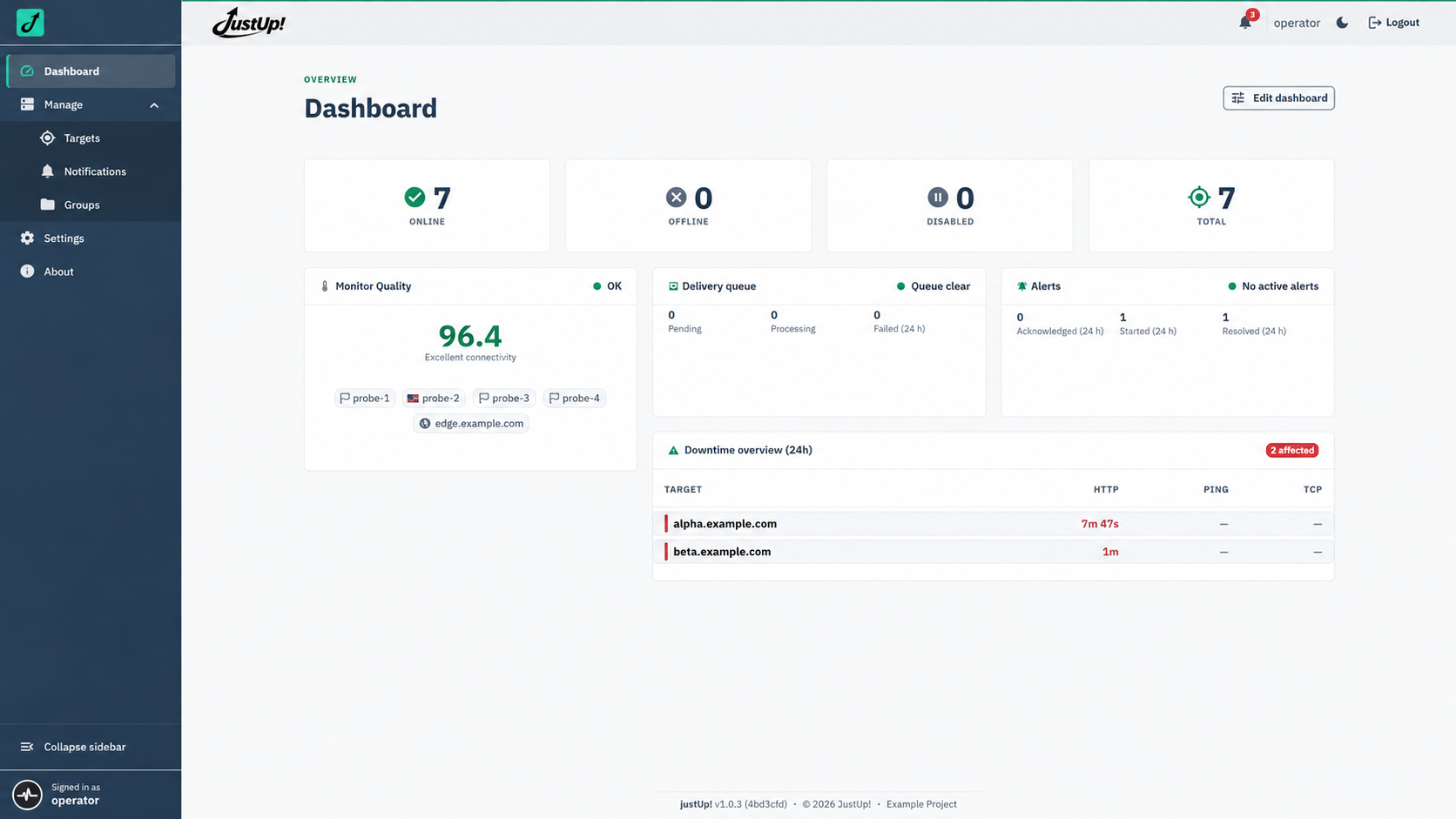
See more ...
Why justUp!
| Why it matters | What you get |
|---|---|
| 🛡️ Fewer false alarms | The Quality Index checks justUp!'s own connectivity. When it falls below the configured minimum, due checks pause and affected targets show unknown rather than triggering misleading DOWN alerts. Checks resume when connectivity recovers. |
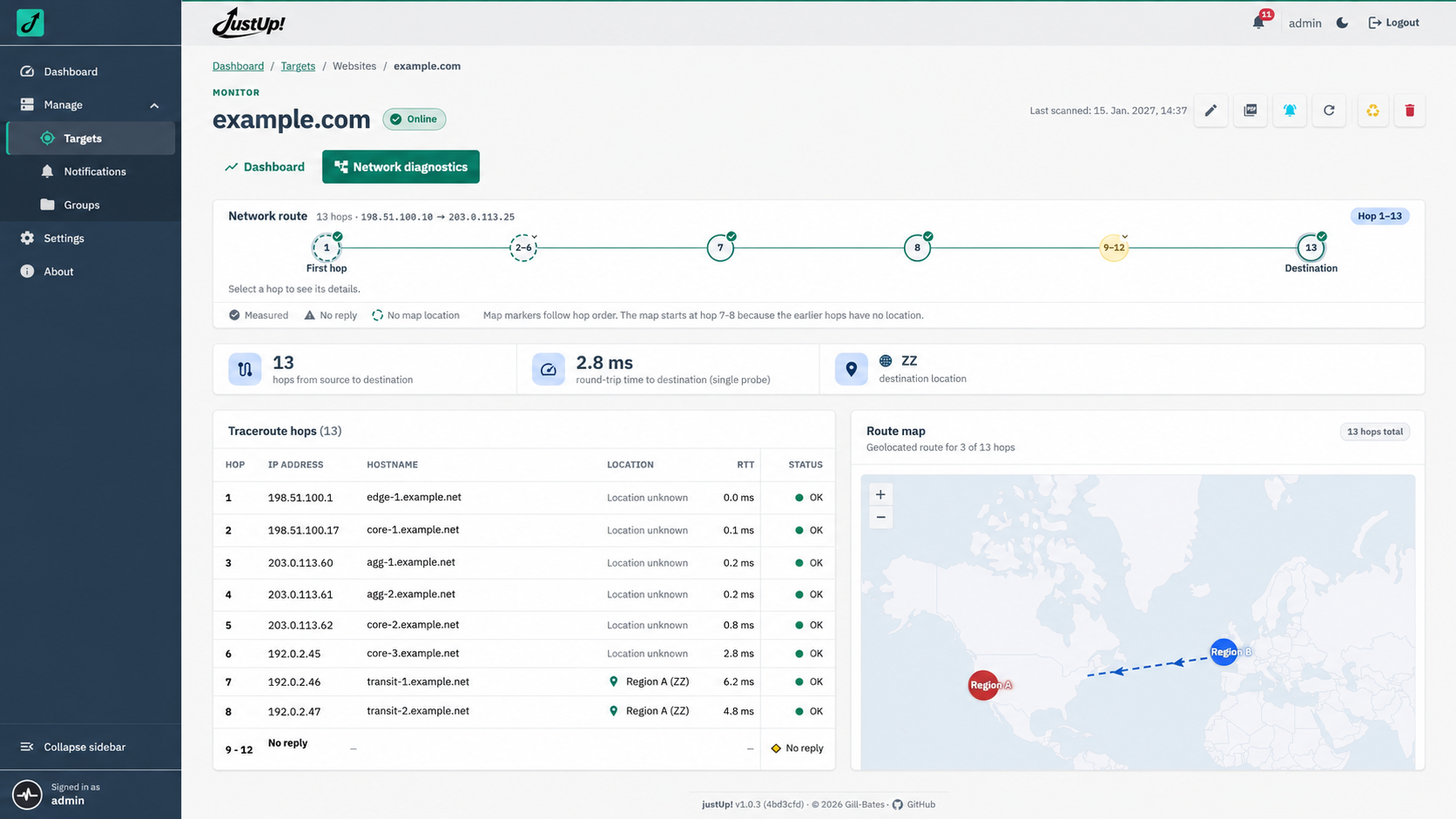
| 🧭 Diagnose beyond up or down | Run traceroute on demand, inspect hop details, and explore the route on a map without leaving the target view. |
| 📄 Reports ready to share | Generate print-ready PDFs per target with availability, SLA attainment, performance, TLS results, and network route details. |
| 📡 One container, no monitoring stack | Guided setup, checks, dashboard, and alerting together. SQLite and the built-in time-series database keep state and measurements local. |
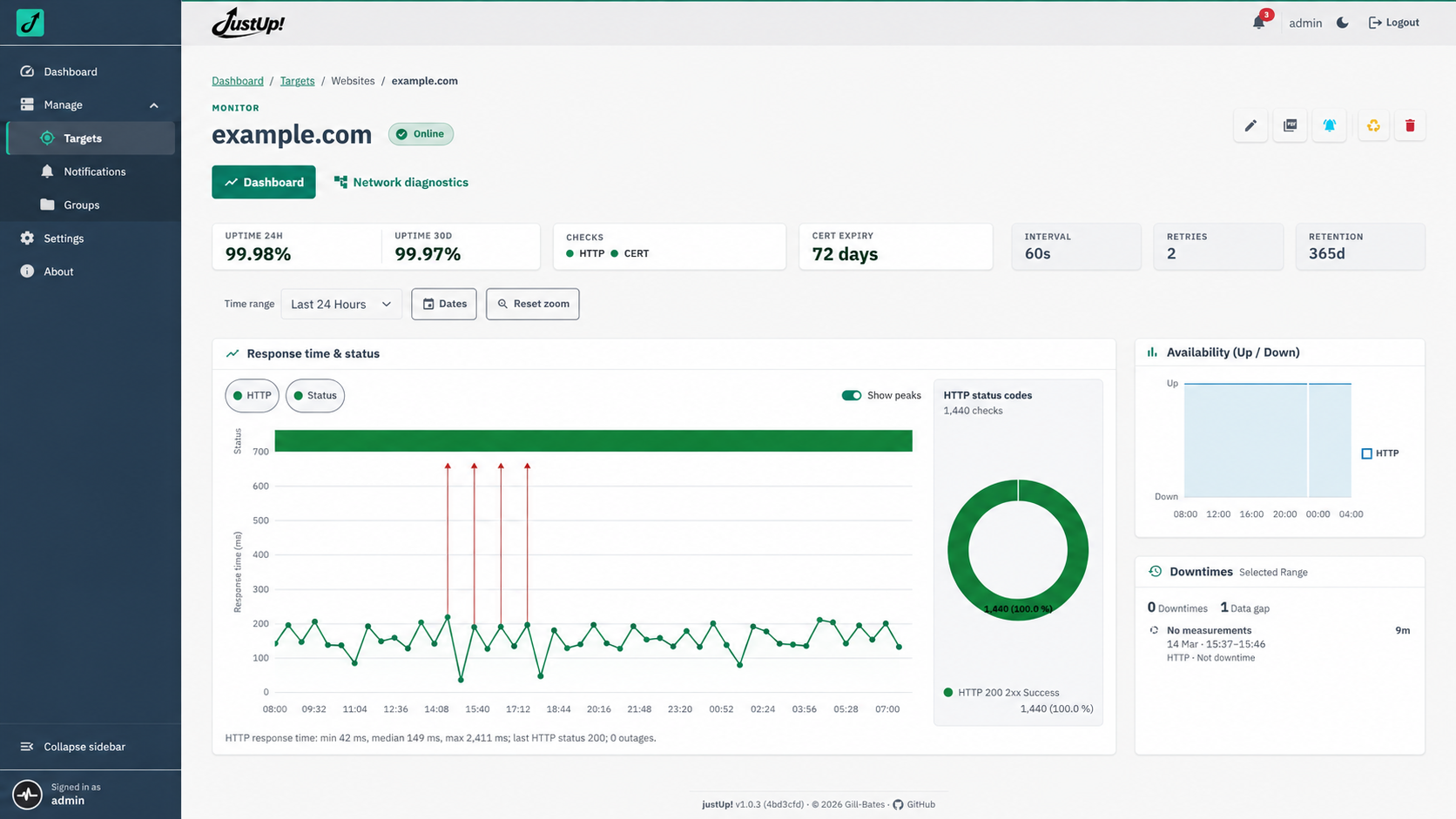
| 📈 History beyond the latest check | Explore measurement charts and long-term rollups without running a separate metrics database. |
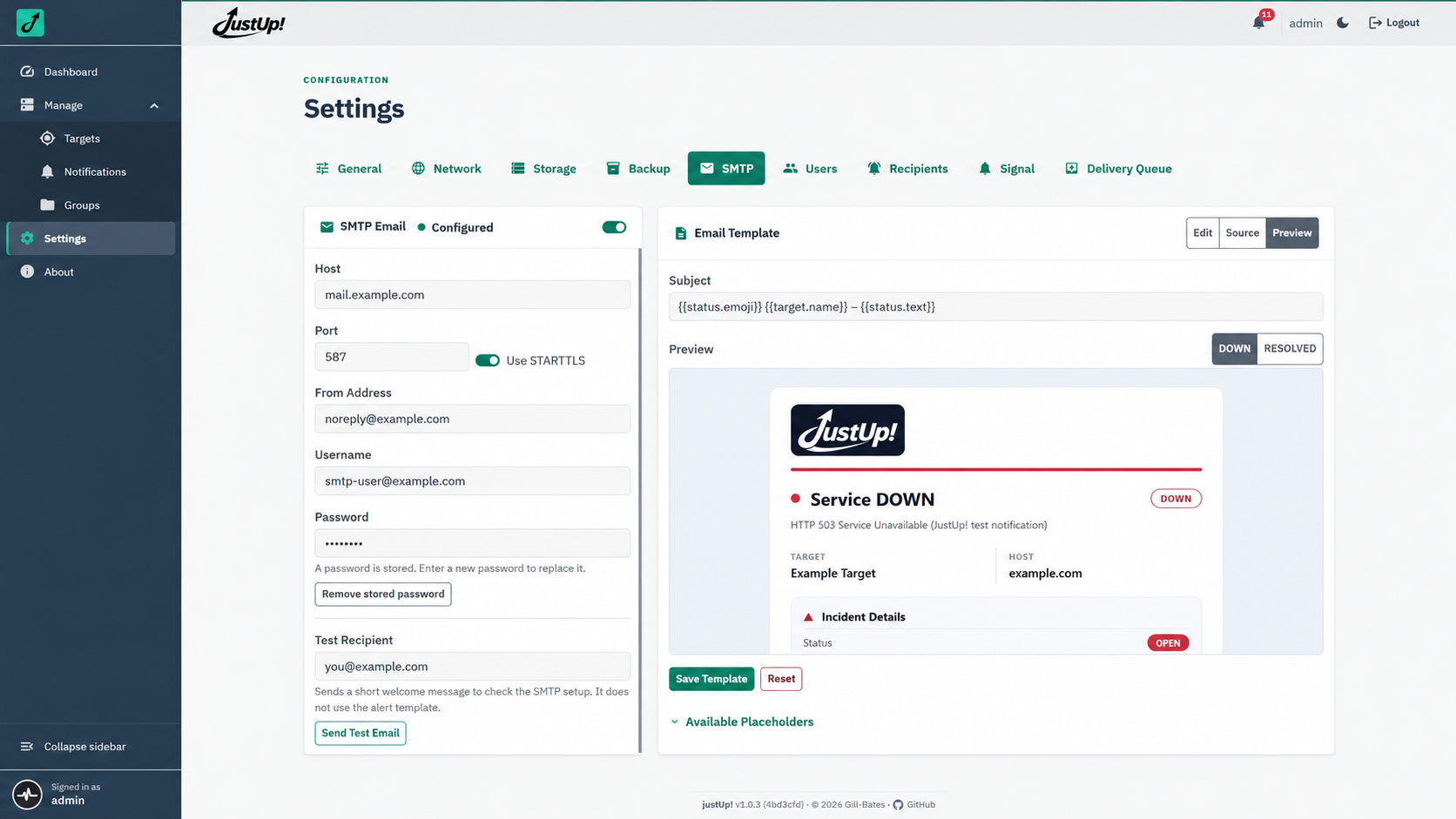
| 🔔 Alerts that keep trying | Receive email and Signal alerts, with queued delivery and retries when delivery fails. |
Getting started
Requires Docker. Generate a secret key using the image, then start justUp!:
export SECRET_KEY="$(docker run --rm --entrypoint python giiibates/justup:latest -c 'from cryptography.fernet import Fernet; print(Fernet.generate_key().decode())')"
docker run -d \
  --name justup \
  --init \
  -p 127.0.0.1:8000:8000 \
  -e SECRET_KEY="$SECRET_KEY" \
  -v justup-data:/app/data \
  giiibates/justup:latest
Open http://127.0.0.1:8000 and sign in as admin. Find the initial password
with docker logs justup; justUp! requires you to change it at first sign-in.
Keep SECRET_KEY safe and reuse it when recreating the container so stored
secrets remain readable.
For Compose, reverse proxies, configuration, backups, and operations, see the justUp! documentation.
Licensed under the MIT License.
Categories
Download Statistics
Related apps
Explore more like this
Explore allLinks
Details
giiibates/justup:latestRuntime arguments
- Web UI
http://[IP]:[PORT:8000]- Network
bridge- Shell
bash- Privileged
- false
- Extra Params
--init --restart unless-stopped --stop-timeout 60 --security-opt no-new-privileges:true --cap-drop ALL --cap-add CHOWN --cap-add FOWNER --cap-add SETUID --cap-add SETGID --cap-add NET_RAW --tmpfs /app/data/pdf_reports:size=256m,mode=0700
Template configuration
Required persistent Fernet key for stored secrets, sessions and backups. Generate with: openssl rand -base64 32 | tr '+/' '-_'. Keep it when updating.
- Target
- SECRET_KEY
Host port for the justUp! dashboard; the container listens on port 8000.
- Target
- 8000
- Default
- 8000
- Value
- 8000
SQLite database, monitoring history, settings, Signal data and GeoIP cache. Keep this path when updating.
- Target
- /app/data
- Default
- /mnt/user/appdata/justup
- Value
- /mnt/user/appdata/justup
Numeric UID that owns the data directory and runs the app. Cannot be 0 or 10001.
- Target
- PUID
- Default
- 1000
- Value
- 1000
Numeric GID that owns the data directory. Cannot be 0 or 10001.
- Target
- PGID
- Default
- 1000
- Value
- 1000
Optional comma-separated reverse-proxy IPs or networks as seen by the container. Leave empty when no proxy is used.
- Target
- TRUSTED_PROXIES
Optional comma-separated Fernet keys, new primary key first. Use only when rotating the Secret Key; keep old keys until their stored data has been re-encrypted.
- Target
- SECRET_KEYS
Container log verbosity. Access lines appear only at DEBUG.
- Target
- LOG_LEVEL
- Default
- INFO|DEBUG|WARNING|ERROR|CRITICAL
- Value
- INFO
Initial Java heap for the bundled Signal integration.
- Target
- JAVA_XMS
- Default
- 64m
- Value
- 64m
Maximum Java heap for the bundled Signal integration.
- Target
- JAVA_XMX
- Default
- 256m
- Value
- 256m