
All apps · 0 apps

JunctionRelay
Docker app from Rusty6285's Repository
Overview
Readme
View on GitHubJunctionRelay
Design once. Deploy everywhere.
JunctionRelay is a self-hosted hub for connected hardware and the machines around it. Design on-screen displays in the browser with the FrameEngine and stream them to ESP32 screens, desktops and dashboards. Pull data in from sensors, servers and cloud services. And keep a structured record of your homelab and your local LLM fleet, readable and writable by AI agents over MCP.
🔴 YouTube @catapultcase 📚 Documentation 🌐 junctionrelay.com
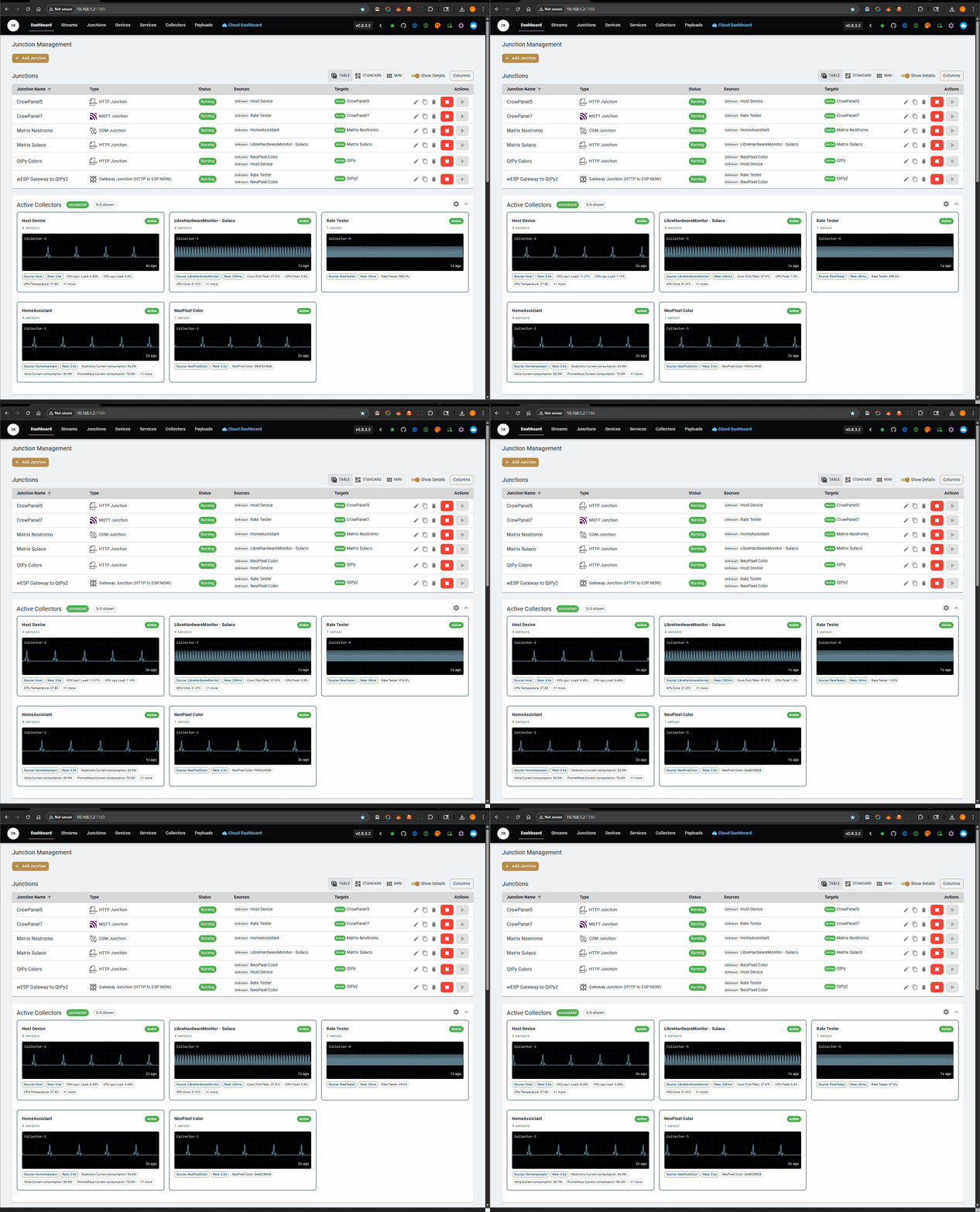
What's inside
The web UI is a set of apps that share one server and one database:
| App | What it does |
|---|---|
| 🛰️ Server | The FrameEngine designer, devices, junctions (data routes), collectors, payloads, the EventEngine, streams and settings |
| 🏠 Homelab | Inventory of machines and parts, racks and rooms, the network topology, backups, and price history |
| 🧠 Models | Your local LLM fleet: the model catalog, what each machine serves, benchmarks and reports |
| 📖 Documentation | Browse your own MkDocs sites from inside the app |
| ☁️ Cloud | Optional JunctionRelay Cloud: device registration, backups, sync and the cloud MCP |
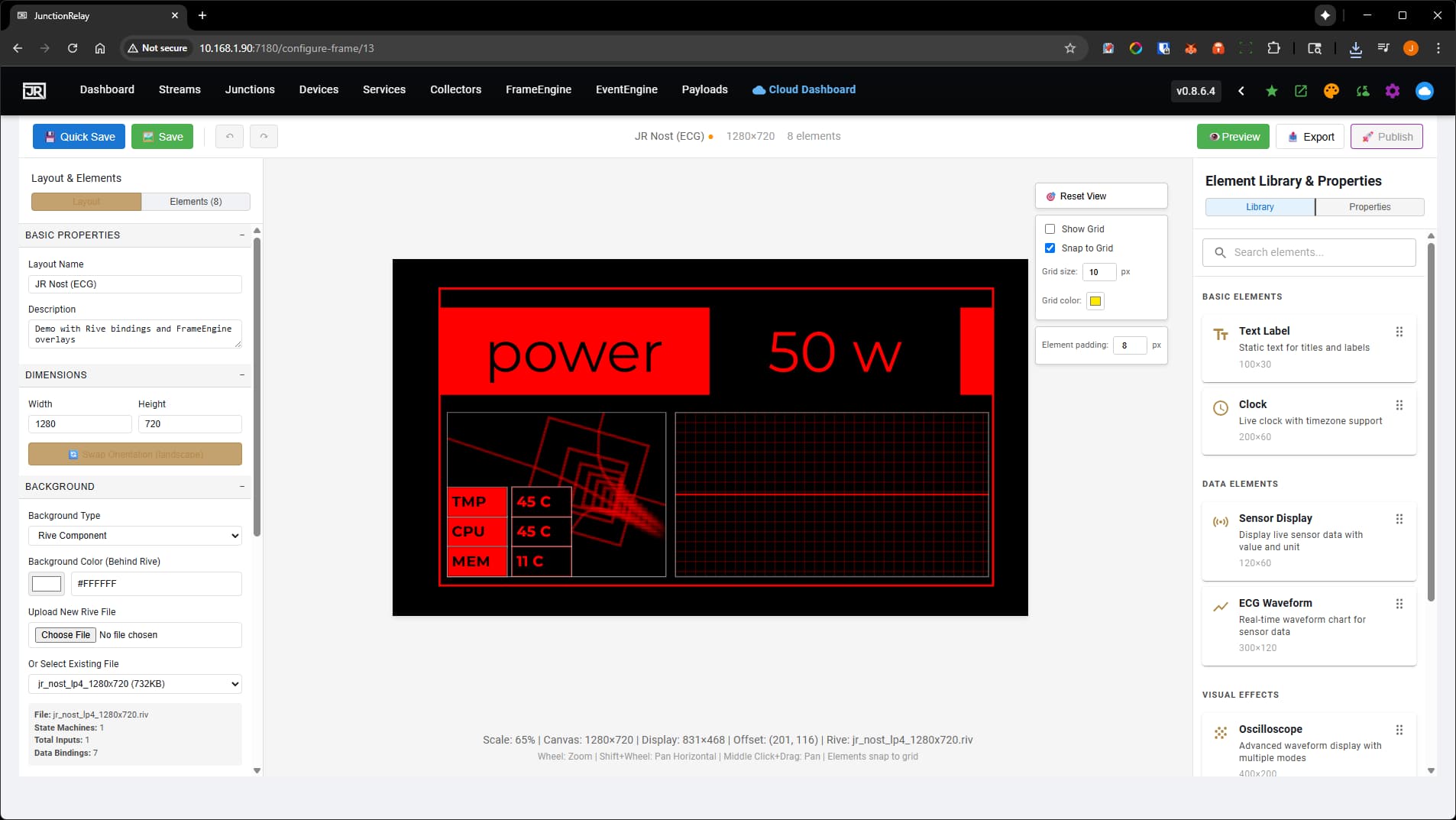
FrameEngine – multi-platform OSD designer
- Visual layout editor – drag-and-drop builder for on-screen displays at any resolution
- Real-time preview – designs update live as sensor data flows in
- Component library – gauges, charts, text, media, effects, and sensor displays
- Rive integration – interactive, stateful Rive graphics bound to live data
- Shaders – GPU shader effects as layers and backgrounds
- Data binding – connect any sensor to any element with a simple mapping
- EventEngine – rule-based logic that transforms sensor values in real time
- Render modes – send devices a compact payload to draw themselves, composite frames assembled on the device, or fully pre-rendered (blit) frames for screens that only show pixels
- FrameXchange / DeviceXchange – share and download layouts and complete device projects
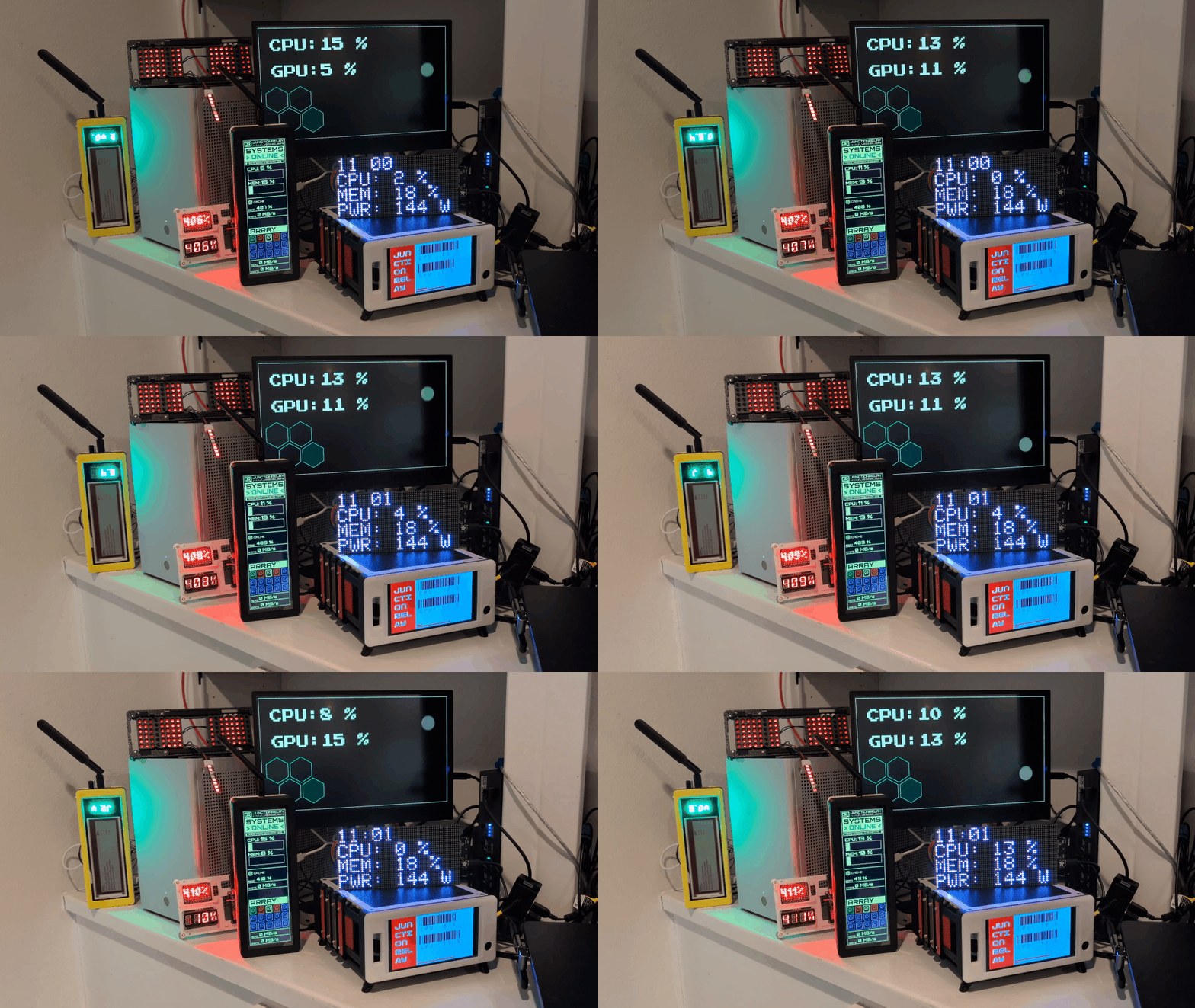
- Virtual devices – show your designs in a browser, on hardware, or in the desktop Virtual Device app
Devices and data
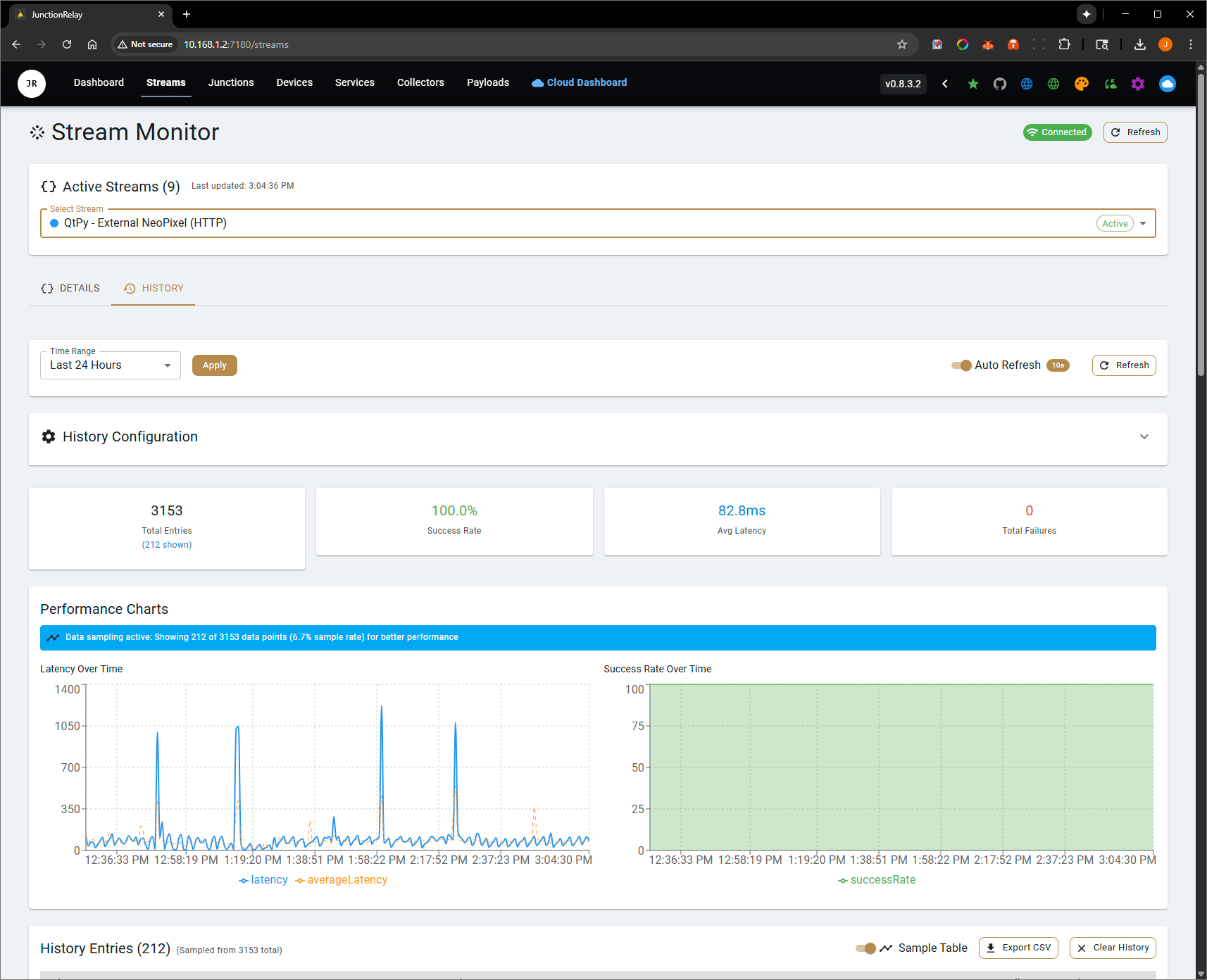
Streaming
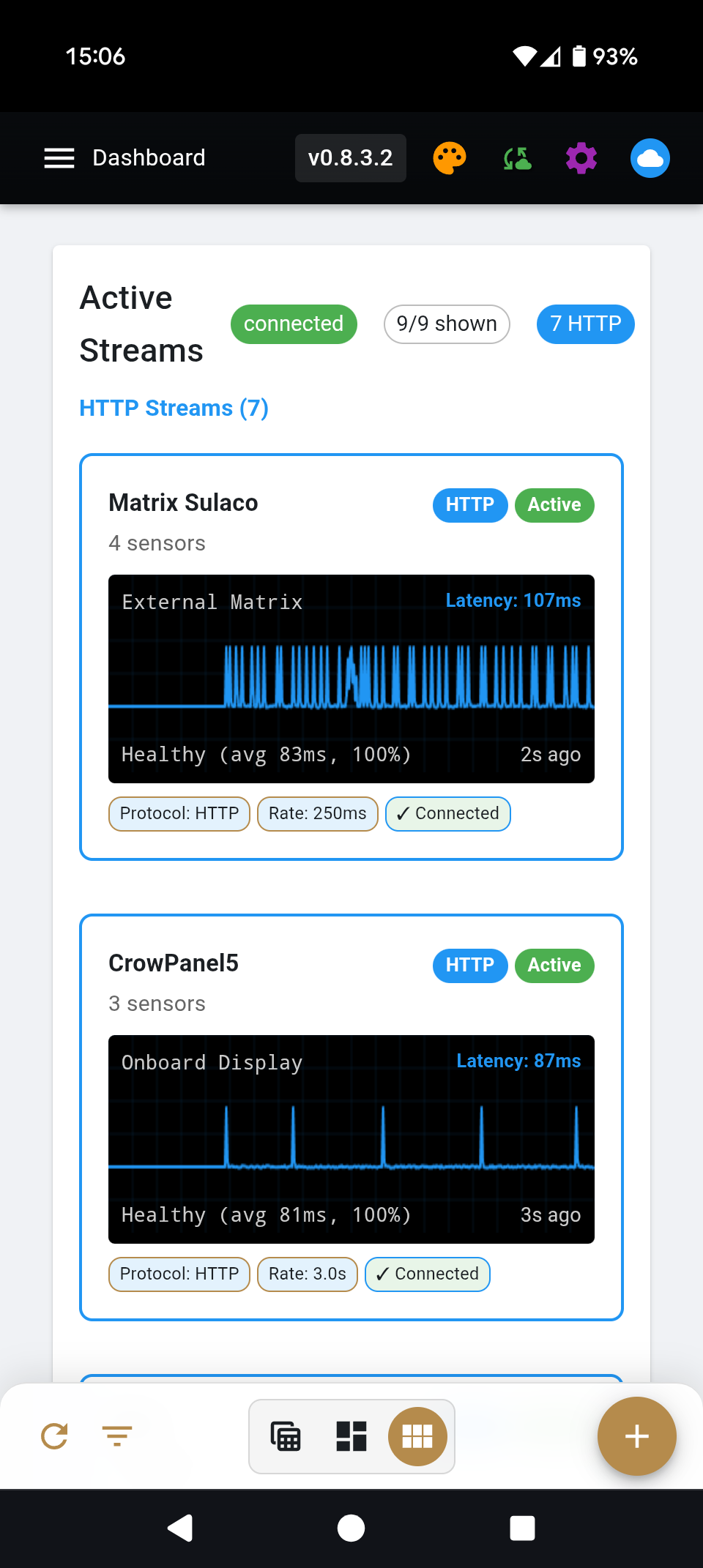
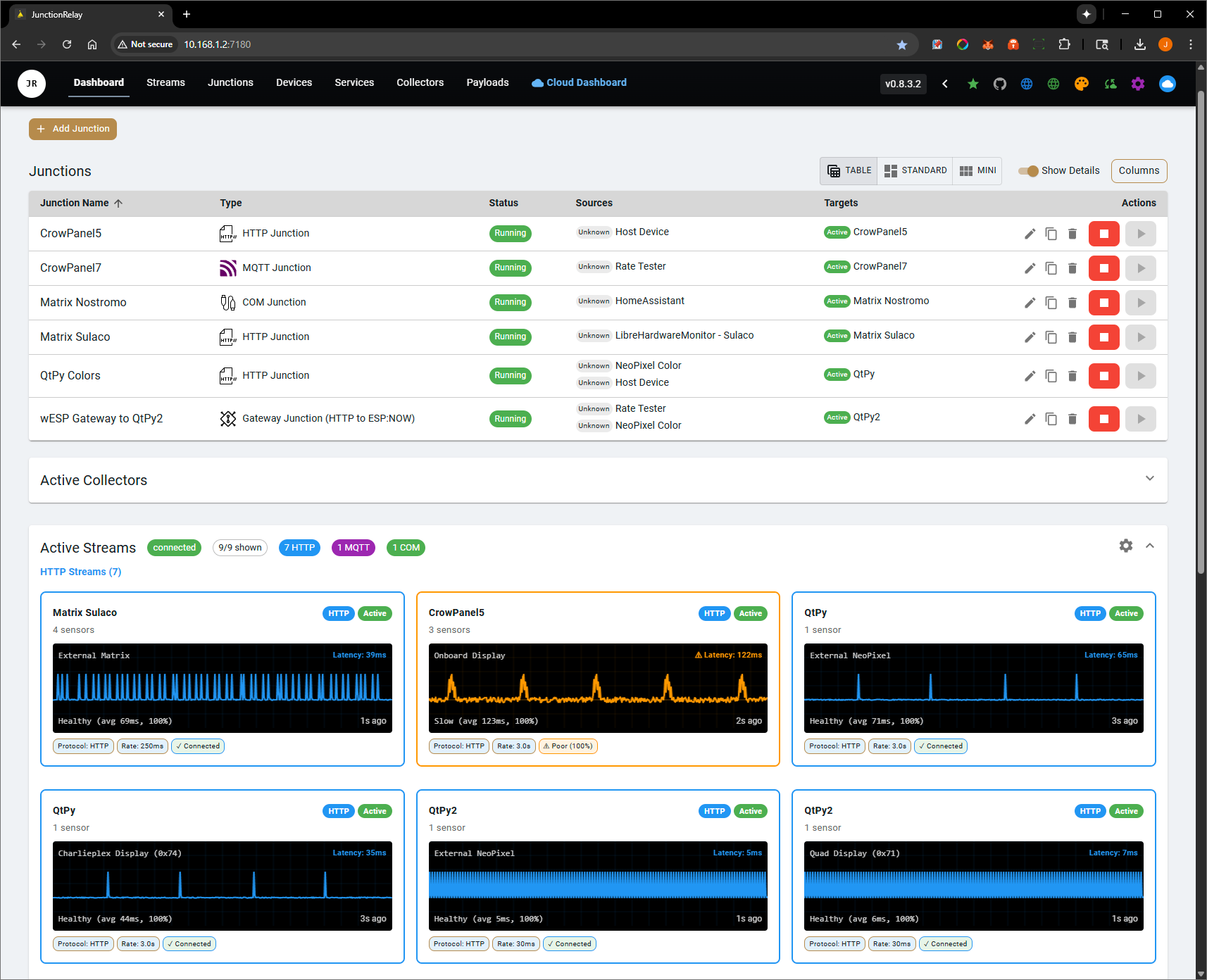
Junctions route data from collectors to devices, over WebSocket, HTTP, MQTT or serial (COM), at a rate you set per junction.
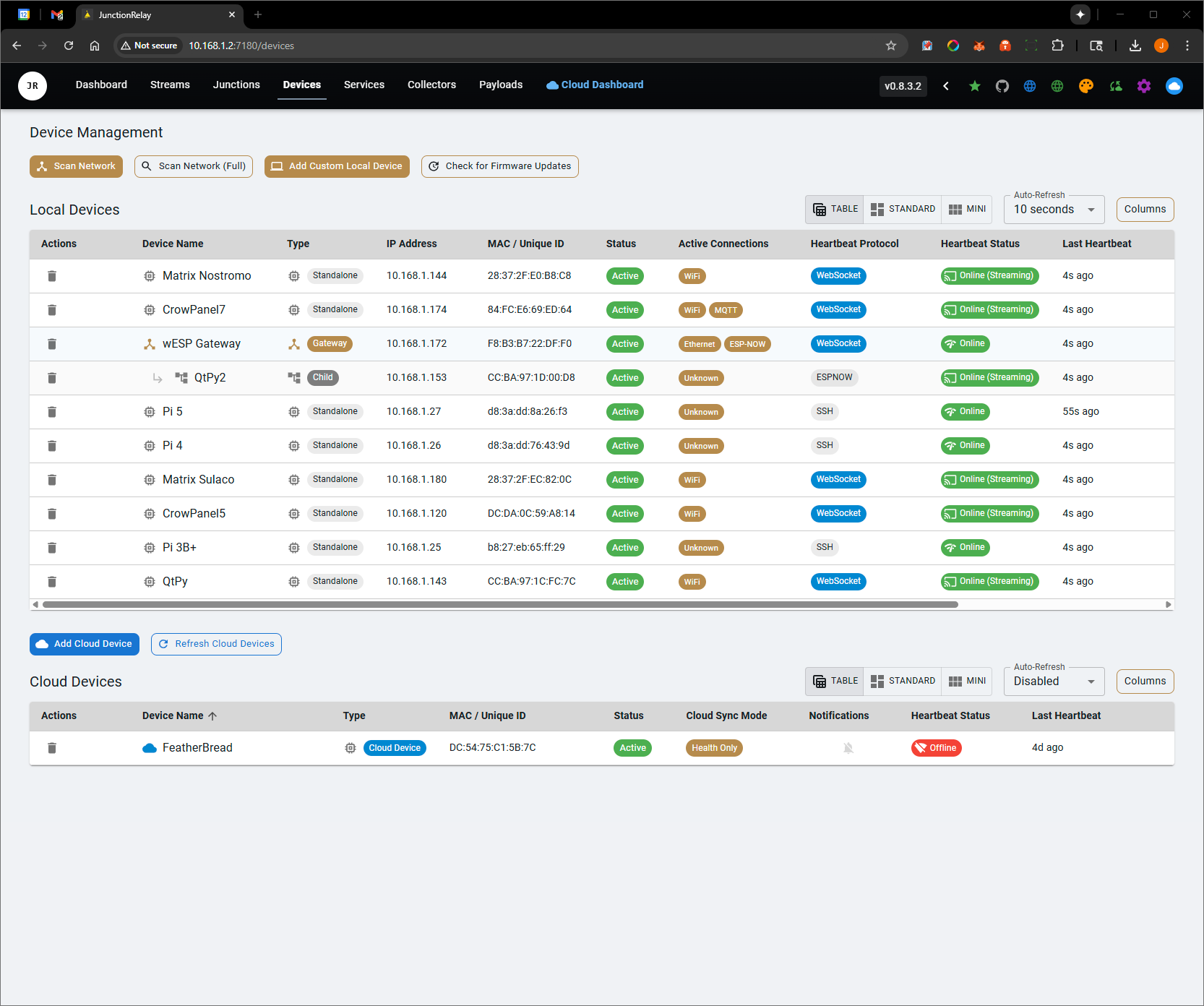
Device management
- Network discovery of local devices
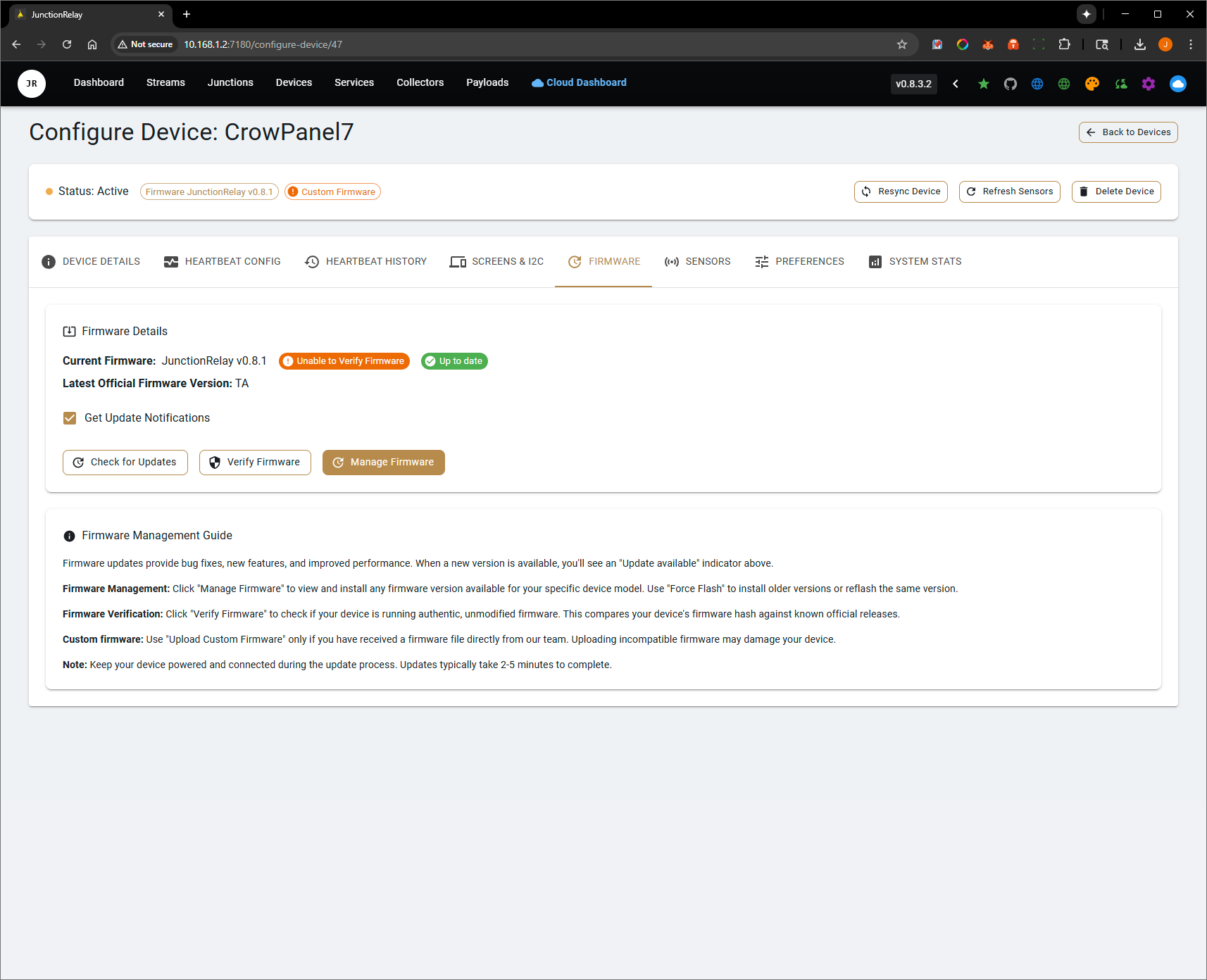
- Over-the-air firmware updates
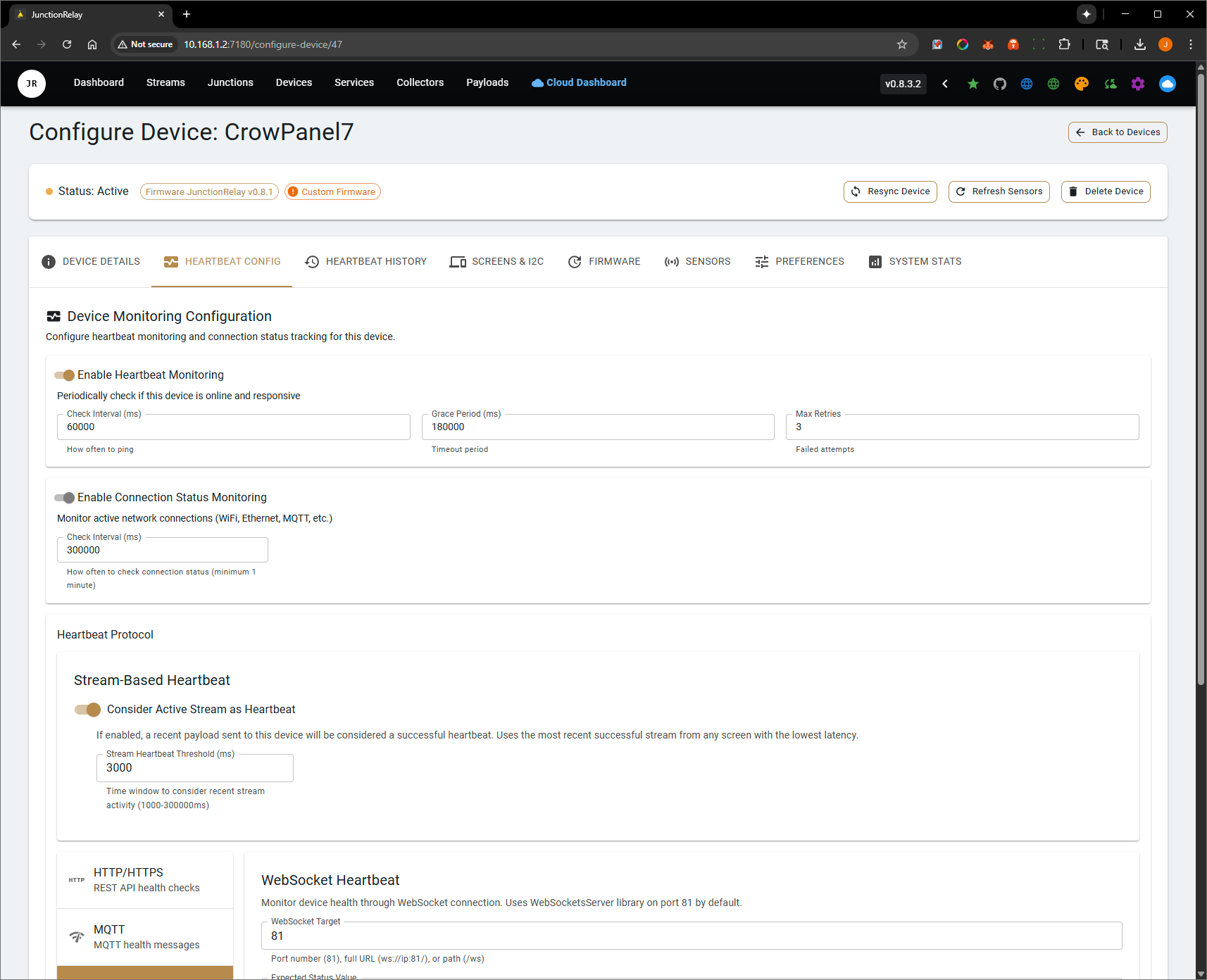
- Health monitoring with heartbeats
- Cloud registration for devices that need no network setup
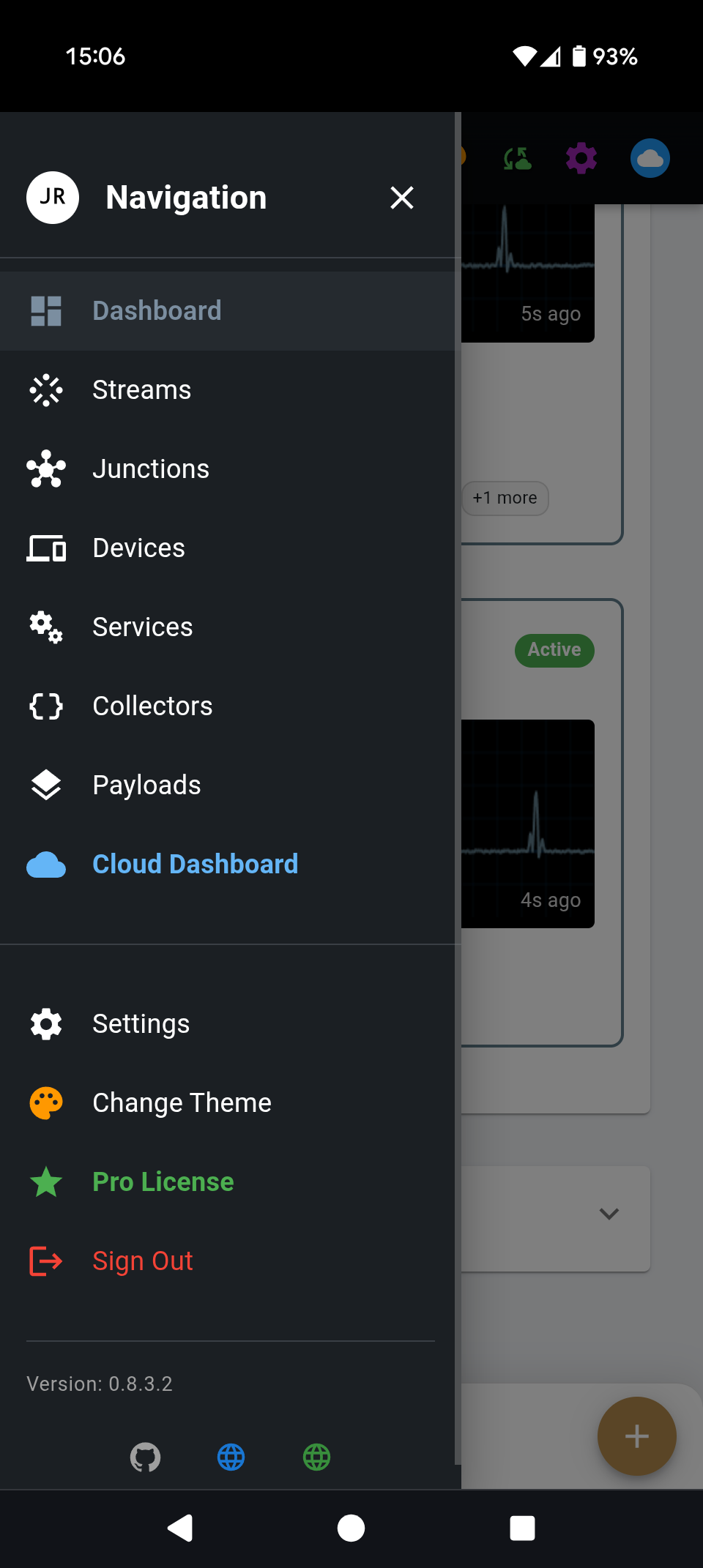
- Push notifications through the Android app
Collectors
Built in:
| Cloudflare | GitHub | Host device (CPU, memory, disks, network) |
| HWiNFO | iCal calendars | LibreHardwareMonitor |
| MQTT brokers | NeoPixel colour | Rate tester |
| Render.com | Sonarr calendar | SSH Linux hosts |
| Stripe | Unraid (GraphQL) | Uptime Kuma |
Shipped as plugins: Home Assistant, Generic JSON API, Internet Time, System Time, OpenWeather, Windows host metrics and Claude usage.
Plugins extend the server without rebuilding it: collector plugins (a separate process over JSON-RPC), FrameEngine element plugins, payload plugins and shader plugins, installed from a zip. Want an integration? Ask in Discussions.
Grafana
/api/grafana exposes junction states, sensor time series and system metrics for Grafana.
Homelab
A structured record of your hardware, replacing spreadsheets and notes that drift:
- Machines and parts – every machine and the components inside it, with specs per component type (types and their fields are editable)
- Shelf and movements – spare parts, what moved where and when, retired and sold parts
- Prices – launch price, invoice price and what you paid, plus a dated market-value history
- Paperwork – invoices and documents attached to each part
- Spaces and rooms – racks (with a U-by-U elevation), desks and shelves, nested inside rooms
- Network – a topology map built from your inventory: a switch or NIC brings its ports with it; links are drawn port to port, live or planned
- Backups – your backup strategy read as 3-2-1: every data set, every copy, which box holds it, what is offsite (including cloud storage), and the jobs that make the copies
Models
For anyone running local LLMs across several machines:
- Catalog – the models you hold, with published reference scores
- Serving – which machine serves which model, at what quant, context window and slots, drawn as one picture of who asks whom
- Benchmarks – a matrix of measured speed (prefill, tokens/s, time to first token) per exact setup and machine, including setups that would not load and why
- Reports – speed over time, and how mixture-of-experts models behave as layers move to system RAM
Benchmarks follow a public, versioned contract
(docs/BENCHMARK-CONTRACT.md), so any test
harness can post results.
MCP for AI agents
JunctionRelay is an MCP server. Point Claude, or any MCP client,
at http://<your-server>:7180/mcp with the key from Settings, and the agent can read and update
the Homelab and Models data: file a purchase from an invoice, move a part, record a benchmark,
rearrange a rack, wire the network map. The web UI and the agent use the same rules, so
neither can write something the other would refuse.
- Local MCP – free, live, and the source of truth
- Cloud MCP – read-only access to your synced mirror from anywhere (JunctionRelay Cloud Pro)
JunctionRelay Cloud (optional)
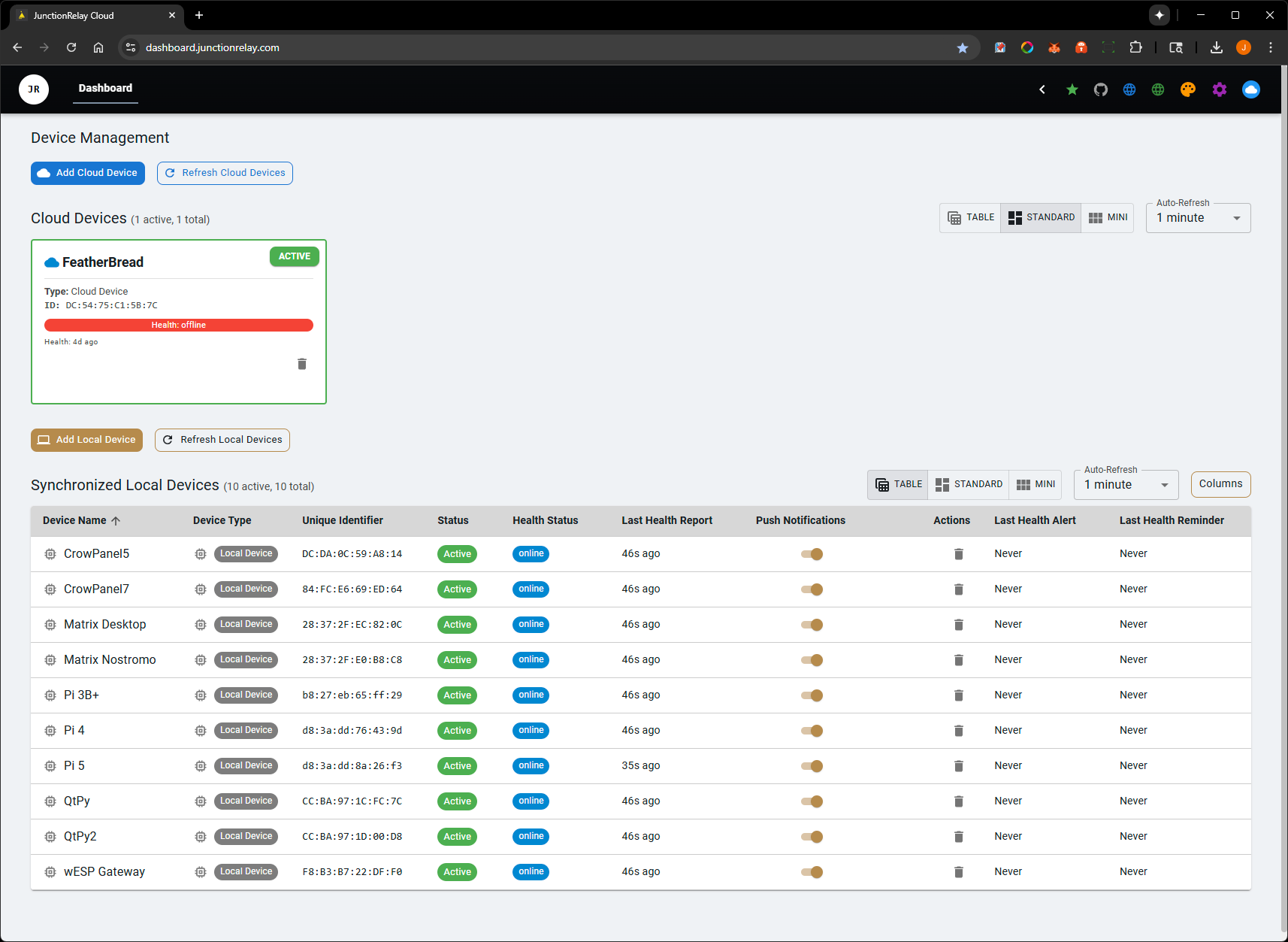
- Cloud devices – register ESP32 devices with a token and approve them; they appear in your server with no network setup
- Cloud backups – scheduled backups of your server
- Cloud sync – a push-only mirror of your Homelab and Models data for the cloud dashboard and cloud MCP. Nothing comes back down, and private fields (addresses, notes) never leave your server
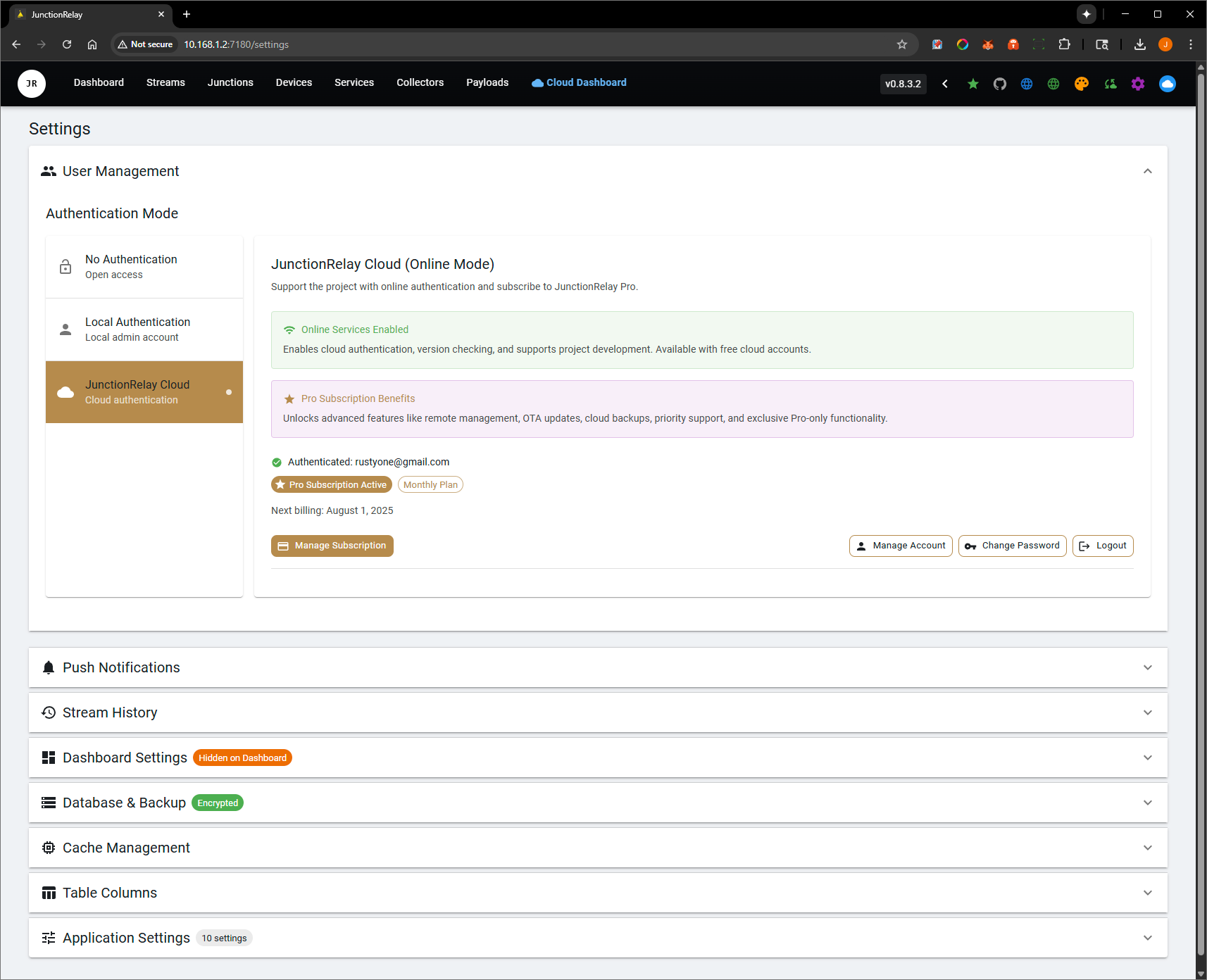
- Sign-in – use your cloud account, or keep the server local-only with its own login
Quick start (Docker)
docker run -d --name junctionrelay \
  -p 7180:7180 \
  -v /path/to/appdata:/app/data \
  catapultcase/junctionrelay:latest
Open http://<host>:7180. All data lives in /app/data. Images are published for x64 and arm64,
so a Raspberry Pi works too. Unraid users can install it from Community Applications.
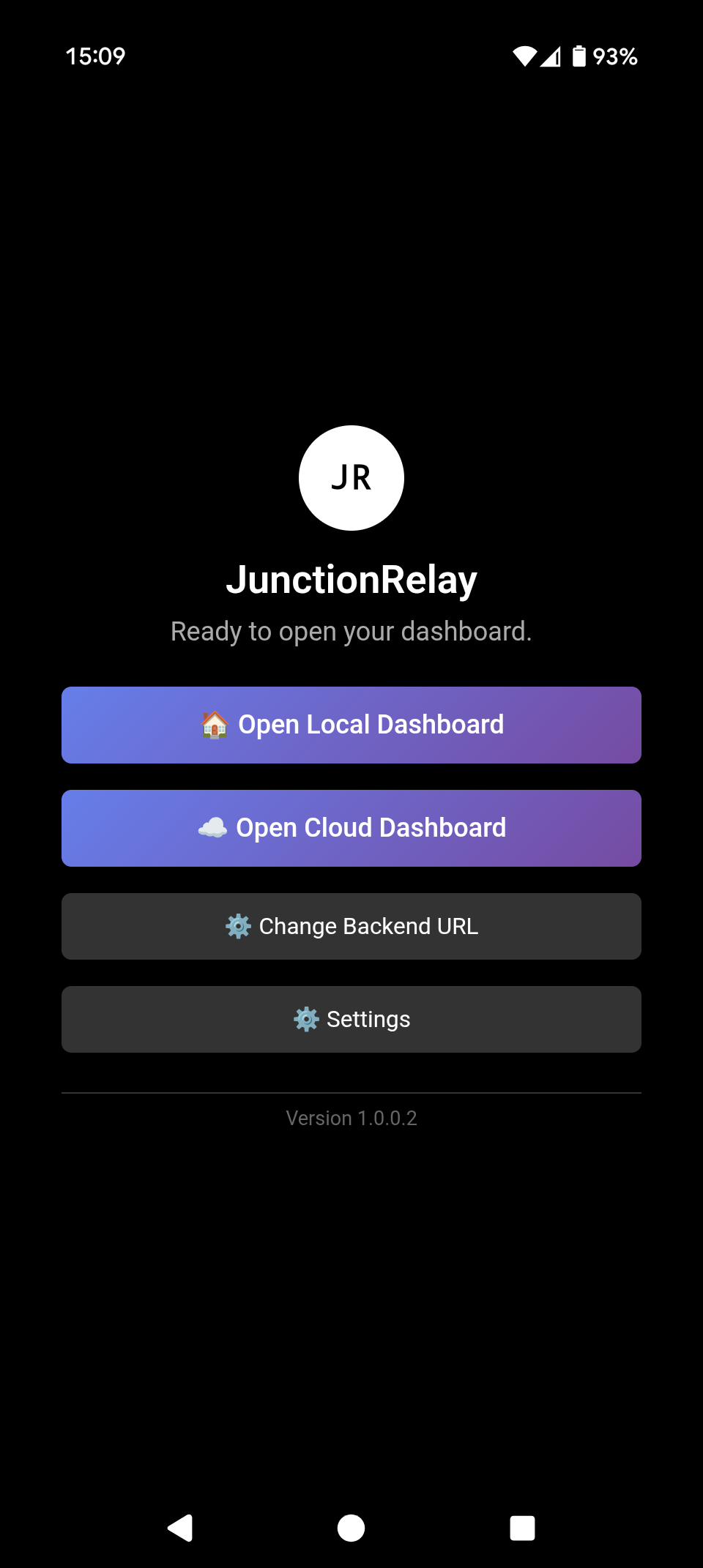
Android app
- Connects to your local server and to the cloud
- Push notifications for devices you sync to the cloud
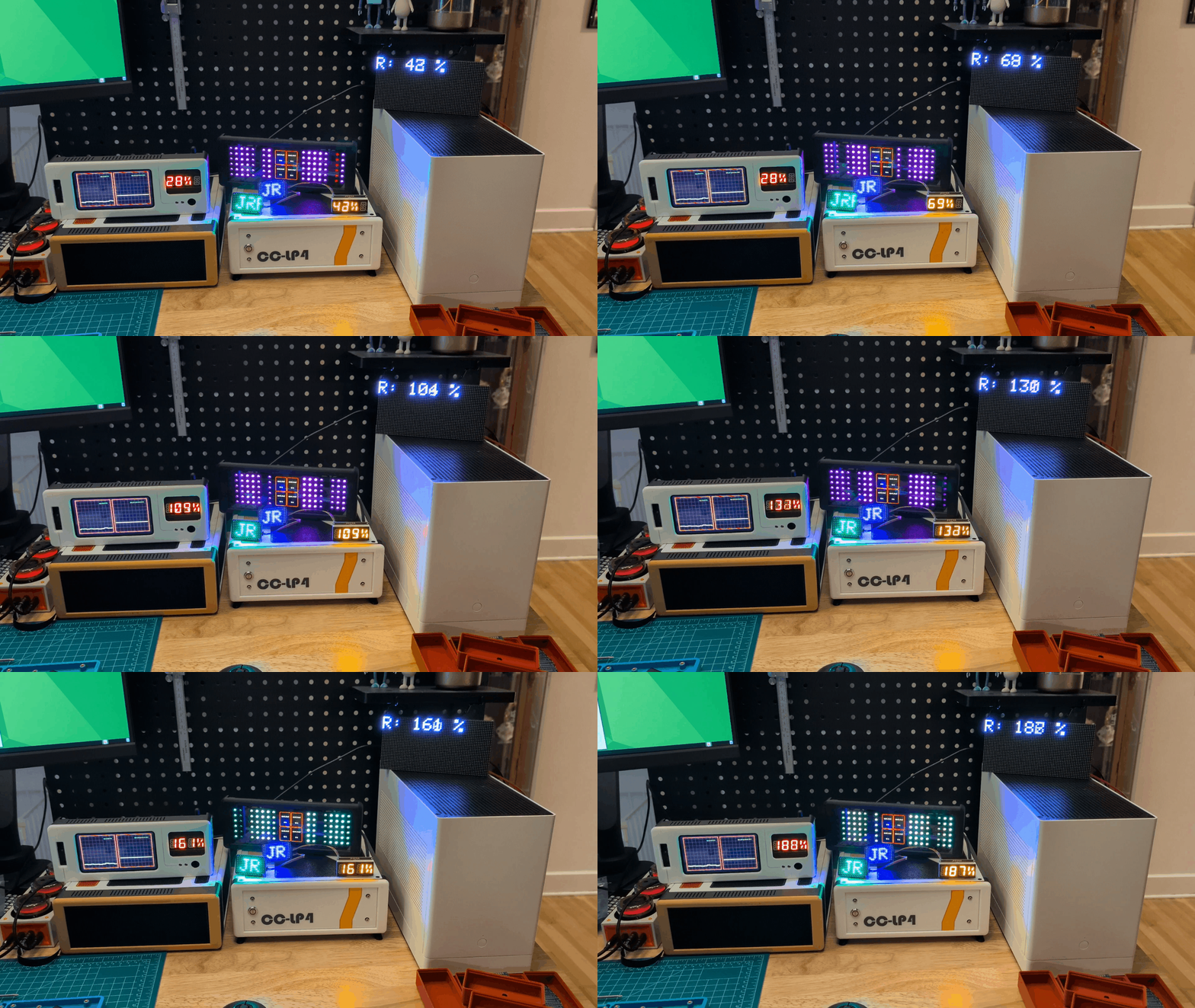
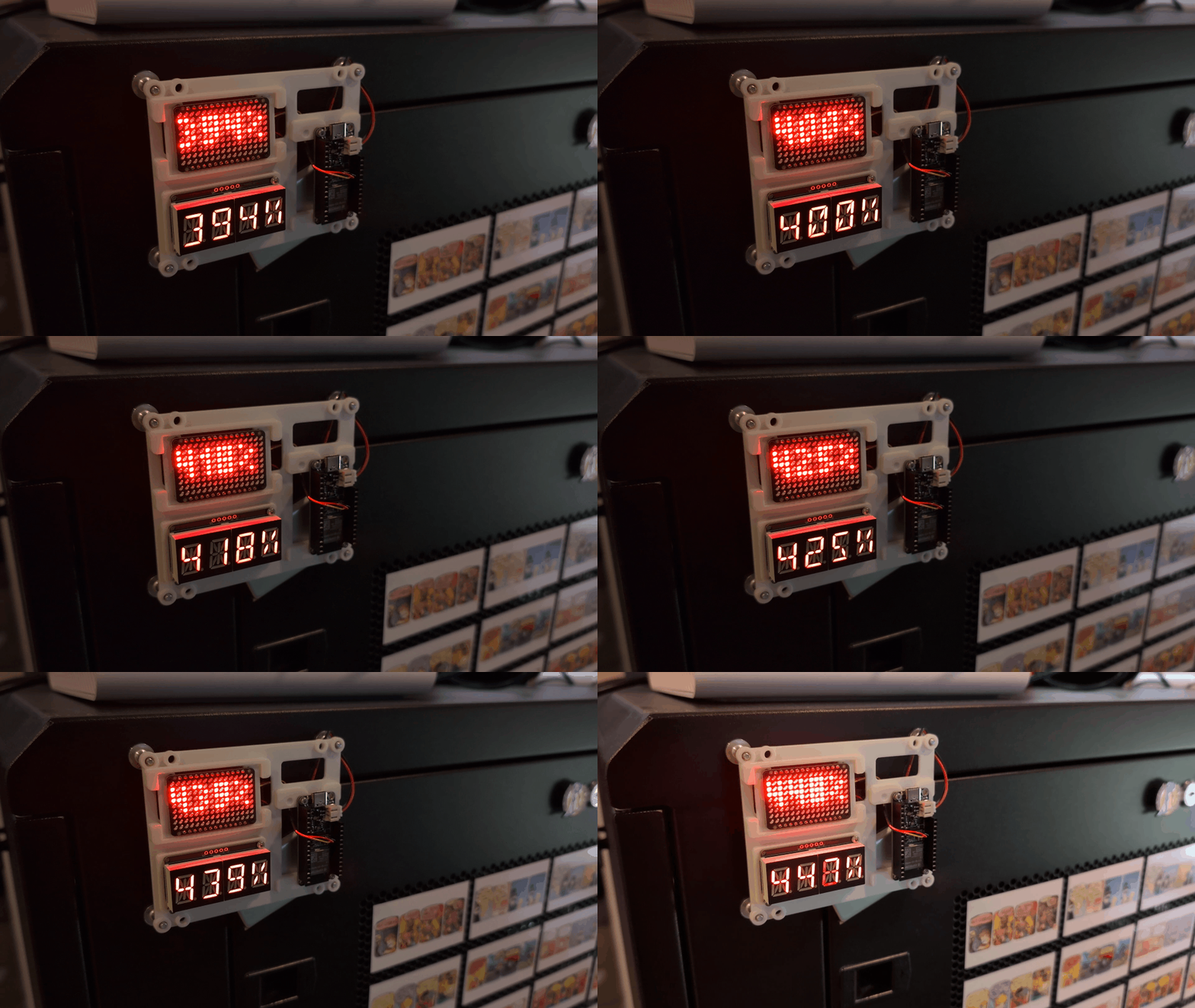
Example builds
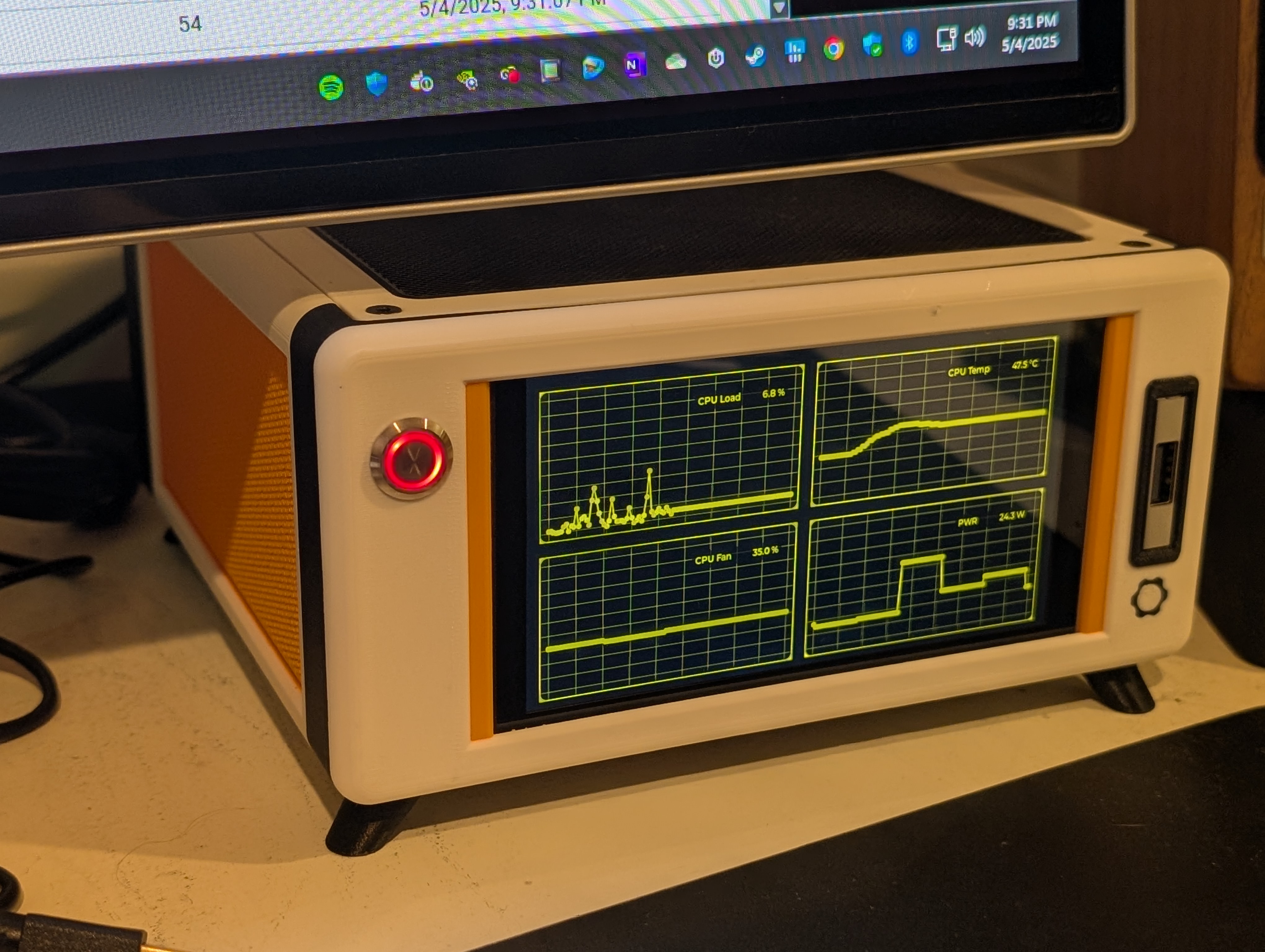
| Adafruit Feather ESP32 S3 | CrowPanel 5" | Rack display |
|---|---|---|
 |
 |
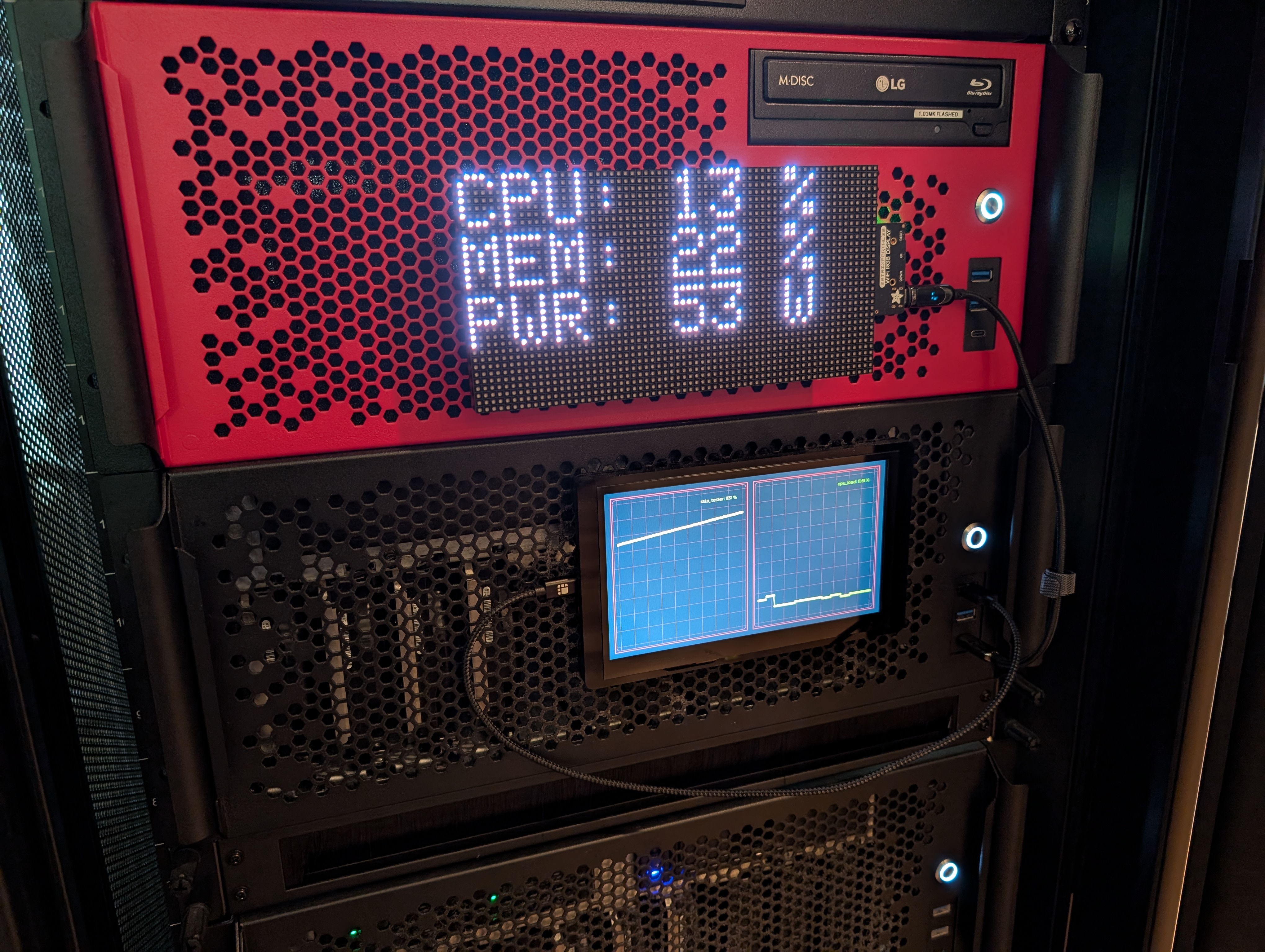 |
Screenshots
| Dashboard | Cloud Dashboard | Devices |
|---|---|---|
 |
 |
 |
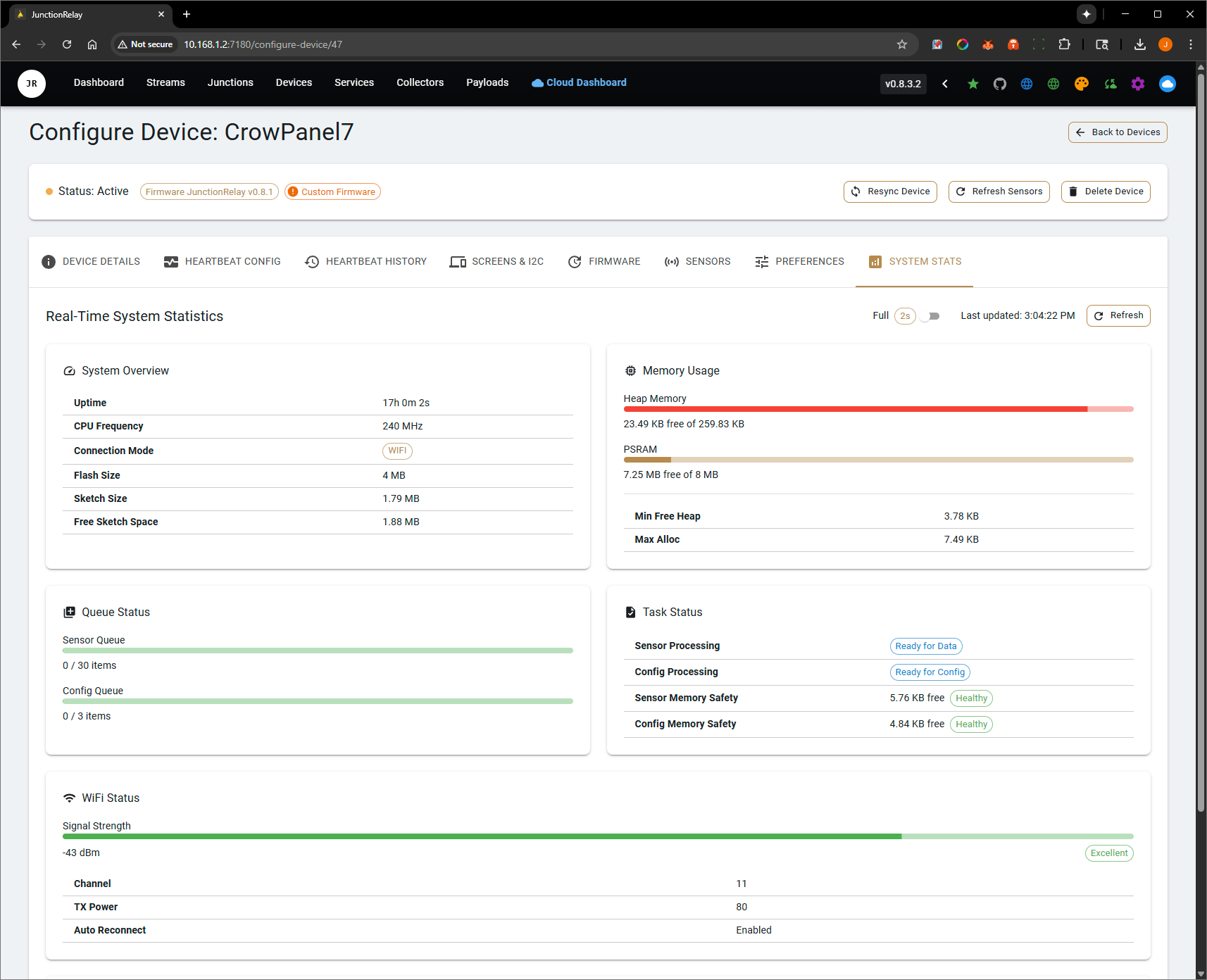
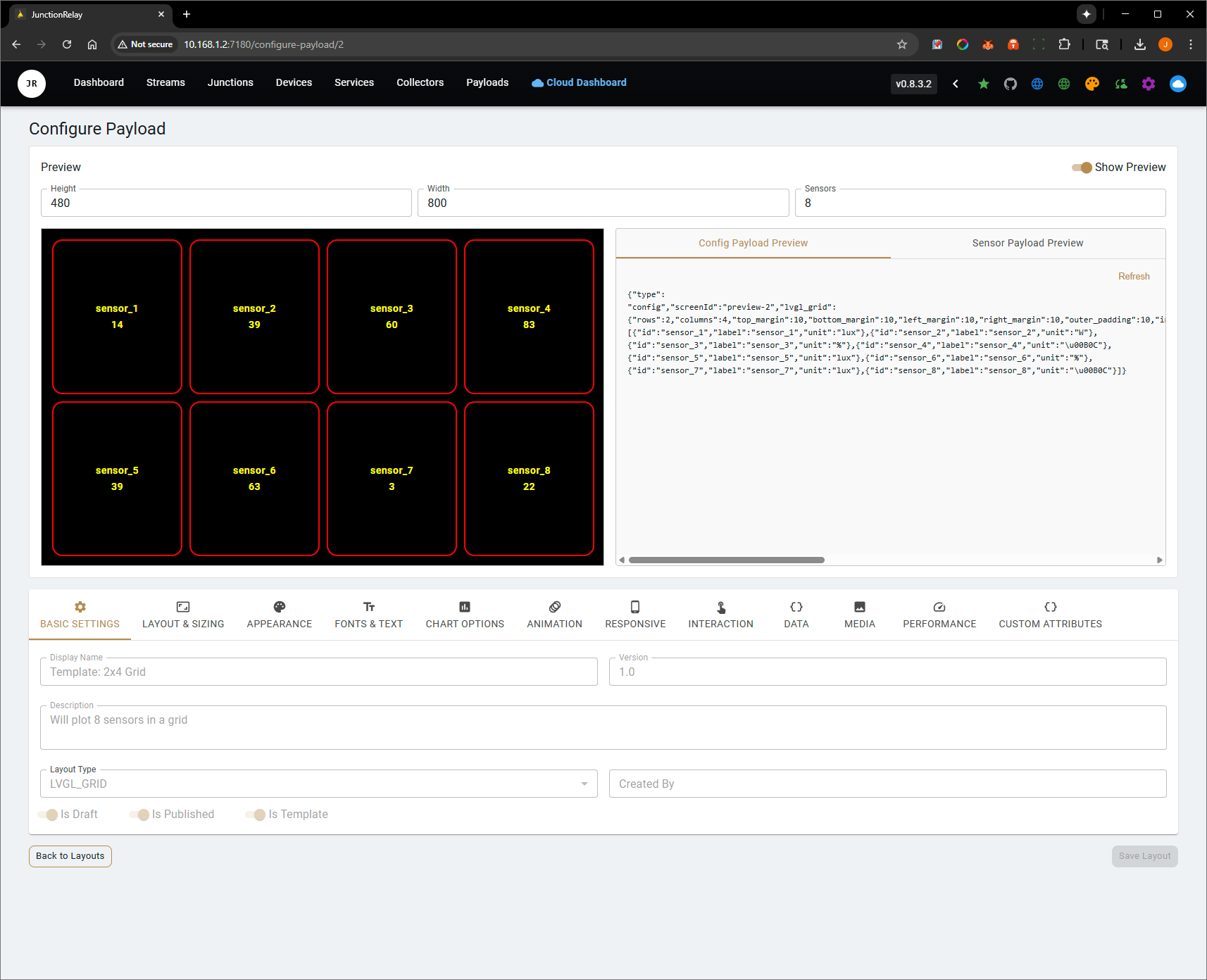
| Device Stats | Payloads | Settings |
|---|---|---|
 |
 |
 |
| Configure Device 1 | Configure Device 2 | Stream Monitor |
|---|---|---|
 |
 |
 |
Repository layout
| Path | Contents |
|---|---|
JunctionRelay_Server/ |
The .NET 8 server (Controllers/, Services/, Models/, Collectors/) and the React web UI (junctionrelaywebui/) |
JunctionRelay_Server/docs/ |
Public contracts, such as the benchmark contract |
JunctionRelay_ESP32_* |
Firmware for the supported ESP32 boards (Arduino) |
Device Examples/ |
Example device builds |
assets/ |
Images used in this README |
License and source code
JunctionRelay is open core.
Open source (GPL-3.0)
Under the GNU General Public License v3.0:
- The .NET 8 server
- The React web UI
- The collectors, Homelab, Models and MCP modules
- The device firmware
Third-party licences are listed in LICENSES-THIRD-PARTY.txt and
JunctionRelay_Server/THIRD-PARTY-LICENSES.txt.
FrameEngine (proprietary)
The FrameEngine library is proprietary. It is not in this repository: it ships compiled
(minified and obfuscated) inside the JunctionRelay Docker image, and may be used only as part of
JunctionRelay Server. Building the web UI from source needs the FrameEngine package
(@junctionrelay/frameengine), which is not published here.
You can:
- ✅ Use JunctionRelay Server freely, for personal or commercial purposes
- ✅ Modify and redistribute the open-source parts under the GPL-3.0
- ✅ Build your own collectors, plugins and integrations
You cannot:
- ❌ Decompile, reverse engineer or extract the FrameEngine
- ❌ Use the FrameEngine outside JunctionRelay Server, or redistribute it separately
Contributing
Contributions to the open-source parts are welcome: bug fixes, features, collectors, device support and documentation. Contributions are accepted under the GPL-3.0.
- Bugs: open an issue
- Ideas and feature requests, including FrameEngine ones: start a discussion
Categories
Download Statistics
Related apps
Explore more like this
Explore allLinks
Details
catapultcase/junctionrelay:latestRuntime arguments
- Web UI
http://[IP]:[PORT:7180]/- Network
host- Shell
sh- Privileged
- false
Template configuration
- Target
- /dev
- Value
- /dev
- Target
- 7180
- Default
- 7180
- Value
- 7180
- Target
- /app/data
- Value
- /mnt/user/appdata/junctionrelay
Optional. A folder of invoice files the server may read when filing a purchase. Read-only on purpose - the server only ever reads from it.
- Target
- /invoices
Directories INSIDE the container the lab may read invoice files from, colon or comma separated. Unset means it reads no local paths at all and callers are told to upload instead. Reading arbitrary paths on request would turn a filing tool into a file-disclosure tool, so this is off unless you set it.
- Target
- LAB_ATTACHMENT_ROOTS
- Default
- /invoices
- Value
- /invoices
Optional. A folder of built MkDocs sites the server serves in the Documentation tab. Point it at a directory containing one or more built sites, e.g. a git clone's site/ folder. Read-only on purpose - the server only ever reads from it, and never writes to or clones your repository.
- Target
- /docs
Directories INSIDE the container the Documentation tab may serve, colon or comma separated. Unset means the tab is off. Serving arbitrary paths on request would turn a docs viewer into a file-disclosure tool, so this is off unless you set it.
- Target
- LAB_DOCS_ROOTS
- Default
- /docs
- Value
- /docs
Optional. How this server is reached on your network, e.g. http://10.0.0.5:7180. Used to print a working upload command when an invoice file is not readable from the server.
- Target
- LAB_PUBLIC_URL